6 Core Keywords That AI Product Managers Should Master for Spatial Computing and App Development
Since I started working as a product manager up to the current AI era, I have developed at least dozens of apps (including mini-programs), among which no fewer than 10 spatial computing applications have been developed recently.
Throughout my career, and even now when I lead a team to develop brain-computer interface apps, I have accumulated a set of relevant product work specifications, which have evolved into prompts.
To this end, I have summarized 6 specifications and prompts. If you master them, whether you are a programmer or a complete layman with no relevant knowledge, you can reduce token consumption and build an easy-to-use product.
1. Maintain globally unified design specifications
This prompt is designed to ensure that the newly generated single page or multiple pages can follow a clear basis. I usually summarize the design specifications into a separate MD document for AI to follow, which covers colors, buttons, sizes, hover effects, and even component usage rules.
2. Page path front-to-back process: close the old page when opening a new page
This point is particularly important in spatial computing. In spatial computing, spatial pop-ups are always opened, and each new page is opened in a new pop-up. If you do not close the previous pop-up at this time, stacking will easily occur, and the stacking effect is as follows
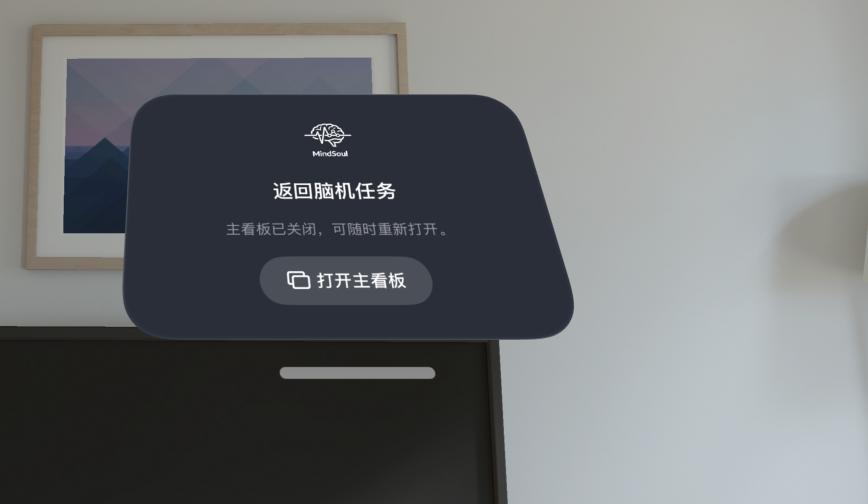
It is necessary to add a return page or pop-up dashboard for display
3. Unify default and abnormal status values across all pages
This is similar to the global design specification, but it needs to be sorted out separately. For example, when there is data display on a page or under a certain function, it is necessary to clarify whether the value should be 0 or hidden, and how the corresponding copy should be presented. Scenarios such as network connection, network disconnection, or data exceptions all require AI to make global unification in advance, so that the copy and even the icons used in function module A and function module B will not be inconsistent.
Try to keep the icons of these network statuses and data exception statuses consistent
4. Specifications for gesture operation and eye tracking operation, and simulator limitations
The biggest threshold for developing with spatial computing now is that simulators cannot be used to debug gesture operations and eye tracking operations. Even though simulators can almost complete most spatial functions, developers cannot properly call functions related to gestures. As a result, many spatial applications that require gesture adjustment or interaction need to be tested on real devices.
The same goes for eye tracking, which cannot run on simulators.
The industry still needs to provide relevant simulators, but recently our team also plans to invest in the construction of IDE environments for different spatial operating systems when we have time and energy. After all, it is really very painful to open simulators for 3 different platforms at the same time now, including AndroidXR, visionOS, and PICOOS6. In the future, as more and more glasses manufacturers emerge, there may be even more platforms.
This is very troublesome, because even a 20,000-yuan laptop cannot run several simulators at one time, so the development efficiency is very low, and there are also adaptation problems, time costs and other issues to deal with.
5. Prepare and unify relevant materials and assets in advance
There is also a very practical problem that related projects will involve a large number of materials and sliced images, which is very common in our traditional Internet work. At this time, product managers need to ask AI to manage these so-called images, links, QR codes and 3D assets in a unified manner in advance.
Avoid repeatedly importing or saving them manually when you need to use them multiple times.
This can avoid the inconsistency of cover images or icons in many places, and even meet the 3D related requirements.
6. Spatial window position and default position
When working as a product manager for spatial computing AI products, another point to note is the default position of the window. Many times, AI does not understand the world distribution and spatial position due to the limitations of LLM, which easily leads to windows stacking together or being placed randomly, which does not conform to human habits of viewing windows in space. For example, the spatial windows below are stacked together
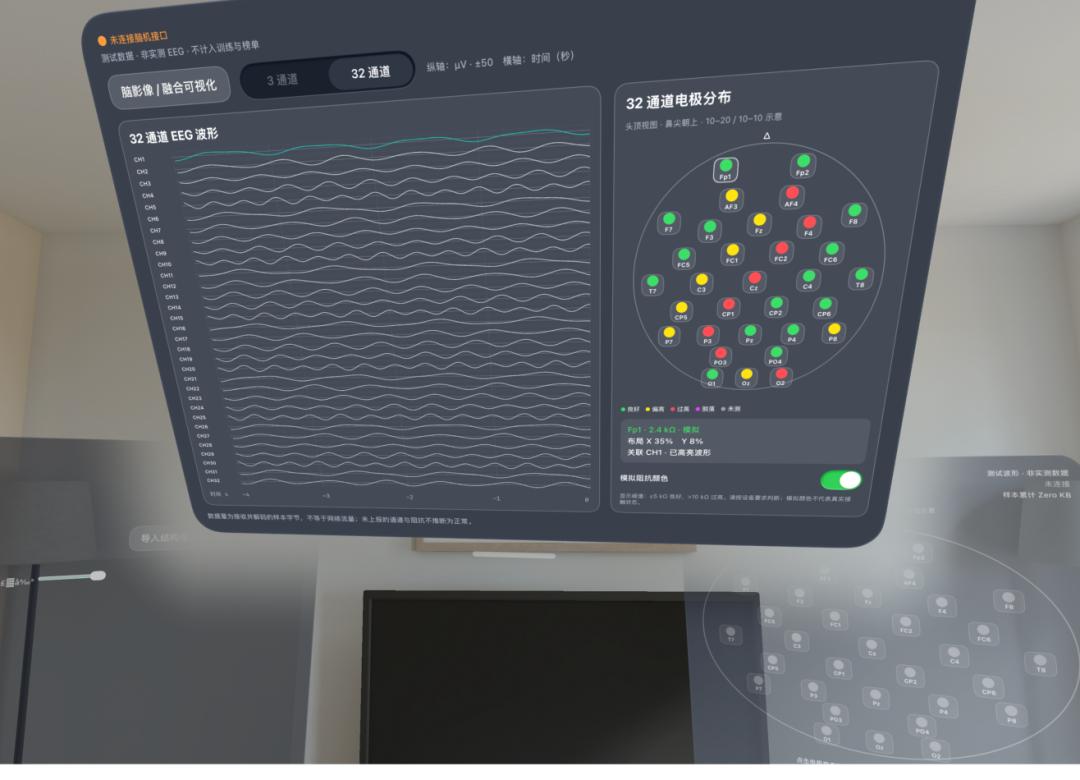
Spatial windows are stacked together
This kind of window design requires product managers to drag the windows manually, which will make users very impatient, because the dragging operation consumes physical strength in the real world, as it requires moving the arm instead of just moving the finger.
Therefore, product managers need to specify the default spatial position, the default number of pop-ups, and whether the spatial pop-ups support zooming in and out in the AI prompts in advance. Even the window position should naturally be in the middle instead of facing the ground, so as to avoid the human viewing angle being too low.
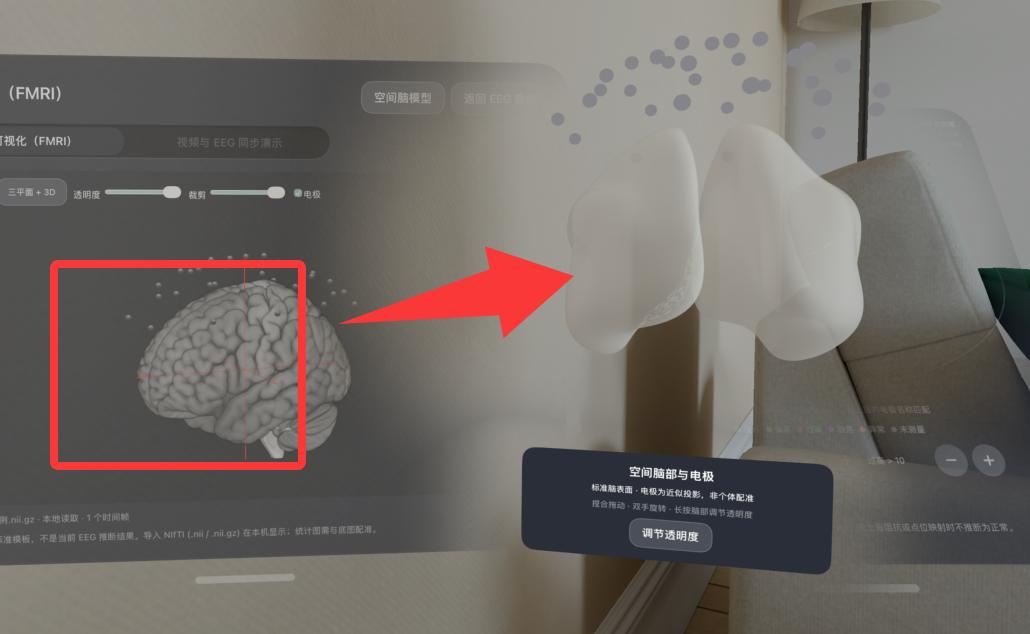
Overlapping of different components and pop-ups under spatial computing
The above is the effect of repeated overlapping, which can be seen to greatly affect user experience and usage. Therefore, for AI product managers working on spatial applications or ordinary App applications, the above are several key points. Pay attention to global operations to avoid repeated operations that waste tokens.
That's all for today's sharing.
This article is from the WeChat Official Account "Kevin's Bits of Changing the World" (ID: Kevingbsjddd), written by Kevin's Stories, and published with authorization from 36Kr.