First-hand Hands-on Test of Apple's China-specific AI: What Differences Can Apple Make With Features That HuaMiOV Have Long Fully Explored?
The China-exclusive version of Apple Intelligence that was two years late is finally here!
Although we already anticipated it would be a "trimmed-down version", Zhidongxi still couldn't wait to get hands-on experience with it overnight.
For users who want to try it out now, you can upgrade to iOS 27.3 Beta, enable "Apple Intelligence & Siri" in Settings, and you can start experiencing it after Siri finishes updating in the background. The official version will be rolled out to all iPhone users in China alongside iOS 27.3 in December.
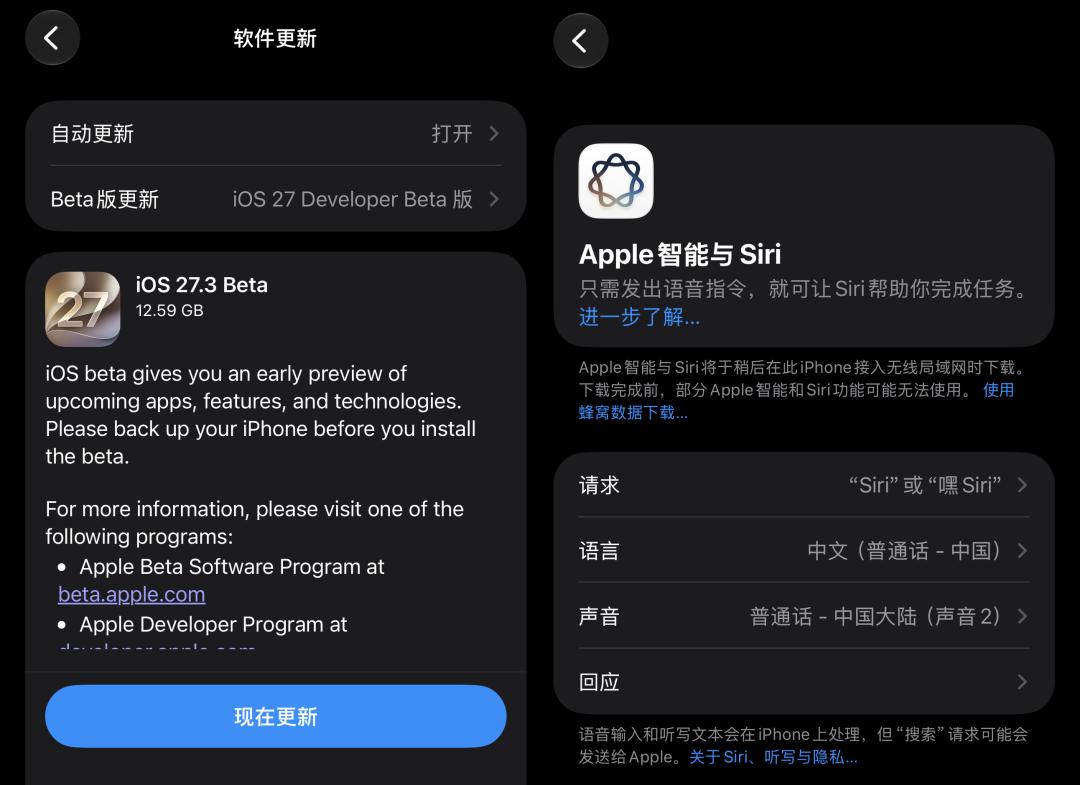
Let's start with the chart below, which covers all capabilities of this Apple Intelligence update:
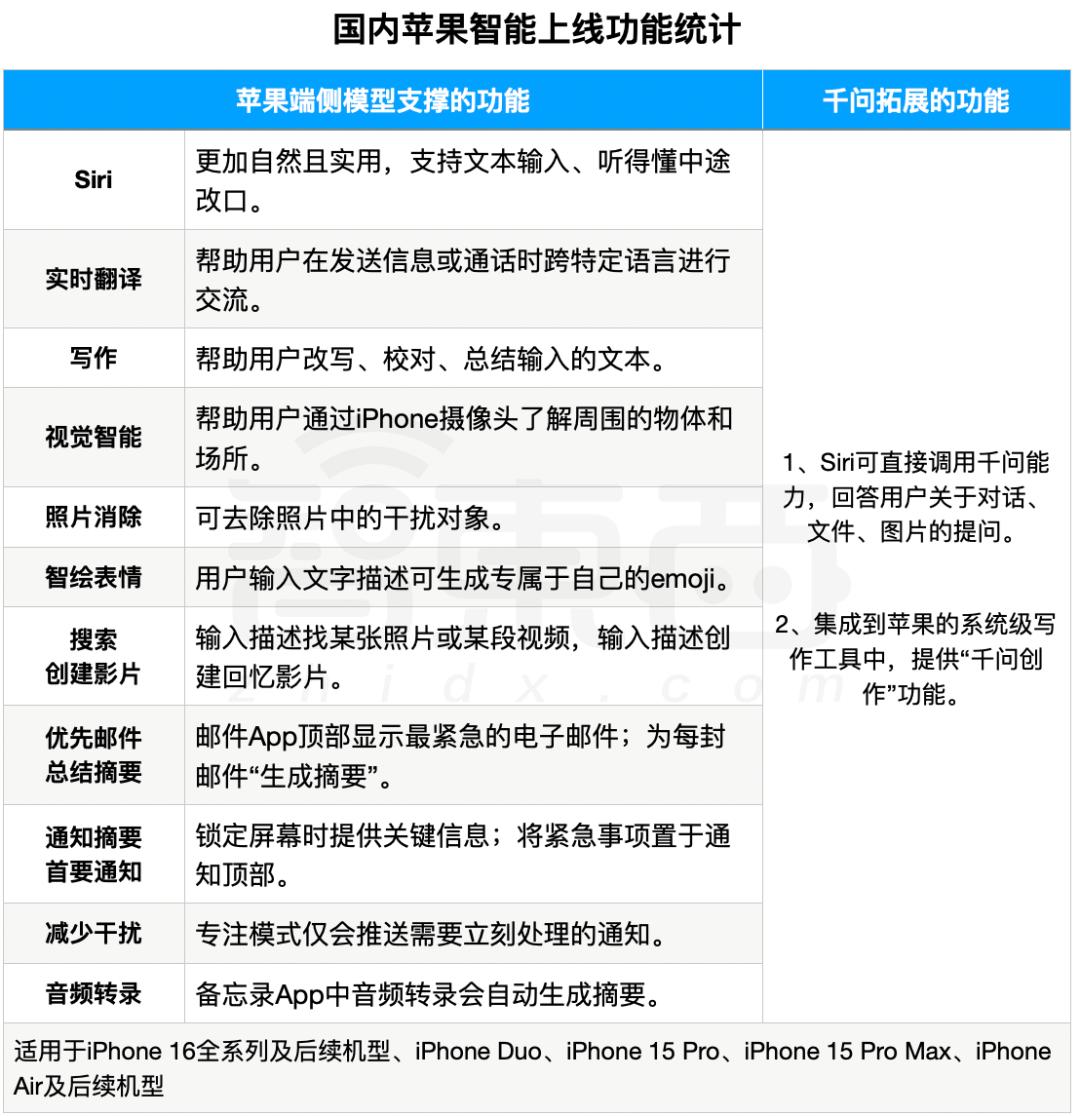
▲ Statistics of launched Apple Intelligence features in China (sorted out by Zhidongxi based on Apple official website)
After a full experience, my biggest feeling is that there are not many surprises. Most of the core capabilities of this Apple Intelligence have already been fully mature on domestic AI smartphones. However, Apple's hybrid solution combining its own system and Qwen gives users greater autonomy, and users can decide entirely whether to enable Qwen capability enhancement during the whole process.
The first batch of Apple Intelligence functions can be divided into two categories: one is the efficiency-focused functions that mainly help users save time and reduce information burden, such as using AI to filter emails, messages and notifications for you; the other focuses on generative AI capabilities, such as rewriting and proofreading texts, summarizing audio transcripts, object removal in photos, real-time translation and more.
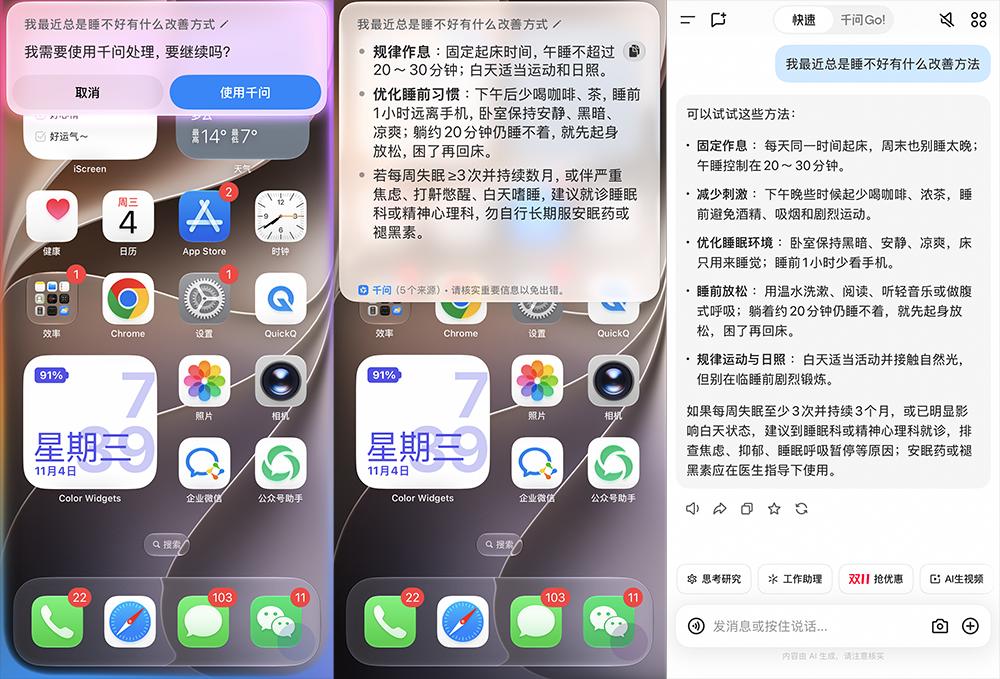
In addition, the interaction logic between Apple Intelligence and Qwen is very smooth. The on-device native functions are mainly responsible for capabilities such as translation, transcription and photo processing. When encountering complex creation, in-depth Q&A and other tasks that cannot be handled by itself, it will actively call Qwen, and will always ask for user consent before the first call.
For example, when I ask Siri "I have been sleeping poorly recently, what are some ways to improve it", it will actively ask if I want to use Qwen to process the request. After getting the answer, clicking the Qwen logo at the bottom left can also jump to the Qwen App to get a more complete answer.
Apple Intelligence was officially released at WWDC 2024 and rolled out to overseas users in October of the same year. It has been more than two years since then before it was officially launched in China. In contrast, domestic peers including Huawei, Xiaomi, OPPO and vivo have already upgraded their own mobile assistants to new-generation AI assistants equipped with large language models back in 2023 and 2024, and now they are already competing on Agent capabilities.
However, Apple Intelligence is still unable to independently execute complex long tasks for now, nor can it call other vertical Agents temporarily.
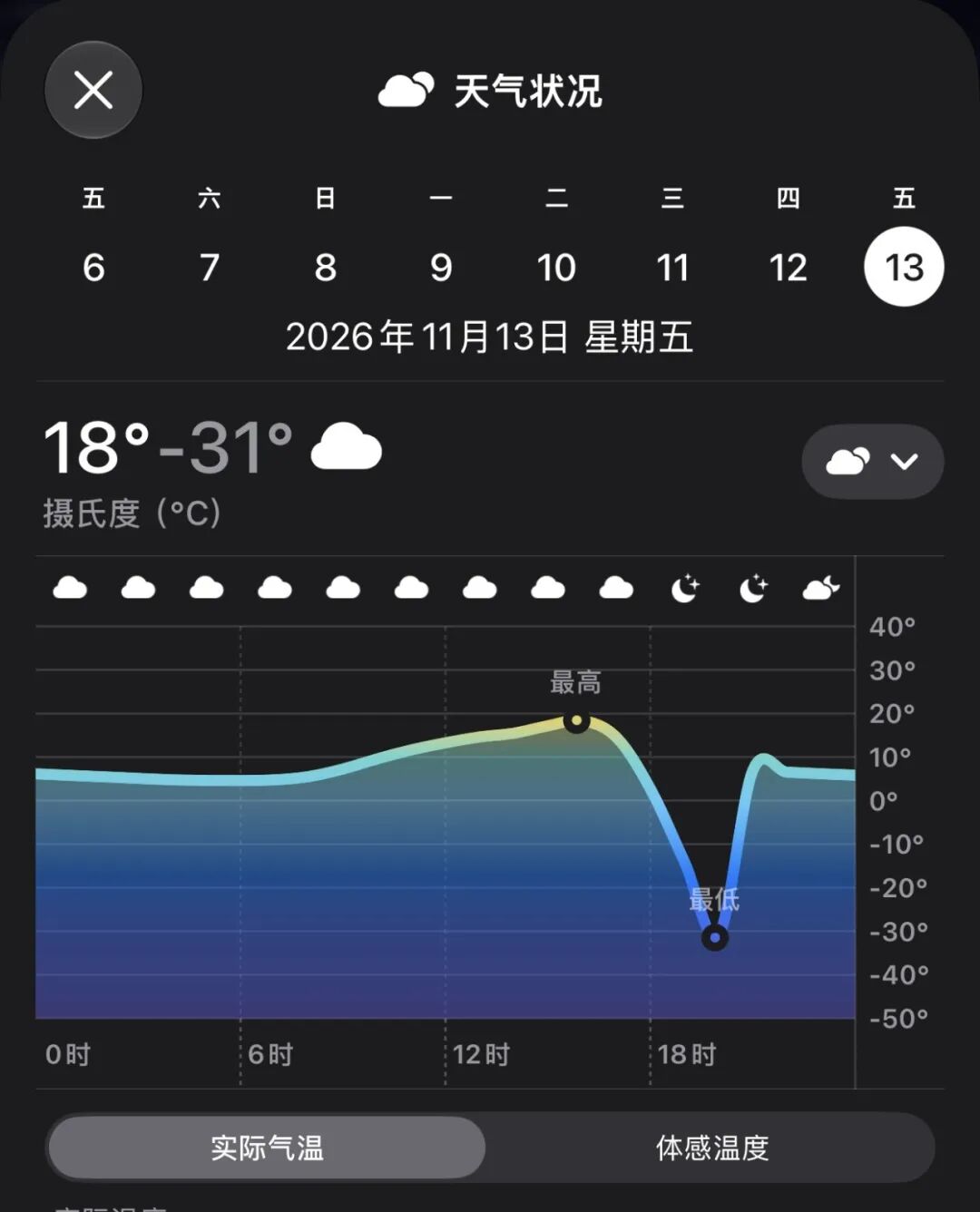
By the way, there was a small episode: on the eve of this Apple AI update, the Apple Weather App had a widely noticed bug, which forecasted that the lowest temperature next Friday would be -31℃. This bug has now been fixed.
01.
Real-time translation and call transcription are now supported during calls
AI acts as your butler for emails and messages
Real-time call translation, object removal in photos, Smart Emoji, photo retrieval, automatic memory movie generation, notification summary, priority alerts in Focus mode, and call audio transcription are all native capabilities of Apple's on-device model.
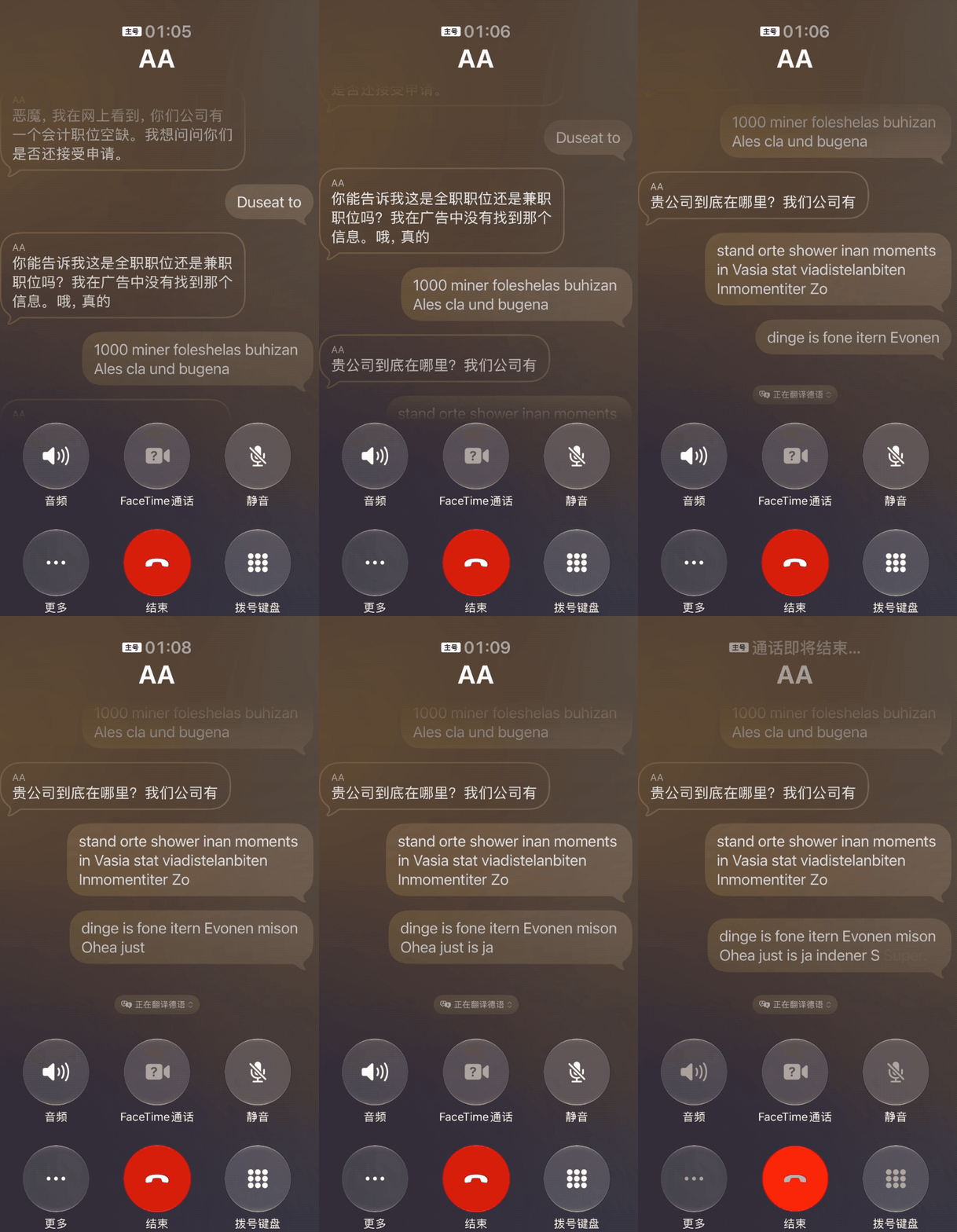
Real-time translation is a highlight function among them. Now we can get real-time translation when sending messages and making calls. You can also record, transcribe and summarize calls during the call. For example, when I am on a call with a friend who speaks German, I turn on real-time translation, the AI will amplify the human voice of the Chinese translation and lower the original voice of my friend.
Currently, real-time translation on iPhone supports 9 languages. There is also a small reminder: you need to download the corresponding language pack for each language before use, each of which is about 800MB and takes quite a lot of time, so it is best to download them in advance.
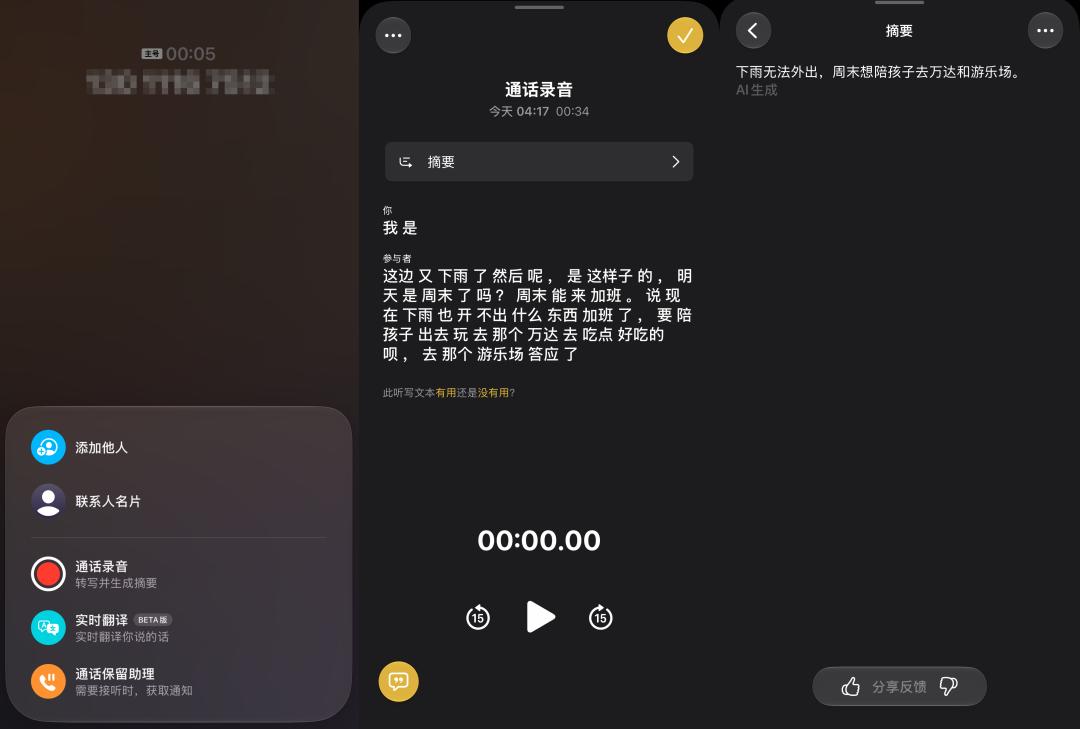
In addition to real-time translation, we can now directly record and transcribe during calls. After the call recording ends, the audio file, transcribed text and summary will appear in the Notes App. Because the speaking voice is relatively low and there is noise interference during call recording, the generated text content is intermittent, but the overall summary is quite in place, covering all key elements such as "it's raining, going out with kids".
However, the translation function in the Messages App failed to translate successfully all the time when I tried it.
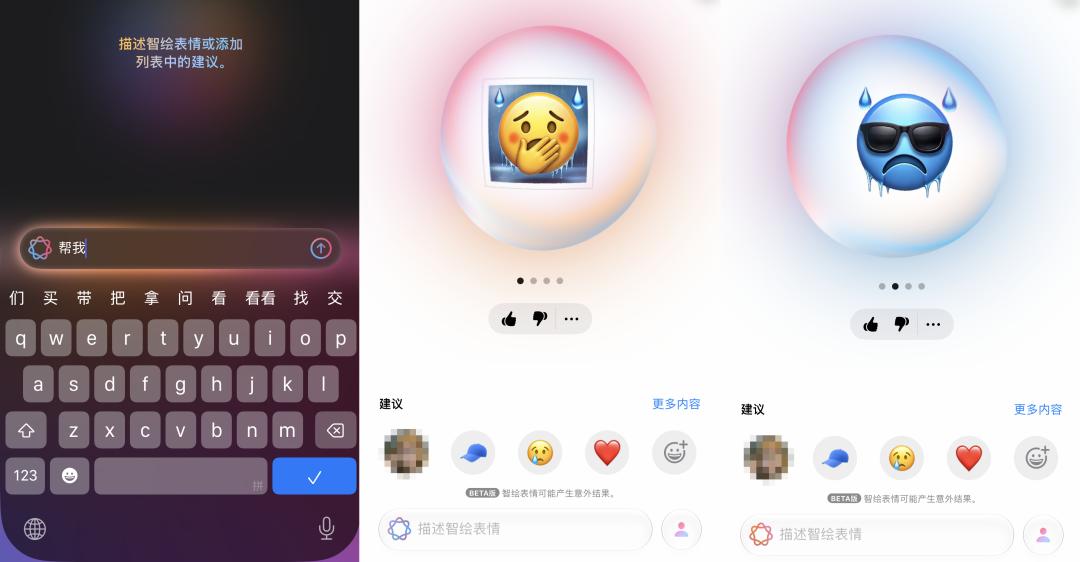
Smart Emoji focuses on DIY custom stickers. We can not only mix existing emojis to create new expressions, but also add photos of ourselves or our friends to generate emojis or prototypes for new Smart Emojis. This makes it more convenient to make meme images for friends later.
You can also describe your needs directly with text, for example, enter "I have to go out on a rainy day, it's so cold and miserable", and it will automatically combine into several emojis as shown below. The generated expressions are simple and straightforward, with a rainy day background plus a pained face, or ice blocks around the expression to indicate coldness. However, compared with mature tools such as WeChat Emoji, Smart Emoji has relatively limited creative space to choose from.
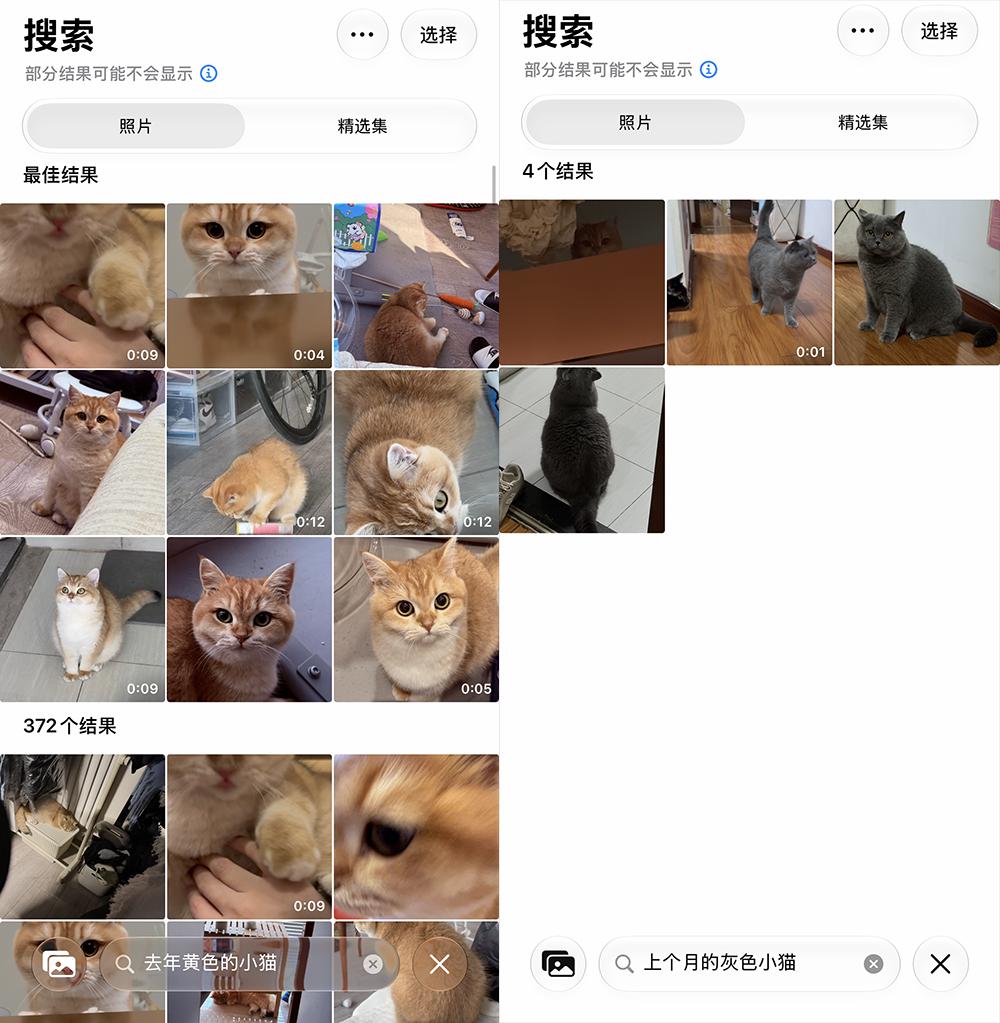
The Photos App also takes advantage of AI capabilities, we can now search for photos with text descriptions and generate memory movies with one tap. When I enter keywords such as "seaside", "yellow kitten from last year", "grey kitten from last week", it can match the corresponding materials accurately.
But to create a memory movie, you need to let the AI process more videos and photos in advance.
Object Removal in Photos is also a very practical feature. The removal function on iPhone requires me to manually circle the part I want to adjust. I ask the AI to remove the prominent occluding object on the right side of the picture below, and you can see that the occluding object at the bottom right is completely removed, the ground connection is very natural, but there is a slight flaw at the top right, where an unidentified black object appears.

The AI capability upgrade of the Mail and Messages Apps below focuses on improving your work efficiency, and one common feature is that AI helps you filter important information.
In the Mail App, AI will automatically help you classify emails and put priority emails at the top. In addition, there is a new "Generate Summary" function at the top of each email.
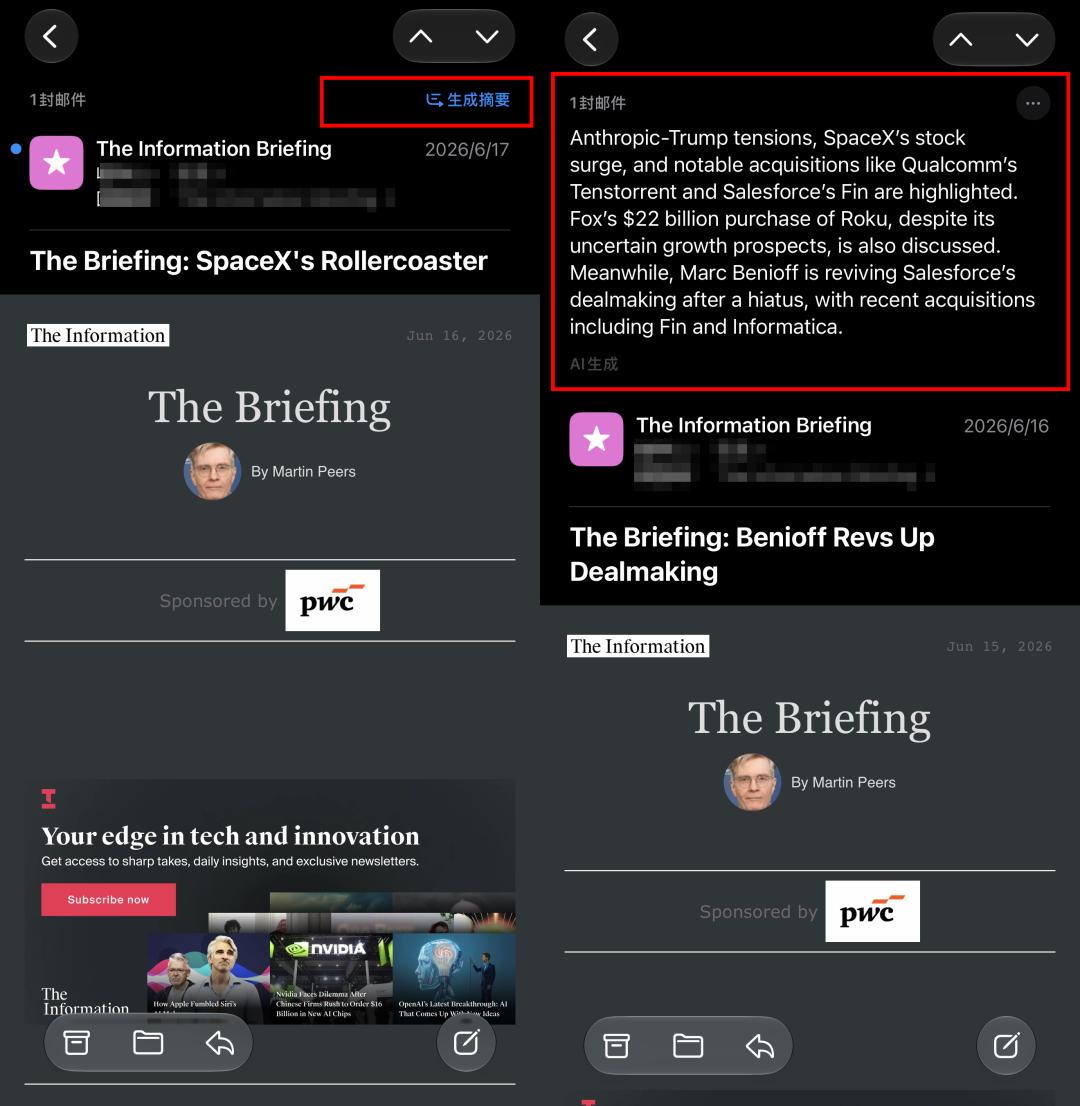
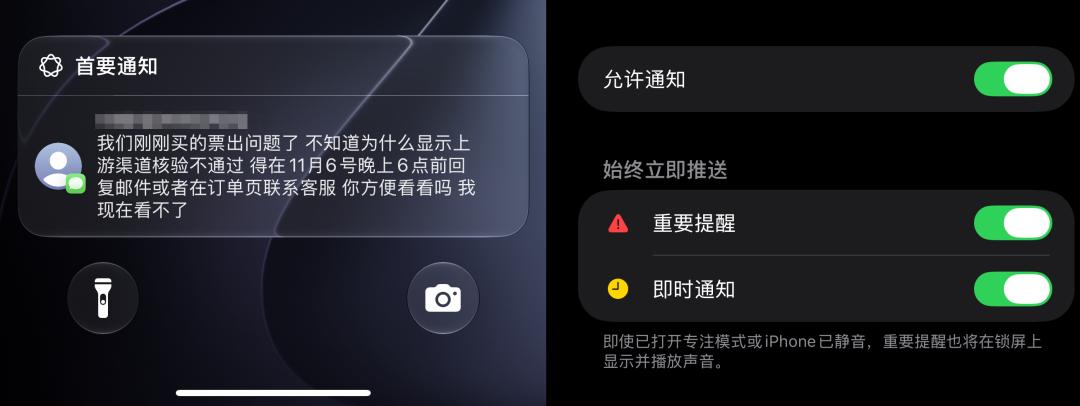
The same applies to App notifications. For the first use, users need to manually turn on "Generate Notification Summary" in Settings, and you can also select which type and which App needs to be summarized. Currently, news and entertainment types do not support summary generation. Messages sent by friends will be displayed in the primary notifications.
There is also an additional function: I found that there are options for important reminders and instant notifications on Apps such as Messages and Home, which means that these Apps will still display on the lock screen and play sounds even when Focus mode is turned on or the phone is muted.
02.
Qwen equips Apple AI with a more powerful brain
Visual Intelligence gives Siri eyes
The functions below are built on Apple's self-developed capabilities, and Qwen is responsible for the "enhanced" part.
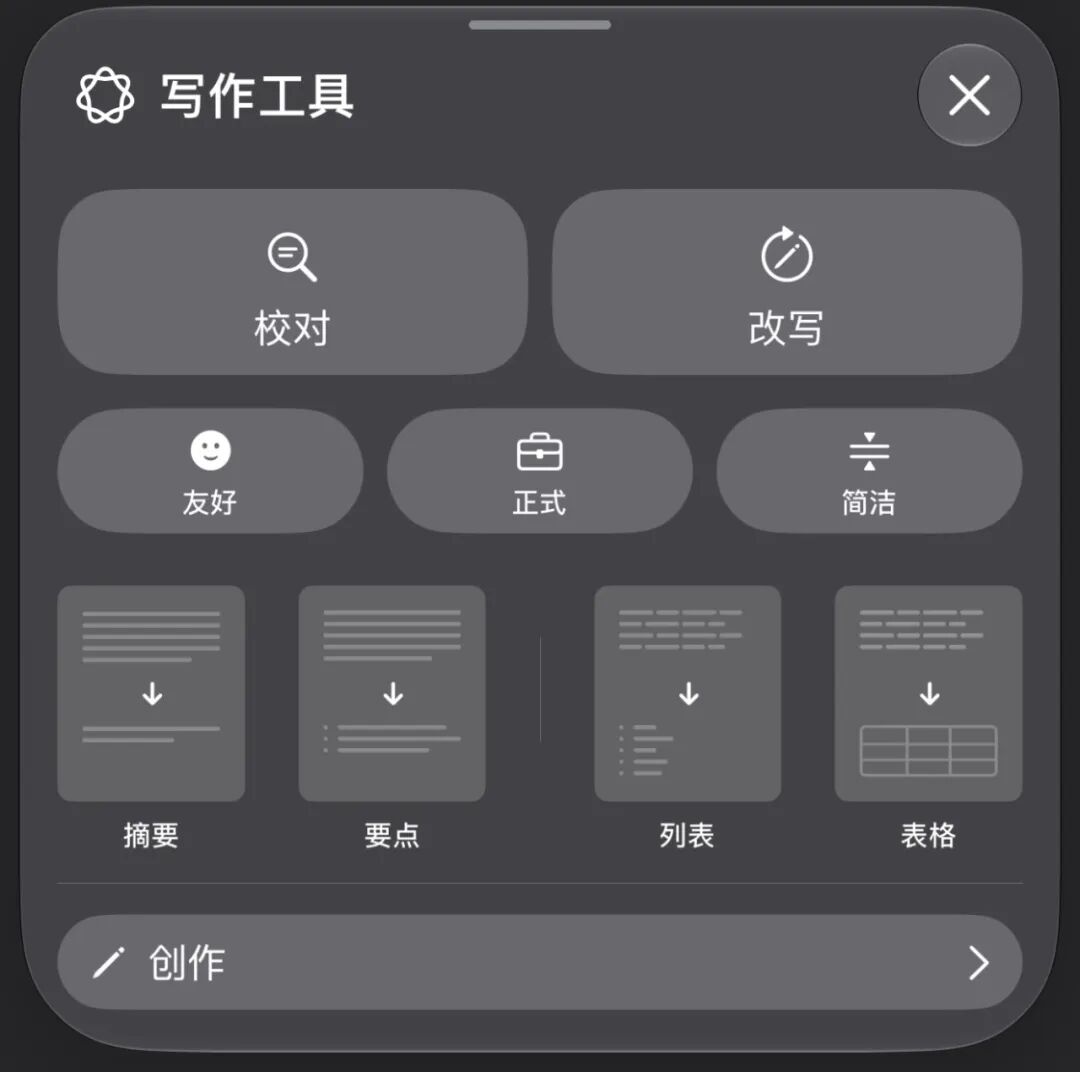
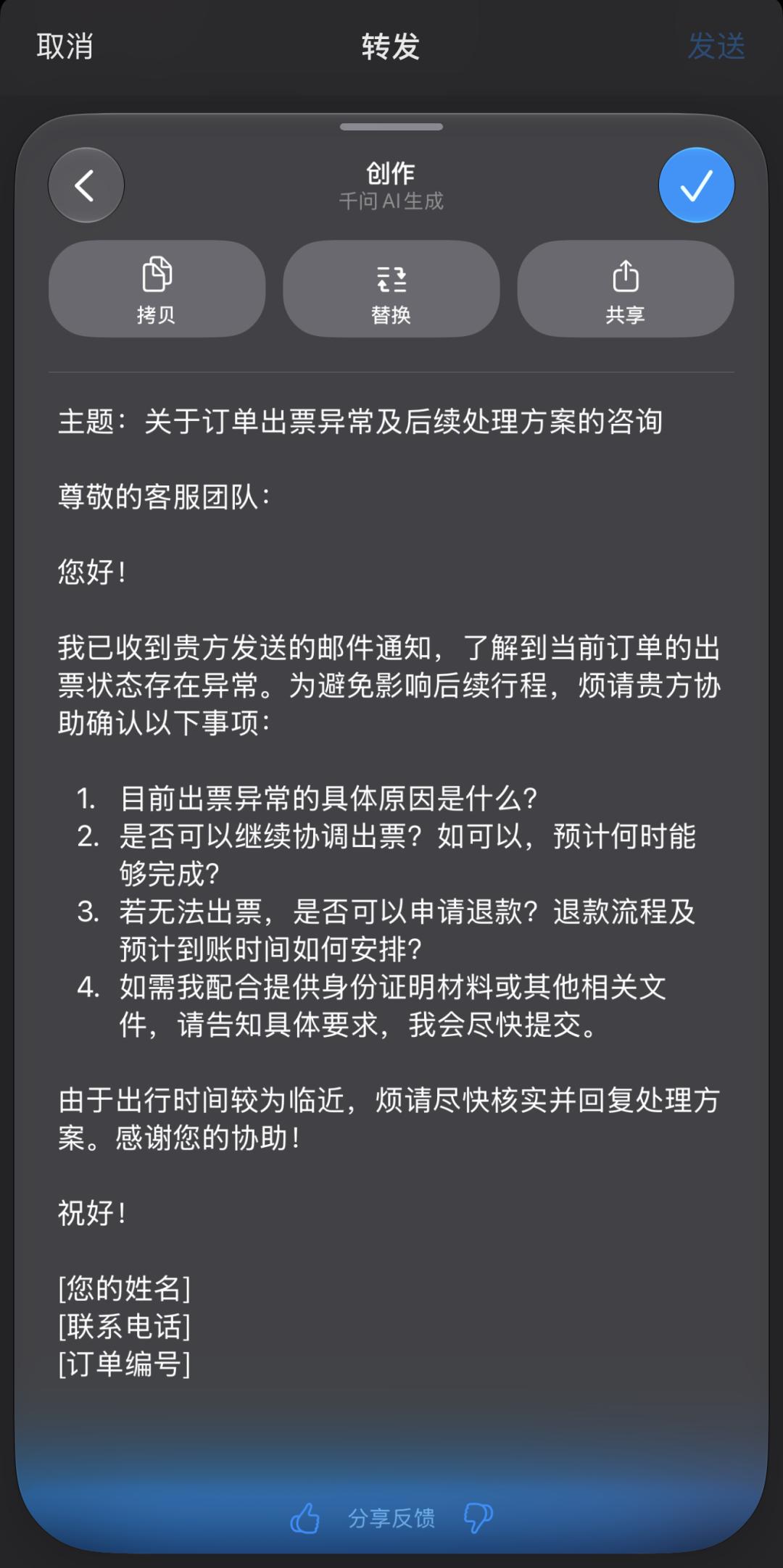
In the text input interfaces of Messages, Mail and other Apps, when I select the text, the Apple Intelligence logo will appear. After clicking it, the AI can help you proofread, rewrite and reply. However, this rewrite function cannot customize requirements for now, it only provides several optional modes: friendly, formal, concise, as well as summary, key points, list and table.
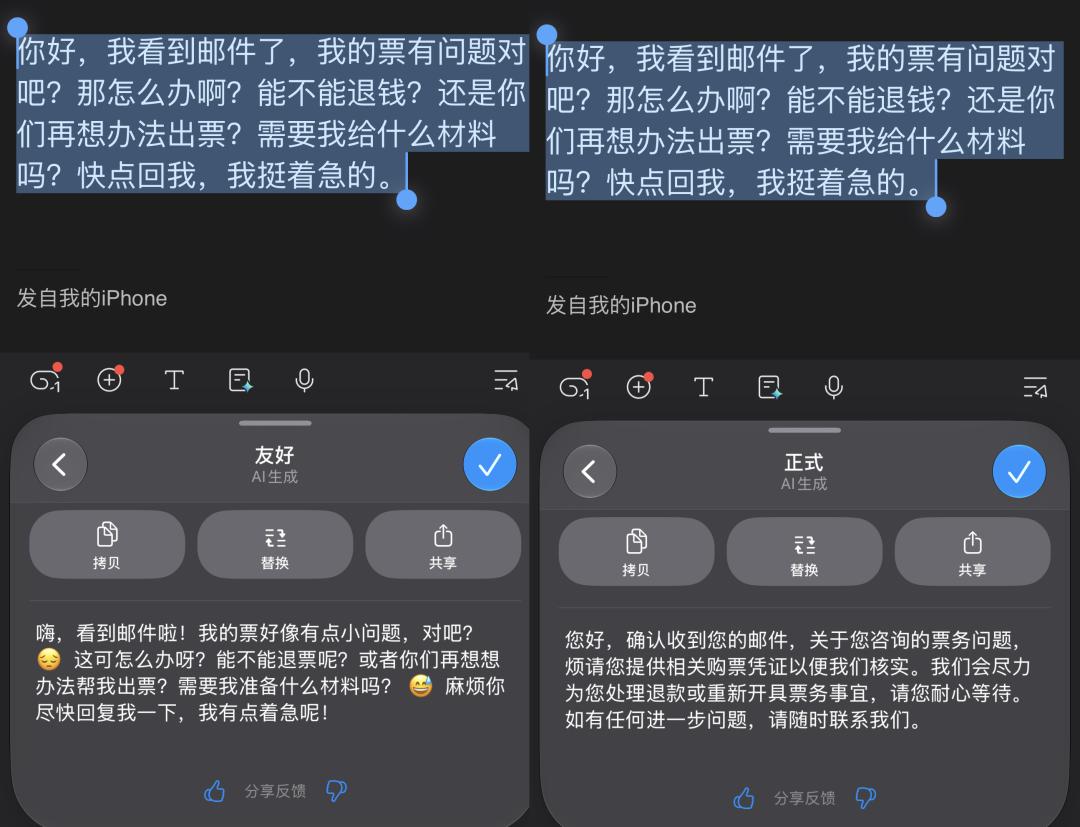
I tried to use it to rewrite a reply to an abnormal order inquiry. When I selected the concise mode, the generated text basically only fine-tuned the tone and added a few emojis, with almost no change to the content; when I switched to the formal mode, it misunderstood the meaning directly, and rewrote our reply as the official external statement of the platform.
The creation bar at the very bottom is where Qwen comes into play. I can put forward specific creation requirements to Qwen, and Qwen will generate more complete results. While completing the request and adjusting the tone, it also generates the corresponding email format.
The Visual Intelligence function is equivalent to equipping Siri with eyes, but Qwen is needed to understand the picture in front of you.
Visual Intelligence can be turned on by long-pressing the camera control button on the right, then point the camera at the relevant picture you want to ask about. I pointed the camera at the menu of a Turkish restaurant, and the AI directly helped me translate it.
But if you want to follow up and get in-depth interpretation, you have to rely on Qwen for support. The "Ask" button on the lower left of the page can further call Qwen, and it will ask whether to enable it when you use it for the first time. I asked Qwen to help me make a two-person dining recommendation.
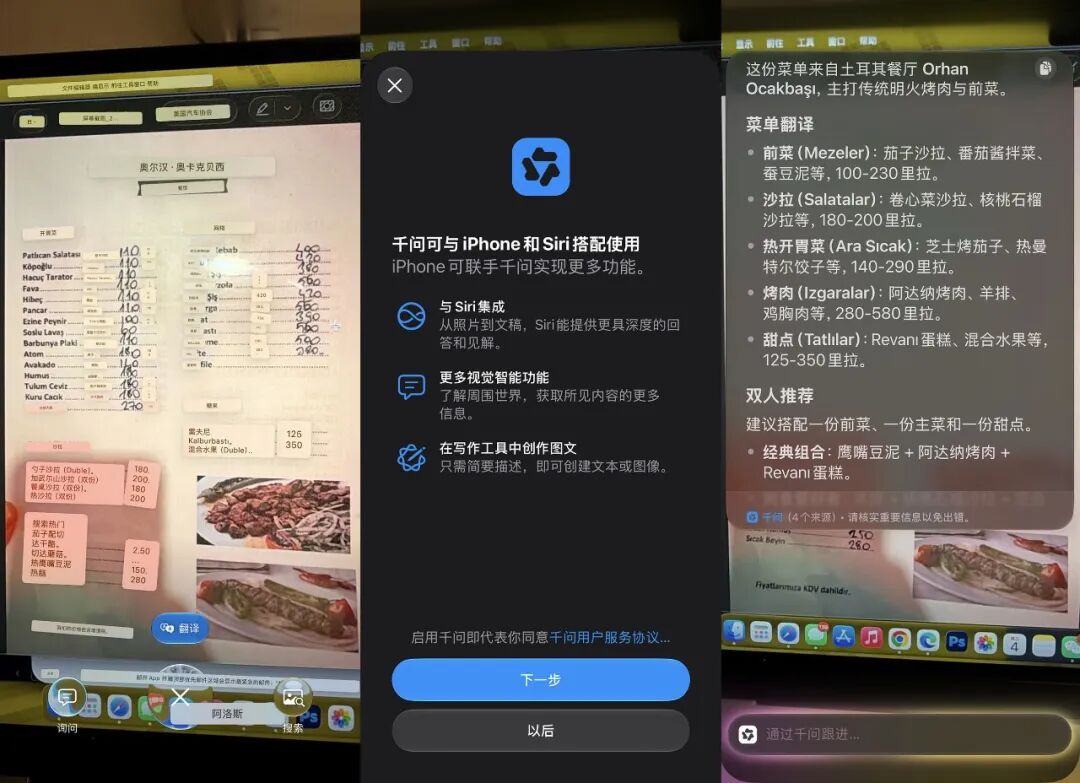
It is worth mentioning that there is also a "Search" button at the bottom right of the Visual Intelligence page, which you can click to jump to Baidu Image