How can Steve Jobs' "long-held tenet" and the touchscreen MacBook both hold true at the same time?
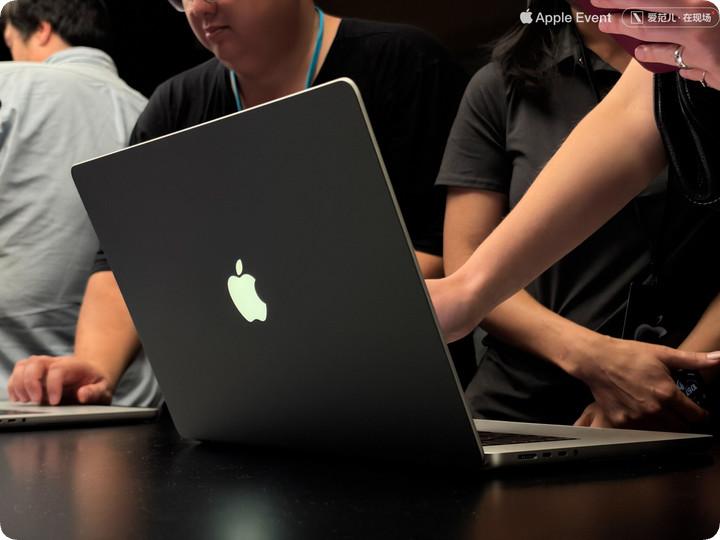
At Apple's new product event in Los Angeles, when the brand-new MacBook Pro lit up on the booth, the first thing that caught people's eyes was not even the front of the screen, but the glowing Apple logo on the A-side that had been absent for a full ten years.
Back then, the glowing logo borrowed the backlight layer of the LCD screen. Later, although LCD was still in use, the glowing logo had to be removed to achieve the ultimate slim and light body. Now the new MacBook Pro is equipped with a self-luminous double-layer tandem OLED panel, which no longer has a backlight layer to "borrow". To bring back this detail of totemic significance on this groundbreaking touchscreen MacBook Pro, Apple's hardware team most likely embedded a separate independent light-emitting module for it.
From this small detail with a touch of engineering romanticism, it is easy to see the subtle difference in product philosophy between Apple's new CEO John Ternus and former CEO Tim Cook.
But when we actually start using this MacBook Pro, stretch out our fingers and tap its screen, another stronger sense of historical contrast comes over us.
Pinch to zoom in on the opened photos, manually rotate the perspective on the 3D map, swipe down from the position of the shortened "Dynamic Island" to call up Siri AI and Spotlight Search... This set of actions that have been domesticated by human muscle memory on iPhone and iPad for nearly 20 years finally works smoothly on Mac.
But this immediately leads to the ultimate unavoidable question from beginning to end: Didn't Apple never make touchscreen laptops? Why did it add a touchscreen to MacBook this time?
Back in October 2010, Apple's iconic figure Steve Jobs left a judgment that was later regarded as an unbreakable rule at the "Back to the Mac" launch event:
"Touch surfaces should not be vertical. It may look great when you first demonstrate it, but it won't be long before your arm starts to ache, and after a while, your arm is almost about to fall off. This is extremely bad in ergonomics."
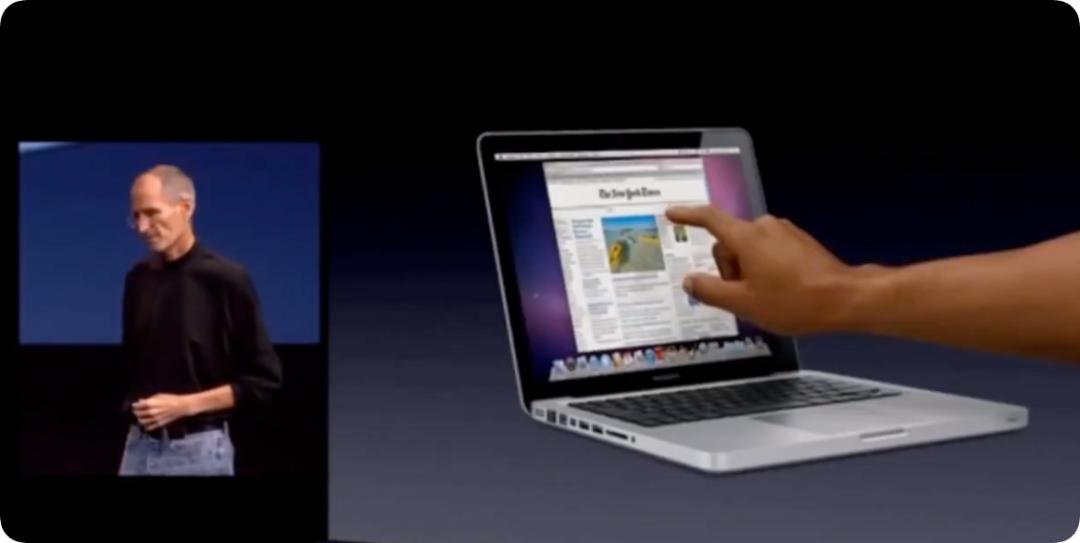
Sixteen years later, this touchscreen version of MacBook Pro with a starting price of 22,999 yuan and a top configuration price up to 110,000 yuan is right in front of us. Did Apple really "violate the ancestral precept"? Or, between Jobs' physical laws and today's business reality, how did Apple internally achieve logical consistency?
We consulted some insiders and external experts with this question, and got some viewpoints and observations to share with you.
Steve Jobs was always right, but Apple's era has changed
If we start purely from the physical experience, Jobs' observation back then is still not outdated today.
When ifanr experienced this touchscreen MacBook Pro on site in Los Angeles, a very intuitive feeling is that although Apple emphasized that it specially upgraded and reinforced the screen hinge this time, and its damping sense is indeed more solid than most Windows laptops on the market, the screen still cannot remain absolutely completely "stable" without any movement when you press it with force from your fingers.
At the same time, if you try to lift your wrist and hang your arm in the air to complete a long process of continuous clicks, soreness will still strike within a few minutes. This is definitely not a good experience for most white-collar workers who sit at their desks for a long time and lack exercise.
Since the laws of physics cannot be overthrown, why did Apple take this step? The answer may lie in the years-long fierce internal confrontation and the compromise finally reached within Apple.
Mark Gurman, a reporter for Bloomberg, once disclosed in his recent Power On column that introducing the touch screen to the Mac was not a decision passed by a full vote within Apple:
Apple's industrial design team once held a strong opposing attitude towards this. Like Jobs back then, they are naturally alert to the ergonomic defects of vertical touch and the full-screen fingerprints; but Tim Cook and current CEO John Ternus, who has a hardware background, stood on the pragmatic side.
ifanr learned that senior Apple executives still recognize the views of the industrial design team and Steve Jobs — but the bigger problem now is that the generational change of Apple's product users can no longer be ignored.
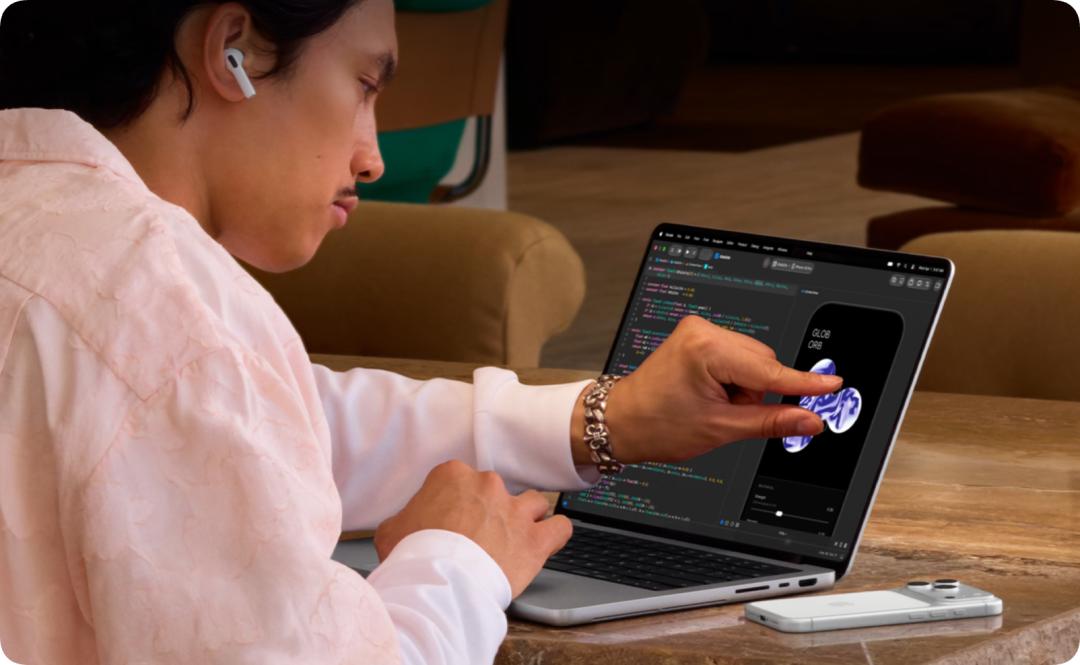
A large number of MacBook buyers today are the young generation of creators who grew up with iPhone and iPad. For these digital natives, the screen is not only for viewing, but also for "swiping". Stretching out their hands to swipe a screen as soon as they see one has almost become a conditioned physiological instinct.
When these users use Mac, they will unconsciously stretch out their hands from time to time, only to find that the screen does not respond at all. Apple's research shows that this "disconnection sense" is becoming a negative experience friction.
So, how to respect the industrial design team's obsession with ergonomics while responding to the interactive intuition of the younger generation?
The solution that Apple spent several years exploring internally is essentially changing the exam question — as long as touch is not regarded as the "main interaction method", Jobs' curse will not come true.
The first and foremost point of Mac is that it is still an indirect input device built around the trackpad and keyboard. Ternus said in an interview with Wired magazine, "But I think there are always moments when having touch makes people feel comfortable and handy."
According to ifanr, in Apple's internal product definition, the core principle of introducing touch this time is strictly limited to Augmentation rather than Replacement.
The keyboard, mouse and the large-area pressure-sensitive trackpad whose experience still leads the industry firmly occupy the core throne of Mac interaction; while the touch screen is only responsible for cooperating with other interaction methods for a few specific seconds.
Even, in order to completely appease traditional hardcore users who hate accidental touches, Apple has reserved an independent physical-level soft switch for the touch function in the system settings of macOS 27 (Golden Gate).
Users can choose not to use the touch function at all. Just turn it off gently in the system, and the usage experience of the device is completely consistent with the previous non-touch MacBook Pro, without any additional learning cost.
The exclusive "three-second" moments for touch
After clarifying the "primary and secondary relationship" between traditional interaction and touch interaction on this machine, everything becomes logical when looking at Apple's interface processing on macOS 27.
The most disastrous rollover scene in the history of desktop operating systems supporting touch is undoubtedly Microsoft's Windows 8.
Back then, in order to strongly promote the touch experience, Microsoft radically removed the start menu and replaced it with large-color dynamic tiles, trying to cover high-precision keyboard and mouse operations with a set of rough touch logic, which led to a catastrophic word-of-mouth backlash on the desktop side.
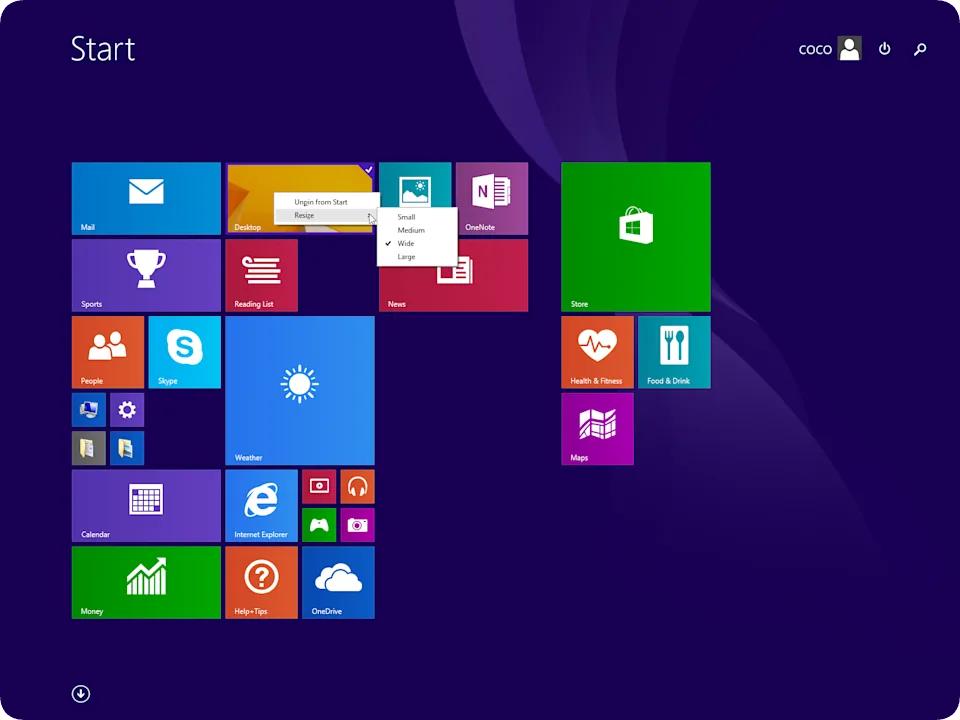
Apple obviously learned this lesson. In its internal evaluation, Apple clearly refused to redesign macOS just to accommodate touch. The original UI layout of macOS with high information density and high sense of control is completely retained. At the bottom of the system, every click of the finger on the screen is essentially directly translated into a standard mouse pointer click operation.
Restraint does not mean doing nothing. Apple has devoted its engineering ingenuity to the extremely microscopic "local dynamic compensation".
When we experienced macOS 27 on site, we noticed a very clever detail: the three classic "traffic light" control buttons in the upper left corner of the desktop window still maintain the small and compact desktop-level size at ordinary times; but when your finger approaches and clicks them, the system will dynamically enlarge the operation hot area of the buttons and the surrounding drop-down menus just like iPadOS captures the cursor, to ensure that the belly of the finger can hit the target accurately.
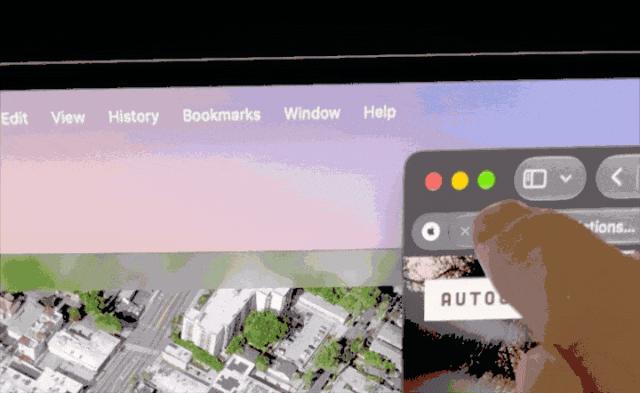
The keyboard and mouse pointer are good at single-point precise control, but they often struggle when facing multi-dimensional, concurrent operations that require fine manipulation.
In the professional software ecosystem, Apple's positioning of touch is as precise as a scalpel — it specifically targets the "clumsy moments" of the mouse and trackpad.
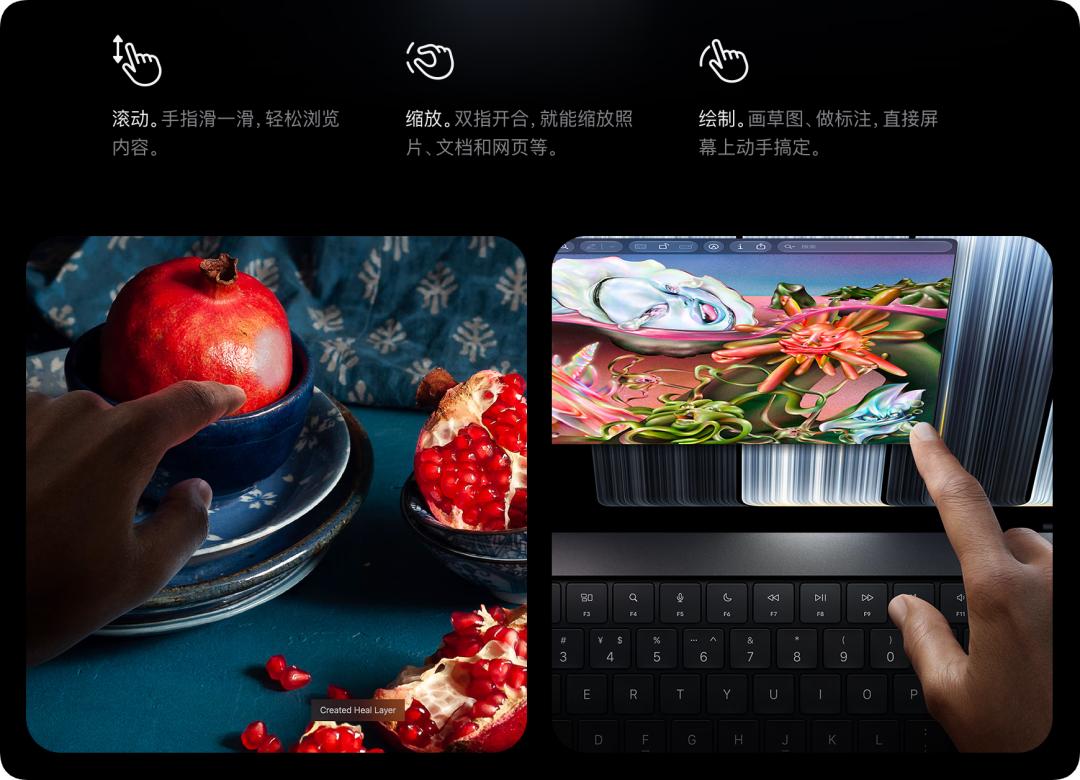
In Apple's vision and our actual test, the efficiency improvement in several scenarios is immediate: timeline operation of audio and video editing software, 3D modeling and design preview, multi-finger touch performance of virtual instruments —
These scenarios all have a common feature: they are occasional and instantaneous. You don't need to hold up your arm all the time, just naturally raise your hand to pinch or swipe during the gap of photo editing, modeling or editing, then put your palm back on the warm aluminum palm rest.
ifanr learned that for touch, Apple's core design principle is very clear: to improve ease of use, not to increase complexity. The existence of touch only needs to make "specific" operations simpler and more intuitive — absolutely not, and it must be strictly avoided to add a new interaction method that requires learning to users.
In fact, for the touch adaptation of macOS applications, Apple has adopted a strategy similar to "governing by non-interference" this time: adapt if you want, there will be no consequences if you don't want to adapt.
After all, with the translation mechanism at the bottom of the system, the vast majority of Mac applications can already support basic touch operations without modifying the code. Apple will never force developers to support advanced touch operations. Of course, if developers want to make the most of the touch capabilities, Apple provides ready-made APIs and localized support resources all over the world. This is mainly for applications that do benefit from advanced touch interactions.
Say no to convertible/2-in-1 laptops: Mac may never become an iPad
After experiencing this new machine on site, the editorial department of ifanr once discussed a slightly regrettable detail: since the MacBook Pro has been added with a touch screen, why is the maximum opening angle of the screen still similar to the old mold, cannot be flattened 180 degrees like the Windows camp, or even flipped 360 degrees to cooperate with Apple Pencil as a drawing board?
After all, without a stylus and flip form, the touch scenarios of this computer still seem scattered, as if Apple only dabbles in it superficially.
Apple's product decision-making level is still firm, even "stubborn" on this: because Apple does not believe in the product form of "Convertible PC" at its core.
For a long time, the PC industry has been trying to use 2-in-1 convertible laptops to prove the cost-effectiveness of "one machine for multiple uses", but in Apple's product philosophy, these hybrid products that try to please all scenarios have long been defined as failed cases.
Although the "What's a computer" ad has played a very good effect of blurring people's perception of "what a computer is", Apple internally still has a nearly dogmatic clarity about the boundaries between the two core product lines of Mac and iPad:
iPad is a multi-functional "Magical Glass". It can be matched with a stylus and keyboard to become anything you want, but it cannot become a Mac; while the soul of Mac lies in the indirect pointer interaction and heavy productivity workflow, and it will not become an iPad either.
If you forcibly add a 360-degree flip hinge to the MacBook Pro to make it double as a tablet, the result will only be: turning the Mac into a bad iPad.
Vice versa.

From the communication with people inside and outside Apple, ifanr has a very clear feeling: Apple itself has more than enough successful experiences to replicate, there is no need to replicate others' trial and error and failures.
In Apple's commercial research profile, the vast majority of real hardcore Pro-level users already own both a MacBook Pro and an iPad — these two devices can learn from each other and empower each other across product functions, but they will never merge in physical form.
Not giving the MacBook Pro a 360° flip hinge and not making the MacBook Pro support Apple Pencil is exactly the firewall that Apple deliberately built to maintain the pure experience of these two tens-of-billion-dollar product lines.
Of course, this does not mean that new changes and new integration will not happen in the future. After all, Apple has survived to this day not by remaining unchanged.
The final question: Why now?
Now that we understand Apple's logic of thinking, there is only one last question left: touch screen is never a difficult technology, Apple could have made it long ago, why did it choose to launch it to the market in the autumn of 2026?
Here are two answers.
The first version is the official Apple statement: Apple's hardware SVP Johny Srouji declared that until today, the Tandem OLED technology used in this computer has just crossed the qualification line set internally by Apple.
Ternus said that Apple has been waiting for a point in time: adding touch to MBP will not make this product worse than non-touch models in any other dimension — including but not limited to making the machine heavier, the body thicker, the display effect worse, the system performance worse, and so on.
The second version is ifanr's own conclusion: this is the last of Ternus' three new official appointments.
So far, among the three most important new products we have seen, only the iPhone 18 Pro series belongs to the "conventional" category, while the other two, iPhone Duo and touchscreen MacBook Pro — you should have noticed that they are all works that "violate the ancestral precepts".
Cook must hand over the baton before Apple's autumn new product launch event and the subsequent October new product month, to ensure that Ternus leads a brand new era, and fully "owns" these new products, no matter their final evaluation is good or bad.
This is Apple's