Apple has finally compromised on touch, but it has no intention of turning the MacBook into an iPad
Apple has finally launched a MacBook Pro that allows users to operate the screen with their fingers. If we turn the clock back 16 years, this would have been one of the last Mac product forms Steve Jobs would have wanted to see.
In 2010, when touch technology gradually began to enter the personal computer market, Steve Jobs publicly explained why Apple had no plans to equip Macs with touchscreens. In his view, a vertically placed touchscreen was not ergonomic, and users could not keep their arms raised to operate the computer all the time. That seemingly cool interaction method would only make people feel fatigued after being used for a real period of time.
For more than a decade thereafter, Apple almost always followed this logic. Even though the Windows ecosystem had countless touch-enabled laptops, flip-screen computers and 2-in-1 devices, Apple still insisted that Macs use keyboards, mice and trackpads, leaving the demand for direct finger operation on the screen to the iPad.
Even when the iPad Pro adopted the M-series chips of the same origin as the Mac, was equipped with keyboards increasingly close to those of laptops, and had a more sophisticated multitasking system, Apple still tried to draw a clear line between the two products.
But now, this line has been broken by Apple itself.
On October 28, Apple officially released the all-new MacBook Pro. In addition to the PROLED XDR display with stacked dual-layer OLED technology, M5 Pro and M5 Max chips, and the redesigned slim and light body, the most notable change is that the Mac has for the first time gained true multi-touch capabilities.
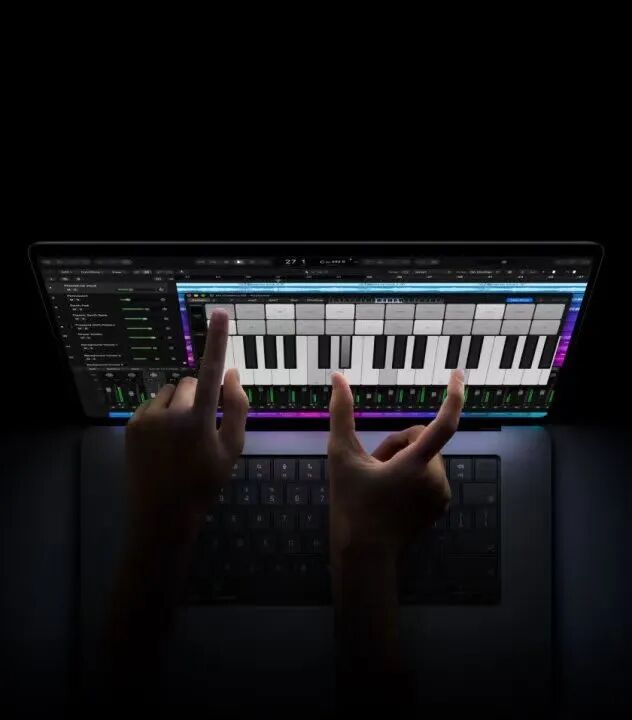
The new MacBook Pro comes in 14-inch and 16-inch versions, with two processor variants of M5Pro and M5max. The starting prices in the Chinese mainland market are RMB 22,999 and RMB 27,999 respectively, and it will be officially released on November 6.
This is a typical Apple-style update: a feature that has long existed on other computers for many years has been redesigned by Apple, and entered its own product system in a more sophisticated yet more expensive way.
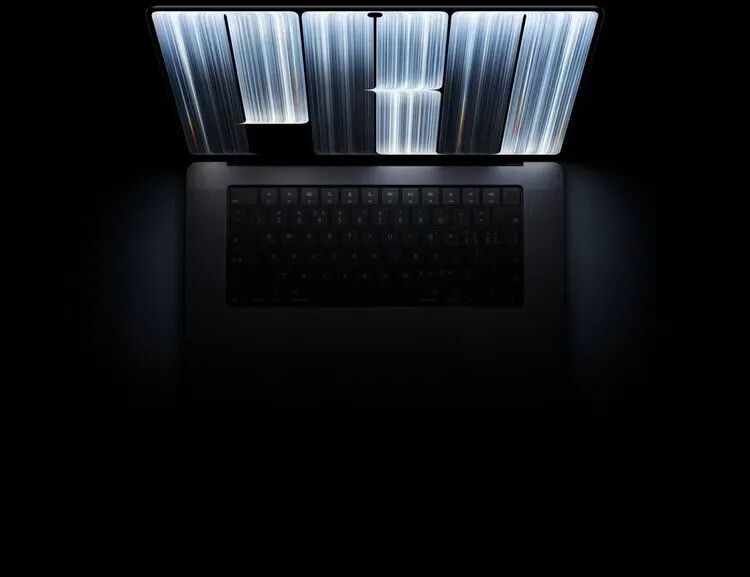
However, if we just "mock" Apple for finally catching up with Windows laptops, we will obviously underestimate the significance of this update, because what Apple has really changed is not its attitude towards touchscreen technology, but its understanding of the Mac's interaction methods.
Apple has finally compromised on touch, but it has no intention of turning the Mac into another iPad.
It is user habits that have pushed Apple to compromise
It must be admitted that Steve Jobs' judgment on vertical touchscreens back then has not completely become invalid even after sixteen years.
When a person sits at a desk using a laptop, the keyboard and trackpad are always in the most natural positions for both hands. Whether it is editing documents, writing code, or operating in complex professional software, completing work with the keyboard and pointer is usually more efficient than frequently raising your hand to touch the screen.
That is precisely why even though touch-enabled laptops have existed for many years, they still have not completely replaced the traditional computer input methods.
But what Steve Jobs did not anticipate is that 16 years later, users can hardly fully "understand" the screen in the way people used computers back then.
The popularity of smartphones and tablets has almost reshaped people's habits of interacting with digital devices: when we see a photo, we will subconsciously stretch out two fingers to zoom in; when we see a web page, we will habitually swipe up; when facing a movable object on the screen, we will also naturally want to reach out and drag it directly.
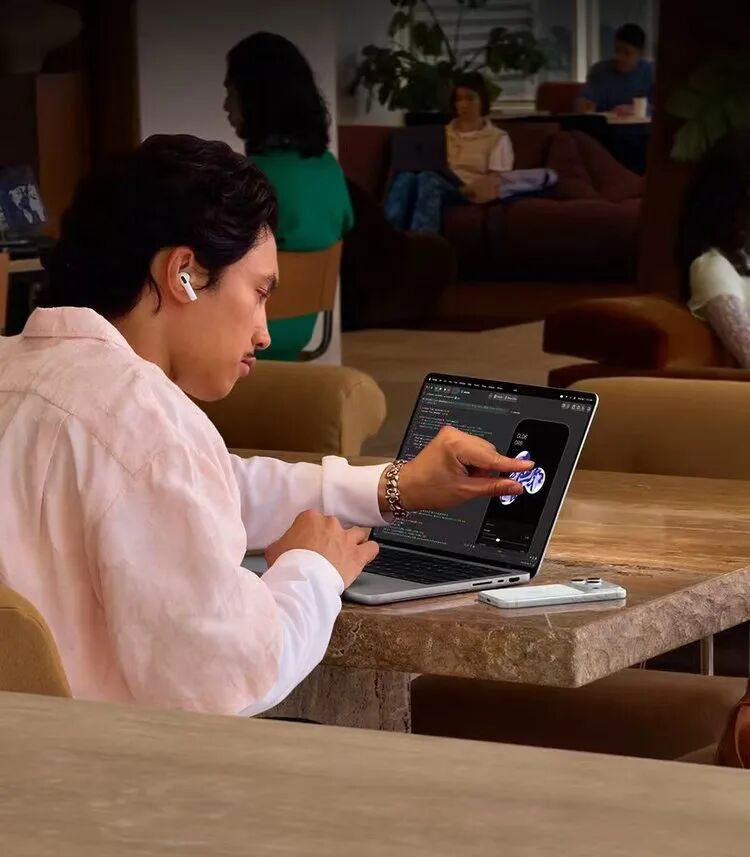
These movements no longer require learning, and they have become an almost instinctive way of communication between users and the screen.
In contrast, although the MacBook's screen is right in front of you, it can never be touched directly, which makes this restriction look rather unnatural. Especially after using iPhone and iPad, when you go back to the MacBook to browse photos, read web pages or adjust windows, the formed muscle memory will not disappear automatically.
In fact, users do not expect to finish all work on the computer with their fingers. They just want to choose a more direct way at certain moments.
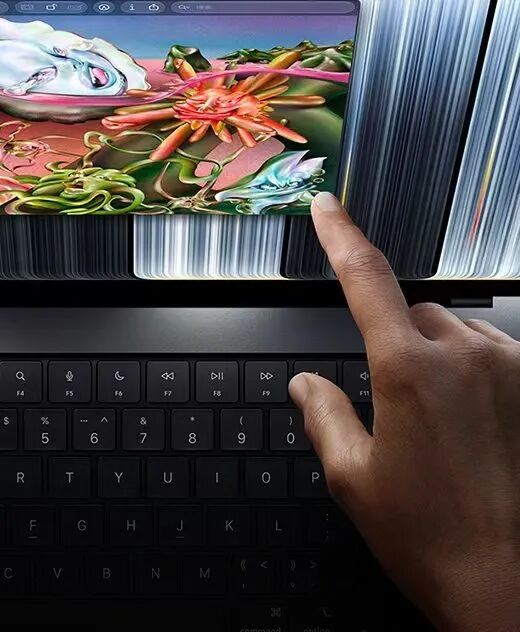
The launch of the new MacBook Pro, to some extent, means that Apple has finally accepted this difference. A person can totally use the keyboard and trackpad for most of the time, and occasionally reach out to swipe web pages, zoom photos, or directly drag a certain object on the screen.
These actions will not change the identity of the MacBook Pro as a professional laptop, nor do users need to re-learn a new operating system.
The old view that "touch is not suitable for computers" that Apple insisted on in the past has finally turned into a more pragmatic view that "touch is not suitable for all operations on computers".
This seemingly minor difference in wording determines how Apple will redesign the Mac in the next stage.
Apple has accepted touch, but refused to let touch dominate everything
The most noteworthy part of the new MacBook Pro is how Apple decides to integrate touch into macOS. In this update, Apple did not turn the MacBook Pro into a tablet with a detachable keyboard, nor did it adopt a 360-degree flip body structure. It is still the familiar MacBook Pro, with the keyboard, trackpad, desktop windows, menu bar, and the operating habits that professional users have formed all fully preserved.

Apple only added another way to interact directly with content in this already very mature system.
According to the official demonstration, users can swipe web pages with their fingers, zoom photos with two fingers, drag content between different windows, and adjust window size and arrangement through touch gestures.
For professional creators, Apple also demonstrated scenarios such as operating graphic content directly on the screen, playing software instruments, and testing the touch experience of iOS and iPadOS apps.
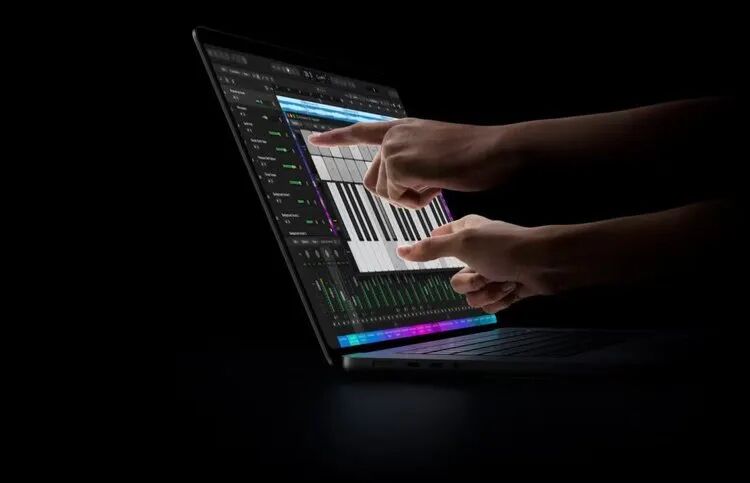
To make these operations more stable, Apple integrated the touch sensors directly into the display panel, and redesigned the screen hinge to reduce possible body shake caused by finger taps.
Apple does not want to make fingers the main input tool for Mac, but to free users from relying on the cursor in all scenarios.
The problem with many past touch-enabled laptops is not that the screen is not sensitive enough, but that they never solved the contradiction between the two sets of interaction logics. Traditional desktop systems are designed around the mouse, and the menu bar, window control buttons, and tool panels are often very dense. Users can easily click a very small icon with the cursor, but it is difficult for them to complete the same operation with their fingers; while operating systems truly designed for touch often require larger buttons, looser interface spacing, and more simplified operation logic.
The two cannot simply be superimposed to produce a good experience, which is why many Windows touch-enabled laptops in the past are equipped with touchscreens, but in actual use, users still rarely take the initiative to reach out to operate them.
The touch function does exist, but it has not really been integrated into the daily work process of the computer, and Apple obviously does not want to repeat the same mistake.
In macOS 27, Apple began to readjust some interface elements for touch, provide corresponding interaction support for developers, and retain the usage of existing macOS applications as much as possible. This approach can be described as quite conservative.
But for a desktop operating system that already has a mature professional software ecosystem, conservatism may be exactly the right direction.
For people who edit videos with Final Cut Pro, dragging the timeline directly on the screen may be more intuitive than using the trackpad; for photographers, directly zooming photos with their fingers to view local details may also reduce operation steps.
But when users need to precisely adjust the edit point, use shortcuts to execute complex commands, or complete pixel-level retouching work in Photoshop, the keyboard, mouse and trackpad are still more reliable.
A computer truly oriented to productivity should not require users to abandon those originally more efficient operation methods just to prove that it supports touch.
From this perspective, Apple has not deviated from the Mac's product logic this time. On the contrary, it is trying to complete the long-missing part of this logic.
When the Mac also supports touch, the positioning of the iPad Pro has become awkward instead
Apple's acceptance of the touch-enabled MacBook Pro may bring a problem that it cannot avoid: now that the Mac can also directly touch the screen, how much difference is left between the iPad Pro and the MacBook Pro?
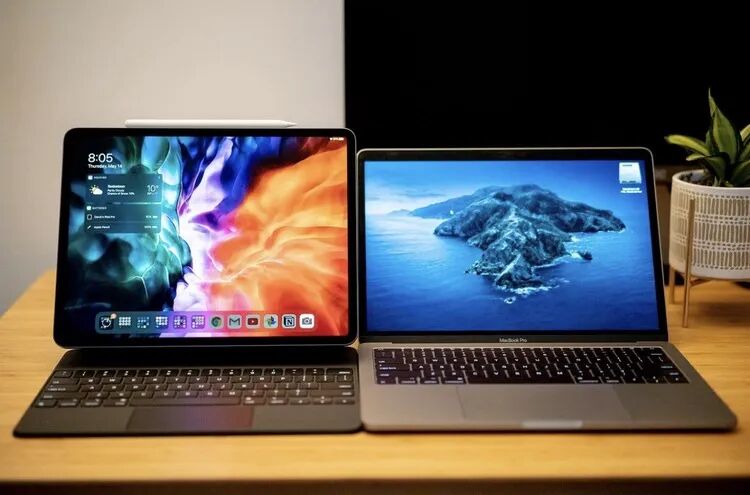
Over the past decade, Apple has been trying to explain the respective value of Mac and iPad through two different sets of product logic: The Mac is a computer, suitable for long hours of work, with a mature desktop system and professional software ecosystem; the iPad is a screen that can be operated directly, with a lightweight and intuitive interaction method to meet users' needs in more mobile scenarios.
But as the iPad Pro continues to evolve, this division is no longer as clear as it was at the beginning. Today's iPad Pro not only has a chip architecture of the same origin as the Mac, but also is equipped with a stacked dual-layer OLED display, and can connect to keyboards, mice and external monitors. The iPadOS, which has gone through multiple rounds of updates, has also begun to have multitasking and window management capabilities closer to desktop computers.
Apple spent a long time trying to prove that the iPad can not only consume content, but also undertake real productivity tasks. The problem is that even if the iPad's hardware performance is getting closer and closer to the Mac, it has never truly become a Mac.
For a large number of professional users, what restricts the iPad Pro is not that the chip is not fast enough or the screen is not good enough, but the operating system and software ecosystem.
Complex file management, multi-window workflow, functional completeness of professional software, and the desktop system's support for background tasks and external devices all limit the iPad Pro to a certain extent from becoming a main productivity device.
The new MacBook Pro not only retains macOS's mature desktop ecosystem, but also gains the direct touch capabilities that used to belong to the iPad. For users who need professional desktop software and also want to use touch operations occasionally, the new MacBook Pro obviously provides a more complete choice.
Of course, this does not mean that the iPad Pro has lost its value. The advantages of the iPad are never just the touchscreen. The tablet form that can be picked up and used at any time, the more lightweight mobile experience, Apple Pencil, and a large number of applications designed around touch are all things that the MacBook Pro cannot replace for the time being.
Especially in scenarios such as handwritten notes, drawing, reading, and mobile presentations, the iPad still has clear advantages.
But the new MacBook Pro at least illustrates one thing: The touchscreen should no longer be regarded by Apple as the fundamental standard to distinguish between Mac and iPad.
This change may also give Apple greater freedom in the development of iPadOS in the next stage.
In the past, Apple always seemed to need to carefully maintain the differences between the two product lines, making the iPad enough like a computer, but not completely becoming a computer.
But now that the Mac can use a touchscreen, there is no need for Apple to continue to use interaction methods to prove the difference between the two devices. The real difference between Mac and iPad should come from product form, system capabilities and usage scenarios, not whether a screen can recognize fingers.
From this perspective, the new MacBook Pro not only represents the evolution of the Mac, but may also become the starting point for Apple to re-sort out the product positioning of the iPad.
This article is from the WeChat official account "Unobjective Lab", written by Lu, and published by 36Kr with authorization.