I use my 20,000-yuan iPhone Duo to command my 80,000-yuan Mac Studio to do the work.
The iPhone Duo priced at 21,499 yuan, paired with the Mac Studio costing 86,749 yuan, adds up to a total of over 100,000 yuan for the two devices.
APPSO aims to use these two most expensive phone and computer in Apple's history to build the most elegant "Smart Personal Hub" of this era.
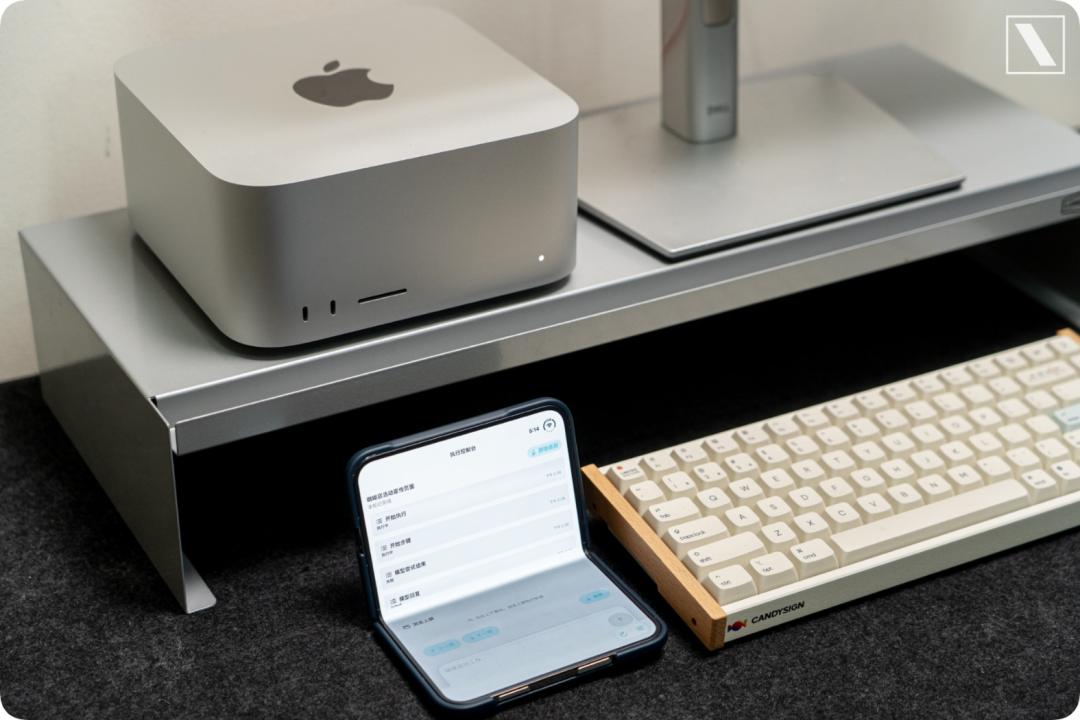
The high-performance Mac Studio with 256GB memory and 1.2TB/s memory bandwidth stays at home, responsible for running models and executing Agent tasks.
When you go out, you only need to carry the Duo. Take out your phone whenever needed, and you can check the progress of the computer at home, or assign more tasks to it.
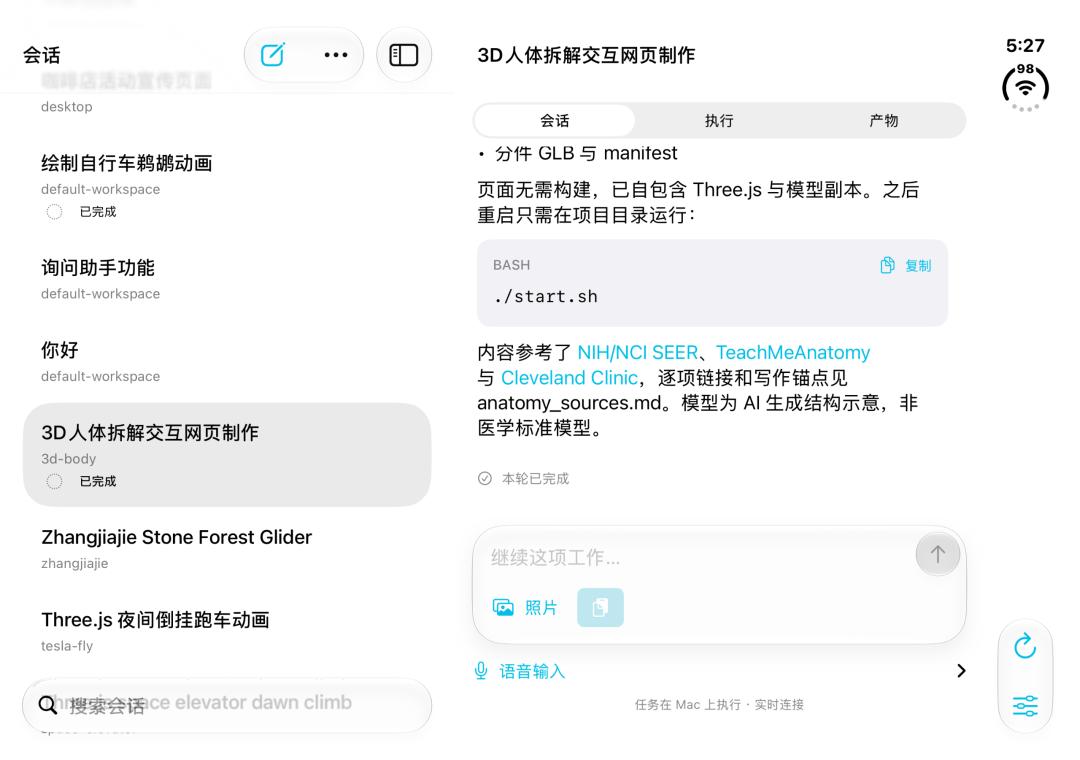
To this end, we have specially developed an app deeply adapted for iPhone Duo, which designs different corresponding Agent workflow scenarios for three different states: closed cover, half-fold hover, and fully unfolded.
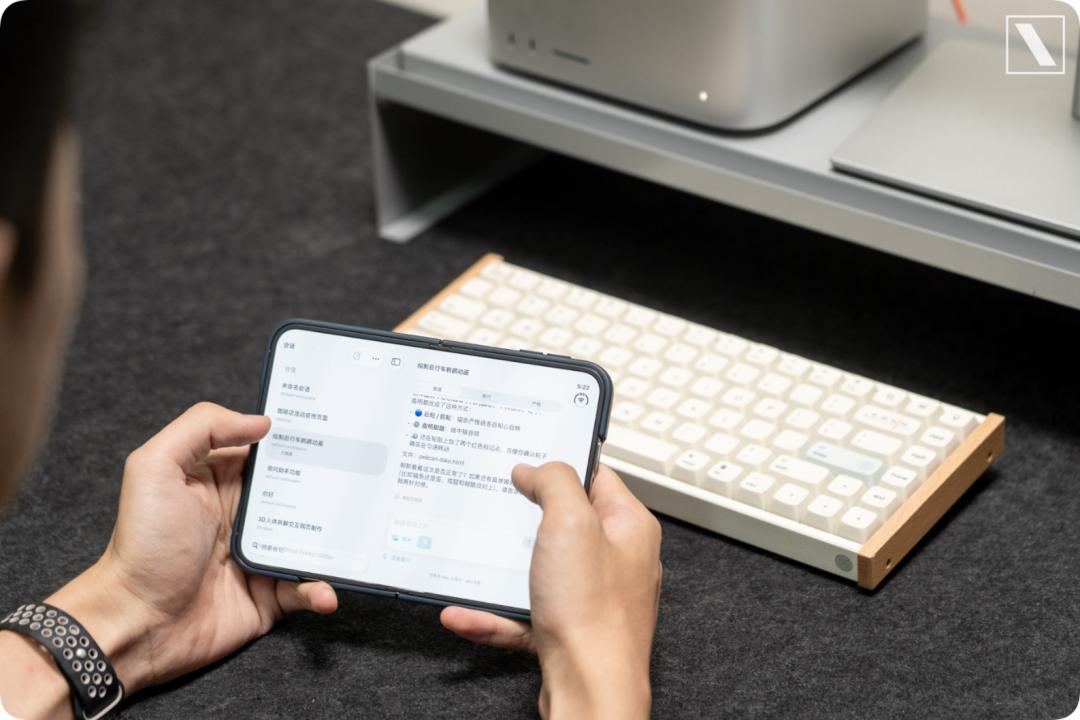
iPhone Duo + Mac Studio, Apple's Ace AI Combination
After we set up the local computing power of Mac Studio, we started working on how to make the phone connect to the computer. Just like Codex, you can issue tasks on your phone and use the local computer environment to perform various complex tasks.
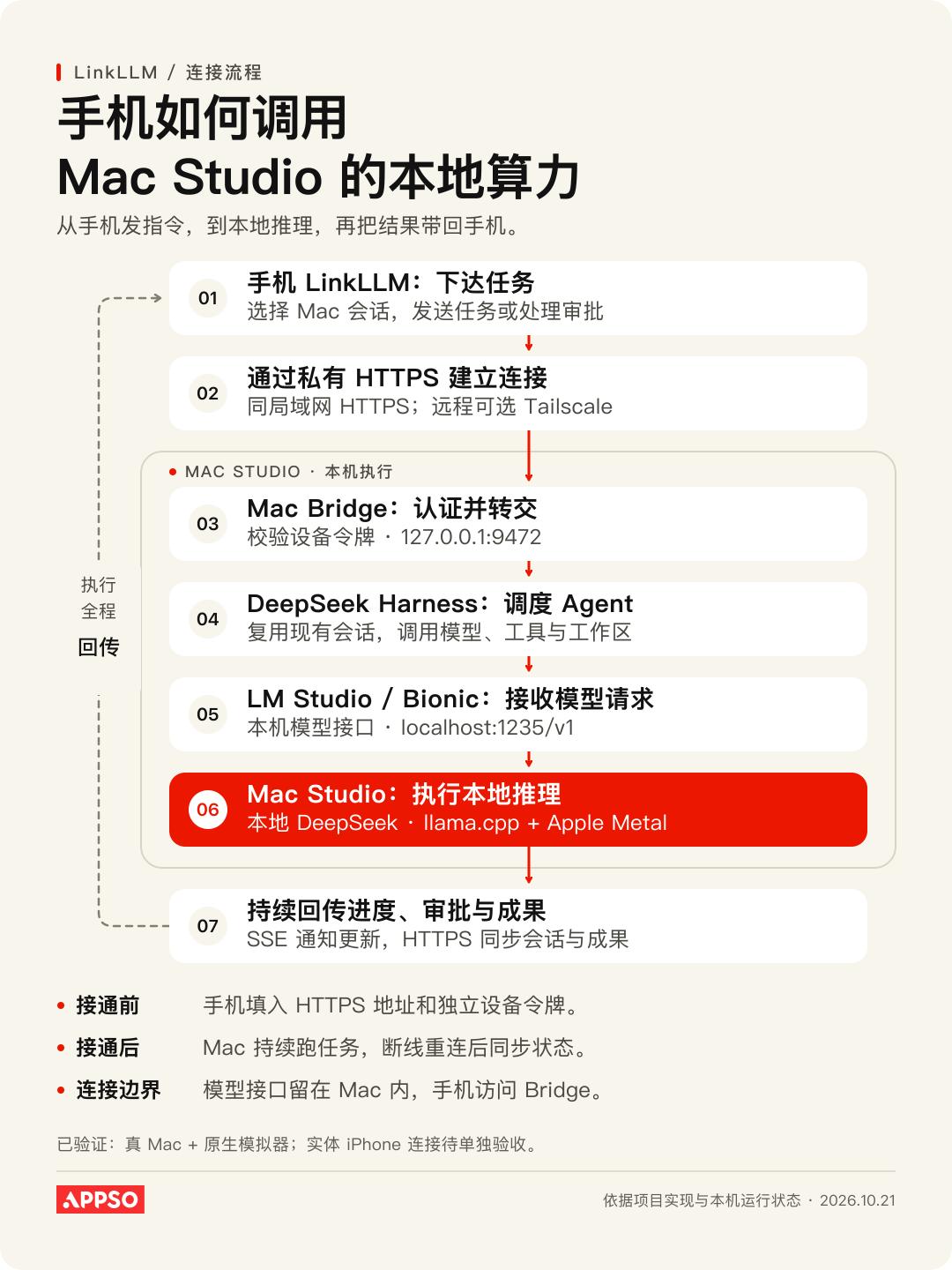
From the process perspective, the main problems to solve are how the phone finds the Mac, how tasks are delivered to the Mac, and how execution status is fed back to the phone.
To allow the phone to connect, an additional HTTPS proxy runs on the Mac, which listens to the Mac's LAN address and forwards requests from the phone to the local Bridge after receiving them.
If you want to use cellular network to connect outside in the future, you can let the phone and the Mac join the same Tailscale private network, and then use Tailscale Serve to provide the Bridge as a private HTTPS service.
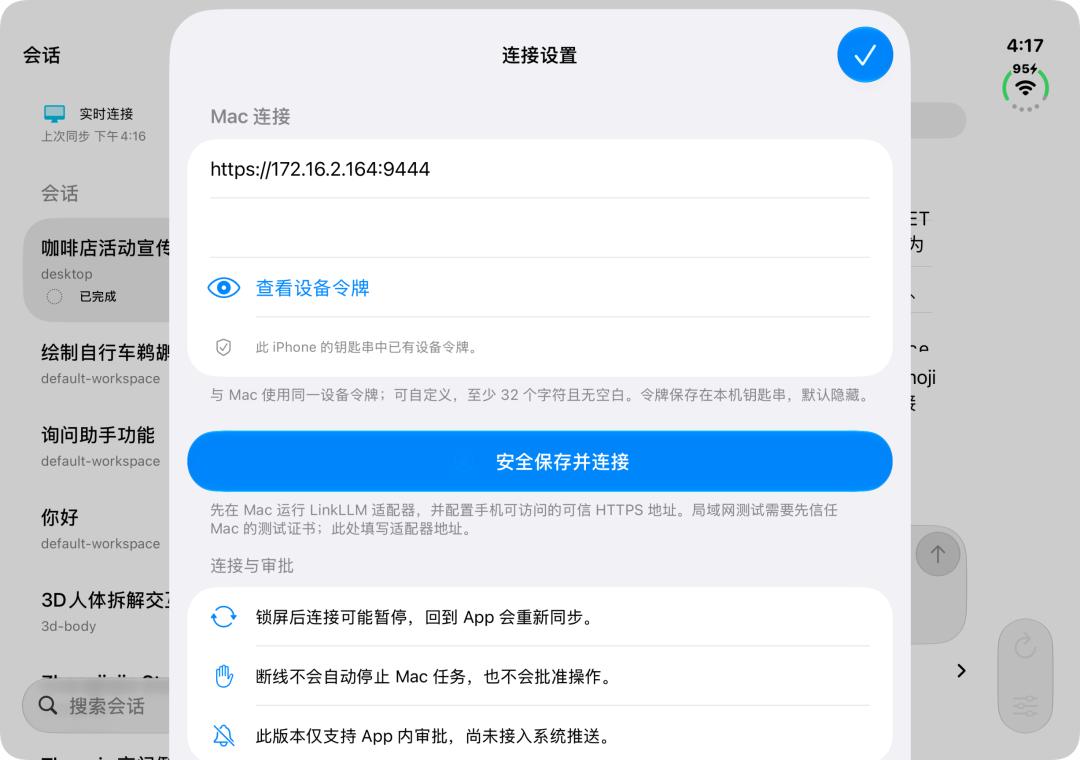
After the connection is established, the app will first check whether the service is running normally, then read the session list and the content of the selected session. The selected session has a unique sessionId, and subsequent tasks will be sent to this session.
After the task enters the Harness, the Agent on the Mac will call the local model, access the workspace, execute tools, and save execution records. Interruption of the phone connection will not trigger task cancellation; as long as the Mac and related services keep running, the task will still be managed by Harness.
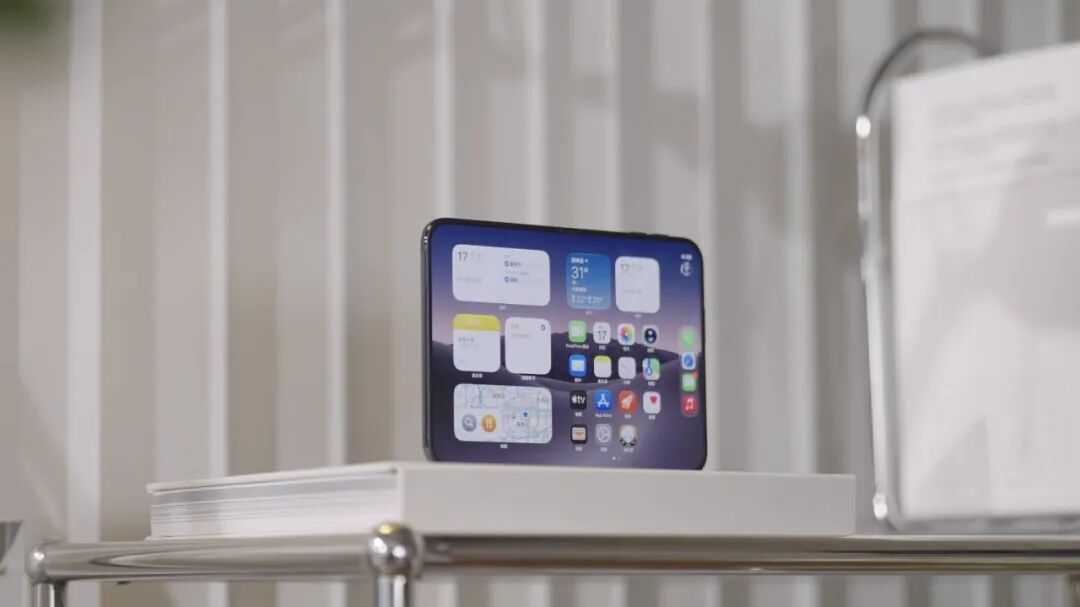
Closed Cover: The Agent Dashboard
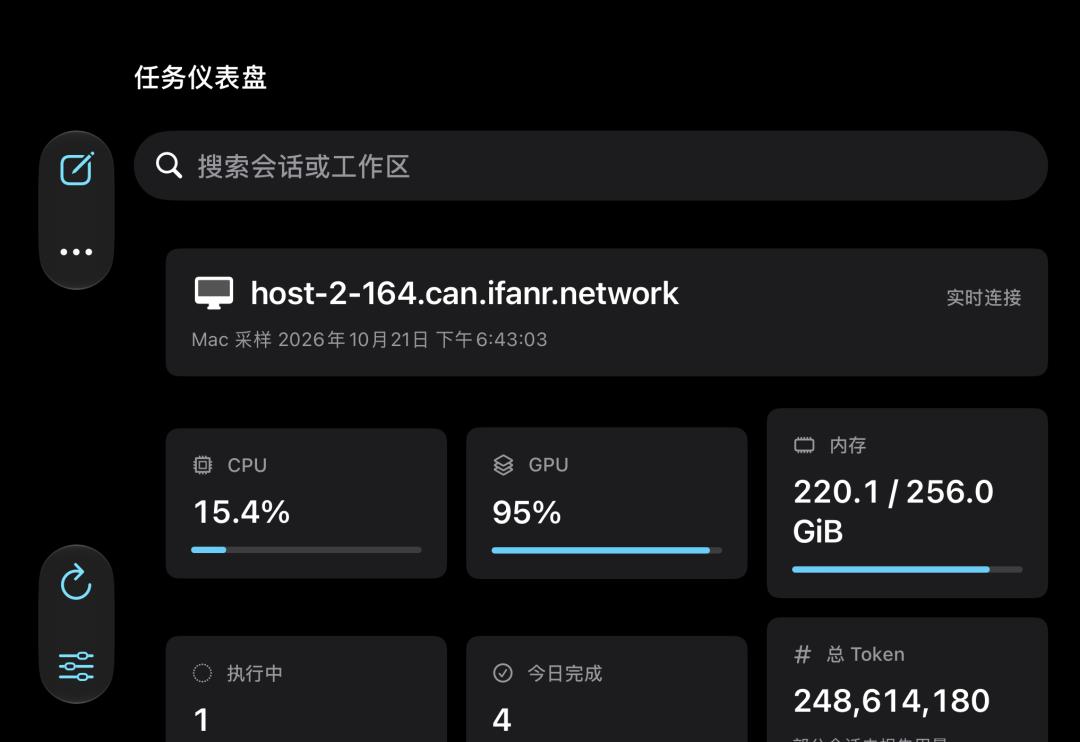
Open the app, and a row of task cards is displayed on the front. You can see which Agent is running, its progress, and how much time is left, all at a glance. The top part shows the load summary of Mac Studio, including memory usage, model name, Token consumption, number of running tasks, number of tasks completed today and other information.
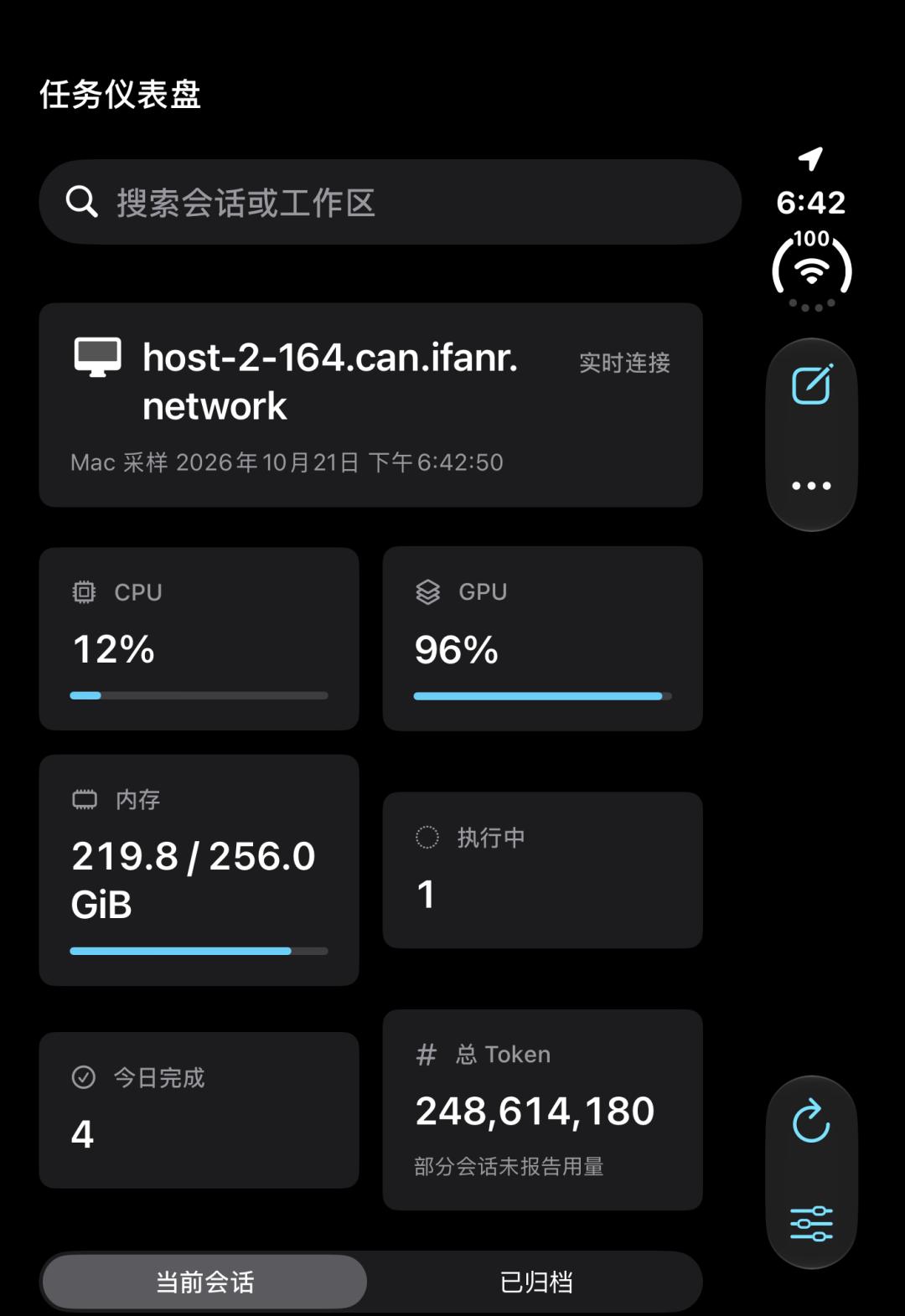
Since you have such an expensive computer at home, you definitely want to know how busy it is at the moment.
The most frequent operation in this state is probably approval. For cloud sandbox environments, you can directly change the project permission from "manual approval" to "approve for me" without any worries. But for your own personal computer, it is safer to let routine operations execute automatically, and only ask for confirmation for critical decisions.
Therefore, when the Agent is halfway through the work, there are often situations that require human confirmation. In the closed cover mode, the "Confirm / Reject" buttons are made large and prominent, right under your thumb. You can take out your phone from your pocket and open the app to approve anytime, anywhere.
For the increasingly long Agent tasks nowadays, you can also pin them to the Dynamic Island, so you can see the project progress even on the lock screen. Almost 90% of remote interactions are completed within this state.
Half-fold State: The Mobile Command Center
This is the most "Duo-exclusive" form factor that no other device can achieve.
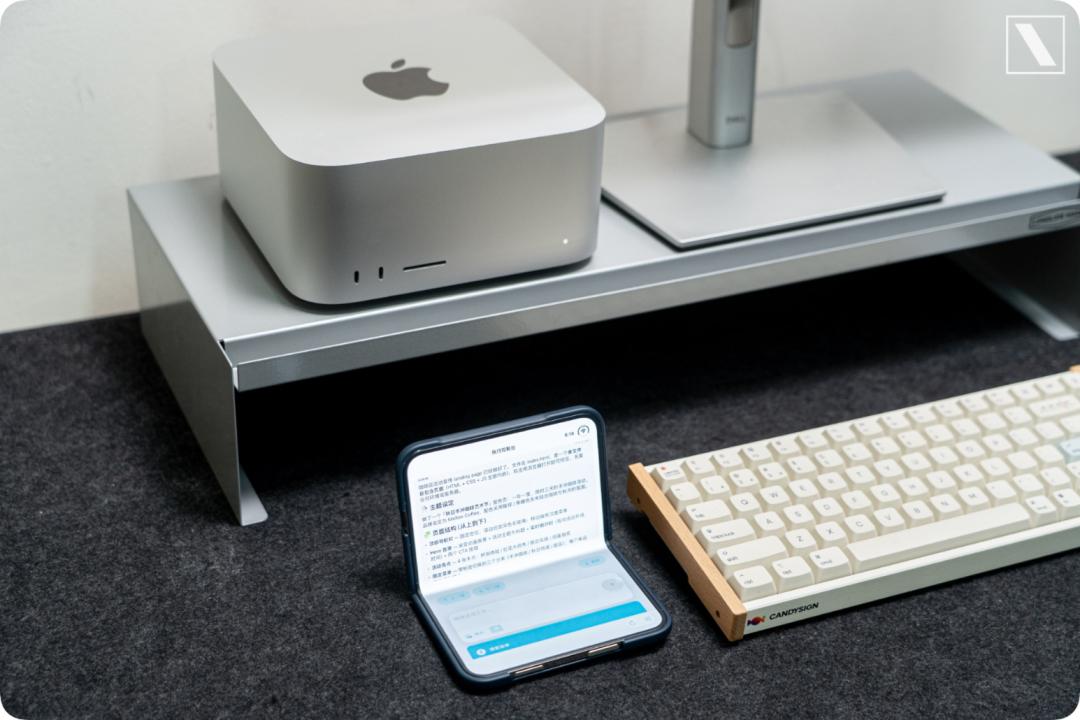
Place the Duo on the table in half-fold state, and it will automatically switch to a split upper-lower layout.

The upper half of the screen is for live streaming: The execution progress of the Agent will automatically scroll the full track like a video surveillance, including tool calls, model inferences, etc.
The lower half of the screen is for operations, equipped with a trackpad, terminal input box, approval buttons, and a voice task assignment button. Placing the half-fold Duo on the table creates the most natural posture for voice input.
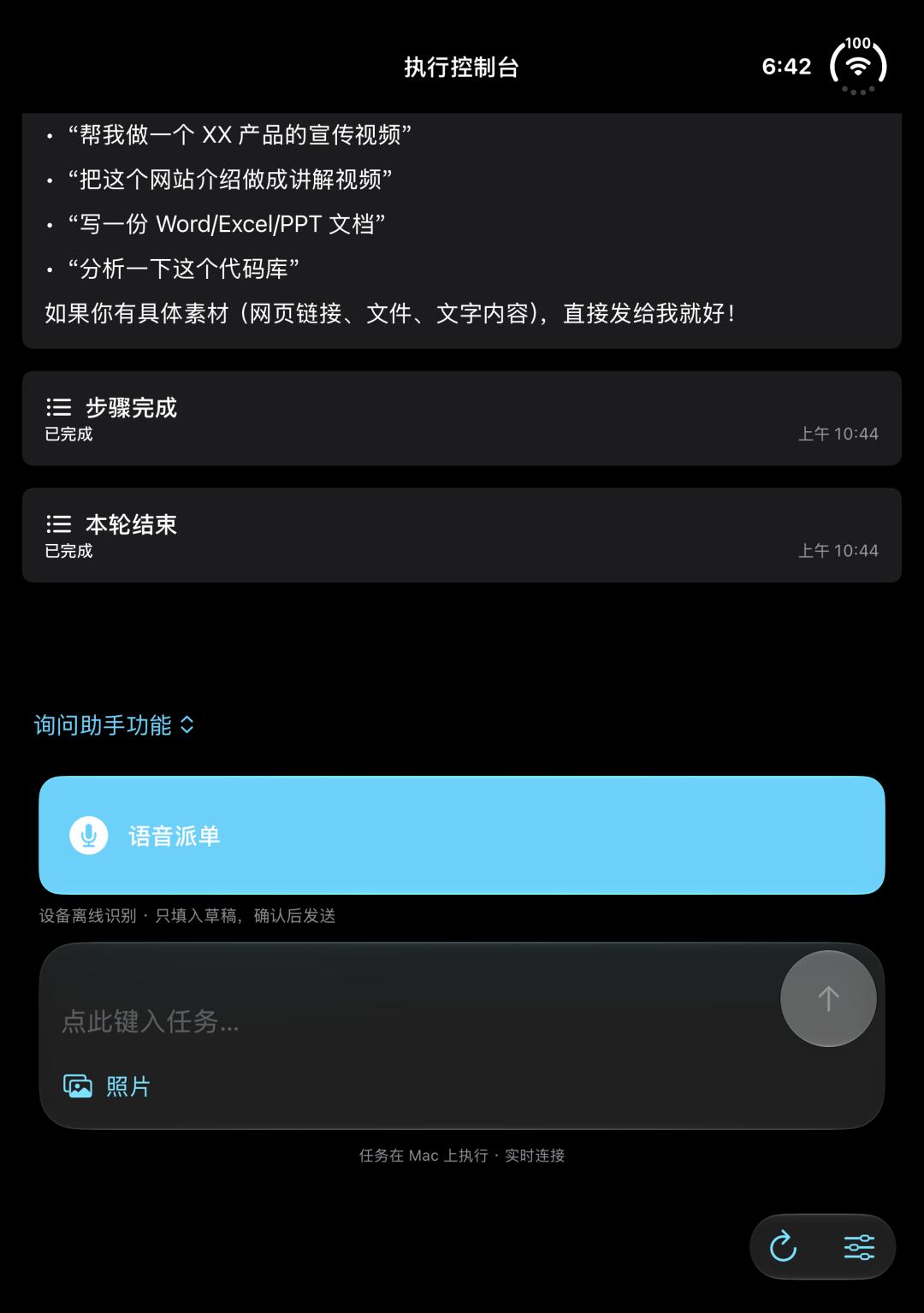
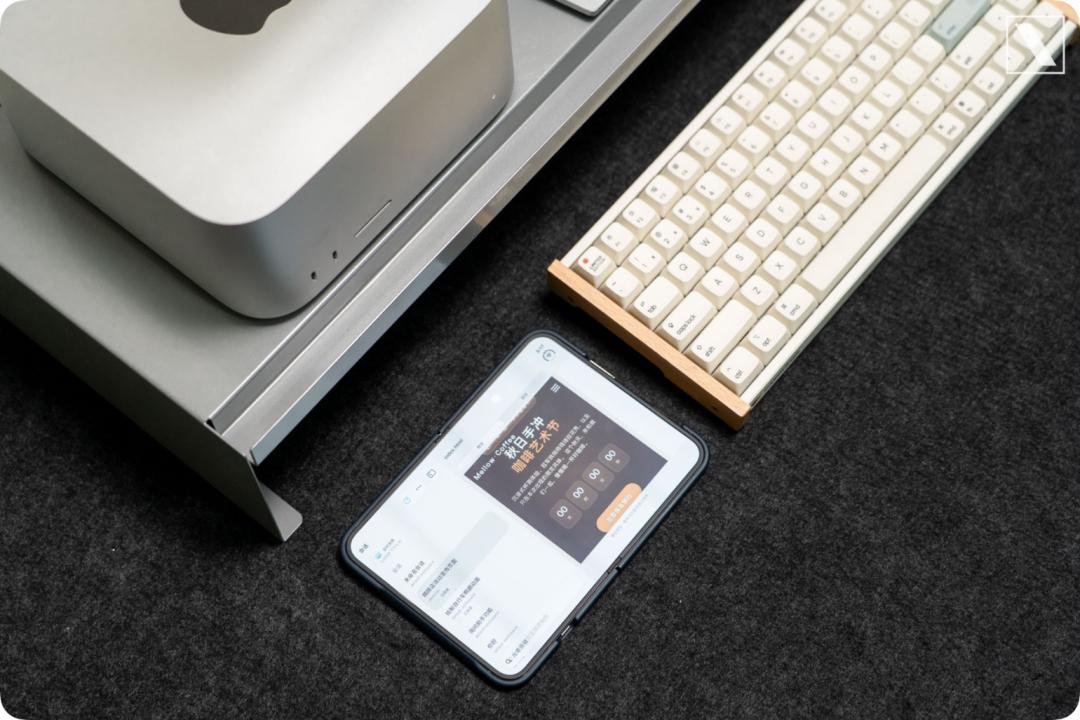
The most pleasant scenario we tested in this state is like binge-watching shows: prop the Duo at the corner of the table, and watch the rendering process of the video on your home computer finish frame by frame.
Fully Unfolded: A Complete Control Console
The fully unfolded Duo is close to a small tablet, all operations that are "too cramped on a phone but you don't want to take out your computer to do" are perfectly suited for this state.
The layout follows the classic two-column design on computers: the left side is the task queue, and the right side displays the full session of the selected task. The outputs generated by the Agent, including rendered previews, sorted spreadsheets, edited videos, web pages and more, have enough space for preview here, and you can also easily add annotations to ask for rework if you are not satisfied.
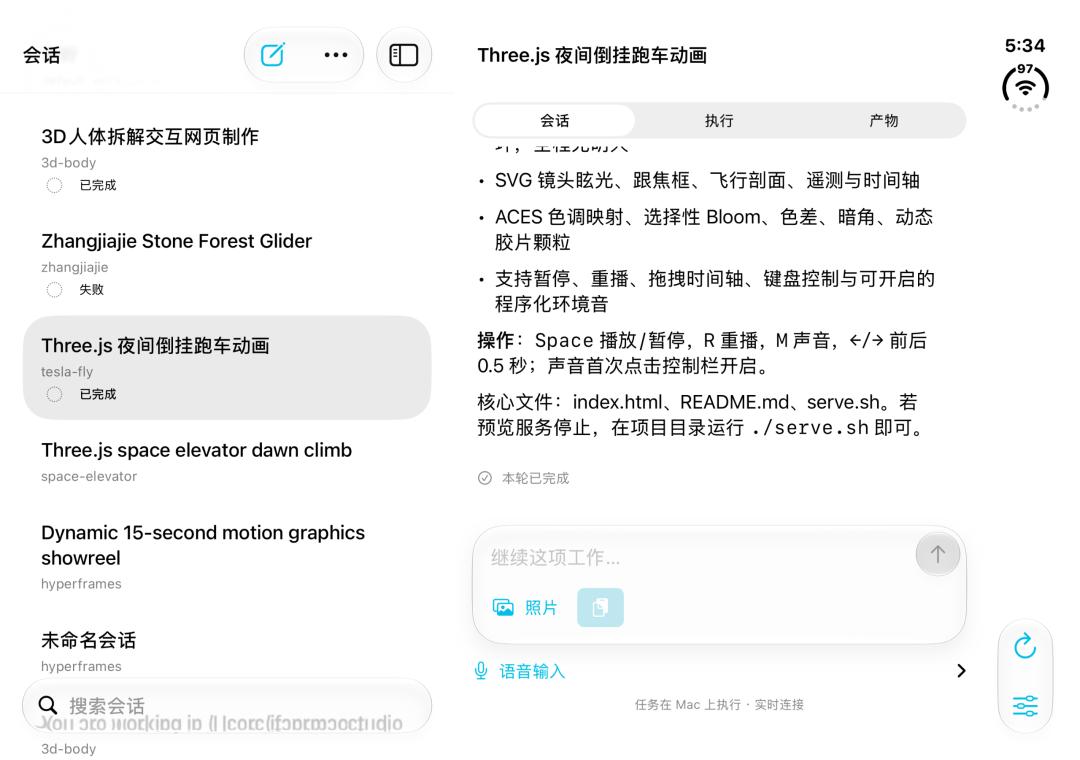
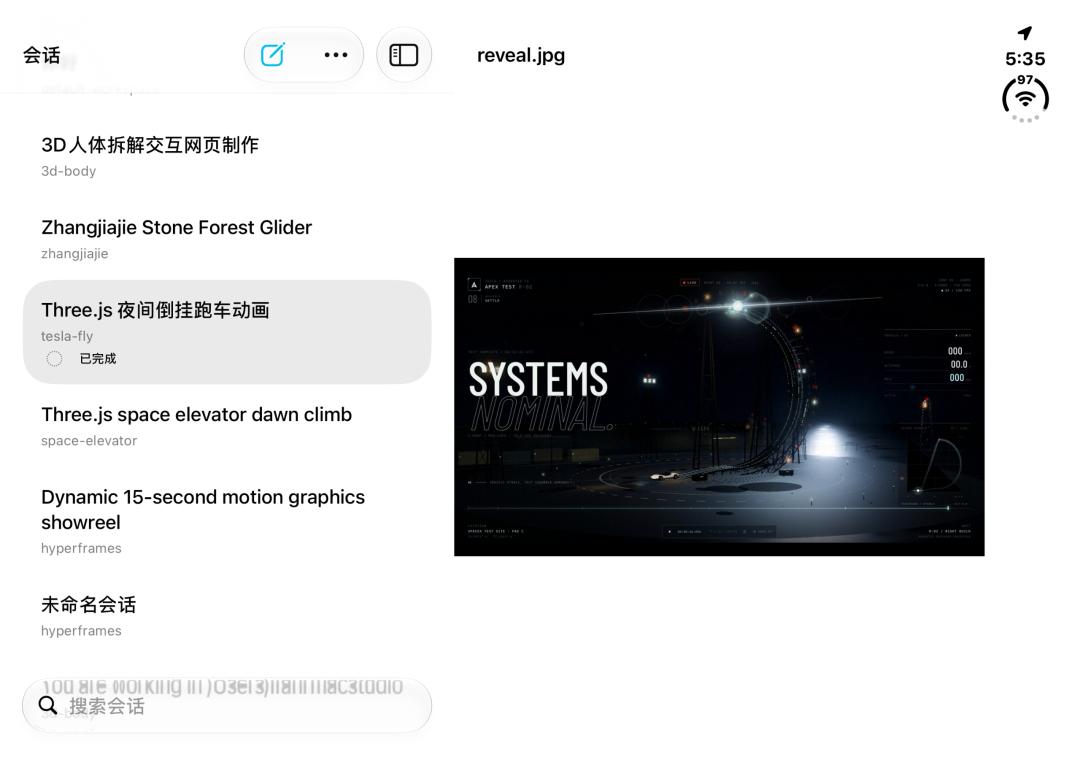
What's more interesting is the multi-app split-screen operation: for example, when you see a reference image in the gallery, you can directly drag it to the task card, which will be used as the input of a new task.
In addition, two Agent sessions can be displayed side by side: you can check the generation progress of a web page on the left, and modify the prompt of another task on the right.
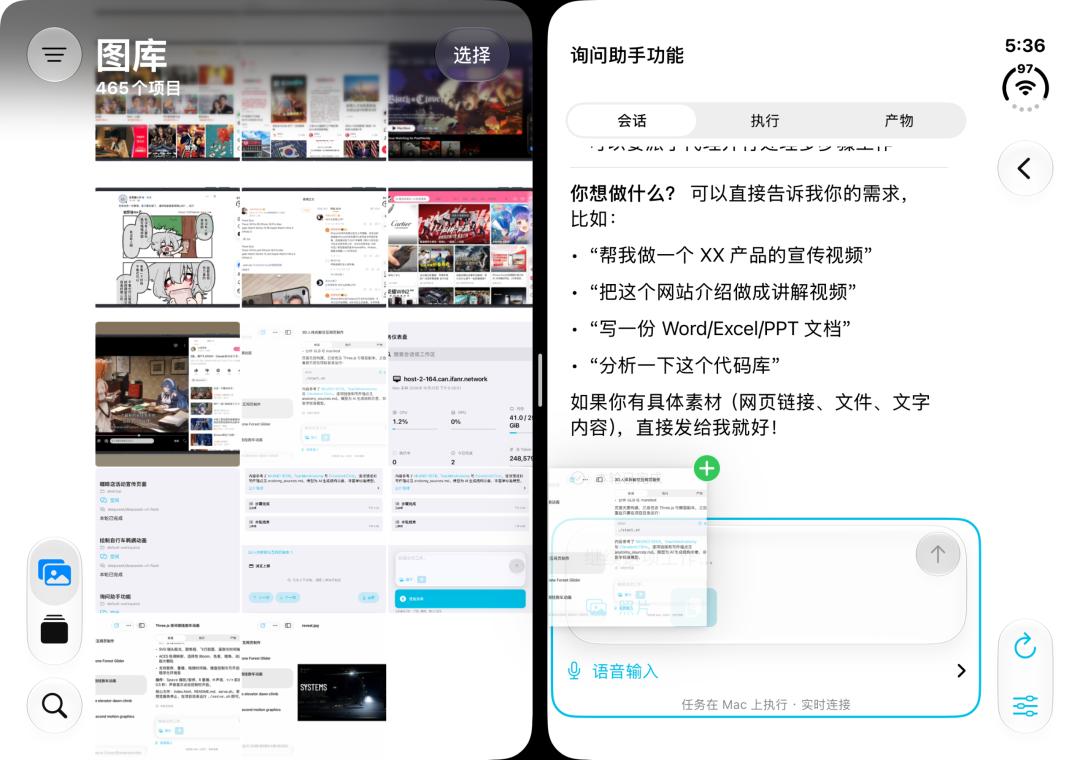
The three states are just like three different apps: closed cover for conclusion, half-hover for live view, fully unfolded for full details.
When we see an approval request in the closed cover state, we unfold the screen to check the details, approve it, then fold it back and put it in our pocket. The information density can adapt to the screen size, which is the most essential difference between a foldable client and a regular phone app.
Based on the different form factors of iPhone Duo, we have also developed several other interesting apps through vibe coding, to let the foldable form factor give full play to its real value.
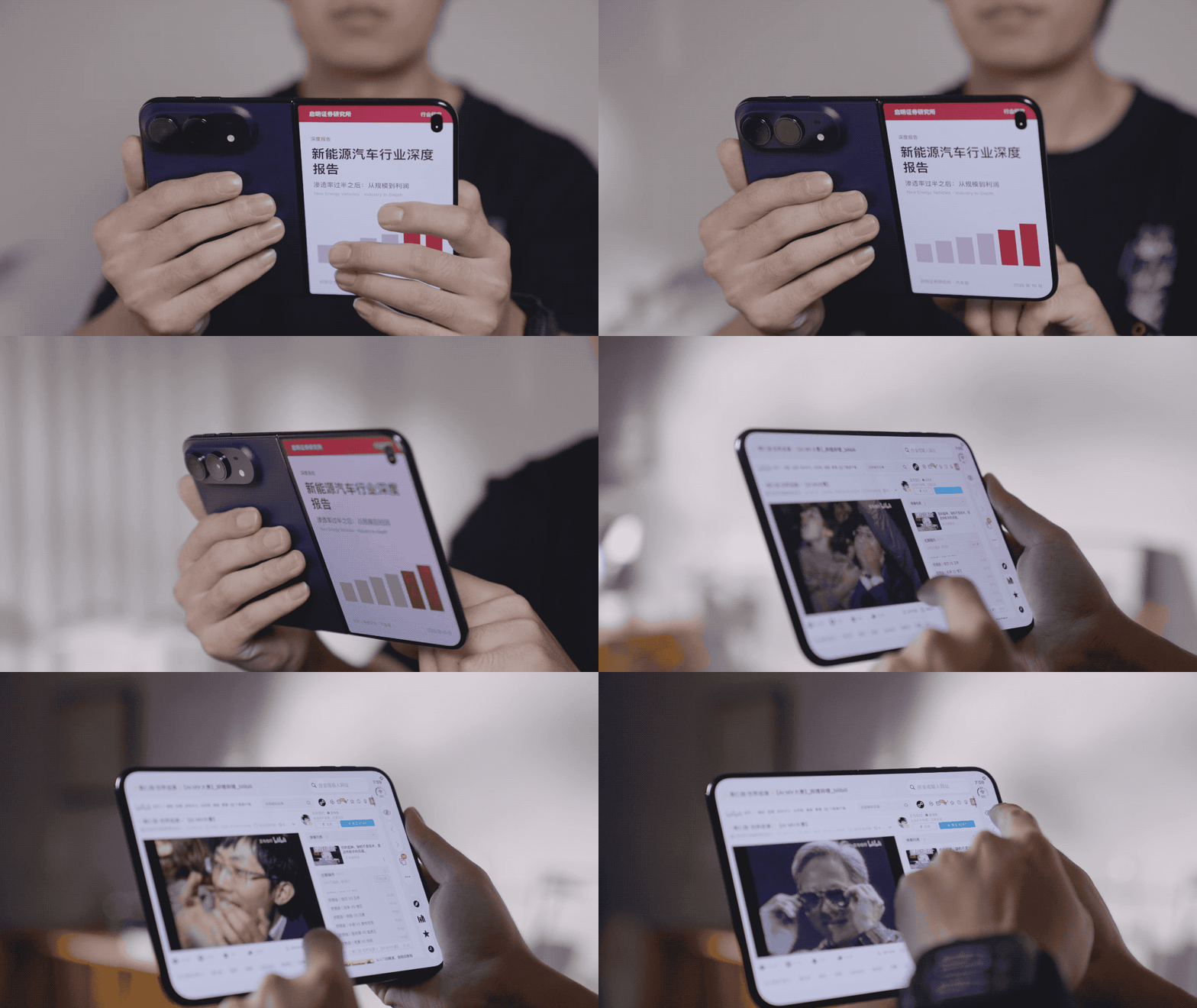
Just like this best posture for slacking off at work: outsiders will think you are reading an in-depth report, while the large folded screen part is actually for surfing the Internet.
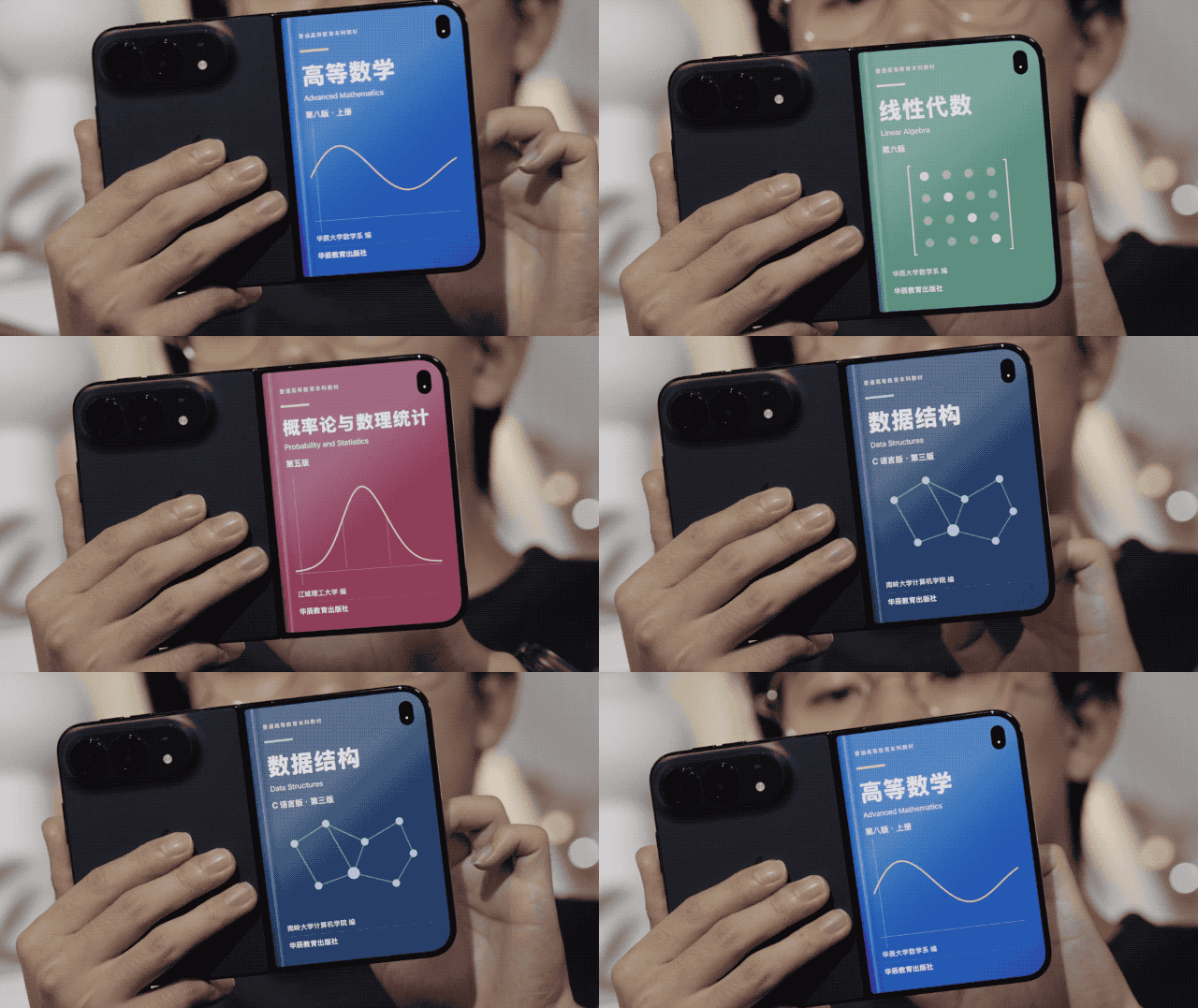
You can even customize the cover, setting it to the cover of textbooks such as Advanced Mathematics and other different books.
There are also games designed corresponding to the form factor of iPhone Duo: close the screen, and you will slap all the cockroaches on the screen to death.
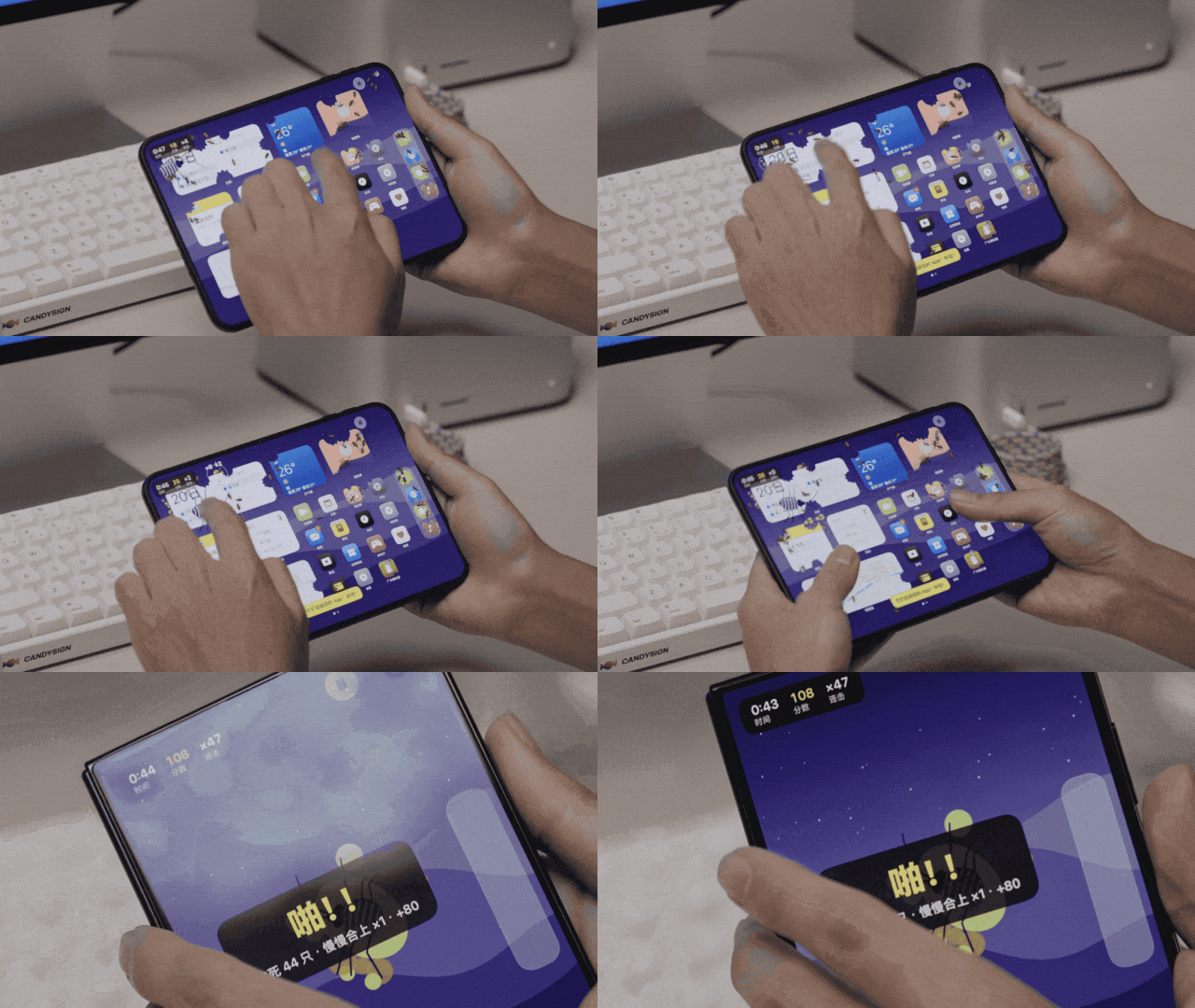
You can also use it as a "stand by" display, which is a nice high-value desktop "accessory".
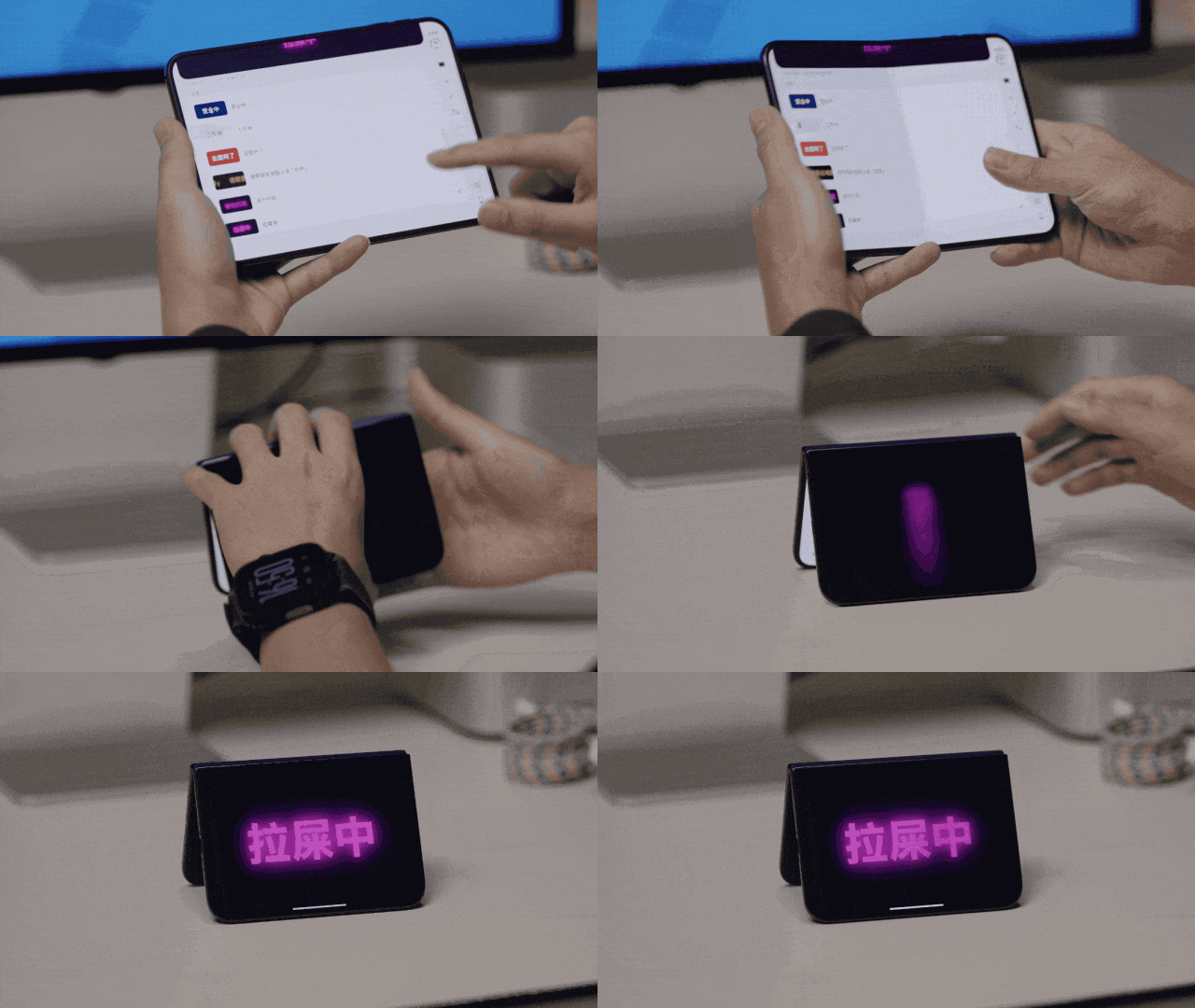
You can go to the Bilibili homepage @Spectra to check out more interesting gameplay.
Beyond Showing Off: Mac Studio Can Do Much More
For this 100,000-yuan combo, the 80,000-yuan Mac Studio that stays at home is the part that actually undertakes most of the work.
From Apple's original positioning of the Mac Studio series, we can tell that this is not a computer for ordinary consumers.