ChatGPT now supports chat locking. If you perform a reset after forgetting your PIN, all locked conversations will be permanently deleted.
On October 20, a lock icon appeared in the ChatGPT chat box.
OpenAI launched the "Lock Chat" feature: after setting a 4-digit account PIN, users can hide specified conversations.

On supported mobile devices, you can also access via face scan, fingerprint verification, or the device's native unlock method.
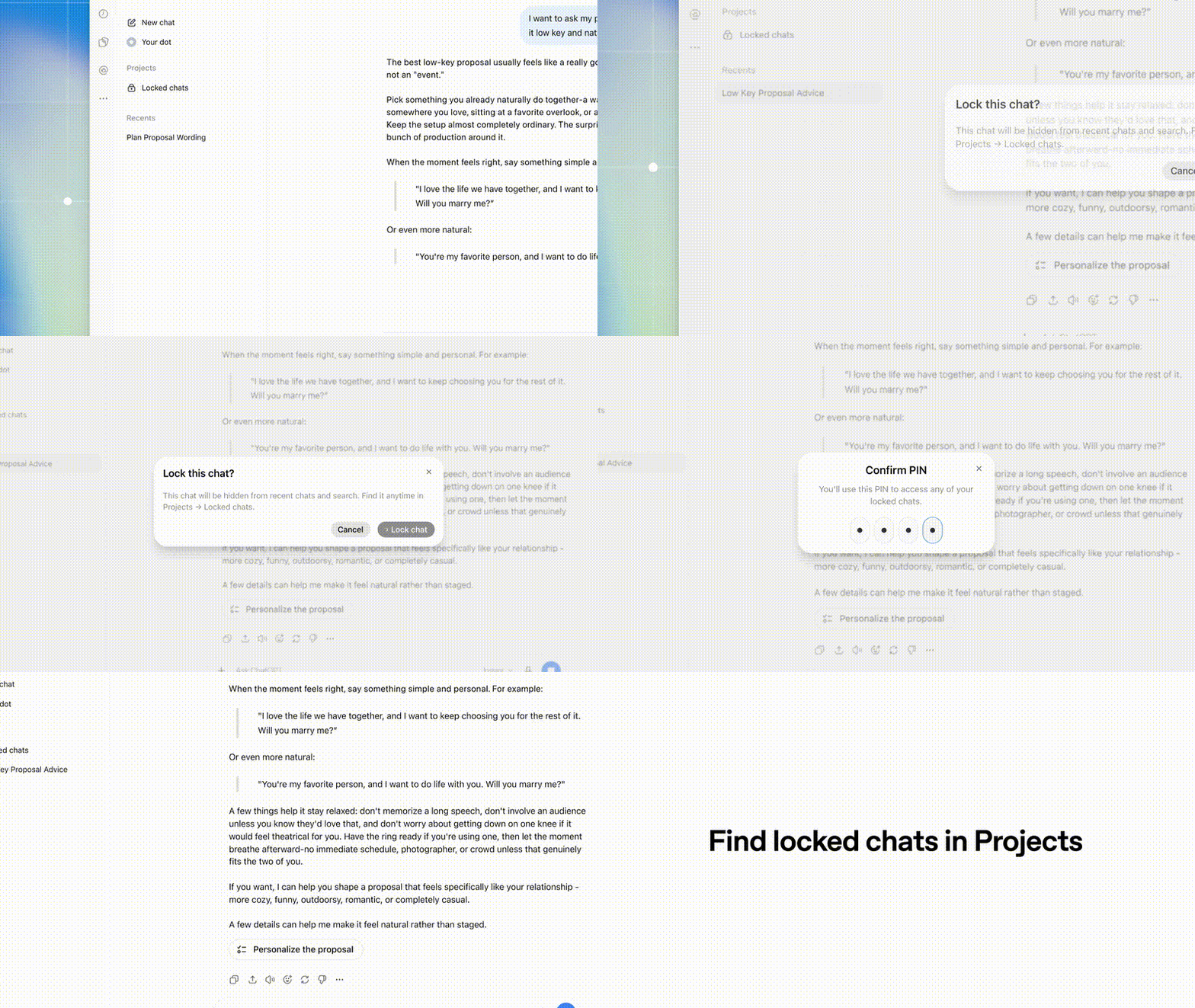
Those conversations you are reluctant to delete but do not want outsiders to stumble upon now have an exclusive dedicated space.
However, after the chats are hidden, there are still several issues that need to be clarified:
Will the AI still remember the secrets you talked about? Will this content be used to train the model? If you forget the PIN, will the chat history be erased?
Locking conversations does not mean that all these problems are solved.
In ChatGPT, hiding conversations, managing memories, and controlling training usage all follow their respective rules.
So don't rush to put all your secrets in it, figure out the boundaries of this lock before you use it.
When your chat box
becomes half a diary
For many people, their AI chat box has actually become half a diary.
It is convenient, but privacy is also more likely to be leaked.
Just imagine: when you are in a meeting with screen casting, the sidebar shows the record of your health consultation from yesterday; when you pass your phone to a friend to show photos, you accidentally switch to the draft of your resignation letter; when you want to prepare a holiday surprise for your family, the chat list is full of gift lists and price comparison records...
You still want to keep these private conversations for continued use, so you cannot just delete them directly.
But when you share the screen or lend out your device, an inadvertently exposed chat snippet may make you socially embarrassed on the spot.
"Lock Chat" just provides such a compromise solution, and its operation is not complicated.
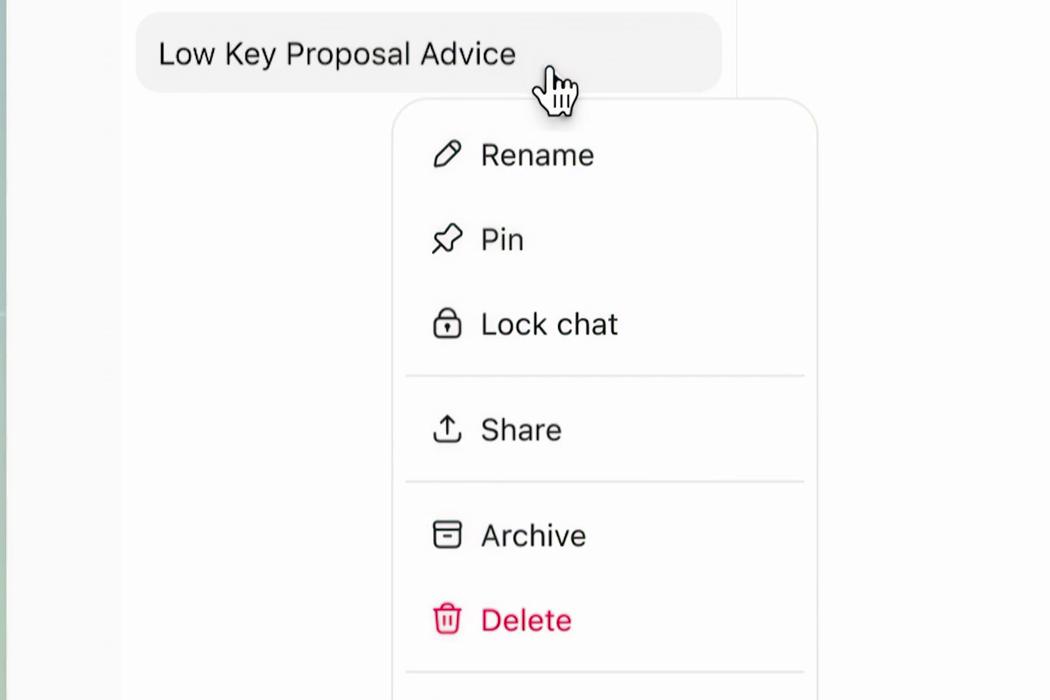
Open the menu of a single chat and select "Lock chat".
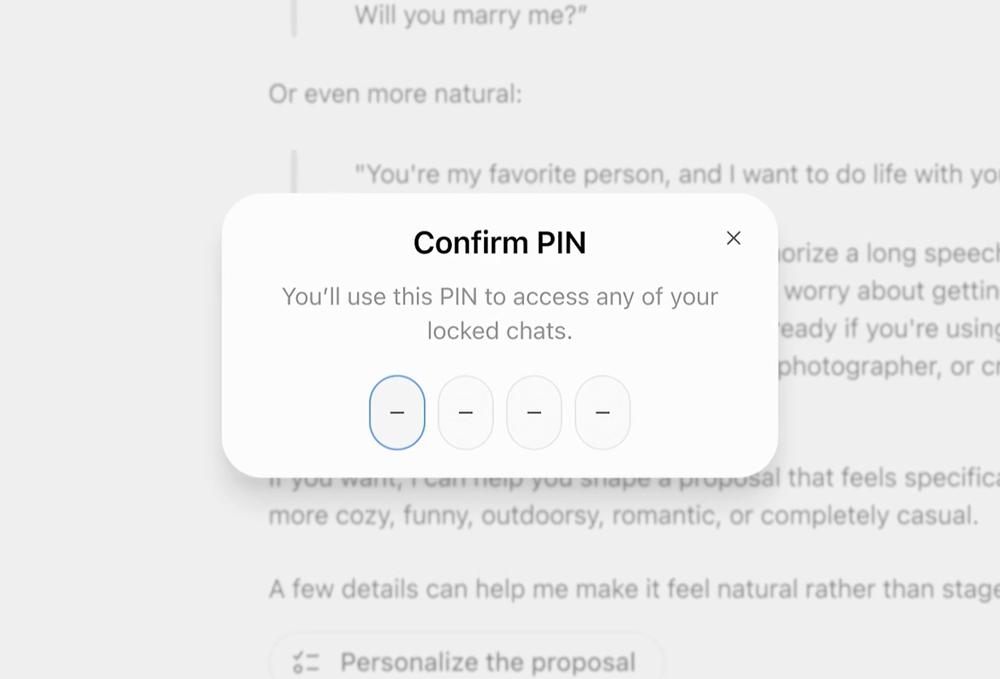
Follow the prompts to set and confirm the 4-digit PIN.

Locked conversations can be found in the "Locked Chats" section.
After locking, the conversation will be hidden from the regular history list, the top pinned area and common search results, and will be moved to the exclusive "Locked Chats" section under "Items" in the sidebar.
Later, as long as you verify your identity, you can continue the conversation at any time.
According to OpenAI's help center, Locked Chats is being gradually rolled out to Free, Go, Plus, Pro, Business, Enterprise and Edu plans, and free users can also use it.
Currently, the feature is gradually covering the web, iOS, Android, and the new macOS and Windows desktop applications.
Of course, this lock is not almighty.
Temporary chats, archived chats, group chats, and conversations with attributes such as scheduled tasks and meeting recordings do not support locking for now.
Chats created through links shared by others, Codex and local work conversations also have corresponding restrictions.
ChatGPT for Healthcare dedicated to medical use does not provide this feature at all.
Can you rest easy after clicking the lock button?
After you lock the chat into the list, will the screen on all devices disappear instantly?
It's not that simple.
OpenAI mentioned in its documentation:
On the web, after you click to lock, the currently open tab may still continue to display the chat dialog; if you are logged in and have the page open on a tablet or another computer at the same time, you must also manually refresh to completely hide the title and loaded content.
Therefore, before you prepare to cast your screen or pass your phone to others, never blindly trust the words "already locked". Closing the current page and refreshing the list is the real way to ensure safety.
There is another detail that is easy to step into a pit: locking will not invalidate the previously created sharing link, and people who get the link can still view it.
New content added during the locking period will not be synchronized to the old link; if you want to revoke access permissions, you need to delete this sharing link separately.
OpenAI also states that locking only adds an extra layer of verification for viewing, does not provide end-to-end encryption, and will not change data retention and model improvement settings.
It is more like a "privacy screen protector": it reduces the chance of others seeing your chats, and the content is still processed according to the original rules.
It can keep others out
but does not mean it can hide things from AI
Seeing the word "locked", many people's first reaction is that since it is locked, these conversations will definitely not be remembered by AI, nor will they be used to train the model, right?
This is not the case: directly equating "interface hiding" with "data isolation" is the biggest cognitive misunderstanding.
First look at the "Memory" feature.
If you have enabled the memory feature, locked chats may still call memories that have been saved in regular chats, so you don't have to re-introduce yourself.
At the same time, new information you learn in locked chats may be remembered by AI and shared for use in other locked chats.
The good news is that new memories generated under the locked state will not leak to regular chats. This means your discussion topics have a unique private memory space.
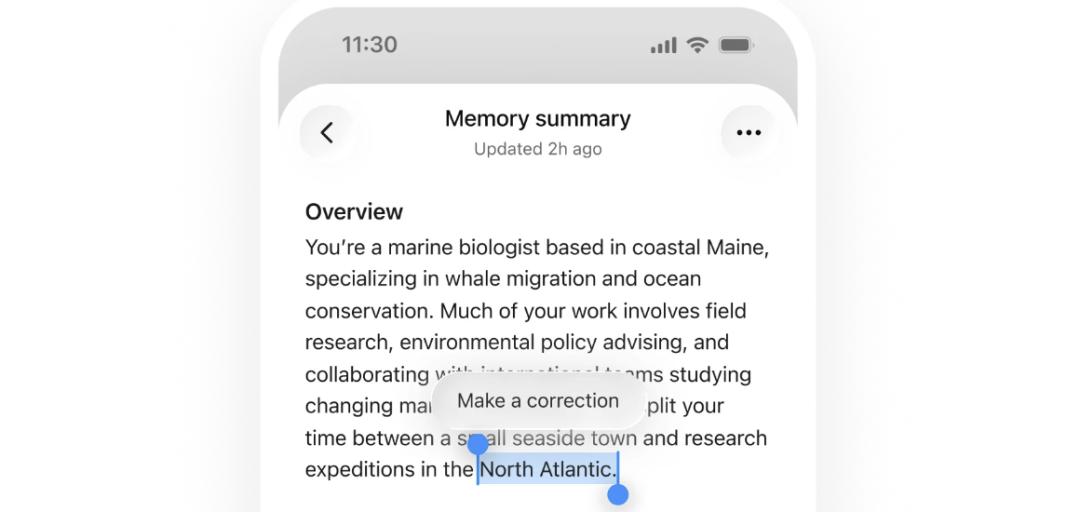
ChatGPT's "Memory Summary" page displays saved personal background information; after selecting the content, you can click "Make a correction" to modify it.
But there is also an "old account" here:
Information that has already been remembered by AI before locking will not be automatically cleared just because the conversation is locked.
For example, a private matter was previously saved as a memory in a regular chat, and even if you lock that conversation later, this memory may still be used in regular chats.
If one day you permanently unlock the conversation, the entire chat content may be used to form regular memories according to your account and workspace settings.
However, memories formed separately during the locking period will not be automatically merged into regular memories after unlocking.
In short: Old memories will not be erased just because you add a lock later, while new memories are strictly used exclusively for their corresponding locked chats.
Then look at the "training" data.
Locked chats will not change the original retention policy, nor will they automatically turn off model improvement; whether conversations are used for training is still determined by the data control settings of your account.
We must clarify one concept here: memory affects how AI responds to you in a personalized way; the model improvement setting determines whether your conversations will be used to improve the model.
If you want to stop new conversations from being used for model training, you need to go to "Settings — Data Controls" and manually turn off the "Improve the model for everyone" option.
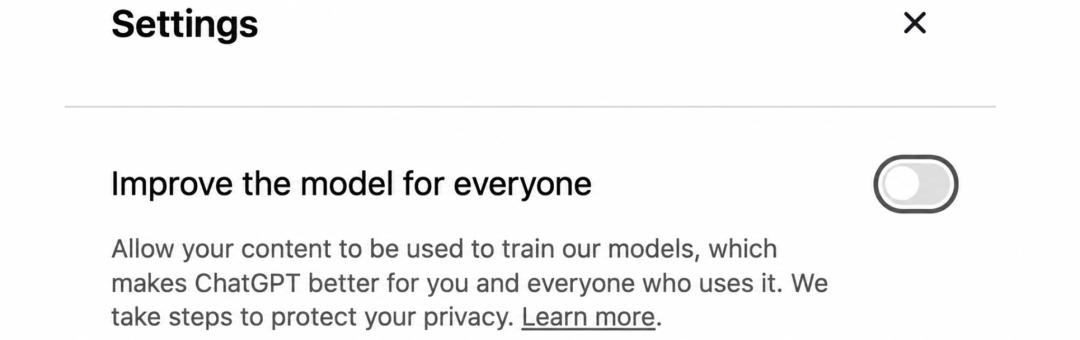
The model improvement toggle in data controls.
After it is turned off, new conversations will not be used for model training.
But the official adds: even if you turn off the model training toggle, if you actively submit feedback by clicking like or dislike, the entire conversation related to this feedback may still be used for model training.
If you want the conversation not to enter the history, not to create or update memories, and not to be used for model training, you can use "Temporary Chat".
For security review purposes, the conversation may still be retained for up to 30 days. If it is later saved as a regular chat, it will be processed according to the rules for regular chats.
To put it bluntly, in ChatGPT, these functions perform their respective duties:
If you are worried that acquaintances will glance at your screen and see the content, use "Locked Chats"; if you are worried that AI will bring up awkward topics in daily conversations, manage your "Memory Settings"; if you are worried that your data will be used to train large models, turn off the training toggle in "Data Controls".
Forgetting your password is not terrible
Carelessly clicking reset is the fatal mistake
During the use of Locked Chats, there is a button with extremely high destructive power: Reset "PIN".
If you just want to change the old PIN, you can choose "Change PIN" and the chat history will be retained.
Even if you forget the PIN, don't panic immediately: Forgetting the password itself will not automatically delete chats or files.
What actually triggers deletion is when you select "Reset PIN" and confirm the operation.
According to OpenAI's rules, resetting will permanently delete all locked chats in the account (not just the current one), memories that are only stored in locked chats, and files that are only protected by the old PIN.
This is an irreversible clearing operation, and even OpenAI customer service cannot recover the deleted content.
Therefore, before pressing the confirm button, check the deletion scope first to confirm whether there are important conversations and files that need to be retained.
Chats can be hidden
But you still need to recognize the privacy boundaries
Nowadays, what we talk about with AI is far more than just work.
You use it to write weekly reports, check code, and also discuss health, relationships, and those difficult decisions with it.
Some questions are asked and then forgotten, but some conversations leave important thoughts that are worth reviewing later.
Locked Chats allows you to keep this content while reducing the chance of it being seen by others.
But we also need to know: when a chat is locked, are the old memories still there? Can the shared links still be opened? Resetting the PIN, which chats and files will be deleted?
These consequences should be made clear before the operation, instead of letting users go to the help center to find answers only after they lose their content.
References:
https://techcrunch.com/2026/10/20/chatgpt-now-lets-you-lock-your-chats/
https://help.openai.com/en/articles/20001411-using-locked-chats-in-chatgpt/
This article is from the WeChat Official Account "AI Era" (ID: AI_era), written by ASI Revelation, edited by Yuan Yu, and authorized for release by 36Kr.