The touchscreen MacBook is finally here. Apple is "defying its ancestral precepts", and is it all for AI?
After years of rumors, Apple is finally set to equip MacBook with a touch screen.
On October 28, Apple will hold a new product launch event in Los Angeles, USA. According to the currently exposed information, the star of this event will most likely be the newly redesigned MacBook Pro. In addition, Apple is also expected to launch new iPad mini, 14-inch MacBook Pro with M6 chip, iMac and other products.

(Image source: Apple official)
However, compared with conventional processor upgrades, Leitech (ID: leitech) is more interested in the long-rumored touch-screen MacBook Pro.
According to leaks from Bloomberg journalist Mark Gurman, the new MacBook Pro will adopt an OLED touch screen. The notch design that has been in use for five years will be replaced by Dynamic Island, and the appearance chassis may also see changes. If this leak is true, this will be the biggest design adjustment for the MacBook product line in recent years.
But interestingly, as early as more than ten years ago, Steve Jobs publicly questioned the practicality of touch screens on laptops, arguing that holding hands up to operate the screen for a long time does not conform to ergonomics. Apple has also been emphasizing that MacBook and iPad have different interaction logics afterwards. Even after touch-screen laptops in the Windows camp became widespread, Apple still did not change its mind.
So here comes the question, why did Apple choose to change its mind in 2026?
Sticking to its stance for more than a decade, has Apple finally compromised on touch screens?
In fact, for laptops, touch screens are far from new technology.
As early as more than ten years ago, the Windows camp began to promote touch-screen laptops on a large scale. Microsoft even specially adjusted the interface design of Windows 8 around touch operations, hoping to cover both traditional PCs and tablets with one operating system. Later, major PC manufacturers also successively launched laptop products that support touch, flipping, and even detachable keyboards.

(Image source: Lenovo official)
But as for the actual effect, many friends who have used Windows touch-screen laptops must have deep experience.
Touch screens are indeed convenient. For example, directly swiping with your hand when browsing web pages, zooming in and out with two fingers when viewing photos, or signing your name on the screen are far more accurate than sliding on the trackpad. But once you enter professional software that requires a lot of mouse and combination key operations such as Excel and Photoshop, the advantages of touch screens disappear completely in an instant.
After all, the operation logic of traditional PCs was originally designed around the mouse and keyboard, and the menus, functions and toolbars on the software are also designed to be very compact for readability. Using fingers to operate is not only easy to cause accidental touches, but also tiring to hold your hand up to touch the screen for a long time.
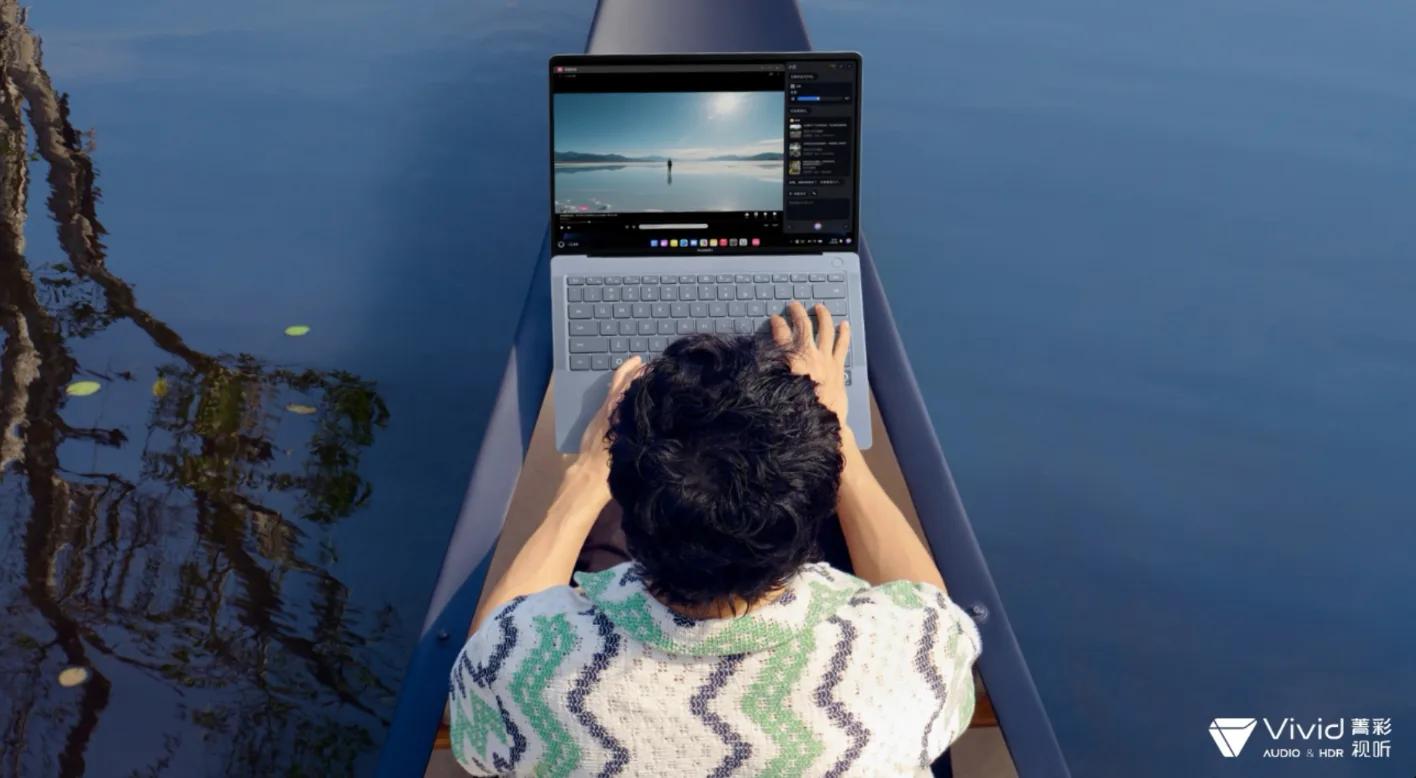
(Image source: Huawei official)
More importantly, the vast majority of laptop users have not formed the habit of using touch screens at all. The author of Leitech has used many Windows laptops that support touch. When I first got them, I did feel fresh, but it didn't take long before I went back to the keyboard and trackpad.
This is also one of the reasons why Apple has been refusing to add touch screens to MacBook before. However, according to current leaks, Apple is adjusting part of the macOS interface for touch operations. For example, when a user clicks a menu with a finger, the system may automatically enlarge the corresponding operation area to facilitate user selection; when the user switches back to the trackpad, the interface will return to the traditional desktop layout.
If this solution can really be implemented, Apple has at least solved one of the most difficult problems of touch-screen laptops: how to make touch operations coexist with mouse and keyboard. But the question remains, why does Apple want to make touch-screen computers?
Leitech (ID: Leitech) believes that Apple's sudden change of mind this time is most likely related to AI. Especially after AI Agents began to try to operate computers on behalf of users, touch screens may have new uses.
With the outbreak of AI PCs, the advantage of touch screens that "point where you operate" has become prominent
Computers have been developed for decades, but our operation logic has not changed much. Whether it is writing articles, editing photos, editing videos, or making PPT, users basically need to open the software by themselves, find the corresponding functions, and then complete the operations step by step through the mouse and keyboard. Although voice assistants appeared later, they can only handle some of the simplest operations, and most complex tasks still require users to do it themselves.
But with the development of AI Agents, the operation logic of computers is changing: Agents can call software, read files, and even complete a series of operations according to user requirements. For example, you can ask it to sort out last month's work materials, find out the projects that need follow-up, and then generate a summary document. To put it simply, users only need to tell it what they want in the end, and the rest of the work can be handed over to AI.
This brings up a new problem: AI can indeed help you operate the computer, but how does it know exactly what you want it to do? For example, when the author of Leitech usually writes articles, he will open the browser, Word and image editing software at the same time. Sometimes when I see a good picture, I want AI to help remove a certain object in the background, or slightly adjust the position of the main subject in the picture. If I rely entirely on text input, I need to describe the content of the picture to AI first, and then tell it which part to modify specifically.
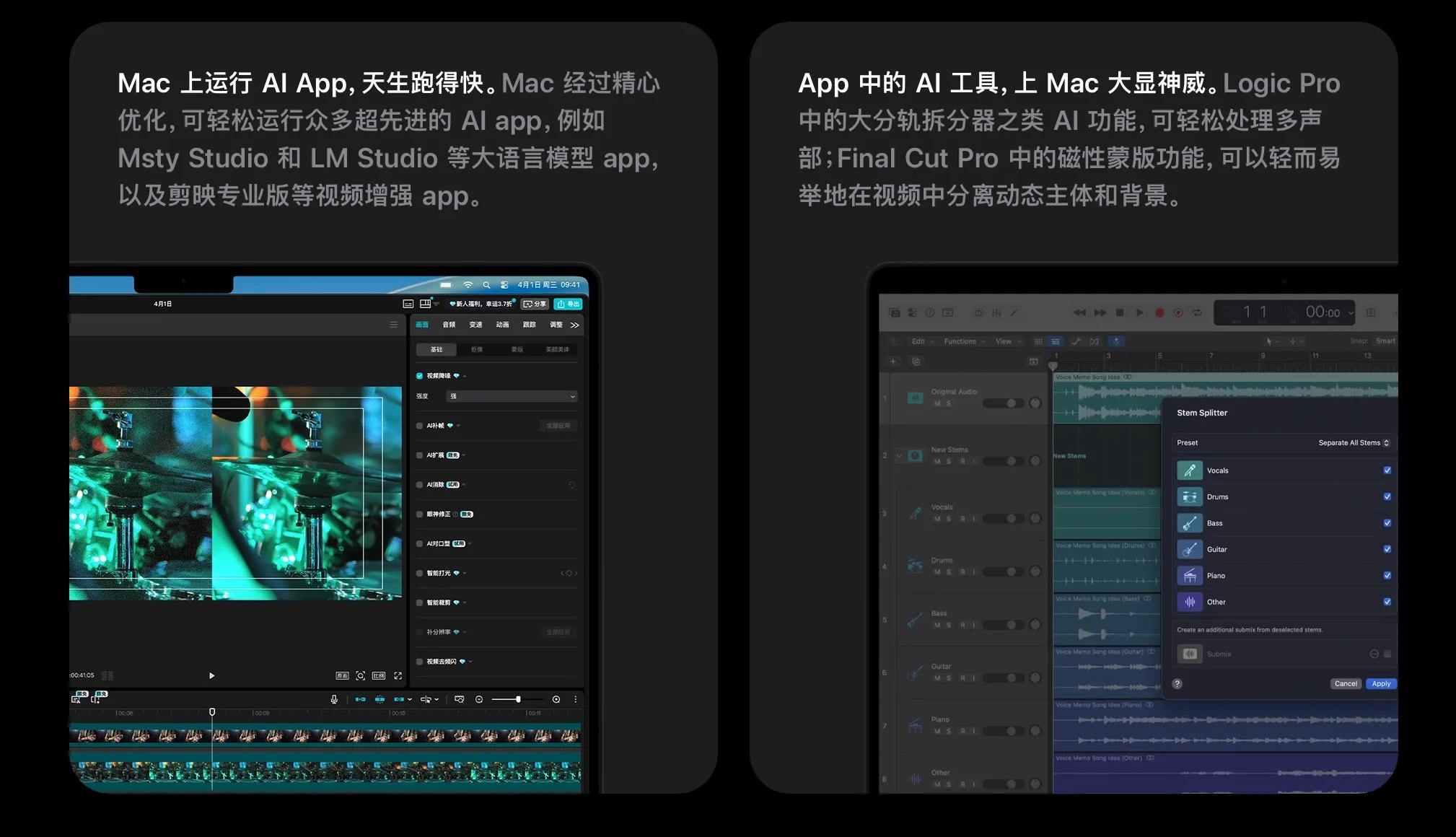
(Image source: Apple official)
It's okay for simple pictures, but if there are several similar objects in the picture, it will be more troublesome to describe them only by text. At this time, the touch screen comes in handy: users can directly circle the area that needs to be modified on the screen, and then tell AI "delete the person here" to complete the operation that would otherwise require repeated consideration to explain clearly; for another example, circle a piece of text in a PDF and ask AI to explain the professional terms in it; select a piece of data in Excel and ask AI to generate a chart directly; or select several products when browsing web pages and ask AI to sort out their differences.
Of course, these operations can also be done with a mouse, and even the accuracy may be higher, but the advantage of the touch screen is that the operation is direct enough, "point where you hit". Especially in scenarios such as reading, browsing and simple editing, clicking on whatever you see is usually more convenient than moving the mouse first and then selecting the object.
In addition, as AI begins to have the ability to understand the content of the screen, users do not need to explain the operation object clearly every time. As long as AI can identify the content on the current screen, and the user specifies a certain area through touch, the system will have the opportunity to know what to process next.
In the past, when we used computers, we needed to complete all operations by ourselves, so mouse and keyboard were indispensable. If more and more work can be handed over to Agents in the future, users may only need to tell AI what to do, and then check whether it has done it correctly.
If the operation logic becomes like this, the touch screen does have certain advantages. But whether these experiences can be realized depends on whether macOS allows Agents to read screen content and call the functions of corresponding software.
To build a good Agent PC, Apple's biggest challenge lies in the system
Compared with the Windows camp, Apple's biggest advantage has always been the integration of software and hardware. From Apple Silicon to macOS, to Safari, Photos, Notes and various system applications, Apple can directly control most of the software and hardware functions of the computer. This means that if Apple wants to let AI go deep into the system in the future, it can theoretically save a lot of time in terms of adaptability.
For example, when users are looking for information in Safari, they can directly ask AI to organize the relevant content into Notes; or select several files in Finder, ask AI to extract the information in them, and then generate a document. These operations may not be technically difficult for ordinary users, but if they can truly be executed automatically across applications, the experience improvement brought by them will be very obvious.
Moreover, Apple has been emphasizing local AI computing capabilities in recent years. With the continuous improvement of the performance of M-series chips, more and more AI tasks can be completed directly on the device. But the author of Leitech thinks that what Apple really needs to solve is system permissions and application compatibility.

(Image source: Apple official)
After all, users cannot only use Apple's own software. Third-party applications such as WeChat, Feishu, Office, and Photoshop are all tools that the author of Leitech comes into contact with every day. If Agents can only complete some simple operations between Safari and Notes, but cannot handle tasks in third-party software, their practical significance will be greatly reduced.
In addition, there is a big difference between Agent and traditional AI assistants, that is, it may really perform operations on behalf of users. For example, sending emails, modifying files, or even deleting certain content, once AI misunderstands, the consequences will be immeasurable.
Therefore, Leitech believes that future Agents will most likely require user confirmation at key steps. At this time, the touch screen can also play a role. For example, when AI is preparing to delete a batch of duplicate files, users can directly cancel several options on the screen just like on a mobile phone; for another example, after AI sorts out a PPT, users can select the pages that need to be modified and add additional requirements.
Another point worthy of attention is the Dynamic Island of MacBook.
According to current information, the new MacBook Pro may replace the original notch design with a Dynamic Island similar to that on iPhone. If Apple just moves the notification and background activity display method on iPhone to MacBook, the practical significance may not be too great. But if it can be used to display the task progress of Agents, operations waiting for confirmation, or background work being processed in the future, it will have the opportunity to find new uses for Dynamic Island on Mac.
Of course, these are just speculations made by the author of Leitech based on existing information. Apple has not clearly announced the specific relationship between the touch-screen MacBook and Agents, and whether these functions will appear in the end depends on Apple's next system update.
The boundary between iPad Pro and MacBook is getting increasingly blurred
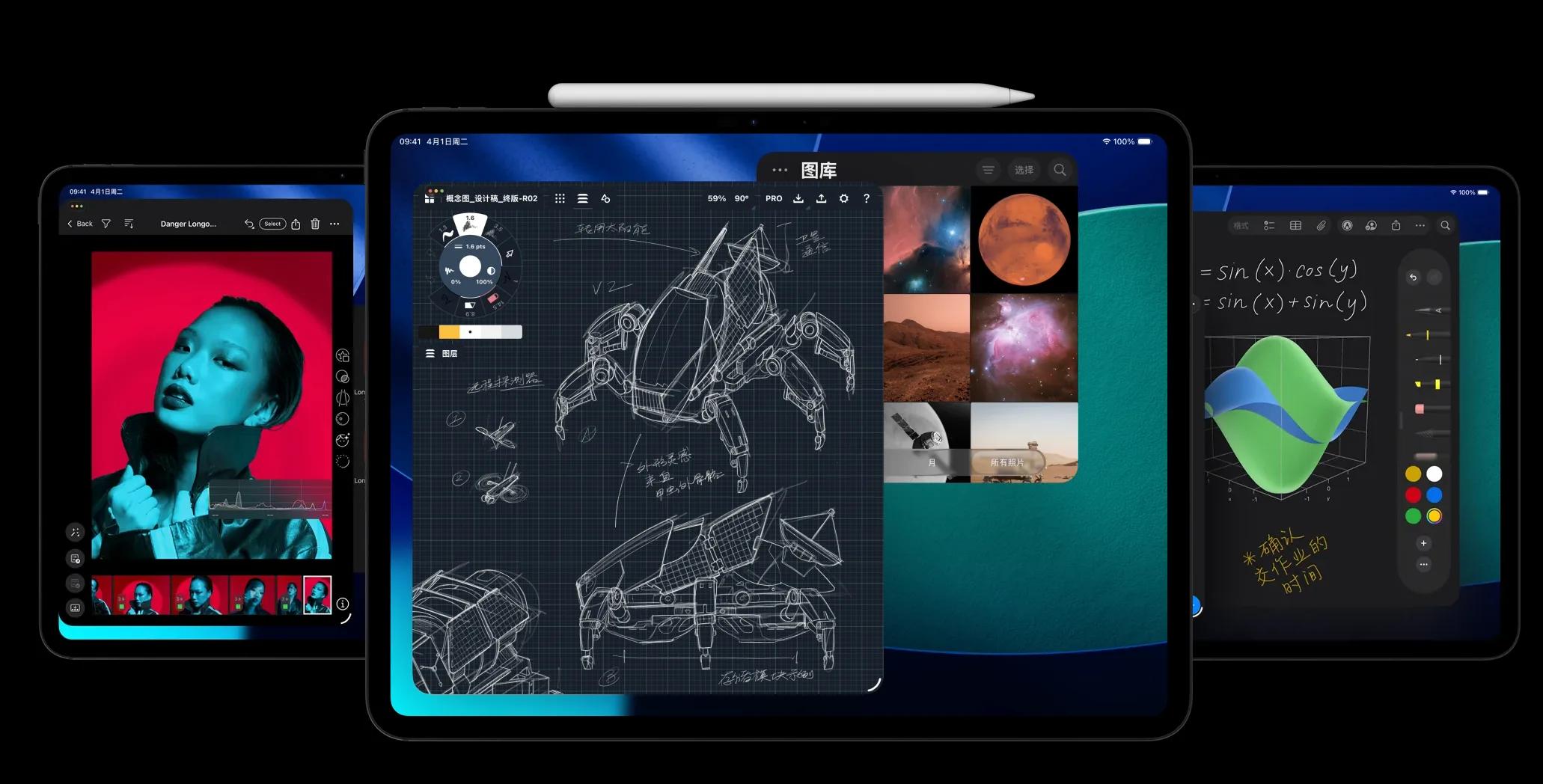
In addition to AI, there is another unavoidable topic for touch-screen MacBook — iPad Pro. In the past few years, Apple has been trying to make iPad more suitable for office work. From Magic Keyboard to Apple Pencil, to iPad OS which is getting closer to MacOS, iPad Pro has been able to complete a lot of work that could only be done on computers in the past. But as long as you really use it to handle more complex tasks, you will find that there is still an obvious gap between iPadOS and macOS.
(Image source: Apple official)
For example, in file management, operations between multiple windows, and the functional completeness of some professional software, MacBook is usually more convenient. Especially for users who need to write for a long time, process spreadsheets or edit videos, it is difficult for iPad Pro to completely replace a MacBook even with a Magic Keyboard. But iPad Pro at least has one advantage, that it supports touch and Apple Pencil.
Now that MacBook is also preparing to add a touch screen, the gap between the two product lines will naturally narrow further. However, the author of Leitech does not think that the touch-screen MacBook will directly take away all the markets of iPad Pro. The reason is very simple: MacBook is still a traditional laptop, the screen cannot be disassembled, and it cannot be held in the hand for a long time like a tablet. iPad Pro still has its own advantages in reading, painting, handwritten notes and some mobile scenarios.
However, according to current leaks, the new MacBook Pro is still a traditional laptop, which neither has a detachable screen nor supports Apple Pencil. For scenarios such as reading, painting and handwritten notes, iPad Pro still has its own advantages.
The users who may be really in an awkward position are those who use iPad Pro as a light office device. After all, if MacBook can run full macOS and support touch operations, then part of the productivity advantages that iPad Pro used to emphasize will not be so attractive. Of course, it ultimately depends on the price. If the price of the OLED touch-screen MacBook Pro is significantly higher than existing products, it will not have much impact on iPad Pro in the short term.
Apart from MacBook, what other new products does Apple have this time?
In addition to the touch-screen MacBook Pro, Apple is also expected to update several conventional products this time.
The first is the "standard version" 14-inch MacBook Pro with M6 chip. According to current information, this product is expected to continue to use the existing design, and the main upgrades are concentrated on the processor. But for ordinary users, the performance of existing MacBook is already quite sufficient, and how much actual experience improvement the new processor can bring may still depend on whether the software can keep up.
The 24-inch iMac that may also get an upgrade. Compared with MacBook, iMac has not changed much in recent years, basically just replacing the processor and adjusting the color matching, and the overall design has been used for several generations. If this time it is only a regular upgrade of the M6 chip, it is estimated that it will be difficult to get much attention. But for users who need to handle a large number of tasks on the desktop for a long time, iMac still has certain advantages. Especially if more AI tasks need to continue running in the background in the future, the feature of desktops that are not limited by battery life will become more obvious.