He turned the iPhone Duo into a portable music player, rewinding the youth of 2.2 million people.
The summer of my childhood.
I saved pocket money for half a month to buy a cassette, put it into the Walkman, pressed the button, and after a click, the cassette started to rotate. The rustling background noise of Jay Chou's *Common Jasmine Orange* flowed out from the earphones.
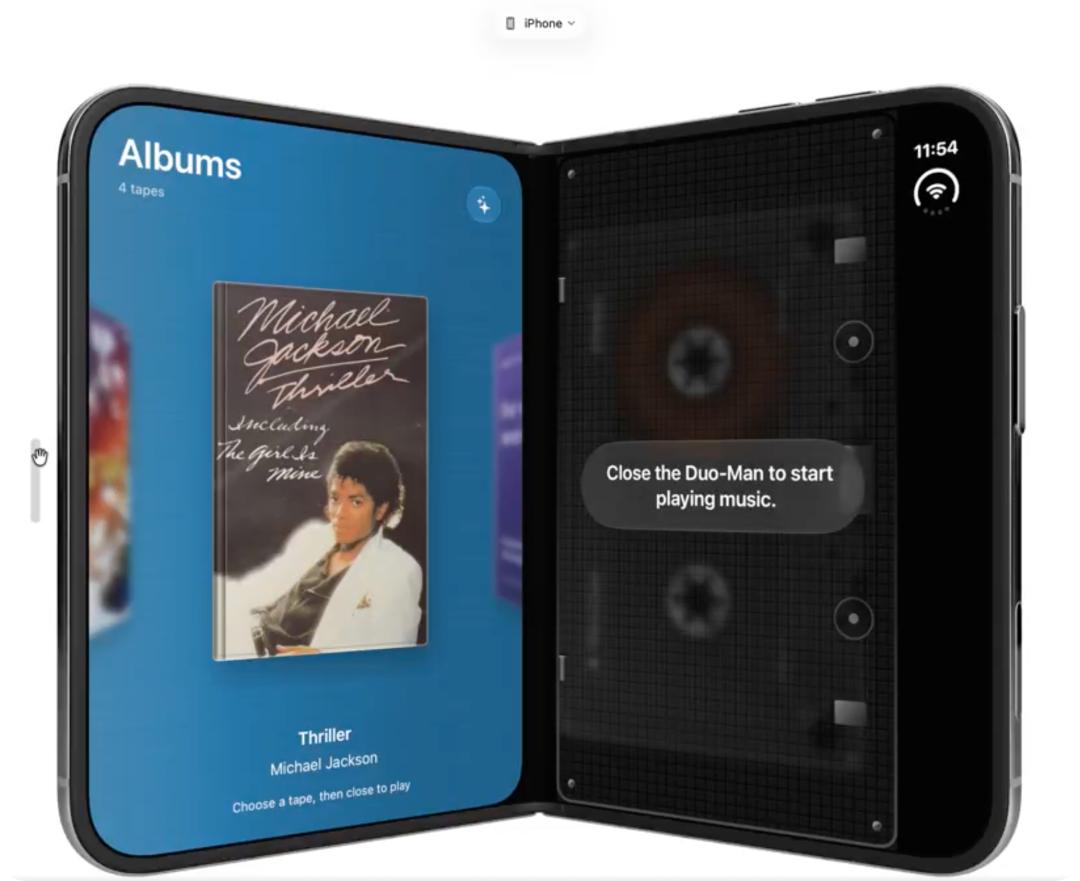
More than 20 years later, a developer created a virtual Walkman on the iPhone Duo to recreate this scene.
Who wouldn't sigh "My youth is back!" after seeing this!
The iPhone Duo was almost sold out in seconds when it went on sale last night, with deliveries scheduled for next year, but netizens can't wait to develop a bunch of "killer-level" applications for it.
Walkman and Foldable Screen
This virtual Walkman is called "Duo-Man", a portmanteau of iPhone Duo and Walkman.
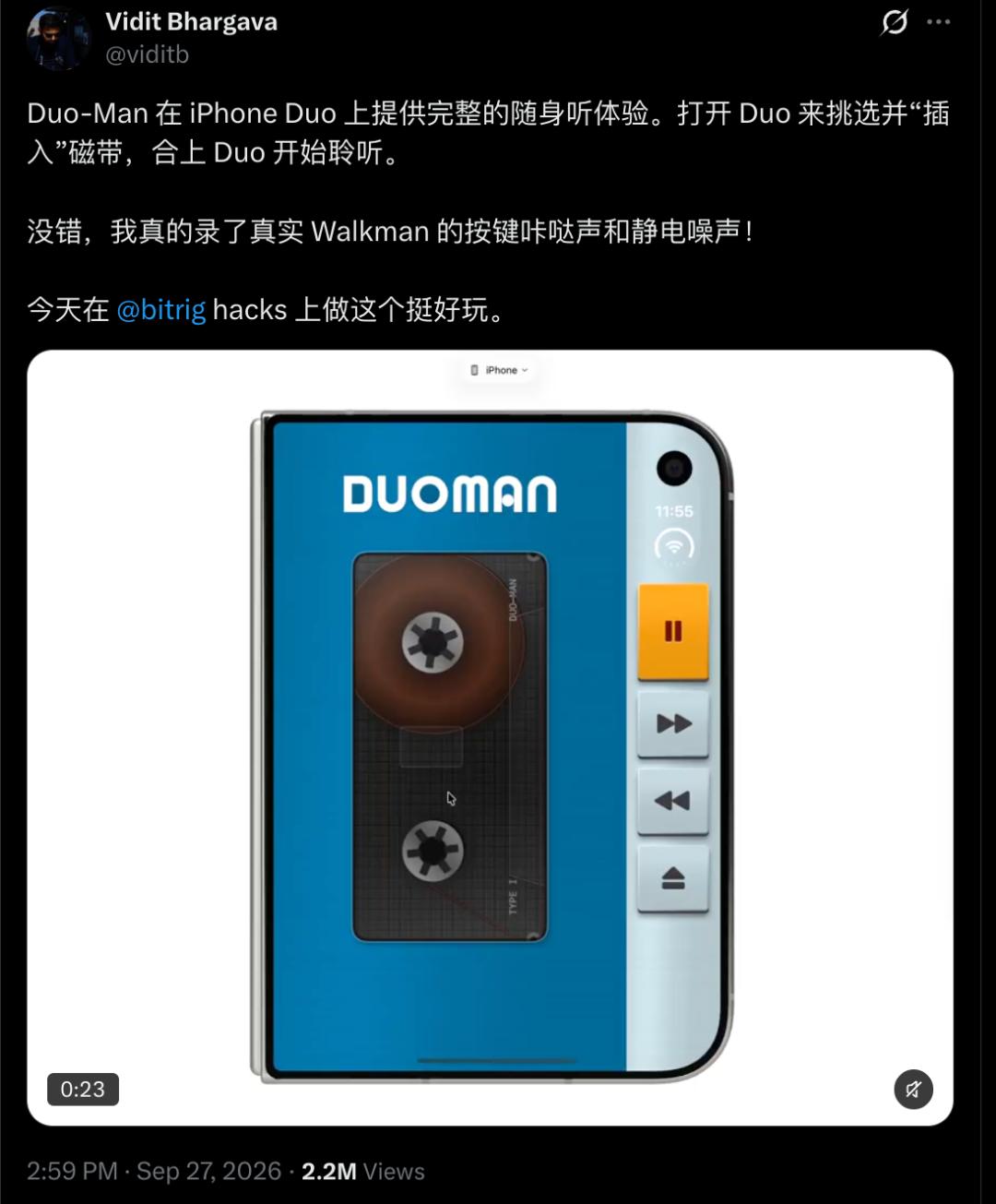
Developer Bhargava did not have grand product goals at the beginning. This was just a small project he made at the Bitrig Hackathon. Bitrig provides a development toolkit based on Apple's Swift language, enabling developers to use artificial intelligence to quickly create native applications.
Unexpectedly, after Bhargava posted the demo video of the project on the X platform, the post received more than 2.2 million views and nearly 10,000 likes. The feedback from netizens turned this weekend small project into a formal application. After the official launch, functions such as Apple Music and local music files are available, and support for Spotify is also under discussion.
But what really made Duo-Man go viral is not that it adds a music player function, but that it turns the hardware form of the iPhone Duo into part of the interaction.
There are many "unnecessary but very reasonable" designs in Duo-Man. For example, the developer recorded the sound of real Walkman buttons and cassette background noise into the application, and users can even use the Apple Pencil to "wind" the cassette, which saves power just like manually winding cassettes in the old days.
In addition, Duo-Man is not an application that can be casually copied to other foldable screens for use. It relies on the unique device logic of the iPhone Duo.
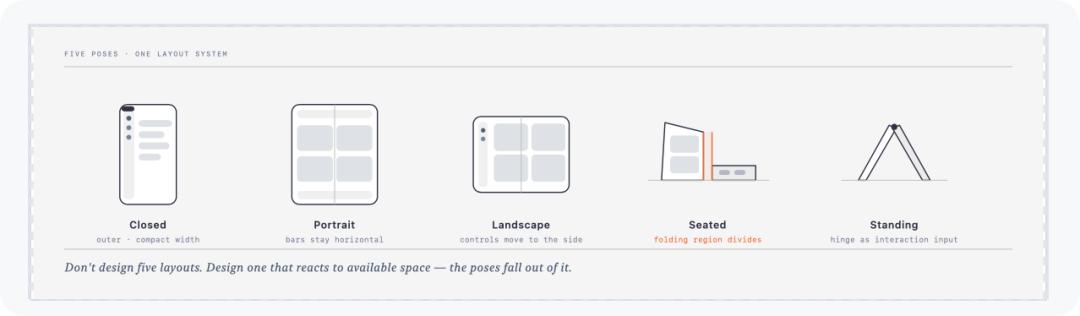
The design focus of iPhone Duo lies in the state changes formed when the device is unfolded and folded, as well as the way of interaction with users. For example, during the use of some applications, the system will automatically add spacing on both sides of the hinge to ensure that the interactive blocks avoid the crease. That's exactly the change that Duo-Man uses: opening the device is equivalent to opening the Walkman's cassette compartment door; after closing it, it returns to a more compact playback state.
This is also the new space that iPhone Duo brings to developers.
When Developers Start to "Play" with iPhone Duo
After Duo-Man became popular, many similar works soon emerged.
The concern of developers is how to use the characteristics of the foldable screen to realize functions, rather than just zooming in ordinary apps.
X blogger @anshuc made a calorie tracker that generates a diet plan based on the user's daily goals, and displays food combinations through visualization, with added music and voice feedback, making the originally cold data tool more like a portable health assistant.
He also made a prototype for language learning. Users can exchange letters with AI pen pals and learn languages in real conversations. This project was originally prototyped by Astra, and then he used tools such as Fable and Opus 5.5 to continuously adjust the design effect. Although it is only a conceptual demonstration at present, it still gained him 150,000 followers on X.
More developers choose to use the iPhone Duo simulator for function development adapted to iPhone Duo. The iPhone Duo simulator is used for actual application development tests.
Someone used the folding mode of iPhone Duo to do a card interpretation demonstration: when unfolded, the left side is the directory and the right side is the content. When half-folded, the sidebar becomes a more natural operation area. The two-column layout that originally required a lot of adaptation work becomes more convenient after folding.
X blogger @CAtholic-DeVice created an original manuscript copy. When opened, the leaves on the bookshelf turn into a manuscript: two pages of parchment, a realistic page flipping effect, the Gospel of John, and the whole book can be read offline. It uses a scroll instead, and the recording is done on the Apple Duo simulator.
Everyone Can Get Started and Play in Five Minutes
In fact, it is very easy to use.
If you also want to experience the R&D process of iPhone Duo in advance, you first need a Mac computer equipped with an Apple chip.
After the hardware is ready, install the beta version of Xcode that supports Duo development. The first thing after opening Xcode is to go to Settings→Components to check whether the new version of the iOS runtime environment has been installed correctly. This is equivalent to installing a "future smartphone" for Xcode. Without it, you will not find Duo in the subsequent simulator.
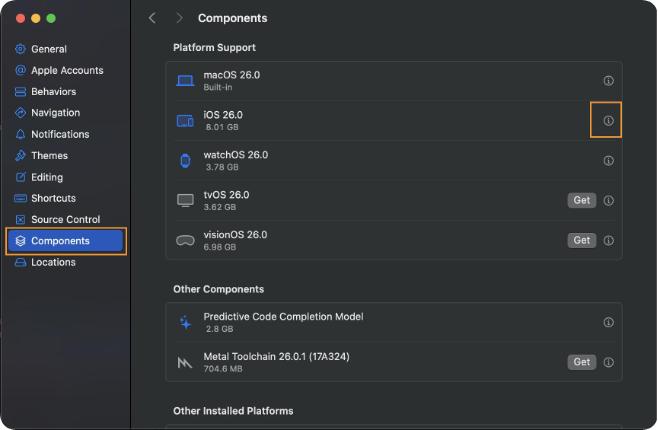
After the download is complete, open Device Hub in Xcode, click the "+" sign, and then select iPhone Duo to add the simulator.
What's amazing at this moment is that there is no new hardware on the table. But in the development environment, you already own the smartphone of the future.
The fun things only start after the environment is ready. A significant change in developing Duo applications now is that a lot of basic work can be completed by artificial intelligence. For example, if you want to make a dual-screen app in the past, you first need to design the interaction, draw the prototype, and then write a large number of layout codes. You can directly say to the AI:
"Create a SwiftUI application that displays a compact list on the outer screen, shows a detailed information page with a sidebar when unfolded, and properly handles the avoidance of the folding area."
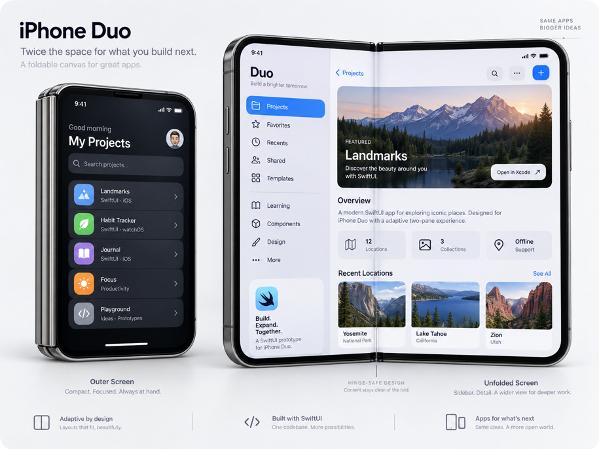
The AI can first generate a runnable version for you, which is the result generated by the prompt I mentioned above. It looks quite good visually. Compared with complex UI design, it can at least turn your initial idea into reality quickly.
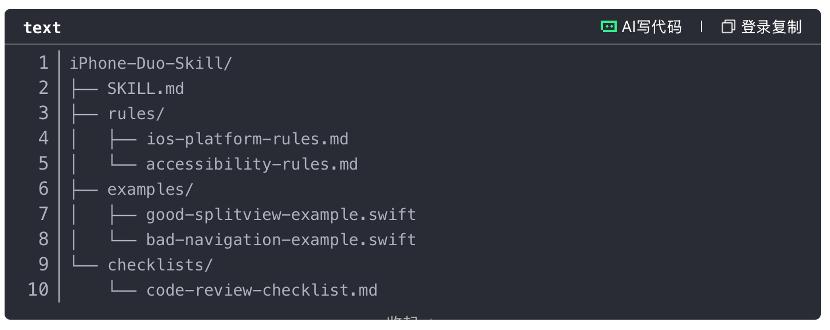
From a specific development perspective, there is already open-source iPhone Duo Agent Skill on GitHub, such as the iphone-duo-skill shared by eisenjimmy. This skill pack contains some best practices and code snippets, which can be added to the skill list of AI coding tools for direct use in subsequent work.
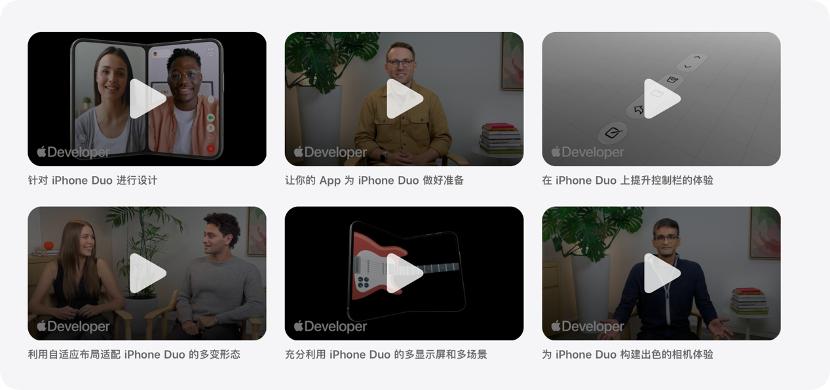
In order to make the function more in line with the new shape of iPhone Duo, without hard-coding the size. The layout of the application should be adaptively adjusted according to the size class and safe area. The outer screen generally corresponds to the compact width, while the inner screen corresponds to the regular width. Apple has also officially released the "iPhone Duo Developer Adaptation Guide", which you can check by yourself.
Finally, you need to test various states of the application. When using the simulator, test its effects in various states such as closed, open, folded, and rotated one by one to ensure that the layout is not disordered and all functions can be used normally.
Is the Application Ecosystem Ready?
The iPhone Duo has not yet been launched, but signs of differentiation have already appeared in its application ecosystem.
How developers' various creative ideas can be implemented on iPhone Duo and what the implementation effect will be are all uncertain before people actually get the device.
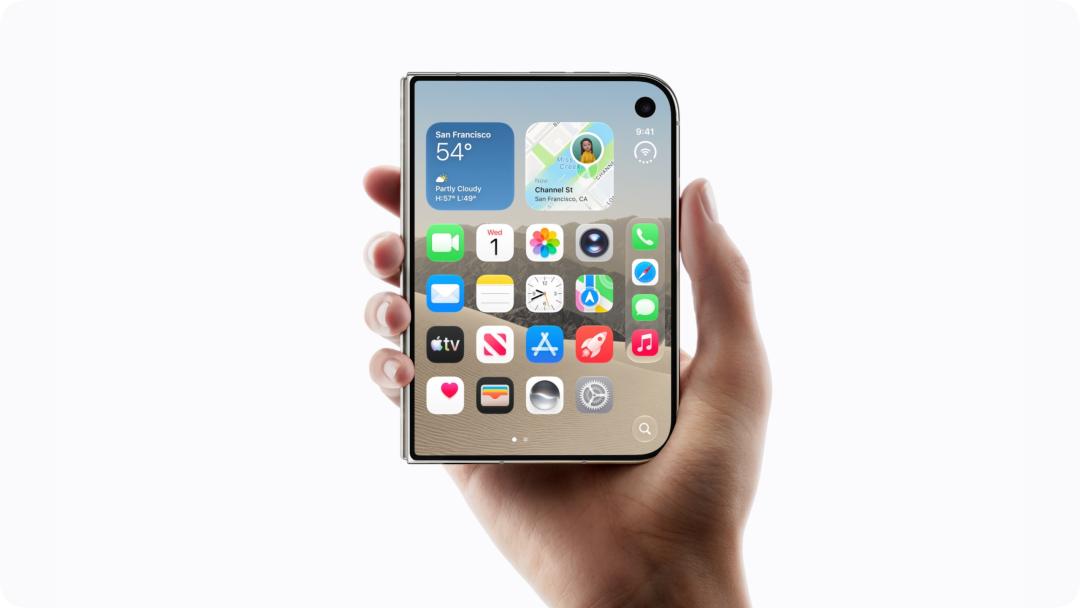
The biggest feature of iPhone Duo is that the ratio of its inner and outer screens is the same. When unfolded, the inner screen can be naturally divided into two parts close to the size of the outer screen, which reduces a lot of troubles brought by multi-form switching. However, the foldable screen also brings new challenges to developers: if free split-screen adjustment is realized, the system will have to solve the layout adaptation problem for many applications with non-standard window sizes.
In particular, if an application wants to use the larger screen of Duo, it must be recompiled for iOS 27.0. In addition, to prepare for iOS 27, developers can no longer choose to opt out of Liquid Glass support.
Although to speed up the ecological construction, Apple has opened up design resources and used activities in the form of Group Lab, Workshop and other forms to help developers make full preparations in the early stage. However, the development tools with the Duo simulator were launched relatively late, leaving only about one month of adaptation period before the device goes on sale, so the window left for developers is very limited.
For those small developers who are constantly trying new gameplay, projects like Duo-Man may have shown that foldable screen applications do not necessarily need a large team to develop. Using the new development environment and artificial intelligence tools, a weekend hackathon project can also quickly complete the core experience.
Apple stated at the developer event that "Treat Duo as an iPhone that can change its form, rather than a brand new platform", but with the change of hardware form, how the software should evolve is a problem that has to be considered.
This article is from WeChat Official Account "APPSO", the author is APPSO that discovers tomorrow's products, published with authorization from 36Kr.