Hands-on test of DeepSeek Harness Desktop Version: It acts more like a "personal assistant" that even gives you cash rewards.
I originally thought the desktop version of DeepSeek Harness would be directly named DeepSeek just like ChatGPT, but I didn't expect it to still keep this long name.
This time, the release was also arranged right before the holiday, and DeepSeek officially launched the desktop version of DeepSeek Harness. Unlike the previous version that required deployment and installation through the terminal, now DeepSeek officially provides an out-of-the-box installation package.
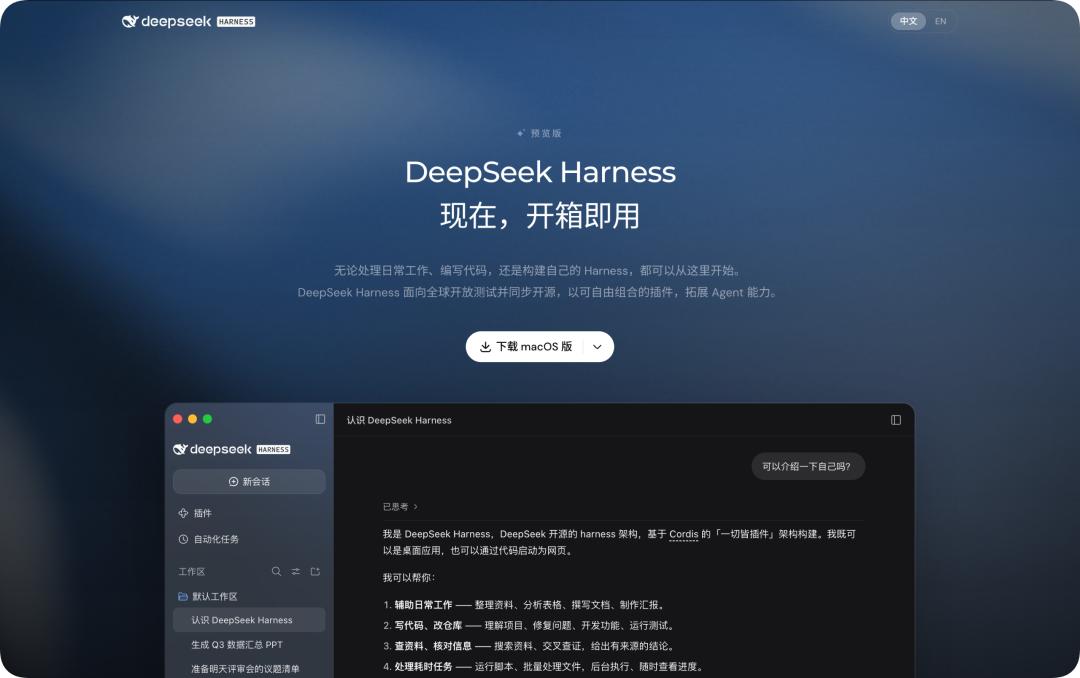
Figure | DeepSeek Harness Official Website: https://www.deepseek.com/harness/
When you open the Harness official website, you can directly download the macOS and Windows versions now.
In addition, if you install the desktop version of DeepSeek Harness now, you will get a free credit of 6 yuan upon login, which is valid until October 6.
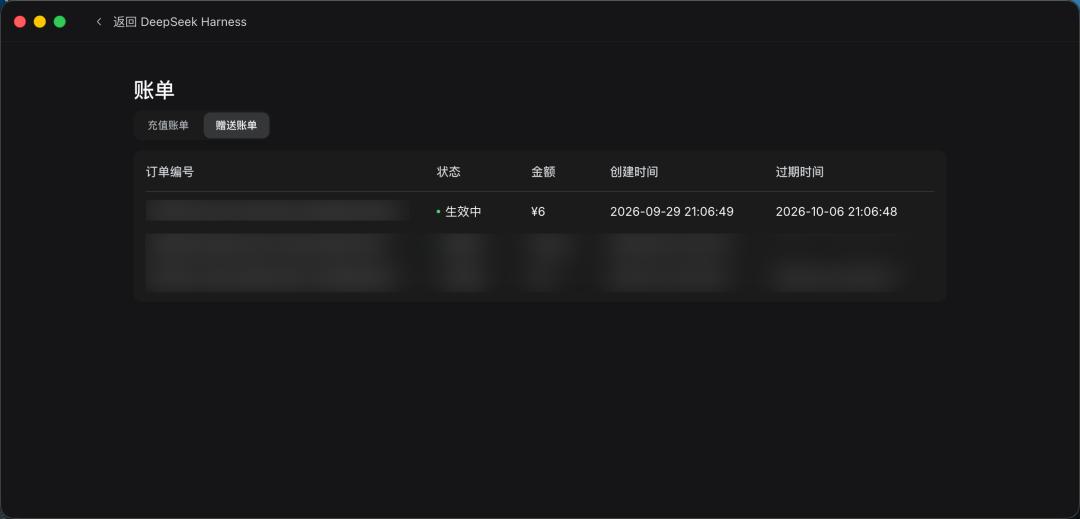
Figure | Liang Sheng is also giving us cash rewards
Being able to reside permanently on the local computer also means that it is no longer just an AI Agent that only starts working after you open a web page and enter a Prompt. It can also run stably in the background, start work on a schedule, or install new capabilities for itself just like Codex.
We also quickly installed the desktop version of DeepSeek Harness, wanting to see what changes this move of putting the web-based Harness directly into a desktop window can bring to the actual user experience.
Finally, it looks like an ordinary piece of software
Just like the installation of ordinary applications, you will be greeted with the login interface or the option to use an API Key right after opening it. However, the login here will not synchronize the chat conversations in the DeepSeek app. It only uses the account on the official DeepSeek Open Platform and consumes the balance in that account.
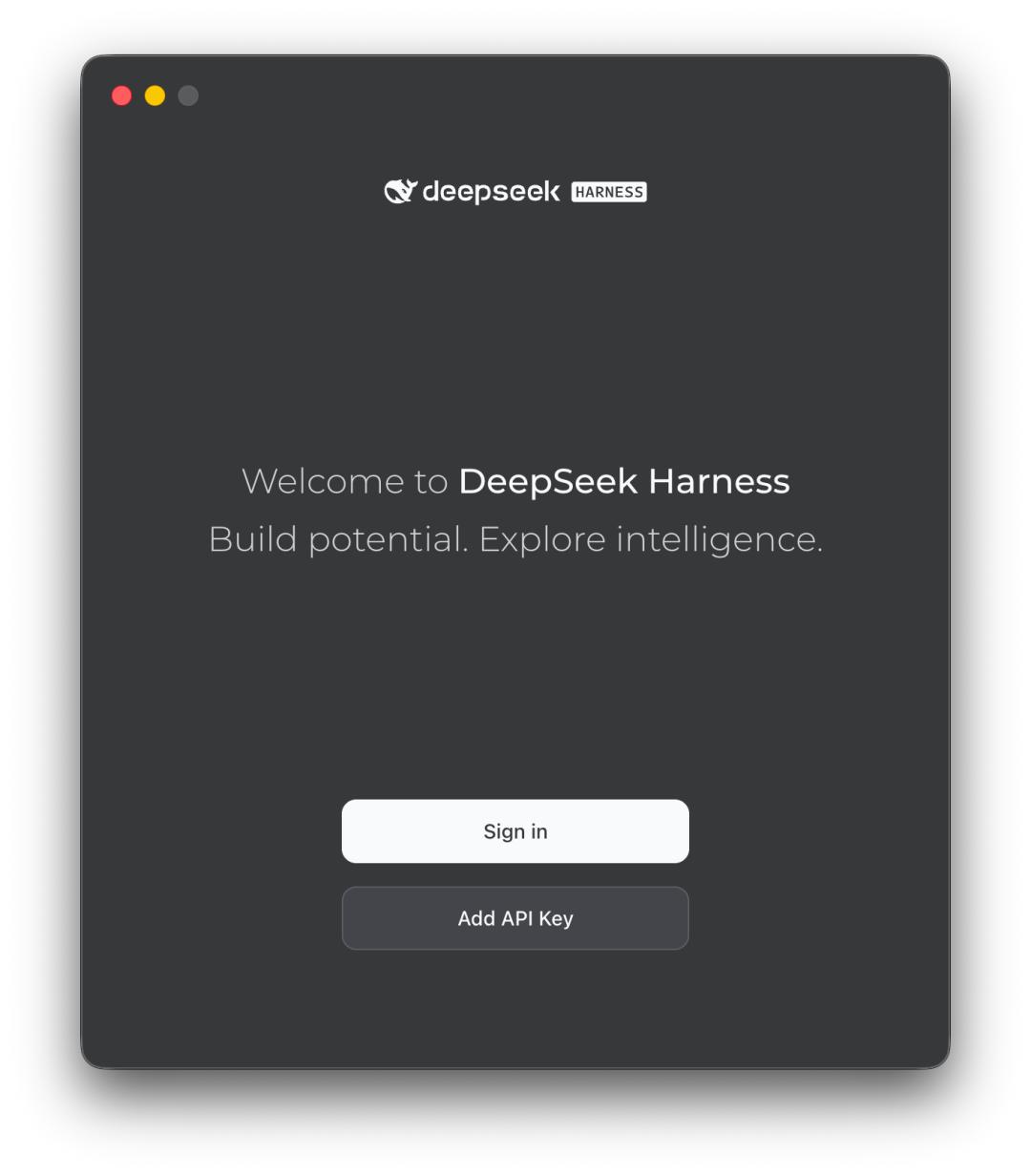
No matter you log in with an API Key or an account, you will see the familiar DeepSeek Harness interface after entering. Almost all the interface interactions and functions are similar to the previous terminal version.
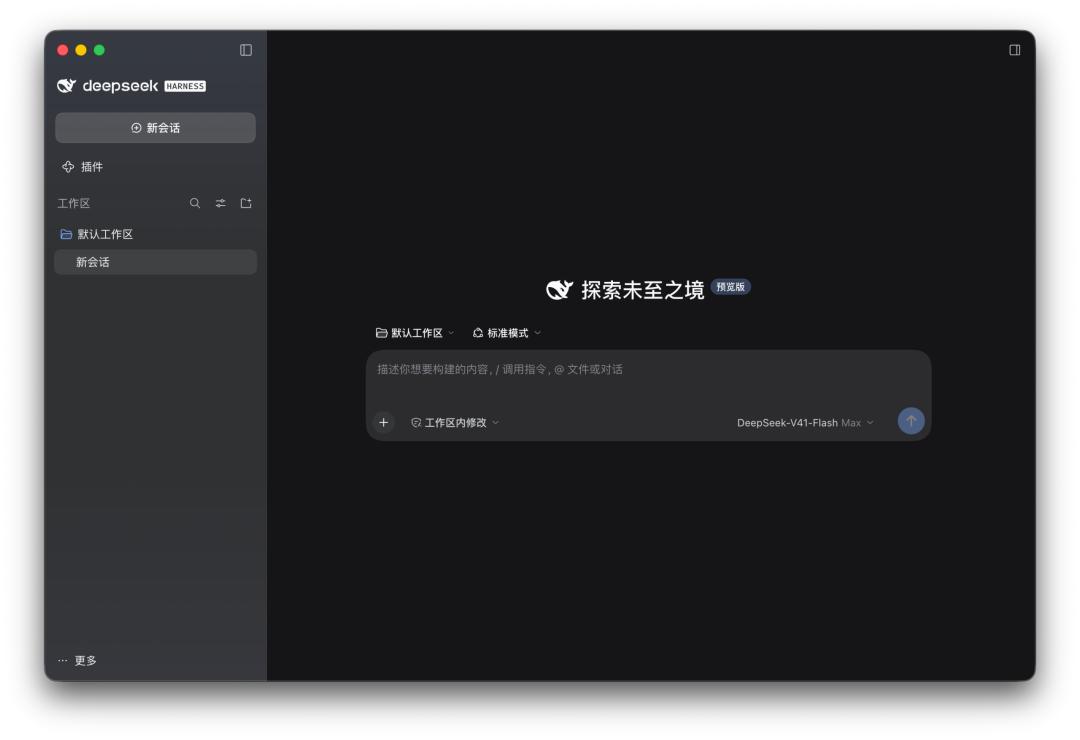
All the functions you expect are fully available in the desktop version of DeepSeek Harness, including four different Agent presets: Standard Mode, PTC Mode, Minimalist Mode and Creation Mode, as well as rich plug-in features and customizable third-party models.
What's different is that DeepSeek has changed its positioning for Harness.
In this official introduction, the first thing DeepSeek demonstrates is not coding. Programming is only part of its capabilities, and daily work scenarios are what the desktop version of DeepSeek Harness is more adapted to.
Give it a Word document, and let it sort out the materials; give it an Excel spreadsheet, and let it analyze the data and generate charts; throw in a PDF file, and let it extract information; finally, it can generate a presentation.
It can directly browse different files in the Workspace, including Word, Excel, PDF, Markdown, codes and more, and the processed results will also remain in this folder.
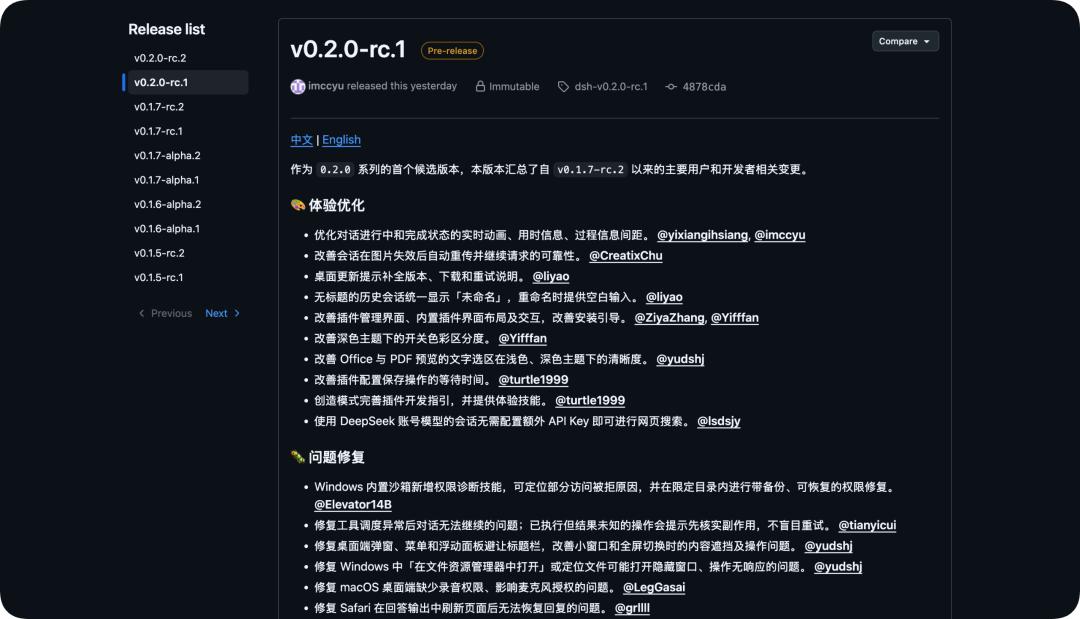
The official team has now directly built the preview function for Office and PDF files into Harness. The 0.2.0-rc.1 version released on September 28 also specially optimized the text selection and preview experience for Office and PDF files.
This time we also tested a folder with various documents inside, including PDFs, Word files, Excel spreadsheets, Markdown files, images, and some scattered materials.
Then we told Harness: Read all the materials in this folder, sort out the important information, verify the data in it, and finally generate a report outline and a presentation PPT.
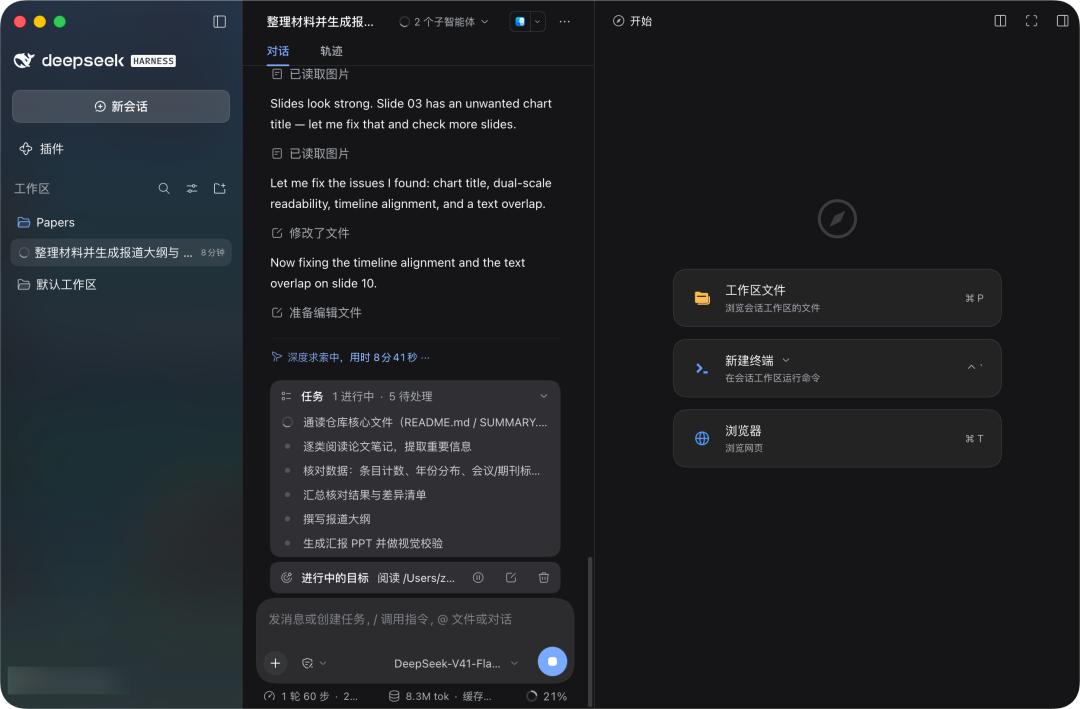
Figure | You can also see two sub-agents working in the background
The speed is as fast as always, reaching nearly 300 tok/s, and you can watch it independently judge which files to read, which tools to call, and finally how to deliver the results to us.
This is similar to the previous local terminal Agent, but now the generated files and each round of code changes will be displayed centrally in the conversation.
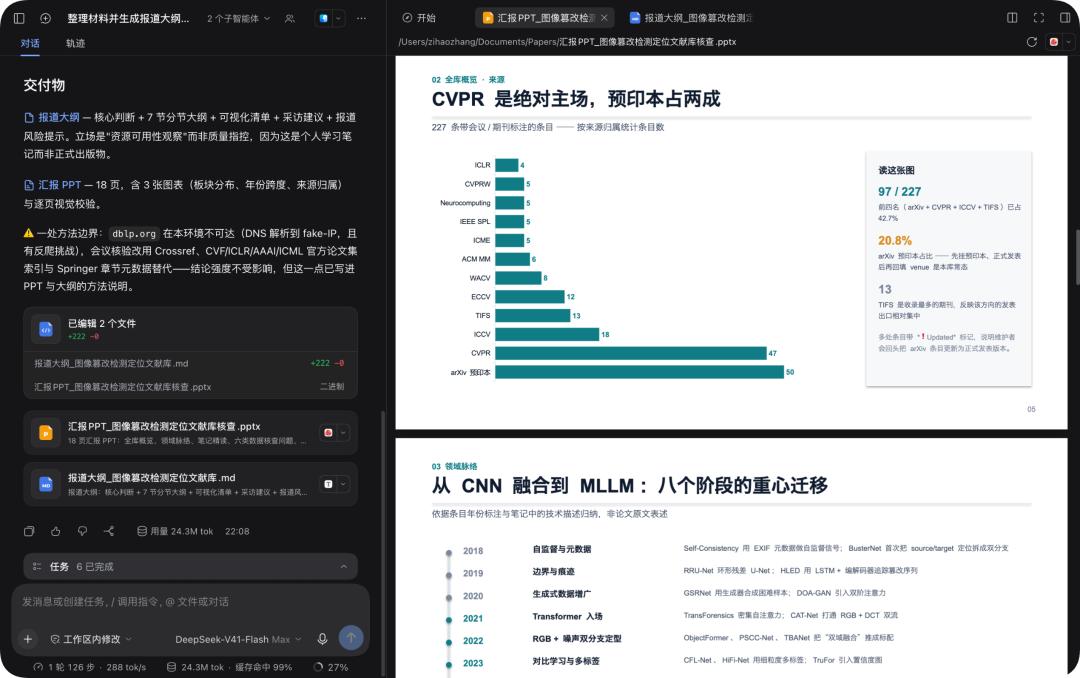
We can directly preview file contents and view code differences (Diff) in the sidebar, and continue to put forward modification requirements through the conversation; we can also use local applications to open the files for further editing at any time.
None of these sound like surprisingly stunning AI capabilities, but they precisely solve the problems that Agent products tend to easily overlook.
It is one thing whether the model can work, and it is another thing whether people are willing to let it work for them every day in this way.
Another change of the desktop version that is worth testing is Automation. DeepSeek has made automated tasks a plug-in that can be turned on on demand by default.
After turning it on, we can directly tell Harness, "Every Friday at 5 p.m., read the newly added materials in this project folder for the week, and sort out a weekly report."
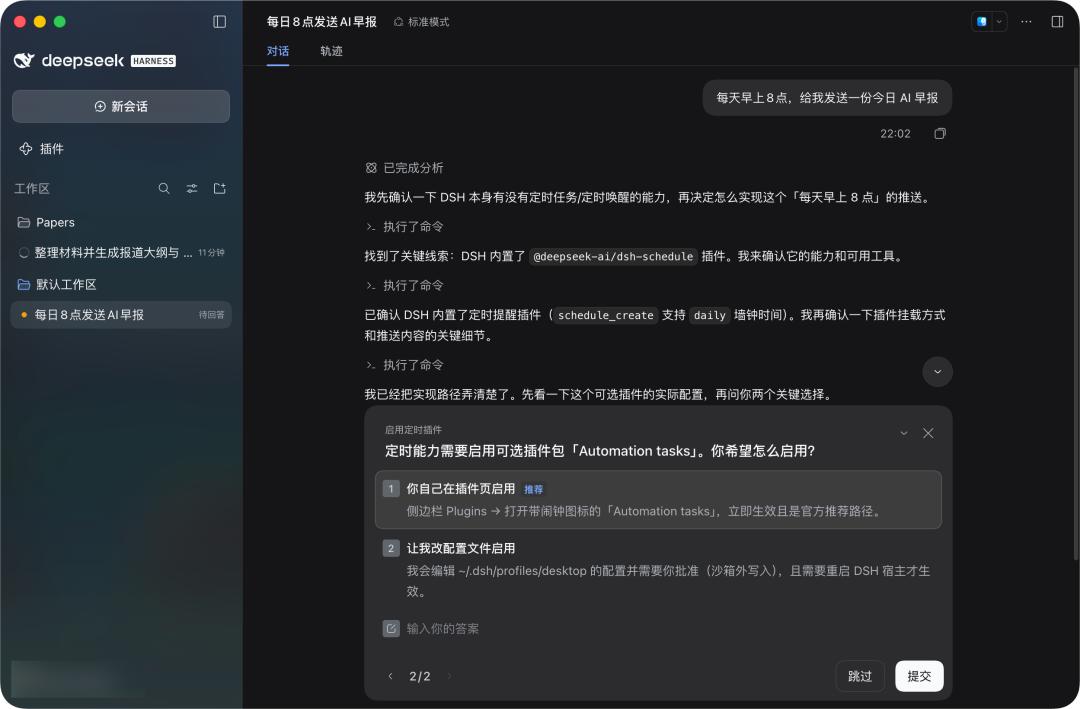
It will create a periodic task, and you can view and modify the execution time of the task, when it will run next time, and whether the previous execution was successful in a separate interface.
After enabling it, even if you close the DeepSeek Harness desktop client, the scheduled tasks will not be cancelled.
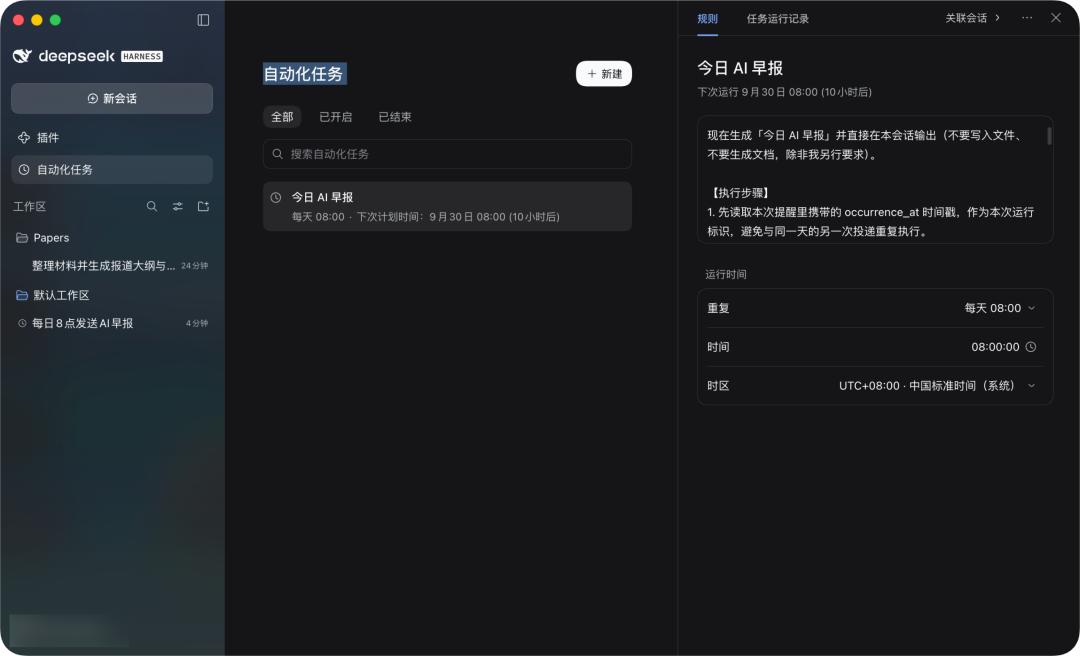
This feature is still a lab feature in the current version of the DeepSeek Harness desktop client, and we need to go to the plug-in page to enable it.
On the plug-in page, you can see that four plug-in features including Agent Teams, Automatic Authorization Review, Automated Tasks, and Voice Input all need to be manually enabled by us.
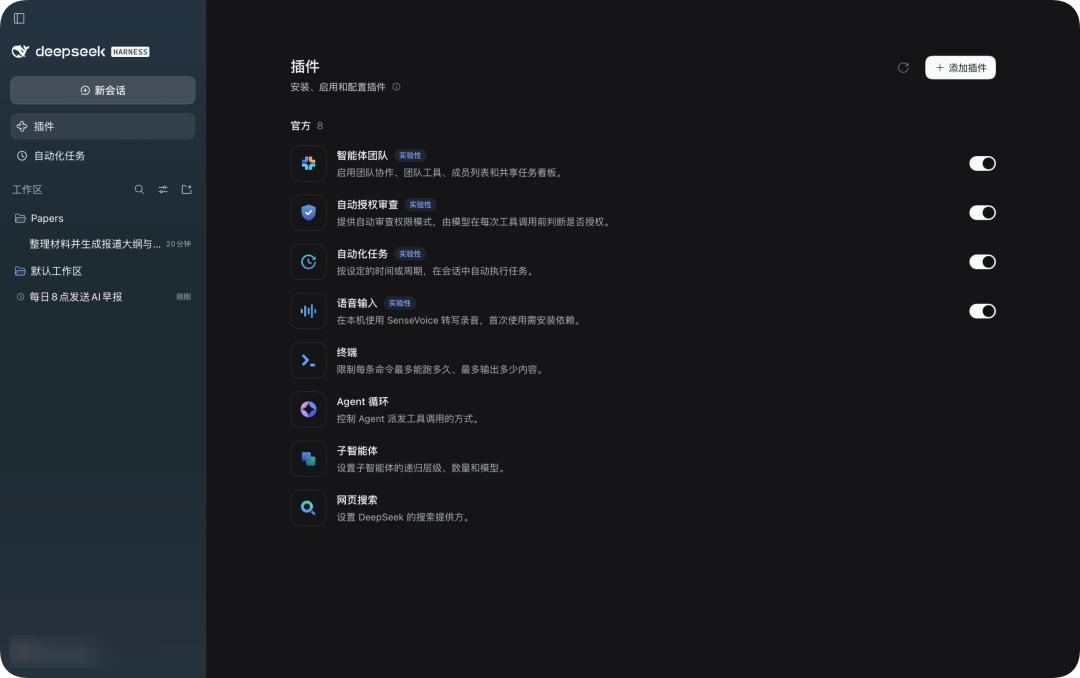
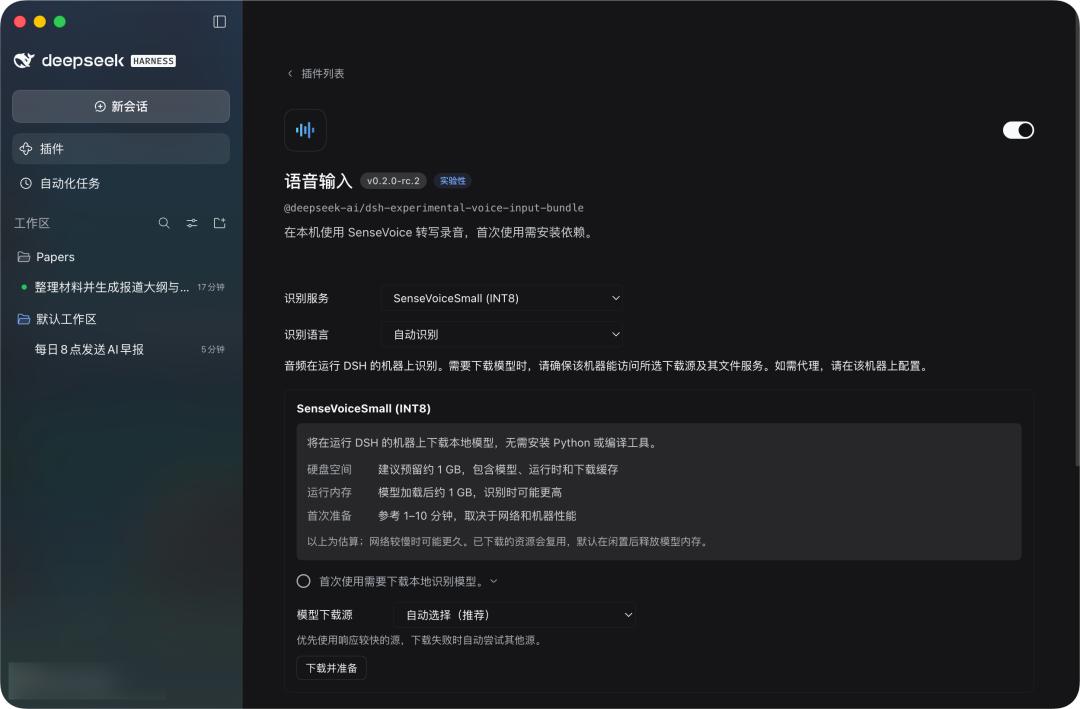
Among them, the voice input function also requires downloading a local speech recognition package, which includes the model, runtime and download cache, with a size of about 1 GB.
As the name suggests, SenseVoiceSmall is a lightweight multi-task speech understanding model launched by Alibaba (Alibaba Tongyi Lab / Damo Academy / FunAudioLLM and FunASR team).
We also tested the accuracy of the speech recognition, and basically all kinds of questions we spoke can be recognized quickly and accurately.
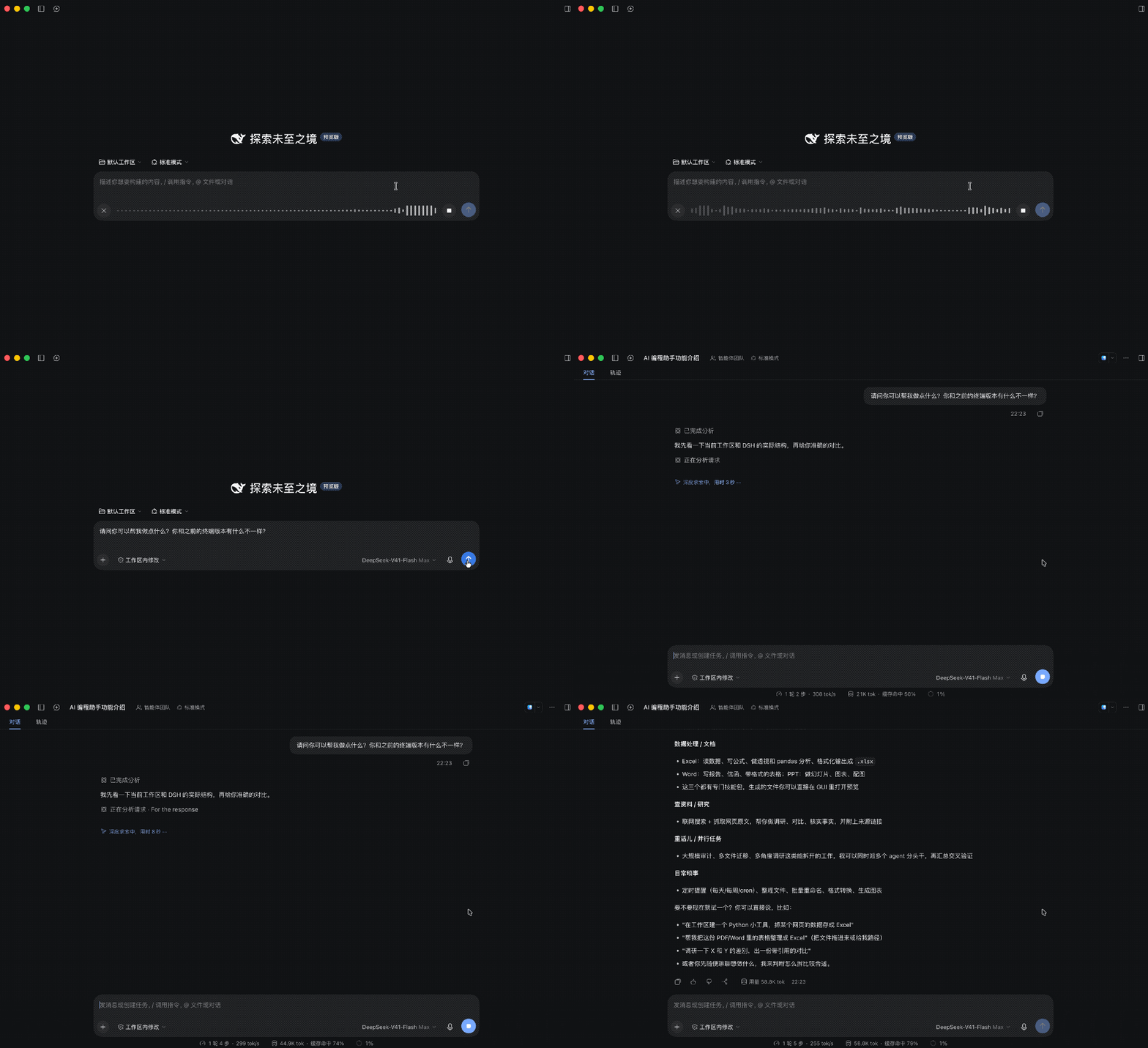
These plug-in features at least simplify the previous tedious operations that required opening the browser first, to a state where you can use them as soon as you open the App, and they can better integrate with local applications.
Since the initial release of DeepSeek Harness, they have been emphasizing the design behind Harness: Everything is a plugin.
The terminal is a kind of plug-in, the Agent loop is a plug-in, and tools, Skills, and even the interactive interface can all be plug-ins that can be continuously installed into Harness.
What DeepSeek has done this time is to finally make this system easily accessible even for ordinary novice users.
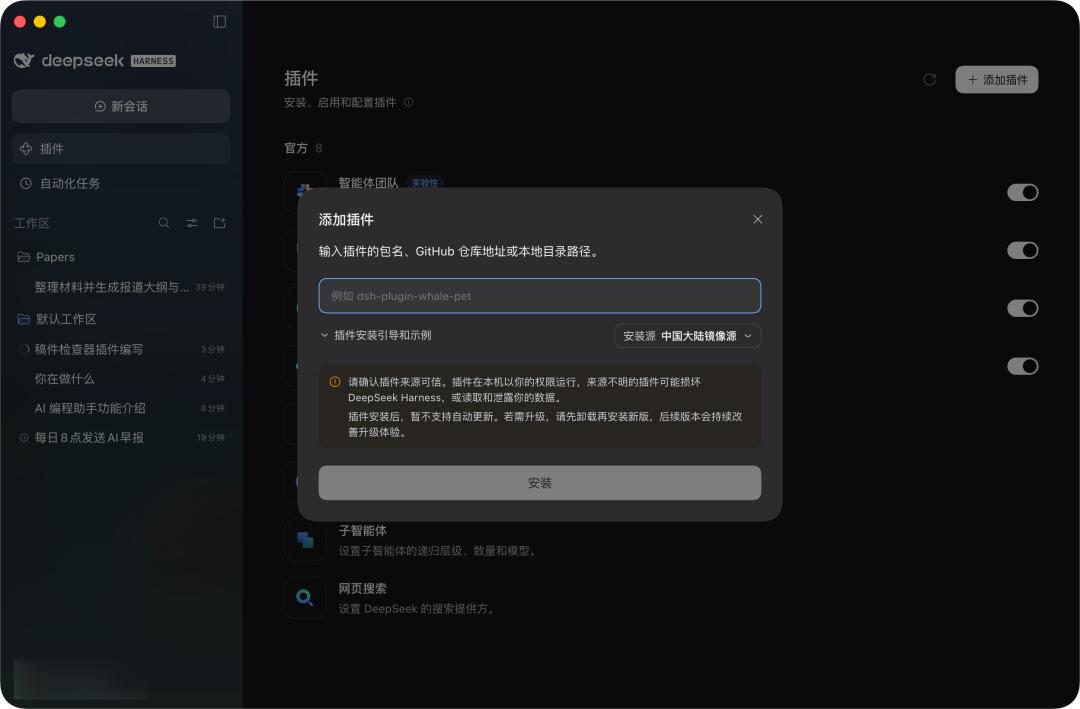
The desktop version, like the new web version, adds a complete plug-in management page. The plug-in installation that previously might need to be completed via command lines now only requires you to enter the npm package name.
You can also directly view the source of the installed plug-ins, disable or uninstall them here. This change seems to be just adding a graphical interface for npm packages, but DeepSeek mentioned in its release note: According to the statistics based on official model API user calibers, about 60% of Harness users have used third-party plug-ins.
In other words, plug-ins have already become the real usage method for a large part of Harness users.
DeepSeek even plans to build an official plug-in market next. What is more interesting than the plug-in store is that when we cannot find the plug-in we want, we can also let Harness write it by itself.
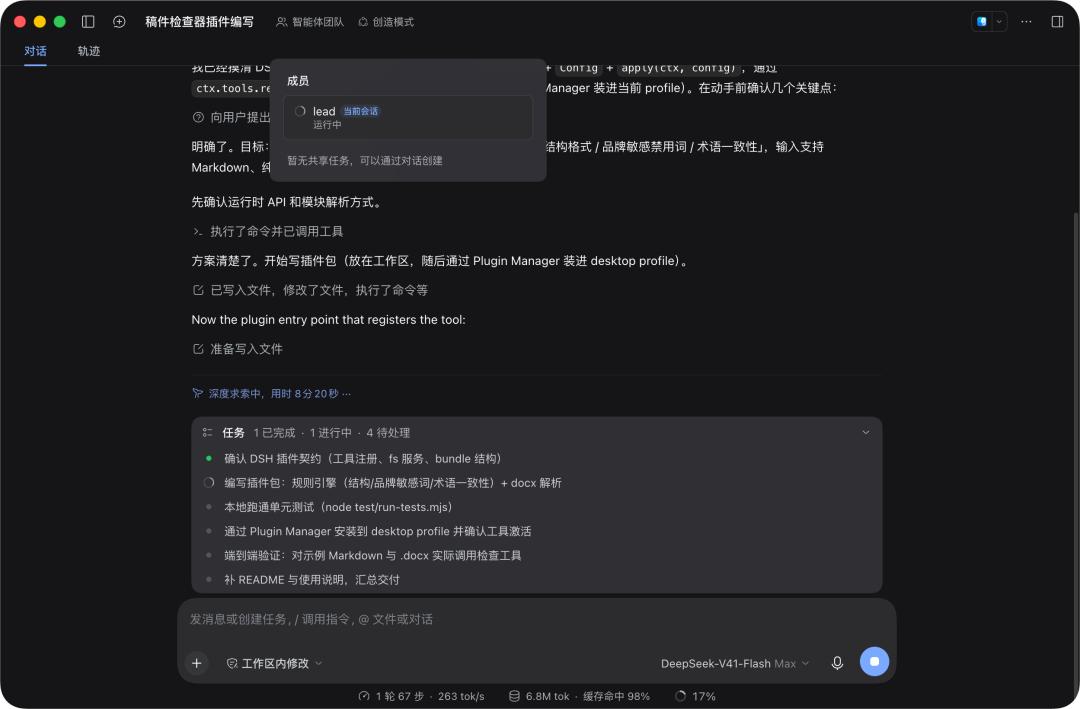
The Creation Mode in the Agent presets is specially designed to generate DSH plug-ins on its own. For example, if you directly say "Help me write a manuscript checker plug-in", Harness will then automatically read the plug-in development Skill, check the available interfaces, write JavaScript, and call the plug-in manager to complete the installation.
About ten minutes later, a manuscript checker really appeared on Harness's own interface.
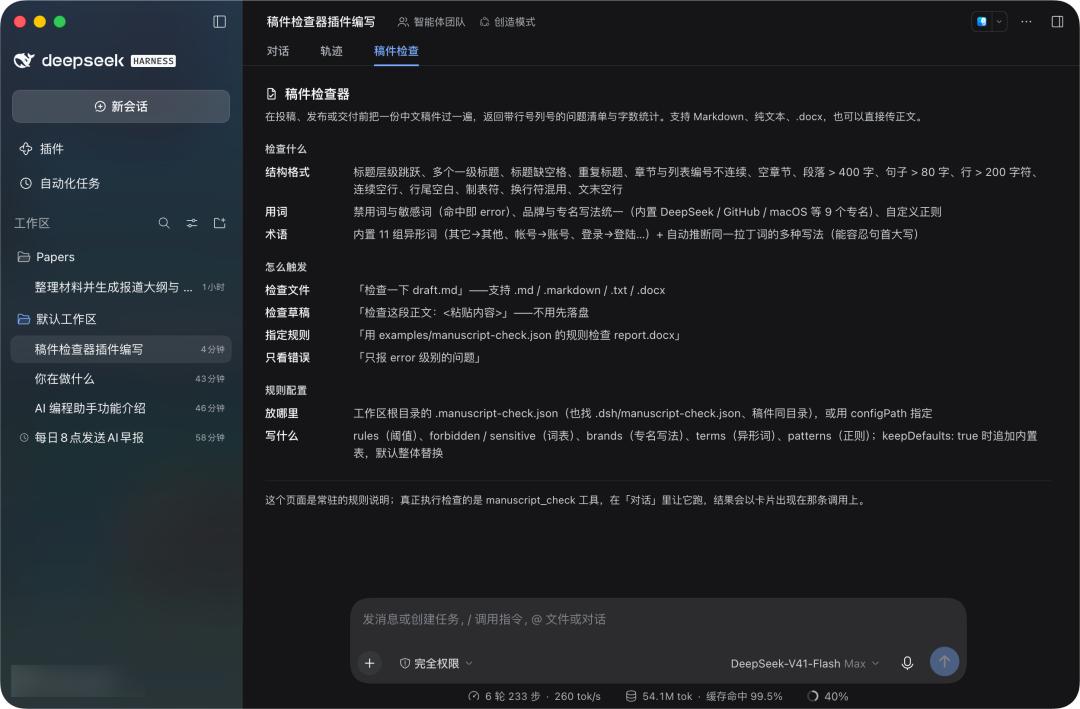
This process is far more interesting than "how many lines of code the AI generates at one time", because here, the code written by the AI will directly change the software that the AI itself runs on.
The functional boundary of traditional software is determined by product managers and developers. What Harness tries to achieve is to let every ordinary user decide by themselves what their own AI will finally look like.
What will the future of DeepSeek Harness look like
In the official article for the release of the desktop version of DeepSeek Harness, they mentioned the direction of next-step optimization.
In addition to making the plug-in market more prosperous and secure, they will further strengthen the security of sandbox isolation, improve the multi-agent collaborative effect of the "Agent Teams" feature, and add a personalized long-term memory mechanism, among other optimizations.
In addition, the future desktop version of DeepSeek Harness will also add automated operations for browsers and other desktop GUI software, that is, the Computer/Browser Use feature, and support remote access and mobile deployment.
