Rabbit has developed an "Agent for all Agents". After experiencing it, I think Agents should have been designed in this way long ago.
Rabbit, which has stayed quiet for quite a while, has finally made another major move.
As we learned, Rabbit is about to release its latest-generation Agent, RabbitOS 3, which is currently in a small-scale closed beta testing phase.
And we got the chance to experience this brand new Agent product in advance.
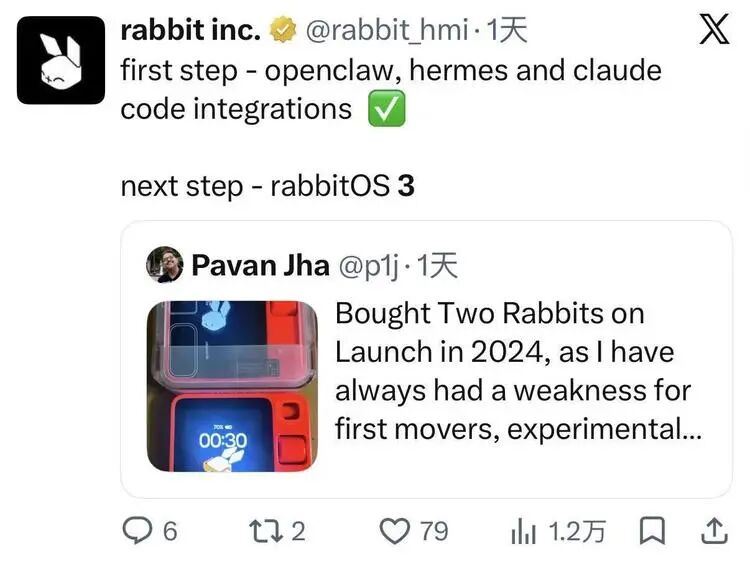
Simply put, RabbitOS 3 is a "master Agent" that sits on top of all Agents, Skills, models and devices:
You only need to tell it what you want to do, and it will handle everything else — which Agent to call, what Skill to install, which device to control, and how to coordinate between different tasks — all on its own.
This sounds like an Agent manifesto that has been talked to death back in 2026.
But when you actually use it, you will quickly realize that this is an Agent product built on a completely different line of thinking. It has identified a problem that today's Agent products easily, and in fact universally overlook:
Agents have become increasingly powerful, but they are also starting to look more and more like 1980s computers — they can do almost anything, but ordinary people have no idea how to use them at all.
The key to truly building an Agent that ordinary people can use directly actually lies in every single detail of the product interaction experience.
And OS 3 has made a large number of attempts in this regard, which makes it a totally unique Agent even amid the current explosion of all kinds of Agent products.
1
When you open OS 3, you will find it extremely simple. Especially today, when most Agent products look more and more alike and their homepages are getting increasingly complicated, its simplicity feels like a throwback to the early chat era.
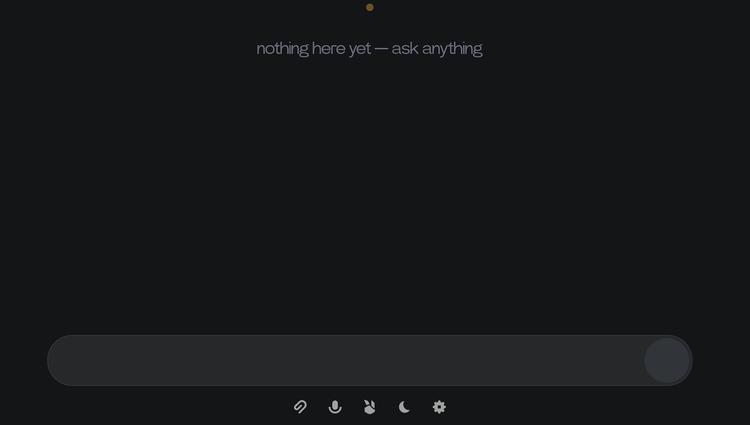
Yes, it is nothing more than a dialog box.
When you first register and log in, it will ask you a few simple onboarding questions — whether you want its responses to be detailed or concise, what you usually use it for, etc. After you finish answering, everything that follows takes place in this dialog box.
This decision is very simple, but it is also a product choice that users have waited a long time for, yet most Agent products today are unwilling to make.
This points to a real problem: the biggest issue with many of today's Agents is not insufficient capabilities, but excessively high barriers to entry. Steps like setting up the installation environment, configuring permissions, connecting devices, and searching for Skills have already locked out a large number of ordinary users.
Throughout the whole process of using OS 3, you can feel that its most important design considerations are all centered on this point:
How to eliminate all this complexity for ordinary users.
The first difference you will notice is the way to "connect it to your computer".
OS 3 works like this: you only need to copy a line of code from the settings interface to your Terminal, press Enter, and the Rabbit Agent installation is completed in a few seconds. It currently supports Windows, Mac and Linux.
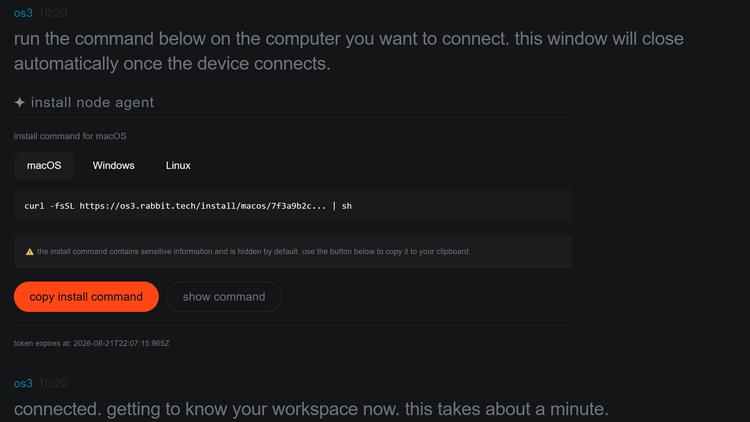
(When you click register, you will be directly provided with a one-click copy code, paste it into the terminal to complete the configuration)
After the setup is complete, this computer is no longer just a device running AI, but becomes a Node that OS 3 can call. In theory, you can connect different devices such as your home Mac, office Windows, and servers to the same Rabbit Account, and control them through a unified entry.
A quick comparison will show you what this single line of code means: anyone who has installed OpenClaw will remember that whole process — GitHub, command lines, configuration files, API Keys, and troubleshooting errors. It was so popular that people queued up downstairs at big tech companies to ask others to install it for them, which itself proves that ordinary users cannot install it on their own.
This same design philosophy runs through every detail of OS 3.
2
The most representative feature is its handling of Skills.
In the past, using a Skill usually meant reading GitHub documentation, installing dependencies, and modifying configurations. In OS 3, we randomly found a Skill on GitHub, pasted the link into the dialog box, and said "install this".
The system automatically completes the deployment, and gives a summary after installation: what this Skill is for, what the audit result is, and how to trigger it later. OS 3 is natively compatible with OpenClaw, Hermes, and a large number of existing Skills on GitHub — all the resources the entire open source community has built over the past six months are within its reach.
Later, I didn't even need to say anything else after pasting the link.
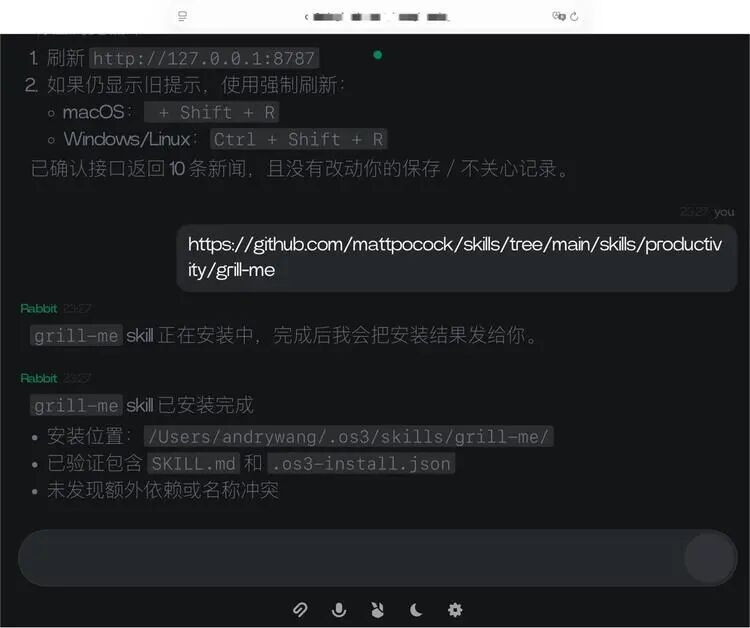
(Just paste the URL here, and you can install the Skill with one click)
And during the one minute while you wait for the deployment to finish, you don't have to be idle — you can start another task directly in the same conversation flow.
For example, you can ask it to turn a task you do every day into a new Skill. After generation, it will tell you how to "activate" it, and you can just speak to use it later, just like cooperating with a human assistant — instead of what many Agent tools do today, which require you to find GPTs, Plugins or Skills on your own.
Judging from these designs, it is built on the belief that ordinary users should not have to learn how Skills work at all, just like no one today will learn what an image decoder is just to open a picture.
While these parallel tasks are running, you can check their progress in the activity panel at the bottom of the interface. These designs also follow Rabbit's consistent taste in page design, with a distinct style of its own.
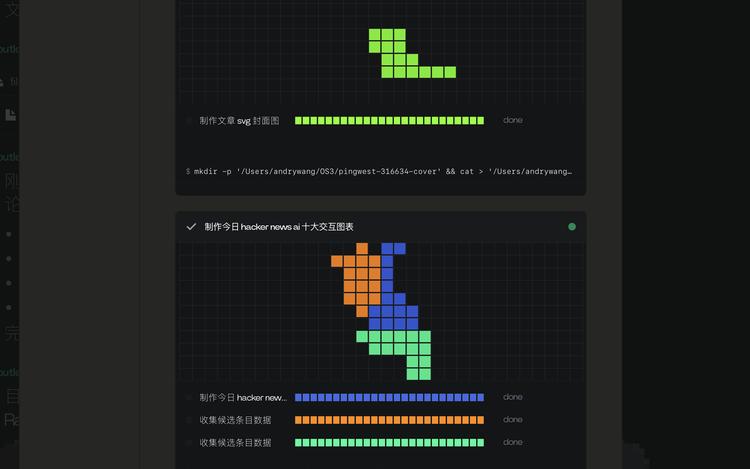
(In the activity section, OS 3 presents the tasks with a tangram-style visual monitoring interface that feels very playful)
Every step is executed by which Agent, and what the progress is, all are fully transparent and traceable — new users can choose to ignore all of it, while geeks can monitor the whole process.
At the same time, when these tasks involve key steps such as payment or deletion, it will pause and actively ask for your confirmation.
3
After using it for a while, you will soon find another even more radical change: it no longer has a "new conversation" function.
In the past, AI products generally adopted the Session mode:
One task corresponds to one window, and one window saves one segment of Context. But after long-term use, this design will become more and more messy. Users know they have discussed a certain matter with the AI before, but they have no idea which Tab it is in; the AI also cannot form a complete understanding because information is split into different Sessions — if you change your mind in one conversation, the AI will not know about it in the next.
OS 3 simply eliminates the traditional Tab-based conversation structure, and puts all your requests into a unified input and output stream.
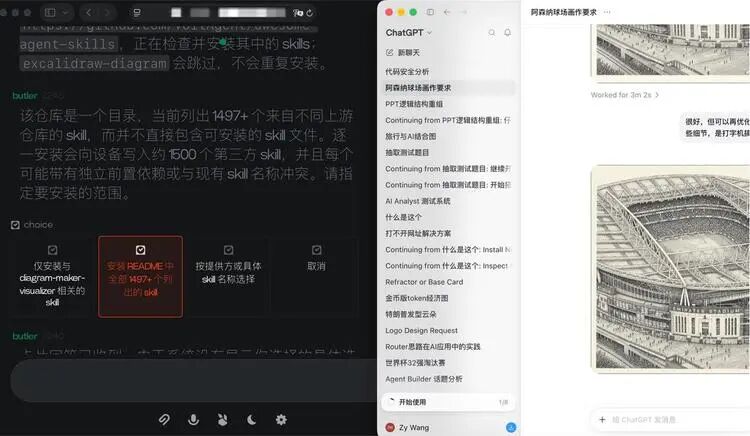
(The left side is OS 3, the right side is ChatGPT, you can intuitively see the trouble of too many sessions, and the different interaction methods OS 3 provides for each answer on the left)
You can continuously submit different tasks, work on the first thing, then the third thing, then circle back to the first thing, and the system will determine which information should be associated and which tasks should continue to advance. The underlying logic behind this is clear: traditional Session splitting will disperse long-term Memory and eventually lead to understanding conflicts. After all, the human brain does not divide itself into multiple session folders.
According to observations from the Rabbit team, including the internal test users of OS 3, many users will eventually gravitate to a very straightforward usage pattern, which might just be the "correct" usage for this type of product in the end: you don't have to think about what Skill to install or what task to start one by one, you just pour all your daily troubles to it, no matter how it gets done, and let this Agent design and configure the entire Agent workflow for you, so you can just use it directly.
Since this usage pattern is set as the default way people will use Agents in the future, OS 3 is designed backwards to achieve this goal.
4
Another capability of OS 3 that carries distinct Rabbit characteristics is its multi-end entry support. After all, this is the company that built the R1 device.
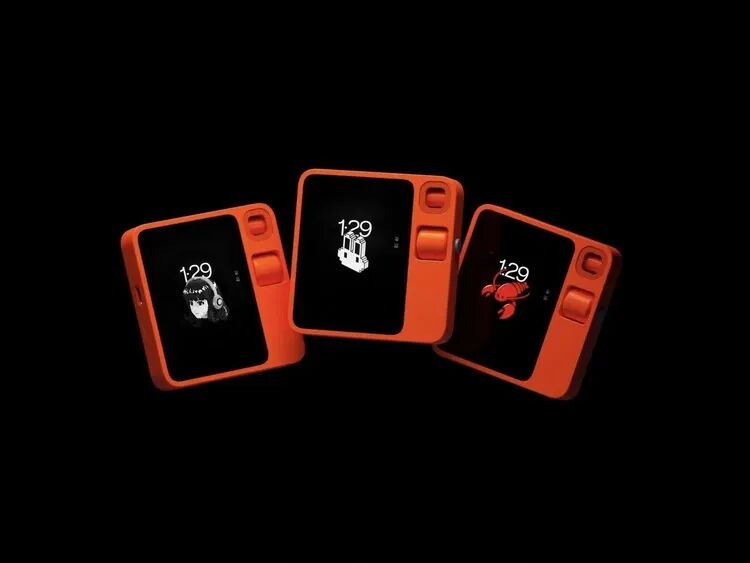
In the current test version, you can use Telegram on your mobile phone to call the remotely bound computer. The content from different entries remains independent, no mindless synchronization is done, but they share the same user Memory.
For example, you can send an instruction on Telegram on your phone — open a new tab, go to an e-commerce site and buy a case of cola. Note that at this point, the mobile phone and that computer are not on the same network, nor in the same geographic location. But the browser on the computer can act on its own, complete the search, product selection, and add to cart. No one touches it during the whole process. When it reaches the "confirm order" step, it stops, sends a message back: this will cost money, are you sure? Click confirm, and the order is completed.
It looks like many Agents are also showcasing similar capabilities, but in fact, this experience is far from "remote desktop".
You are not remotely manipulating a computer. You are telling an Agent that knows what computers you have and what they are doing what problem you want to solve right now.
These are two completely different interaction logics.
From an architectural perspective, this is not something other products on the market can offer right now. The remote mode of Claude Code and Codex is essentially synchronized to the Session of a single computer; OpenClaw and some similar solutions open a cloud virtual machine for each user. But OS 3 registers all your devices under one account — one single entry, with the rabbit agent and Rabbit's exclusive DLAM controlling all nodes.
For veteran players who have already configured a complete workflow on tools like OpenClaw, it also provides a more convenient entry: let it scan your computer, and import all existing configurations and context in one go, just like the one-click import of playlists when you switch music apps.
This means that the Agent no longer belongs to a single App, but starts to belong to the user themselves.
This brings huge imagination. In the future, "devices" will not be limited to computers — following the logic of this architecture, mobile phones, cars, smart home appliances can all be nodes under the same account in the future.
5
Another obvious feeling during the experience is that OS 3 looks very simple on the surface, but it is actually extremely feature-heavy underneath.
In particular, it has done a lot of foundational work for multi-agent systems.
Starting from ChatGPT, almost all AI products have inherited the same form: one question one answer, one task finishes running, then the next one starts. OS 3 completely replaces this form at the underlying level — it is not a queuing question-and-answer machine, but a multi-agent real-time system.
And multi-agent does not simply mean starting several models in the background at the same time. The real difficulty lies in: after several Agents work at the same time, what context each one owns, what Skills each one can use, how to resolve conflicts between different tasks, and how they eventually share memory — in short, how to make Agents "reach a mutual reconciliation".
There is a huge amount of engineering and foundational work between a single smart Agent and a group of Agents that can actually get things done. Judging from product maturity, OS 3 has clearly spent a long time polishing this architecture.
All these efforts eventually make OS 3 more like an Agent Runtime. The Agent for all Agents.
In the design of OS 3, the model layer is also open. OS 3 supports users to bring their own API Keys, connect to any model provider they want, and can also allocate models by task tiers — use cheaper and faster models for simple conversations, switch to the most powerful models for serious work. And "which tier this task should use" can also be left to the system to judge.
Of course, putting everything into one continuous stream also raises an obvious question: when an Agent truly covers most of a person's digital life in a day, the amount of information will become extremely large. Whether completely eliminating "folders" will create new chaos over a longer period of time still needs to be judged after longer usage.
But OS 3 gives a very interesting answer to this question:
In the future, users should not be the ones organizing the UI, instead, the AI should generate the UI on the fly.
In fact, in the current version of OS 3, you can find that it has already widely adopted Generative UI. During our experience, we kept encountering such moments: when a task involves a table, a table is generated in real time; when you need to download a file, a download control appears; when you reach a place that requires user confirmation, several buttons pop up on their own; when you generate a 3D file, the corresponding preview interface appears directly.
