Windows is a stumbling block on the road to AI PC.
Microsoft recently did something that seems quite counterintuitive.
It began re-optimizing Windows' memory performance on devices with 8GB RAM or higher.
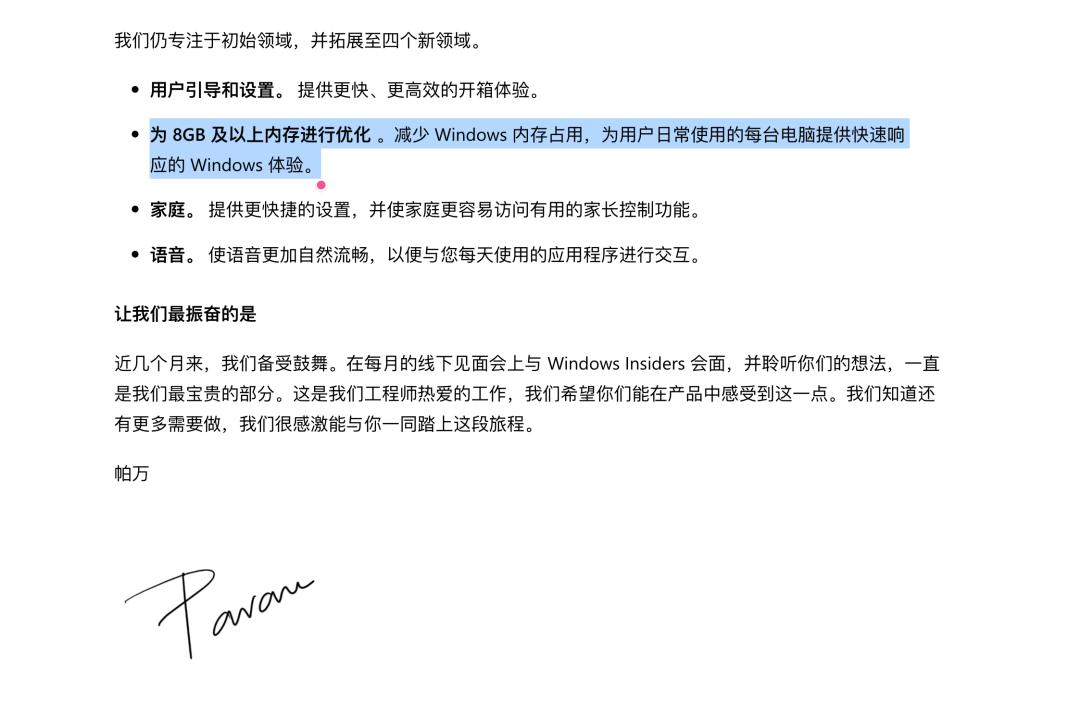
Image from Windows Blog
A few years ago, this would have been almost unthinkable.
After all, according to the old law "What Andy gives, Bill takes away", Windows has always consumed exactly as much resources as the hardware specs allow — 8GB of RAM was long considered an entry-level configuration and relegated to the dustbin of history, and Microsoft's flagship Windows 11 AI+ PC even set the memory threshold at 16GB from the very start.
But reality pulled off a sudden reversal.
The AI boom has led data centers to hoard memory frantically, driving chip prices up continuously, and the cost pressure has passed down the supply chain to every single PC.
And the problem that countless Windows users have complained about for years has once again come to the forefront:
Is the bloated Windows a stumbling block on the path of AI PC development?
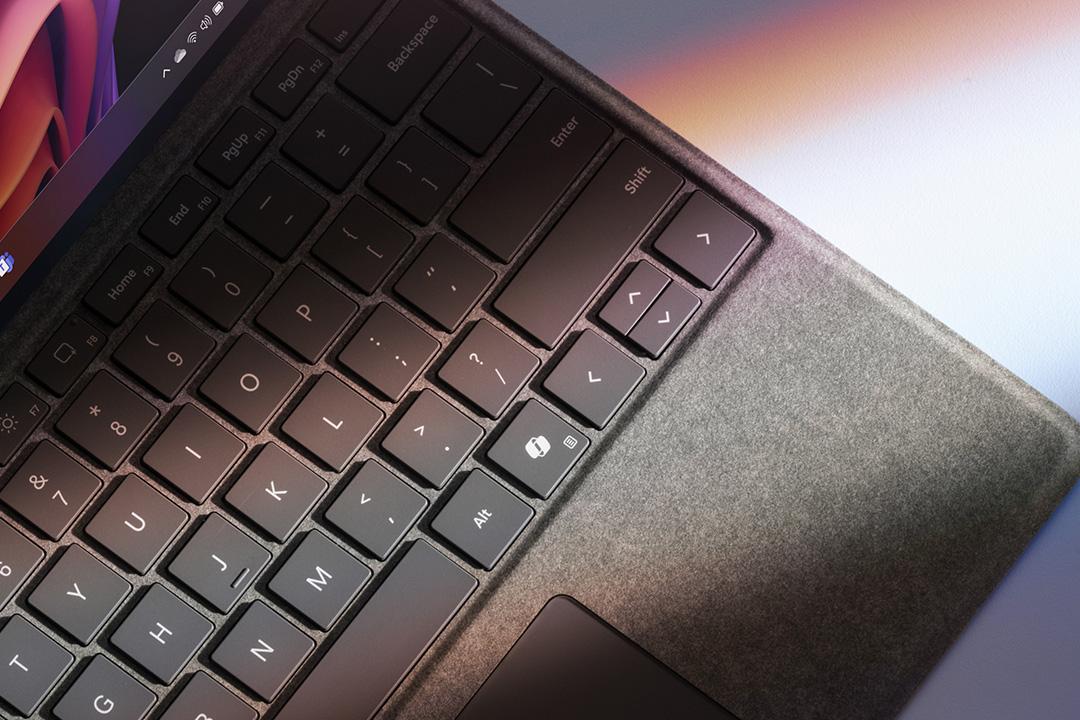
The Copilot key that took the place of the right Ctrl key
Arrogance | You have been covering for Windows all this time
The biggest long-standing misjudgment Windows made is the default assumption that processors will keep getting faster, and users will naturally add more RAM when they run out, or just buy a new computer if it doesn't work.
Under this logic, Windows has long been lenient with its own memory overhead. Background services and frameworks keep piling up, and memory usage rises accordingly, as the more powerful hardware will always temporarily cover up these problems anyway.
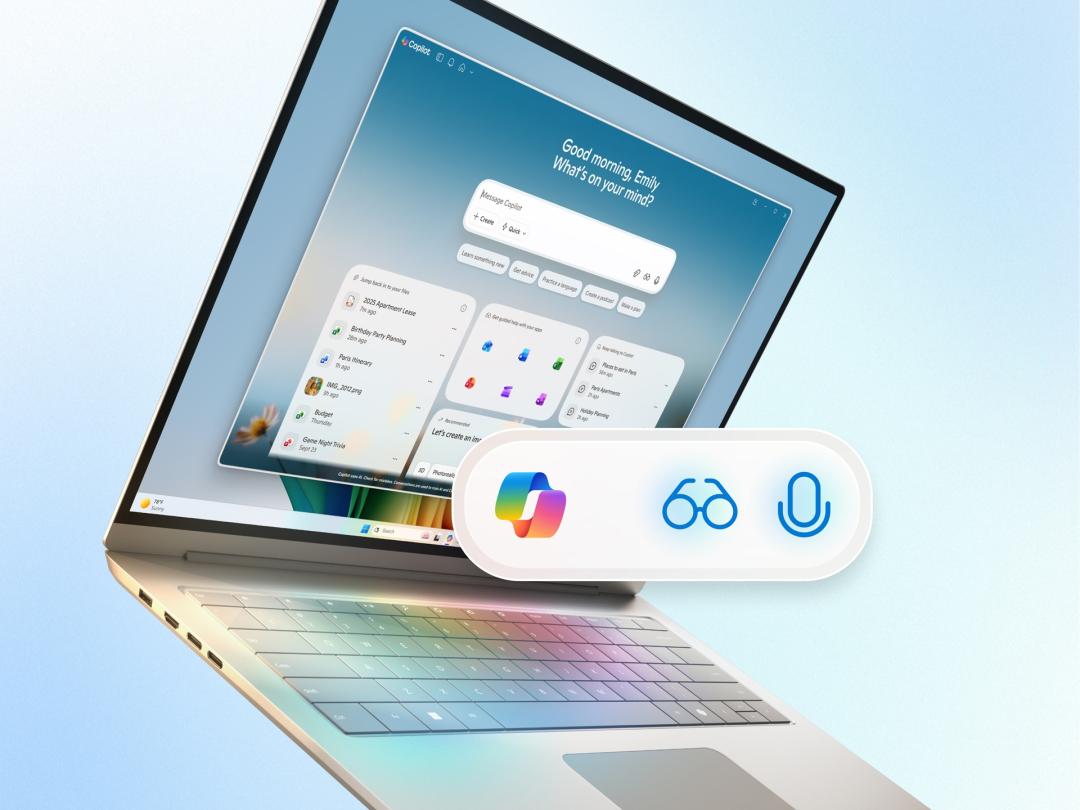
But after the rise of AI, the extra hardware resources no longer belong exclusively to traditional applications.
In the past, extra RAM could let browsers open dozens of more tabs, but now more and more local AI features need to load models, maintain indexes, and continuously process data from the screen and cameras.
Those once negligible basic overheads of Windows have also begun to directly squeeze the running space for AI.
Microsoft did not re-examine 8GB devices until now, which more or less indicates that hardware performance growth can no longer cover up the system's waste of resources.
Gluttony | Unrestrained feature addition is a burden
The fact that hardware has long been responsible for covering up problems has fostered Windows' habit of continuously adding new features.
The targets of Microsoft's this round of optimization span the memory allocator, WinUI 3, Chromium and WebView2, covering everything from underlying resource allocation to interface frameworks and web runtime environments.
But the problem has long gone beyond any single component, and is more like the result of the entire system lacking unified resource constraints for a long time.
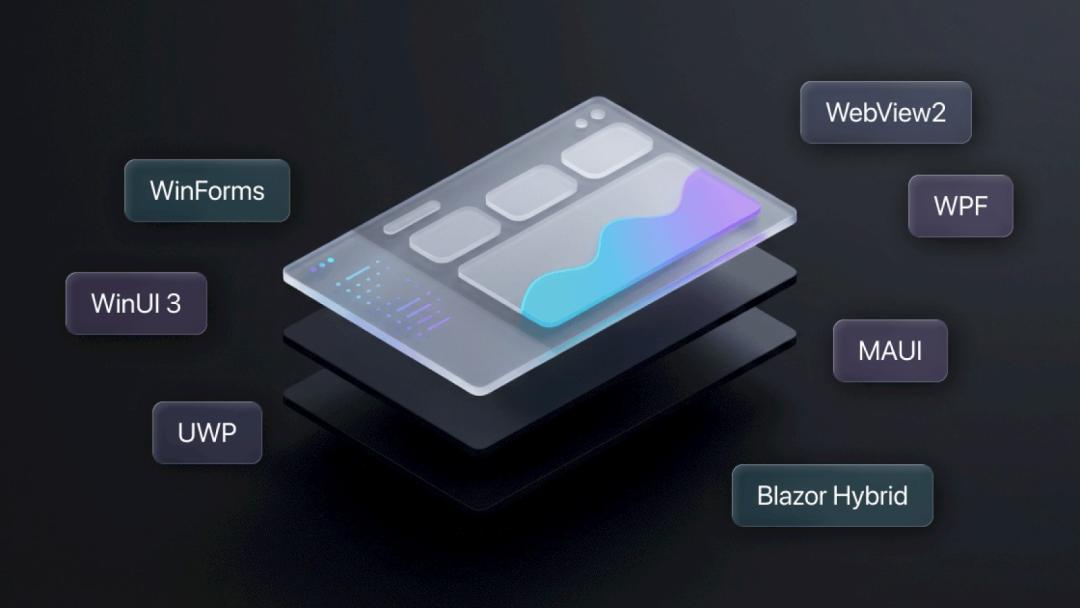
Image from DotNetBrowser
Viewed separately, every layer has its own legitimate reasons. WinUI 3 is designed for a modern interface experience, Chromium is for web compatibility and development consistency, and old frameworks are for keeping legacy apps and enterprise software running.
The trouble is that every layer follows the rule "existence is reasonable", and there is no unified contraction mechanism to restrain them. As a result, all layers keep expanding under their respective goals, and finally combine into a burden for the entire system.
Traditional PCs can dilute this redundancy through hardware upgrades, but AI PCs need to reserve a large amount of memory for model weights, context and resident Agents.
Microsoft's current re-optimization for 8GB devices also shows that there is still considerable room to reduce Windows' basic overhead, it's just that there wasn't enough pressure pushing Microsoft to deal with this issue before.
Sloth | Compatibility, Windows' heaviest burden
If gluttony comes from adding nonstop new features, sloth is reflected in the fact that old components are barely maintained or cleaned up.
Windows prioritizes compatibility above all else, which leads to the slow phase-out of old interfaces and runtime environments, with new and old systems often coexisting.
To maintain compatibility with software or enterprise systems from decades ago, and even drivers for special peripherals, Windows has retained multiple sets of interfaces and runtime environments from different eras.
This compatibility is indeed the most important foundation of its ecosystem, allowing a large number of industry systems to run on the same platform for decades.
But the compatibility capability later gradually turned into an obligation without clear boundaries.
The most classic example is that Control Panel has not been completely replaced by the new Settings app to this day, and many functions have to keep two sets of entries coexisting for a long time.
The entries of some interfaces look more and more modern, but once you dig a few layers deeper, you can still find logic and window systems from more than a decade ago.
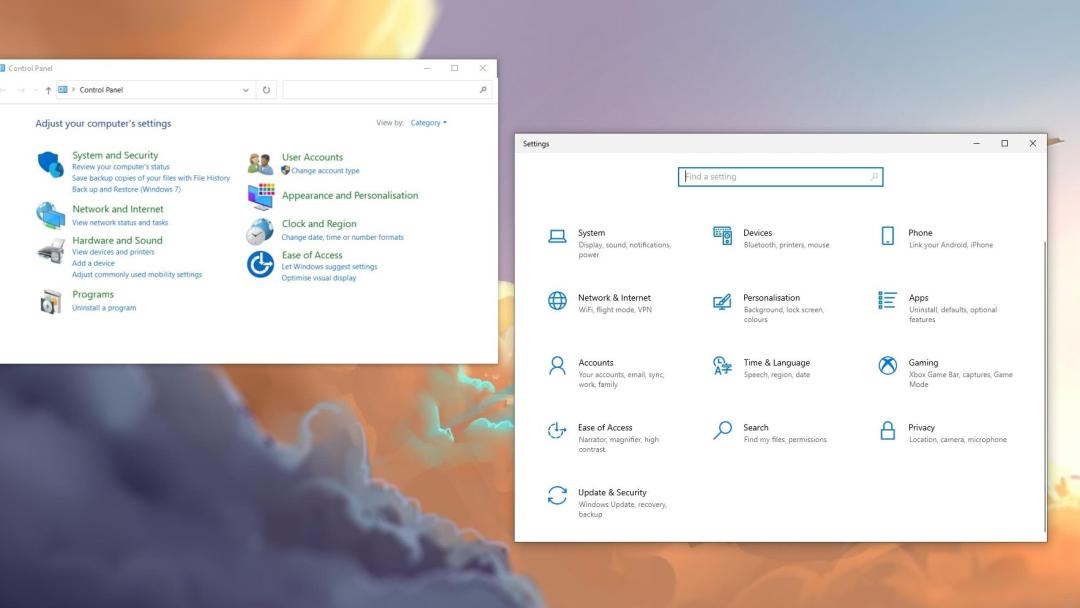
Image from Tom's Guide
Windows' sloth does not mean it has done nothing. On the contrary, it has added far too many new features, but has always been unwilling to bear the cost of cutting redundant features.
The traditional desktop environment can still tolerate this structure, but AI PCs need to handle more frequent task scheduling between CPU, GPU and NPU, while allocating resources for local models and background AI features at the same time.
The more old rules you retain, the higher the difficulty of unified management.
Greed | The Microsoft bloatware suite that you can never get rid of
Windows' bloat cannot be entirely blamed on legacy compatibility issues.
Today's Windows is no longer just an operating system, but more like an entry point for the entire Microsoft ecosystem, with Microsoft accounts, Edge, OneDrive, Microsoft 365 and Xbox all bundled into it.
These components not only perform specific functions, but also relate to Microsoft's distribution entry points in the system ecosystem. Therefore, whether they can be completely removed is not just a technical issue.
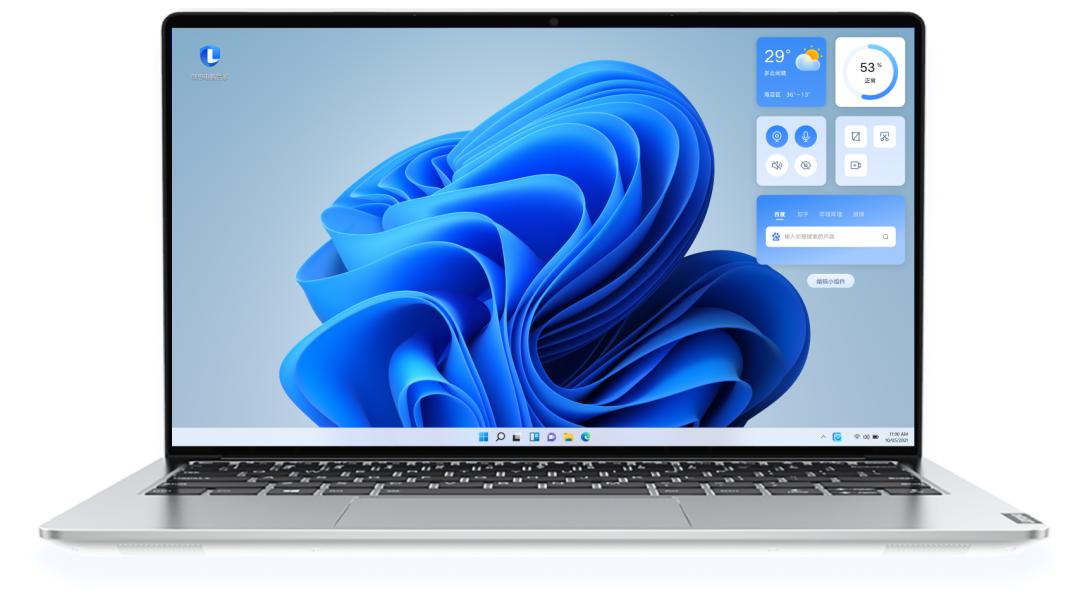
Moreover, OEM manufacturers will continue to "decorate" on this foundation, from update tools to power management, to driver panels and various pre-installed software, adding every possible component to the system, following the principle of "keep adding until you get tired of it".
Lenovo Desktop Assistant
This creates an unsolvable deadlock: legacy compatibility prevents old components from being removed, and business expansion keeps pushing new modules in, so the system can only keep expanding.
If Microsoft wants AI Agent to become a unified task entry point responsible for invoking applications and system capabilities, it must first deal with a large number of independent services and permission systems inside Windows.
Dependence | Technical shortcuts are the biggest drag
What makes Windows heavier is also the web technology that Microsoft has become increasingly dependent on.
Many updated features of Windows use WebView2 to a certain extent.
WebView2 uses the Chromium-based Microsoft Edge rendering engine, which allows development teams to reuse HTML, CSS and JavaScript to reduce interface development costs and facilitate rapid updates.
Engineering efficiency has been improved, but resource discipline has not kept pace at the same time.
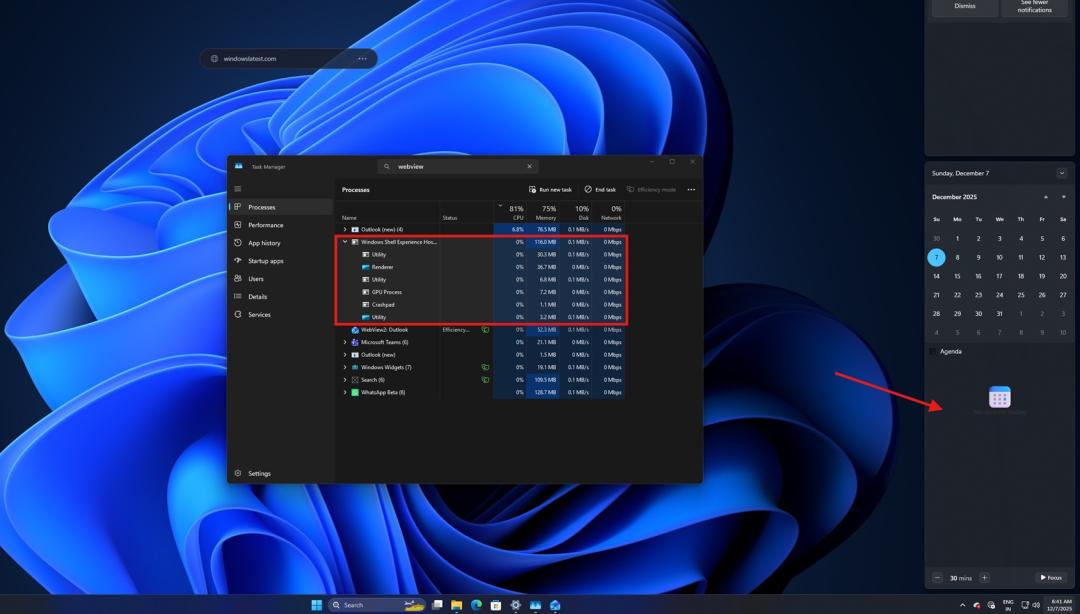
Image from Windows Latest
The WebView2 runtime itself can be shared by multiple applications, but different applications may still create their own separate browser processes, rendering processes, page states and user data environments.
As the number of applications increases, these isolated active processes will still add up to higher memory and background overhead.
Microsoft's continuous optimization of the memory and startup cost of Chromium and WebView2 already shows that the problem cannot be simply attributed to poorly written individual apps, and it is more necessary to think about how to unify and standardize the scattered resource usage patterns.
Envy | Wanting everything, ending up with nothing
Microsoft certainly hopes that Windows can follow macOS's example, integrating the processor, system, development tools and application ecosystem into a unified collaborative experience, and even more hopes that AI+ PC can deliver the level of hardware and software integration close to that of MacBook.
But Windows can hardly copy Apple's path.
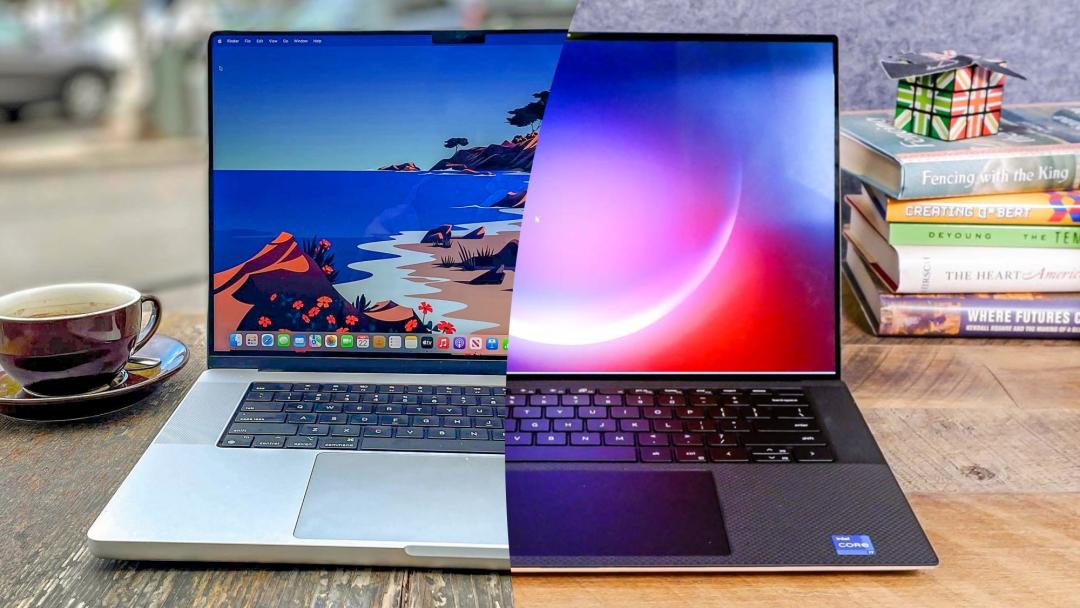
Image from Tom's Guide
Apple can control the number of hardware models, unify the processor architecture and development tools of its products, and even dare to set a clear phase-out timeline for old architectures.
Microsoft can use Prism to support traditional x86 and x64 applications, but drivers and kernel components still require native Arm64 support.
In other words, applications can rely on translation for transition, but special hardware still depends on whether manufacturers are willing to redevelop their drivers.
Microsoft wants to get the collaborative efficiency of the new platform, but is unwilling to give up the open ecosystem, legacy compatibility and market scale, and eventually has to bear the costs of both modes at the same time.
Long-term hesitation is also eroding Windows' once near-monopolistic advantage.
Around 2021, Windows' share in StatCounter's global desktop web usage statistics was close to 80%; by July 2026, this figure has dropped to 71.18%.
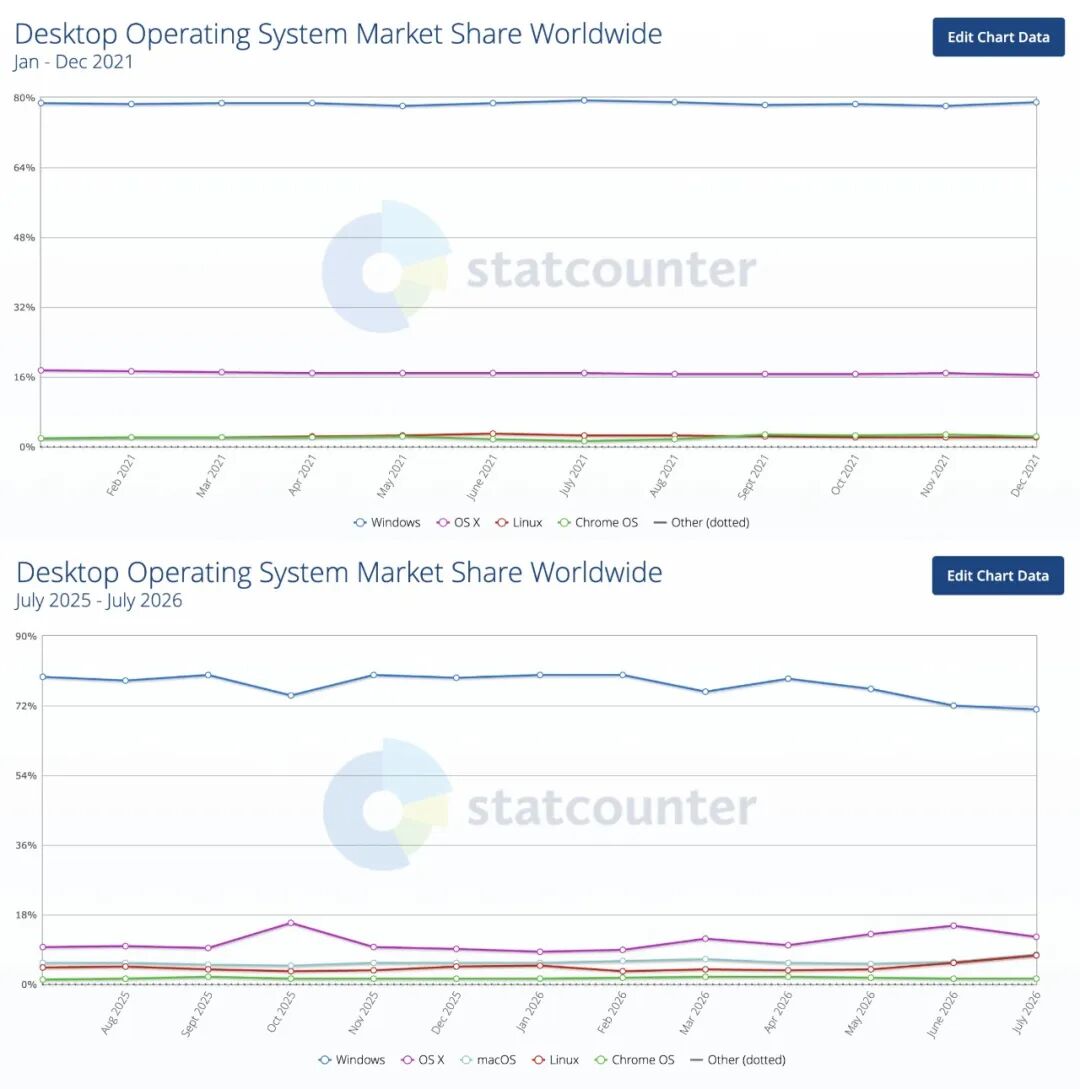
Data for 2021 (top) and the past 12 months (bottom)
According to StatCounter's statistics, Windows still holds a leading position, but the platform advantages of its competitors are also growing stronger.
Apple has completed the migration to the new generation of hardware architecture by pushing its entire Mac product line to switch to M-series chips uniformly; while Linux continues to expand in development tools and AI computing, and gradually penetrates into more cross-architecture environments.
Every time Windows weighs repeatedly between the new architecture and the old ecosystem, it extends its own migration cycle, leaving time for other platforms to attract users and developers.
Retribution | If you can't optimize well, let the memory pay the price
Faced with system bloat, the most common solution Microsoft used to adopt was to raise the hardware threshold.
If 8GB is not enough, push for 16GB; if gaming and multitasking are tight, recommend 32GB; if ARM compatibility is not perfect, rely on more powerful processors and more efficient translation to make up for it.
In April this year, Microsoft still called 16GB the practical starting point in the gaming PC guide on the Windows Learning Center, and referred to 32GB as a more hassle-free upgrade option.
This article was subsequently deleted in early May; by August, another old guide that called 32GB the ideal configuration for hardcore gamers was also confirmed to have been taken offline.
Microsoft did not explain the reason, but the timing of the adjustment is very subtle.
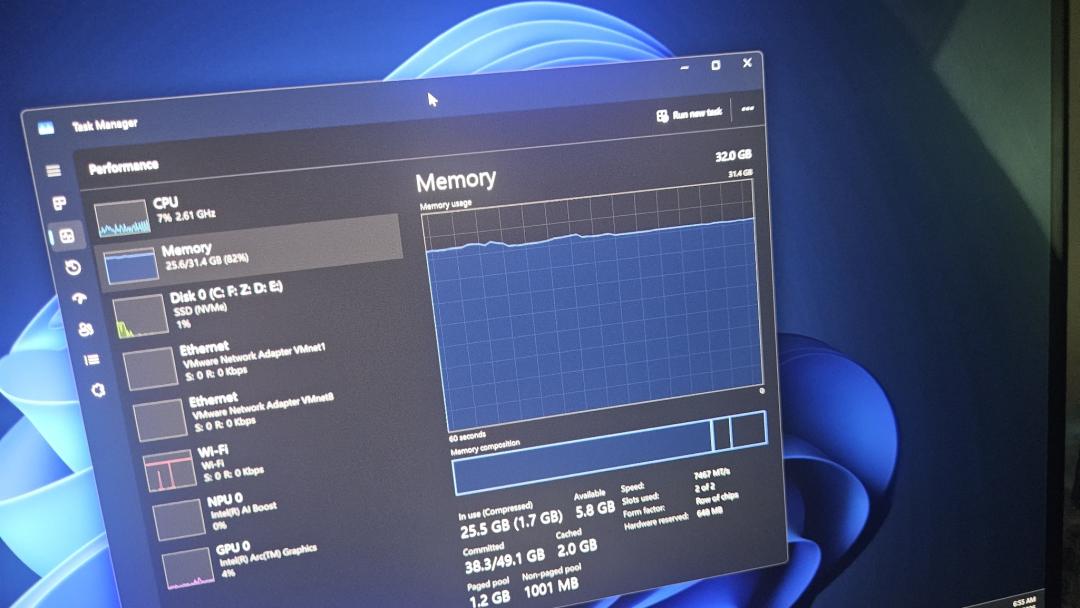
Image from Windows Latest
Raising the configuration threshold seems logical, but the cost has to be borne by OEM manufacturers and consumers.
After the AI boom drives up memory demand, the method of relying on hardware upgrades to solve software problems no longer works.
Because consumers may only be able to buy computers with smaller memory for the same amount of money, Microsoft can no longer assume that all performance problems can be solved by adding more hardware specs.
In this context, system-level optimization is no longer a technical choice, but a necessity driven by real-world pressure.
It is certainly commendable that Microsoft is willing to address Windows' resource issues. But it is still uncertain now how much legacy burden it is actually prepared to remove, and how much of it is just rearranging existing resources to free up limited running space for AI+ PC.
Looking back, all of Windows' seven sins are essentially competing for the same set of resources: