After two years of long-awaited anticipation, ChatGPT has officially made its debut on Linux, and Codex can modify your code as soon as you get started.
Just now, the client that Linux users have been waiting for two years has finally been released.
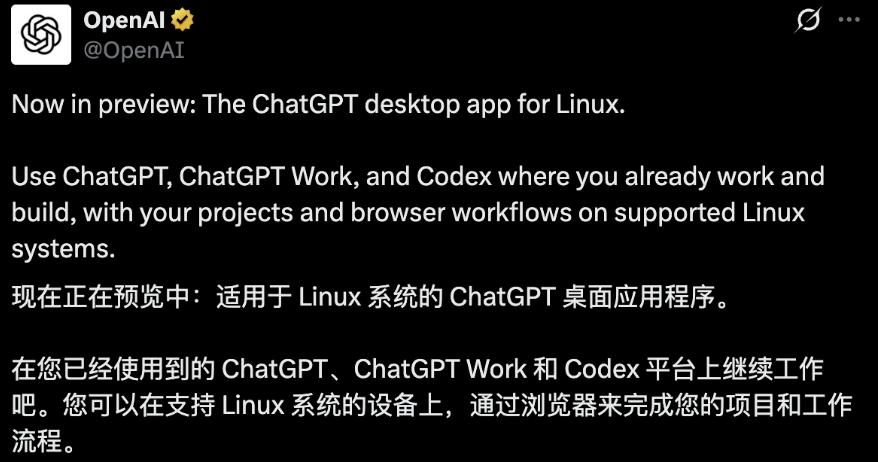
OpenAI officially announced that the Linux version of the ChatGPT desktop app is now open for preview.
ChatGPT, Work and Codex are now integrated into the same App.
Linux is one of the systems with the highest developer density, but it has long been omitted from OpenAI's official desktop clients.
Over the past two years, Windows and macOS users can summon ChatGPT with a single shortcut key, while Linux users could only access it through the browser.
And what has been added this time is far more than just an access entry.
The three suites are all integrated, especially Codex, which can access your projects, code repositories and terminals - areas that browsers can never reach.
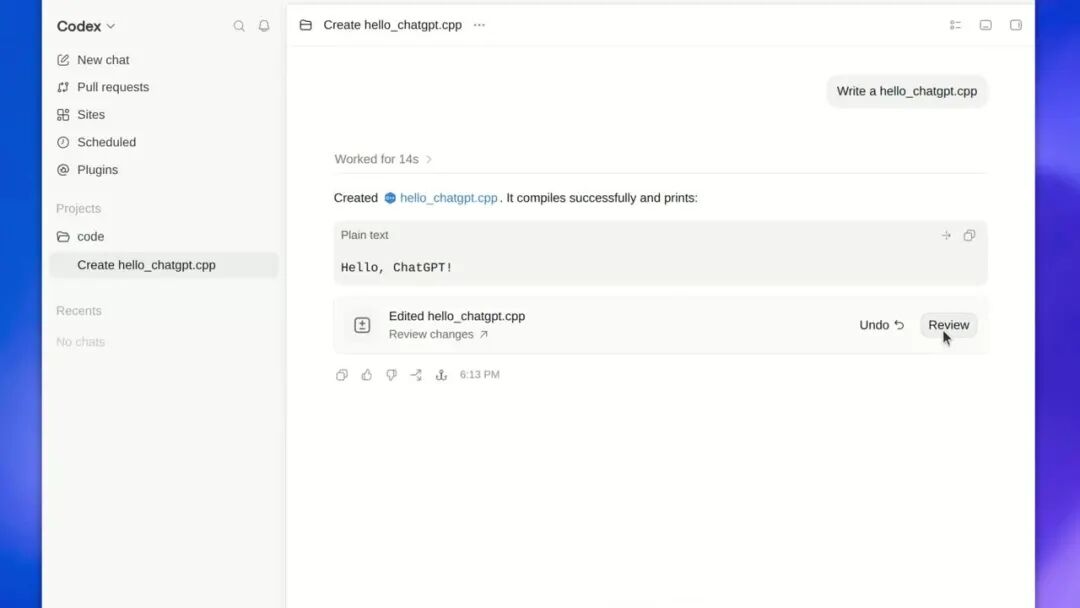
Codex view: Switch to ChatGPT in the upper left corner, all functions from Pull requests to Projects in the sidebar are fully retained.
The first batch of supported distributions include: Ubuntu 24.04 and 26.04 LTS, Debian 13, Fedora 43 and 44.
There are hundreds of Linux distributions, and OpenAI first selected five versions from three vendors. The coverage is not wide, but all the selected versions are the base of downstream distributions.
It supports two architectures, x64 and ARM64, with .deb and .rpm installation packages fully prepared, which can be installed by double-clicking.
According to TechCrunch, this preview version has been opened to global users, and the new ChatGPT desktop app now supports three major desktop operating systems: macOS, Windows and Linux.
OpenAI officials said that Linux has always been one of the most requested platforms for desktop clients.
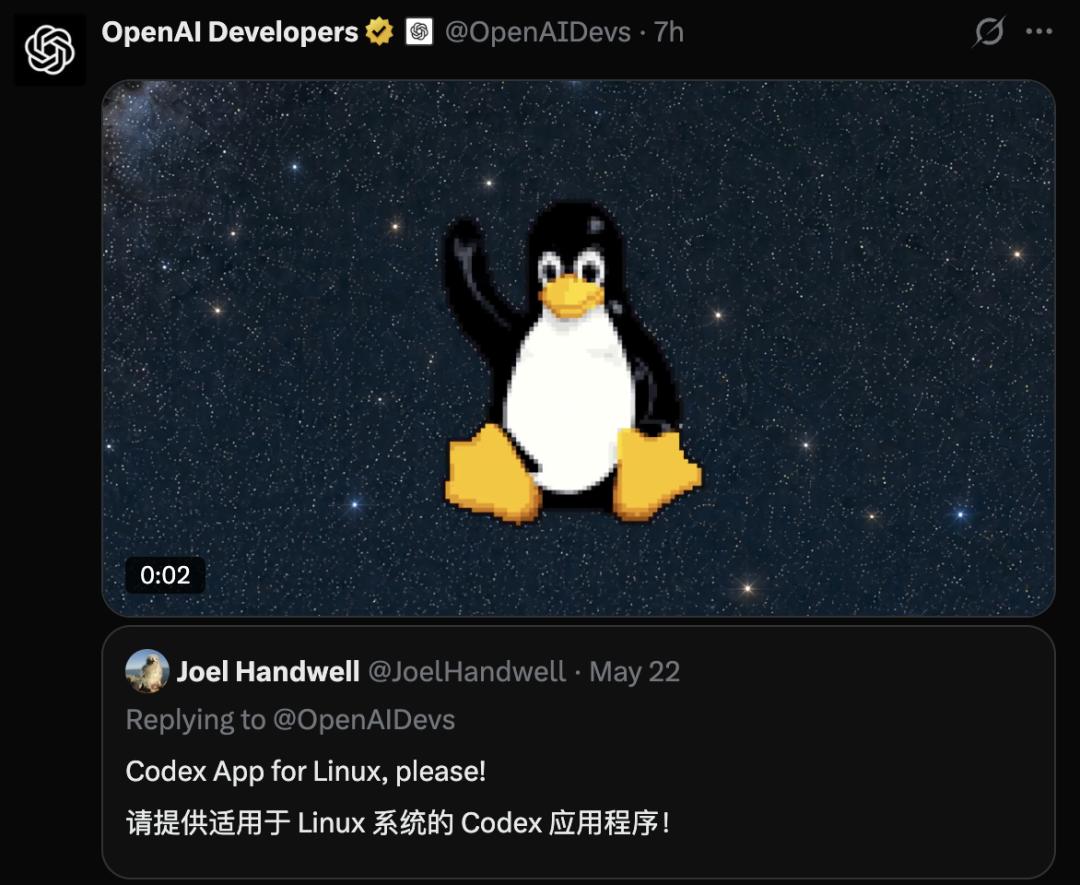
On the day of the official announcement, the OpenAI Developers account reposted an old reply from more than two months ago: On May 22, a netizen named Joel Handwell commented: Release a Codex App for Linux.
For an AI company that is often teased as "only serving browser users", this step did not come early.
This is far more than just an additional client
This time, it is not as simple as ChatGPT finally having a Linux version.
Among the three suites, ChatGPT is responsible for conversations, Work is responsible for complex multi-step tasks, and Codex is responsible for actual hands-on execution.
The Work mentioned here refers to the agent experience for complex, multi-step tasks, and its availability depends on your subscription plan and workspace settings.
Although Codex is integrated into the same application as ChatGPT, it still retains its independent view.
It is written in the OpenAI Help Center document: The Codex workflow remains unchanged, and its history is separated from ChatGPT's history.
You can discuss requirements in ChatGPT, advance multi-step tasks in Work, and let it modify code in Codex, without switching back and forth between different applications.
In one sentence: One shell, two sets of memory, three working modes.
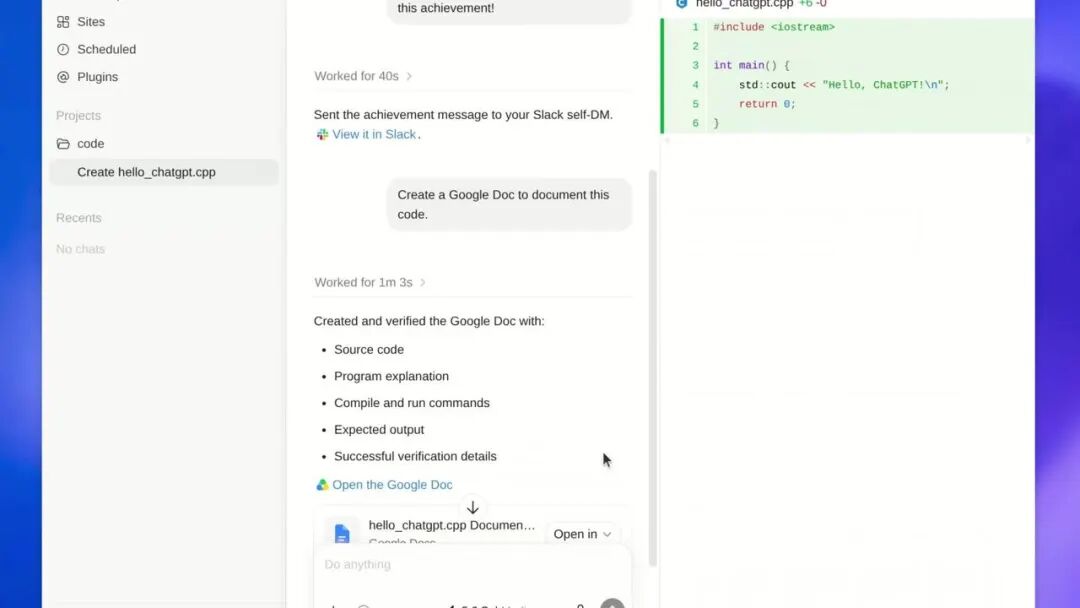
In the same session, Codex lists five items for creating and verifying a Google Doc: source code, program description, compilation and execution commands, expected output, and verification details.
OpenAI is streamlining its product line
Users are getting more capabilities
Over the past two years, OpenAI has been adding new products to its lineup: web version, desktop version, independent Codex App, Atlas browser.
Now, it starts to streamline its products.
From a longer-term perspective, this Linux version launch is actually a key step in this round of product consolidation.
On July 9, OpenAI completed three things at once: launched ChatGPT Work, merged the independent Codex application into the new ChatGPT desktop app, and shut down the Atlas browser at the same time.
The three interfaces of Chat, Work and Codex are repackaged into the same entry, which was made globally available on Mac and Windows that day for all subscription plans, including the free tier.
The old desktop app was renamed ChatGPT Classic and moved to a secondary position.
On August 9, Atlas officially stopped working.
Three days later, the Linux version was launched.
This consolidation brings obvious benefits to both OpenAI and users.
For users, it brings more convenience. You no longer need to wonder "which App should I use for this task", since all three functions are available in one application.
For OpenAI, it improves user stickiness. With all entries consolidated into one, all your contexts, files, projects and usage habits are stored in the same client.
The more capabilities the App installed on your computer has, the higher the cost of replacing it will be.
Codex is the real killer feature of the Linux version
Why are developers the most excited group for this release?
What Codex can access on the desktop client can never be reached by the browser version: local projects, code repositories, file systems, and terminals.
These four items are exactly where engineers spend most of their time every day.
Having an agent that can read your code repository and operate your terminal directly installed on your computer is a completely different experience from copying and pasting code on a web page.
The former is an AI colleague, while the latter is no more than a search box.
This is also a watershed for AI programming tools this year.
For coding work, auto-completion and suggestions are no longer scarce. What is missing is an agent that can run through the entire loop of "reading code, modifying files, executing commands, checking errors, and modifying again" on its own.
And this entire loop can only run locally.
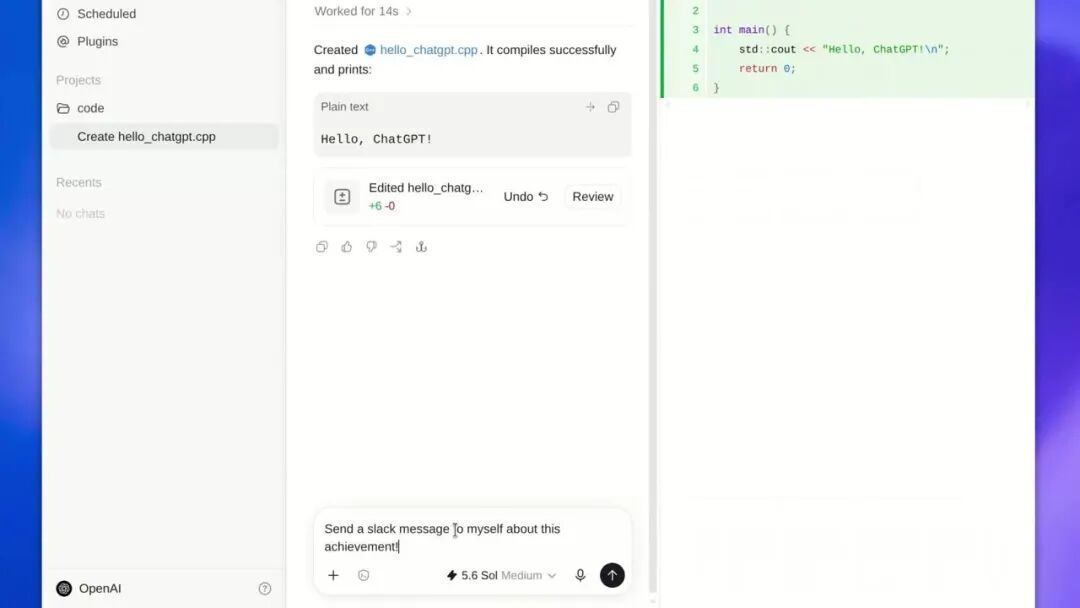
Codex wrote hello_chatgpt.cpp and completed compilation on the Linux desktop, with the code area on the right and the conversation area on the left side by side, and the model at the bottom is 5.6 Sol Medium.
OpenAI has a clear positioning for this application: project management, file processing, browser workflow, plus local Codex development work.
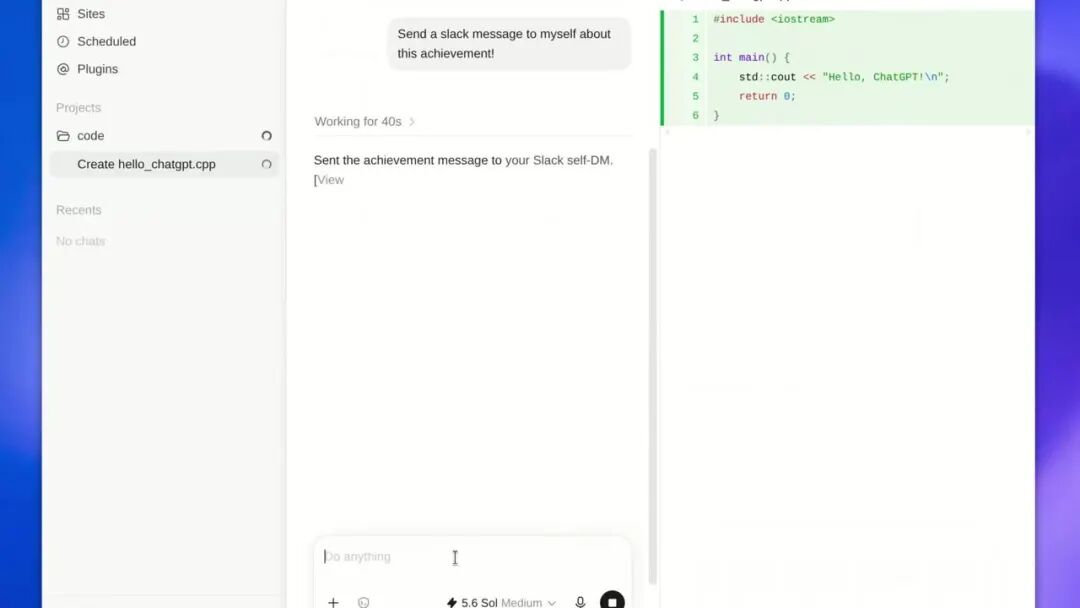
In the same session, Codex sent the compilation success message to the user's private Slack chat.
Interestingly, some community users have found that it can also run in the WSL Ubuntu 24.04 environment on Windows.
As for the function alignment, Tibo, the head of OpenAI's Codex team, said that the functions are basically the same as those on other platforms.
"Linux version" does not mean it can be installed on all Linux distributions
"Linux version" does not mean it can be installed on all Linux distributions.
Currently, only the specified versions of Ubuntu, Debian and Fedora are officially supported, and Arch, openSUSE, RHEL, Linux Mint are not on the official support list yet.
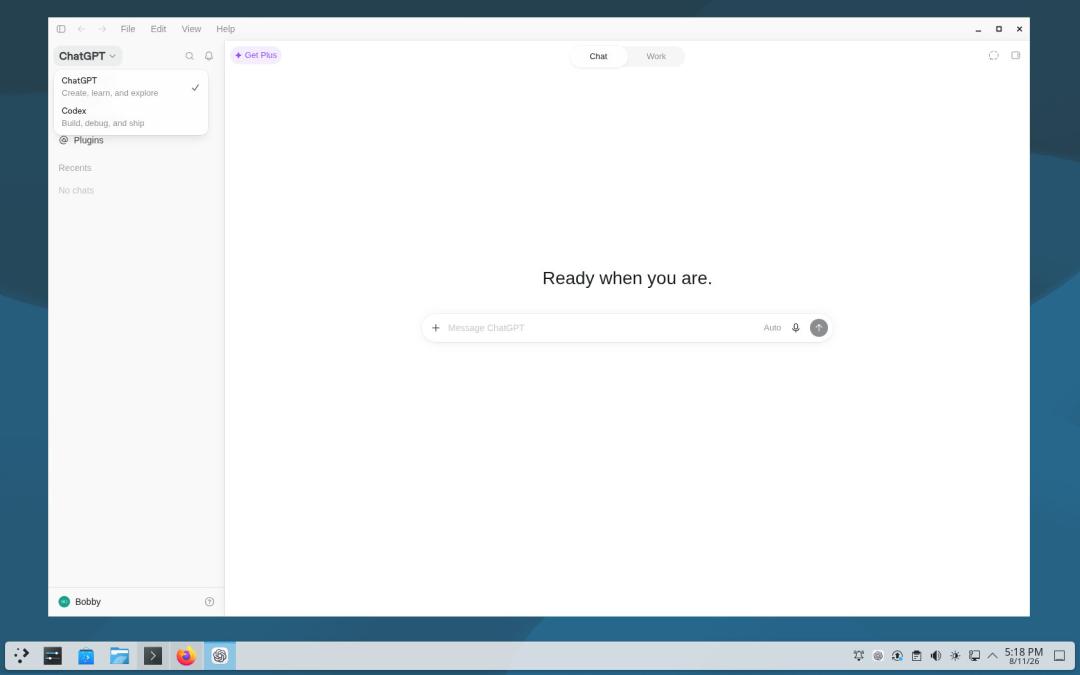
Actual screenshot of ChatGPT desktop app running on Debian 13.
These first batch of officially supported distributions are the base of a large number of downstream desktop distributions, so theoretically the compatibility coverage will be wider.
But "theoretically can run" and "officially supported" are two completely different things in production environments.
There are two other points that need to be noted.
First, it is still in preview status, and the officials have not clearly stated whether its functions and subscription plans are completely consistent with those on macOS and Windows.
Second, although the official provides installation packages for ARM architecture, it does not mean that your ARM device can run it for sure. The official has not fully announced the desktop environment, system dependencies and hardware requirements.
Looking back, the registration page for Linux users left by OpenAI actually appeared in mid-July.
At that time, there was no download link on the page, only a "Notify Me" form, which also asked a question: Which distribution do you use?
Options including Ubuntu, Debian, Arch, Fedora, RHEL are listed on the page.
Now Ubuntu, Debian, Fedora are included in the first batch of support, and Arch and RHEL users have to wait a little longer.
The fact that Codex and Work can access local files, projects and terminals is its biggest selling point, but how to define the permission boundary, how to implement the sandbox, and how to manage it in enterprise environments are far more important than "having a client or not".
An agent that can operate your terminal has to pass the operation and maintenance check before it can be installed on company computers.
Claude was launched a month ago
OpenAI is catching up quickly
OpenAI is not the first to launch the Linux version in this field.
About a month ago, Anthropic's Claude desktop app was released for Linux, supporting Ubuntu 22.04 and above, Debian 12 and above, with even older and wider coverage of versions.
This is almost the regular plot of the competition between OpenAI and Anthropic in the past year:
One party breaks through first, and the other catches up within a month, neither of them dares to give up the developer market.
Because developers are not just users, they are also evangelists: once an engineer installs the tool on the company's computer, it usually means bringing in the whole team.
The coding market is exactly the area where the two companies are competing most fiercely recently.
In February this year, OpenAI released the independent desktop application for Codex; in early June, the official announced that Codex's weekly active users exceeded 5 million, while the number was only about 600,000 at the beginning of the year, which has increased 8 times in five months.
The user composition is also changing: about 20% of Codex users are no longer developers, but knowledge workers engaged in research, sales and design, whose growth rate is more than 3 times that of developers.
On the other side, Claude Code does not focus on user scale, but targets to be the preferred tool for professional engineers: it has 138,000 stars on GitHub, surpassing Codex CLI's less than 100,000 stars.
Even the pricing is highly aligned: both companies have three tiers of entry, advanced and premium, priced at $20, $100 and $200 per month, and there is no obvious gap between their price lists.
The real deciding factor depends on who is closer to the daily work of developers: who gets into the terminal first, who reaches the local environment first.
This Linux version launch is exactly for seizing this position.
Since the debut of the macOS desktop version in 2024, Linux users have waited for two full years.
What they finally get is no longer the old client that wraps the web page into a window, but an agent workstation that can read your projects, open your browser, and access your terminal.
Of course, the problems faced by developers have also changed.
The question is no longer "which platform has ChatGPT", but "who do you allow to access your terminal".
References:
https://x.com/OpenAIDevs/status/2087231793682694410
https://x.com/OpenAI/status/2087231350134980830
https://t.co/BUiM8ttZnI
This article is from the WeChat official account "AI Era", Author: ASI Revelation, Editor: Yuan Yu, released with authorization from 36Kr.