The three must-have office tools for office workers have been completely remade by WorkBuddy with AI.
Recently, terms like Markdown and HTML have been noticeably popping up more frequently in my WeChat Moments feed.
Three months ago, Thariq, an engineer at Claude Code, published a post arguing that HTML is a more suitable format for AI output than Markdown text. This view sparked widespread discussion and brought HTML back into the spotlight of AI product development.

Andrej Karpathy also believes that human-computer interaction is forming a new input and output paradigm: humans are better at expressing demands through voice, while AI is more suited to presenting complex information visually.
APPSO has also felt this trend more and more clearly in daily office scenarios: AI output is evolving from plain text to interactive interfaces, and HTML has become the core carrier of this transformation. But problems have also emerged: even though generation has become easier, editing, collaboration, publishing and data synchronization still lock most users out of the web development workflow.
The recently updated knowledge base feature of WorkBuddy attempts to combine new AI-native formats like HTML with AI office products.
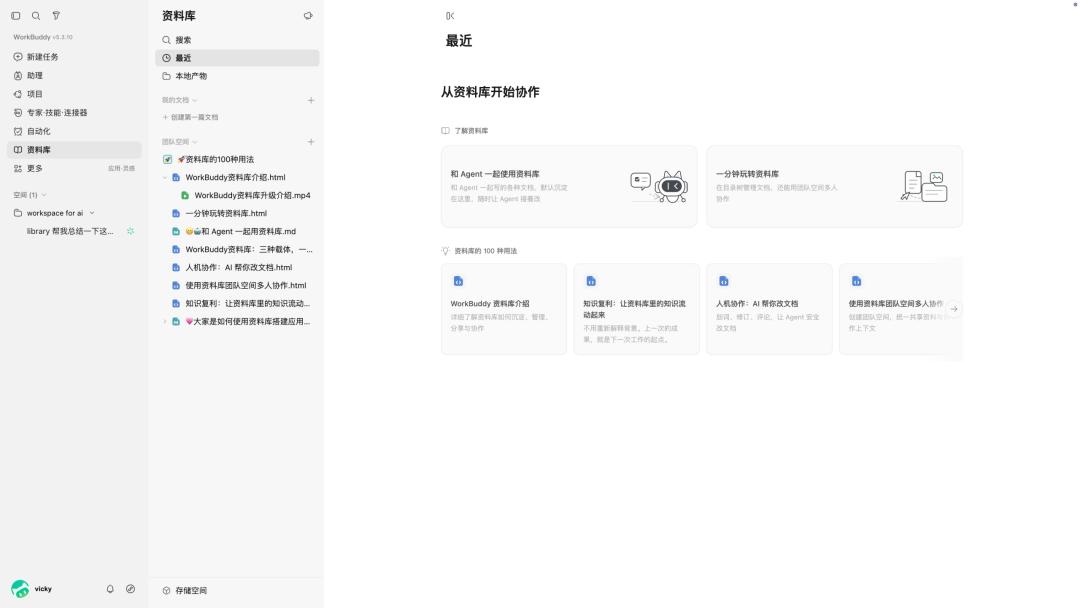
Screenshot of WorkBuddy knowledge base interface
Previously, it allowed AI to access Word, Excel and PPT through "human-AI dual editing", realizing collaborative editing between humans, colleagues and Agents; this time it further expands support to HTML and intelligent Markdown, and adds the "lightweight app" feature to endow HTML with data storage and multi-device synchronization capabilities.
If the previous stage focused on enabling AI to integrate with Office, the problem to be solved now is how to make the massive amount of new files generated by AI truly integrate into the daily office workflow.
HTML is starting to become a multi-user and multi-Agent document
Using the knowledge base is not complicated.
WorkBuddy is currently divided into two main sections: "My Documents" and "Team Space". The former is used to store content completed jointly by individuals and Agents (others can also be invited to collaborate), while the latter is designed for multi-person collaboration, where members can view, edit, comment and share content according to permissions, and Agents can also participate in the workflow.
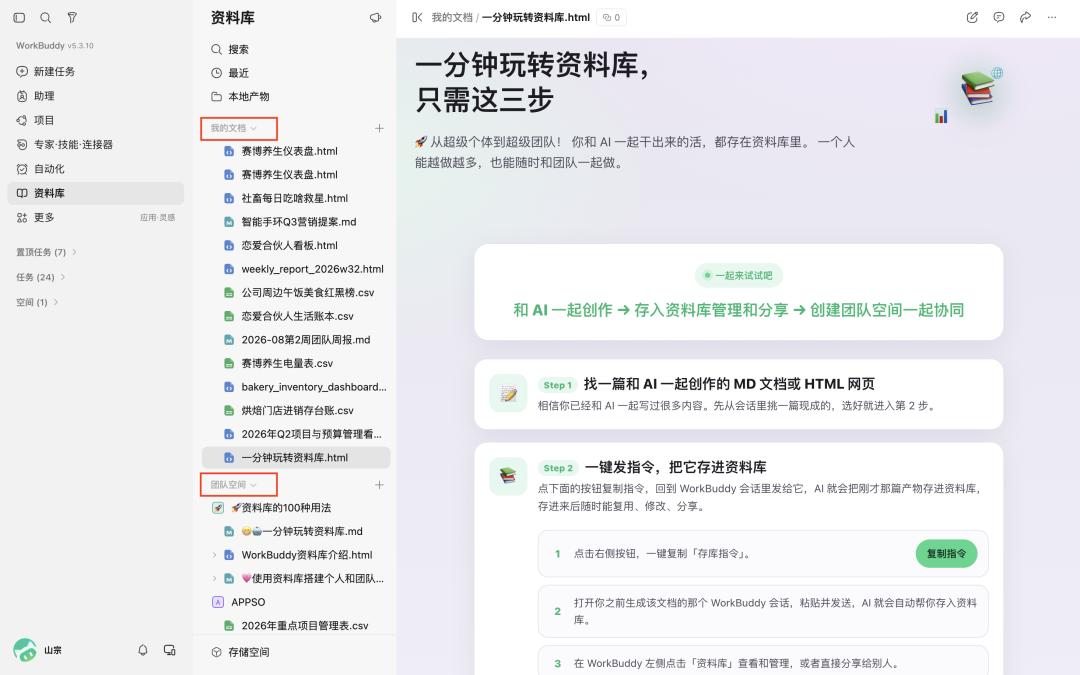
The actual usage can basically be summarized into three actions:
After the task is completed, save the final documents, Markdown files, HTML files or other files into the knowledge base; when you start working next time, directly specify the materials you need, and let the Agent read the original content to continue modification and analysis; when the content needs to be maintained jointly by the team, move the relevant content to the team space and set collaborator permissions.
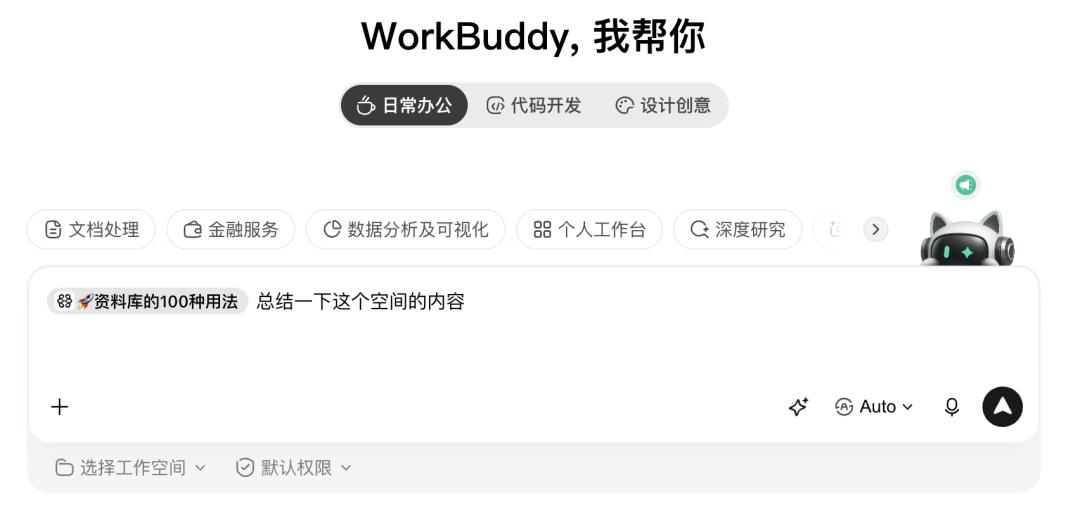
Thus, the end point of one AI task becomes the starting point of the next collaboration. The knowledge base stores not only the final files, but also the context that subsequent users and Agents can continue to work on.
To verify whether this set of capabilities can be applied to real office scenarios, I conducted a simple test.
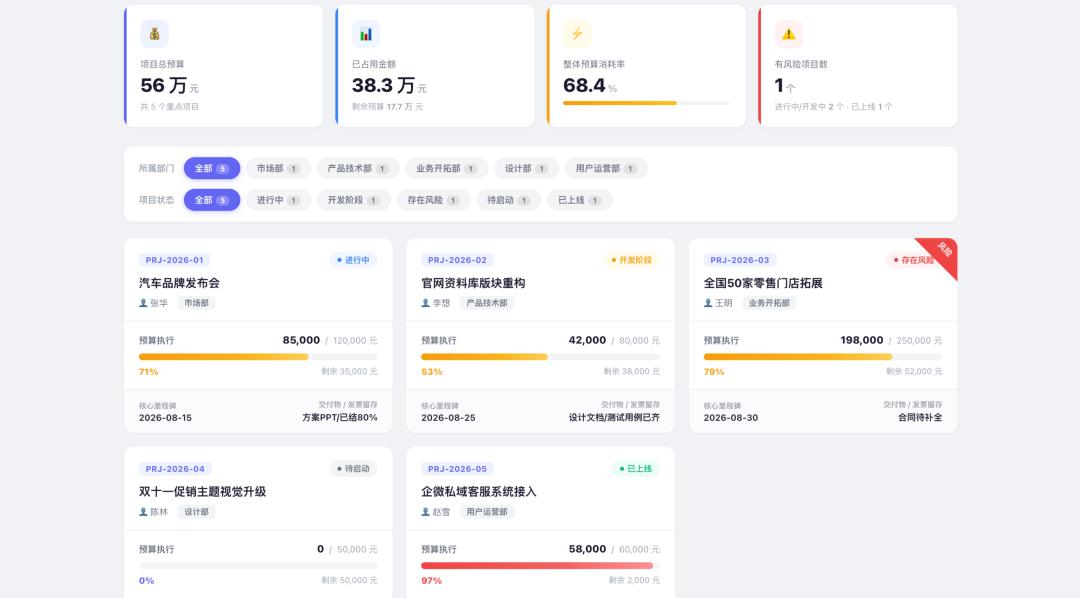
I directly input a set of basic project data, including five projects such as auto launch event, official website reconstruction, and store expansion, as well as the person in charge, department, status, budget, actual execution amount and milestone timeline.
WorkBuddy will first organize the data into a structured data table, where you can directly view and filter the progress, budget execution and distribution of responsible persons. The final generated HTML is nearly equivalent to a lightweight project management backend.
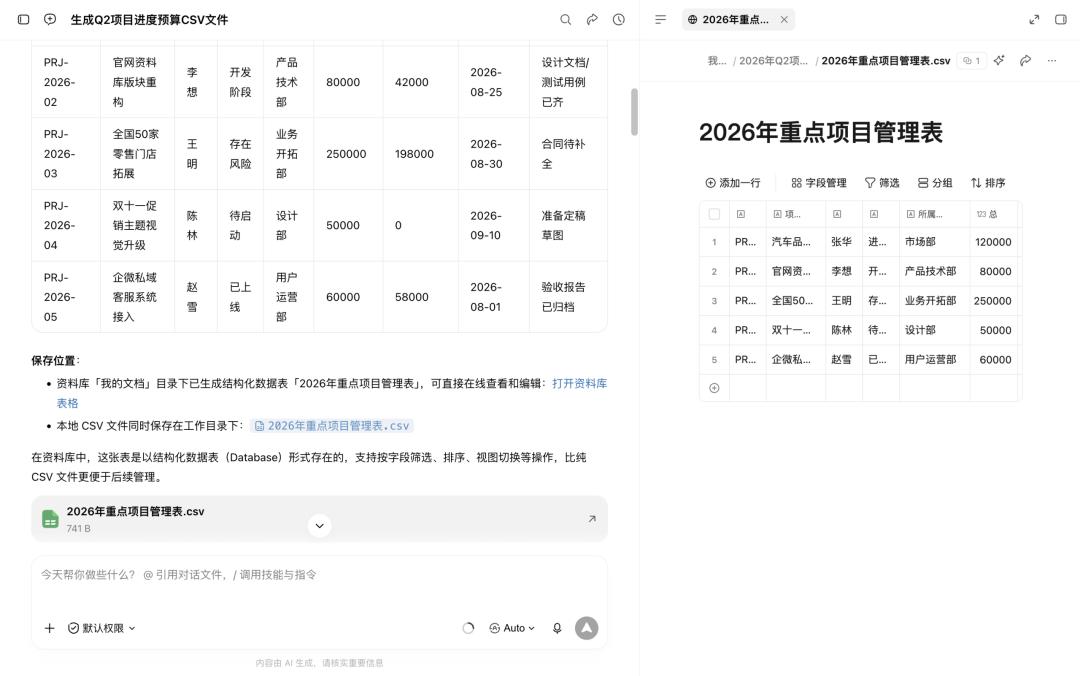
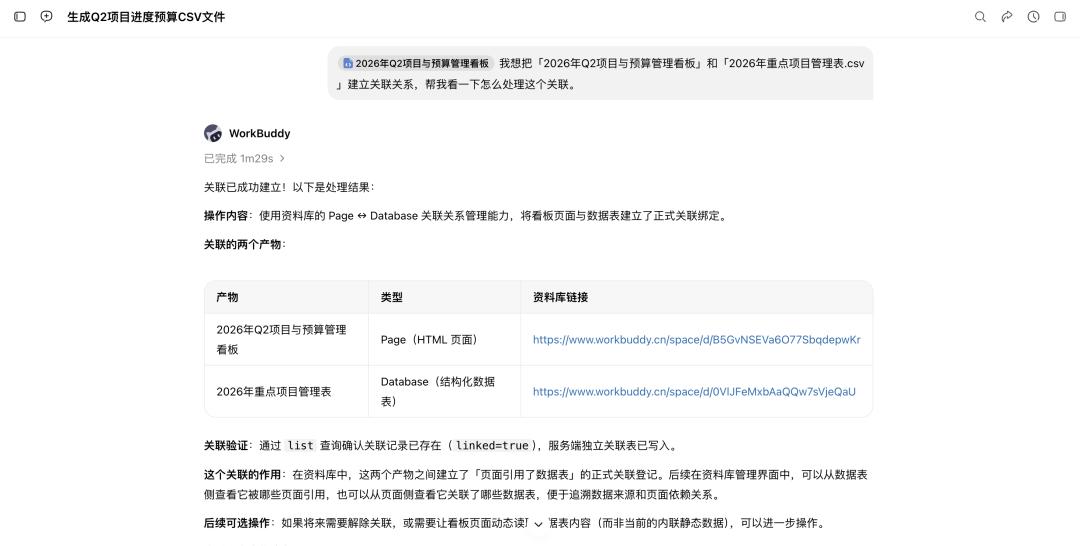
If you need to perform synchronous updates later, you can first associate the dashboard in the knowledge base with "2026 Q2 Project and Budget Management Dashboard" and "2026 Key Project Management Table.csv";
Then input the prompt "Change the static data of the dashboard to read dynamically from the associated data table".
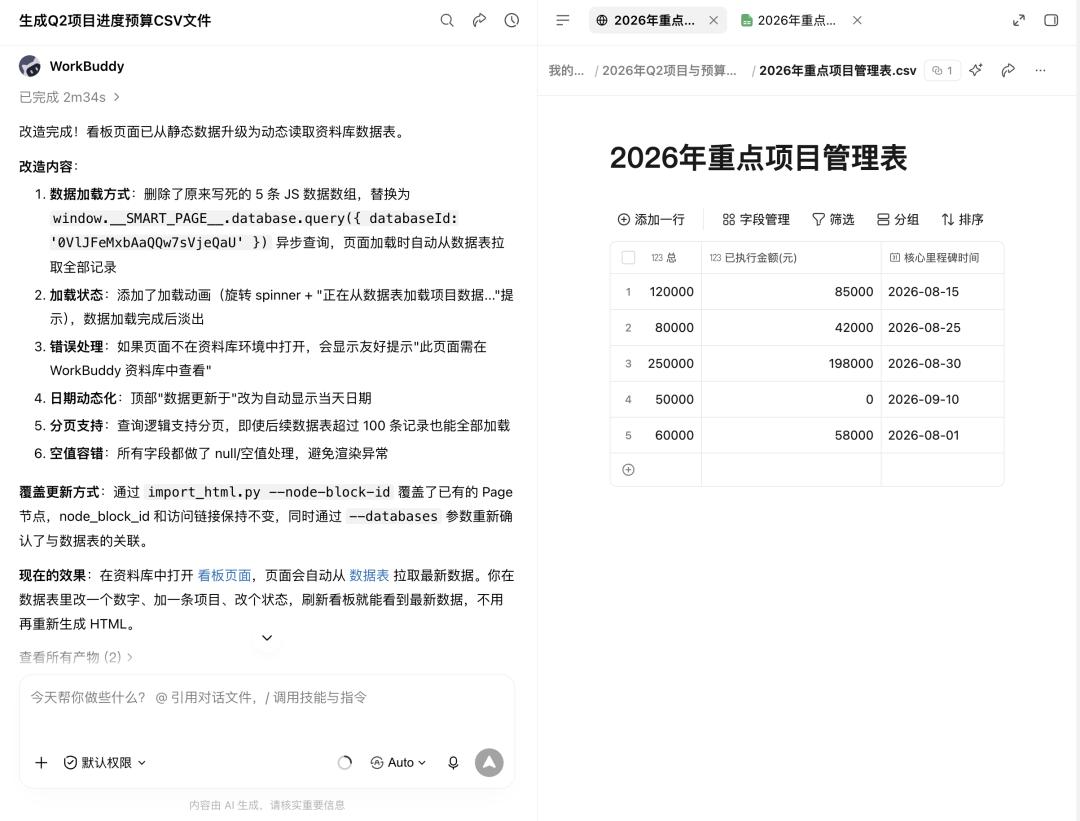
After completion, the dashboard will directly read the content of the data table. Later, you only need to modify the table and refresh the page to achieve synchronous updates, without regenerating the HTML, realizing a front-end and back-end separation structure where the data table drives the dashboard.
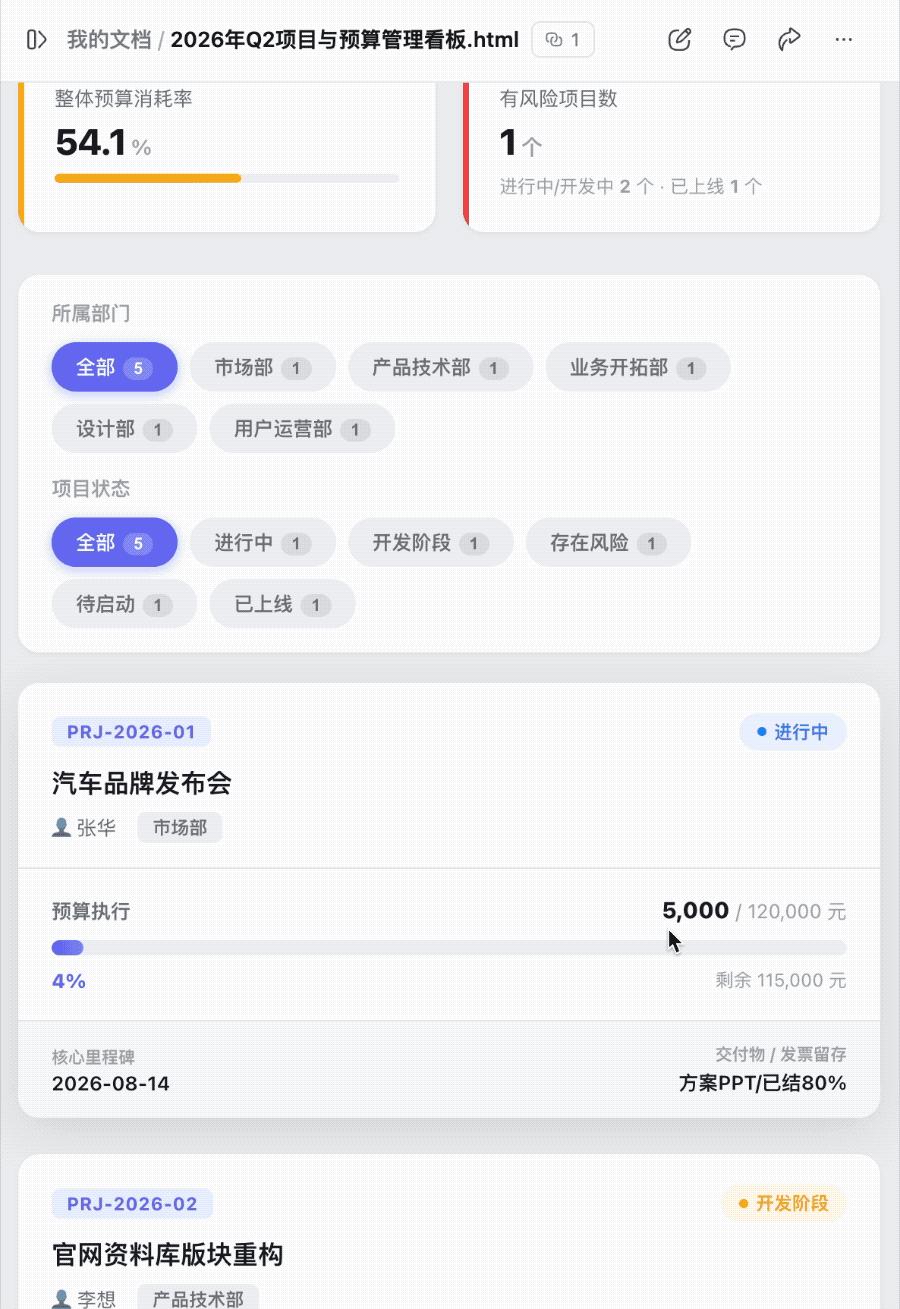
Of course, at the current stage, when AI generates HTML directly, it is still difficult to guarantee that the first draft will reach designer-level quality every time. But for office scenarios, the quality of the first generation is only one part of the whole workflow.
More importantly, we can make further modifications on the generated page. A page that can be modified by humans, processed by multiple Agents on different parts respectively, and edited continuously by colleagues, with all modifications made around the same file, will begin to have the office attributes similar to Word, Excel and PPT.
It is during the subsequent modification process that I began to feel that it is closer to a real office tool. By clicking the corresponding button in the upper right corner, I can select the risk module in the HTML, ask AI to lighten the background, and add the note that "a special project meeting needs to be held before this Friday to resolve the issue".
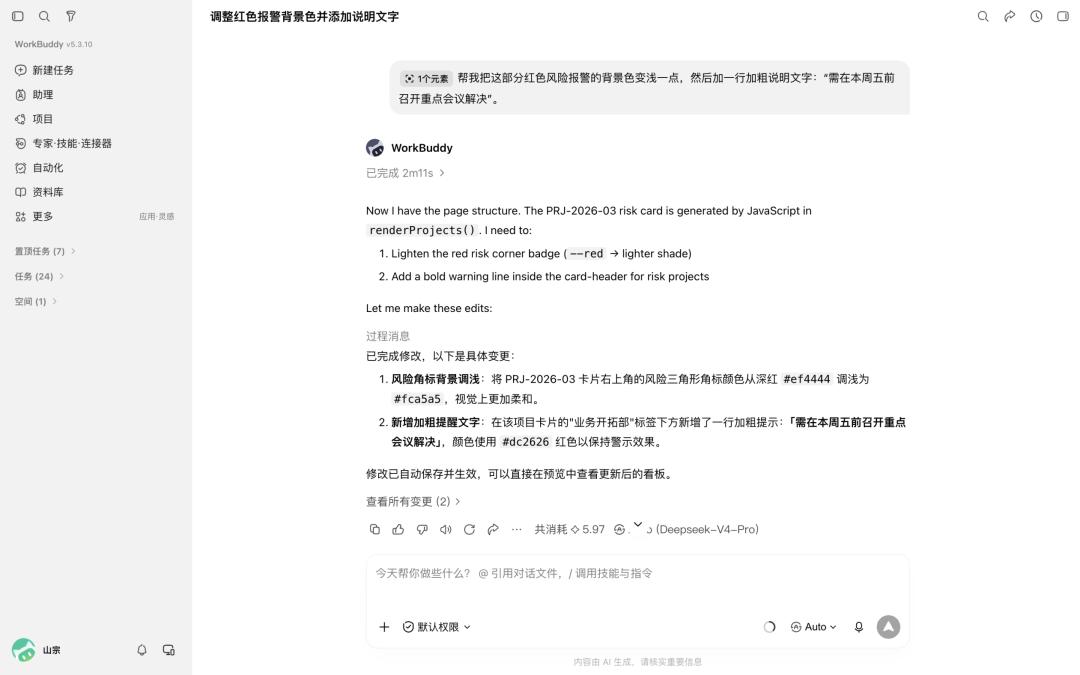
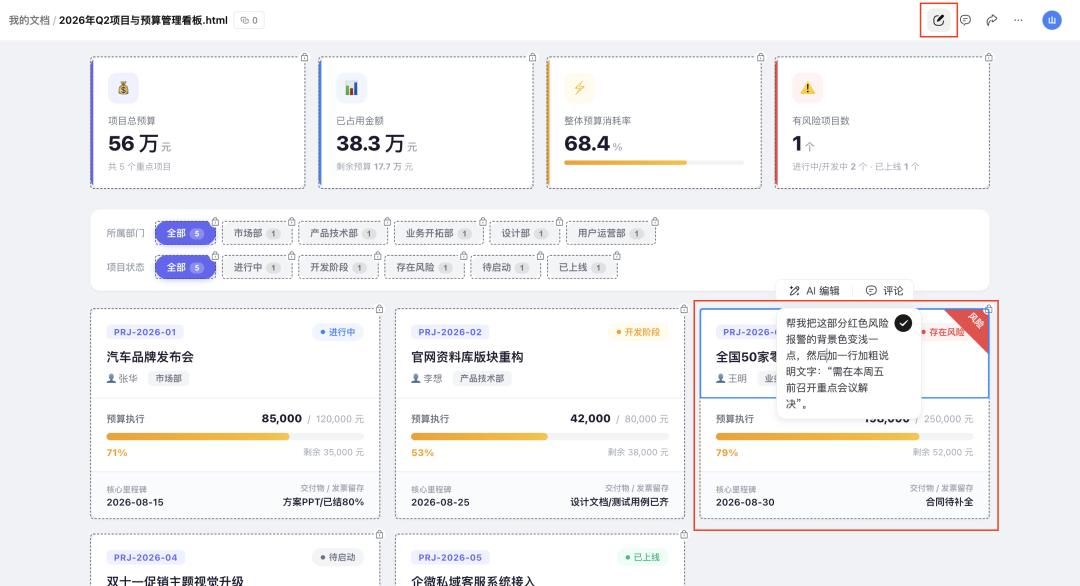
Modifications only apply to the selected area, while the rest of the structure remains unchanged. You can adjust it just like editing a document without accessing the source code.
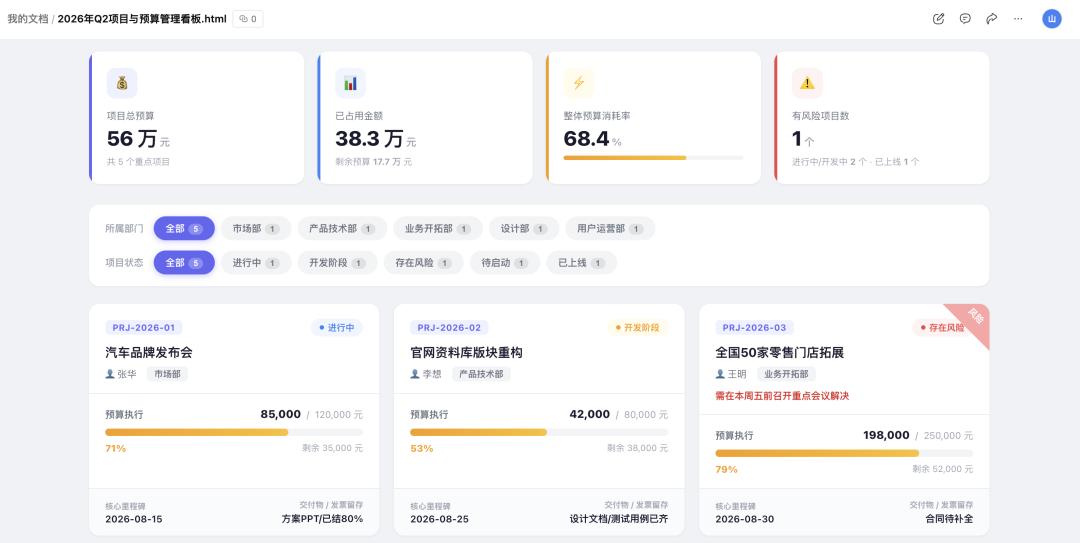
Modified result
For most non-programmer users, this is more important than being able to generate web pages. In the past, modifying web pages often meant regenerating content or accessing the code layer, but now you can directly interact with AI on local parts of the page, making editing as easy as modifying a document.
After the page is modified, there is still a problem that used to cause AI-generated HTML workflows to get stuck frequently: how to share the result with others. For programmers, there are subsequent solutions such as deployment, servers and domain names; but for people who just want to finish tomorrow's report, these processes are obviously far too complicated.
The WorkBuddy knowledge base also addresses this point, and now supports publishing local HTML directly as an online web page.
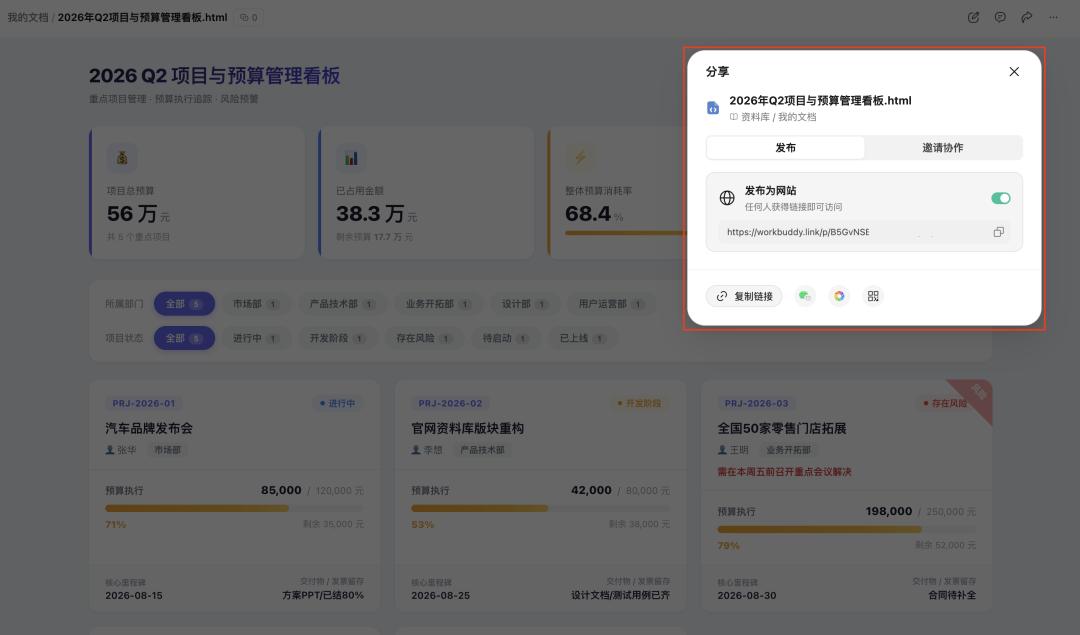
After the page is completed, you can generate a link by sharing. Colleagues and leaders can open it on their mobile phones, and clients can click to view it in WeChat, no additional file download is required. You can also directly select text on the web page to add comments, as easily as annotating an online document.
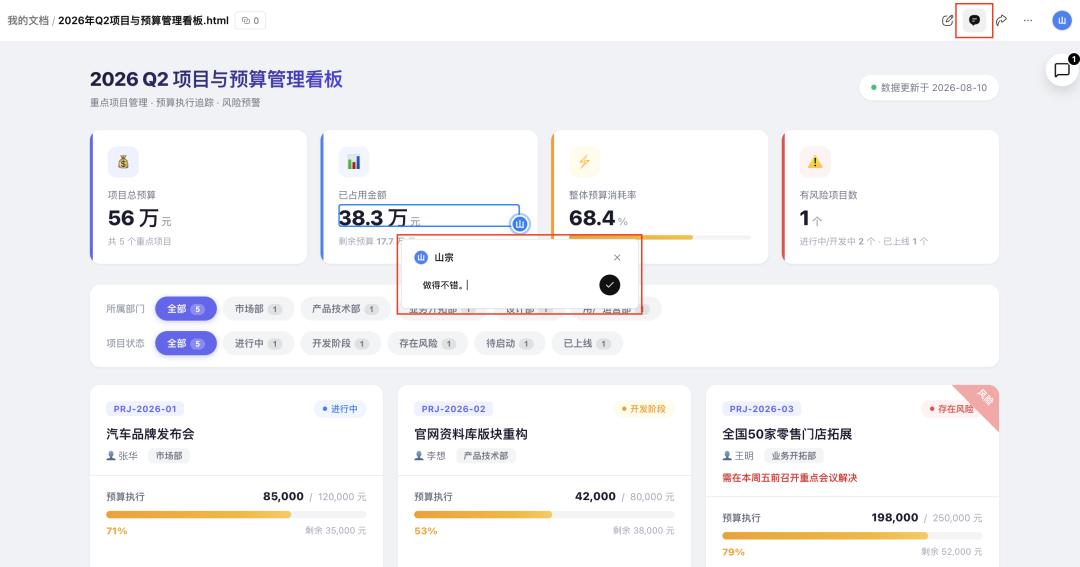
Based on this, HTML is entering a scenario that has long been dominated by the Office trio.
For example, for a new product marketing plan, you can make the three communication stages into a clickable timeline; for a business analysis report, managers can filter data by department; for a product plan, you can embed videos, animations and interactive demos; when temporary modifications are needed, you can also directly select the text on the web page and ask AI to make adjustments.
Furthermore, WorkBuddy has also added an AI-native review mode to intelligent Markdown.
When the team writes weekly reports, PRDs or plans, they can focus on processing content in Markdown first, and modifications from AI will appear as revision suggestions, which will be added to the main text only after users confirm them one by one; when the content is finalized, the document can be converted to HTML and presented to bosses or clients in a more display-friendly format.
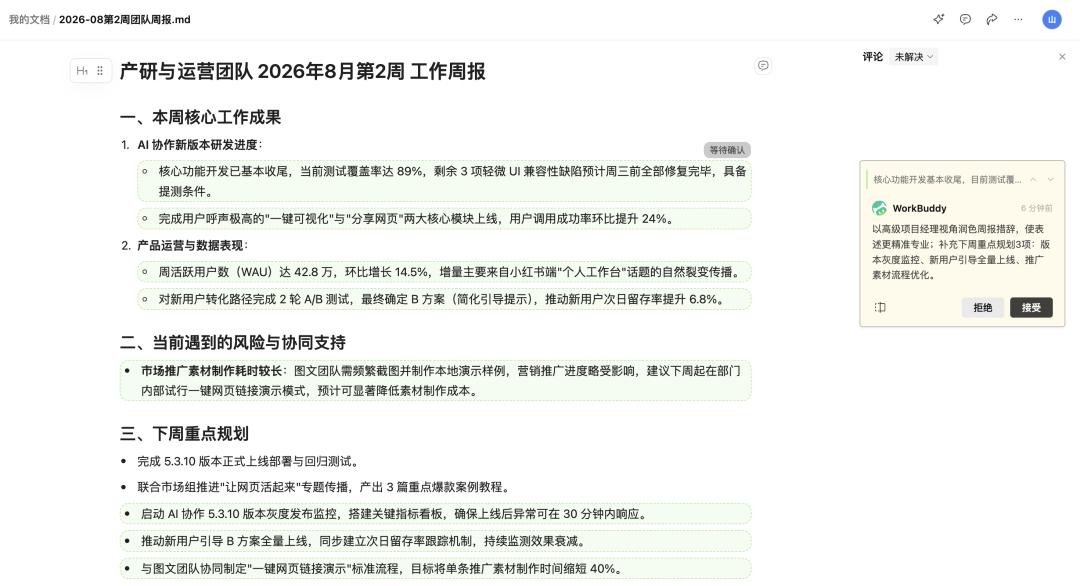
Thus, the two types of files form a natural division of labor. Markdown is used for lightweight collaborative writing and content maintenance, while HTML is more suitable for visual presentation and demonstration scenarios, and also supports collaborative editing.
In other words, HTML has evolved from an AI delivery output to a file that can support continuous work.
From a personal workstation to a human-AI collaborative space that records all workflows
If it only solves the editing and publishing of HTML, this feature of WorkBuddy is still more like a set of AI web tools.
The further progress of this knowledge base upgrade is that the "lightweight app" enables web pages to store and synchronize data, and the knowledge base allows these data and documents to continue to become materials for the next Agent workflow.
I tested this feature with inventory data from a bakery store.
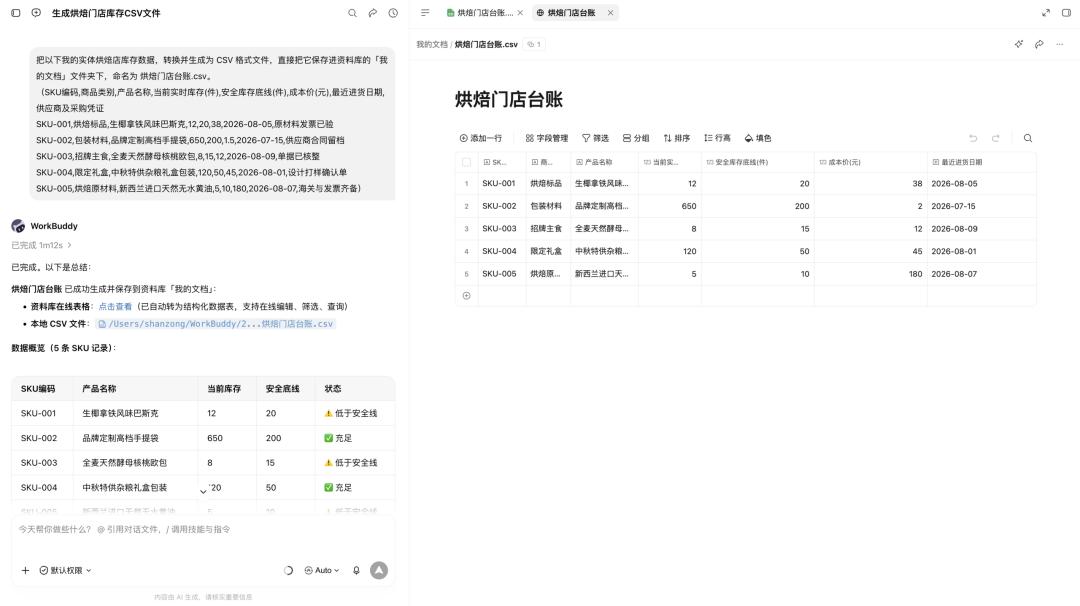
The CSV file contains product name, SKU, real-time inventory, safety stock, cost and purchase date, then let WorkBuddy generate an inventory dashboard, the page will directly highlight products with insufficient stock, and support filtering by category.
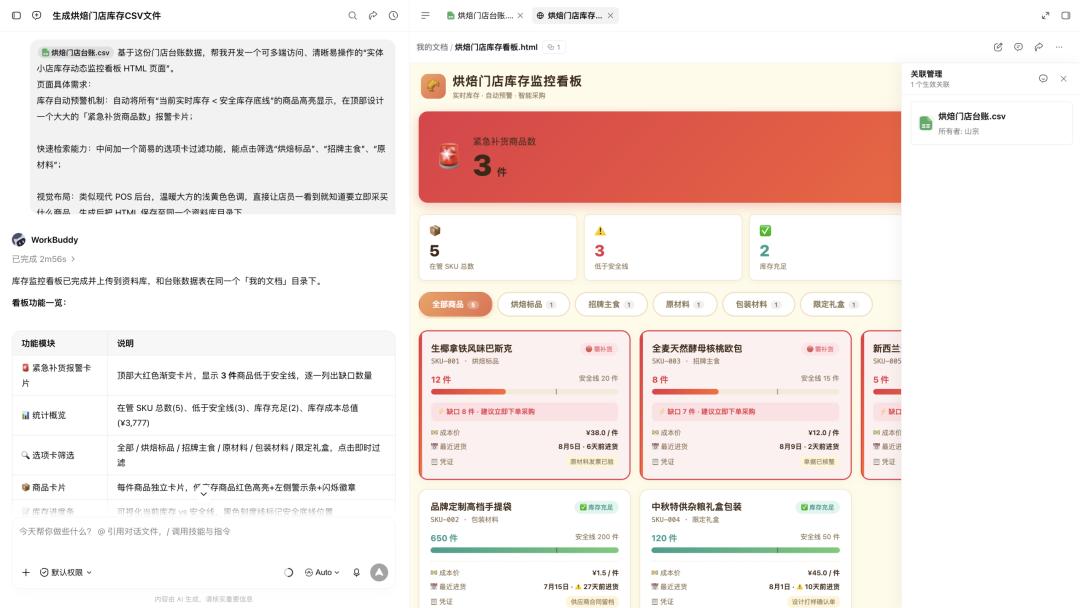
The underlying CSV continues to store data, so it is no longer just a one-off visualization report, but more like a small workstation that can be used continuously.
For another example, to verify its effect in personal scenarios, I wrote the daily status, energy consumption events and energy recovery items into a CSV file, and then asked WorkBuddy to create a "Life Battery Workstation".