Break free from the "storage trap": AI note-taking finds new applications
As information floods into the workflow at a faster pace, the problems faced by note - taking tools have also changed: it's no longer just about how to record, but how to make the records readily available at any time.
After a series of intensive meetings, people store all the recordings and whiteboard photos in their notes; when they come across valuable industry content, they casually collect and archive it. However, after some time, when they try to find the previously recorded meeting conclusions and key materials, most of the content has been forgotten deep in the note list... This is a common problem for countless office workers, especially those in knowledge - intensive jobs.
For a long time, the core function of note - taking tools has remained at information storage. The industry competes in terms of interface, editing functions, and storage space, but it assumes that users have enough time and energy to complete subsequent tasks such as classification, organization, and content association.
However, the current speed of information generation has far exceeded the efficiency of manual organization. A large number of notes are left unused and forgotten, and the tools eventually become "digital trash cans" that only take in but don't give out.
In response to this pain point, Kingsoft Office has launched the AI - native product WPS Notes. It takes note - taking tools from "saving" to "using". It transfers the cumbersome tasks of organization, association, and reuse to AI, and also brings new development ideas to the current note - taking market.
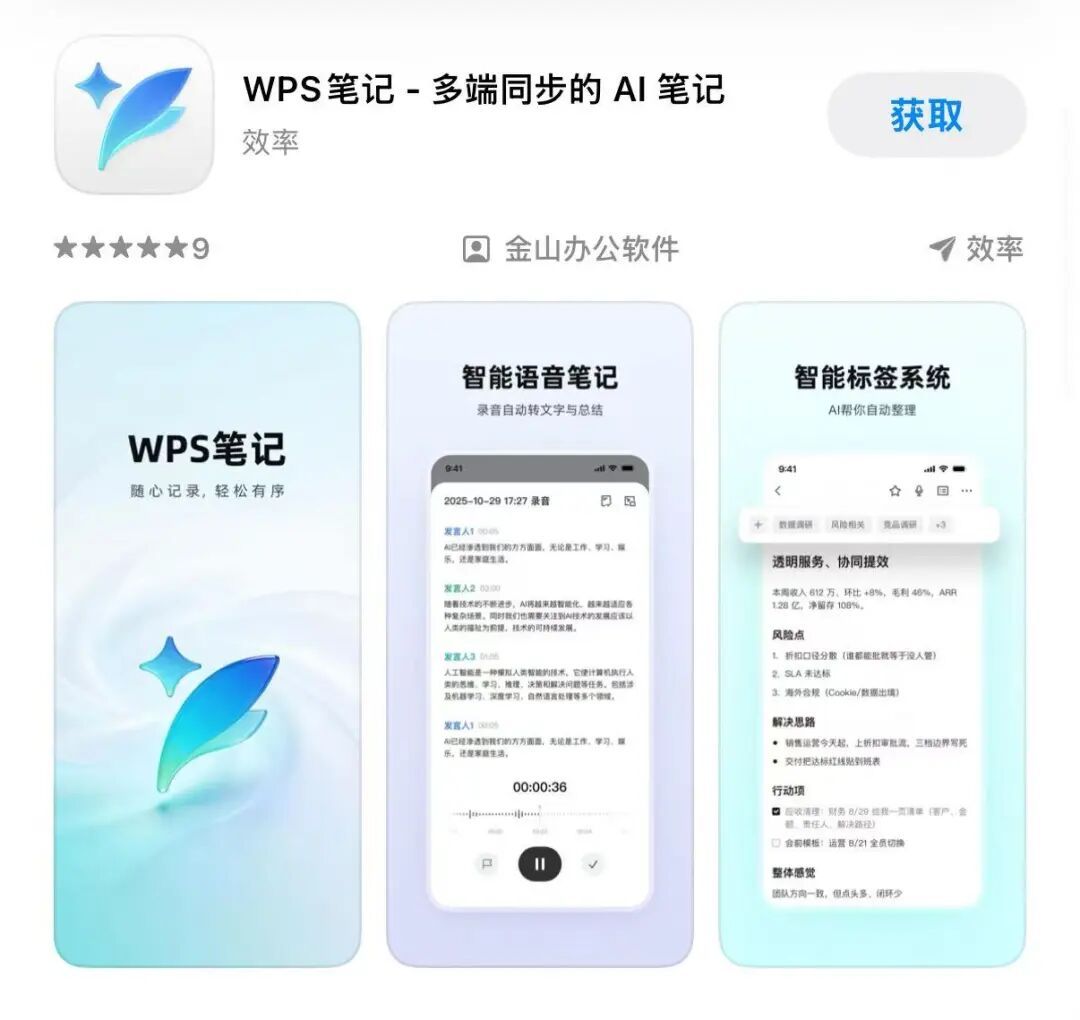
WPS Notes has been officially launched on the official website and app stores.
AI takes over complex tasks, and users just "throw in" the content
The core obstacle for many people in using note - taking tools well comes from the early - stage construction of the knowledge system.
When using traditional notes, users usually have to plan classification rules first, create folders layer by layer, and then classify different contents one by one. For example, a project meeting record is related to the current project and clearly lists subsequent to - do tasks. Which folder should it be put in?
If it is classified by project, the to - do items are easily buried; if it is put into the task folder, the complete meeting context cannot be found. Once there is a need to adjust later, a large amount of content has to be manually moved. As the number of notes accumulates, the burden of organization becomes heavier and heavier.
To solve this common pain point, WPS Notes has abandoned the traditional folder model and adopted an AI multi - level automatic tagging system. Users only need to casually throw in meeting content, project materials, or inspiration. The system will independently understand the information behind these contents and automatically add tags according to the theme, involved personnel, application scenarios, etc.
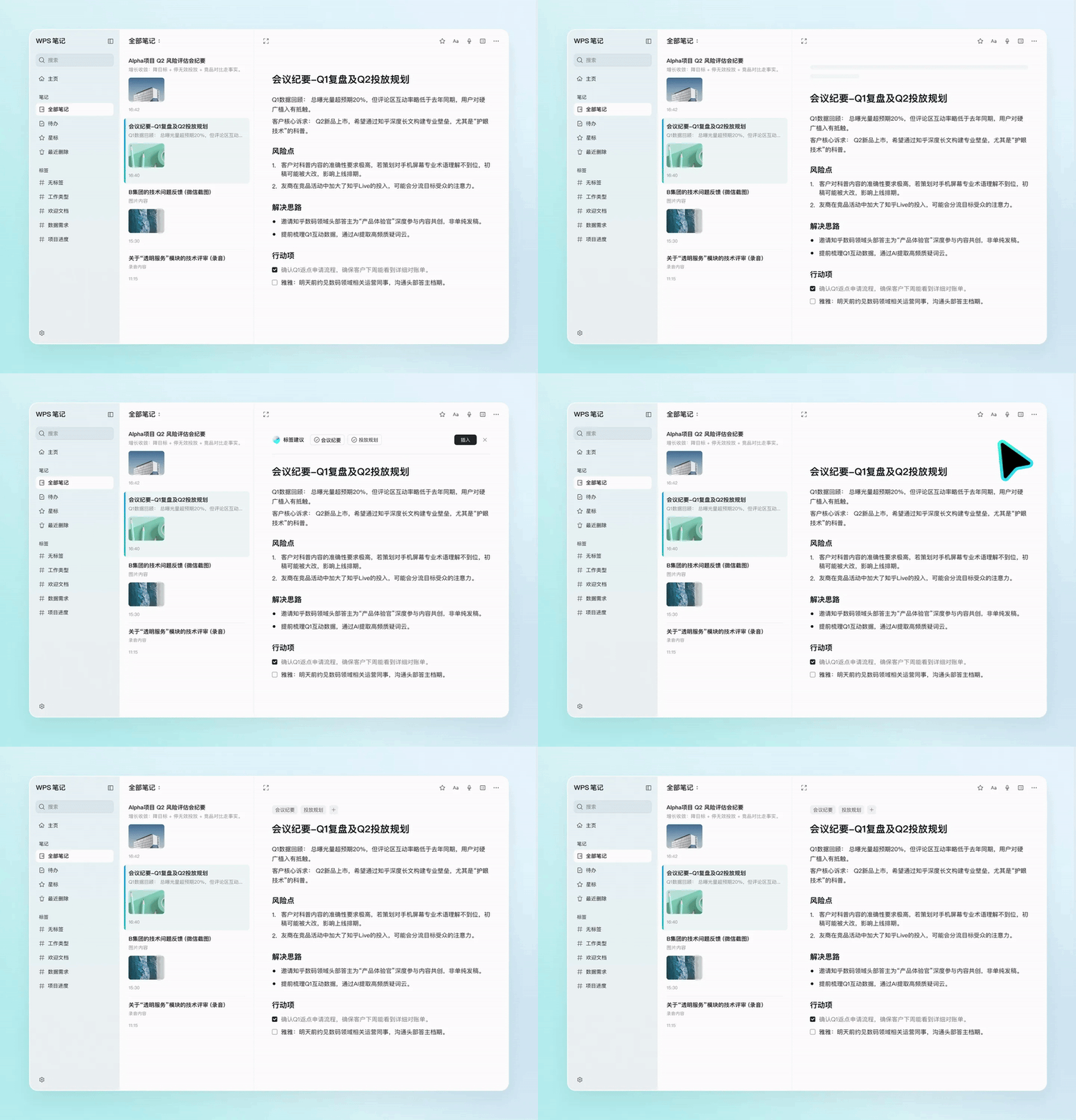
WPS Notes AI automatic tagging
For example, the same meeting record can be tagged with multiple identifiers such as project, to - do, and participants at the same time. Users don't need to plan the whole set of classification rules in advance, nor do they need to move files repeatedly later. The tasks that originally required users to make repeated judgments and archiving are now handled by AI.
Building the overall architecture around AI capabilities, rather than adding an "AI add - on" to the note - taking tool, is also the core feature that distinguishes WPS Notes from the existing note - taking tools in the market.
This is especially obvious in the meeting scenario. In work meetings, it is very troublesome to organize long - time recordings and multi - person conversations. Manual transcription is not only time - consuming but also prone to confusing the speaking content. Identification errors often occur with professional terms and rare words.
WPS Notes supports real - time transcription of recordings and can automatically distinguish different speakers. During the transcription process, relying on the "AI correction while listening" ability, the system will intelligently correct easily mis - identified professional terms, names, project names, etc. based on the context. Different from most products where the transcribed content cannot be modified during the recording stage, this function also supports manual real - time error correction. After the recording ends, the system can also automatically extract the key points of the content and organize the to - do items, reducing the cumbersome manual organization.
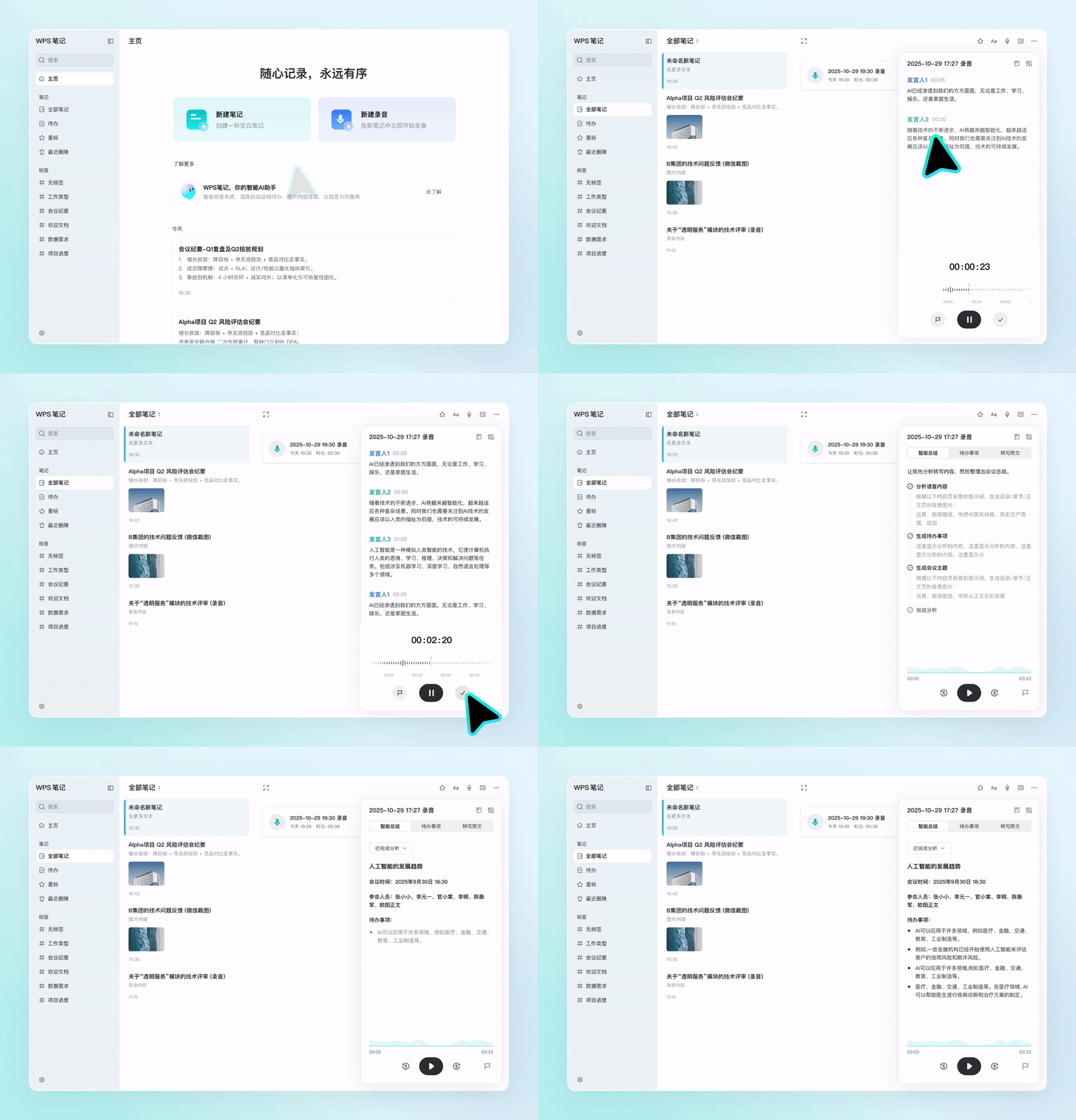
WPS Notes real - time recording transcription demonstration
In daily work, whiteboard photos, PPT screenshots, and various reports are also common forms of information. Most traditional tools can only extract pure text from pictures and have difficulty handling complex contents such as charts and formulas. WPS Notes can parse tables and formulas in pictures, convert static images into editable and searchable content, and make picture - based records truly reusable.
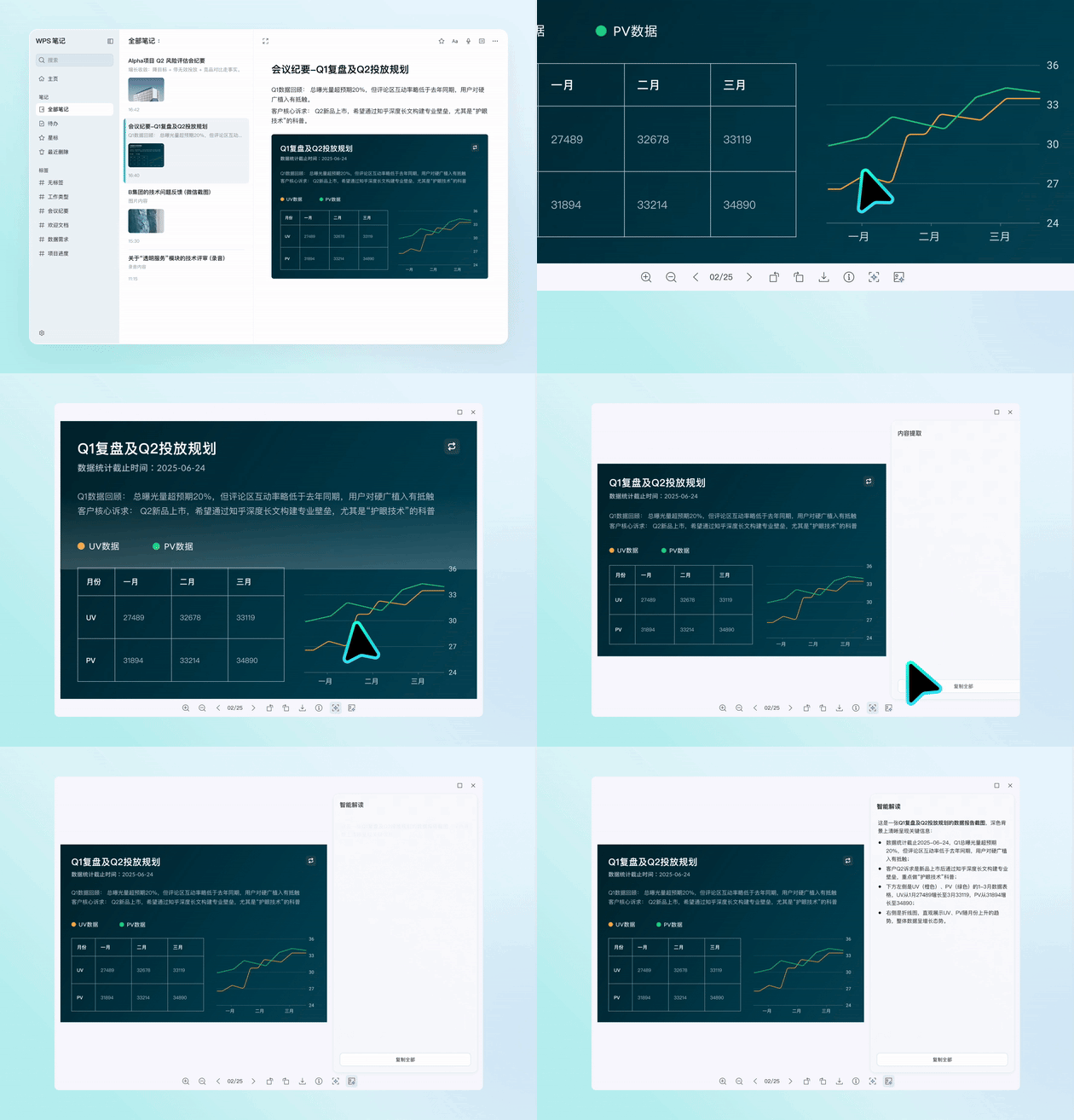
WPS Notes can deeply parse complex content in pictures
In short, to use WPS Notes well, users don't need to be excellent information administrators first.
Break the situation of "never being able to find the note you need"
The second major problem with note - taking tools is retrieval.
When most users recall past records, they often can't remember the complete title, precise keywords, or storage path. They can only search everywhere based on vague impressions: a certain meeting talked about the budget, a certain whiteboard drew a flowchart, a certain piece of content mentioned an idea...
However, traditional search relies on keyword matching, which doesn't match human memory habits. When it comes to the actual time of use, the situation of "saving but not being able to search" often occurs.
To solve the problem of "not being able to find", the search function of WPS Notes is no longer limited to text. It has built an all - domain multi - modal retrieval and content association ability, and the pictures and recording contents in the notes can all be retrieved. Users don't need to deliberately recall precise words. They can match relevant content in all notes by describing their needs in daily spoken language.
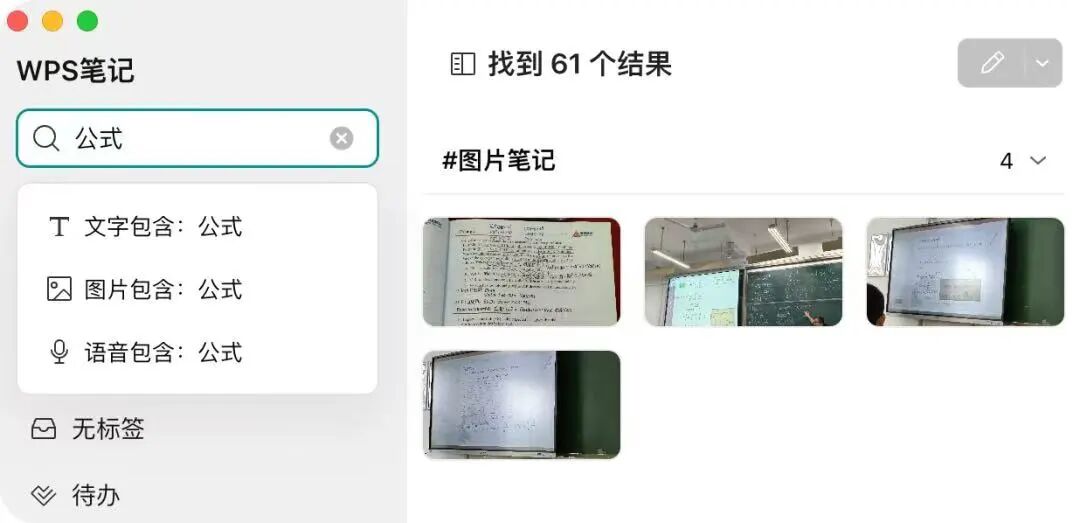
WPS Notes all - domain multi - modal retrieval demonstration
In addition, as the number of notes increases, the connections between old and new contents are easily ignored. In fact, many repeated thoughts when using notes essentially come from the lack of connection between fragmented information.
Relying on the built - in WPS native Office intelligent agent "WPS Lingxi", WPS Notes can actively discover the associations between different notes and push relevant historical records when viewing a single piece of content. At the same time, AI will regularly organize the note library, merge duplicate content, and optimize tags to prevent the knowledge base from becoming chaotic as its volume increases.
With the support of this set of capabilities, the stored content is no longer isolated fragments. Past thoughts, collected materials, and recorded experiences can all be quickly retrieved when needed, reducing repeated thinking and ineffective searching.
Integrating with AI - enabled office: from "knowledge storage" to "productivity output"
If the first two steps solve the problems of "recording" and "finding back", then the greater imagination space for AI notes is "using them directly when retrieved".
As AI Agents are increasingly integrated into the office scenario, the value of note - taking tools no longer only depends on their own functions, but also on whether they can become a data source that other tools can call. In other words, if the note content only lies within a single software and cannot be called by other office tools, the accumulated information will be difficult to integrate into the actual work process.
This is also the core reason why WPS Notes has opened up the MCP two - way read - write and CLI command - line tools.
Currently, most note - taking software in the market only opens read permissions, and external tools can only view the note content but cannot send back new information. The two - way read - write design allows WPS Notes to form a closed - loop with various AI tools: external AI can call the note content as a reference, and the newly generated content can also be directly saved to the notes, eliminating the need for repeated transfer and import operations. With the CLI command - line, users with personalized usage requirements can also build their own work processes.
In real - world office scenarios, this linkage can effectively reduce repetitive work. Office workers can use external tools to automatically generate weekly reports and meeting minutes by integrating a week's worth of meeting records and to - do items; content creators can call on long - term accumulated ideas, materials, and writing style references to directly assist in copywriting creation and optimization.
At this time, the notes are no longer an independent database, but an information source that runs through multiple tasks.
According to Chen Yonghao, the R & D leader of WPS Notes, in the future, WPS Notes will gradually connect multiple products within the WPS office ecosystem, allowing the plans, inspirations, and materials in the notes to smoothly flow into tools such as cloud documents, knowledge bases, and presentation slides, further integrating the complete office process.
Overall, WPS Notes does not simply add AI functions to traditional notes. Instead, it re - organizes the operating logic of note - taking tools. In the past, users had to actively adapt to the tools and spend energy organizing information; now, AI actively cooperates with users to organize and manage all the recorded content.
As Chen Yonghao said in a recent communication: "Our ideal scenario is that when you open the notes and want to create or do something, AI will already remind you whether to do it. We hope to integrate all functions into AI so that it can actively help you solve problems and reduce users' choices and thinking. You just need to save, and leave the rest to us."