iPhone finally adds support for Siri AI features, but the Chinese mainland version misses the initial launch, with the alarm clock function standing out as the biggest surprise
As the last Apple press conference hosted by Cook, WWDC26 itself has a sense of "winding up."
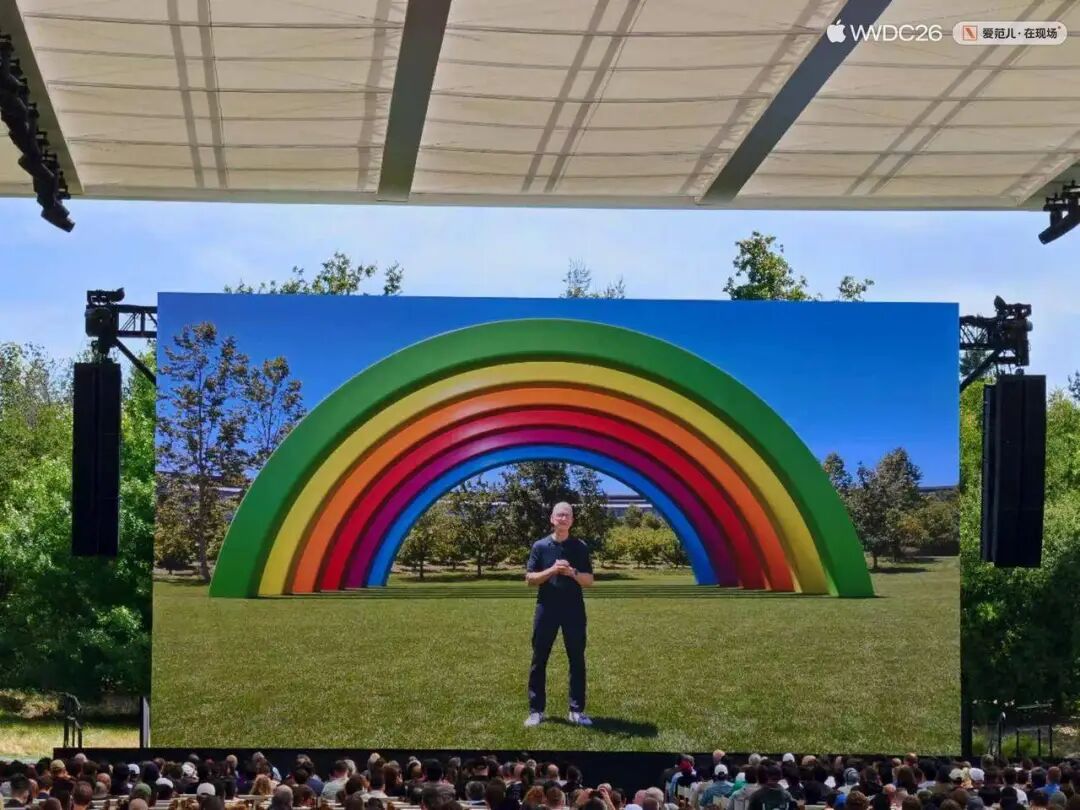
From the "AI" that stole the show at WWDC24, the "UI" that took center stage at WWDC25, to this year's focus on both "AI + UI," Apple has slowed down. It is mainly deepening and stabilizing the new directions determined in the past two years.
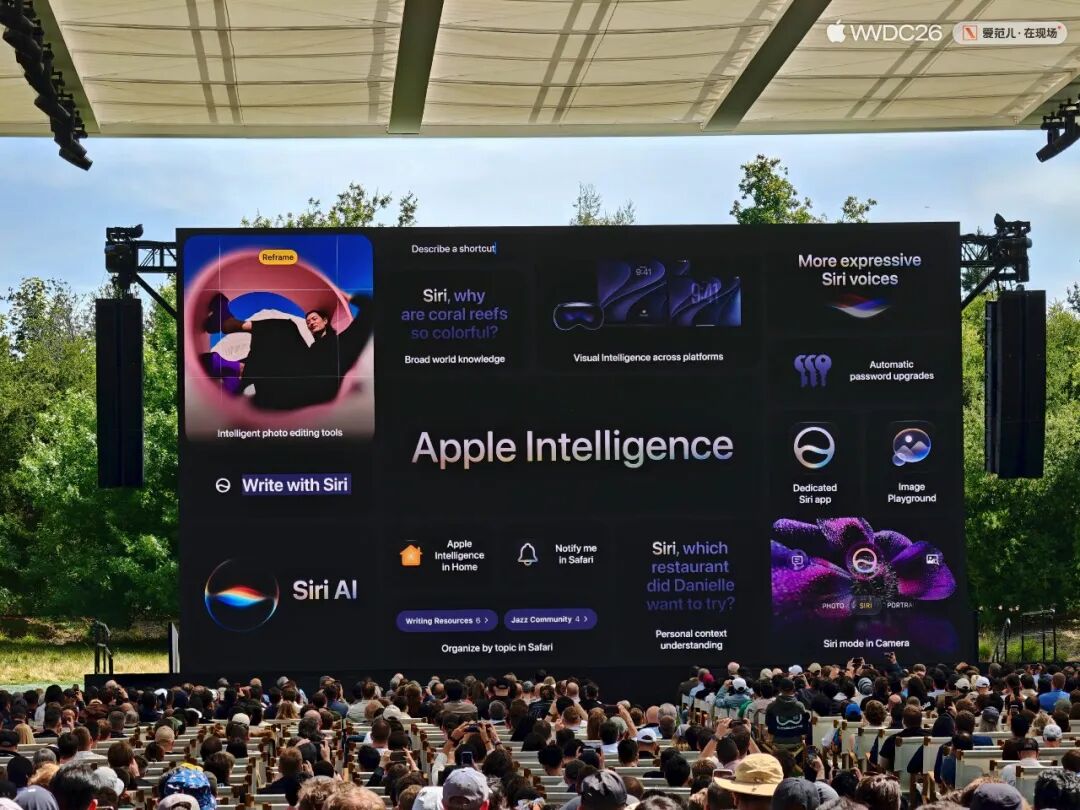
Especially when it comes to AI, in the more than 70 - minute press conference, nearly 40 minutes were dedicated to the new progress of Apple Intelligence. There are not only a large number of new functions, but Apple also presented its new proposition:
Truly beneficial AI should be centered around the user.
iOS 27 Focuses on Stability
There is a significant change at this year's WWDC: Instead of dividing the press conference into separate sections for iOS, iPadOS, or macOS according to different device platforms, new cross - system features are directly released.
This also indicates an adjustment in the general direction: Future system updates from Apple will shift from being centered around "devices" to "features." In the future, updates will be more closely related to the capabilities of large AI models.
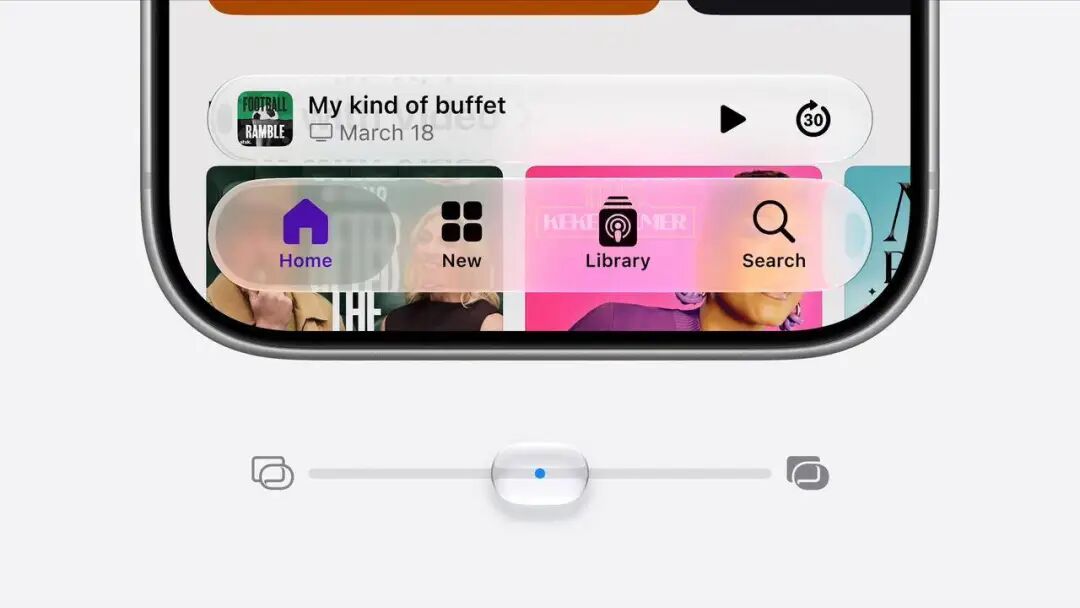
The "Liquid Glass" design language introduced last year, although exciting, brought problems with performance and readability. Therefore, one of the primary tasks of iOS 27 is to optimize and improve the basic quality of the system.
On iOS 27, iPadOS 27, and macOS 27, users can directly customize the transparency of the "Liquid Glass" through a slider and can even restore it to a low - transparency "Frosted Glass" similar to previous versions.
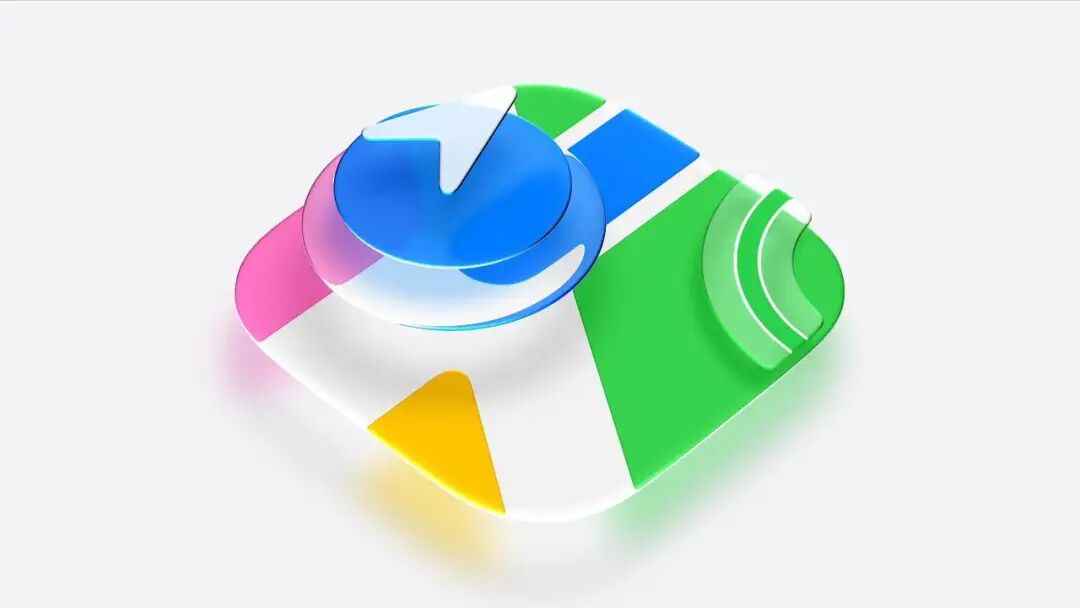
Apple has also further refined the icons. Through the "Liquid Glass" overlay and light refraction effects, more details are added to the already crystal - clear icons.
The system interface has been further refined, and the underlying system experience has not been neglected. At this WWDC, Apple also talked a lot about optimization.
The most intuitive manifestation is that whether it's a simple swipe on an iPhone or iPad, or a four - finger swipe up on a Mac to open the Dock, these simple operations will have smoother responses and animations. It is believed that the frame - dropping bug in iOS 26 will finally be resolved.
Apple said that the opening speed of iPhone and iPad apps will be increased by 30%. This is not limited to Apple's first - party apps. Thanks to the optimization of the system's underlying layer, the response speed of third - party apps will also be significantly improved.
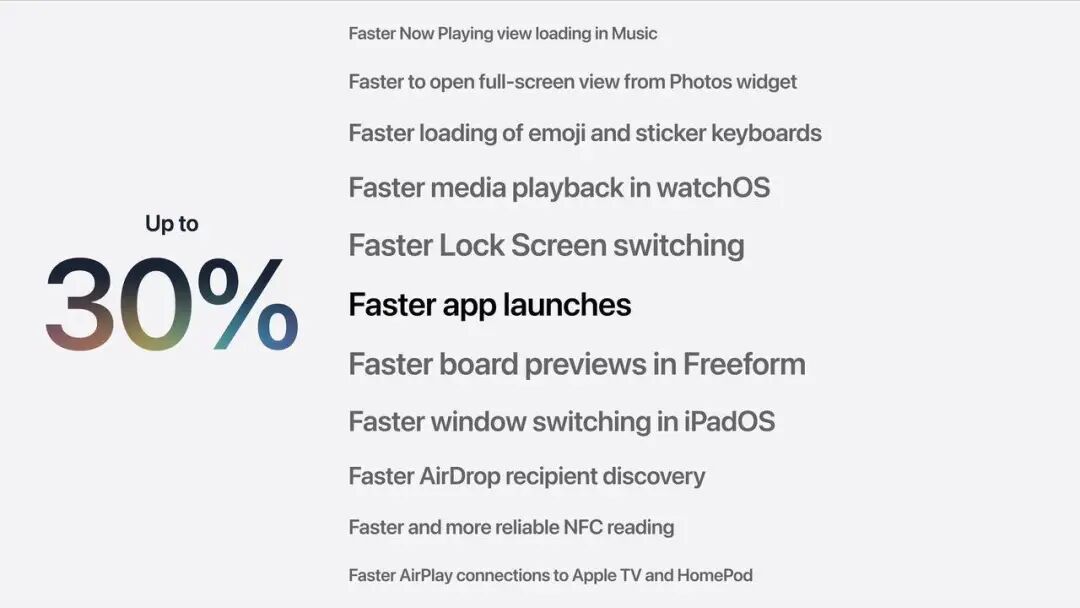
The speed of many other system operations will also be faster. For example, after taking a new photo, the speed of accessing the photo album for browsing has increased by 70%; the transmission speed of AirDrop has increased by up to 80%, etc.
Apple also announced that all iPhones that support iOS 26 can be upgraded to iOS 27, including the iPhone 11 and the second - generation iPhone SE.
Another cross - system update is the "Search" function. Apple has reconstructed the search capabilities in Spotlight Search, Photos, and Mail apps. After installing the new system, the background will "index" all the information stored on the device, knowing what is on the device and where the content is. Therefore, the search will be more personalized and intelligent.
In recent years, the walls of the Apple ecosystem have begun to loosen. iOS 27 further opens up the iCloud Shared Albums, allowing Android and Windows devices to upload and share photos.
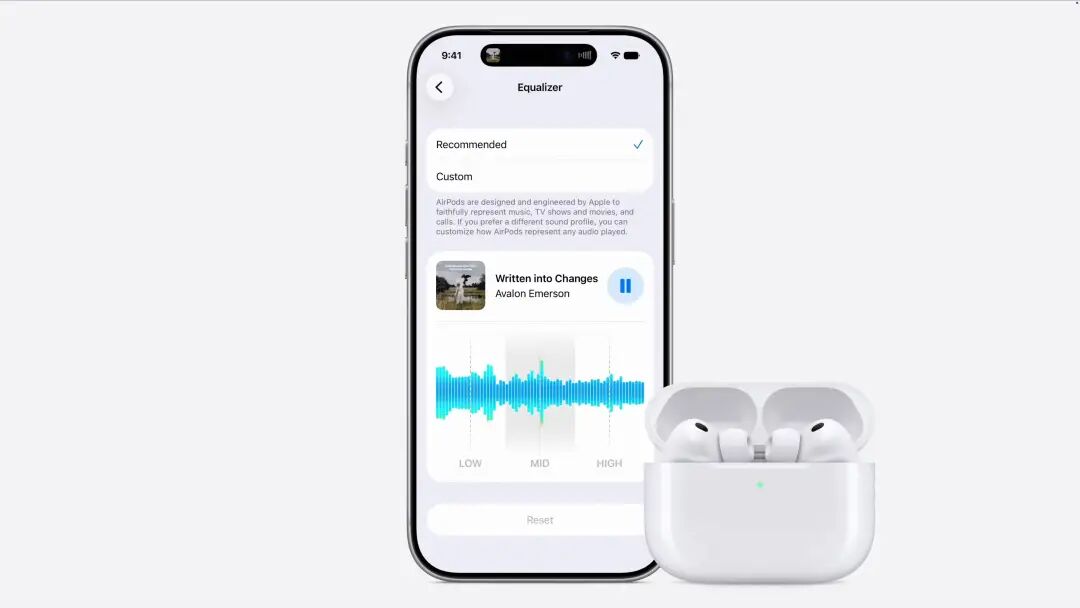
There is also a small but well - received update: After upgrading to iOS 27, AirPods have a new custom equalizer, allowing users to customize the audio effects of the headphones.
Another focus of this WWDC is "child safety." Centered around the "child account," the system will immediately activate protection measures appropriate to the child's age, blocking access to some websites and media. Parents can further control their children's use of the App Store and contact methods.
After trying out the iOS 27 Beta version, ifanr found that there are many more useful updates that were not mentioned at the WWDC.
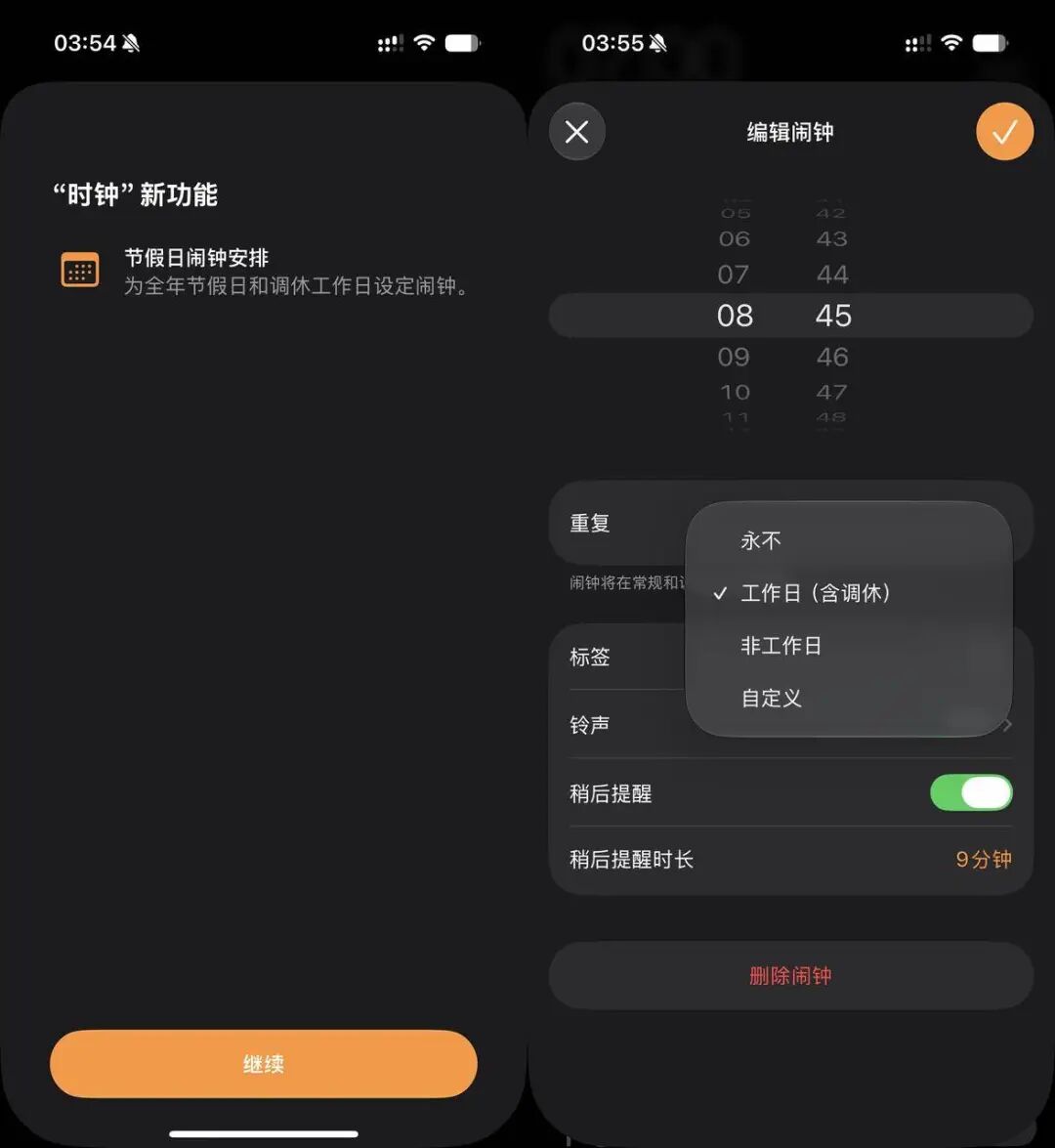
For example, an "epic" feature: The built - in Clock app finally supports holiday alarms, and "make - up workdays" will also trigger the alarm as if they were regular workdays.
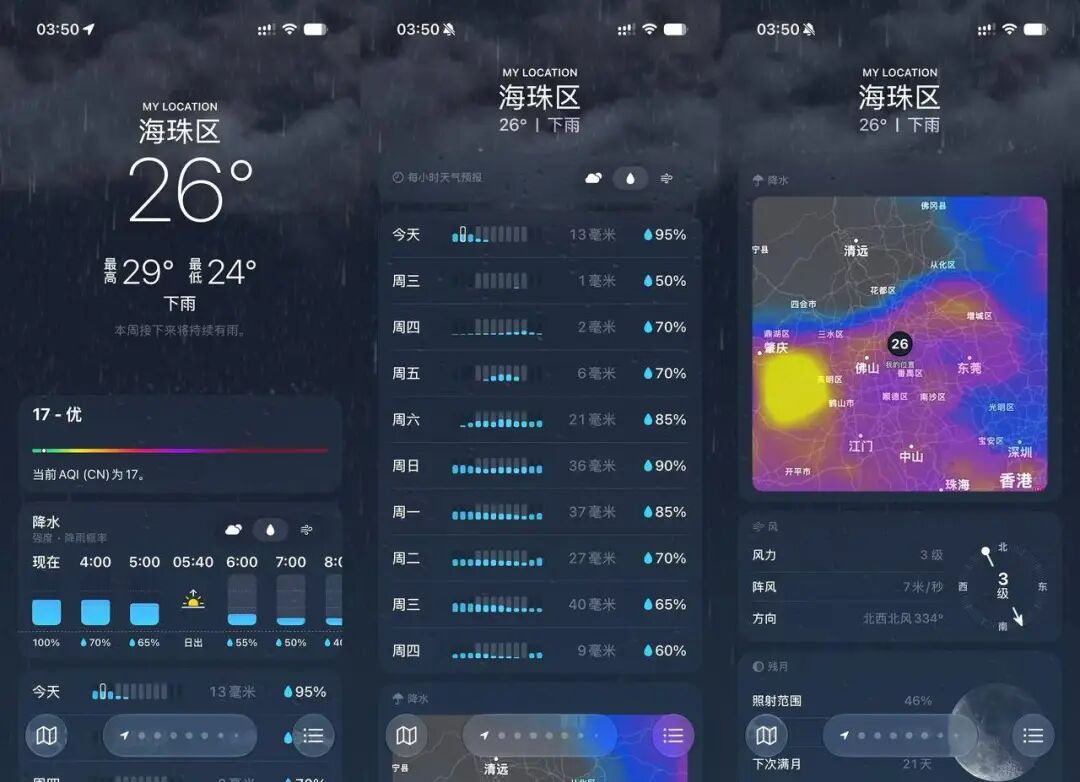
The Weather app has also been redesigned, with various indicators presented in a clearer bar - chart format.
Actually, many of these updates may seem small individually, but together they show the priorities of iOS 27: reducing operational friction, fixing old issues, and making room for AI entry.
The real star of tonight is the revitalized Apple Intelligence.
Apple's Delayed AI Counterattack Starts with Siri
If iOS 27 is about patching up the system, Apple Intelligence is Apple's attempt to regain the system entry point in the AI era.
In the past two years, Apple's passivity in AI is understandable. Overseas giants like ChatGPT, Claude, and Gemini have raised users' expectations for AI assistants significantly. Users are no longer satisfied with simple voice - based Q&A but have become accustomed to multi - round conversations, file analysis, image understanding, and even more complex task execution.
Therefore, the focus of this WWDC undoubtedly falls on Apple Intelligence. Intriguingly, Apple executive Craig Federighi said that some companies seem to be promoting AI for the sake of AI itself, without paying enough attention to the people that AI is ultimately supposed to serve.
(So, who is he referring to?)
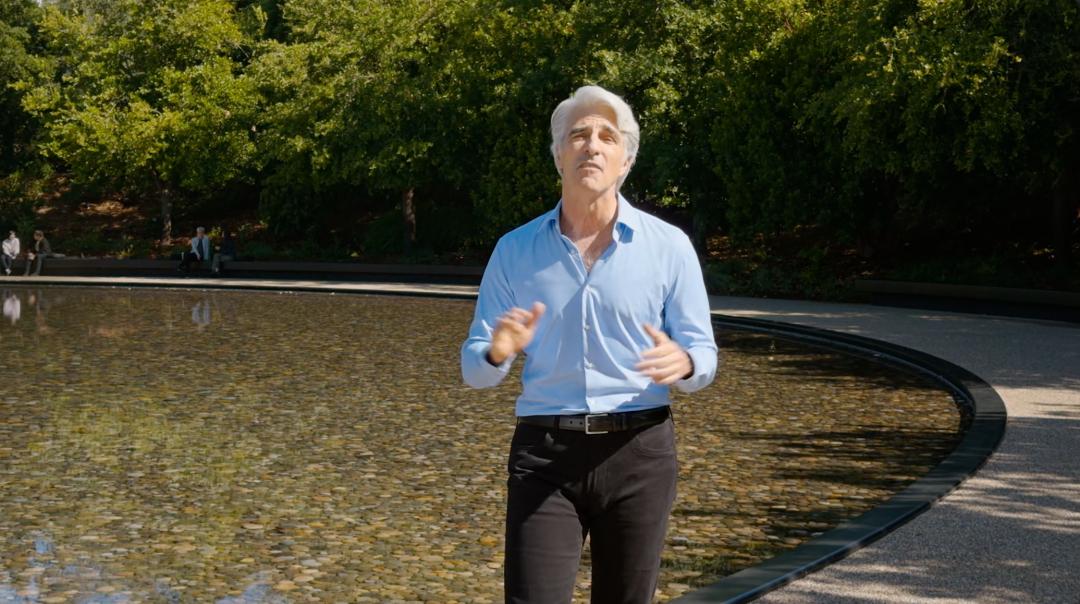
Apple's answer to AI is to "center around the user." Apple Intelligence needs to be deeply integrated into daily products, understand personal context, commonly used apps, and screen content, while protecting privacy from the very beginning of the design.
To support this system, Apple has deepened its cooperation with Google this year.
The two sides are using the technology behind the Gemini series of models to jointly create the next - generation Apple Foundation Models. These models will be used in Apple's built - in Apple Intelligence experience and are adapted to two types of operating environments: one runs on the device side, and the other runs on the server side through private cloud computing.
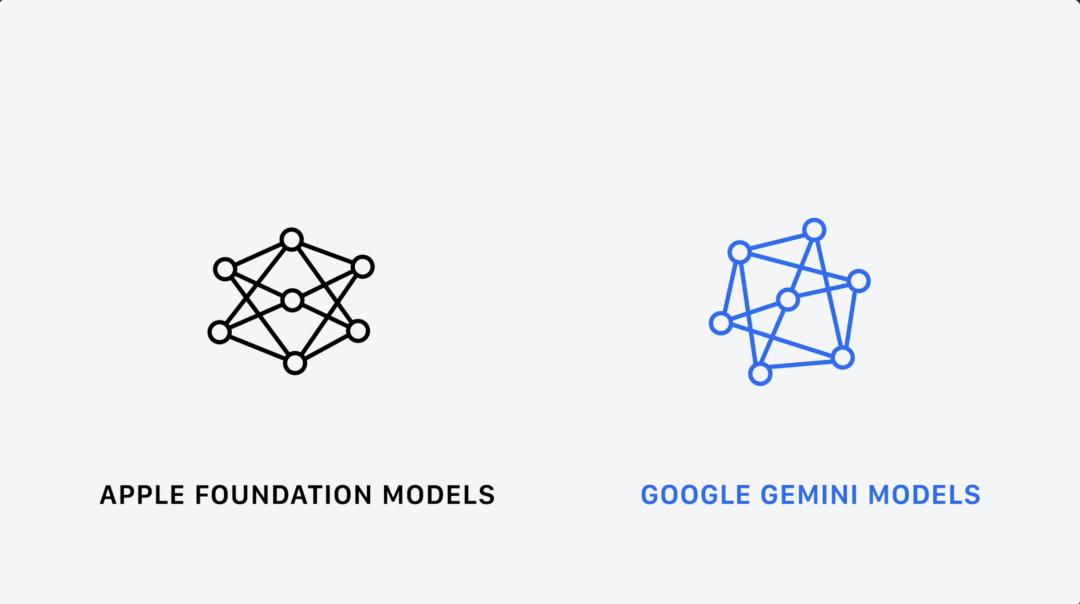
In the short term, Apple's introduction of external AI assistance is an indirect admission of its gap in general large models. But in the long run, it is a smart strategy that uses time to gain space. The usage feedback, request distribution, device - side experience, and developer call methods from billions of devices, after privacy protection and compliance processing, will become important bases for Apple to iterate its models, scheduling systems, and device - cloud architectures.
In addition, Apple has optimized a more powerful device - side model for the powerful Apple Silicon system. It can understand and generate voice, understand both text and images, and bring more accurate system - level dictation, better natural - language understanding, and more expressive voice feedback.
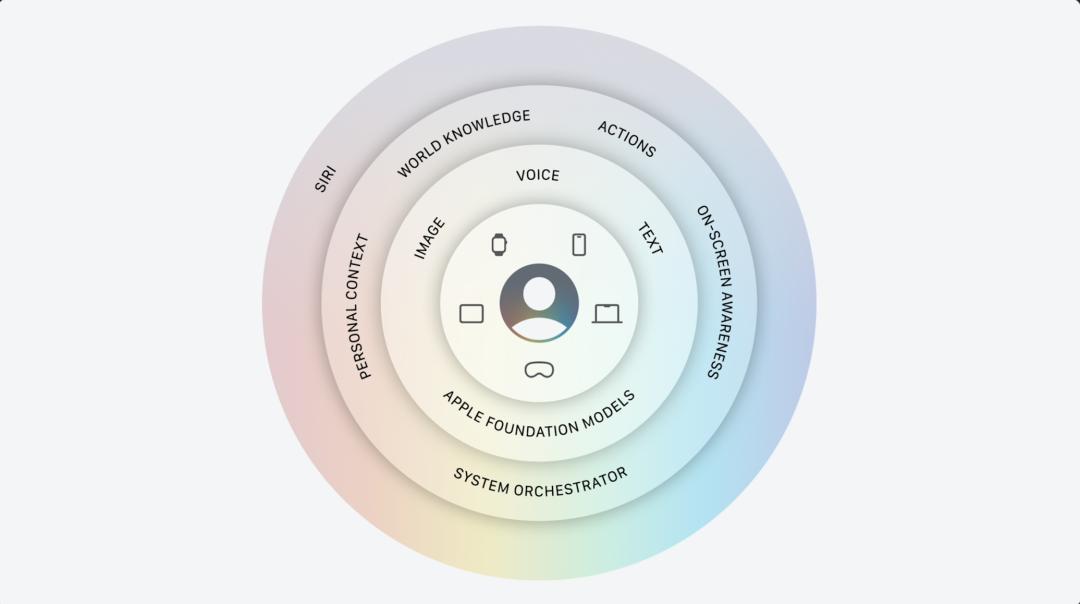
A more obvious change occurs at the entry - level.
16 years after Apple acquired Siri, it finally has the form of an independent app again, and its product logic is clearly moving closer to the ChatGPT app.
Users can view existing conversations in the new - version Siri, continue previous topics, or start new conversations. Siri's conversation history will be privately synchronized between iPhone, iPad, and Mac via iCloud.
Considering users' past usage habits, the traditional entry points are still retained. Users can still say "Hey Siri" or press the side button to call Siri.
What really reflects the interaction change in iOS 27 is the deep integration of Siri and the Dynamic Island.
Now, when you swipe down from the center of the top of the screen, the Dynamic Island will expand downward, turning into a dark - colored text box where you can search and ask questions. The blinking cursor also uses the glowing gradient effect from the WWDC 2026 promotional image.
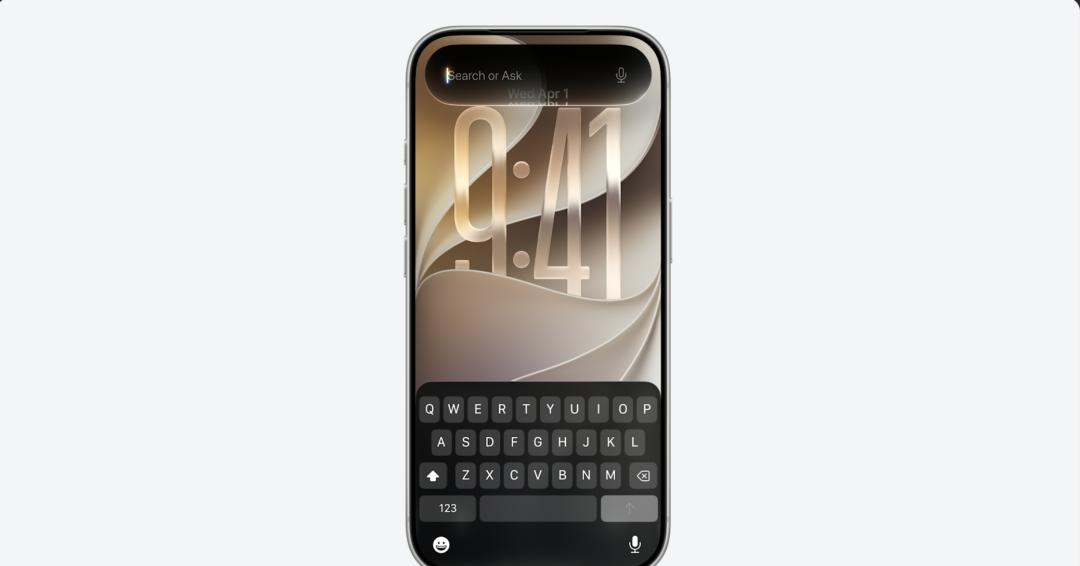
Here, users can type to ask about the weather, search the web, or directly issue complex commands.
Apple also demonstrated the core capabilities of the new - version Siri through three scenarios, fully showing that Siri has been upgraded from a simple Q&A tool to a system - level AI assistant that can understand screen content, call personal information, and continuously complete tasks.
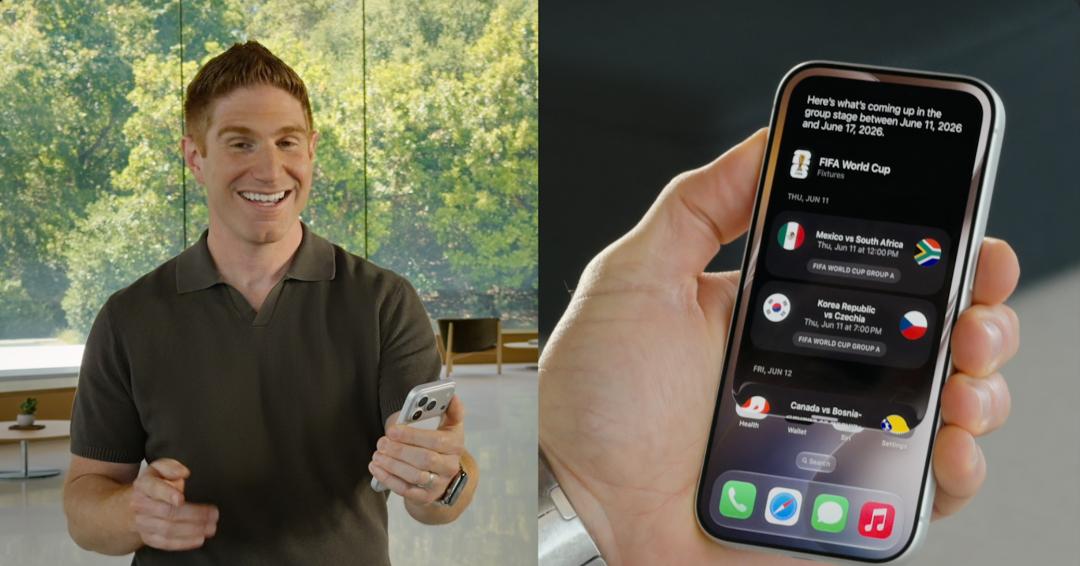
The new - version Siri can connect functions such as search, reminders, music, and navigation. You can query the World Cup schedule and ask Siri to plan a viewing party, generate a menu, and draft a group - chat invitation; you can also ask about ticket - buying methods for a performance, set a lottery reminder, and play a singer's new single.
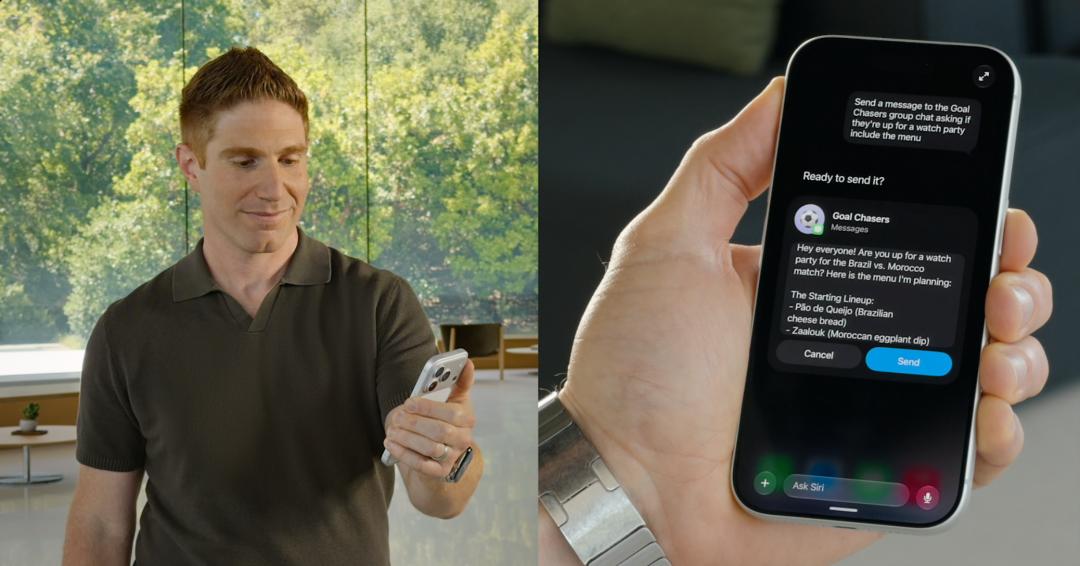
In terms of screen perception and personal context, Siri can also recognize the specific location in a photo and plan a route based on the address information sent by a friend.
It is worth mentioning that all the demonstrations of Siri AI at the WWDC were basically filmed in a one - take mode. You can clearly feel that Siri AI doesn't think very fast, and you can also see various frame - dropping issues in the beta - version animations.
Keeping these imperfect details is to show you that this demonstration is real and to avoid repeating the mistakes of two years ago.
Oh, by the way, on devices that support the most advanced device - side model, Siri AI will also gain two additional capabilities. The first is a brand - new voice