Where exactly lies the magic of Apple?
In his book The Shapes of Things to Come, science fiction writer Arthur C. Clarke summarized three laws. The most famous one is the third law:
Any sufficiently advanced technology is indistinguishable from magic.

Arthur C. Clarke's desk with an iMac on it
Over the past half - century, if you're observant enough, you'll notice that Apple is extremely fond of a word from the third law, "Magic", when defining its product names and user experiences.
Generally, this English word has two meanings: magic or wonder. No matter which interpretation, it represents a very subjective and emotional experience. When used to describe industrial products made of cold glass, metal, and countless lines of code, it creates a subtle tension.
Perhaps this wonderful tension is the reason why we choose Apple. In a highly competitive market, only Apple can make its ecosystem as magical as a magic show.

But where does this sense of "Magic" come from?
Breaking it down, it actually boils down to three things.
Magic comes from "non - interference"
If I had to use one word to describe Apple's ecosystem experience, I'd say it's "unnoticeable".
This may sound a bit esoteric, but think about your experience with AirPods. You don't need to plug in any cables, and you don't have to painstakingly search and pair in the Bluetooth list. It's as if they have eyes and can anticipate your needs. When I'm watching a video on my MacBook and my phone rings, I answer the call, and the sound in the headphones instantly switches to the phone. When I hang up, the video sound on the computer comes back.
There are no switches and no confirmation pop - ups. Everything happens naturally.
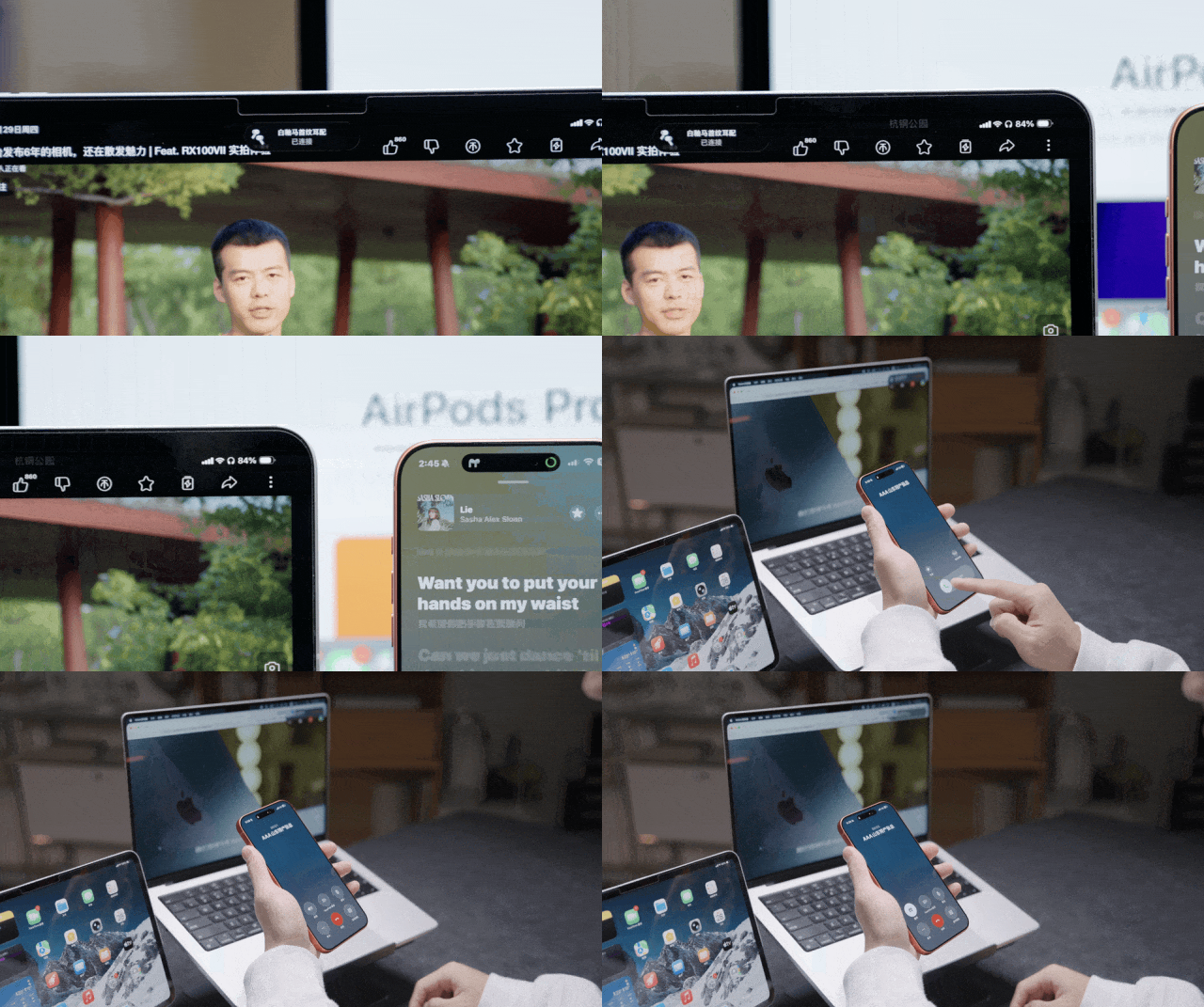
Behind this "unnoticeable" experience, there are rigorous considerations about cognitive load. Psychological research shows that every time you switch your attention, your brain needs to consume energy to refocus. To help you save this energy, there is a whole set of technologies: Devices continuously perform millisecond - level "handshakes" via Bluetooth Low Energy (BLE) to confirm identities. Once data transmission is required, they instantly switch to the high - speed Wi-Fi channel. Apple hides this process behind the scenes to ensure that your "flow state" is not interrupted.
To understand the evolution of this interaction logic, we need to look back in time. Craig Federighi, the senior vice - president of Apple's software engineering, once mentioned an interesting point in an interview:
When the App Store was first launched in 2008, Apple created an "island" - each app was an independent world, with information encapsulated within it.
It was independent, easy to manage, and well - organized. But if you wanted to check the weather, you had to open the app. If you wanted to see the progress of your ride - hailing, you had to switch back to the app. Our attention was fragmented in the process of opening and closing apps.
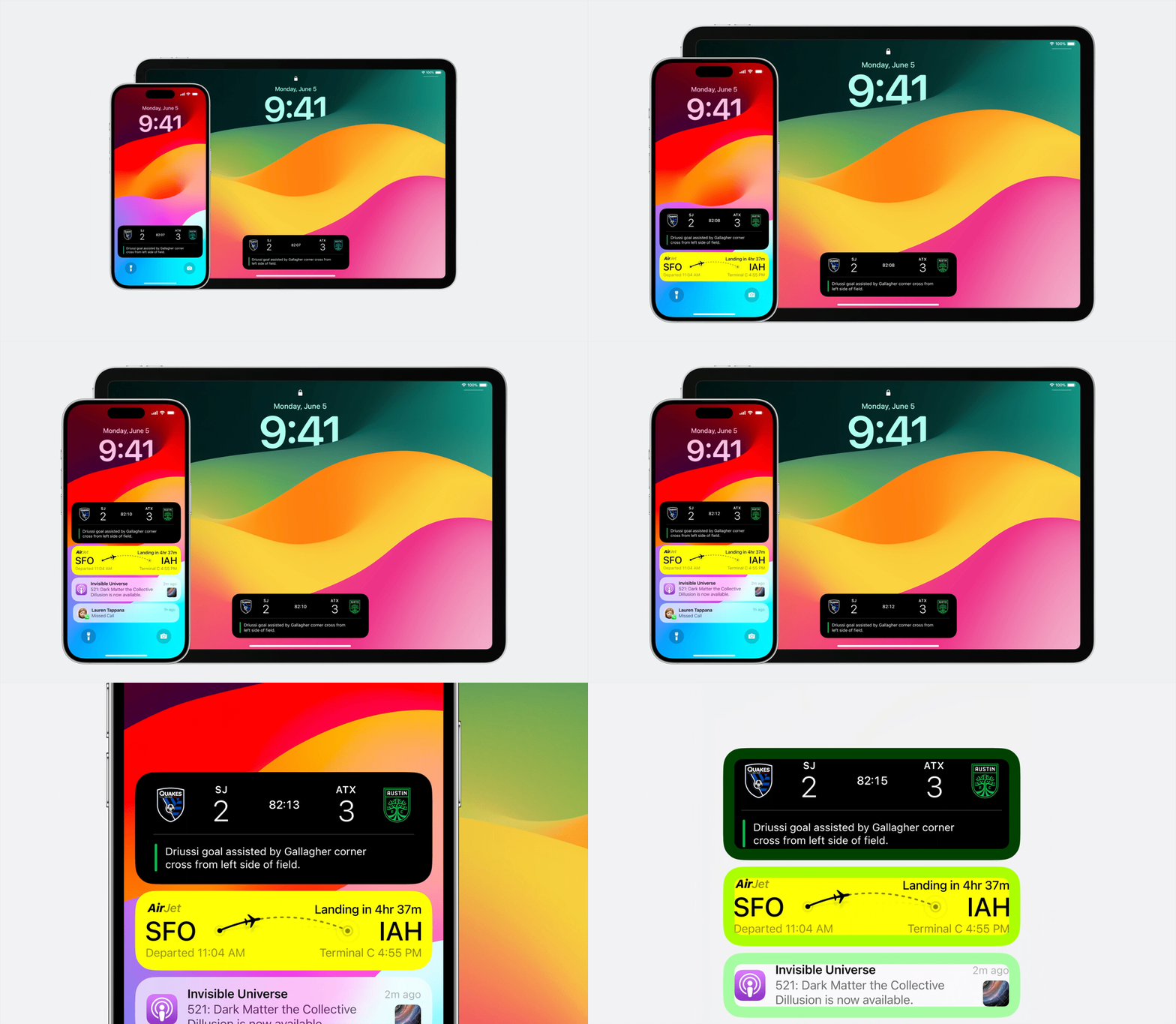
So, you saw "Widgets" in iOS 14 and "Live Activities" in iOS 17.
Behind a series of feature updates is a major correction of the interaction logic by Apple: Instead of making you search for information, it's better to let the information come to you.
Now on the iPhone, you can see where your takeaway is on the lock screen. On the Dynamic Island, you can directly see the distance of the vehicle.
We once interviewed the vice - president in charge of interaction design, and he told us that Apple's goal is "calm".
This word is well - chosen. After correcting the logic, Apple is more like a well - trained butler, often standing in the corner and only offering you a glass of water when you need it.
The concept of "non - interference" has also extended to physical operations.
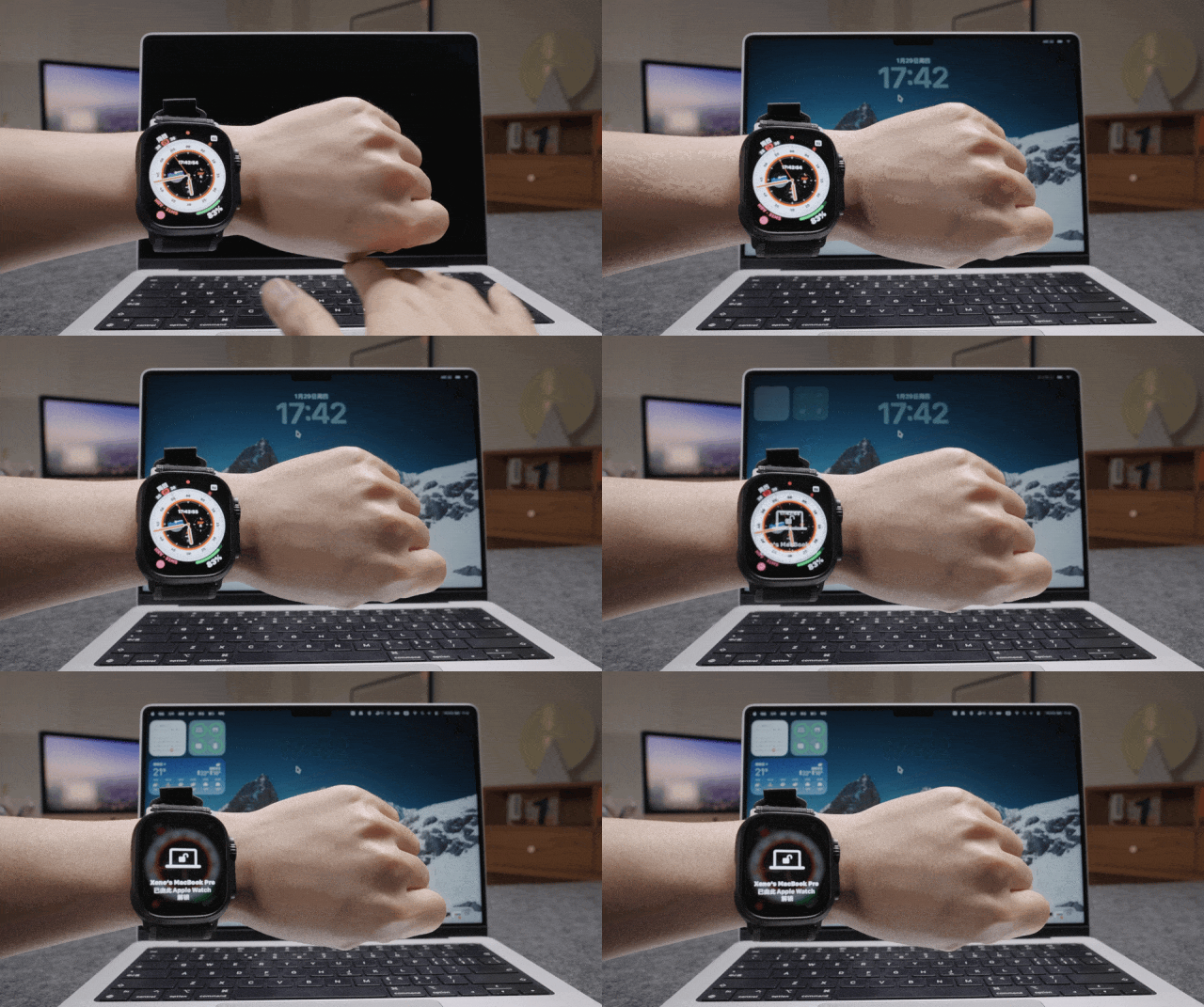
You can answer calls by nodding and hang up by shaking your head with AirPods. You can unlock your Mac automatically when you approach it while wearing your Apple Watch. These actions are two seconds faster than taking out your phone and unlocking it with Face ID. This minimal time savings greatly improves the smoothness of using the devices, laying a solid foundation for the evaluation of "usability".
Magic comes from "boundary - lessness"
If "non - interference" is to eliminate your cognitive load psychologically, then "boundary - lessness" is to smooth out the edges of devices physically.
After all, when your brain is in the "flow state" of using your phone, any prominent black borders or disjointed operations on the hardware will ruin the immersive experience of this magic show.
The elimination of physical boundaries stems from an old - fashioned question within Apple:
If sensors have to exist, what can be done with the remaining space?
The person in charge of Apple's interaction design shared a detail in our interview. The development of the Dynamic Island brought together three teams: display, industrial design, and human - computer interaction. Their goal was consistent and very ambitious - to make you unable to tell where the hardware ends and the software begins, and to make the existence of the hardware not interfere with your use through the integration of software and hardware.
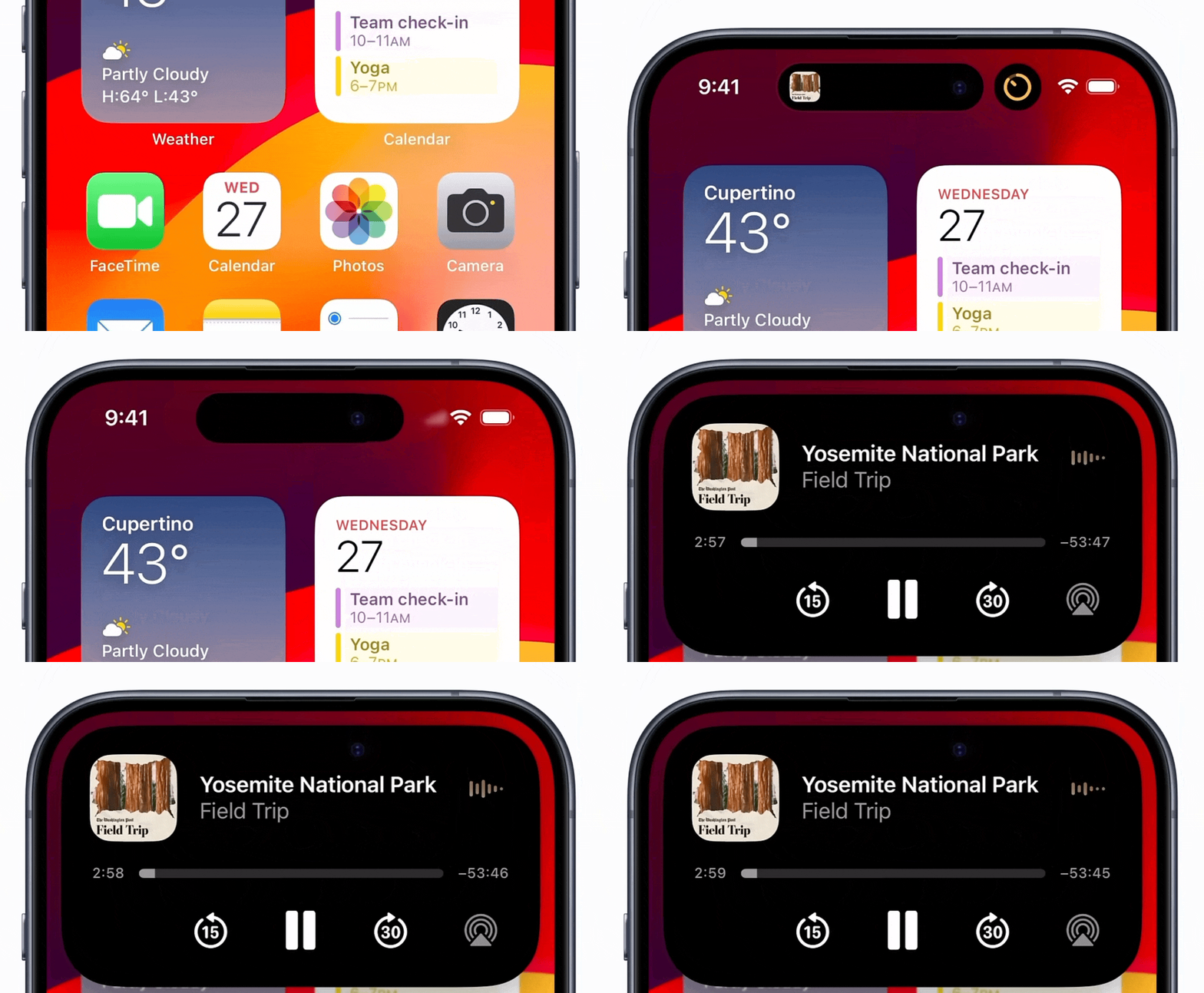
So, we saw the birth of the Dynamic Island.
When two apps enter the Dynamic Island at the same time, it splits like a water droplet. When you long - press it, it bounces open with a damping feeling like a balloon. This inertia, elasticity, and sense of gravity that conform to physical intuition deceive your brain, smooth out the boundary between software and hardware, and also neatly organize scattered information, reducing your viewing cost.
This attempt to break boundaries is more vividly demonstrated in the "Apple ecosystem".
This is the second ability we're talking about: Seamless integration
When you have an iPad and a Mac, you'll find that the mouse cursor can directly slide from the Mac screen to the iPad. When you copy a piece of text on your iPhone, you can directly paste it on your Mac.
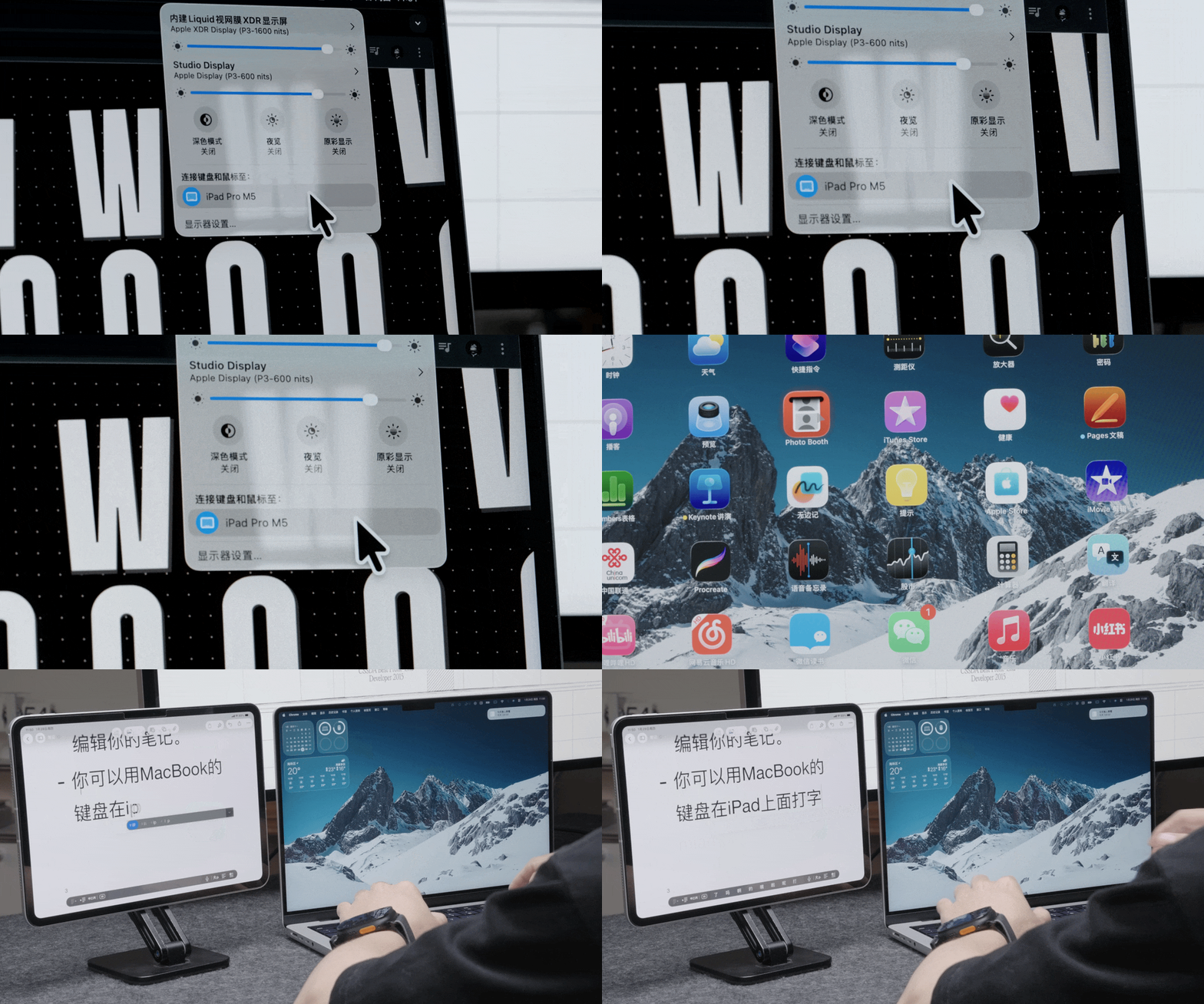
What's even more interesting is the "Continuity Camera". When the webcam on your MacBook is not clear enough during a video conference, the system will automatically use the rear camera of your nearby iPhone. It can even use the ultra - wide - angle algorithm to take an aerial view of your desktop without any support.
At that moment, the iPhone becomes the Mac's eyes, and the iPad becomes the Mac's canvas.
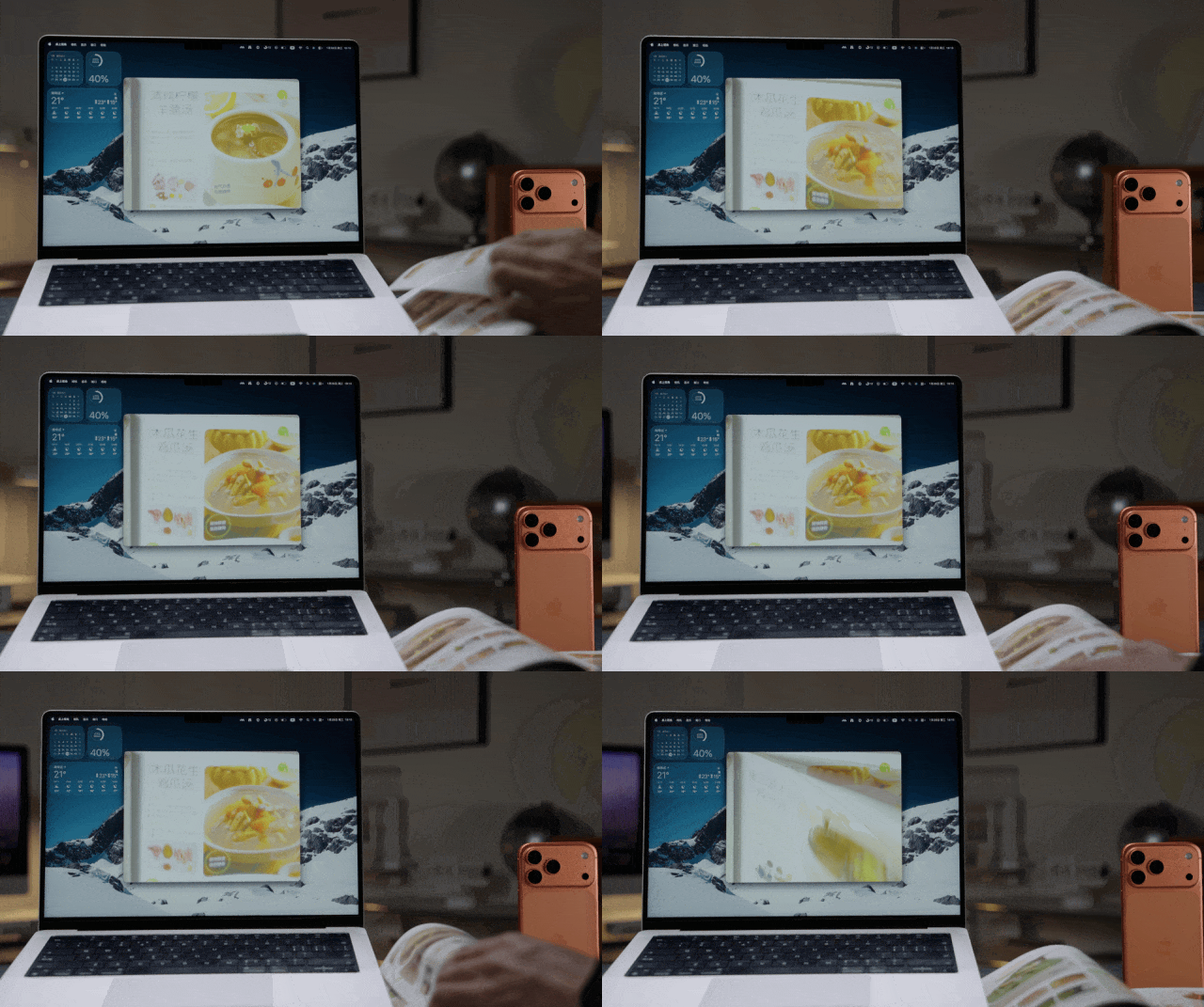
Devices in multiple forms and with multiple systems blend and combine organically, leveraging each other's advantages. Without interrupting your experience, they connect independent "islands" into a vast "continent", which forms the moat of Apple's ecosystem.
But this is not all of the Magic. "Boundary - lessness" breaks the physical barriers between machines. Next, Apple tries to break the physiological barriers between humans and machines.
Magic comes from "everyone"
The most straightforward way to break physiological isolation is to make devices easy to use even when you're in an inconvenient situation, so that the devices can supplement your life. This kind of Magic is reflected in Apple's design philosophy as a seemingly offensive assumption - Apple assumes in advance that all users are "disabled people".
For example, if you break your arm, it's a temporary physical inconvenience. If you're carrying heavy things in both hands and can't take out your phone, it's a situational physical inconvenience. If you get carsick while using your phone in a moving car, it's a sensory inconvenience.

Once you understand this concept, you'll appreciate the good intentions behind many features.
Take the gesture interaction on the Apple Watch as an example.
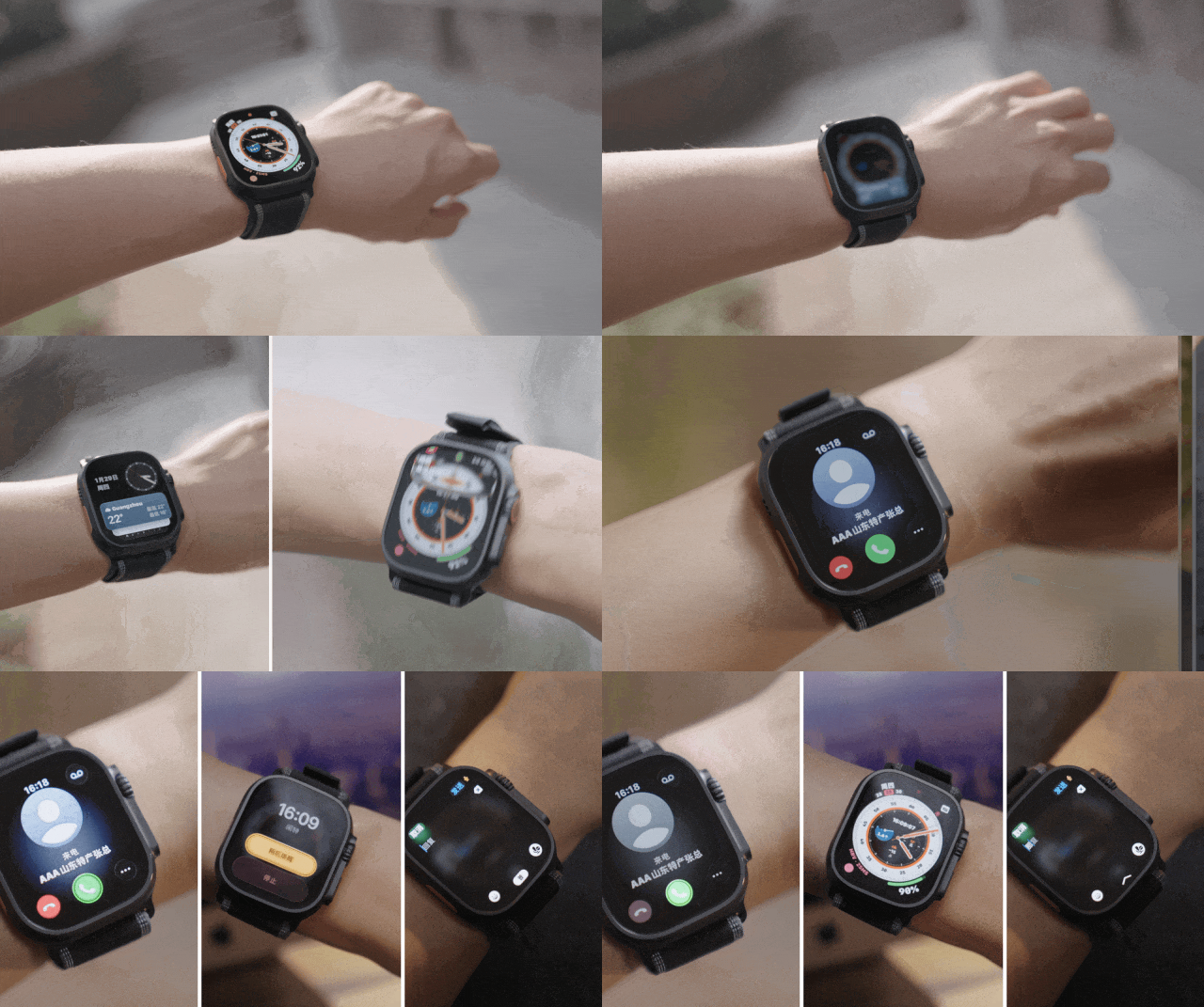
Originally, it was an assistive function designed for users with physical disabilities, named AssistiveTouch. It allows users to control the cursor or confirm actions by flipping their wrists or making a fist. Later, designers found that ordinary people also need this one - handed interaction when they're holding a coffee or a bag.
So, these functions gradually became popular among the general public. Double Tap allows you to answer a call by pinching your fingers twice. Similarly, "flipping your wrist" enables you to turn the page or confirm an action with one hand when it's inconvenient to touch the screen.
These two interactions derived from assistive functions are a stroke of genius for freeing your hands.
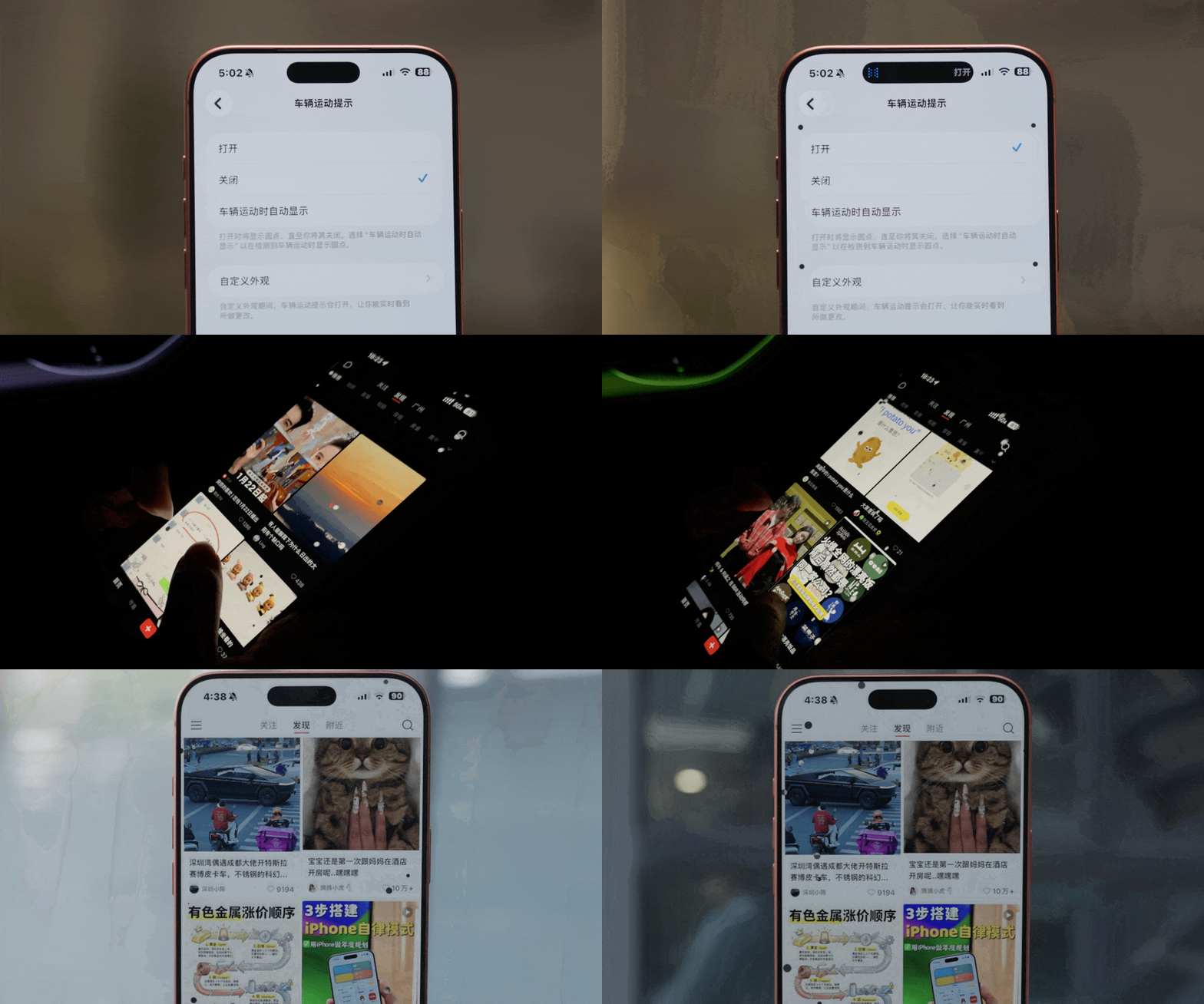
A function as commonly used as the double - tap interaction is the new "Vehicle Motion Alert" in iOS 18.
We get carsick when using our phones in a car because our eyes see a static screen while our vestibular system senses the movement of the vehicle. Our brains can't handle this sensory conflict. So, the Vehicle Motion Alert adds a few small black dots that move with the vehicle's inertia to the edge of the screen. It visualizes the inertia through the gyroscope inside the phone, helping our brains recognize the movement and relieve the discomfort caused by the sensory conflict.
Another similar feature is "Back Tap".
Many people don't know that there's a hidden button on the back of the iPhone. Tapping it twice can take a screenshot or open the payment code. It was also designed for people who have trouble pressing physical buttons, but it has been used creatively by people with shortcuts and automation.
Even if you don't want to use your hands, the iPhone supports eye - tracking, and the Mac even has a "Head - Controlled Pointer" function - you can control the mouse cursor by shaking your head or blinking your eyes.
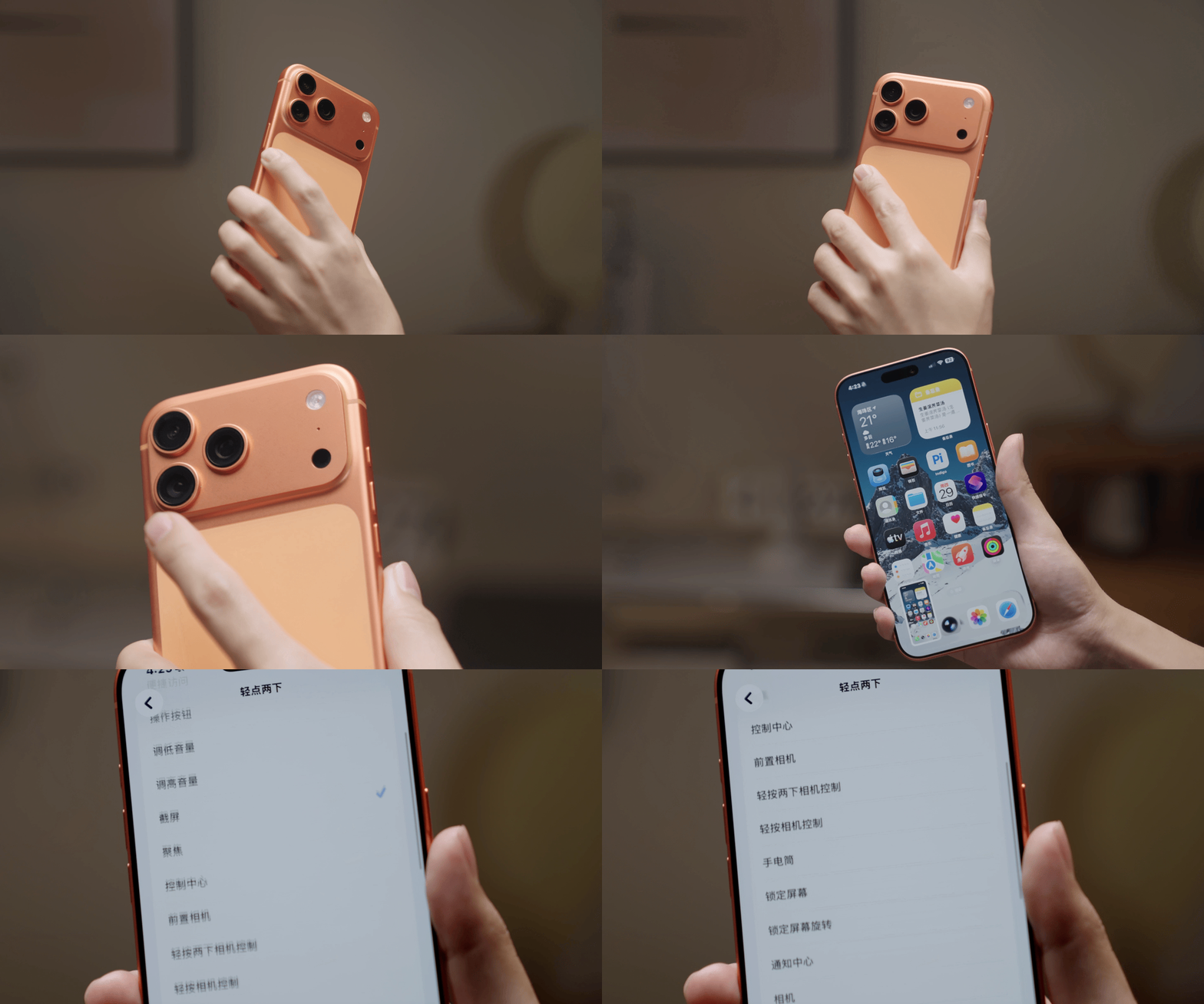
This situation where features designed for a small number of people end up being useful to the majority is actually called the "Curb - Cut Effect" in design philosophy. Initially, curb - cuts were designed for wheelchair users, but later, people found that parents pushing strollers and travelers pulling suitcases also benefited from them.
We asked Apple in an interview what the starting point of these complex and ingenious designs was.
Apple's answer was very simple:
Design for everyone.
The so - called empathy doesn't have a sense of condescending charity. It's essentially a level - headed understanding of human commonalities.
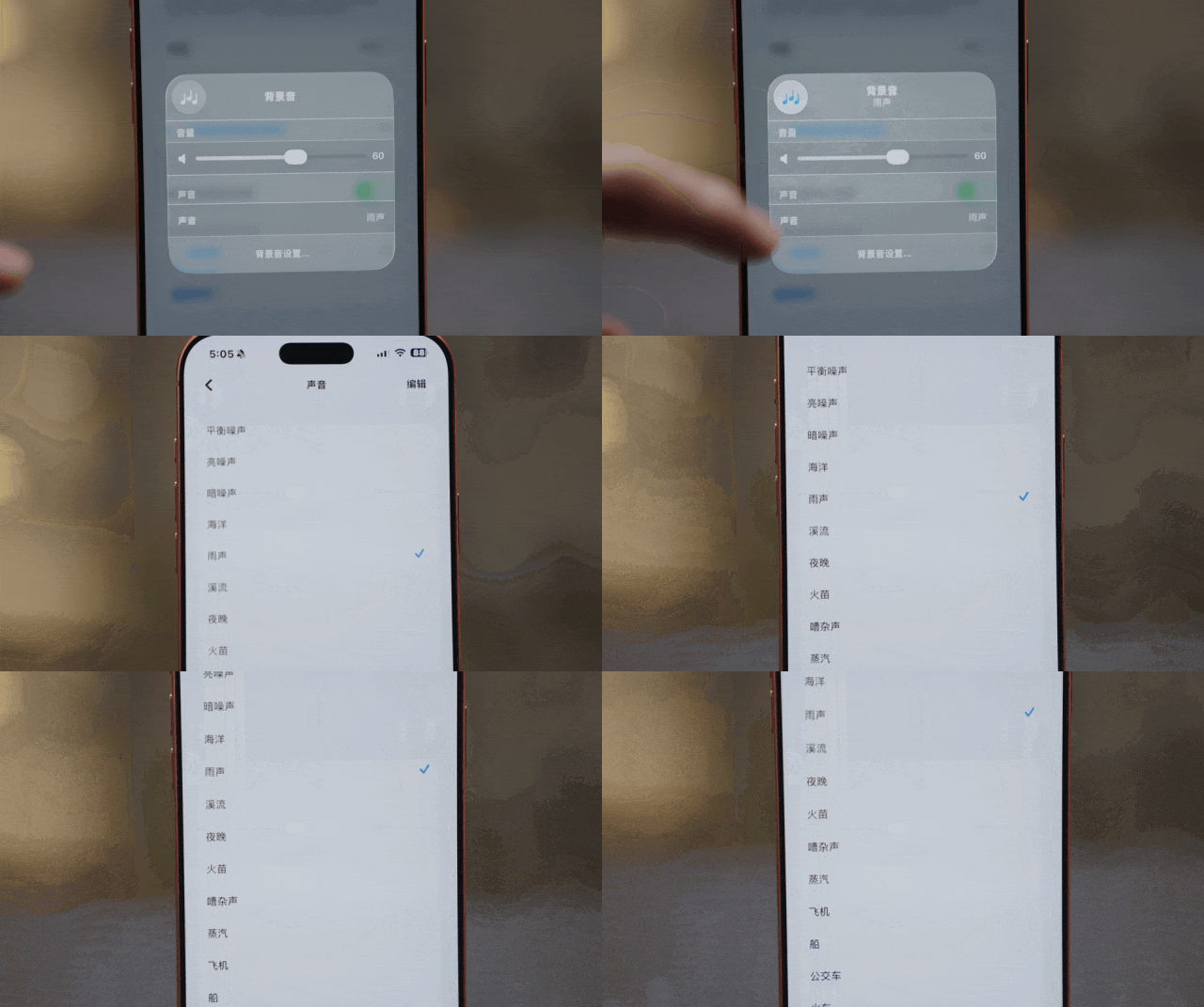
AirPods automatically lower the volume when you start speaking and stop playing music, podcasts, or white noise when you accidentally fall asleep. The sound of rain in white noise can soothe your insomnia. These features fill the fleeting embarrassments in life, detect the subtle limitations caused by physiology or the environment, and gently support you. This is what humanistic care should be like.
From the non - interfering experience, to the unnoticeable device barriers, to the ability to use the phone smoothly even in inconvenient situations, all these smooth experiences strengthen the Magic of Apple's ecosystem.
In this process, complex handshake protocols, profound sensor principles, psychological and physiological research, and processes that require human intervention are all hidden behind the scenes. Engineers and designers make all the decisions for you in a very assertive way. You don't need to understand and don't need to pause. Just use the devices.
This is why people always joke that Apple wants to teach users how to use their phones.
Of course, Magic also comes at a cost. The other side of being unnoticeable is a delicate and closed black box. Once your AirPods can't connect or iCloud gets stuck on the progress bar, you can do almost nothing but stare blankly at your expensive devices.
But most of the time, it does eliminate the coldness and sense