GitHub caused a stir late at night. The powerful combination of Claude and Codex has liberated 180 million programmers worldwide overnight.
Late at night, GitHub officially announced a major transformation! The world's two major programming AIs, Claude and Codex, have collectively joined, along with Copilot, officially kicking off the era of the "tripartite confrontation" in AI programming. With these three "AI coders" working hard, human developers are overjoyed.
There's going to be a big change at GitHub!
Early in the morning, Microsoft's GitHub announced a significant update: It has officially integrated the world's "strongest programming brains" - Claude and Codex.
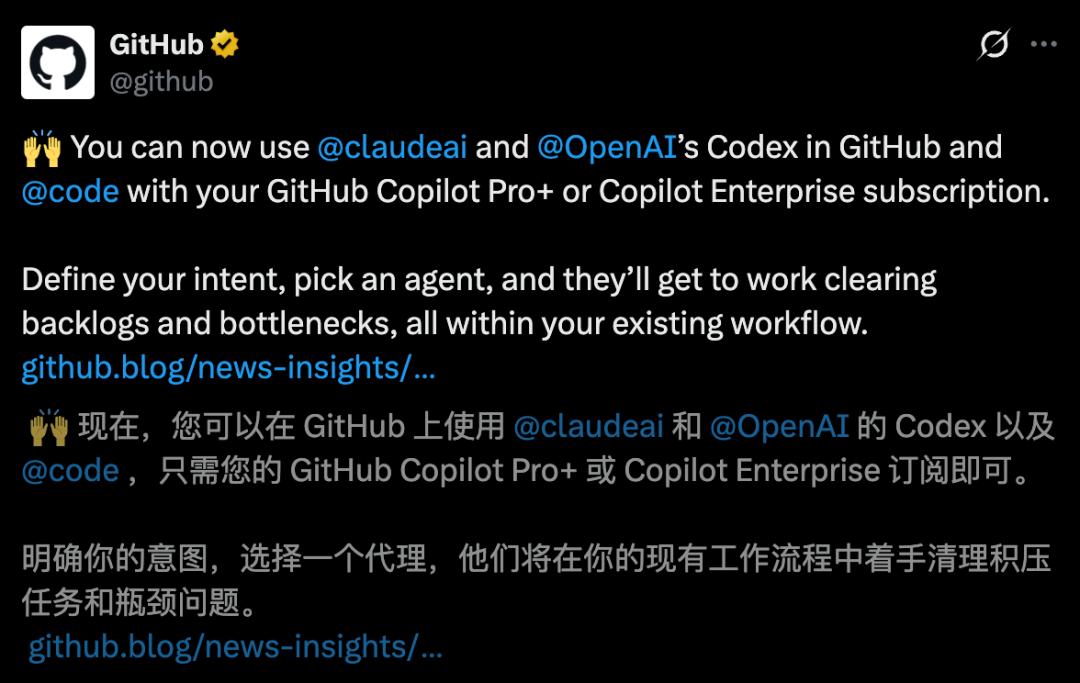
The world's strongest programming trio - Copilot, Claude, and Codex, have finally achieved an epic combination!
Developers only need to give one instruction, and these three AIs will be at your disposal, instantly completing complex tasks such as coding, fixing bugs, and submitting PRs.
This marks that GitHub is evolving from a simple code hosting platform into an "AI battlefield" with multi - agent collaboration.
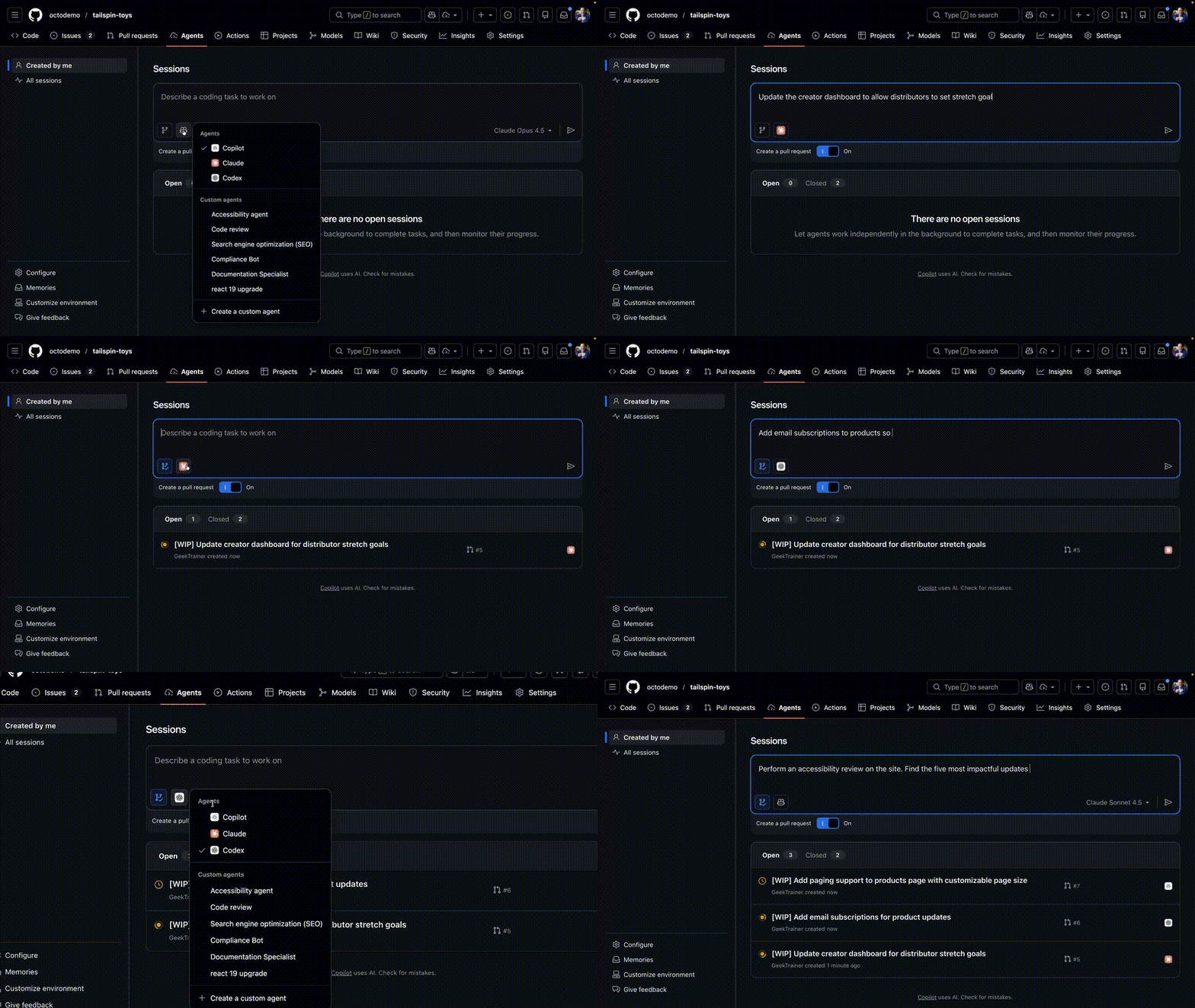
All of this is achieved through a "command center" called Agent HQ. In software development, the most energy - consuming thing is "context switching".
Now, with Agent HQ, there's no need to switch tools, and the entire process from concept to implementation can be smoothly completed, greatly reducing the sense of friction.
The most crucial thing is that the three AIs, Copilot, Claude, and Codex, can be invoked with one click on the IDE, GitHub, and mobile devices.
With this move, Microsoft hopes to make AI agents a native core configuration for developers through GitHub.
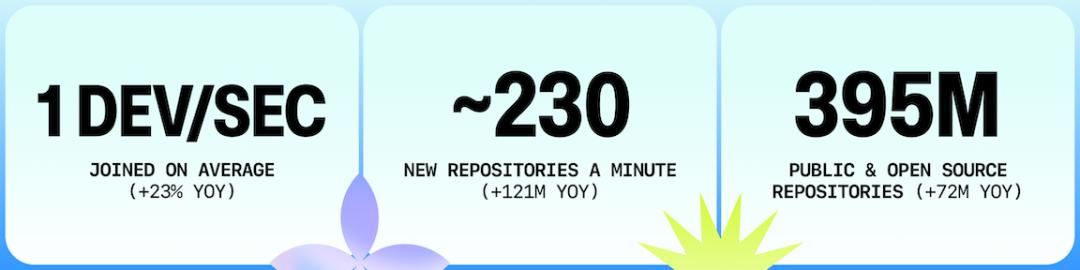
In 2023, the number of GitHub developers exceeded 100 million, and now there are over 180 million users on the platform.
Currently, subscribers of Copilot Pro+ and Copilot Enterprise can experience it in advance today.
In the comment section below, developers are cheering, saying, "I can have three top - tier AIs working for me at the same time."



GitHub's super - evolution: Gathering the world's strongest AI programming brains at once
It can be said that this major move by GitHub means that developers' "context hell" is finally coming to an end!
In software development, context switching means a loss of efficiency.
From today on, the Agent HQ platform officially starts its public beta. This time, it no longer lets Copilot dominate alone and directly introduces Claude + Codex, the "two great gods".
In short, programmers can finally run different programming agents in GitHub at once.
What excites programmers the most is the "native" smoothness.
Previously, you might have had to copy and paste repeatedly between AI applications and code editors; now, these agents are directly "embedded" in the GitHub repository.
They can not only help you write code but also comment and analyze vulnerabilities in pull requests (PRs) like real - life teammates.
In this way, all context, historical records, and code reviews will be closely associated with the personal workflow, and there's no need to jump around anymore.
As long as you are a Copilot Pro or Enterprise user, you can directly assign top - tier AIs to work for you on the GitHub web - end, mobile App, and even VS Code today.
So, how can developers quickly get started with this "god - level equipment"?
Command three "AI coders" to work with just a cup of coffee
Let's start with an interesting way to use it. For the same coding problem, you can assign Copilot, Claude, and Codex to work on it simultaneously.
Just throw the time - consuming and heavy tasks to multiple AIs for asynchronous processing. In the time it takes to drink a cup of coffee, you can see a detailed log and well - written PR suggestions.
Each time you start a programming agent task, it will consume a Premium Request quota.
Next, here is the specific operation process.
1. Manage agent tasks on GitHub
- Enter a repository where agents are enabled and click on the Agents tab;
- Enter your requirements, click on the Copilot icon and select an agent from it;
- Submit the request to start.
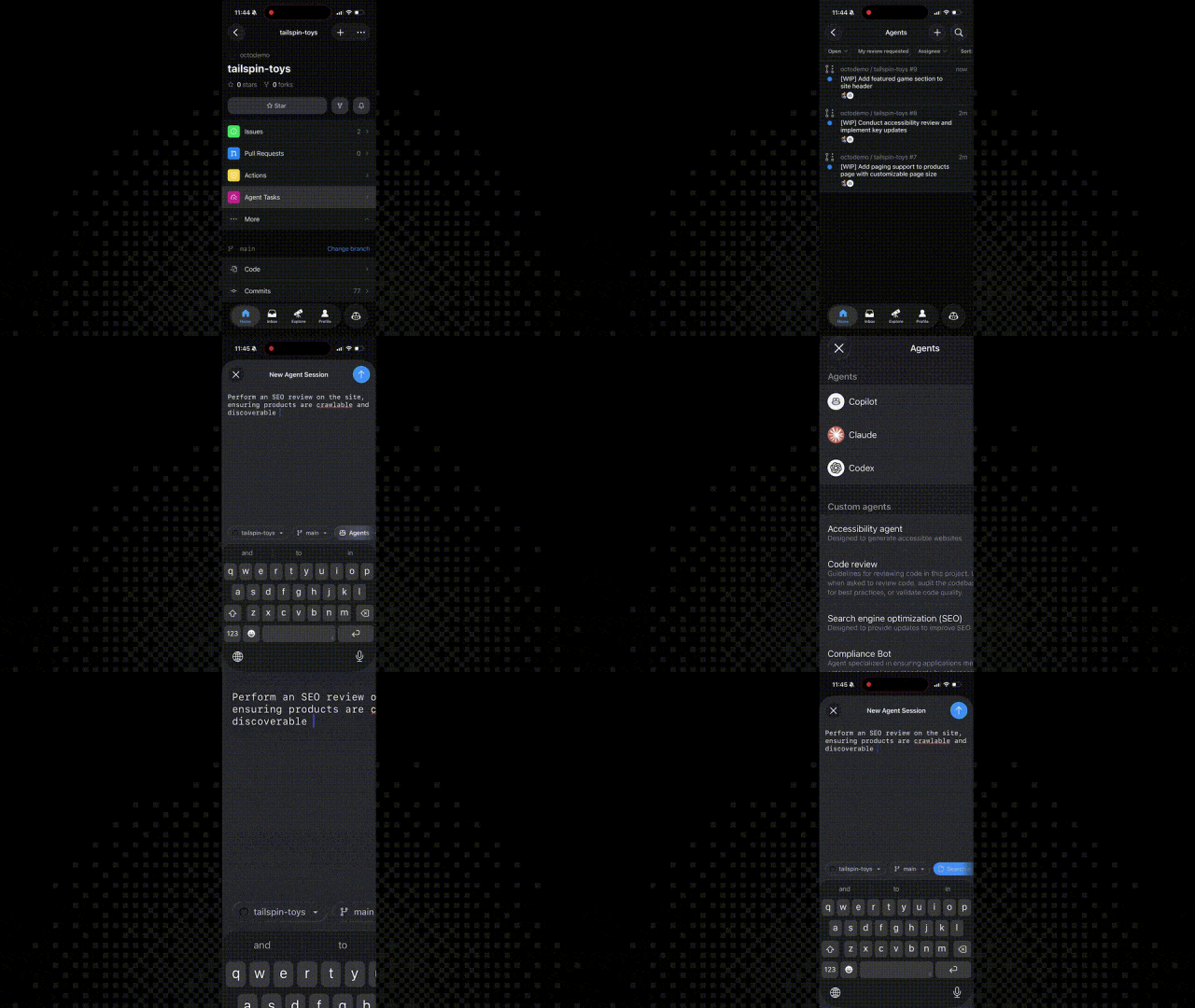
Agents run asynchronously by default. Developers can watch the progress bar for real - time feedback or come back later for a review.
Detailed logs will clearly record what the agent did at each step and why.
The products generated by the agent (such as reviews, code drafts, or modification suggestions) will be presented like ordinary code contributions, making it convenient for personal review.
2. Assign agents in Issues and PRs
Compare solutions: Assign Copilot, Claude, and Codex to an Issue at the same time to see which one provides the best solution.
Automatically submit PRs: Agents can automatically generate draft PRs for review.
In - depth analysis: Summon an agent in an existing PR to help analyze the code or make targeted modifications.
Summon at any time: @Copilot, @Claude, or @Codex in the PR comment section to assign subsequent tasks.
Since all the activities of agents are transparent and reviewable, their outputs will naturally integrate into the personal evaluation process, just like the code submitted by "teammates".
Remember: Agents can also make mistakes.
This is why Microsoft designed the process to be "reviewable, comparable, and questionable" rather than blindly accepting their suggestions.
Deep integration with VS Code
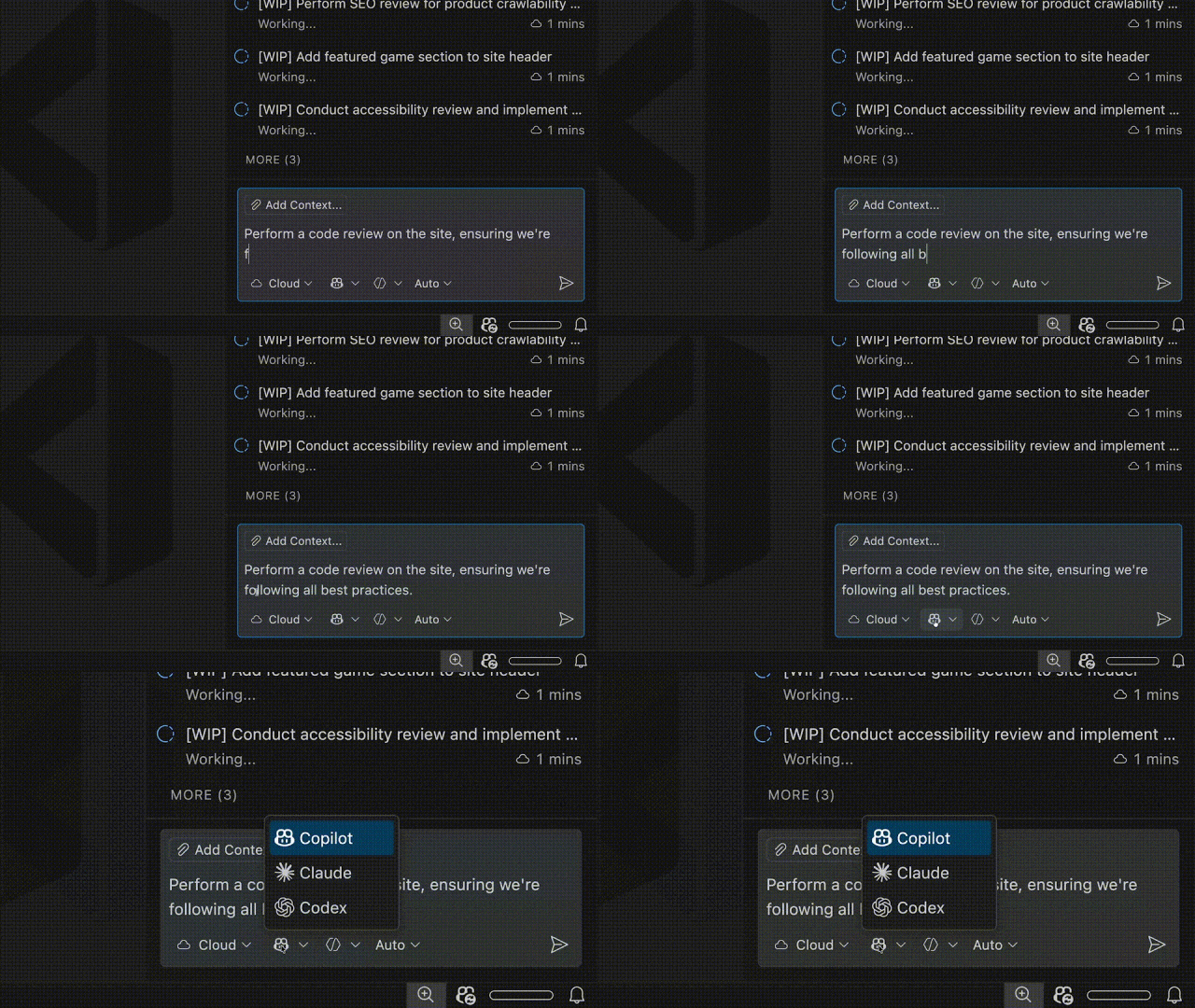
If developers are used to working in an IDE, VS Code (version 1.109+) has also been deeply integrated:
Open method: Look for it in the title bar or use the shortcut key Ctrl+Shift+P/CMD+Shift+P to search for the Agent sessions (agent tasks) view.
Select a suitable mode:
Local (local mode): Use the local Copilot, Claude, or Codex for quick interactive assistance.
Cloud (cloud mode): Send autonomous tasks to the GitHub server for execution. You can continue to do other things during the execution.
Background (background mode): Only available for Copilot, used for asynchronous processing of local work.
In this way, developers can refine their ideas in the editor and then throw the time - consuming and heavy tasks to GitHub for processing, without losing any historical records or context.
In addition, on the GitHub mobile app, you can also directly call the three AIs to work.
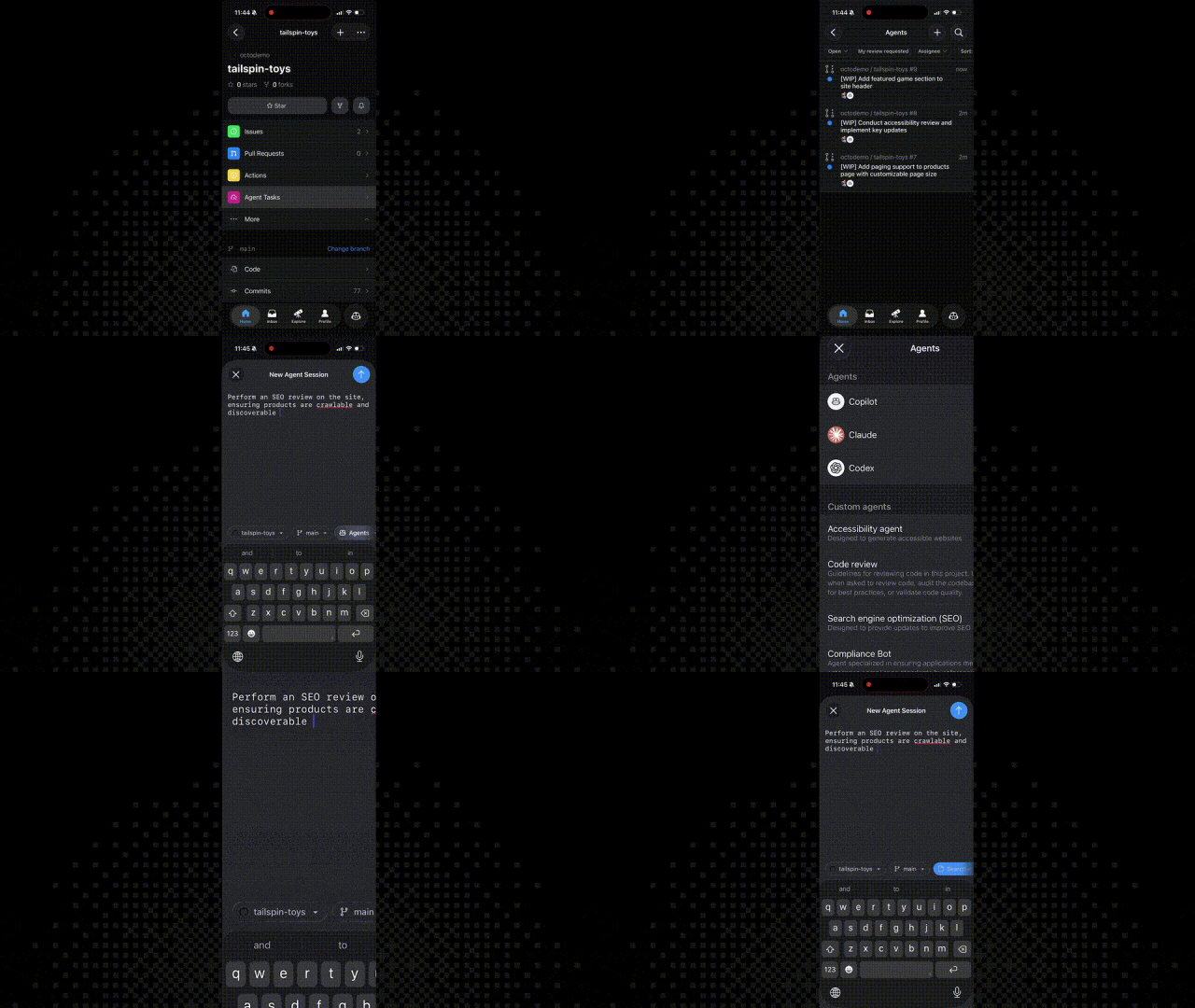
The "ultimate cheat" for developers: Native AI integrated into the coding workflow
Looking at Agent HQ again, it's not just for writing code; it's also a "staff department".
Developers can let different agents handle the same problem and observe the different logics of Copilot, Claude, and Codex when making trade - offs.
This approach can help people discover potential problems earlier:
Architectural defense: Let multiple agents evaluate the modularity and coupling of the code to prevent unexpected side - effects caused by changes.
Logic stress testing: Assign an agent to specifically look for boundary conditions, asynchronous deadlocks, or potential hidden dangers under high concurrency.
Practical solution: Let another agent propose a refactoring solution with the least changes and the best backward compatibility to minimize the scope of influence.
Through this model, the focus of developers' work is undergoing a qualitative change -
From the arduous task of "picking at syntax", it is officially upgraded to the high - level task of "formulating strategies".
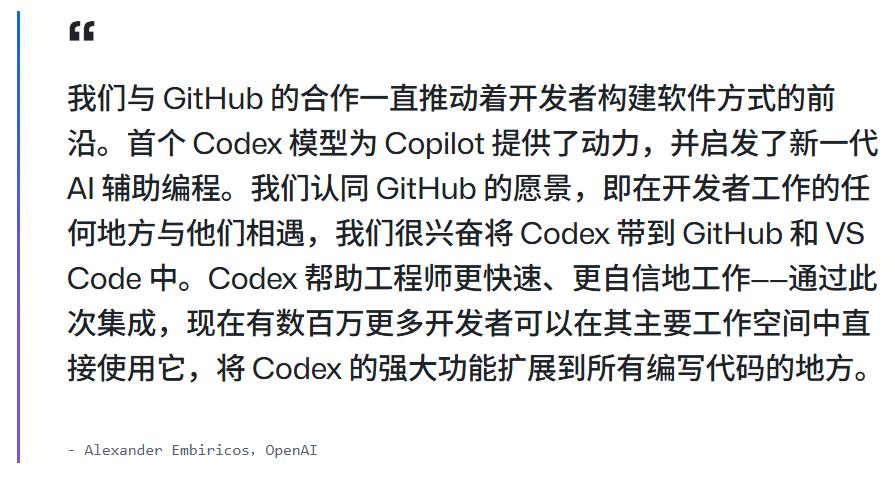
Why is it important to run agents natively in GitHub?
Microsoft gives the best explanation. GitHub is the home of code and the center of team collaboration and decision - making delivery.
Integrating agents natively into this process, rather than as external plugins, has huge scalability benefits:
Developers no longer need to copy and paste code blocks repeatedly between various tools, documents, and dialog boxes. All discussions and changes are directly "embedded" in the repository.
This means:
- Weigh options early: Before the code is finalized, use multiple agents to explore different implementation paths.
- Context is not lost: Agents directly read the data from the repository, Issues, and PRs, saying goodbye to those stateless prompts that "don't make sense".
- Zero - cost review: The changes generated by agents are draft PRs, which are exactly the same as the usual habit of reviewing colleagues' code.
There's no new platform to learn and no complex AI workflows to maintain. Everything is in an environment that you are familiar with.
Most importantly, Agent HQ not only brings benefits to individual developers but also the entire technical organization will be the biggest beneficiary, achieving:
- Centralized control: Administrators can manage the access rights and security policies of all AI agents with one click in the background.
- Code quality checkpoint: GitHub Code Quality (in public beta) will evaluate the maintainability and reliability of AI - generated code to ensure that "LGTM" is not just a casual statement but truly meets long - term code health.
- Automated first - round review: Copilot can conduct a first - round pre - review and problem - fixing of the code generated by agents before developers get involved.
- Quantitative indicators: Track the actual contributions of AI to the organization through the metrics dashboard to make the input - output ratio of AI clearly visible.
AI is not just taking over the IDE; it's starting to take over the platform
This move is not just a functional update; it's a complete upgrade in dimension.
It