In - depth experience of the M5 MacBook Pro: Beneath the regular upgrades lies the layout for the "future"...
Friends, the MacBook Pro equipped with the M5 chip is here.
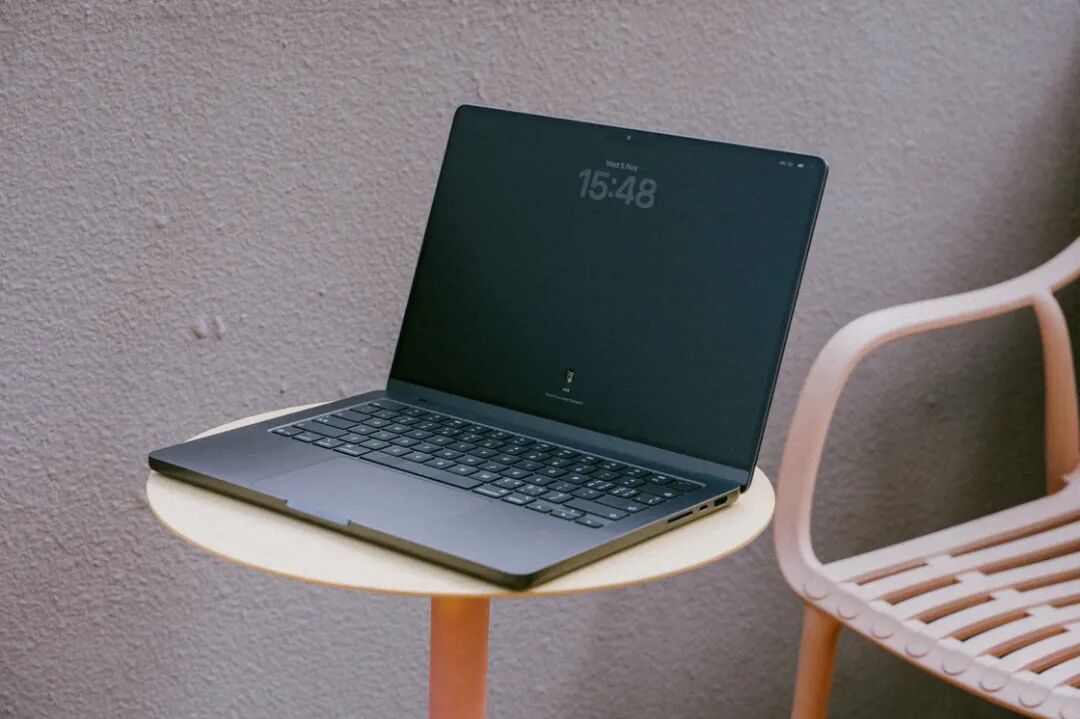
Appearance and Configuration: Basically Unchanged
The M5 MacBook Pro is a regular upgrade of the series. So regular that apart from the updated M5 chip, other configurations remain basically the same. To save your reading time, I'll briefly describe the common parts between the new and old models in this section.
First of all, there is no change in the appearance of the new and old models. From the paint texture to the keyboard feel, they are very consistent, and even the weight is exactly the same.
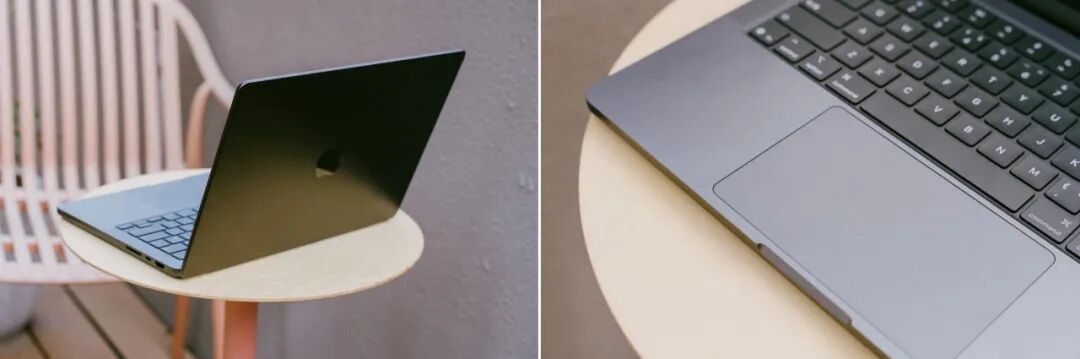
Secondly, the paper parameters of the basic Apple silicon also seem to change little. Both the M4 and M5 have a ten - core central processing unit (CPU), a ten - core graphics processing unit (GPU), and a sixteen - core neural network engine (NPU), and support up to 32GB of memory. On this basis, the memory bandwidth of the M5 has been upgraded to 153GB/s, and you can choose up to 4TB of storage space (2TB for the M4). In addition, Apple has significantly improved the NPU performance of the M5. The specific differences will be compared below.
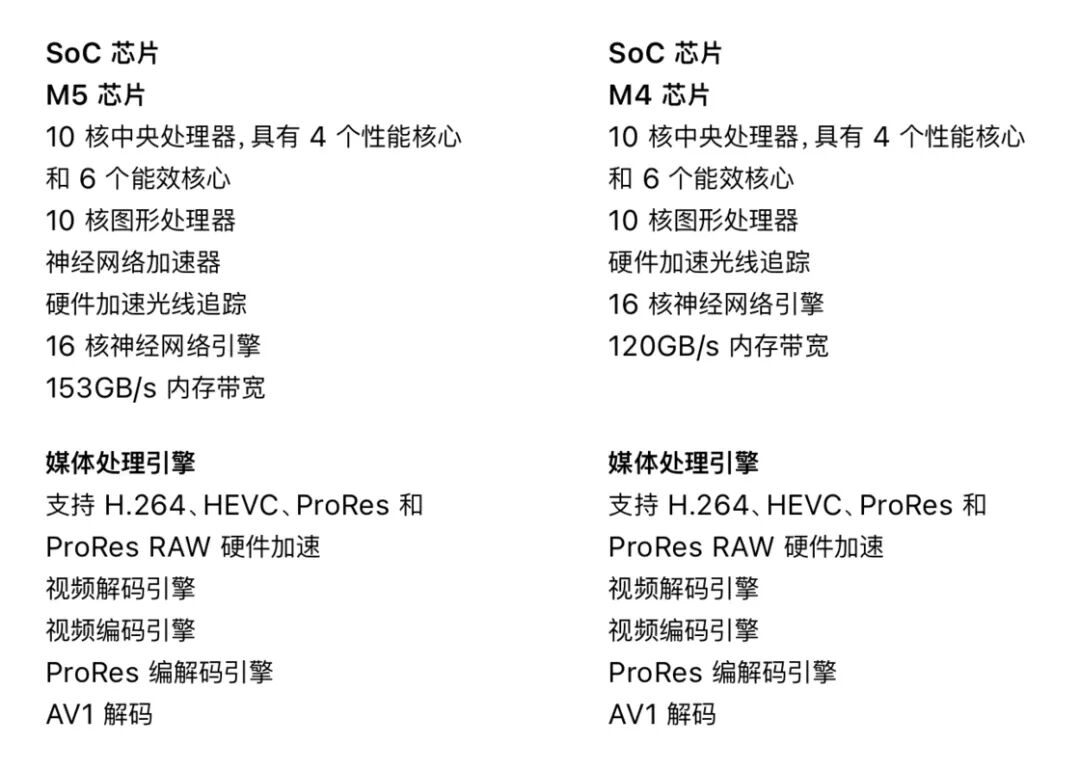
Comparison of the core parameters of the M5 (left) and M4 chips. The picture is taken from Apple.
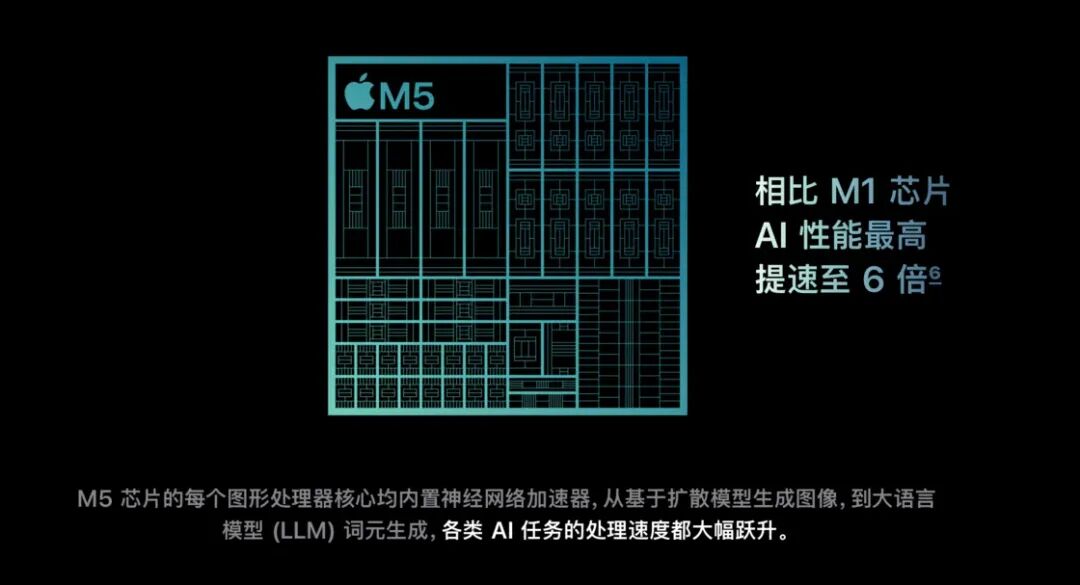
The performance improvement of the NPU is the biggest highlight of this generation of Apple silicon. The picture is taken from Apple.
Thirdly, there is no difference in the battery life between the new and old generations. It's a typical Apple silicon experience - even with high - frequency use, you only need to charge it once a day.
Finally, I'd like to talk a little more about the nano - textured screen. When using the previous - generation MacBook Pro, I thought the nano - textured screen was not a suitable choice for most users because it would sacrifice the display effect of the screen to some extent. You spend Pro - level money to buy a Liquid Retina XDR display with excellent color accuracy and brightness, but then you have to spend extra money to weaken its display effect. It sounds a bit of a bad deal.

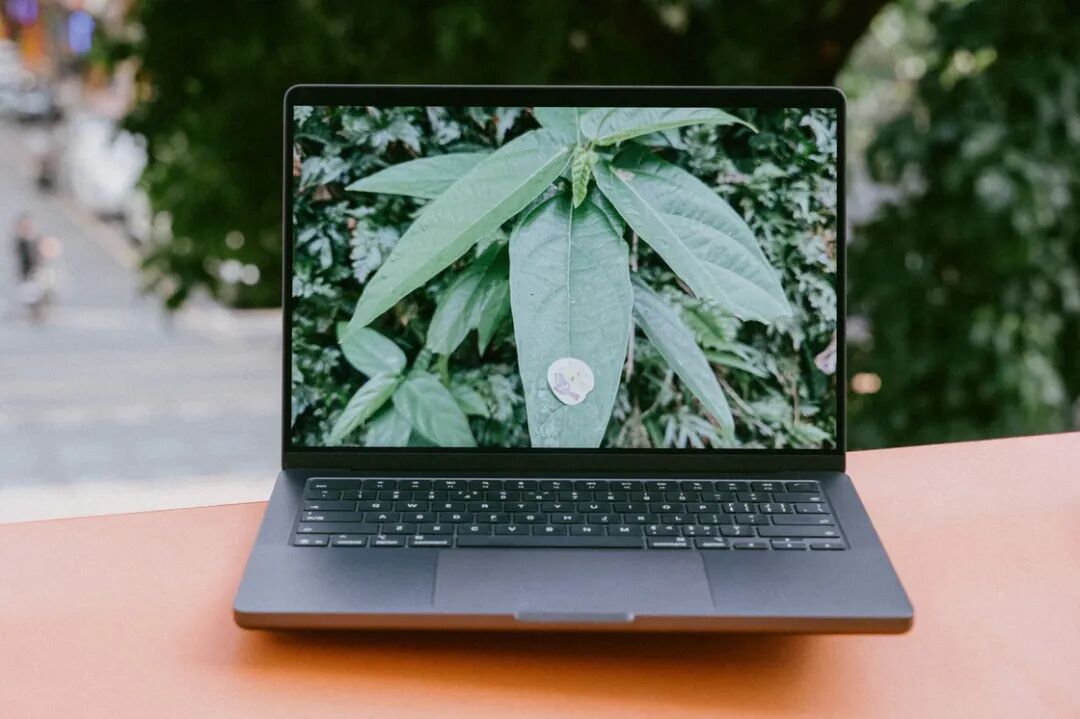
Even outdoors, a MacBook equipped with a nano - textured screen can clearly display any content.
But after that, I began to pay attention to my work and living environment and found that there are actually quite a lot of strange light source interferences. Especially in various office places, little consideration is given to the screen reflection problem of electronic devices. A large number of high - brightness point light sources are used instead of planar light, so the situation of "when you turn on the computer, the screen is full of glare points" is very serious. In such an environment, the anti - reflection effect brought by the nano - textured screen is particularly practical.
So, my view has changed: If you're planning to buy a new machine, I suggest you first observe the environment where you use your computer frequently. If the light source is not well - controlled and you need to use the laptop's built - in screen for a long time, you should definitely choose the nano - textured screen.
Performance: A Great Evolution of the NPU
To sum it up briefly: Current mainstream test results suggest that compared with the previous generation, the M5 MacBook Pro has a slight improvement in the CPU part, a 20% - 30% improvement in GPU performance, and a significant improvement in NPU performance. My conclusion is basically the same.
In terms of testing methods, I still deliberately excluded benchmarking tools and selected several apps that I use frequently in my daily life and are truly representative to compare the performance differences between the M4 and M5 in real - world usage scenarios.
Let's start with the podcast editing tool "Reaper". I selected the well - known long podcast "How to Get Rich" by investor Naval as the audio source, intercepted the first hour of the podcast, added an intelligent audio optimization plugin dxRevive Pro, and output it as an .mp3 audio file. Audio rendering mainly tests the CPU's ability, and dxRevive Pro is an extremely performance - hungry plugin. After rendering, the M4 took 00:03:43, while the M5 took 00:03:30. The M5 has a slight edge.
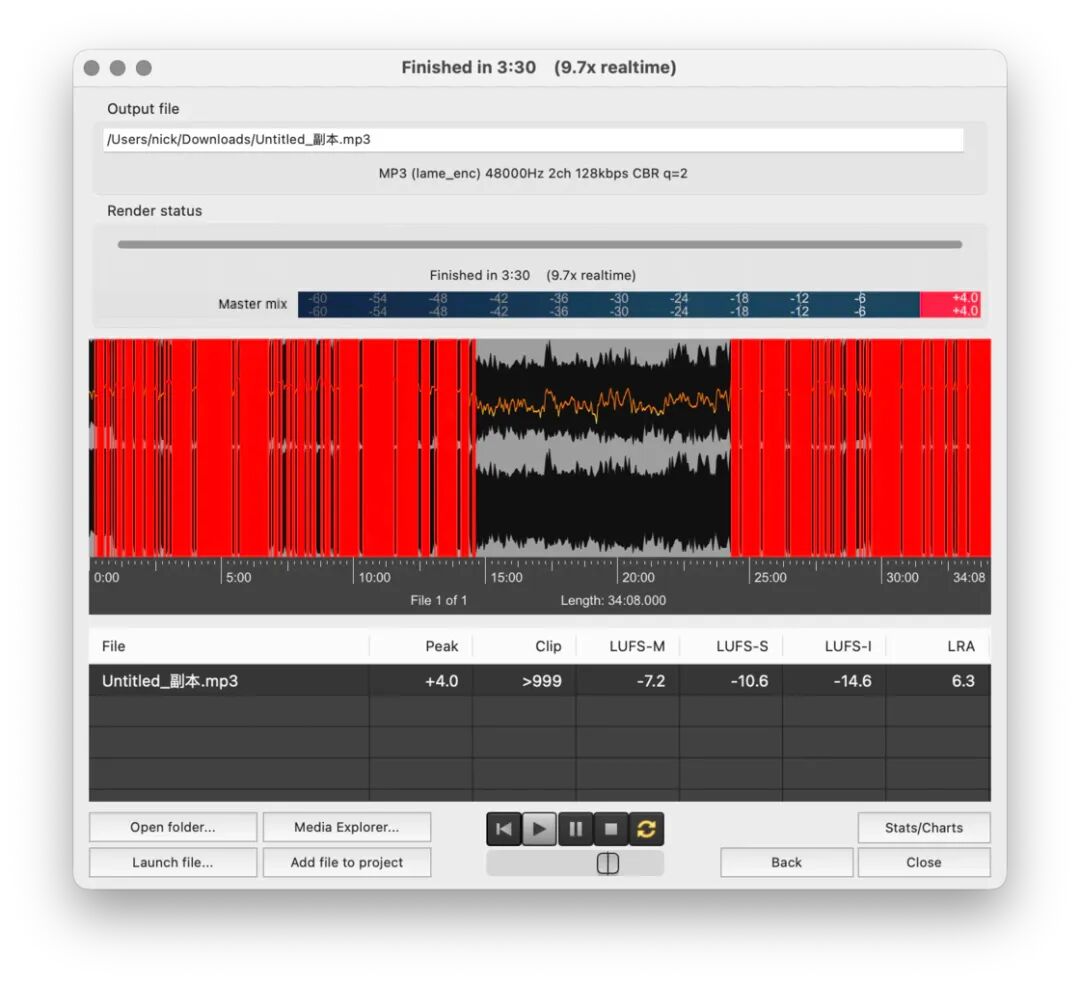
Rendering audio with "Reaper".
The second test is to use the built - in Super Upscale function in the well - known photo - editing tool "Pixelmator" to double the resolution of a 24MP photo taken by an iPhone 16 Pro. This function uses machine - learning algorithms and mainly relies on the NPU's performance. The M4 took 00:00:14, while the M5 took 00:00:12. Since it's only one photo being upscaled, the difference between the two is not very obvious.
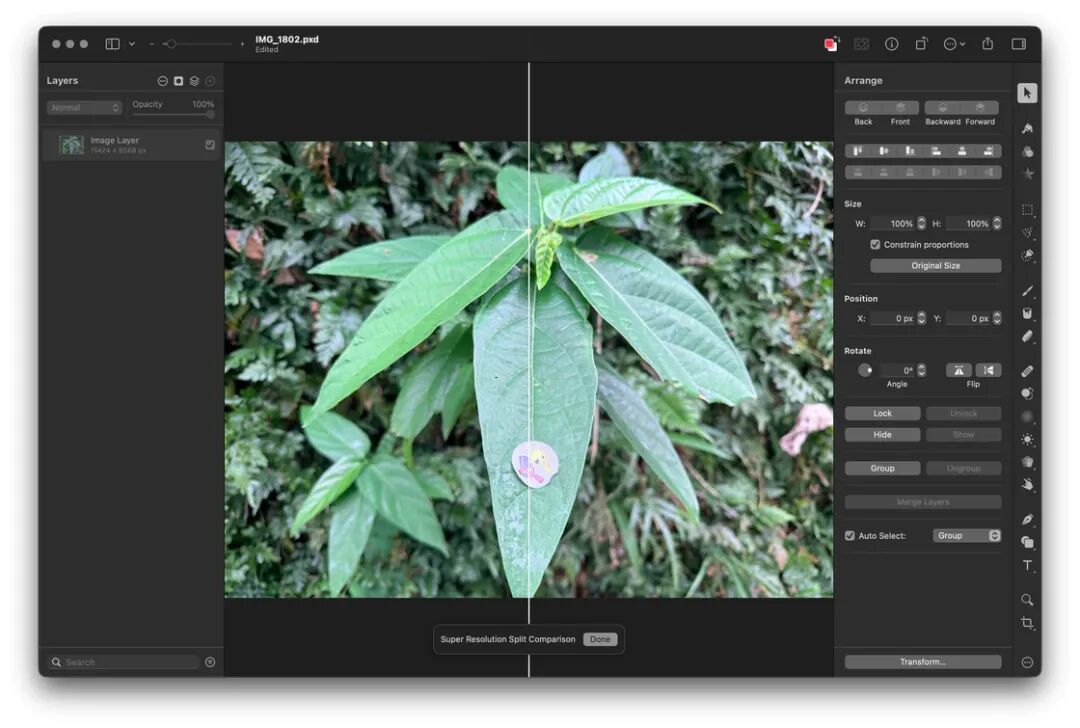
Upscaling a photo with "Pixelmator". The final resolution of the photo is 11424×8568.
Next, the test load starts to increase, and the performance advantages of the M5 in the GPU and NPU gradually become apparent.
The third test is to use the built - in "Small" model in "Mac Whisper" to transcribe an English YouTube video into text. This project mainly tests the NPU, which is a scenario that Apple silicon is very good at. The original video is about eleven minutes long, and the total number of characters exceeds nine thousand. The M4 took 00:00:42, while the M5 took 00:00:31. There is a ten - second gap in a transcription task within one minute, and the M5 leads very obviously in this project.
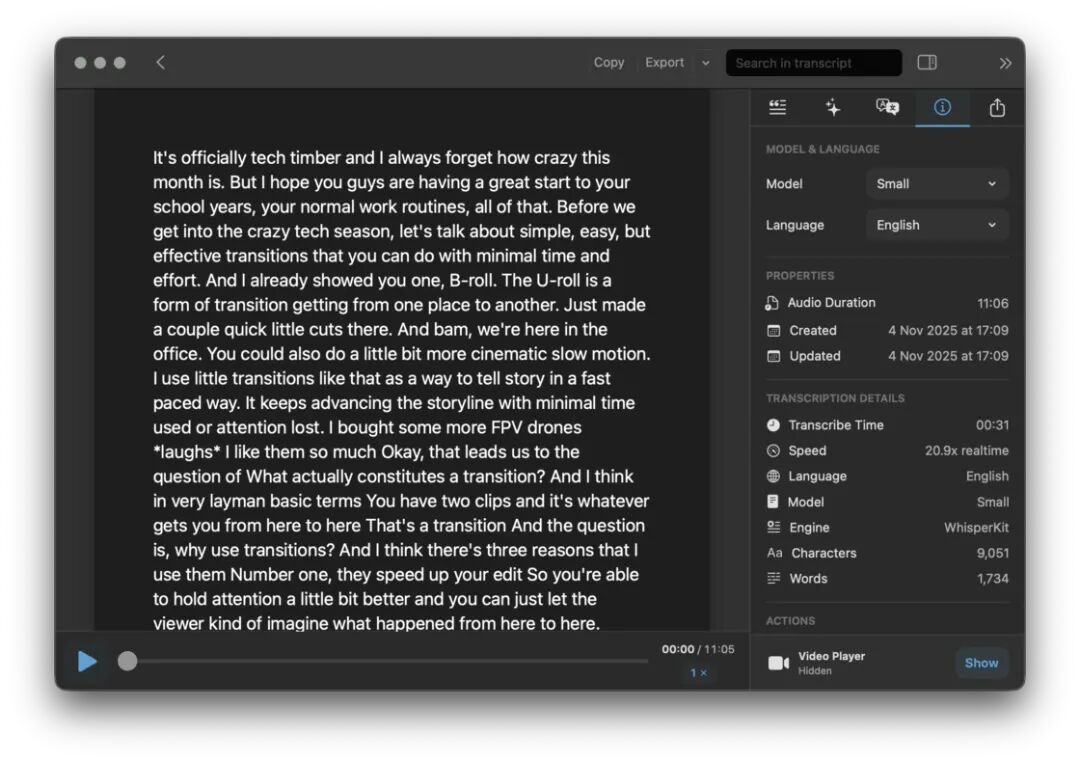
Transcribing audio into text with "Mac Whisper".
The fourth test is to use "Topaz Photo" (formerly known as "Topaz Photo AI") to automatically optimize photos. This tool mainly tests the GPU performance. At the same time, since it calls the local model, it also uses the NPU's ability. I found five photos each of four types: landscapes, oil paintings, celebrity portraits, and cartoon images, and let the app optimize and export them in batch in Auto Pilot mode. The M4 took 00:01:25, while the M5 took 00:01:17.
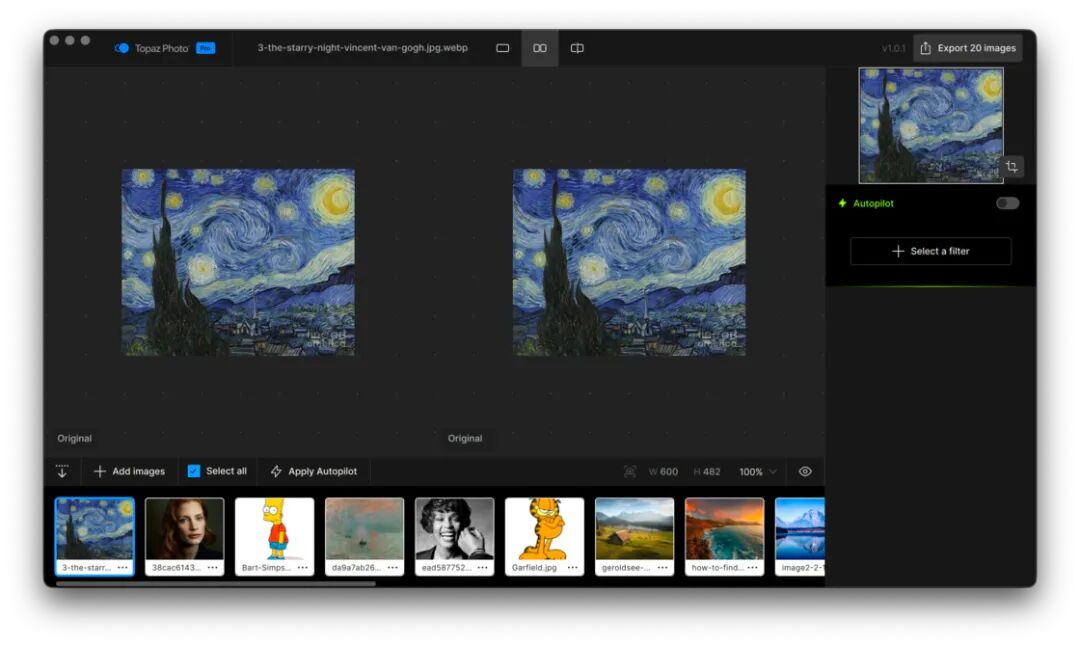
Optimizing photos with "Topaz Photo".
The final test is to use "DaVinci Resolve" with the Dehancer film simulation plugin to color - correct a three - minute, 4K 60p video shot by an iPhone 17 Pro in Open Gate mode in ProRes RAW format. The color simulation, noise simulation, and halo simulation functions are enabled, and the video is exported as a high - bit - rate 4K 60p H265 video. This is a heavy - load task. Dehancer is very demanding on video memory and GPU performance, and the encoding and decoding of ProRes RAW is also a big job. Both computers took several times the length of the original video to complete the task. Finally, the M4 took 00:19:40, while the M5 only took 00:14:57. In this comprehensive test of the CPU and GPU, the M5 more fully demonstrated its advantages over the M4.
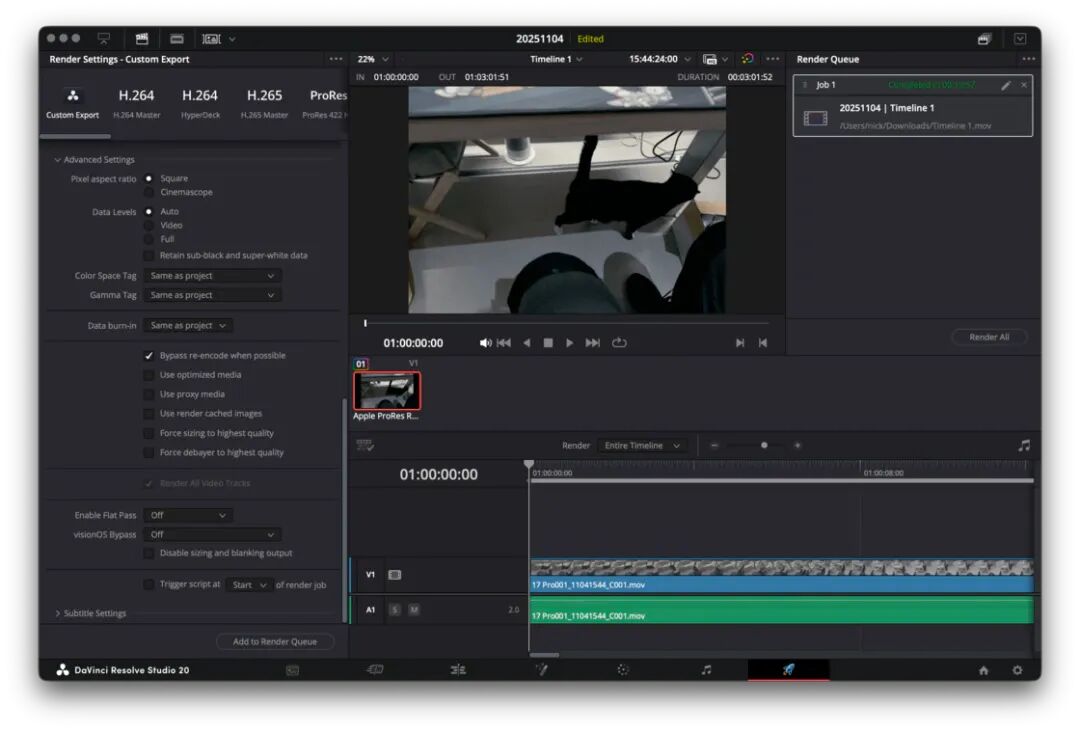
For non - Pro and non - Max level chips, dealing with ProRes RAW is still a bit difficult.
In addition to the chip performance, some media reported that the read and write speeds of the solid - state drive of the M5 MacBook Pro have been significantly improved. After my test, I found that this is true. The read and write speeds can stably reach over 6000MB/s, which is quite amazing.
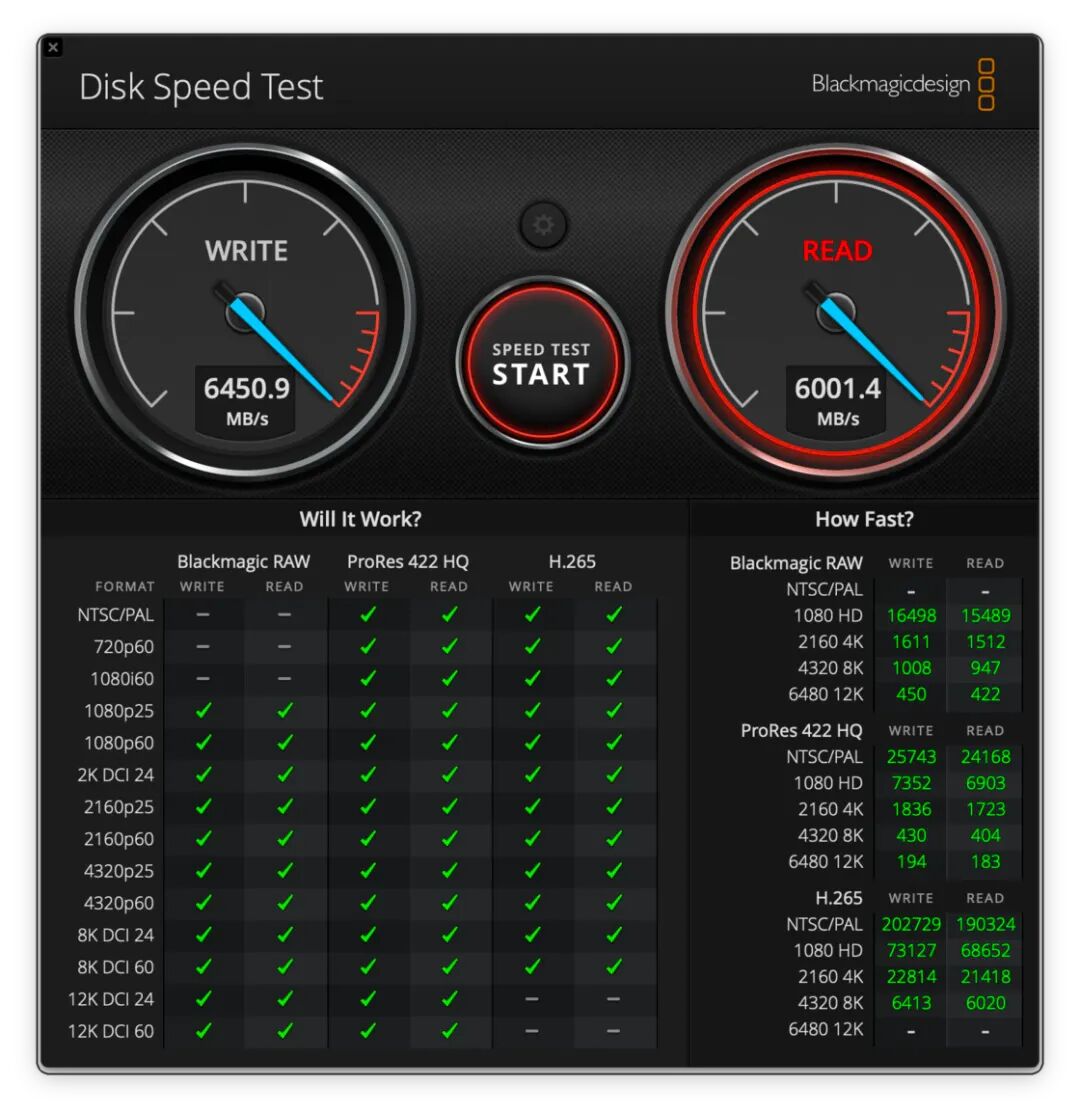
A screenshot of the SSD speed test of the M5 MacBook Pro.
Overall, although the M5 is a basic - level chip, it still shows its "Pro" side. If you're not running large - scale tasks, it can handle all your daily tasks such as writing, video editing, programming, and photo editing. More importantly, with the rapid development of AI and large - scale models, the M5 chip undoubtedly shows Apple's new ambition - in this field, Apple silicon will have great potential.
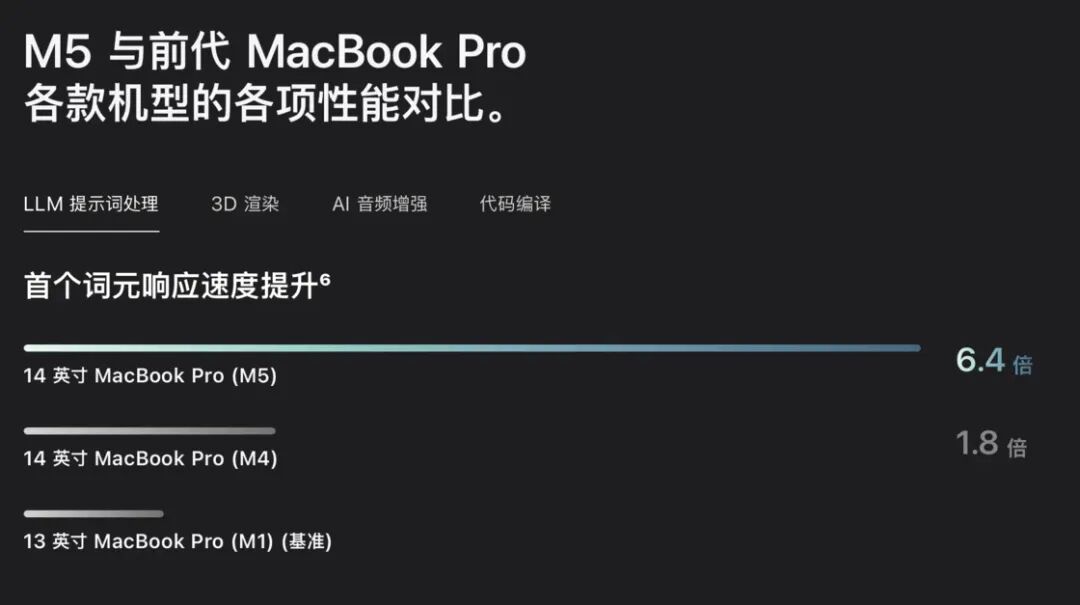
AI performance has become an important selling point of the new MacBook. The picture is taken from Apple.
Purchase Suggestions
I've thought about the question "Who is the basic - level MacBook Pro actually for?" for a long time. Later, I realized that I'm the last person who should be struggling about this question because I'm a user of the first - generation basic - level MacBook Pro.
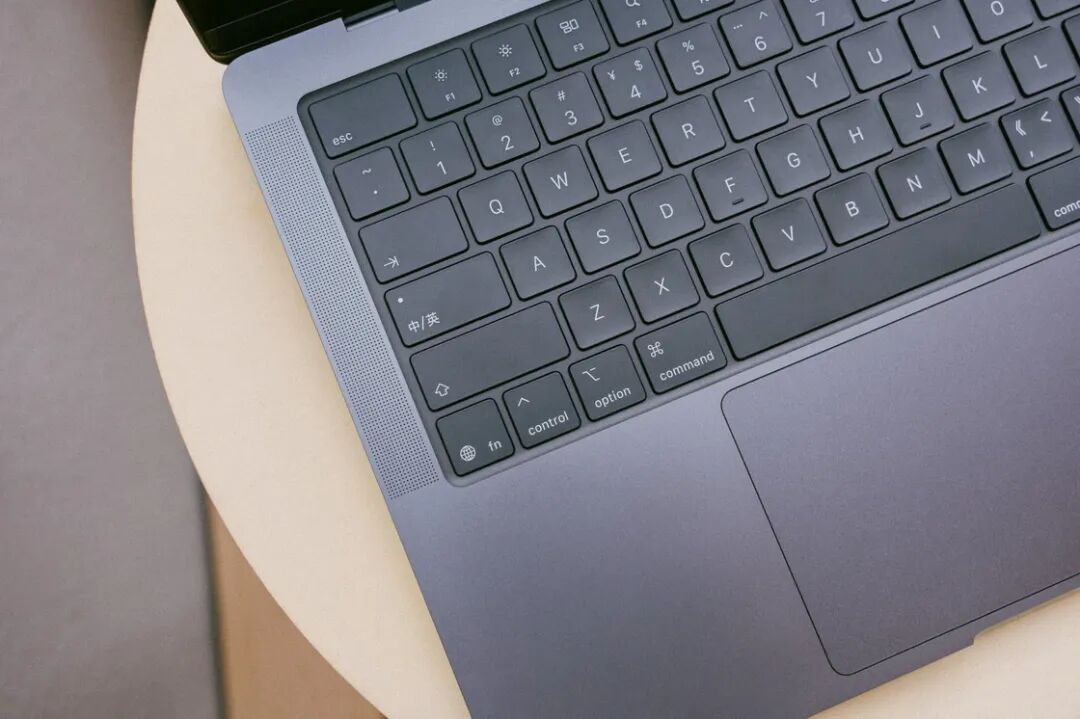
— There is a group of people who don't have high performance requirements. A MacBook Air can meet their needs. But they also want a better - looking screen, stereo speakers, a studio - grade microphone array, an independent HDMI interface, and an SD card slot, and they may occasionally work on performance - hungry projects. For them, the basic - level MacBook Pro is a more suitable choice.
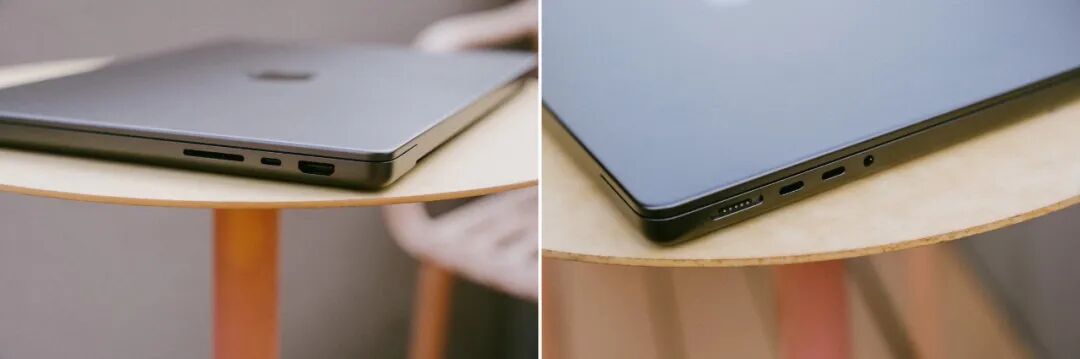
Another target group is users who are still using Intel - based Macs. I used to think that the number of such users was not large, but it wasn't until I found friends around me who were still using them that I realized I was being too naive. According to the latest statistics on the Steam platform, more than 15% of players are using Intel - based Macs. And it's reported that more than 25% of audio workers are still using Intel - based Macs.
I still remember how I felt when I switched from a 15 - inch top - spec Intel - based MacBook Pro to an M1 version. It was a kind of shock like "Why the hell did I spend 30,000 yuan on this piece of junk?" The M5 is indeed a basic - level chip, but if compared with the old chips from a few years ago, it will outperform them by a large margin.
What do you think of the M5 MacBook Pro?