Desktop pets are gaining popularity again, and netizens have begun to develop their own software using AI.
A while ago, Guozi came across a really interesting gadget called the "workday motivator", which looks roughly like this:
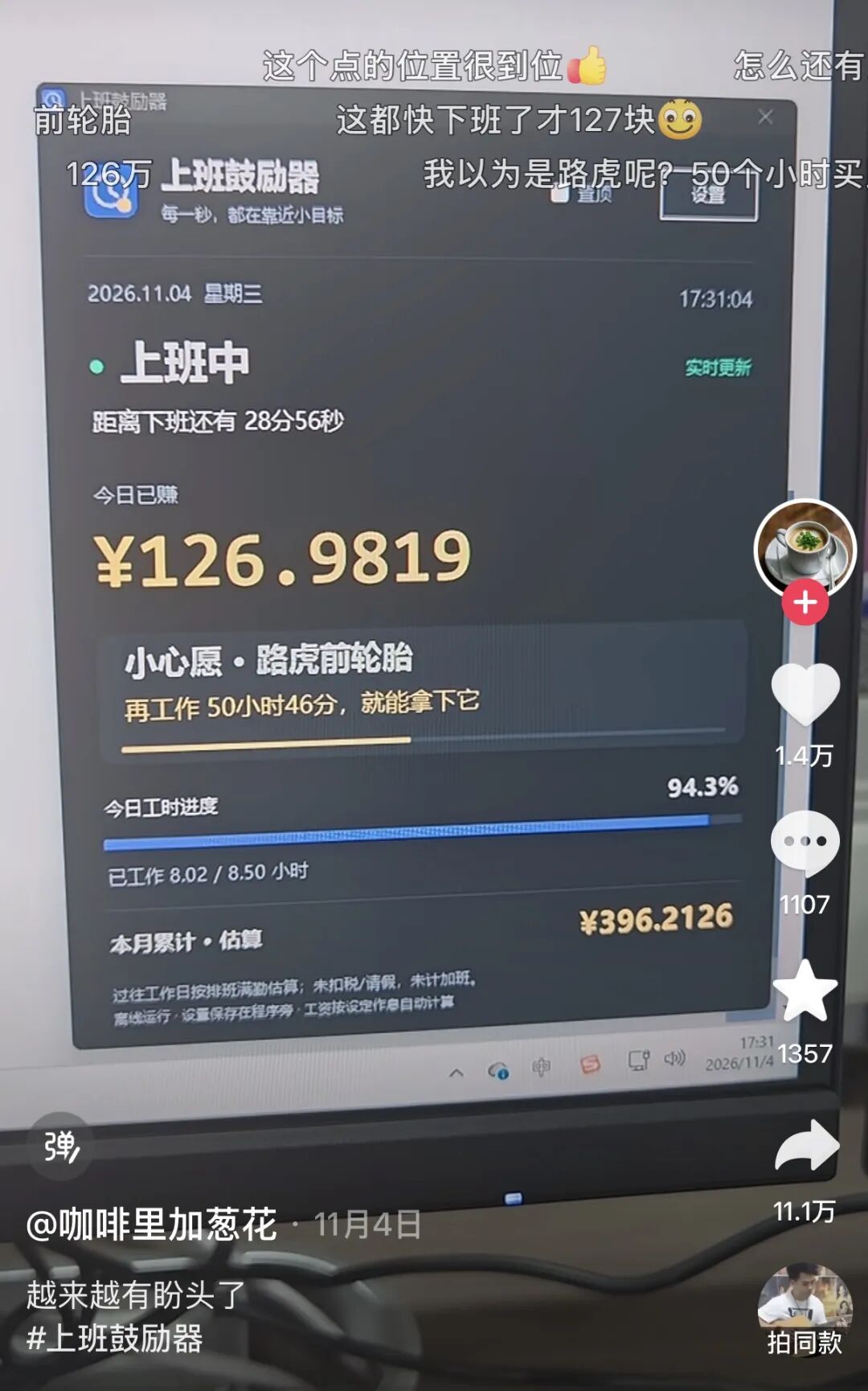
As the name suggests, its function is to motivate yourself to go to work. Apart from the key data such as how much you have earned at work in a day and how many Land Rover fragments you have collected, it can also show how much time is left before off-work and the progress of your working hours.
Nowadays, the overworked office workers even have to feed themselves fodder just to keep being a diligent "workhorse" — the boss hasn't even drawn you a vague pie of future benefits, but you have already drawn one for yourself first.
The special feature of the workday motivator is that it is made with a desktop Agent, not a software downloaded from the Internet, and everyone can customize its functions according to their own needs.
So I also made a workday motivator with WorkBuddy, and packaged it into a desktop plugin for Mac.
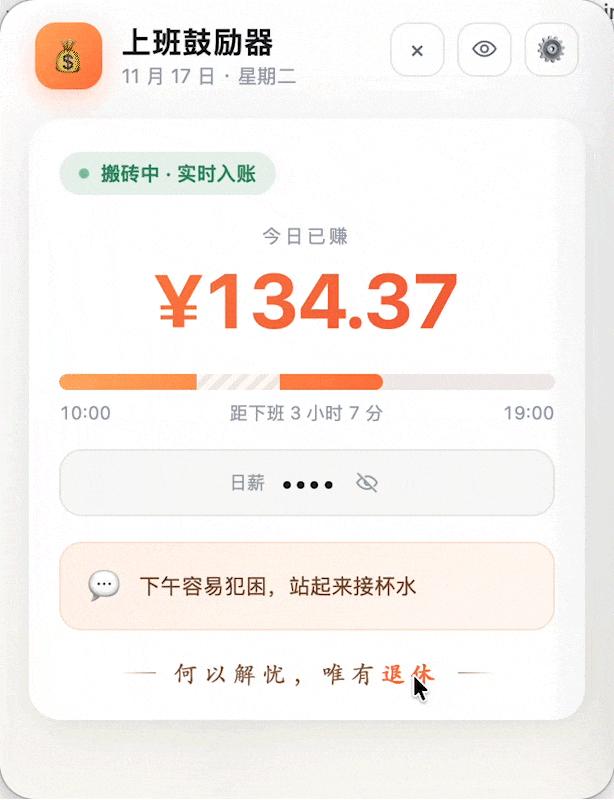
I adjusted its functions to be extremely minimalist, only showing the real-time income from my daily work. After all, income and retirement are the only two things Guozi cares about when going to work.
As for big goals like owning a Land Rover, Guozi who lives on a tight salary doesn't expect that at all. My Ninebot new energy scooter doesn't need to pay parking fees, isn't it great?
When you are tired from work, open the workday motivator and take a look. Do nothing, just watch the numbers rise quietly, and it can heal the soul hurt by KPI/OKR. The person who tied the bell must untie it; those oppressed by numbers will eventually be saved by numbers.
But the workday motivators made by netizens are much more fancy than Guozi's. If you feel that the rising speed of your numbers is too slow? No problem, netizens have their own tricks: just display a few more digits after the decimal point, you can increase the frequency of the number jumping up. If you ignore the decimal point, this speed is fast enough to make my friend's heart pound.
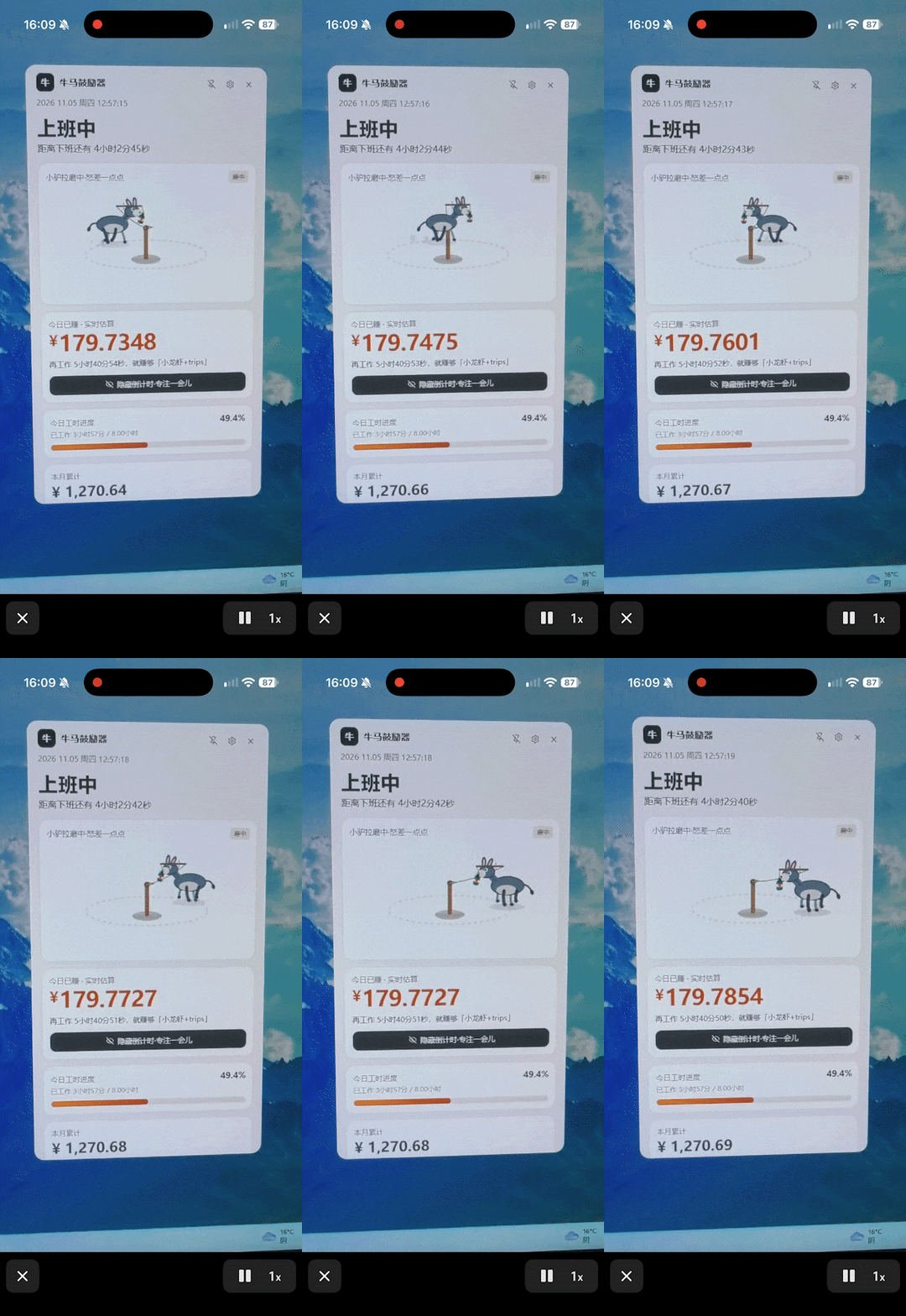
Moreover, this animation of a little donkey pulling a mill expresses the aspirations of countless overworked office workers: it seems that you have worked for a whole day, but in fact you are still spinning around in the same place.
Some netizens also included their fitness plans into the progress of the workday motivator. They are "trained" by clients and bosses during the day, and then "trained" by themselves after work, they don't give themselves a break at all.
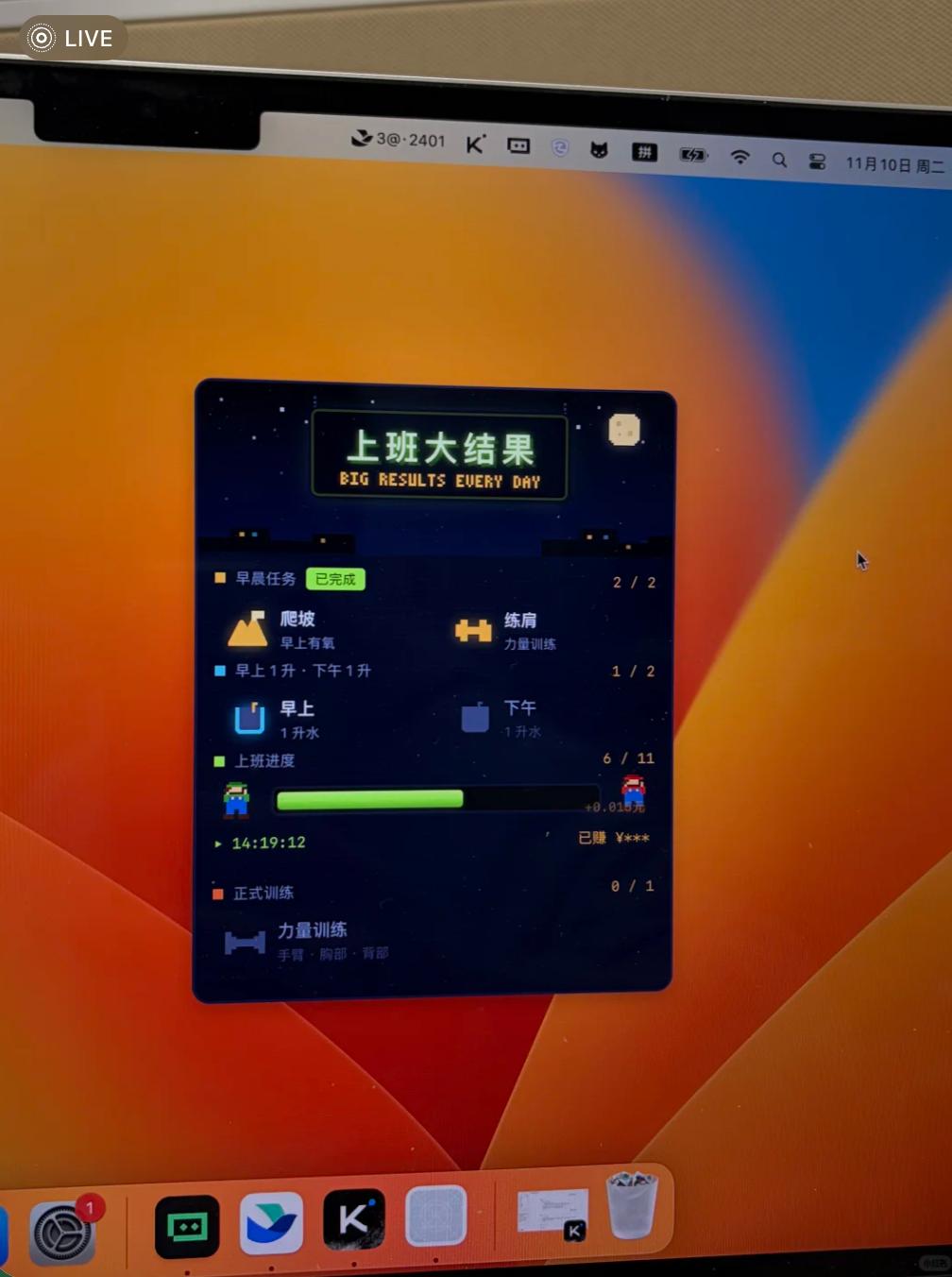
Even some netizens made the workday motivator look like an antivirus software. Is this way of making money really not making you feel uneasy?
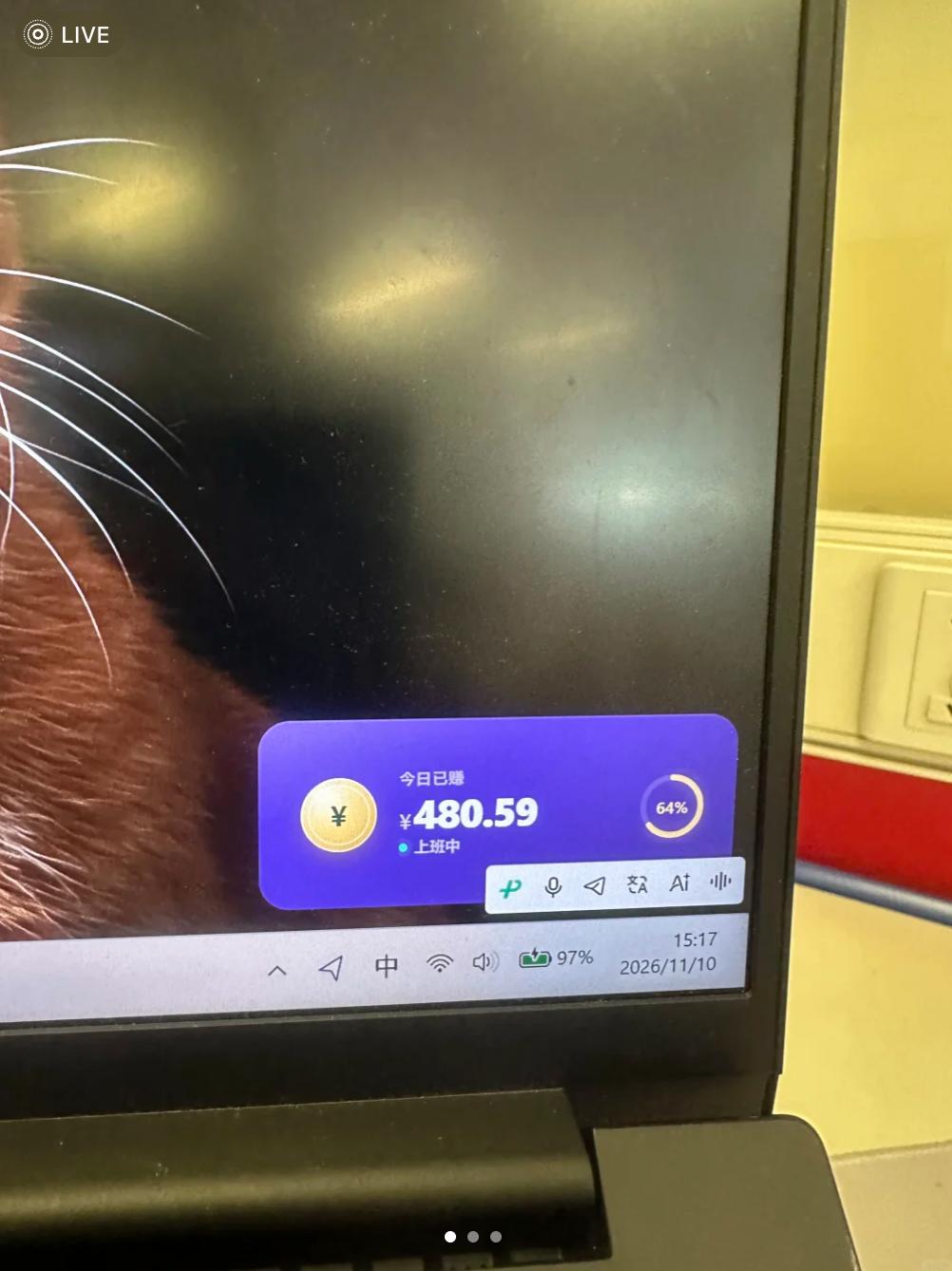
Both on Xiaohongshu and Douyin, a large number of netizens have shared their own self-made workday motivator cases. With the popularization of desktop Agent, making a simple application has almost no threshold now.
And the biggest threshold may be whether users have the motivation to open the desktop Agent, spend some time and energy to try to make an application.
People are not afraid of hardship and tiredness when doing fun things. It may be difficult for you to ask them to learn to use Agent to improve work efficiency, but if you ask them to make a workday motivator that is more funny than practical, they will rush to do it one after another, and set off a boom on the Internet.
In fact, before the workday motivator, vibe coding desktop pets have been popular for a while. The reason why they became popular is not that they can improve production efficiency, but that they can kill our boredom.
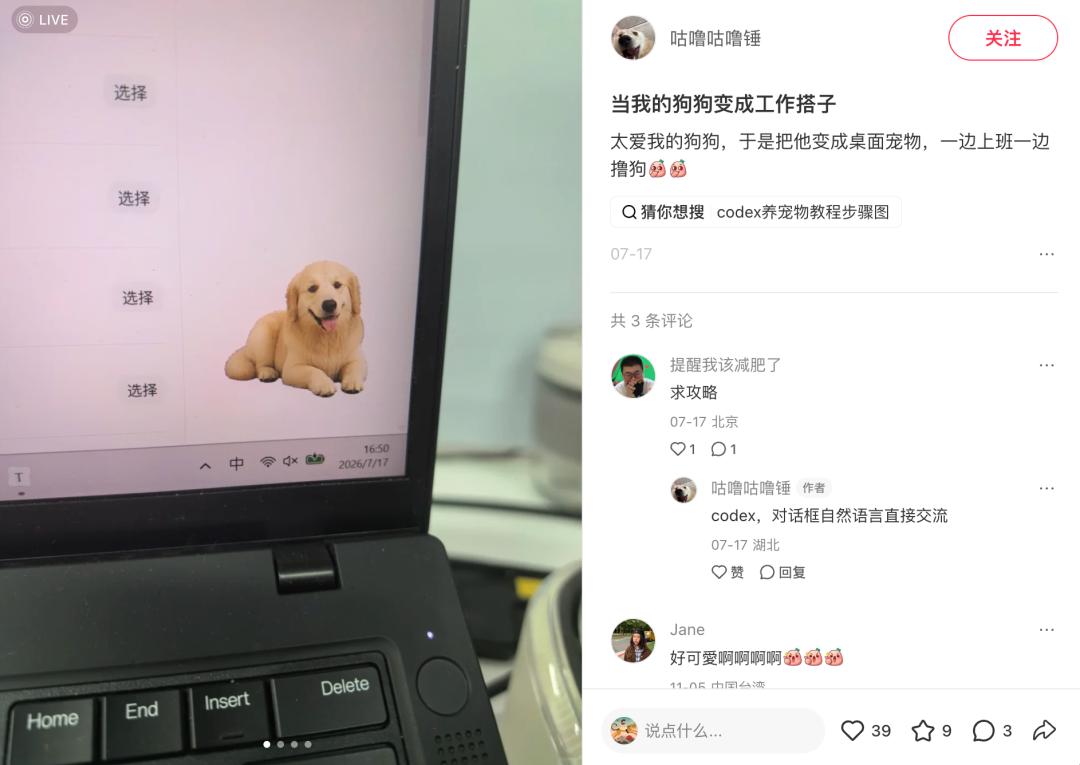
For example, you can make a desktop pet with the photo of your own pet, so that it can accompany you in another dimension.
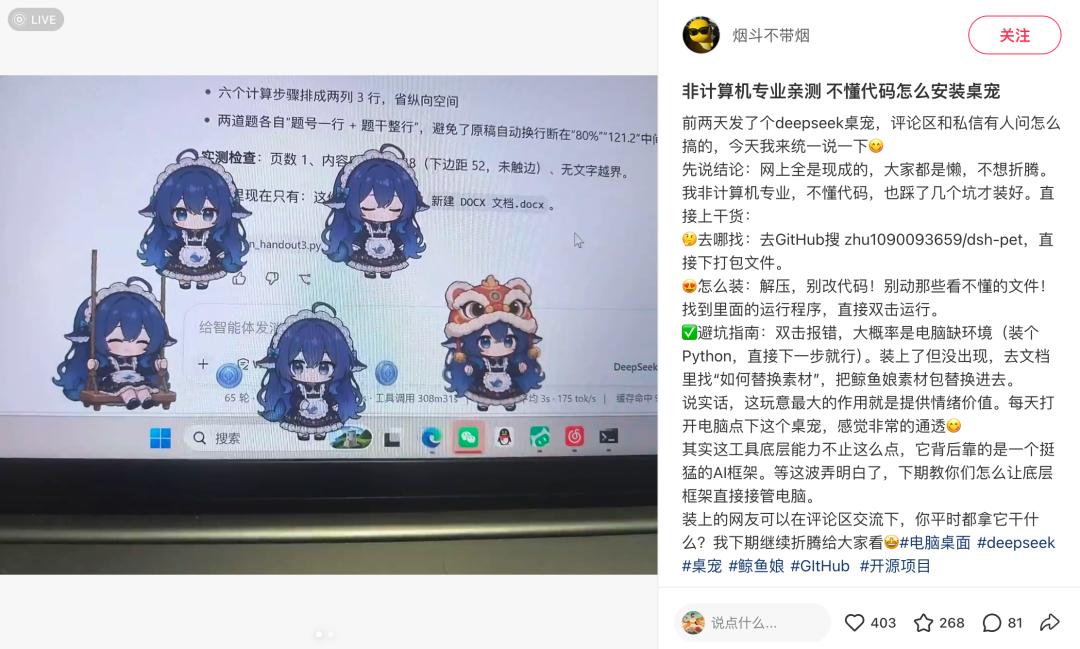
Or for heavy anime fans, making their favorite cute anime girl into a desktop pet is the idea of ordinary people.
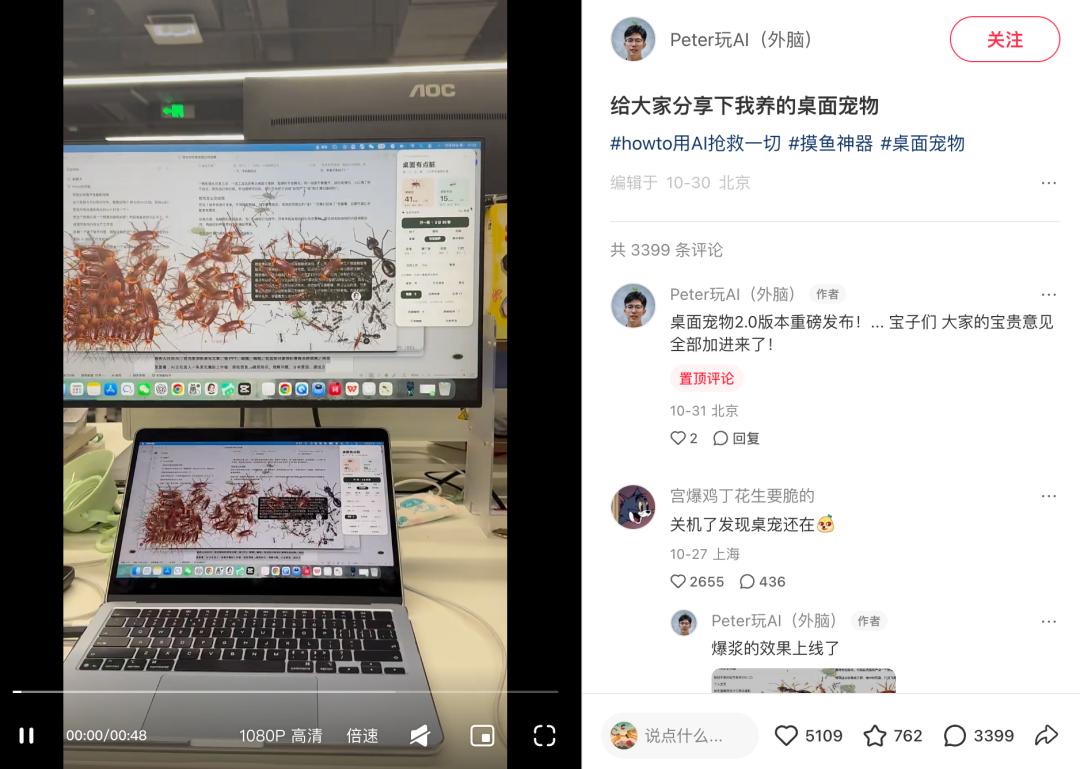
But if it's just like this, it's too boring. At least netizens' imagination won't stop here. For example, some netizens let cockroaches crawl all over the desktop, which makes people with trypophobia stay away.
Some people even made a desktop pet with the image of Feng Ge, who acts cute on the desktop. What's more, some people made desktop pets with the photos of 6 roommates in the dormitory, letting them crawl on the desktop and call "dad", full of bad fun.

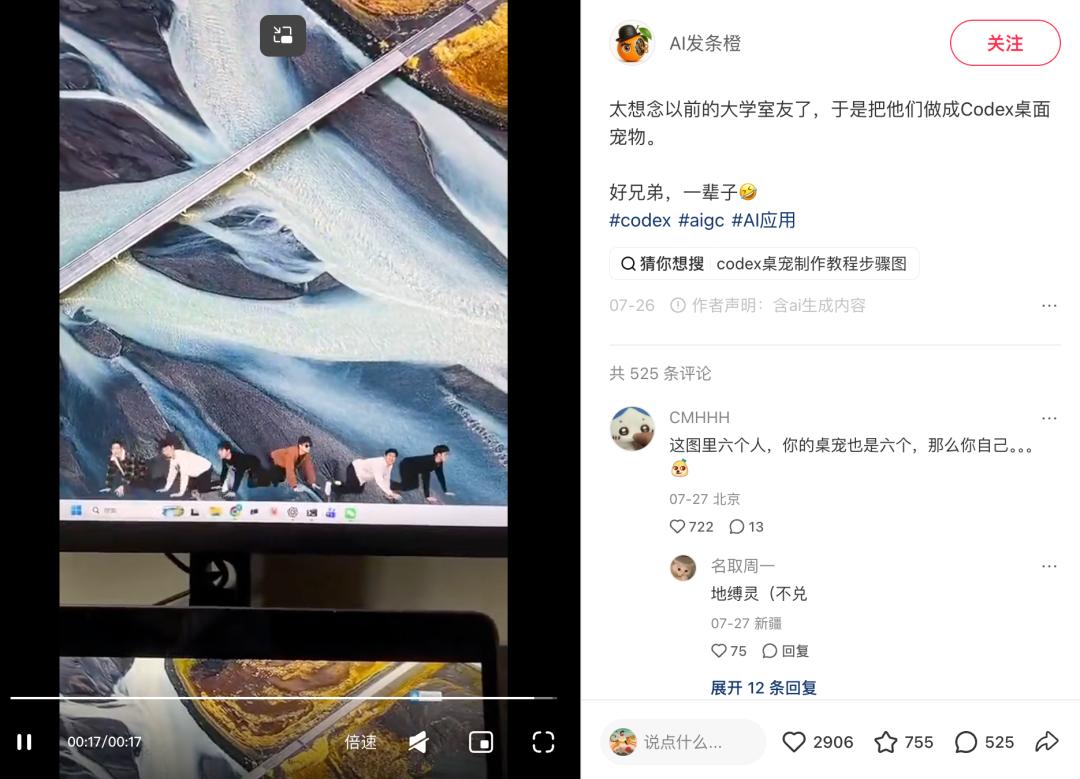
Wait a minute, 6 roommates, doesn't that include yourself? Of course, if your boss or leader treats you very (not) well, you can also make them into desktop pets. As for the effect of the desktop pets, it depends on their daily performance...
From desktop pets to workday motivators, these cases that have generated influence on social media are letting more people who don't understand code get in touch with software development, and more people may make some simple application tools according to their own needs as a result.
Now Guozi is going to show you by personal example, telling you how to use WorkBuddy to make really useful tools.
I need a software to record various anniversaries. Referring to Alipay, I named it "RememberPal".

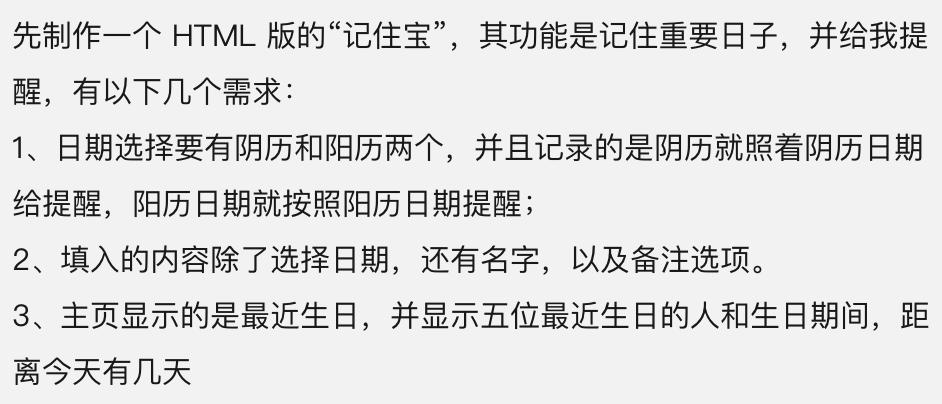
My first requirement is that it can record both solar calendar and lunar calendar birthdays, remind me according to the solar calendar for solar birthdays, and remind me according to the lunar calendar for lunar birthdays. Secondly, it can show what important days are coming recently, so that I can prepare in advance.
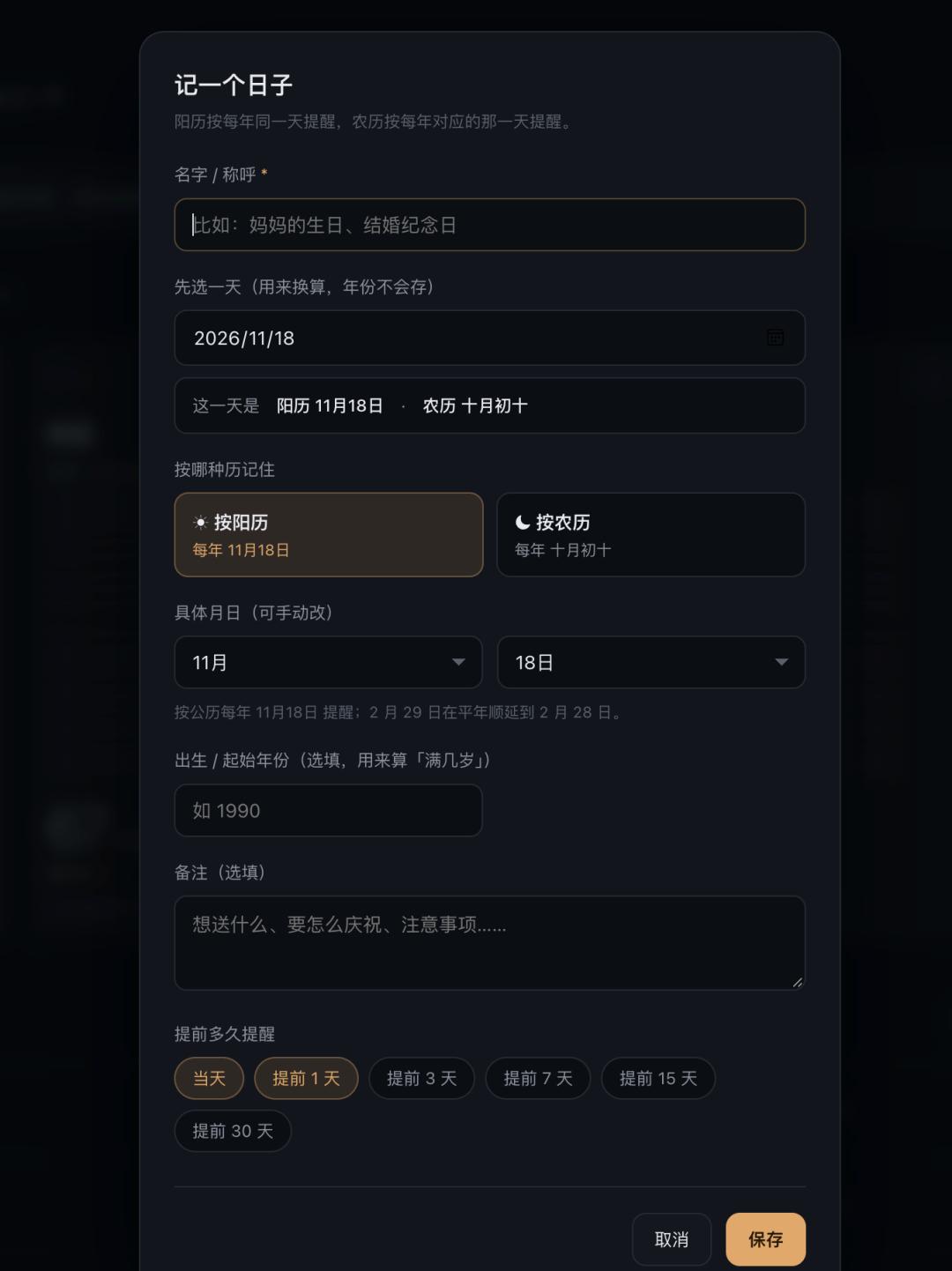
This is the initial version. First, the black theme is very ugly. Second, in the process of adding a day, you first select a date, then select solar or lunar calendar, and then set the specific month and day. The functions are repeated and not concise enough, so it needs to be adjusted.
Therefore, after many adjustments to the interface and functions, I finally got a satisfying effect in the V5 version, with concise functions and all necessary elements.
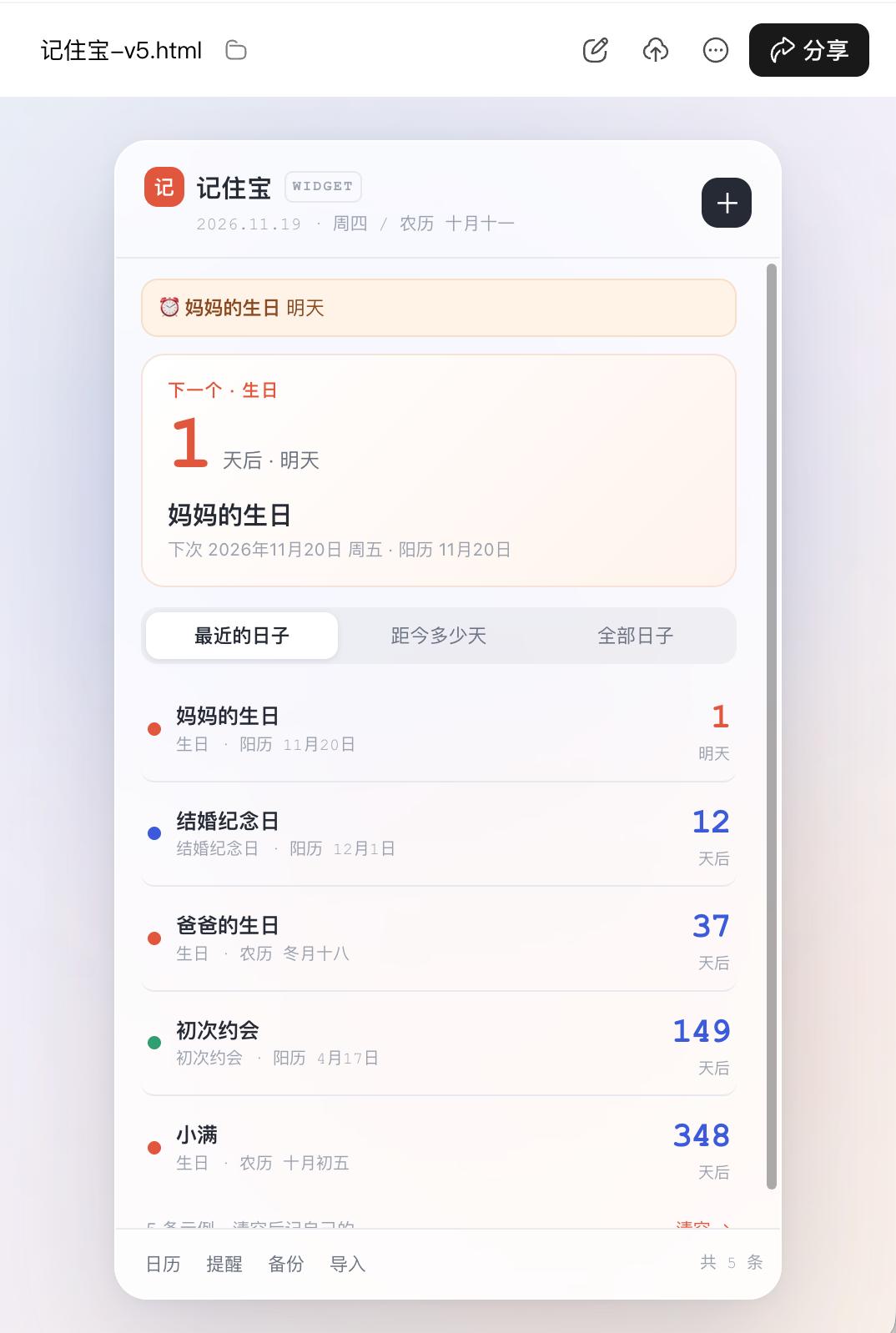
Then I can let WorkBuddy package it into a Mac desktop software based on the V5 version, and I need it to add a boot self-start function, so that it can remind me of the important days in the near future every time I turn on the computer.
The last problem is that the icon is too ugly and too rigid. I asked WorkBuddy to replace it with a more aesthetically designed icon that can better reflect the calendar-related features.

This is the final page of "RememberPal". What do you guys think? If other Mac users need it, I can share the dmg file with them. If it's Windows users, I can also share the HTML file for them to make it by themselves.
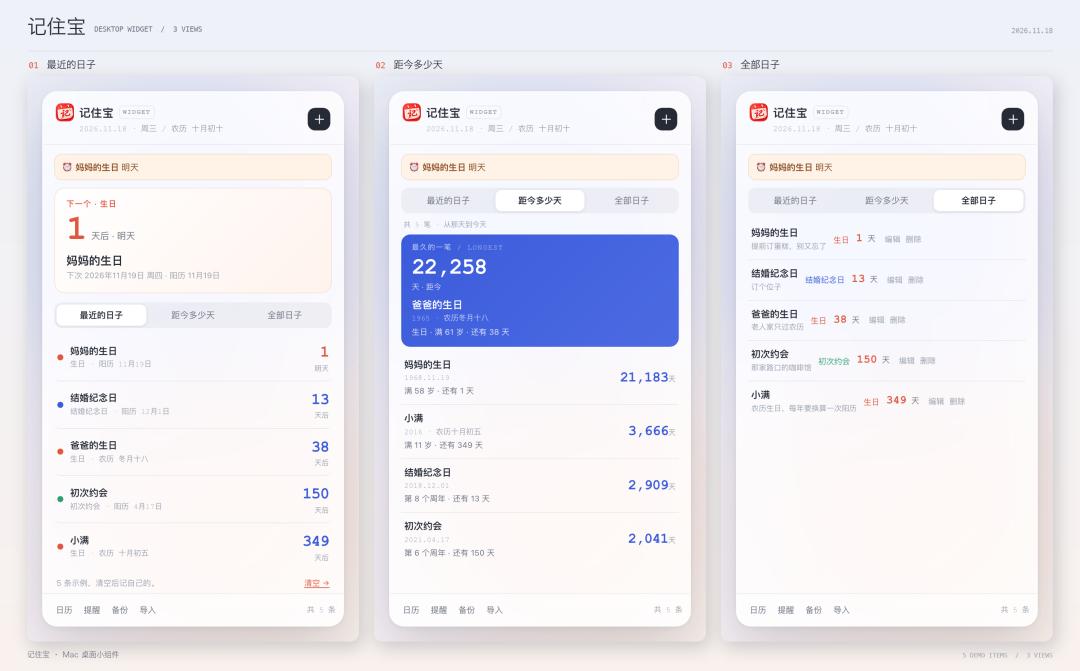
So you can see that many simple tools now can actually be developed by yourself with desktop Agent without downloading. Even if you don't want to recharge for tokens or buy membership, there are desktop Agent like WorkBuddy, which gives you 100 points for free just by logging in every day. After logging in for a few days, you will have enough points to make a simple tool.
In the field of programmer development, there has always been the saying of "three-piece set for independent development": when many programmers start to develop independently, they often choose three types of products: bookkeeping, diary, and ToDo (to-do list). These products have clear logic and relatively simple functions, so they are very suitable for independent developers.
With the emergence of AI, the "three-piece set for independent development" has basically ceased to exist, because everyone can customize their own bookkeeping, diary, and ToDo tools.
In terms of mobile applications, Google has announced at this year's Google I/O 2026 conference that Google AI Studio officially supports Android applications. You only need to input natural language to generate an Android APK installation package.
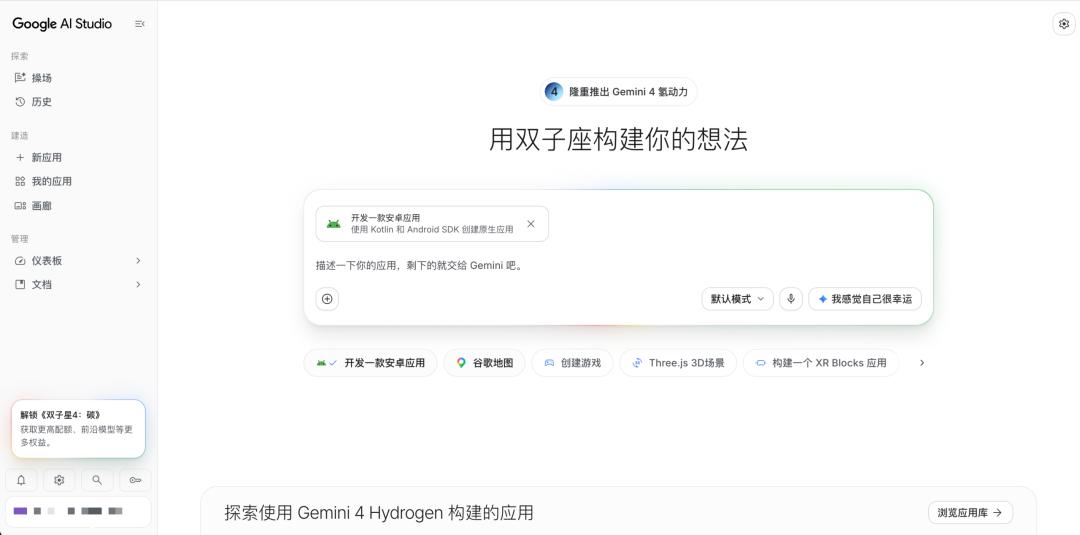
Of course, for some complex apps that need to build servers, build platforms, and solve high concurrency problems, there are still very high thresholds, which are not suitable for AI to make. But we can still see some trends from these cases.
When a code novice like Guozi can make a "workday motivator" to comfort himself who is tortured by work, and generate a "RememberPal" to avoid forgetting the important days in life.
I began to truly feel that with AI, the world and I have become different.