Huawei has added an external secondary screen to its computers. Why has this old design from 20 years ago made a comeback?
Recently, Huawei has launched another very distinctive computer.
Following the 18-inch MateBook Fold Ultimate launched last year, Huawei has further reduced the size of its foldable computer to 14.7 inches (10.2 inches when folded). The new MateBook Fold S is now available for pre-order and will be officially released on November 24. As Huawei's first small foldable HarmonyOS computer, its launch has drawn widespread attention.
However, compared to the foldable screen itself, what may attract more attention this time on the MateBook Fold S is a small screen on the outer side of the device, which Huawei calls:
Live Mini Square Screen.

Image source: Huawei
According to the official demonstration, users can check their schedules, messages, browse Xiaohongshu, and even directly activate Xiaoyi Smart Note under the lock screen without unfolding the computer. After unfolding, they can continue to use the 14.7-inch large screen to handle work tasks.
For users who are accustomed to traditional laptops, this is indeed a rather special design. After all, when a laptop is closed, it usually means the user temporarily stops using it.
But Huawei is not the first manufacturer that tried to change this habit. Nearly two decades ago, Microsoft and ASUS already tested similar outer screen designs, and later Lenovo also launched multiple generations of related products, but none of them managed to make the outer screen a mainstream configuration for laptops.
Why did Huawei pick up this design again? Does the outer screen on today's laptops really have a chance to become popular? Lei Technology (ID: leitech) would like to share its views on this topic.
Outer screens on laptops were tested long ago
In 2007, along with the release of Windows Vista, Microsoft launched a feature called Windows SideShow, which allowed users to check emails, schedules and other information through the small screen on the outer side of the laptop without turning on the device.
The ASUS W5Fe, as the representative product of that era, added a 2.8-inch small screen on the back cover of the laptop, with a built-in independent processor and flash memory. Users could even view previously cached information and play music when the computer was turned off.
Later, Lenovo also adopted a similar design idea, launching the ThinkBook Plus in 2020, which featured a 10.8-inch e-ink screen on the back cover, supporting notification viewing, document reading and handwritten note taking. The second generation further expanded the outer screen to 12 inches, adding functions such as Office document annotation. After that, Lenovo even tried the combination of color e-paper and rotating screen.
Compared with the ASUS W5Fe, Lenovo's design is obviously bolder. It hopes to turn the outer screen into a light office screen that can be used independently, rather than just a window for viewing information.
But if we put these products together with the Huawei MateBook Fold S, it is not difficult to find that although the screen sizes and technical solutions are different, the problem that manufacturers want to solve has always been very similar:
Why do users have to turn on the computer specially when they only want to check a little information and complete a few simple operations?
Microsoft's original idea was very straightforward. In its official technical documents, SideShow was envisioned as an entry point for accessing information at any time, allowing users to check emails, schedules, weather and even stock quotes without waiting for the computer to boot up.
To this end, the ASUS W5Fe even adopted the NVIDIA Preface platform, equipped with independent dual ARM processors and flash memory, so the outer screen can run independently when the host device is turned off.
Lenovo focused more on office efficiency. According to Lenovo's statement when releasing the ThinkBook Plus, frequent task switching will constantly interrupt workers' attention, while the outer screen allows users to quickly check important information and jot down content during meetings, reducing the interference caused by opening the laptop.
As for Huawei, He Gang mentioned in a recent introduction video that many users are satisfied with the outer screen experience of the Pura X, so when designing the new computer, Huawei began to think about whether it can change the design idea of traditional computers and develop an outer screen for laptops.
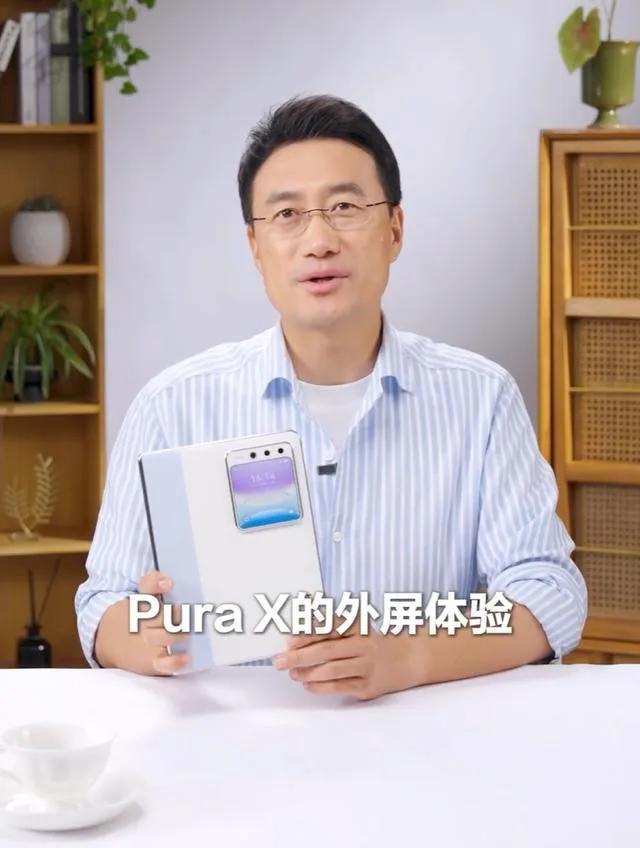
Image source: Huawei
It is not hard to see that all these manufacturers hope to break the traditional usage habit of "closing the laptop means exiting interaction", so that the computer can handle some simple operations even when it is closed.
From the perspective of demand, this idea is actually very reasonable. But the reality is that neither Microsoft nor Lenovo managed to make this design truly popular.
The problem with Microsoft SideShow largely lies in the software and hardware ecosystem at that time. In 2007, Computerworld found in a survey that the number of computers and applications supporting SideShow was very limited, and developers had little motivation to make adaptations. Worse still, after the computer was turned off, the outer screen could not continuously obtain the latest information, and could only display the previously cached content.
Lenovo faced another set of difficulties. Although the ThinkBook Plus used the e-ink screen to expand usage scenarios such as reading and handwriting, the large-size outer screen also increased hardware costs and design burdens. Problems such as refresh rate and image sticking of e-paper itself further limited the actual interaction experience.
In short, the functions are too simple, so users have few reasons to use it. But when the functions become more and more complex, the outer screen easily becomes a substitute with worse experience than the main screen. What's more, with the popularity of smartphones, lightweight demands such as checking messages and schedules have long had more convenient solutions.
However, after nearly two decades, the situation Huawei is facing this time has changed a lot.
Why can Huawei make the outer screen on laptops a success?
With the MateBook Fold Ultimate as a predecessor, the foldable screen design of the MateBook Fold S has not caused much surprise, and people have focused more on the product positioning and design of small foldable device plus outer screen.
Compared with traditional laptops, the MateBook Fold S adopts a more compact foldable design, which has a 14.7-inch large screen when unfolded, and is close to the size of a book when folded, making it easier to store and carry. Adding a small-size outer screen on this basis, the extra hardware burden is theoretically easier to control than Lenovo's large-area e-paper screen.
Although it is not yet possible to determine how much extra cost, weight and power consumption the Live Mini Square Screen actually adds, at least from the perspective of design ideas, Huawei does not intend to let the outer screen undertake too many tasks. To put it simply, the MateBook Fold S is still a computer that focuses on the large screen experience after unfolding, and the outer screen is only responsible for lightweight interactions suitable for small screens.
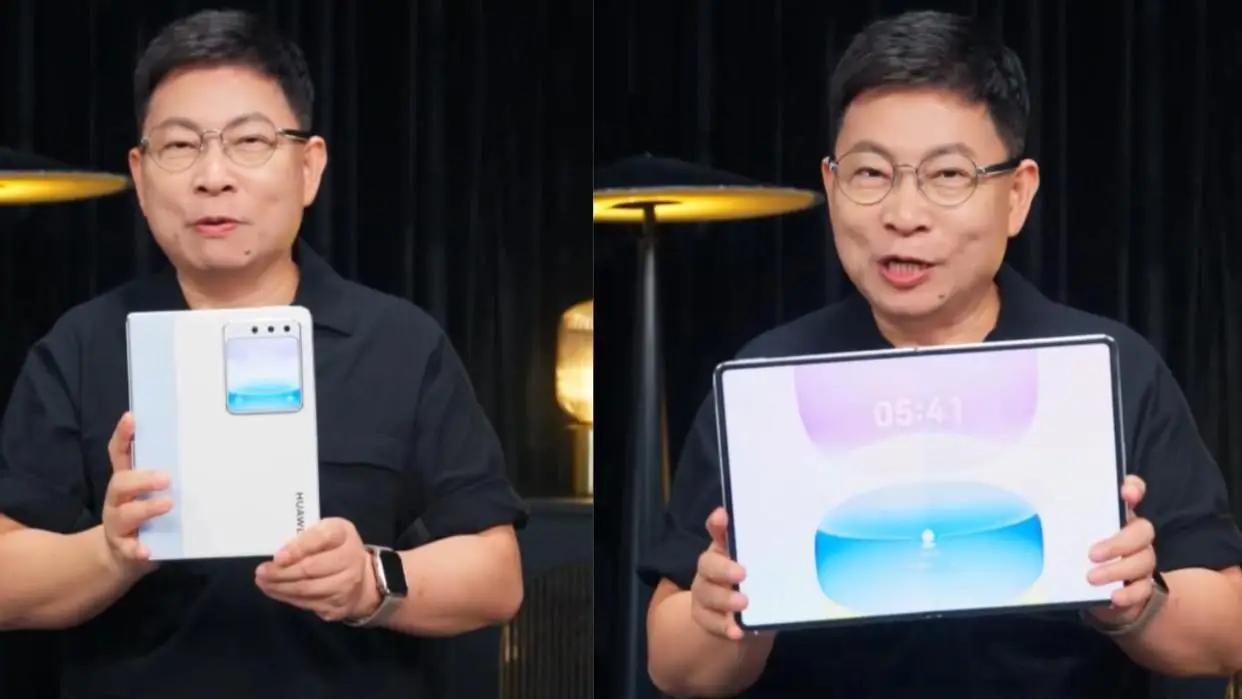
Image source: Huawei
In terms of hardware, one of the key reasons why Windows laptops failed to make good outer screens in the past is that restricted by the technology at that time, the standby power consumption was high, and running the secondary screen with the lid closed easily caused overheating and power drain. But Huawei's Kirin chip is based on the ARM architecture, paired with HarmonyOS's modern low-power design, which is fully capable of solving the power consumption and overheating problems of the outer screen when the lid is closed.
At the same time, HarmonyOS also gives Huawei an ecological foundation different from that in the era of Microsoft SideShow.
As a manufacturer that masters both hardware and operating systems, Huawei can uniformly consider the interaction design, system capabilities and application adaptation of the outer screen, avoiding the difficulties Microsoft faced back then when it needed to coordinate a large number of hardware partners. More importantly, Huawei has also accumulated outer screen interaction experience on foldable phones such as the Pura X, as well as the application ecosystem foundation based on HarmonyOS.
But compared with hardware and software, what I care more about is the changes brought by AI.
In the past, how much work the outer screen could complete largely depended on how much content the screen itself could display and how many operations it supported. But as AI Agents gradually gain the ability to operate applications, call tools and handle complex tasks, users may no longer need to complete all steps personally. For example, users can initiate a task to the AI through the outer screen, let the computer retrieve files, organize materials and generate content in the background, and then unfold the large screen for review and modification.
In this process, simple interactions are completed through the outer screen, and the computer is unfolded when complex interactions are needed. Theoretically, this can not only give play to the convenience of the small screen, but also make use of the computer's own performance, files and work context.
Moreover, compared with Lenovo's past idea of completing more operations on the outer screen, the emergence of AI may allow Huawei to enable users to complete more complex tasks without continuously increasing the size and functions of the outer screen.
Of course, this is still a possible product direction. But at least judging from the functions such as the officially demonstrated Xiaoyi Smart Note, Huawei is indeed working towards this direction and has better conditions than its predecessors.
The outer screen is more user-friendly, but will users get used to using it?
The small foldable form factor reduces the burden of adding an outer screen, the HarmonyOS ecosystem provides a more complete software foundation, and AI has the opportunity to redefine what the outer screen can accomplish. From this perspective, Huawei's new attempt on laptop outer screens does make sense.
Even so, I still have some doubts about the outer screens on laptops. The first question is:
Do we really need to continue using the computer after closing its lid?
For small foldable phones, the outer screen has very clear value. Phones are devices that people carry with them and pick up frequently. There is no need to unfold the large screen every time for operations such as checking messages, switching songs, and replying to WeChat messages.
But the usage habits of computers are quite different. When the computer is in the bag, users who want to check messages or schedules will most likely take out their smartphones directly. Even if the MateBook Fold S is compact enough, taking out the computer can hardly be more convenient than taking out a smartphone.
When the computer is right on the desktop, if the user is going to handle work, why not unfold it directly? Especially for the MateBook Fold S, there is a 14.7-inch large screen after unfolding, which can provide a more complete operation space.

Image source: Huawei
Therefore, the scenarios where the outer screen is truly suitable are probably those where the computer is at hand, and users need to handle a small task that is not worth unfolding the computer specially. Such scenarios certainly exist, but how frequent they are is still in question.
And even if AI brings new interaction possibilities, the problem is not completely solved.
When users can directly give voice commands to the computer, or remotely call the AI on the computer through their mobile phones, how much extra convenience can the outer screen provide? I am looking forward to Huawei giving a more convincing answer. In particular, AI tasks that rely on the computer's local files, application status and work context may become the key that distinguishes the outer screen from the mobile phone.
It must be noted that the core part of the MateBook Fold S is first and foremost the small foldable computer itself. Even if the Live Mini Square Screen is removed, the MateBook Fold S can still achieve a new balance between portability and large screen experience through its foldable design. The outer screen is more like an additional experience Huawei adds to this new form factor, which may not be the core design that supports the whole product.
This is not necessarily a bad thing. If the outer screen does not significantly increase cost, weight and power consumption, and can provide convenience in some scenarios, it is very likely to be a function worth retaining even if users do not use it frequently.
Nearly two decades of attempts have proved that allowing the computer to continue providing information and functions after the lid is closed is not a new idea. But if Huawei hopes to truly change the interaction habits of laptops through this, it must at least prove what better experience and value using the computer with the lid closed can bring.
This article is from the WeChat Official Account "Lei Technology", written by the Digital Team of Lei Technology, and authorized for release by 36Kr.