Tencent's Muse? Actual measurement of the new LightVela version: It is increasingly similar to a personal Agent, but still far from perfect.
It is quite strange that an AI product launched a few months ago has once again drawn widespread public attention.
Recently, Tencent's cloud-based AI Agent product LightVela has re-entered the sight of many users. In fact, LightVela launched its public beta back in April this year, and was officially open to all users at the end of September.
Initially, LightVela mainly migrated the open-source Hermes Agent to the cloud, saving users the trouble of deployment and maintenance. However, after learning more about it, I also found that LightVela has undergone very distinct upgrades in the past two months. It not only supports creating multiple AI assistants with independent personas, long-term memory and skills, but also adds a cloud computer, giving the Agent a desktop environment that can be used independently.
It is becoming more and more like a Personal Agent. No wonder many people even directly regard it as one of Tencent's Personal Agents.
After all, from long-term memory to autonomous task execution, more and more manufacturers today hope to make AI truly integrate into users' daily work and life. This round of upgrades of LightVela also seems to be moving in this direction. But is that really the case? Lei Tech (ID: leitech) conducted a real-world test immediately.
From Persona to Memory: Adopt Your Own Agent
Starting from the official website, LightVela is clearly positioned close to Personal Agent. It not only emphasizes being a partner for development, work and business operation, but also covers financial management and life housekeeper, calling itself a "cloud personal assistant". In addition, LightVela has recently opened free experience, new users can enjoy 1 month of free experience, and get 4500 AI points as a gift.
This may also be the reason why some people have begun to pay attention to LightVela recently, but it is obviously not the whole story.
As a pure cloud-based AI Agent product, LightVela does not have a desktop client or mobile APP. Its main interaction interface is the web page, but it also supports mainstream IM software such as WeChat, Feishu, DingTalk and QQ. In addition, it is not surprising that LightVela also supports skills, scheduled tasks and connectors.
However, compared with its sibling product WorkBuddy, LightVela has not invested much energy in the ecosystem at this stage. The skill part is acceptable, as it is directly connected to SkillHub, which can share most of the existing AI skills. But relatively, there are only 6 applications in the connector:
Tencent Meeting, Feishu, DingTalk, Tencent Docs, Tencent Securities and ima.
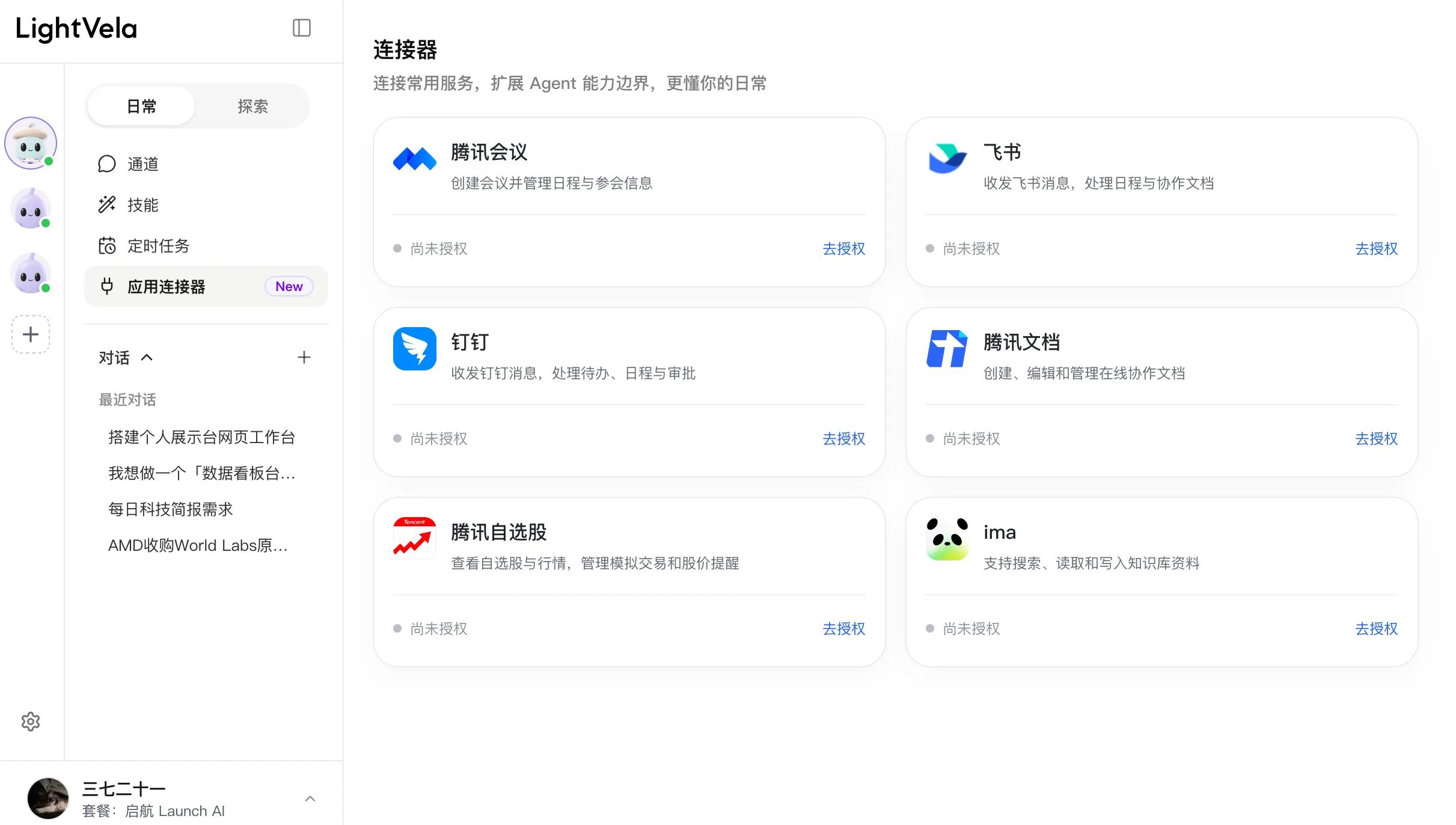
Back to the interface design of LightVela, various custom Bots are concentrated on the left side, and users can customize an Agent Bot based on existing recommended templates. For example, I customized two sub-Bots, which are responsible for industry research and fact checking respectively.
The conversation list is attached to the corresponding Bot, and the interface is divided into "Daily" and "Explore". Chat, skills, channels, scheduled tasks and application connectors are placed in the "Daily" section; persona, persistent memory, achievements, as well as settings for models and cloud computers are placed in the "Explore" section.
This design indeed avoids displaying all options at once, but it also means that arranging work for the assistant and adjusting the assistant itself require switching back and forth between two sets of pages.
Another key point is "Persona". If skills and connectors solve the working methods and data sources, persona and memory determine what kind of assistant LightVela is and how much it knows about you. In fact, this is also the core of Personal Agent: apart from the initial persona setting, it also lies in memory correction during long-term use.
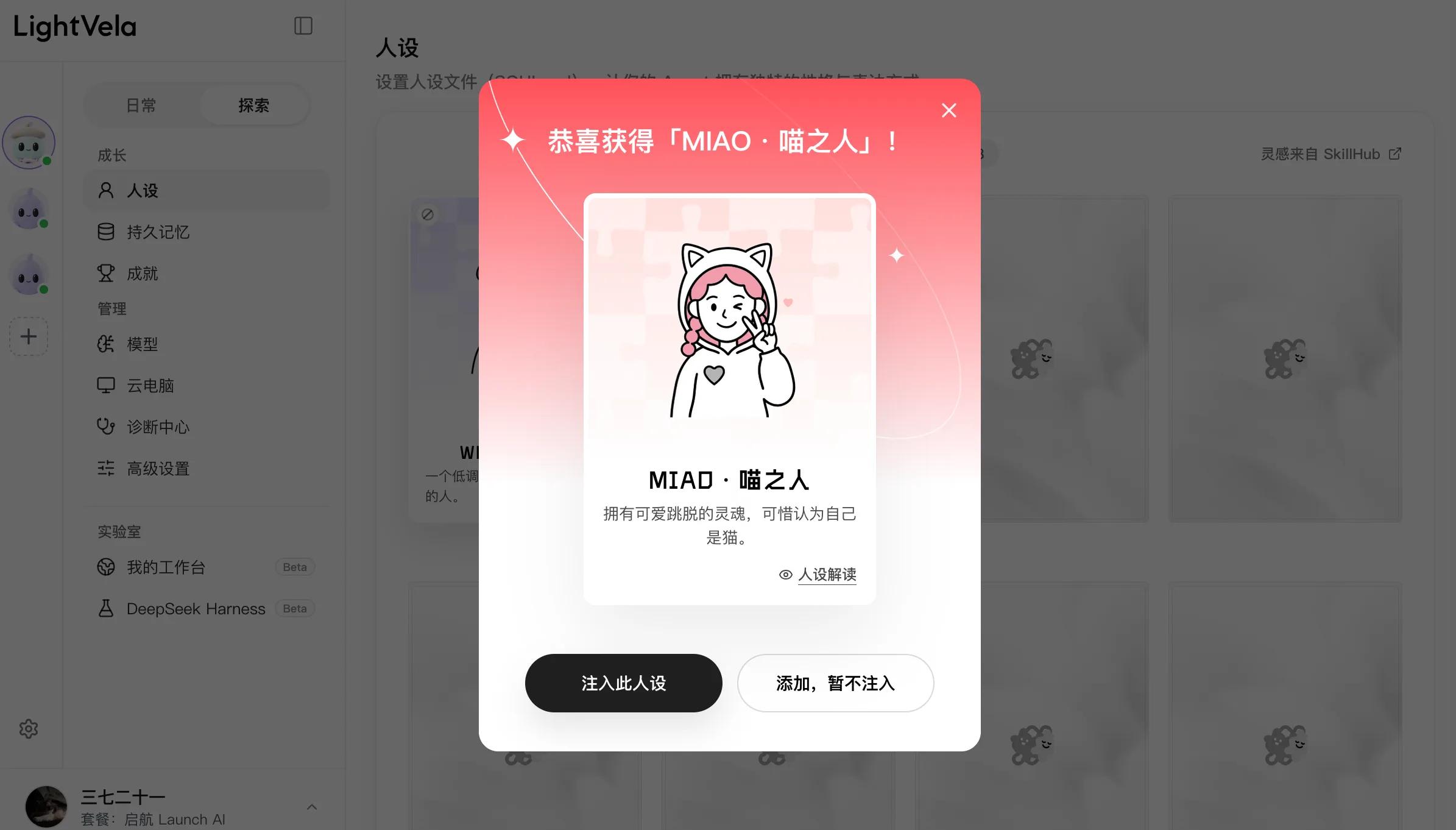
The persona page is the most "nurturing" part of this product. I clicked "Extract Persona" and started the gacha process, and got a card called "MIAO · Cat Person". It comes with illustrations and personality interpretation, and users can continue to view its expression style and action logic. This interaction is quite interesting. A set of character rules that originally required users to write by themselves is made into selectable and collectible cards. The process of choosing an assistant also adds a little fun of discovering different personalities.
Of course, a more accurate way is to take a persona test, and form an initial Agent persona by answering a series of questions.
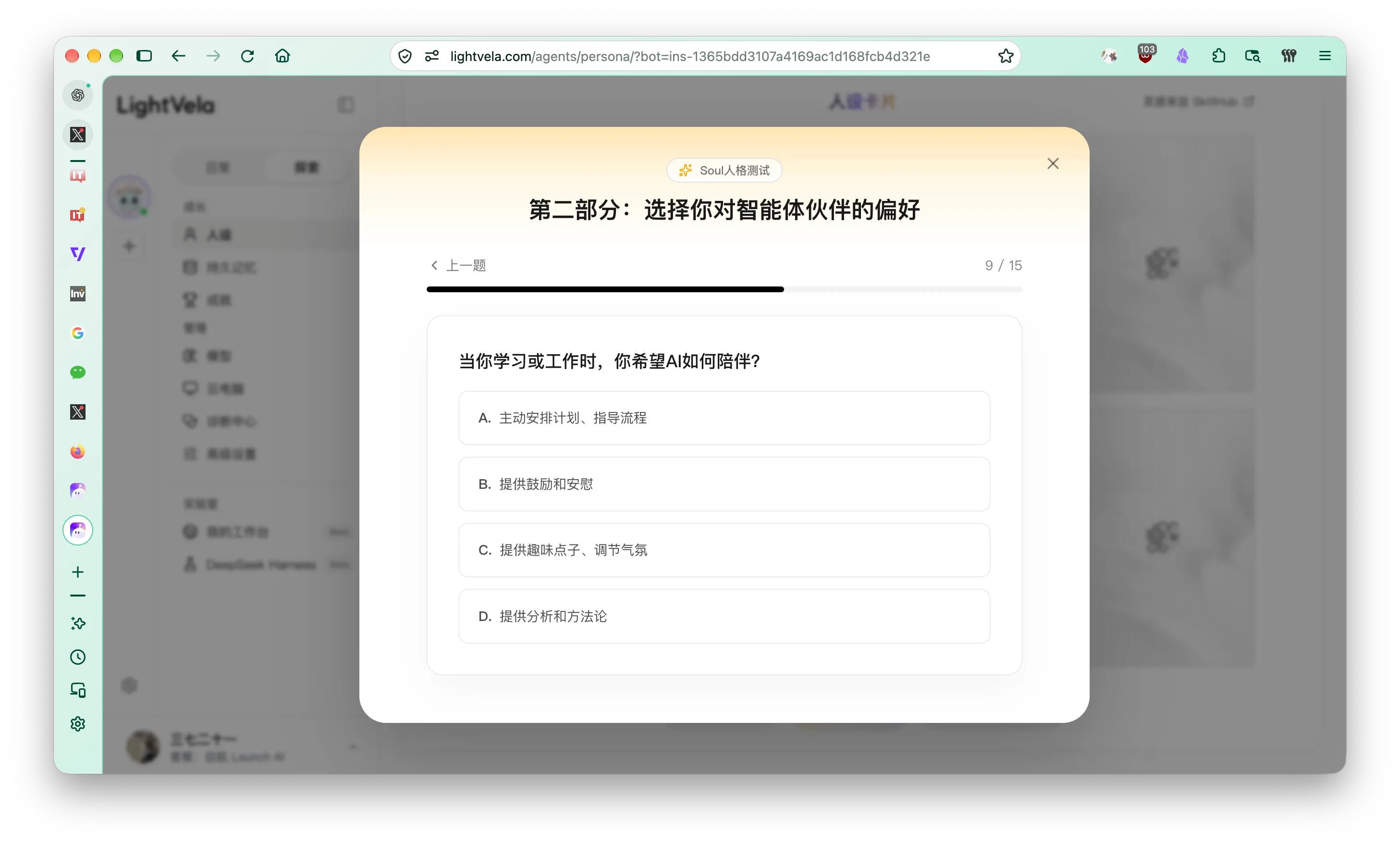
After understanding these features, it becomes easier for me to grasp the design logic of LightVela: create an assistant first, then gradually decide how the assistant works, what materials it can access, and how it interacts with you. The question is, can ordinary users smoothly find the functions they really need in this process?
Next, it's time to let the assistant do some real work.
Easier Than Deploying Hermes on Your Own, But How About the Performance?
The first task I assigned to LightVela is somewhat like letting the AI study itself. I asked LightVela to check the official website update logs and documents, sort out the three changes including multi-Bot, cloud computer and workbench, clarify their launch time and usage boundaries, attach the original sources, and finally deliver a briefing and a source table.
The task is not complicated, but it can not only test whether the Agent can look up information and generate documents, but also make it convenient to go back to the official original text to check whether the results are reliable.
The industry researcher Bot I created earlier is responsible for this task. In the already registered account, I kept the "Auto" model option, did not install additional skills, and did not connect to WeChat or Feishu in advance, so I could directly assign the task.
At least from the perspective of the threshold to start working, LightVela is indeed more convenient than deploying Hermes by yourself. The page shows that the researcher Bot spent 1 minute and 18 seconds, returned the sorted results of the three updates, as well as the file paths of the Markdown briefing and CSV source table.
The first time I saw a long string of server paths, I was really taken aback. What ordinary users want is the file itself. Who cares which directory the Agent puts the briefing in?
Fortunately, both files are delivered as clickable links. You can click to preview them in the side panel, or download them directly, but the interactive design is not intuitive enough.
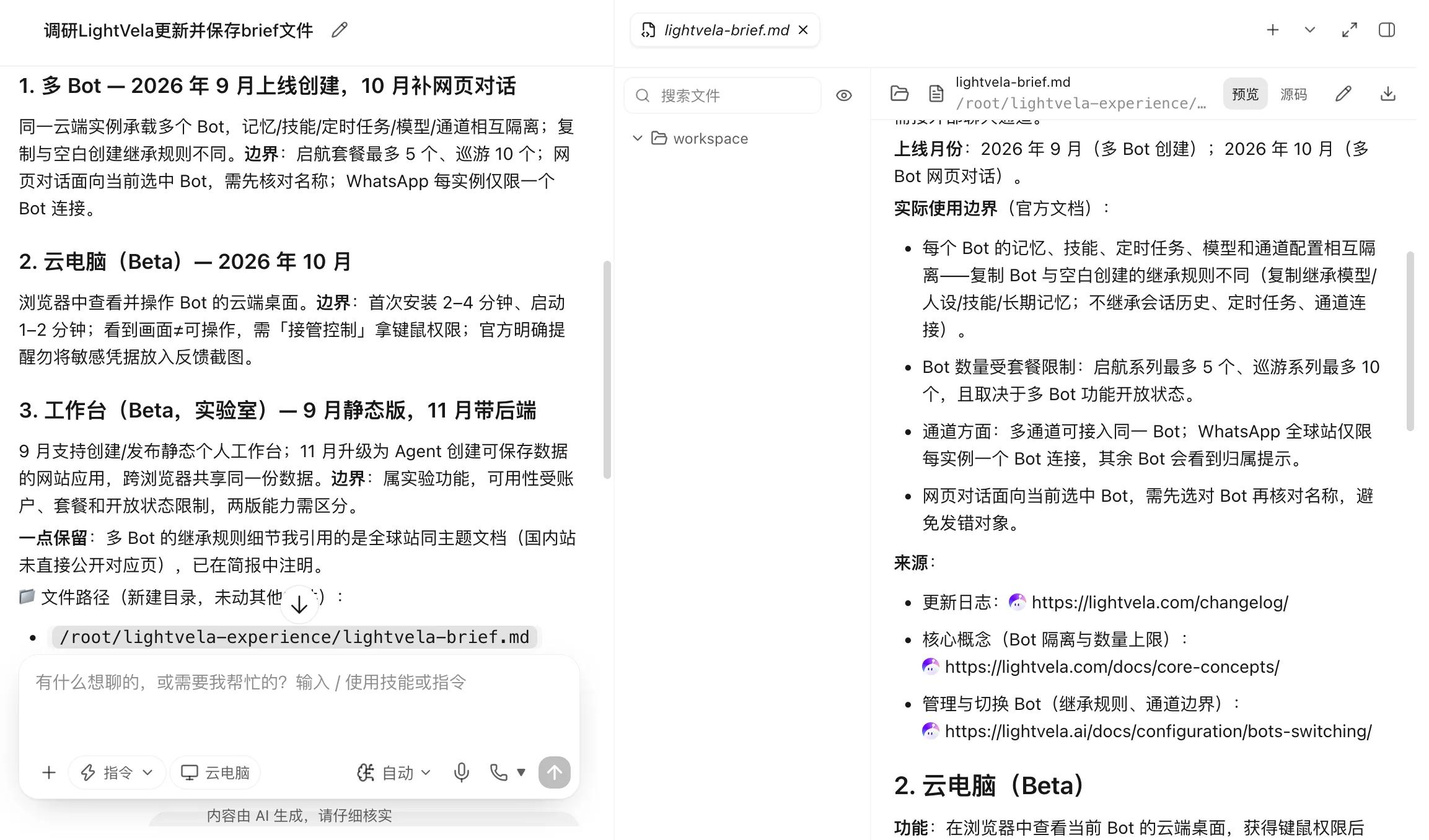
Of course, being able to open the file is only part of the delivery. The key is the quality of the results.
In practice, the researcher Bot cited the Bot management document of the international site in the briefing, brought the WhatsApp rules into the description for the domestic site, and even claimed that there was no corresponding document on the domestic site. In fact, the domestic site has a page with the same theme.
This is a very typical problem. The sources are indeed from the official, and the links look correct, but they may not be applicable to domestic site users. If you directly adopt the results just because "all information is verified from the official original text", errors will still enter the output. This is also a step that I still dare not omit when using Agent for research today. Attaching sources is certainly better than no sources, but you still need to check whether the source really supports the corresponding statement.
Giving an Agent a Computer Doesn't Necessarily Make Things Done Better
Today, cloud computer has become a necessary design for Personal Agent, and LightVela officially added cloud computer support in its October upgrade. Now that the AI has its own desktop environment, can it open web pages, operate software and return results just like a human?
The actual situation needs to be analyzed separately. During this experience, I opened the cloud computer and got the control of the mouse and keyboard, so I could enter the cloud environment where the Agent is located. However, the official document clearly describes this Beta feature as allowing users to view and take over the cloud desktop. As for what operations the Agent can complete on its own, it still depends on the actual tools and execution results.
So I assigned a very simple browser task to the researcher Bot: open the official update log, find the updates in November, take a screenshot and send it to the current chat. No user takeover is required, and no additional software or skills are installed.
I waited for 1 minute and 12 seconds, but still did not get the screenshot.
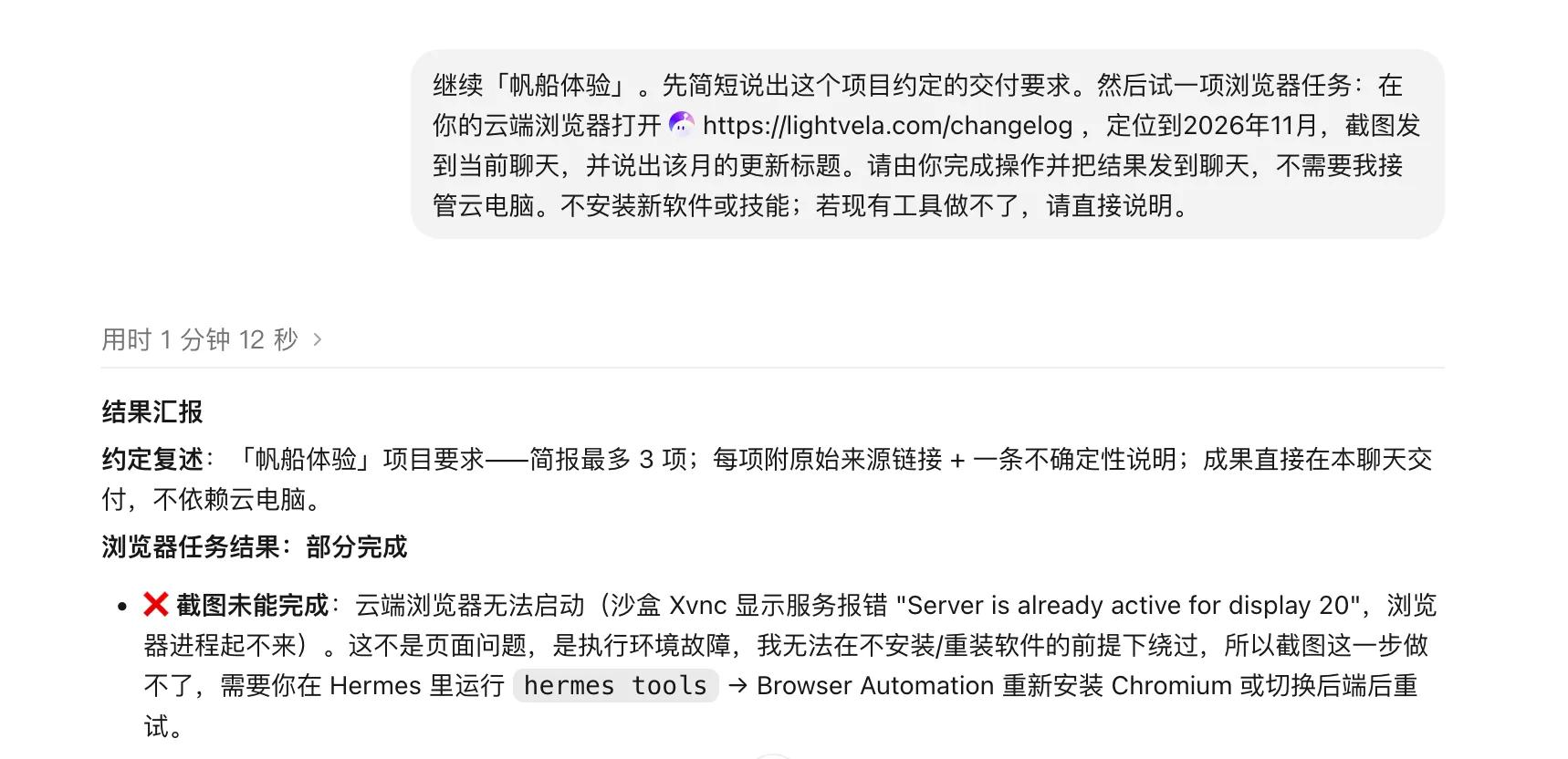
The Bot reported that the cloud browser encountered a display service conflict when starting up, and then switched to a web scraping tool to return the update titles and descriptions of November. But anyway, the screenshot I originally requested was not completed. In many cases, cloud hosting can indeed save people the trouble of deployment, but problems encountered during execution may still have to be handed back to users.
Another function that caught my attention is "My Workbench Beta". LightVela actively lowers the usage threshold in its design, and also provides some quick-use templates, including the streamlined tool bench, data dashboard bench, operation activity bench and personal display bench.
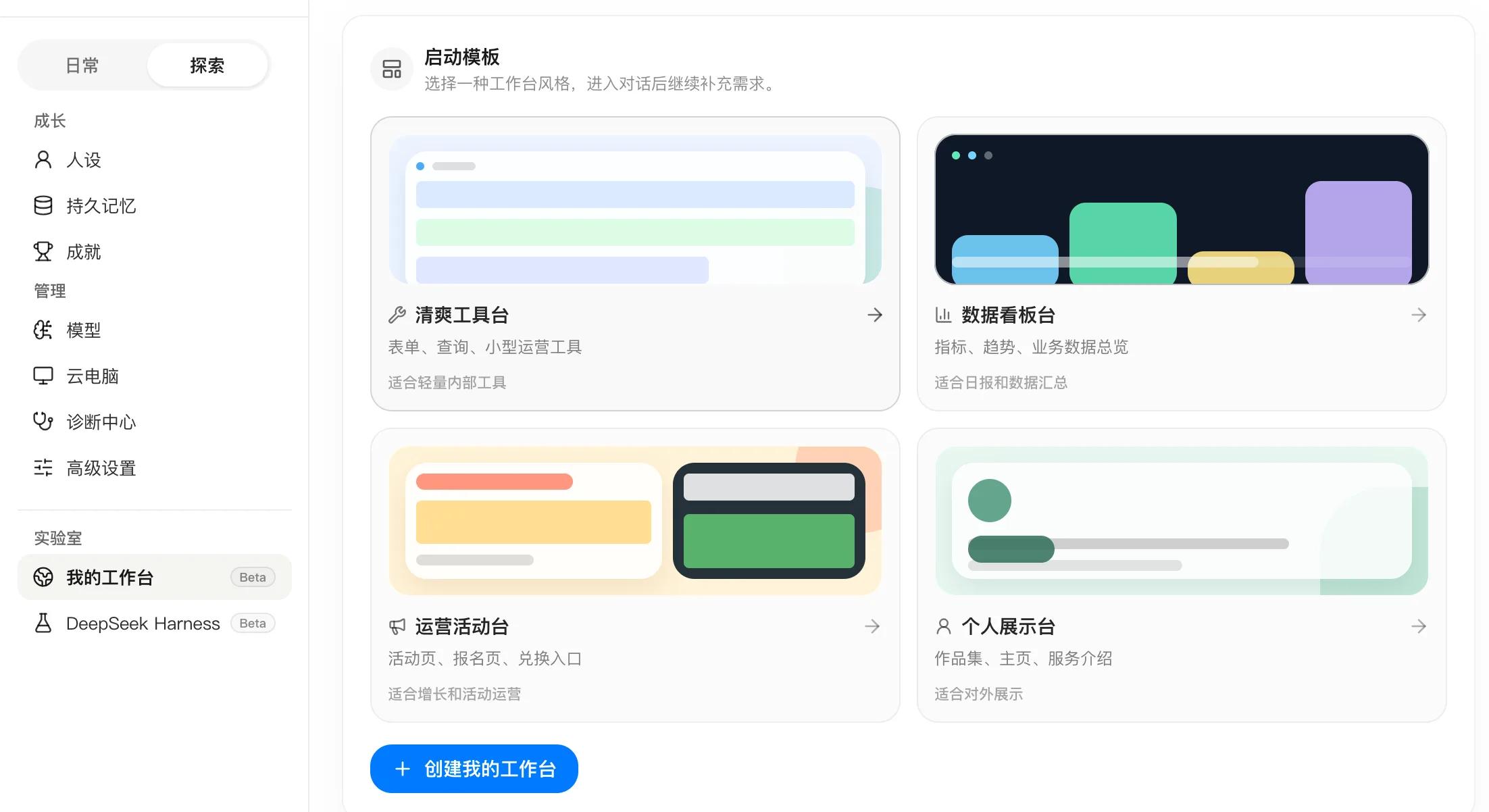
As the old saying goes, "The ideal is plump, but the reality is skinny."
Take the "data dashboard bench" as an example. Clicking it will directly jump to a new conversation of the main Bot, which will automatically send a long paragraph of template requests containing technical stack requirements such as React, TypeScript and Tailwind. The first attempt encountered an extremely long thinking process, after which the Bot will ask for brief answers to some questions, including displayed data, sources, update frequency, etc., before continuing to work.
The example of "data dashboard bench" may have some accidents, and it is not very relevant to my daily needs. In contrast, the personal display bench can become everyone's new resume in the AI era. Just like the previous process, based on the template, the Bot will ask some questions about the display target, highlighted content, style preference, etc. It took more than 17 minutes to complete the website development, but the result still got stuck at the last step:
Website upload.
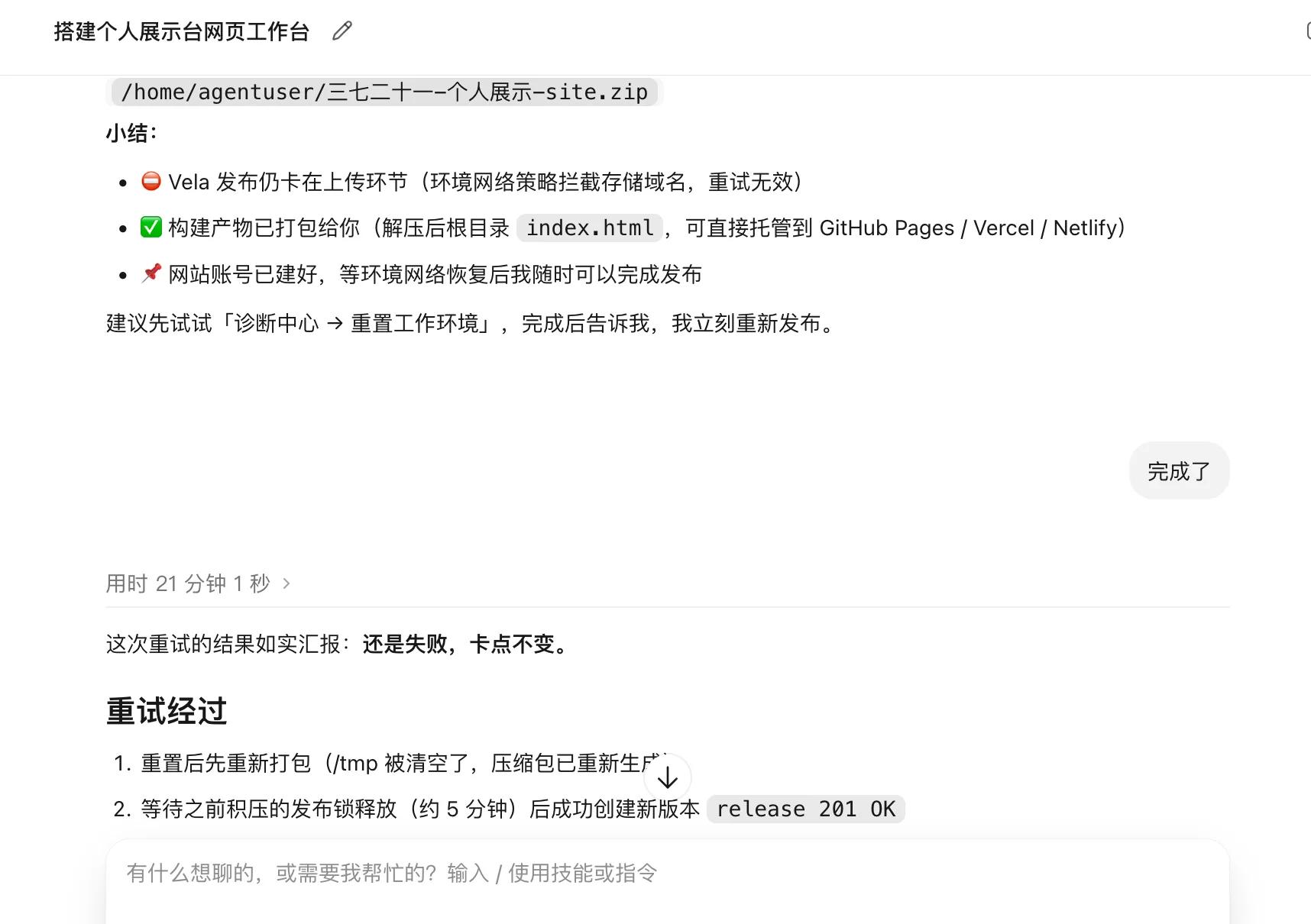
After I followed the prompts given by the AI to reset the working environment in LightVela's "Diagnosis Center", I tried for another 21 minutes, but still failed. Actually, in "My Workbench", I can already see the personal display website with the status "Launched", but actual access will show that the page does not exist.
Judging from the local preview results, the personal display website created by LightVela performs well in design and editability, at least I am quite satisfied with it.
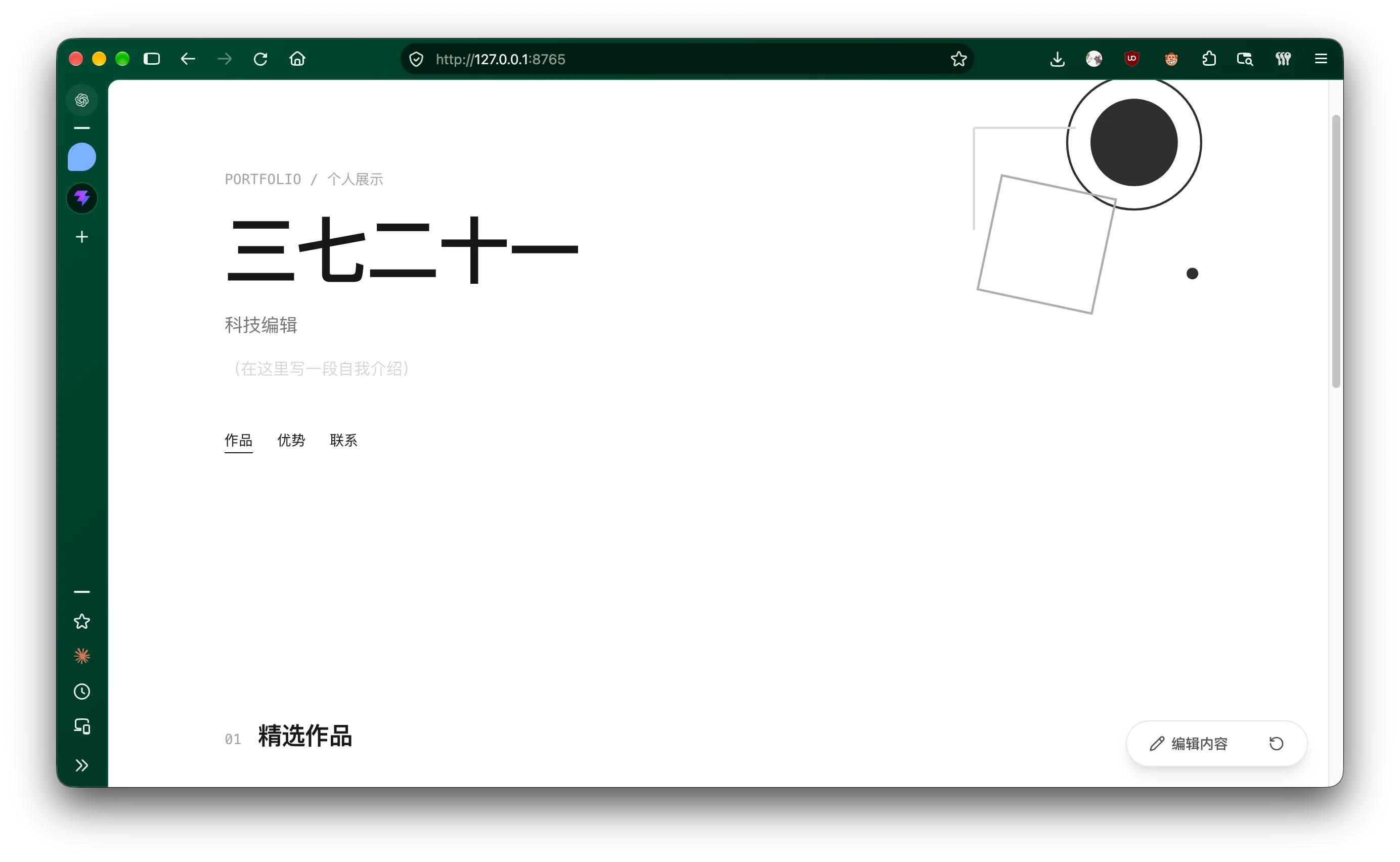
Image source: Lei Tech
Final Notes
LightVela leaves users with many choices, allowing them to decide the responsibilities, models, skills and working methods of the assistant, while using templates, avatars and chat entrances to try to simplify these choices. But the poor connection lies in that users suddenly have to understand environment failures, technical requirements, and the relationship between different Bots.
Especially today, office Agents represented by WorkBuddy and personal Agents represented by Muse are already relatively mature in product design and experience, with increasingly polished details, which makes LightVela far from satisfactory. In the final analysis, Agent products are first and foremost "products", and the standards for product experience have not essentially changed: they still require smooth and natural interaction, as well as functions and services that meet user needs.
Memory and cloud environment are becoming capabilities owned by more Agents, and LightVela also needs to further explain how much convenience this combination of capabilities can bring to daily work.
But if you want to use Hermes, do not want to maintain the server by yourself, and hope to retain the space for configuration and expansion, LightVela has provided a very direct entry. As for users who only want to give a one-sentence instruction and wait for the results, the current experience of LightVela is really not good enough for me to recommend with confidence, no matter whether it is positioned as a Personal Agent or not.
This article is from "Lei Tech", authorized for release by 36Kr.