Just now, iPhone Duo has finally been enabled with face unlock.
Last week, ifanr learned that Apple is finally set to address one of the biggest pain points that iPhone Duo users have faced so far: the issues with fingerprint unlock and its slow unlocking speed.
Just now, Apple pushed out the iOS 27.3 Beta 2 developer firmware for iPhone Duo, which adds two key features related to phone unlocking and locking:
- Face unlock available with the lid closed;
- Close the lid from the unfolded state to trigger system locking.
Yes, you read that right! The iPhone Duo, which has no Face ID at all, not even on both the inner and outer screens, finally supports face unlock now —
But! This is not Face ID face unlock. We will elaborate on this later, first let's take a look at what this feature is and how it performs.
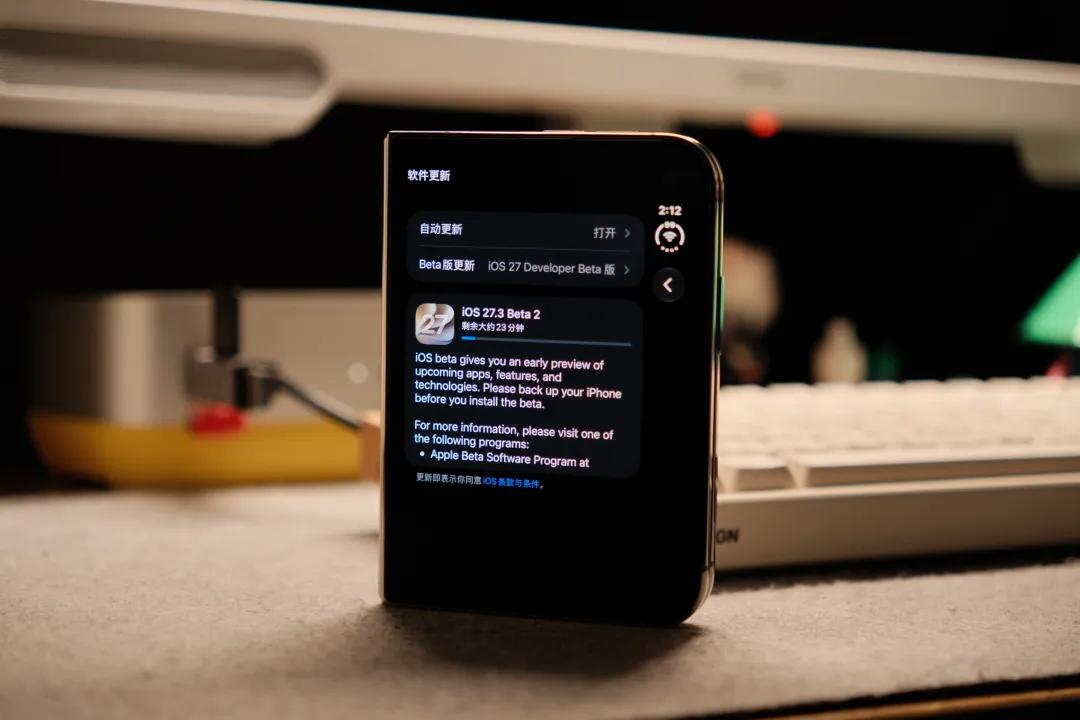
First of all, face unlock on iPhone Duo is an "optional" feature, which means it is turned off by default, and this is very important.
First, install the Beta 2 operating system; then turn on the "Unlock with Front Camera" feature in Settings — Touch ID & Passcode, follow the process to enroll your face; finally, complete one authentication via Touch ID or passcode — then you can use your face to unlock the phone normally.
During the setup process, you can see the official prompt from Apple: This feature is designed to provide convenience when using your iPhone, but it is not as secure as Touch ID or Face ID.
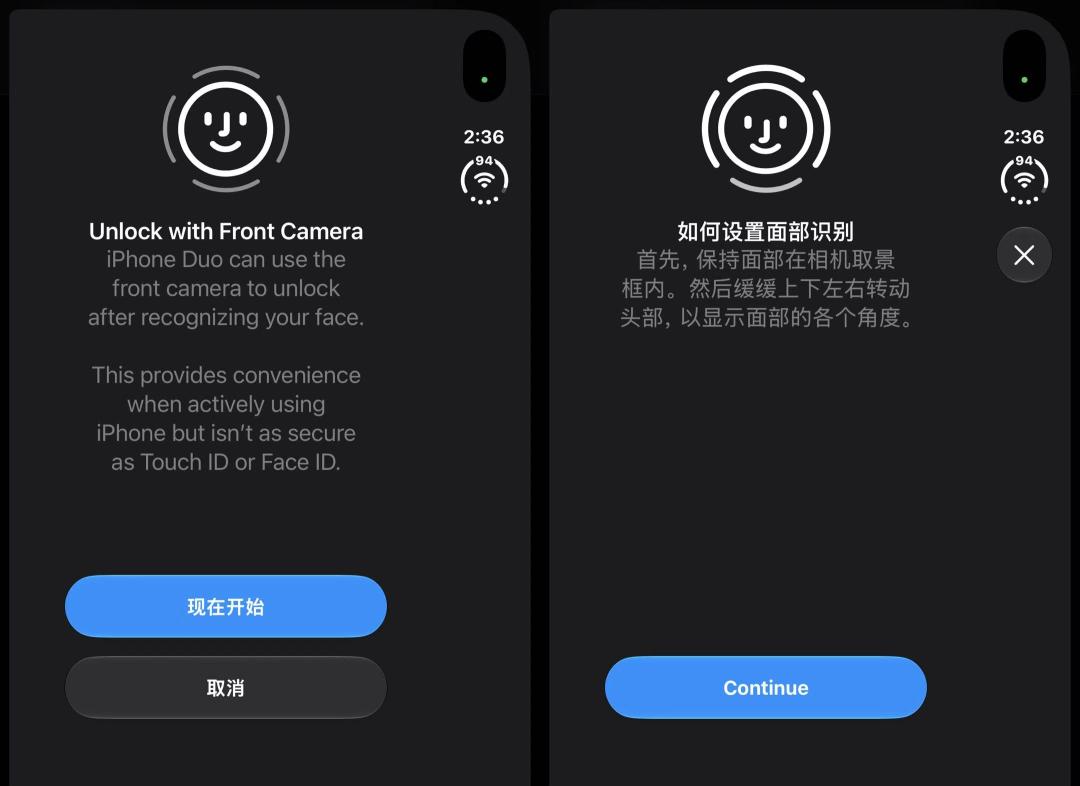
The face enrollment process has both differences and similarities compared to Face ID: It cannot complete enrollment when the light is insufficient, and will prompt you to adjust the lighting or move to a brighter environment (same as Face ID); the similarity is that you need to turn your head during the process, which can be understood as using dynamic data recording to create a more accurate face model.
In actual experience, we found that its face unlock process and experience are very different from Face ID.
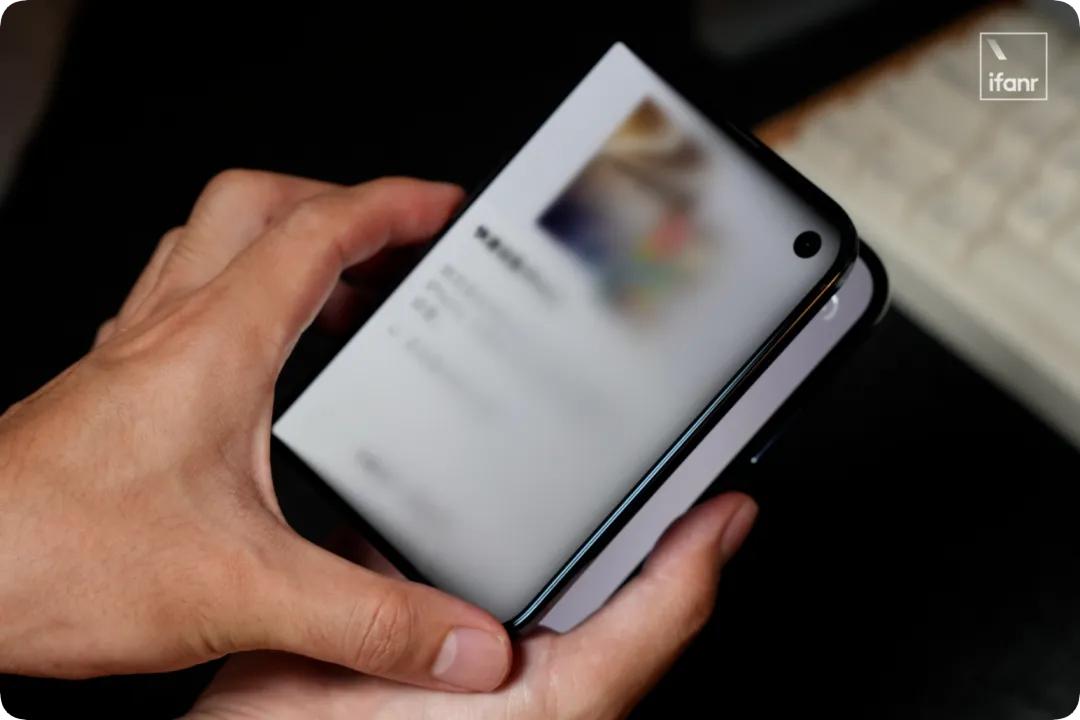
- Tap the screen or lift the phone to turn on the display, and it will automatically start face recognition. There is no unlock animation similar to Face ID during the process, instead, an animation of "🔒➡️🔓" will be displayed on the vertical Dynamic Island at the top right corner, then you can swipe up directly to enter the system.
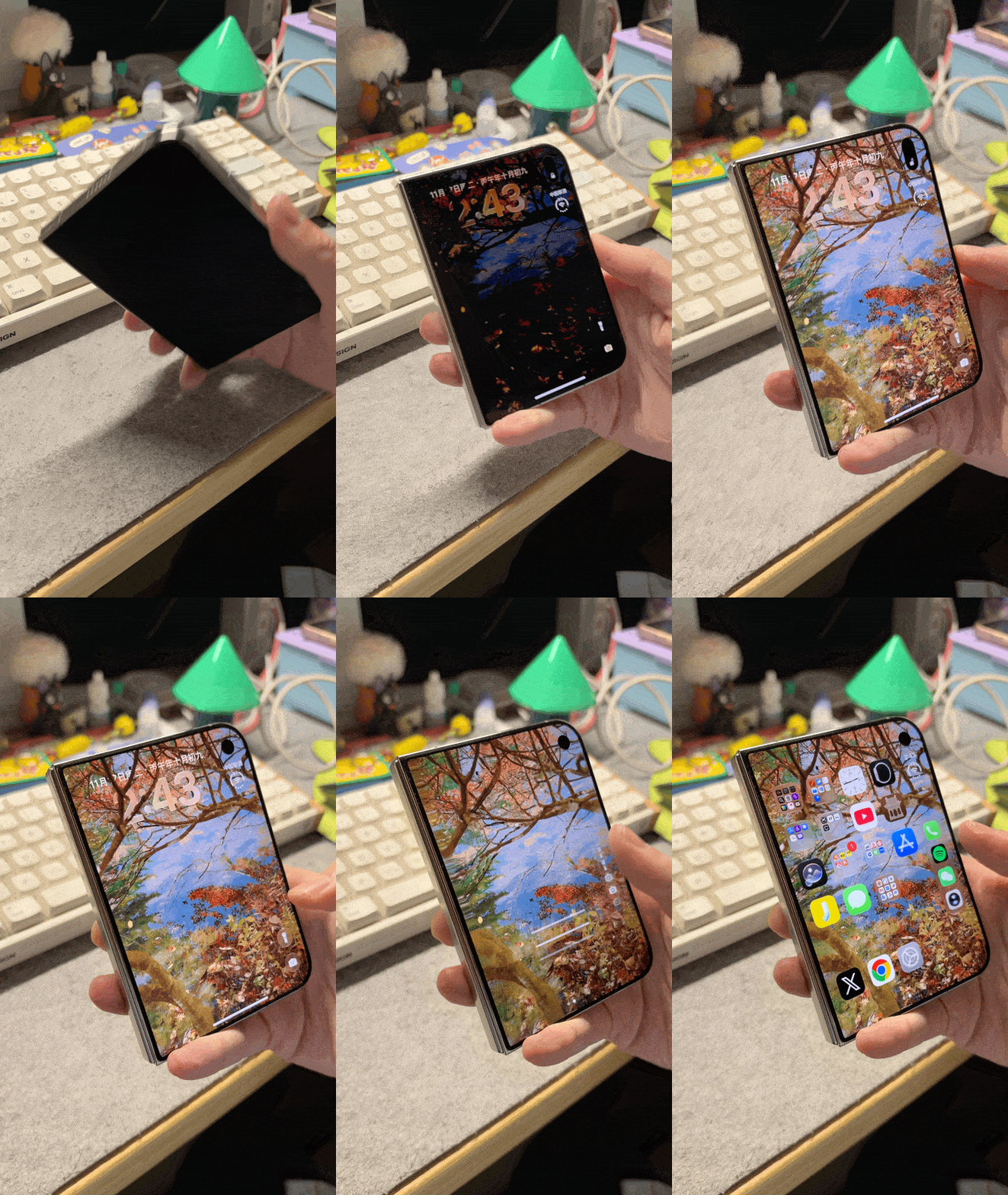
- As long as the lighting is sufficient, the unlock is extremely fast, taking less than half a second, which is basically the same as Face ID, as shown in the picture above;
- In ifanr's test, in a completely dark environment, unlock can be achieved relying only on the screen brightness (with a bright wallpaper), though it will be slightly slower.
- As for the comparison with the unlock speed of Touch ID, under Beta 2, there is almost no difference between the two, both are very fast.
In the previous version of the system, fingerprint unlock even required a "progress bar" to load, which was unacceptably slow — this also shows that Apple has optimized the Touch ID unlock speed in the new system.
The face unlock added to iPhone Duo this time is essentially a "convenience feature", or it can be called QoL, a feature that improves quality of life, so that iPhone Duo users do not need to press the fingerprint sensor as many times in daily use.
We can confirm that this face unlock can only be used to unlock the iPhone Duo when the lid is closed. For any other scenarios requiring higher security levels, including but not limited to Apple Pay and WeChat/Alipay verification payments, accessing the password vault, accessing password-protected apps, and any scenario where iOS applications require biometric identification, Touch ID or passcode input is still required for verification on iPhone Duo.
In addition, according to the official description, if the phone remains inactive for as long as 45 minutes, you will still need to re-verify with Touch ID or enter the passcode for the next unlock.
As for why it is 45 minutes, Apple has tested several different configurations internally, and currently selected the 45-minute configuration during the Beta testing phase. If you think this time period is too short or too long, the good news is that it is not fixed, and Apple will adjust it based on user feedback during the testing phase.
"Pausing a certain convenient unlock method when the device is inactive for a period of time" actually has precedents in iOS long ago.
According to Apple's security white paper and current unlock rules, when an iOS device is inactive for more than 48 hours, or you have not unlocked it with a passcode for nearly a week, or you have not used Face ID or Touch ID to unlock it in the past 4 hours, you must enter the passcode; Apple Watch assisted unlock also adds requirements such as recent unlock and the active status of the wearer.
Both use face scanning, but very different from Face ID
The core component of Face ID is the TrueDepth camera, which reads the depth information of the face by projecting a dot matrix composed of invisible light; at the same time, the camera captures infrared images — these data together form a mathematical representation of the user's face, which is then transmitted to the Secure Enclave in the A-series processor to compare with the enrolled data. Neural network technology is also used during the process to counter impersonation attacks.
Apple uses depth-based face data to prevent 2D (photos, videos) and even 3D (disguised) face impersonation attacks.
However, the outer screen camera of iPhone Duo is just an ordinary camera, which cannot provide depth data equivalent to Face ID.
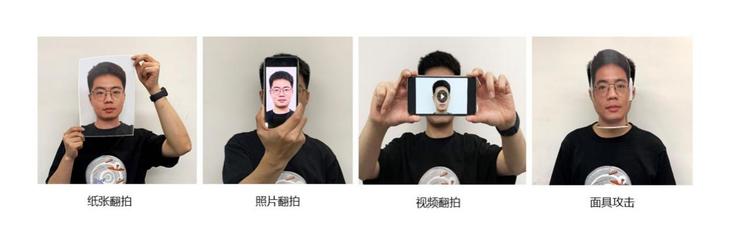
This difference is very obvious under low-light conditions:
TrueDepth works on the logic of active projection, and its infrared capture capability means Face ID can work in a completely dark environment. Ordinary cameras can only obtain light passively — When performing face unlock, iPhone Duo will not actively add supplementary light beyond the brightness set on the screen, and can only rely on the brightness of the screen itself and the light provided by the environment.
After more tests, in relatively dim environments, such as indoor ambient lights, or outdoor street lamps and light signs, iPhone Duo can unlock normally. But if the environment is completely dark with no light at all, and the screen is deliberately adjusted to zero brightness, it will be very difficult to unlock.
To emphasize again: the face unlock of iPhone Duo is just a convenience feature, the same as Apple Watch unlock. Precisely because it is not Face ID, it is not a biometric authentication method recognized by the iOS system.
But in fact, in principle, if Apple is willing to use the mobile phone screen to supplement light with multiple colors to perform liveness detection like many third-party apps... it can actually reach the level of biometric identification.
But Apple didn't do that — Apple probably never wanted to do that at all. Just imagine that you spent more money on the iPhone Duo, but when you need to make a payment, your face is hit by colorful flashing lights, that's definitely not a good experience...
Not secure enough, but still very secure
Despite its limited use cases, Apple has not relaxed the underlying security specifications for the iPhone Duo face unlock feature.
According to ifanr's understanding, iPhone Duo still calls the Secure Enclave of the A20 Pro chip to perform face information enrollment, as well as comparison and processing during unlocking. Neither the user themselves, the iOS core OS, the apps on the phone, nor Apple can directly access these data.
For a face scanning feature that cannot even be used for payment, Apple still provides it with the highest level of security specifications.
Coincidentally, HomeView, which Apple released some time ago, is also a product that supports face recognition but is not equipped with a Face ID component. After analysis, ifanr believes that its face data verification logic is basically the same as the face unlock of iPhone Duo.
HomeView supports up to 6 family members, and different family members can interact with HomeView through their respective voices and faces.
For basic Siri conversations and questions, or adjusting the air conditioner temperature, usually only voice is required for interaction.
According to tests by overseas users, for high-security features, such as locking and unlocking the smart door lock, multiple verifications are required via face/voice/a nearby iOS device that has just been unlocked. In principle, this is to prevent bad guys from disguising your voice outside the door to ask HomeView to open the door, so face verification must be added.
In multiple overseas tests counted by ifanr, whether using printed face photos, dynamic face videos, or real people "disguising" through makeup and styling — none of them can trick HomeView.

Overseas blogger tried to activate HomeView with makeup disguise but failed Photo by | NewThings with Joanna Stern
The common point between HomeView and iPhone Duo is that neither of them has Face ID, but both use the Secure Enclave in the chip (A18 and A20 Pro) to process face data.
The difference is that HomeView uses face combined with other methods to achieve security verification, while the face unlock of iPhone Duo is just a convenience feature, which cannot be used as a reliable basis for biometric verification in scenarios such as payment under any circumstances.
But maybe the situation will be different for the next generation of iPhone Duo?
This article is from the WeChat Official Account "ifanr" (ID: ifanr), written by Du Chen, authorized for release by 36Kr.