Claude has finally made its move on the entire Office suite, and netizens say they were right not to learn Excel back then.
Anthropic hasn't even rung the IPO bell yet, but Microsoft is already feeling the pressure.

Anthropic has been picking up its release pace these days. Right after the debut of Fable 5.2, it rolled out a full suite of office features for Claude in one go today, including spreadsheets, whiteboards and data analysis, and is even preparing to let Claude directly participate in video conferences.
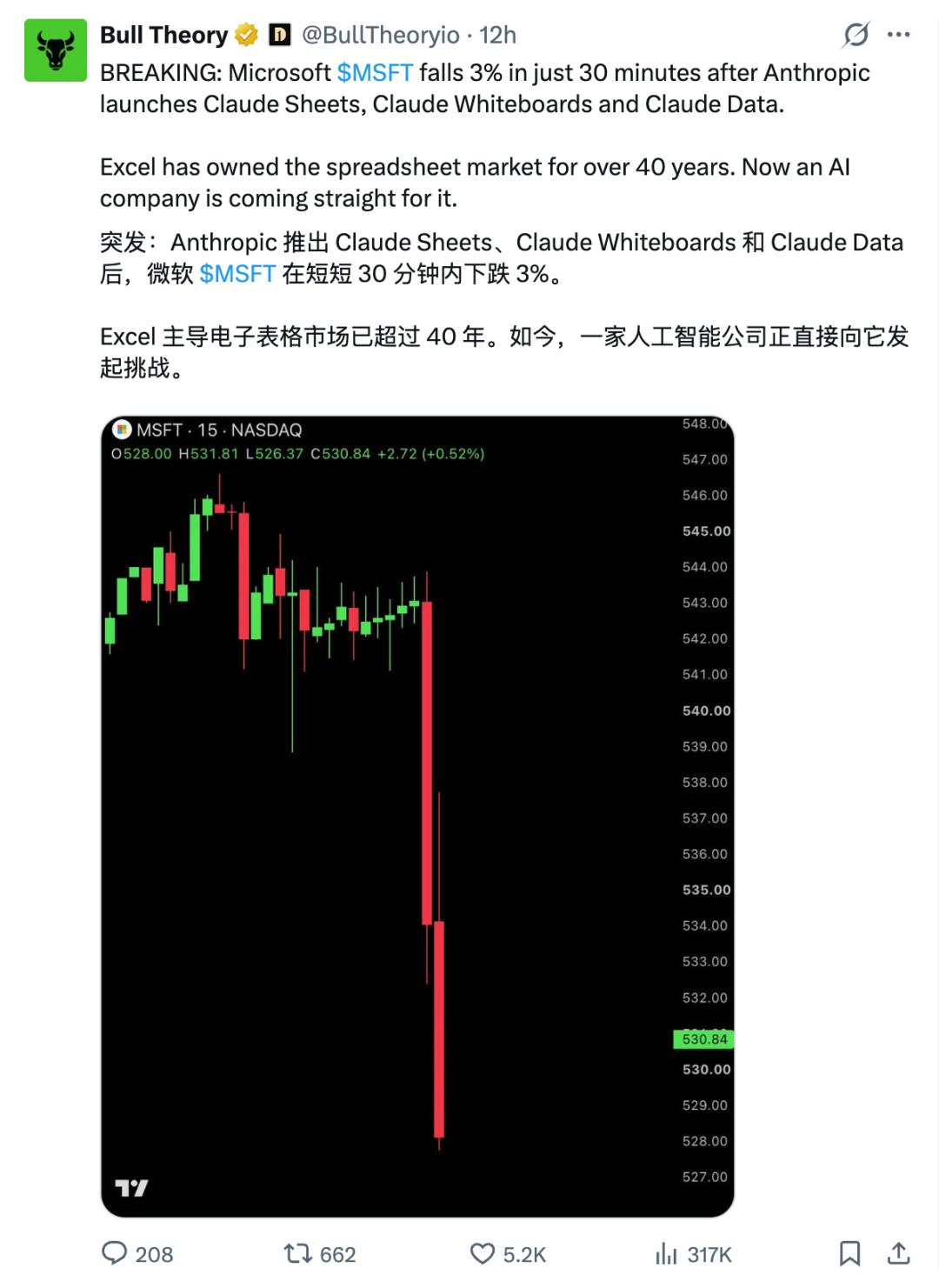
After the announcement, Microsoft's stock price once fell more than 3% intraday, and finally closed down 2.2%. Internet users have also started making a flood of memes, teasing that Claude is preparing to take down Microsoft's Office business that the company has operated for decades.

Some other netizens joked that people who never bothered to learn how to use Word and Excel back then can finally say they were right not to do so.

Jokes aside, Anthropic has indeed extended its reach into the territory of traditional office software this time.
The newly launched Claude Sheets, Whiteboards and Data allow users to create spreadsheets, draw on whiteboards and analyze data directly within Claude. The upgraded Interactive Connectors even enable users to operate third-party applications such as Notion and Confluence on the same interface.
The upcoming Claude Meetings will also directly join video conferences, sorting out ideas into plans, tasks and documents while participants are discussing.
In the past, after getting Claude to generate content, users had to copy it to other software for further editing. Now, from brainstorming ideas to generating documents, making spreadsheets, modifying and sharing deliverables, Anthropic hopes that all these processes can be completed around Claude.
Although these new tools are far from being a complete replacement for Office — for example, Claude Sheets is not even a mature alternative to Excel — Microsoft's investors have begun to worry whether people will still need to open Excel in the future.
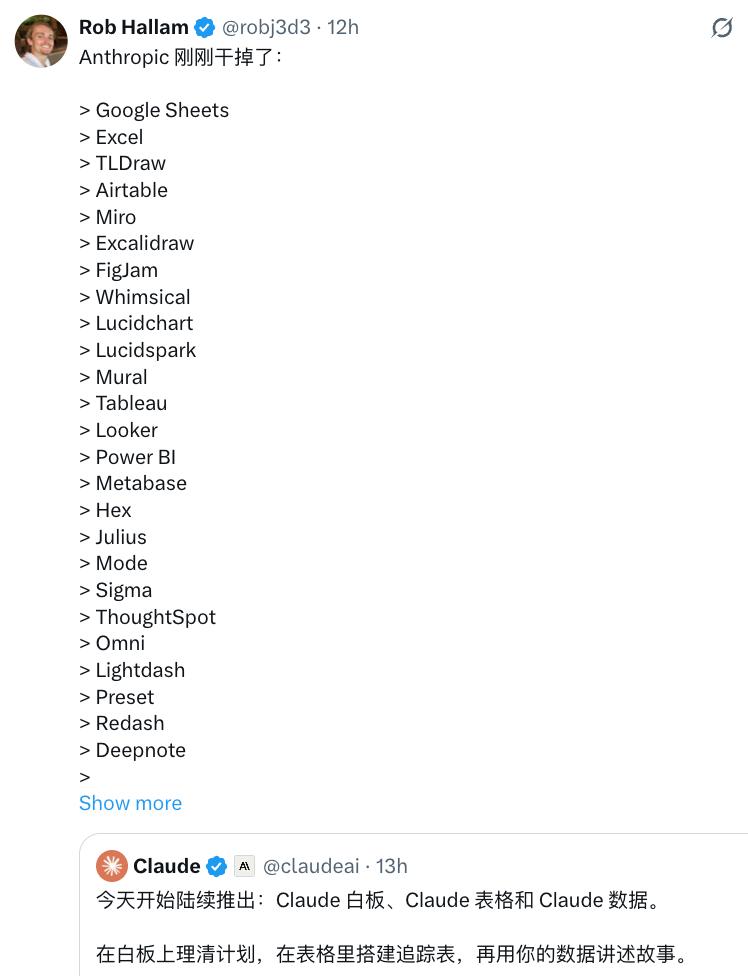
It is clear that Claude has started to compete for one of Microsoft's most important strongholds: the work entry point that people open right after turning on their computers every day.
Rebuild Excel: Work on Spreadsheets With Claude
Claude Sheets is a spreadsheet stored in Claude Artifacts. You can ask it to build an activity tracker, recruitment budget or sales forecast, or start with a blank spreadsheet. Claude supports adding multiple tabs, writing cross-tab formulas, setting regular and conditional formatting, inserting dropdown boxes, checkboxes and charts.
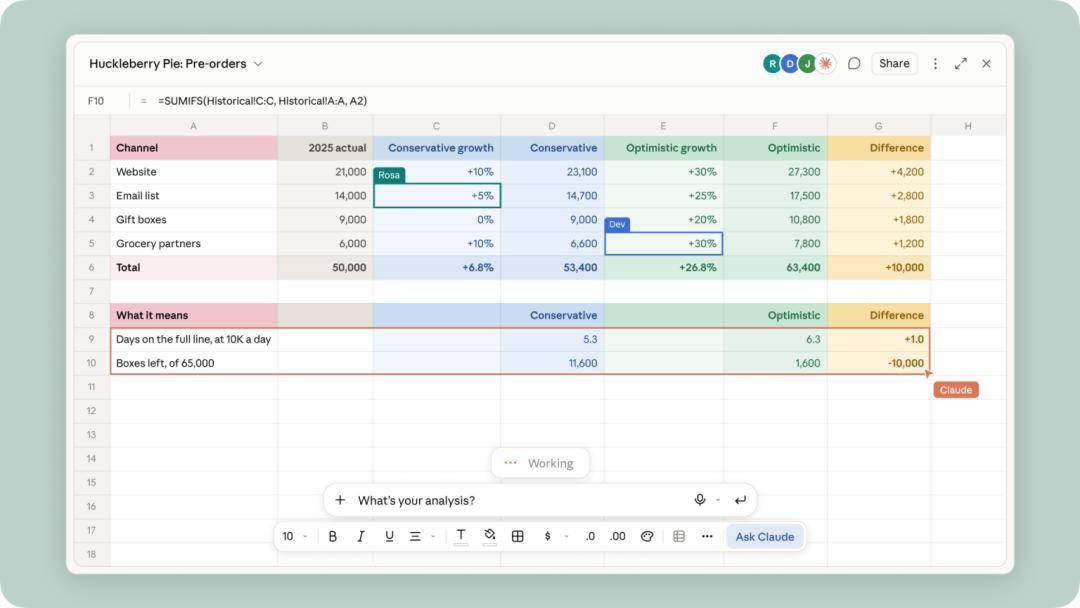
The difference between it and the past practice of "asking AI to generate an Excel file" is that the work does not end after the spreadsheet is generated.
Team members can edit the same batch of cells in real time, and Claude can also continue to make modifications, marking each change with an outline. Formulas are retained in cells for users to check calculation logic; when encountering problems, you can also select a range of areas and directly ask "why this total is higher than last month".
Meanwhile, Sheets supports importing CSV, Google Sheets and Excel files, and allows pasting content from Excel or Google Sheets; when you need to migrate content to other applications, you can export it as `.xlsx` or CSV, or send it to partner tools including Airtable, Asana, monday.com and Smartsheet.
However, Claude Sheets cannot be regarded as a complete Excel alternative at the moment.
The official positions Sheets as a lightweight, shareable spreadsheet: a single sheet supports a maximum of 100,000 cells, and does not yet support pivot tables, macros, VBA, Power Query, DAX and real-time data connections, while the mobile version only provides basic read-only access.
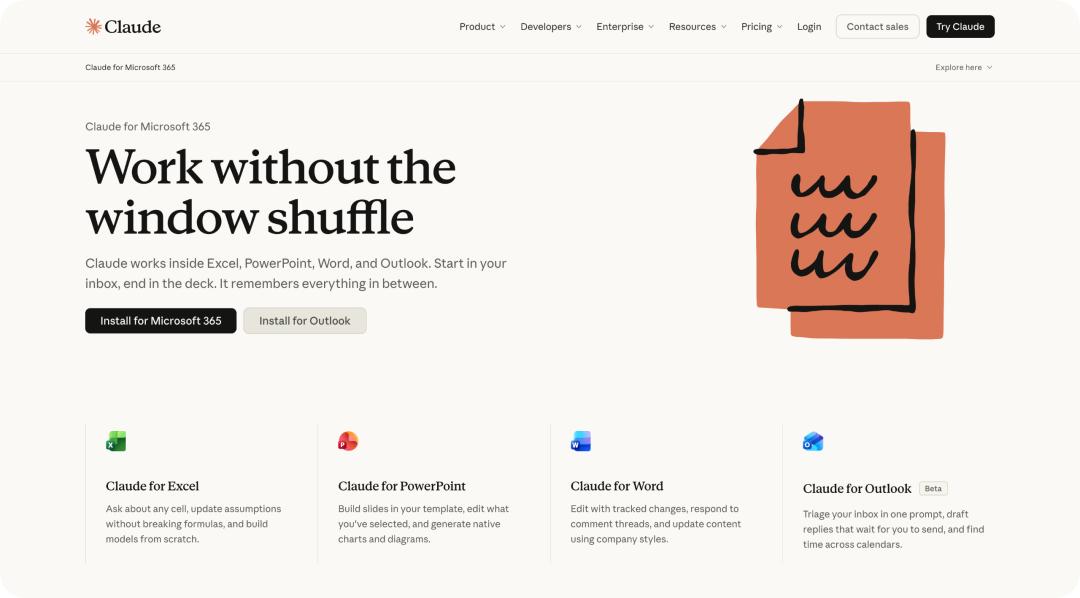
Photo | The Office integration feature previously launched by Claude
Therefore, a more reasonable usage at this stage is to treat it as a fast draft and lightweight collaboration layer, instead of immediately migrating core financial models, production data pipelines or strictly regulated data into it.
Nicholas Lin, Head of Product at Anthropic, also told the media that Sheets is currently "fairly basic" and is not designed for complex financial modeling; when full professional features are needed, Claude for Excel or Claude for Google Workspace is a more suitable choice.
Visualize the Discussion Process
Whiteboards targets another common scenario: the team knows what to discuss, but has not yet formed a clear plan.
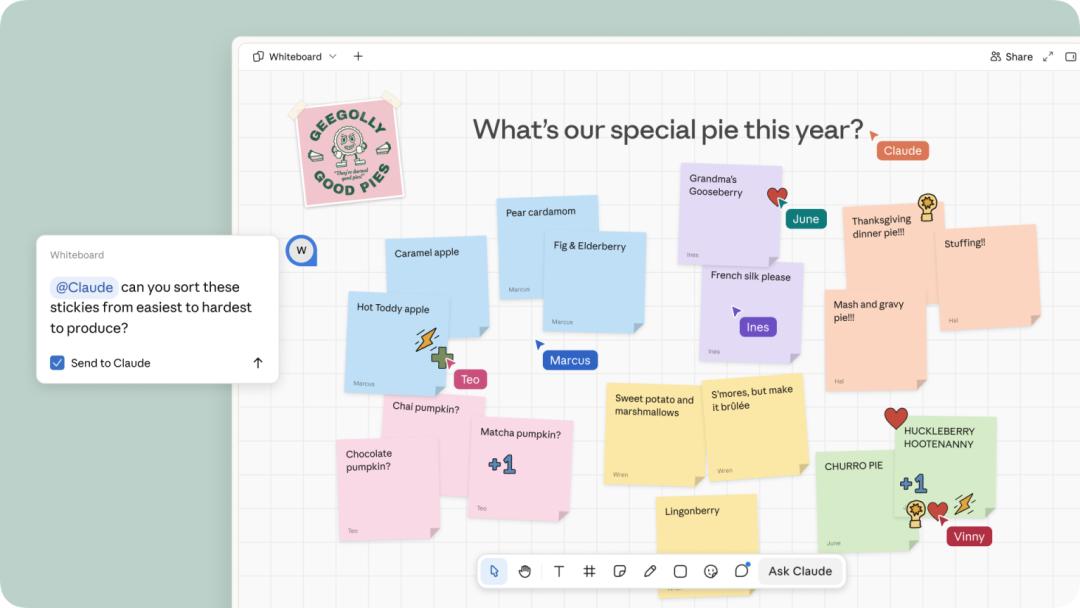
You can dictate a messy idea, input text directly, or draw freehand on the canvas. Claude will organize the content into theme groups, processes, dependencies or timelines using shapes, arrows and partitions.
During a retrospective meeting, team members can add notes separately, then ask Claude to cluster them by theme and draft action items for each person; if you only want to process part of the content, you can also select a specific area of the whiteboard instead of letting the AI redraw the entire board.
When the structure is basically finalized, Whiteboards can be converted into documents or presentations, and can also be sent to Lucid, Miro and Zoho Vani for further editing; for simple saving, you can export it as PNG. It also supports Simplified Chinese voice dictation, and allows team members to collaborate in real time and view the whiteboard following a specific member's perspective.
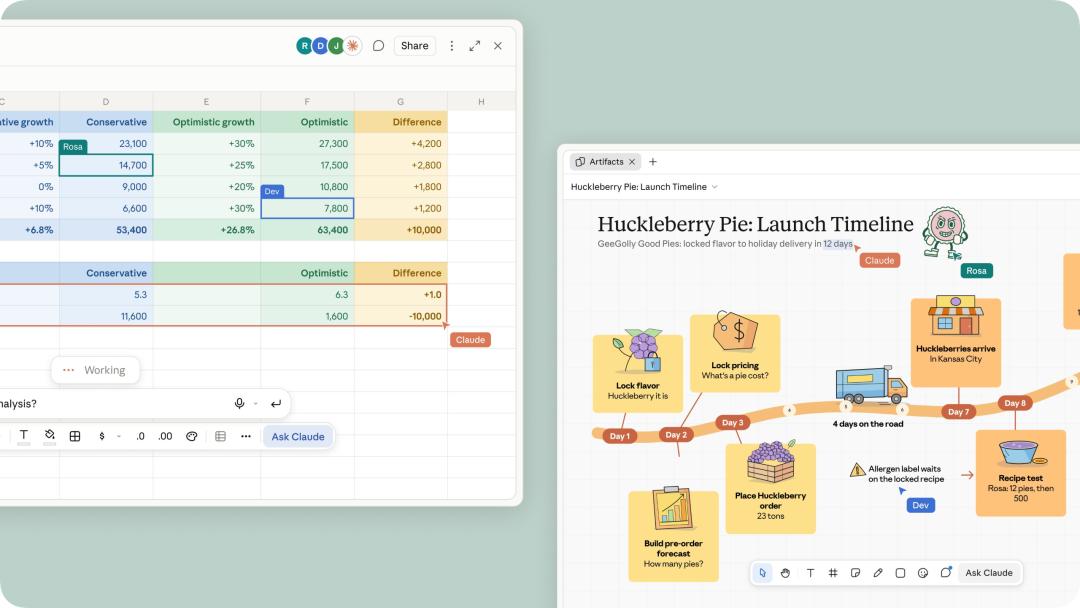
Whiteboards is designed for unformed thinking, and is suitable for product release planning, solution selection, process sorting and retrospectives. Claude works in the whiteboard mainly based on the content on the board, and will not automatically use the context in your connected applications; you can add images and videos, but cannot import an entire existing whiteboard from a file.
From the perspective of working mode, the value of Whiteboards is more like an "AI-participated organization layer", rather than simply competing with common whiteboard tool Miro on the number of brushes and templates.
From "Building Dashboards" to Unified Caliber and Result Sharing
Claude Data is the new name of the original Claude Dashboards, and the product has moved out of beta to be officially available.
After connecting to data warehouses, CRM and other data sources, you can directly ask "How does the registration volume of each channel this month compare with that of last month", and Claude will write and execute SQL for the chart, generating dashboards, written data stories or short explanatory videos. You can view the corresponding query and the latest refresh time for each chart, so that users can easily understand how the numbers are calculated.
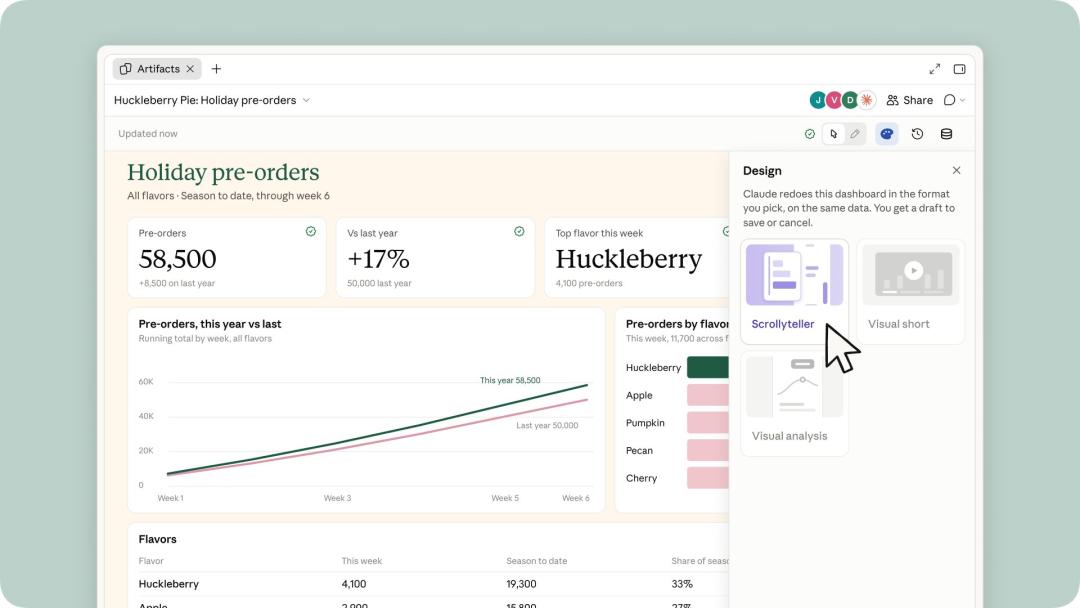
The two beta capabilities that deserve the most attention from data teams this time are as follows.
One is Certified queries. The data team can approve a set of indicator queries, and Claude will reuse it when making subsequent charts, adding a certified mark to relevant charts to reduce the problem that different teams calculate the same indicator with different calibers. It can also use existing definitions in dbt, Looker or Cube with the help of the existing MCP connector.
The other is Live sharing. Without this capability, shared dashboards usually use each viewer's own connection and permissions; after enabling it, viewers in the organization can see the saved or latest results obtained under the sharer's permissions, even if they do not have the same data connector permissions themselves.
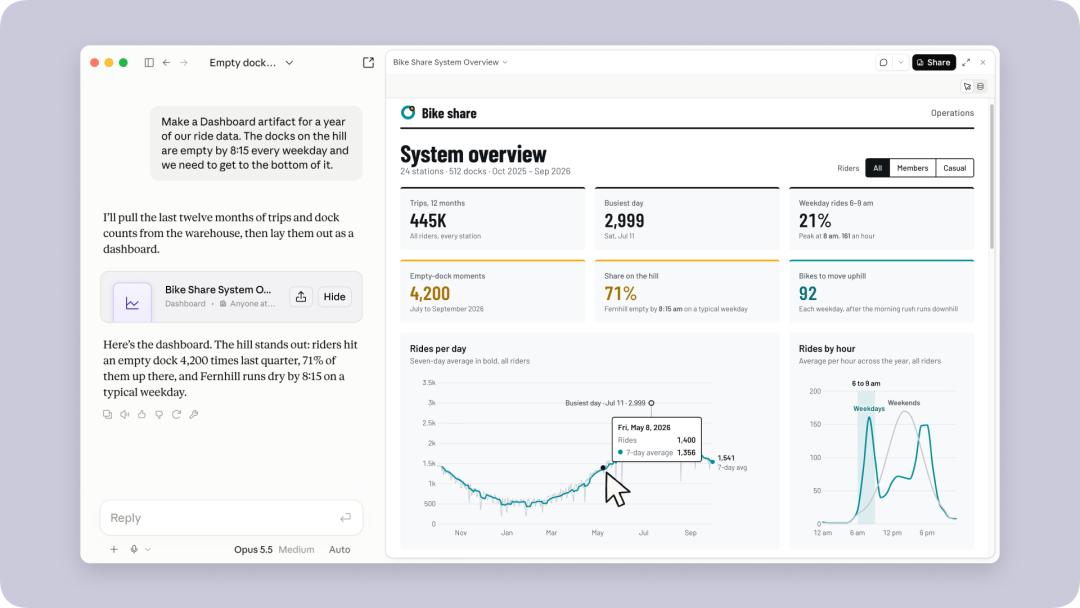
Viewers can only access the exact queries required by the dashboard, and any change to the query needs to be approved by the editor, so they cannot use others' permissions to freely explore other data.
In addition, Data adds cache, configurable refresh frequency, version restoration and design system support. Although it cannot completely replace the full in-depth analysis capabilities of professional BI platforms, Claude Data is already more suitable for quickly exploring and communicating data.
All Tools Are Right Inside Claude
If Sheets and Whiteboards are designed to keep work within Claude, Interactive Connectors allow Claude to step out and access the team's existing files and applications.
After the upgrade, tools that support this capability can open the full interface next to the conversation, or be displayed in full screen. Users can either operate by themselves, or ask Claude to modify the current page, row or file, and confirm the action according to the approval mechanism of the connector. For Confluence or Notion, users see the full editor after logging into their own accounts, rather than a preview with limited functions.
The scenarios demonstrated by the official include: letting Claude write and modify content next to the Confluence page, revising files and comparing versions in Box, creating documents or databases in Notion, sorting out sales follow-up items in HubSpot, and editing images or processing PDFs with Adobe.
The first batch of supported tools include Asana, Canva, Carta, Dropbox, monday.com, Smartsheet, Vercel and Webflow; Figma, Harvey and Shopify are also building integrations.
Claude Is Coming to the Meeting Room Too
The goal of Claude Meetings is to change the workflow of "sorting out materials after the meeting ends" to "starting to form deliverables while the discussion is ongoing".
This is a feature that has not been released yet. According to reports from TechCrunch, Claude can join video calls as a visible participant, drafting plans while users are discussing, putting schedules and responsible persons on the whiteboard, answering questions in the meeting chat, and looking up information through connected applications.
After the meeting ends, notes, action items and generated materials are saved on claude.ai.
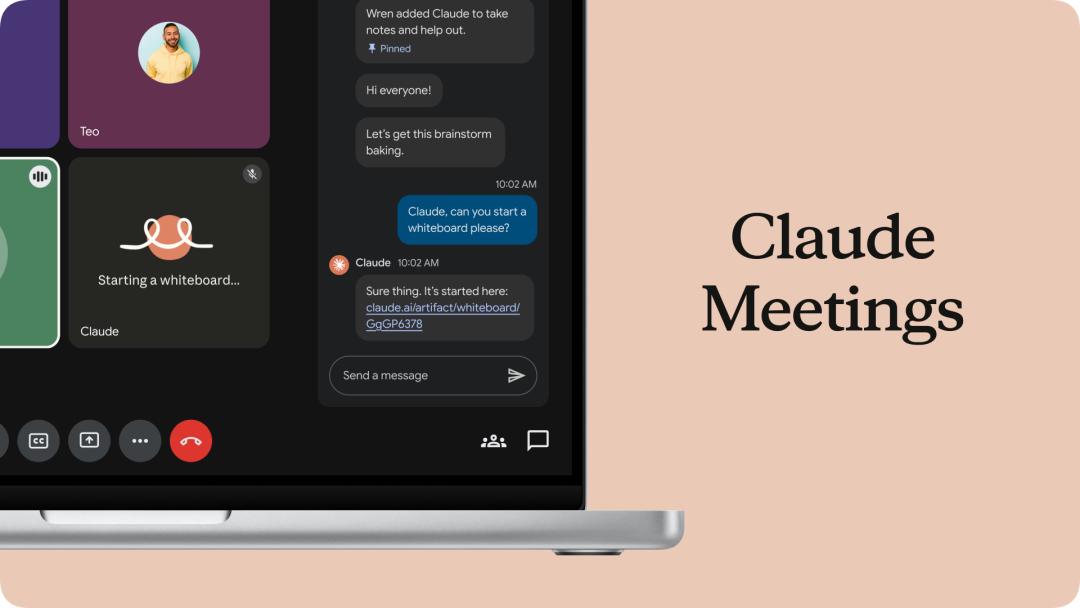
Meanwhile, Claude will identify the identities of participants and post notifications in the chat; if external guests join the meeting, it will not join unless authorized by the administrator, and will automatically leave when external personnel join midway.
This series of updates in office scenarios is also Anthropic's attempt to extend the working mode of Claude Code to non-technical teams.
In the past, users needed to switch between different software by themselves, sort out ideas into documents, turn data into spreadsheets, and then convert discussion results into tasks. Now Anthropic hopes that all these tasks can be carried out around Claude, and users only need to put forward requirements, check results and confirm modifications.
Claude is no longer only responsible for giving answers, but has started to participate in the entire process of turning answers into work deliverables.
