M6 MacBook Pro Experience: A 38-yuan Soul, A 15,000-yuan Body
In recent days, everyone's attention has been focused on the new computer — that touchscreen MacBook that breaks Apple's long-held traditional design conventions.
But if you shift your gaze slightly, you will find that there is another equally noteworthy announcement in this Apple launch event: the newly updated Apple Creator Studio.
Coincidentally, the new MacBook Pro equipped with the M6 chip has arrived at ifanr. We decided to use this new machine directly to experience the updated Creator Studio.
Let's see what new experiences Apple's full suite of software tools has evolved to deliver on the foundation of the M6 chip.
AI Computing Power Integrated into Productivity
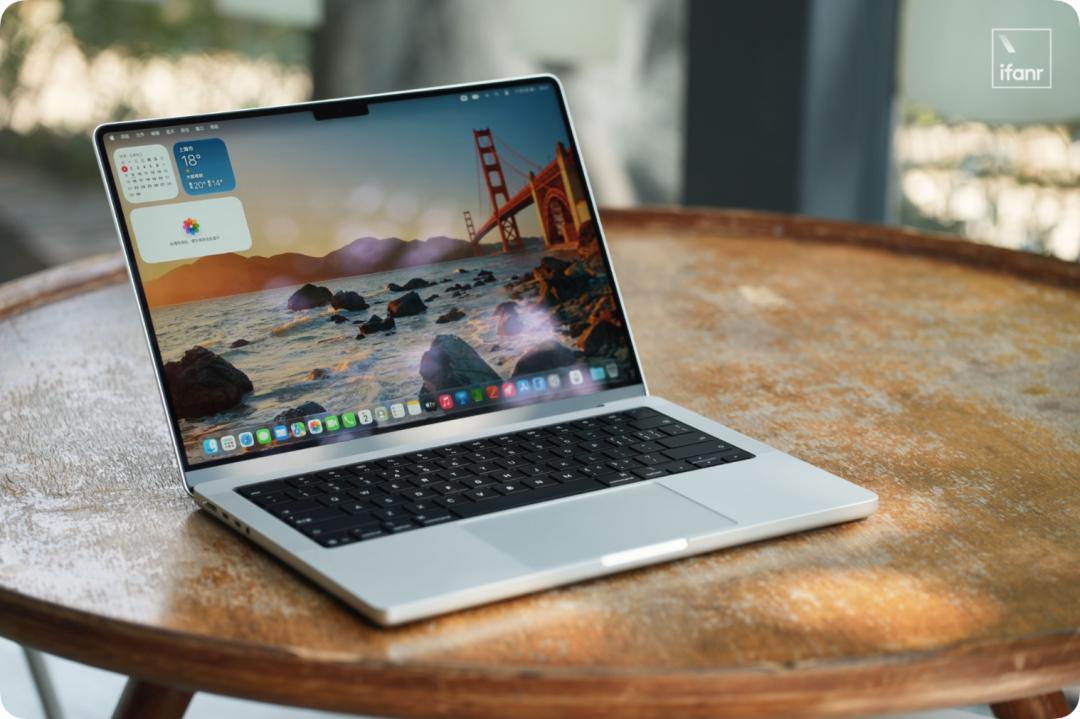
Before talking about the software, we still need to introduce the hardware foundation of this M6 version MacBook Pro in our hands. The unit ifanr received is a base configuration model with 16GB + 512GB storage.
From the appearance, the new M6 MacBook Pro still follows Apple's familiar product strategy — it inherits the chassis design of the previous M5 model. It is still equipped with the 14.2-inch Liquid Retina XDR display, supporting a maximum 120Hz ProMotion adaptive refresh rate, and the interface configuration remains basically unchanged.

In other words, the focus of this MacBook Pro update is almost entirely on the chip.
As Apple's first Apple Silicon chip manufactured with 2nm process technology, the M6 has further improved CPU, GPU and AI computing capabilities compared with the previous generation M5. The CPU has increased from 10 cores to 12 cores, and the GPU has also been upgraded to 12 cores synchronously.
What is more noteworthy is that Apple has readjusted the core division of labor of the CPU, added a Neural Accelerator to the GPU, and upgraded the Neural Engine to a dual 16-core design.
If you look at these changes together, the upgrade direction of the M6 is already clear — Apple is making Macs better at handling complex graphics tasks and an increasing number of AI workloads.
Then, what kind of sparks will be generated when this chip meets the newly upgraded Apple Creator Studio?
Let's take a look at Logic Pro first.
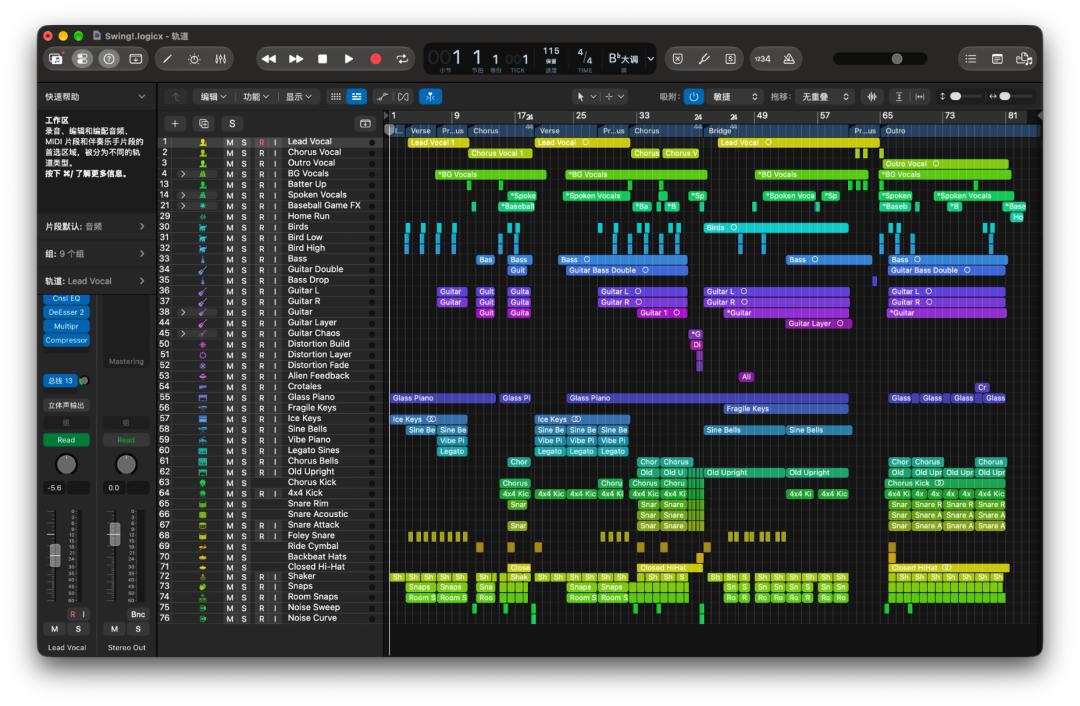
My first impression of this version of Logic Pro is that the entire software interface has been completely renewed. The new version adopts Apple's latest Liquid Glass design language, and a large number of buttons and interactive elements are updated with the visual effect of liquid glass.
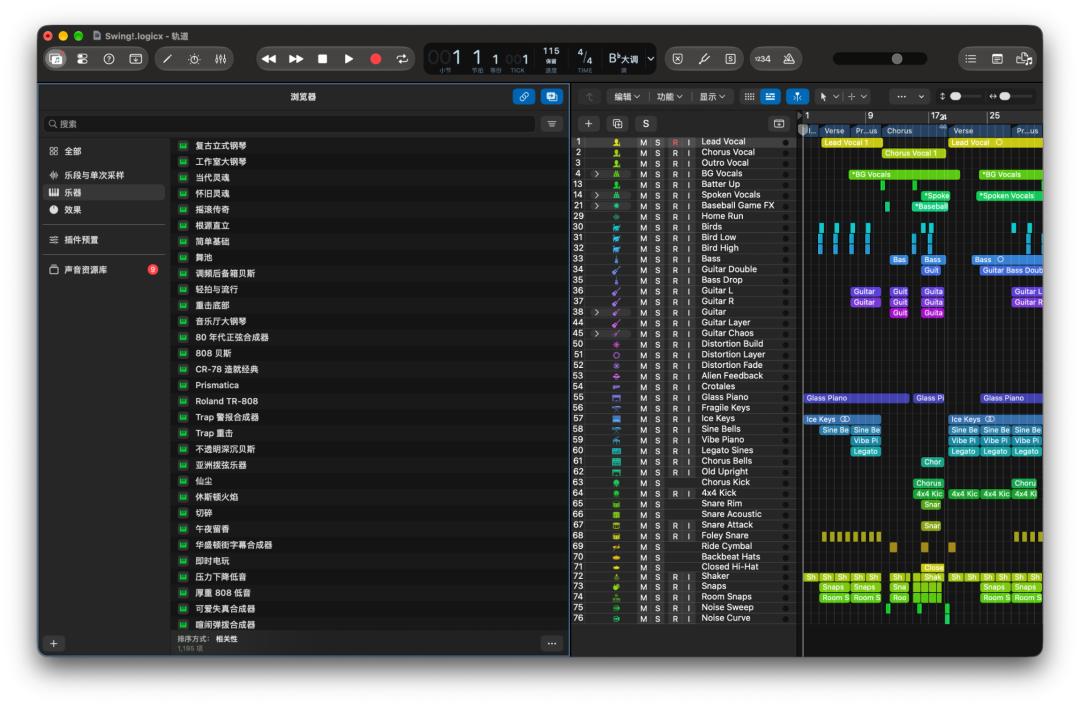
In addition to the interface, the instrument library has also been reorganized. The new version of Logic Pro classifies instruments, timbres and effecter resources in a more systematic way, making daily search much more intuitive.
In terms of specific functions, a very practical upgrade this time is Stem Splitter.
In fact, the original track separation capability of Logic Pro is already quite easy to use. For a complete mixed song, it can use AI to split vocals, drums, bass and other accompaniments into independent tracks.
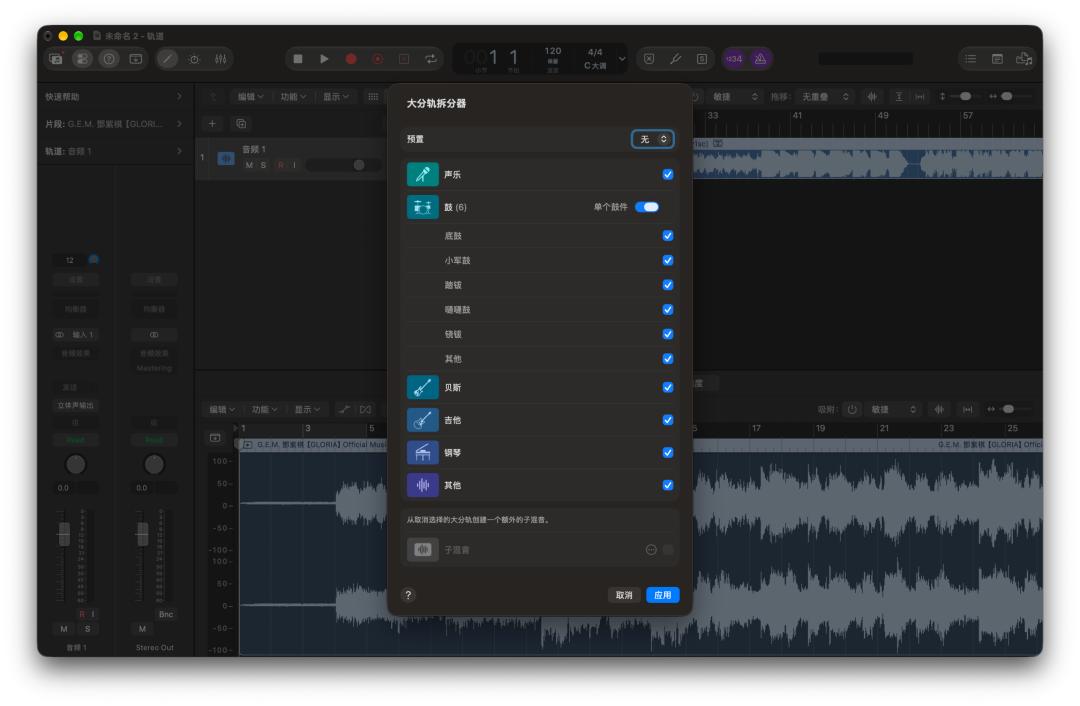
This update further refines this function —
Compared with the past when only one entire drum track could be separated, the new version of Logic Pro can further split it down, extract parts such as kick drum, snare drum and cymbals respectively, and generate their own independent tracks.
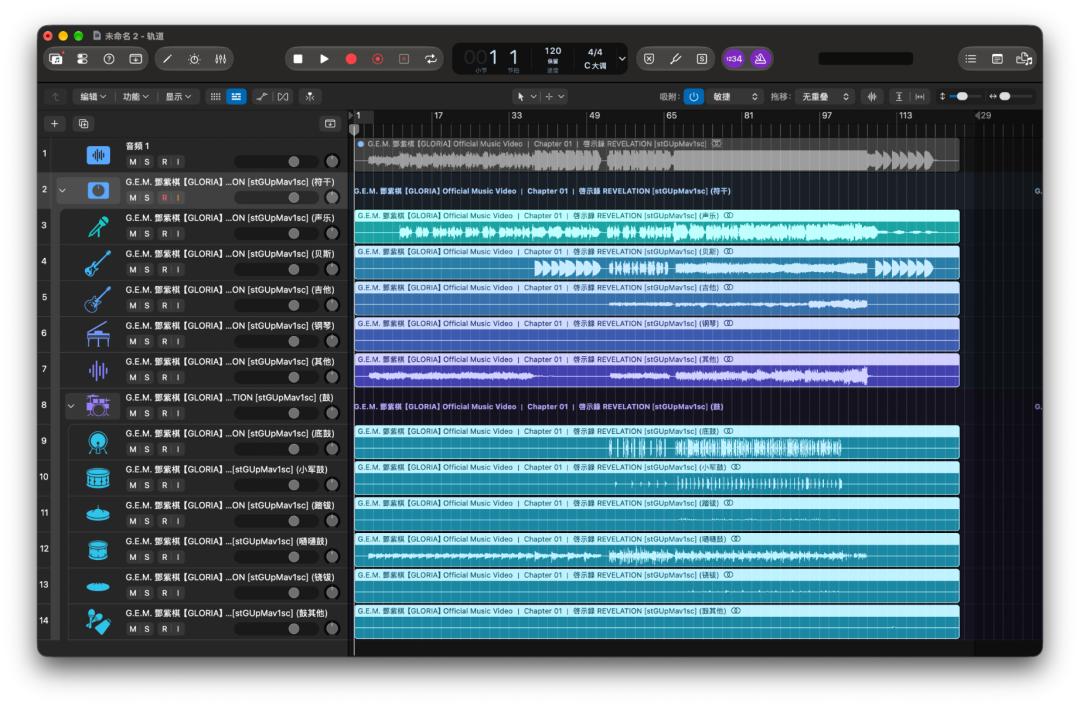
Following this function, we also tested the processing speed of M6 in actual measurement.
First, we used a complete song with a duration of about 4 and a half minutes for track separation: compared with the M3 Pro model I use daily, this M6 MacBook Pro completed the same task nearly a full minute faster.
Then, we conducted a parallel export test on another audio project — the M6 took 17 seconds, while the M3 Pro needed 25 seconds.
This visible speed improvement is largely due to the enhancement of the overall computing power of the M6. In particular, the dual 16-core Neural Engine and the newly added Neural Accelerator in the GPU further increase the efficiency of the chip in processing AI workloads at the underlying level.
Another very intuitive performance gap comes from Pixelmator Pro.
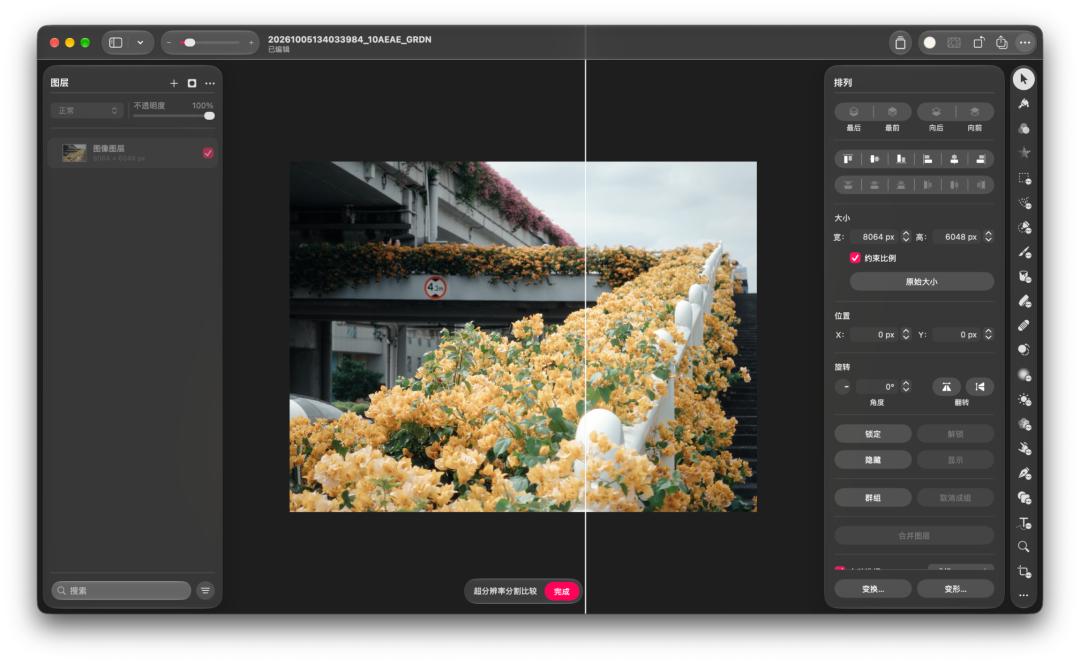
We used its "Super Resolution" function to enlarge 5 high-pixel photos at the same time. Finally, the M3 Pro took 2 minutes and 52 seconds, while the M6 only spent 48 seconds — which makes the AI computing power advantage of M6 more tangible.
In addition to the efficiency improvement brought by enhanced computing power, this Creator Studio also packs many new features based on generative AI. Unfortunately, we cannot fully experience these features in the Chinese mainland environment for the time being.
Fortunately, we have found a device environment that meets the conditions to experience them first for everyone.
For example, the new Generative Fill added to Pixelmator Pro. You only need to select an area in the photo and describe your needs in natural language, and AI can automatically generate new picture content.
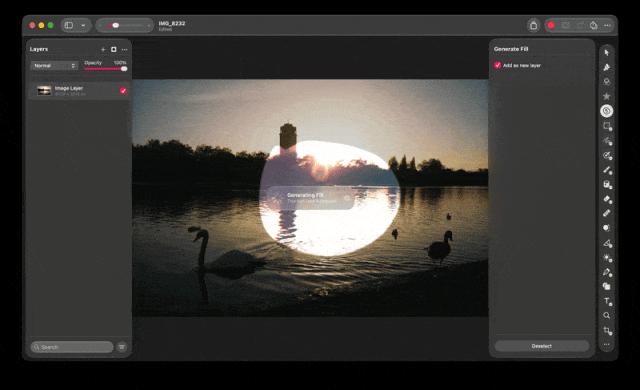
Observing the whole process carefully, you will find that the processing method of Pixelmator Pro is quite ingenious.
It will first generate a rectangular image slightly larger than the selected area around the selection, and then integrate the generated content with the original image through a smart mask. Even if there are differences between the edge of the generated picture and the original environment, this mask can automatically control the display range to make the transition between the new and old pictures more natural.
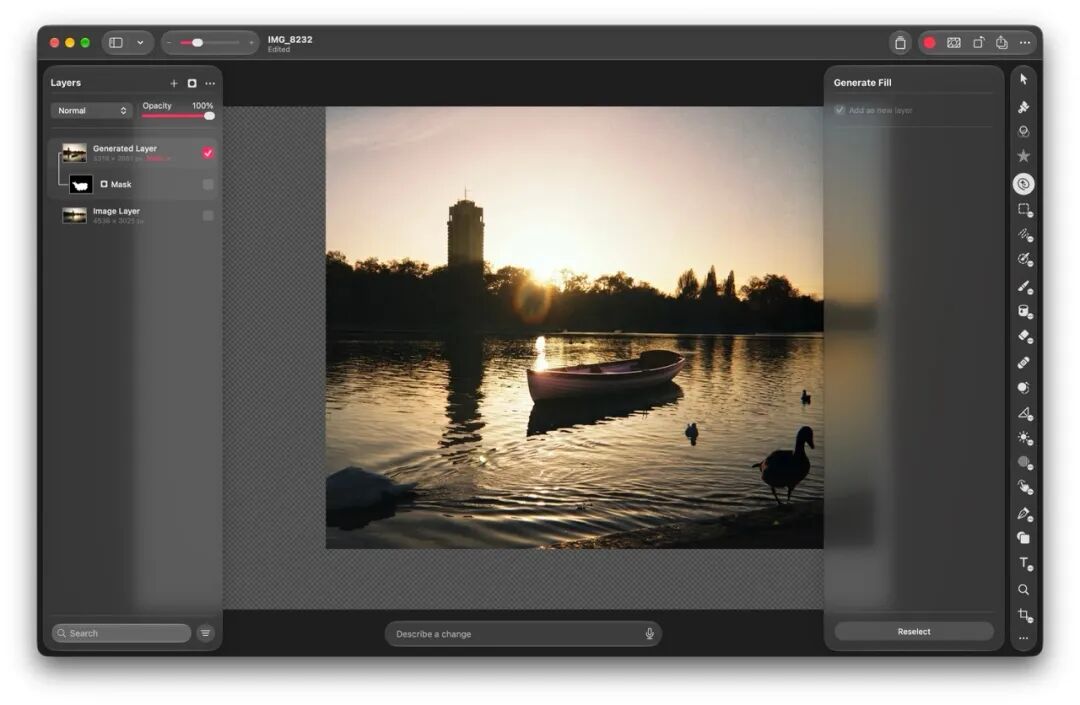
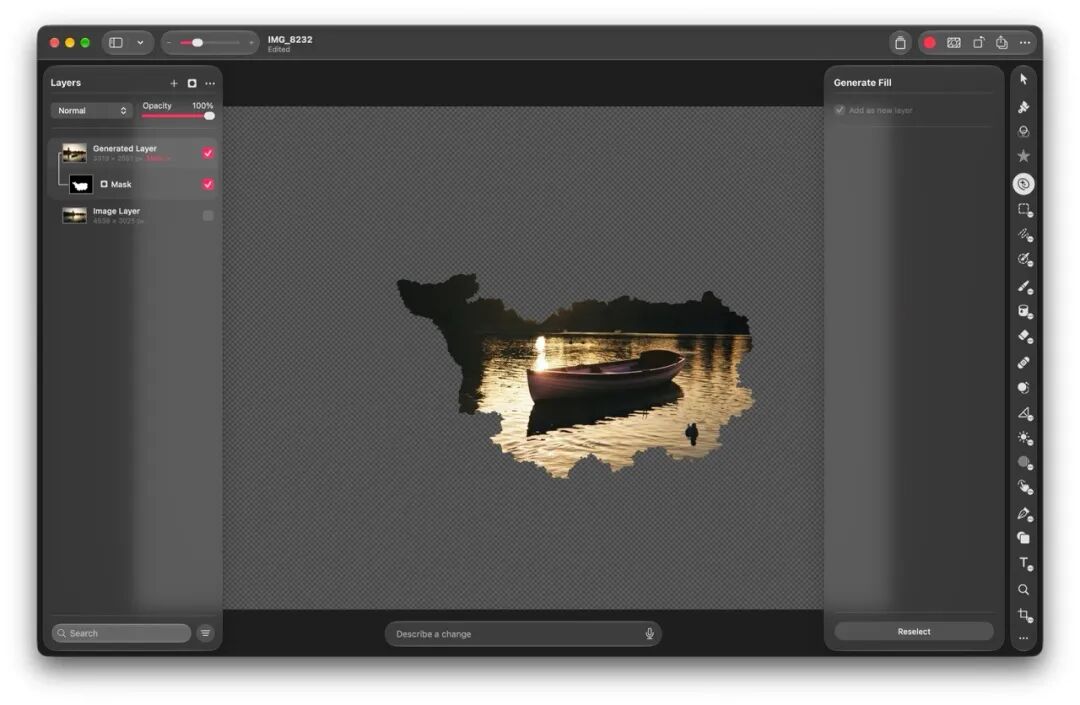
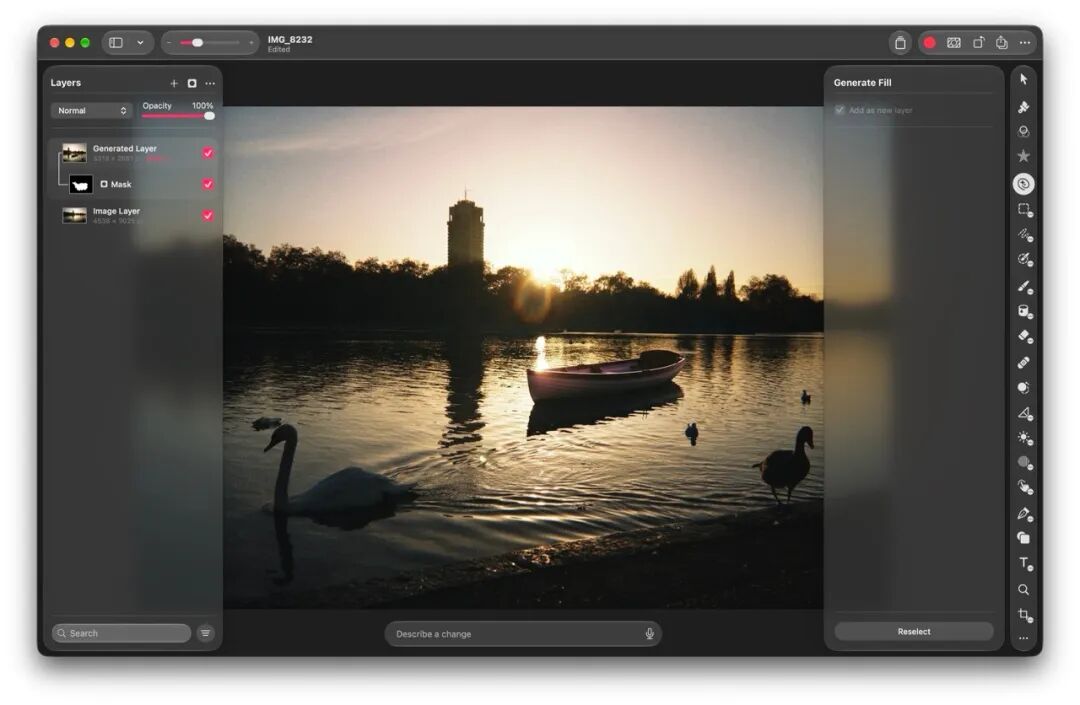
They are respectively the generated rectangular image, the part extracted by the mask, and the final finished image
In addition, the Pages, Keynote and Numbers suite have all added a brand new AI Assistant, which can combine the context of the current document to help users write content, adjust the layout of presentations, or organize and analyze table data.
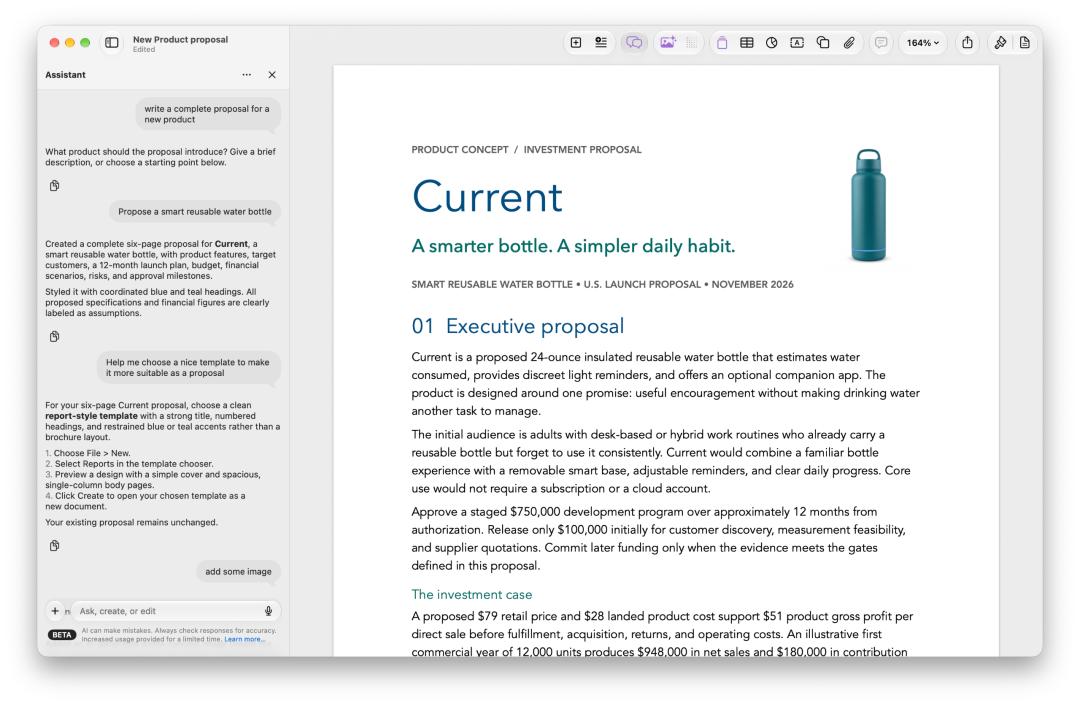
What is quite interesting is that the three-piece suite also has a built-in image generation function. It can not only generate images, but also make secondary modifications based on an existing picture by adding prompt words. The software even directly provides a very rich set of modification presets, such as adding details, switching styles and so on.

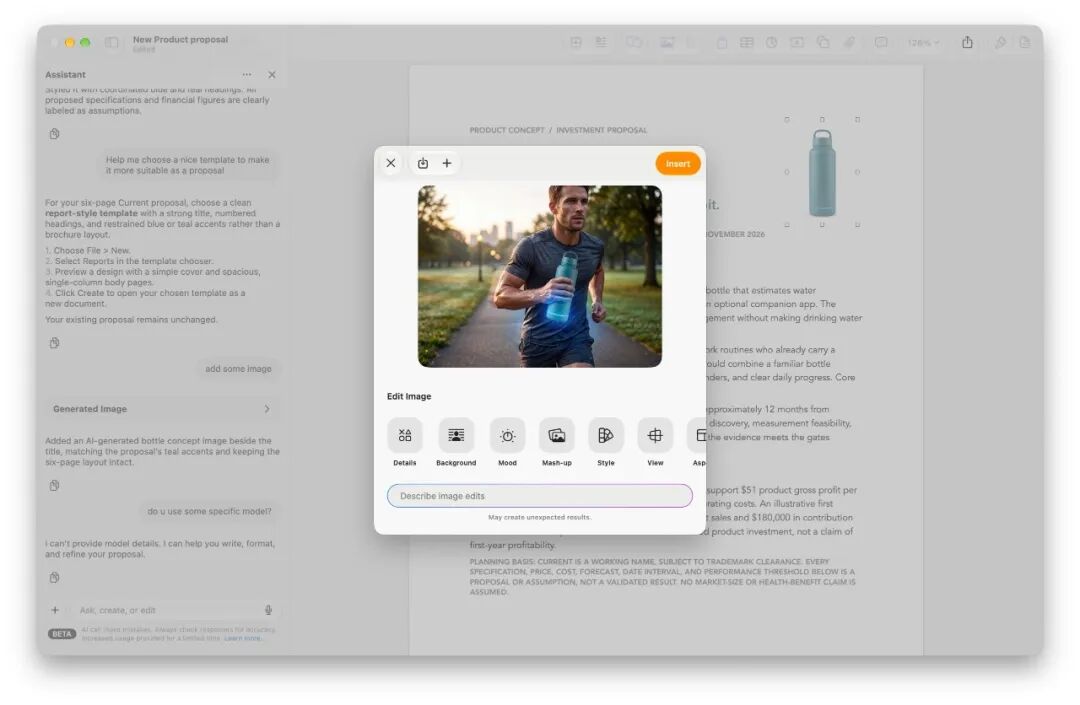
Although these generative AI functions are not yet available for users in Chinese mainland, this update hides another underlying change that everyone can use: Pages, Keynote and Numbers have started to natively support MCP.

ifanr also tried it in actual operation. We directly connected Codex to Pages, and let it automatically generate a travel poster with relatively complex layout and visual hierarchy.
The final presentation effect is quite good, and almost all content editing and complex layout — including font settings, paragraph styles, mixed text and image arrangement, etc. — are all completed directly through the native MCP interface.

Similarly, we also tried to connect Keynote to it, and it can also output quite mature slide layout effects.