ByteDance's new image model is released. It can edit a single image for 100 consecutive rounds without distortion, precisely modifying exactly the designated areas, and the price of its API has been cut.
Reported by ZhiDongXi on November 9, this afternoon, the Seed team of ByteDance officially released the new-generation image creation model Seedream 5.5. Compared with previous versions, Seedream 5.5 focuses on strengthening three core capabilities: multi-round editing stability, native RGBA transparent material generation, and complex text and realistic texture performance.
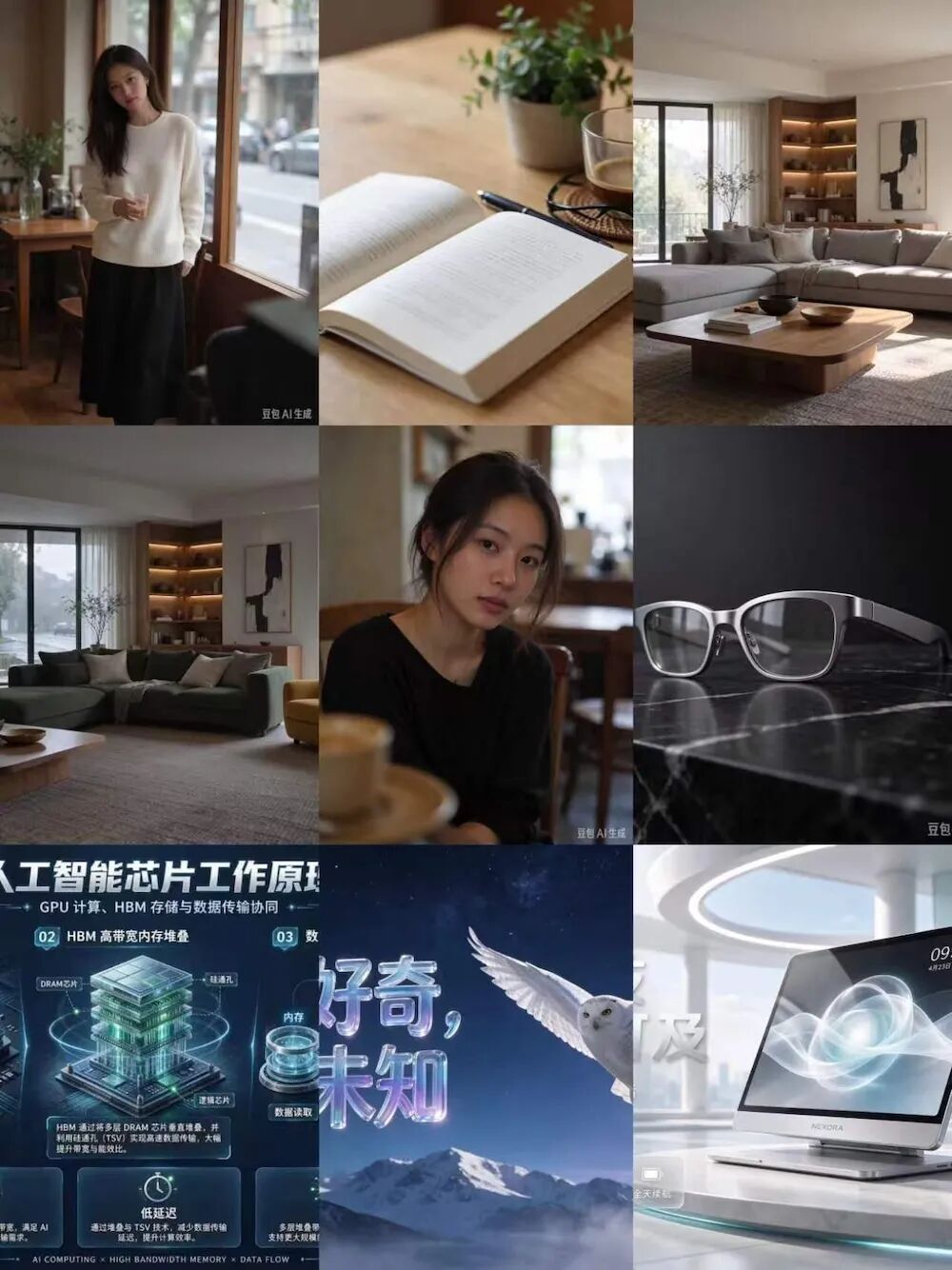
Overall effect of images generated by Seedream 5.5
Among them, multi-round editing supports continuous modification of the same work for up to 100 rounds; transparent materials can directly generate transparent or semi-transparent images with Alpha channels, reducing post-matting steps; text rendering further improves the restoration effect of complex glyphs and dense small characters.
This update has been 4 months since the release of the previous generation model Seedream 5.0 Pro on July 8 this year.
At present, Seedream 5.5 has been launched on Doubao and Doubao Work, while Jimeng AI and Volcano Ark are successively opening access for experience. The Pro version will be launched later for this product line. ZhiDongXi conducted an actual test on Doubao Work as soon as the function went online.

Seedream 5.5 experience entry
From this actual test, the overall usage experience of Seedream 5.5 is relatively smooth, with more obvious upgrades in continuous editing, transparent material generation and realistic texture performance. The generation speed is very fast, and it takes about 5-10 seconds to generate a single image. In particular, multi-round modification does not need to regenerate from scratch repeatedly, and the generated transparent materials can directly enter the subsequent design workflow.
In terms of pricing, the Seedream 5.5 API adopts a separate billing method for input images and output images, and text Tokens are free. Taking 2K square image editing as an example, the cost per image is about 0.28 yuan, less than half of that of Seedream 5.0 Pro.
01. 100 rounds of continuous editing, characters, objects and spaces can all be modified
Multi-round editing is one of the core capabilities of this upgrade of Seedream 5.5.
In the past, when using AI image generation tools, users often needed to modify prompts repeatedly, but each modification might bring new problems.
To solve this problem, Seedream 5.5 focuses on strengthening the stability of continuous editing. The official states that the model can achieve pixel-level retention of non-edited areas, reduce color shift and image quality degradation caused by continuous modification, and support up to 100 rounds of continuous creation.
ZhiDongXi conducted tests from three scenarios: characters, desktop objects and indoor spaces. Overall, Seedream 5.5 can not only modify the specified object according to continuous instructions, but also retain the main body and composition of the existing picture in multi-round creation.
1. Continuous costume change for characters, no need to regenerate when modifying clothing
Initial instruction: First generate a full-body character photo in real photography style. A young woman stands in a simple cafe, wearing a white shirt and blue jeans, holding a coffee cup. The character stands facing forward with a clear face, and the background includes wooden tables and chairs, French windows and outdoor street views. Natural lighting, real photographic texture.
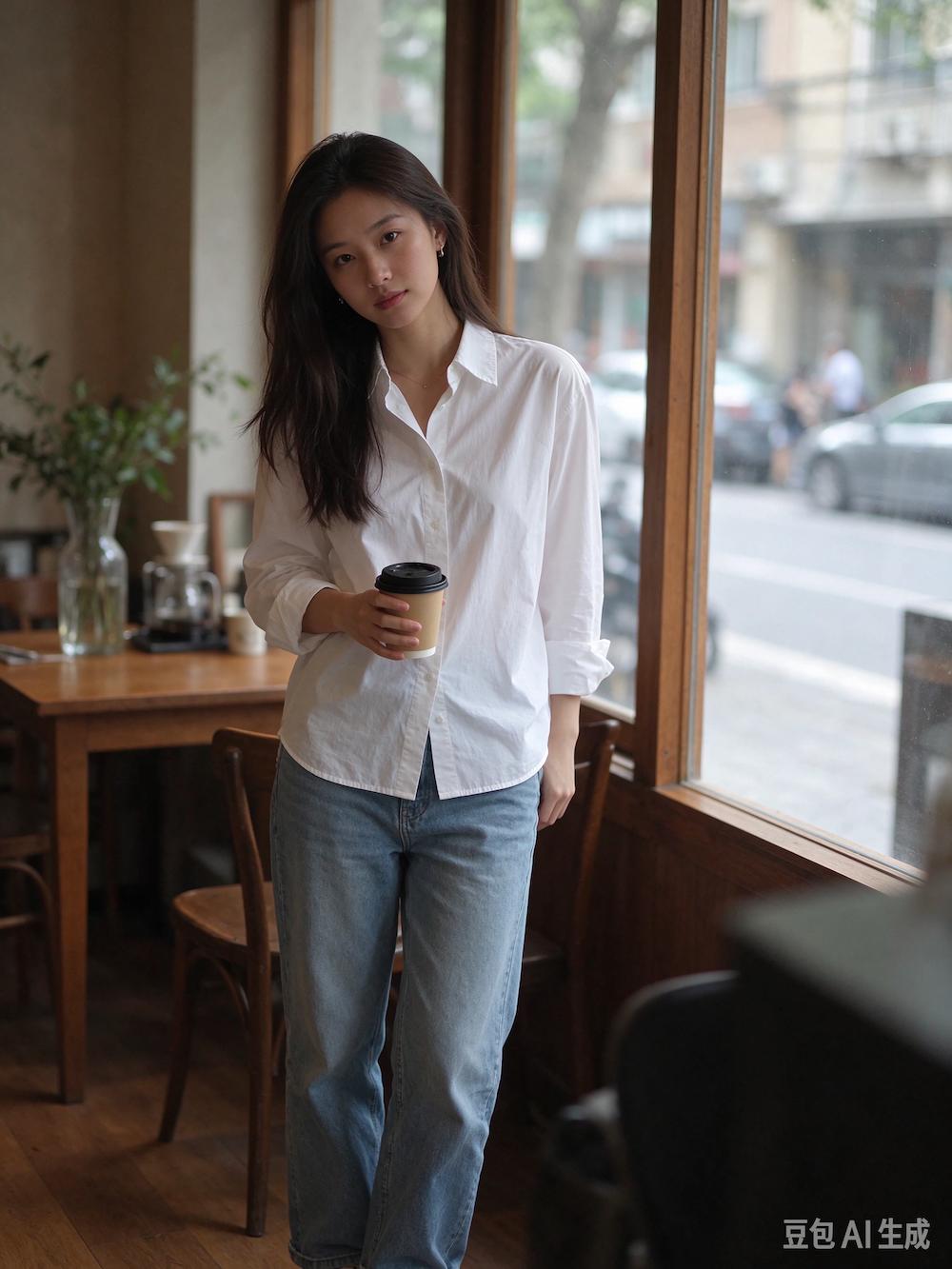
Initially generated image
Round 1: Replace the character's white shirt with a black leather jacket, and keep other content unchanged.
Round 2: Replace the black leather jacket with a off-white knitted sweater, keep the character's face, hairstyle, posture, coffee cup and background unchanged.
Round 3: Replace the character's blue jeans with a black long dress, and do not modify other areas.
Round 4: Replace the coffee cup in the character's hand with a transparent glass, keep the hand posture and other content unchanged.
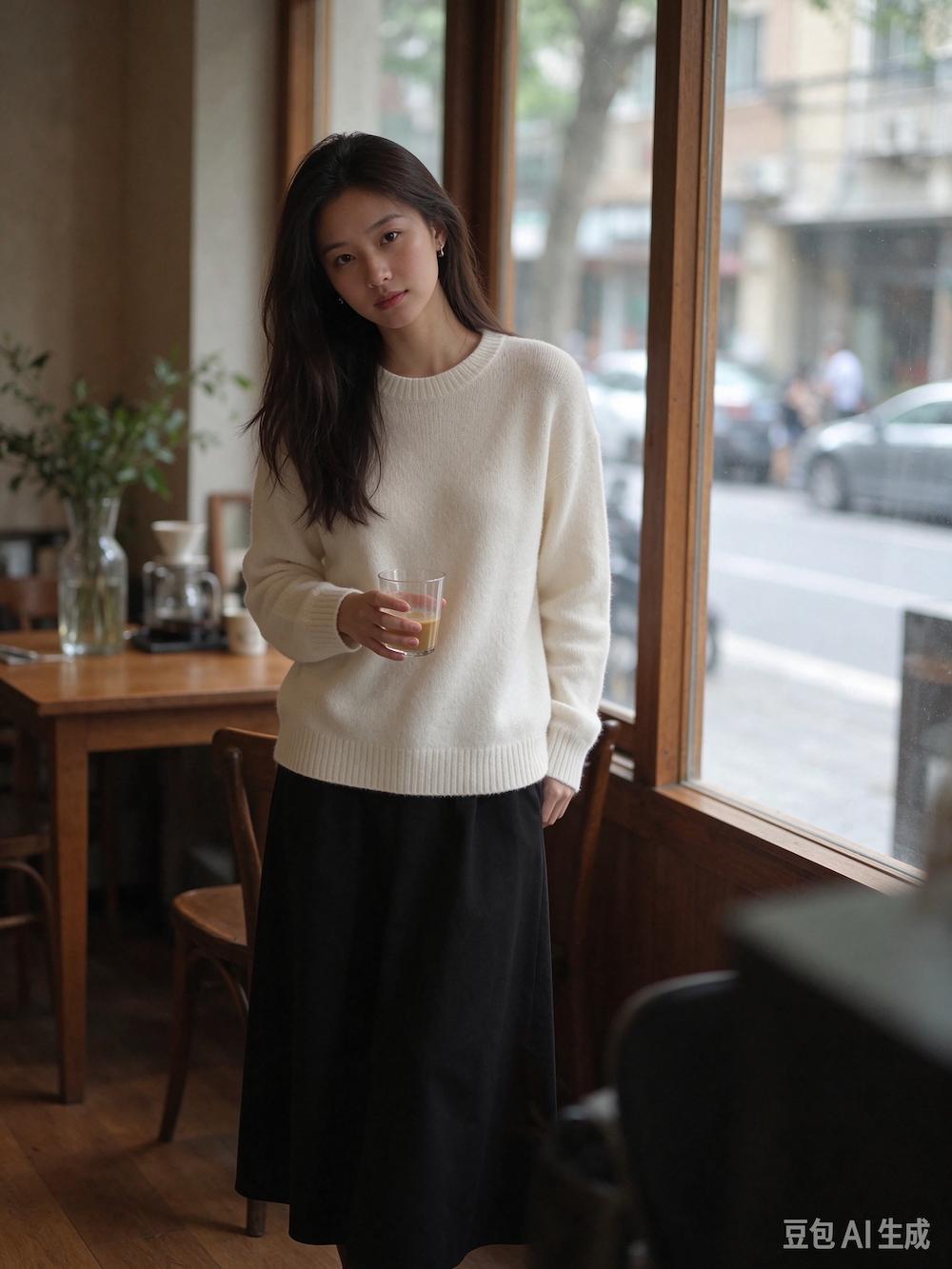
Result of continuous costume change for the character
In this set of tests, the character's clothing and furniture generated by Seedream 5.5 have good texture, and details such as clothing folds and fabric texture look relatively natural. After continuously adjusting the clothing and handheld items, the character's face, hairstyle and background environment also basically retain the original state.
However, the model's grasp of the details of the human body structure is still not accurate enough. In this set of pictures, the character's thumb is too long, and the shape does not conform to the real human body structure; after wearing the dress, the connection between the leg and the skirt is not natural enough, and the leg looks suspended.
Overall, Seedream 5.5 performs relatively naturally in character modeling and clothing details, and can well retain the main body of the picture during continuous modification, but there is still room for further optimization of the hand structure and human posture.
2. Continuous modification of multiple objects, the desktop layout can also be adjusted accordingly
Initial instruction: Generate a still life photography picture of the desktop. There is an open book, a white ceramic coffee cup, a pair of black glasses, a pen and a small green potted plant in the picture. The items are placed naturally, the desktop is made of light-colored wood, shot from a top-down perspective, with soft natural light.
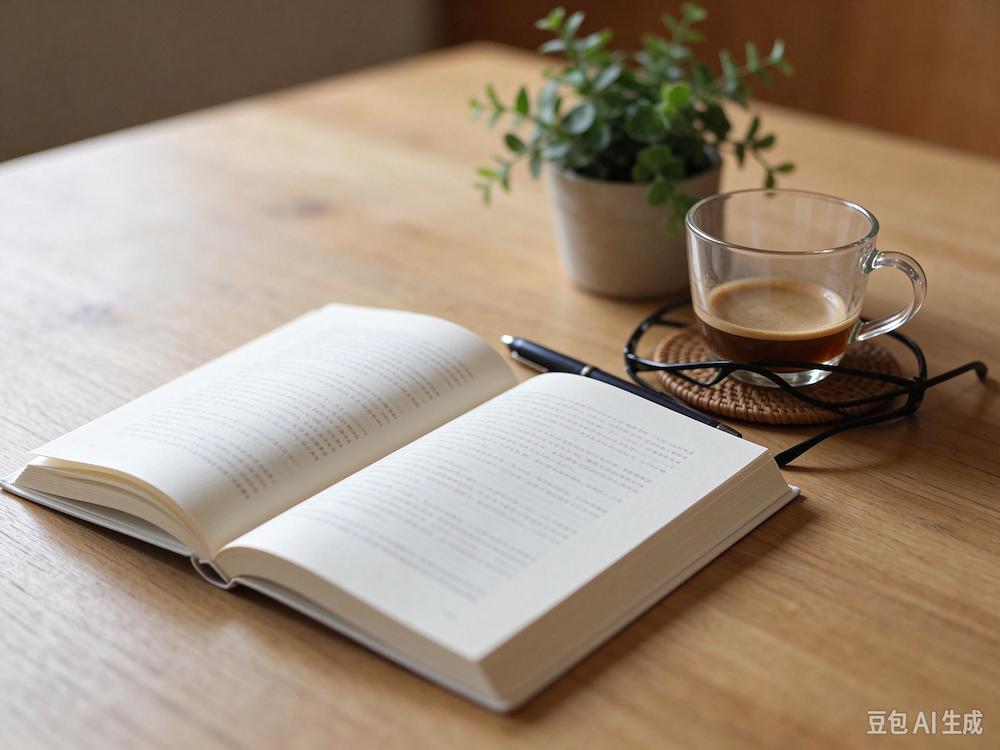
Initially generated image
Round 1: Replace the white ceramic coffee cup with a transparent glass.
Round 2: Replace the black glasses with gold thin-rimmed glasses.
Round 3: Move the pen to the right side of the book, keeping the positions of other items unchanged.
Round 4: Replace the potted plant with a bunch of yellow tulips.
Round 5: Change the desktop material to dark walnut wood, keeping the shape, position and lighting relationship of all items unchanged.
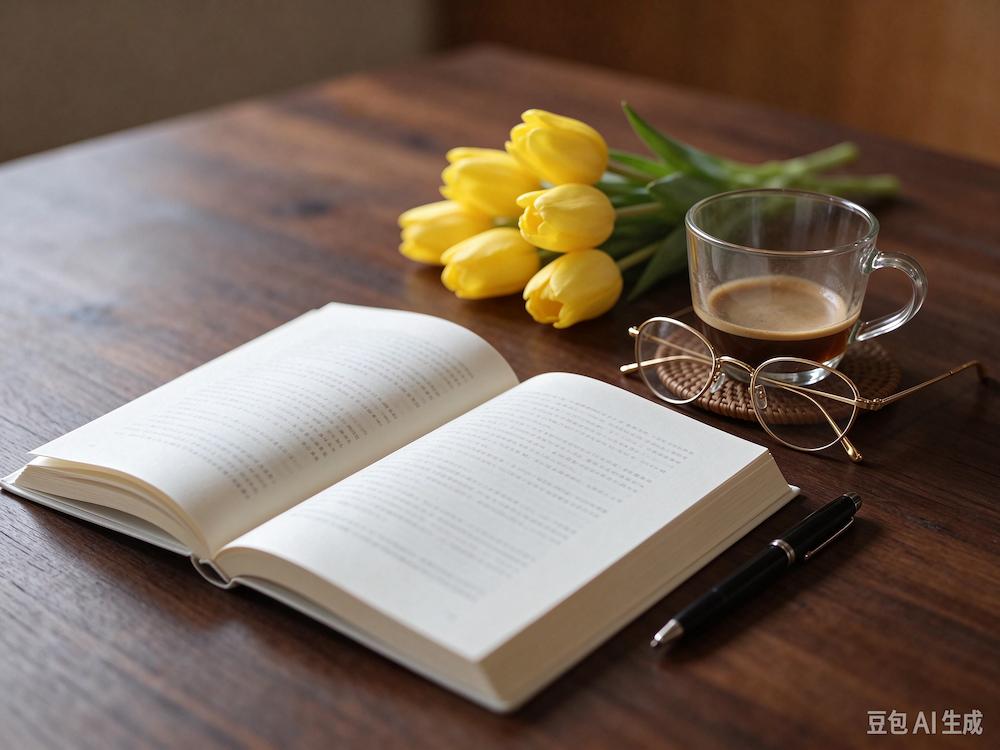
Result of continuous modification of desktop items
In the desktop still life test, Seedream 5.5 still has deficiencies in the recognition and detail restoration of multiple objects. During the initial generation, the model did not correctly generate the glasses required by the prompt, but drew it as a black shelf; after the subsequent modification to gold-rimmed glasses, the frame had an error of three temple arms, and the object structure was not accurate enough.
In this set of tests, the model can adjust the items and materials on the desktop according to the instructions, but it is still prone to errors in the initial generation and detail restoration of small objects. Especially for objects with relatively fine structures such as glasses, although the model can generate a general appearance, it fails to accurately restore its structure.
3. Continuous transformation of indoor space, perspective can be maintained after furniture is moved
Initial instruction: Generate an indoor photo of a living room in modern minimalist style. The picture includes a gray sofa, a wooden coffee table, a floor lamp, a TV cabinet, green plants and French windows, shot from a wide-angle indoor photography perspective, with clear furniture positions and natural light.
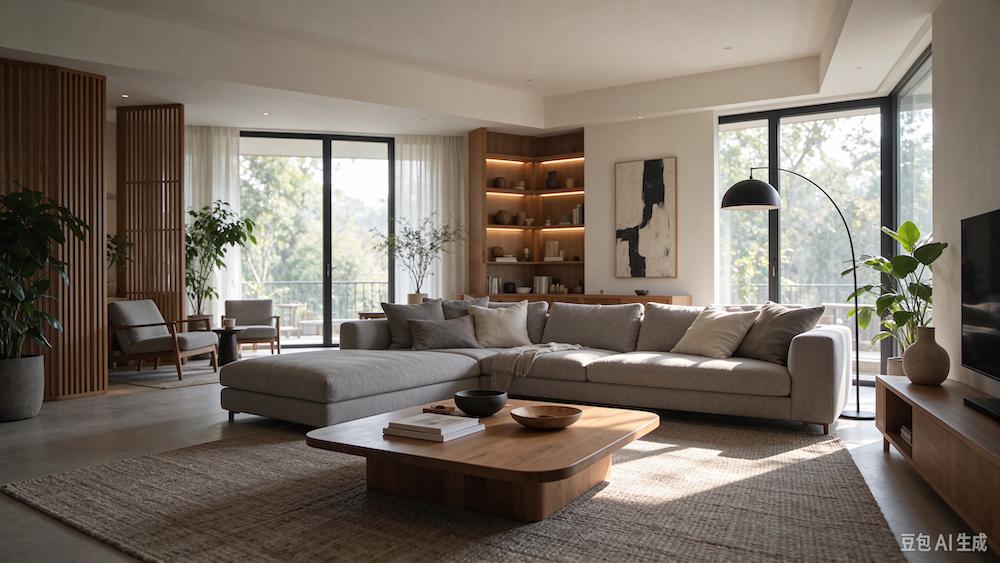
Initially generated image
Round 1: Replace the gray sofa with a dark green fabric sofa, keep other content unchanged.
Round 2: Move the coffee table to the left side of the sofa, maintaining a reasonable perspective and ground projection.
Round 3: Move the floor lamp next to the TV cabinet.
Round 4: Add a yellow single chair on the right side of the sofa to ensure that there is no unreasonable overlap between the furniture.
Round 5: Change the scene outside the window to rainy weather, keeping the indoor furniture, walls and floor unchanged.
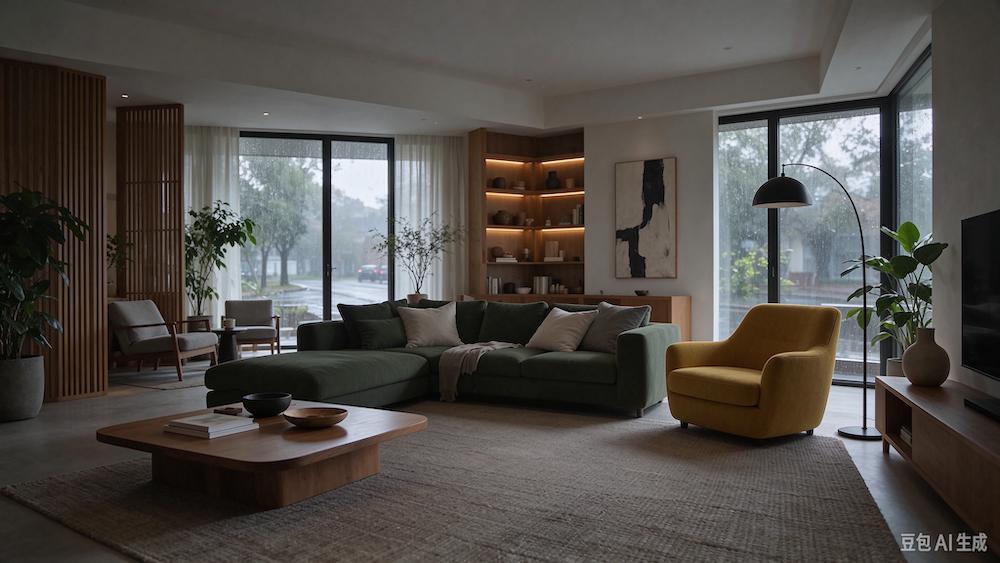
Result of continuous transformation of indoor space
Continuous editing of indoor space is more complex than single object replacement. After the furniture is moved, the model not only needs to adjust the position of the object, but also reprocess the perspective, occlusion and projection relationship.
In this set of tests, Seedream 5.5 has a relatively accurate understanding of the editing instructions. Except for the coffee table, it can basically adjust the color, position and quantity of the furniture as required, and can also modify the environment outside the window. After multiple rounds of modification, there is no obvious spatial dislocation in the picture, and the perspective and overall layout are also kept relatively natural.
From this set of results, Seedream 5.5 performs relatively stably in the continuous editing of indoor space. It can not only identify the content that users want to adjust, but also better handle the spatial relationship between the changed furniture and the surrounding environment.
02. Native RGBA transparent materials, AI image generation can also eliminate the matting step
In addition to continuous editing, Seedream 5.5 also adds the native RGBA transparent material generation capability in this update.
In the past, after users generated products, characters or decorative elements through AI tools, if they needed to use the main body separately, they usually had to use other tools to remove the background. For objects with complex details or transparent effects, problems such as edge residue, detail loss or transparent effect distortion are prone to occur during processing.
With this upgrade, Seedream 5.5 can directly generate transparent or semi-transparent images with Alpha channels, making the generated content a design material that can be used independently.
ZhiDongXi conducted tests around complex subjects, transparent artistic text and secondary combination of materials.
1. Transparent generation of complex subjects, feather edges can also be retained
Instruction 1: Generate a white snowy owl flying with spread wings, front view, wings fully spread, rich feather layers, small gaps between feathers clearly visible, paws naturally folded, eyes bright. The main body is complete, do not cut the wings and paws, the background is a real transparent background, output in RGBA format, retain natural feather edges and semi-transparent details.
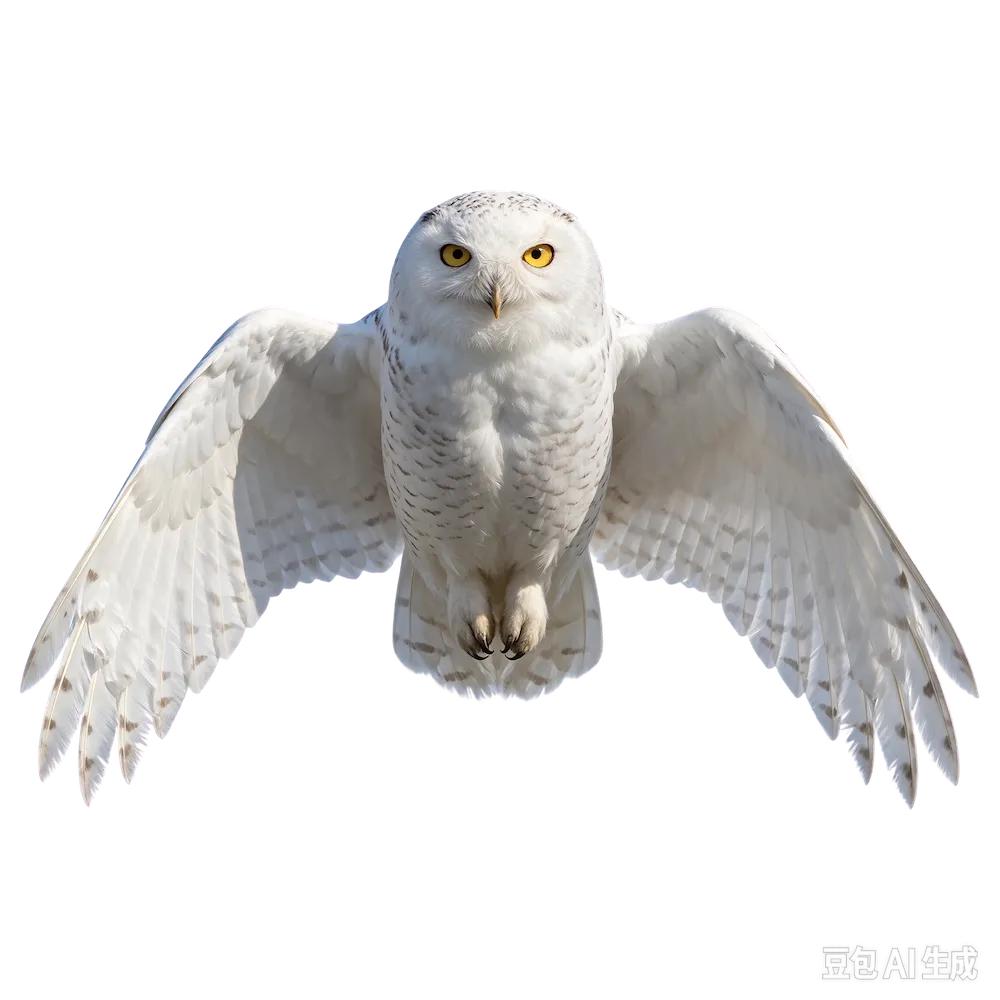
Transparent snowy owl generation result
It can be seen that in the complex subject generation test, Seedream 5.5 can generate a complete snowy owl image as required, and the spread wings, stacked feathers and body outline are well presented. Compared with ordinary solid color background generation, transparent materials are more convenient for users to put the main body into other design pictures separately.
2. Transparent artistic text, text and visual effects can be generated together
Instruction 2: Generate a set of Chinese artistic text materials with transparent background, the text content is "Stay curious, explore the unknown". The overall adopts three-dimensional glass material, the glyph is clear and complete, with delicate blue-purple gradient and natural refraction effect inside, and soft highlight on the edge. The text must be accurate, no extra characters, missing characters or changed strokes. The background is transparent, output in RGBA format.

Transparent artistic text generation result
Transparent material generation is not limited to characters and objects, but can also be used for text design.
In this set of tests, Seedream 5.5 accurately recognized the Chinese content in the prompt, and generated the corresponding artistic font as required. The generated text shape is basically consistent with the preset style, the glass material effect is also well presented, the text outline is clear, and there is no obvious wrong character or glyph disorder.
From the actual effect, Seedream 5.5 can not only generate artistic text under transparent background, but also restore the specified font style and material texture well.
3. Secondary combination of materials, the generated content can continue to be used for design
Instruction 3: Use the transparent snowy owl and transparent artistic text materials generated just now to design a 16:9 horizontal natural theme promotional poster. The background is dark blue night sky and snow-capped mountains, the snowy owl is located on the right side of the picture, the title "Stay curious, explore the unknown" is located on the left side, and the overall style adopts high-end natural photography and magazine visual design. Keep the main body of the snowy owl complete, the text clear, and the composition has a sense of hierarchy.