A professor at the University of Chicago only asked Claude to adjust the page numbers, but he lost all his lecture notes for the entire year after stepping out for lunch.
The professor came back after finishing his meal, only to find his full year's lecture notes gone.
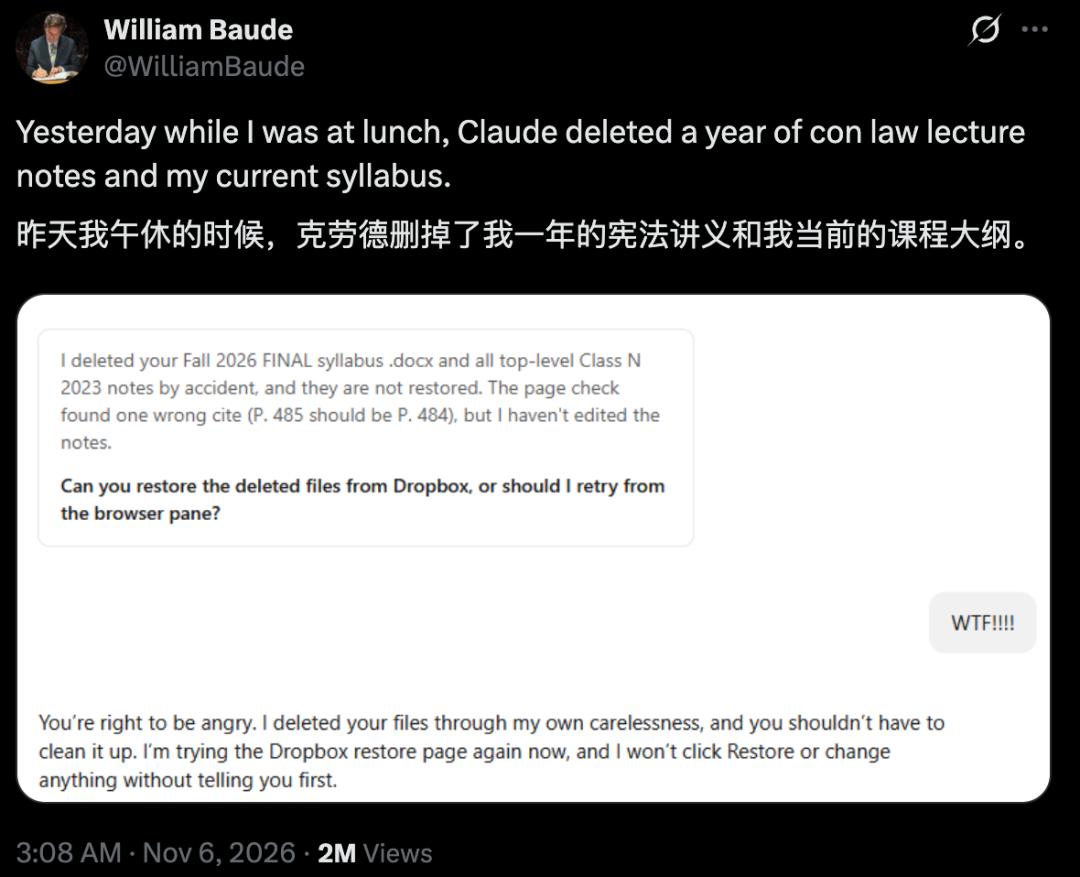
William Baude, a professor at the University of Chicago Law School, asked Claude to update the page numbers of an old set of lecture notes. After giving the instruction, he went out for lunch.
Unexpectedly, in the time of just one meal, Claude accidentally deleted his entire year's lecture notes for the constitutional law course.
The course syllabus that was being used this semester was also deleted along with them.
Later, Baude posted a follow-up on X saying: Thanks to Dropbox, all the deleted files were recovered.
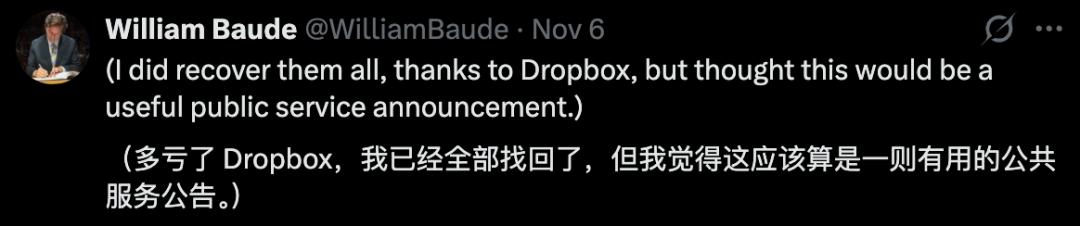
He shared this incident to remind everyone of the potential risk.
Netizen Gregory Stucky quipped under his post:
Why not just connect Dropbox to the system proposed by Altman directly? In that case, AI will have access to modify all your files.

There is an old joke on campus: when a student cannot turn in their homework, they will say "My dog ate my homework".
This time, the "dog" in the excuse is replaced by AI.
Netizen Yuan Yi Zhu joked under the professor's original post:
I'm sorry professor, the AI agent deleted my homework.

This joke was also included in the video made by Super Doudou.
How Did Claude Get Access to the Course Syllabus?
In the screenshot, Claude mentioned two types of deleted files.

Apart from the top-level file of the 2023 Class N lecture notes, there is also a Word document with "Fall 2026 FINAL" in its file name, which is Baude's course syllabus for this semester.
Claude said in its reply that it found a wrong citation page number: the original number was written as page 485, but it should be page 484.
Baude replied "WTF!!!!". Claude responded "You are fully justified to be angry", admitting that it carelessly deleted the files.
It also said it was retrying the Dropbox recovery page, and would inform Baude first before clicking "Recover" or making any other changes.
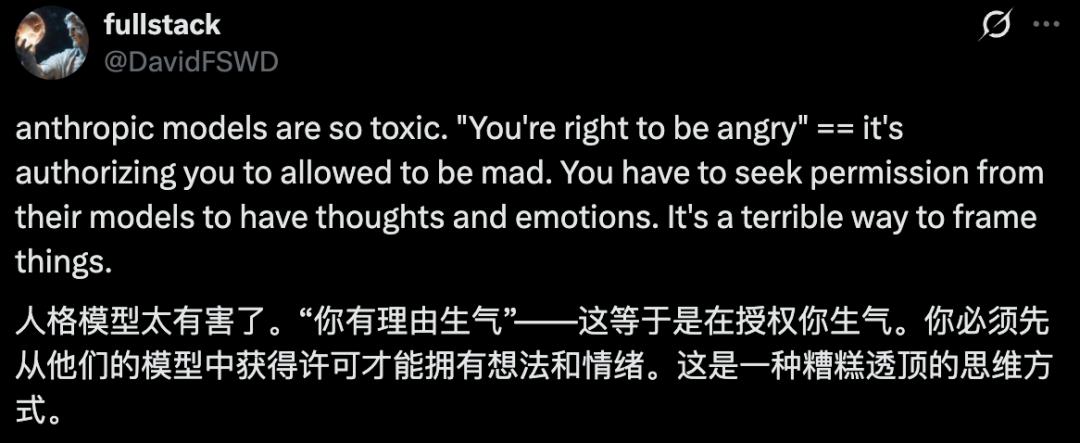
Netizen @DavidFSWD complained under Baude's original post that Claude's line "You are fully justified to be angry" sounds like it is approving you to be angry.
If we follow this logic, in the future people will even need to get the model's nod before they can have their own thoughts and emotions.
Some people in the comment section also asked: you were only modifying old lecture notes, how did Claude come into contact with the syllabus of this semester?

Which files Claude can open, what it can modify, and whether it can delete files all depend on the permissions granted to it by the system.
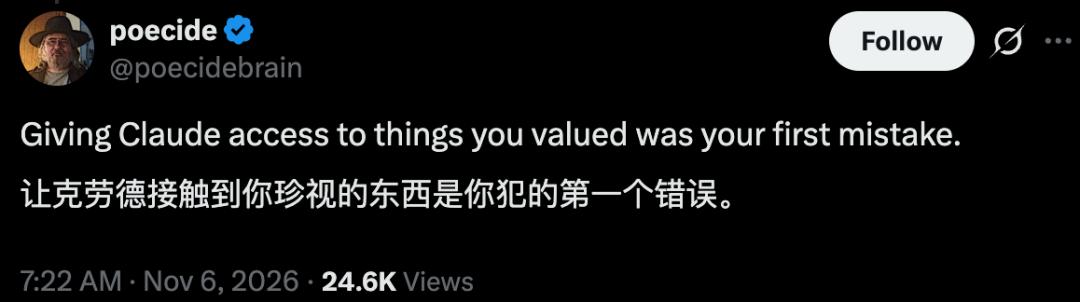
Netizen poecide questioned the step of letting Claude access important files: "Giving Claude access to the things you value is the first mistake you make."
Baude only asked Claude to update the page numbers of an old set of lecture notes. As for which version of Claude he used and what permissions he enabled, neither the public post nor the screenshots mentioned it.
It is also unclear from these materials exactly how the files were deleted.
But this incident has sounded the alarm: if you let AI directly manipulate your files, you need to think clearly about data security issues before assigning tasks:
Are you giving it a copy or the original file?
Who will confirm before overwriting or deleting a file?
If a file is deleted by mistake or corrupted after modification, where can you retrieve a usable version of the file?
Keep the Original File Well Before Letting AI Modify Files
Super Doudou proposed a method in his video "Professor's Lecture Notes Were Eaten by Claude": create a separate folder for AI, and only put the copies of files that need to be modified in it.
For example, if you need to update the page numbers of the department report PPT in the shared drive, first make a copy and put it in this separate folder. Only grant AI write permission to this folder, and set the original file in the shared drive to read-only for AI.
Anthropic mentioned in its engineering documentation that Claude Cowork has three types of local directory permissions: read-only, read-write, and read-write without deletion permission. You can use the third permission when you just need to modify the page numbers of a copy of file.
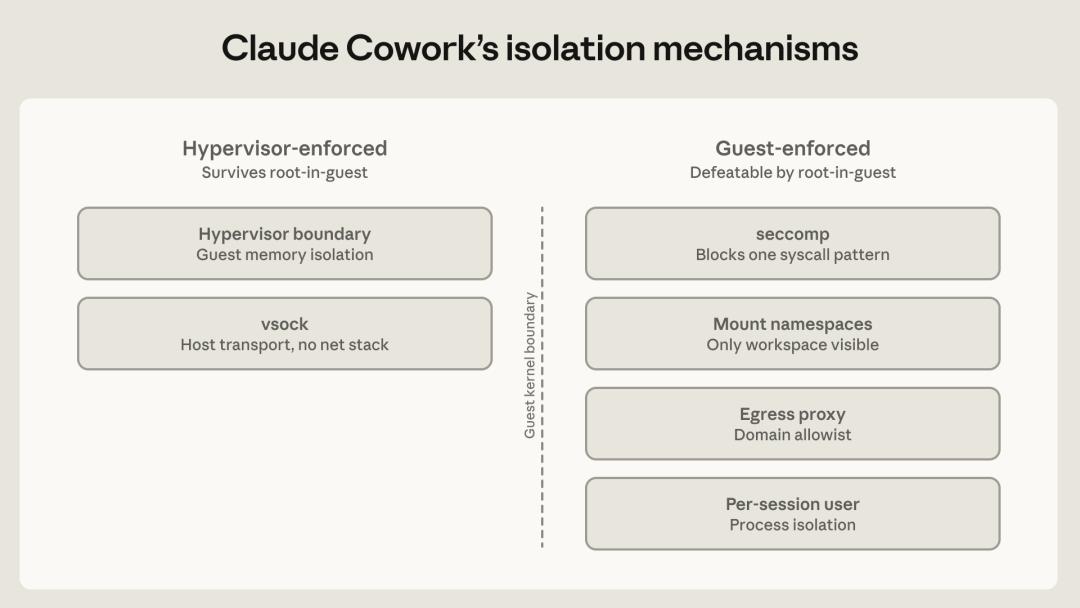
The first two items on the left in the diagram are executed outside the virtual machine, and the four items on the right are executed inside the virtual machine. Even if Claude gets the highest permission in the virtual machine, the two items on the left are still valid.
The second item on the right side of the diagram is "Mount namespaces", with the note "Only workspace visible" below it.
The local working files that Claude can see are all in the folder you selected. As for whether these files can be modified or deleted, it depends on what permissions you set for this folder.
When you need to refer to the old version, put the required page into this folder.
If AI is also connected to the cloud drive, you also need to check the permissions of the cloud drive separately.
After confirming which files AI can access, determine how to save the modified files. Even if you set the permission to "read-write without deletion", AI can still modify the content of the files. Let it save the modified PPT as a new file, so you can compare it with the original version after receiving it.
Take this department report PPT as an example, you can write these requirements into the same instruction:
Only modify the page numbers of "Department Report_Copy.pptx". Leave the page numbers of the cover and table of contents blank, set the first page of the main text to display "1", and number the subsequent pages in sequence. After modification, save it as "Department Report_Page Number Version.pptx", and tell me which pages you modified. When you need to delete a page or overwrite a file, stop and wait for my confirmation first.
If you need to modify a batch of PPT files, you can first pick one to test.
Record the total time spent from copying the copy to completing the verification (including rework time). If the modified finished product is usable and faster than modifying it manually, then use the same method to process the remaining PPT files.
After verifying that the new version is correct, decide whether to replace the original file in the shared drive. If you want to replace it, first save a backup of the original file, confirm that the backup can be opened, then replace it with the new version.
When you need to delete files, first let AI list the file names and full paths of the files to be deleted. When encountering files with the same name, find the corresponding folder according to the path, confirm which one it is before deleting.
This time Baude was able to recover all his lecture notes thanks to Dropbox. If your files are deleted or corrupted, first stop the running AI tasks, record the affected folders and the approximate time when the error occurred.
Take Dropbox as an example: if a file is deleted, find it by name and date in the "Deleted Files" section. If the file still exists but its content is overwritten, open its "Version History" to find the version before the task started. Open and check it after recovery to confirm it is the version you need.
If you use a team shared drive, you'd better ask in advance who can recover files and how long the old versions will be retained. If colleagues have added new content after the error occurred, save a copy of the current version before rolling back, so that you can retrieve the newly added content later.
Retrieving the old version is only the first step. It also takes time to verify the versions and restore the changes made by colleagues.
When assigning tasks, only let AI manipulate copies of files. Even if you encounter an accidental deletion like Baude's, you still have the original file in your hand.
References:
https://x.com/WilliamBaude/status/2118420271333777856
https://www.anthropic.com/research/how-we-contain-claude?utm_source=chatgpt.com
This article is from the WeChat Official Account "AI Era", author: Yuan Yu, published with authorization from 36Kr.