The MacBook Pro now comes with a touchscreen, but this is only its smallest upgrade.
Unexpectedly, Apple, which has long been the most resistant to touchscreen laptops, finally added a touchscreen to the MacBook Pro.
Back in the day, Steve Jobs publicly dismissed touchscreen laptops as completely worthless, bluntly stating that "the ergonomics are extremely poor, and your arms will get sore after holding them up for a while".
After many years, when Ternus presented this brand-new MacBook Pro with a PROLED touchscreen, we knew that Apple had ultimately bowed to the most intuitive interaction method: "touch".

Photo | Apple
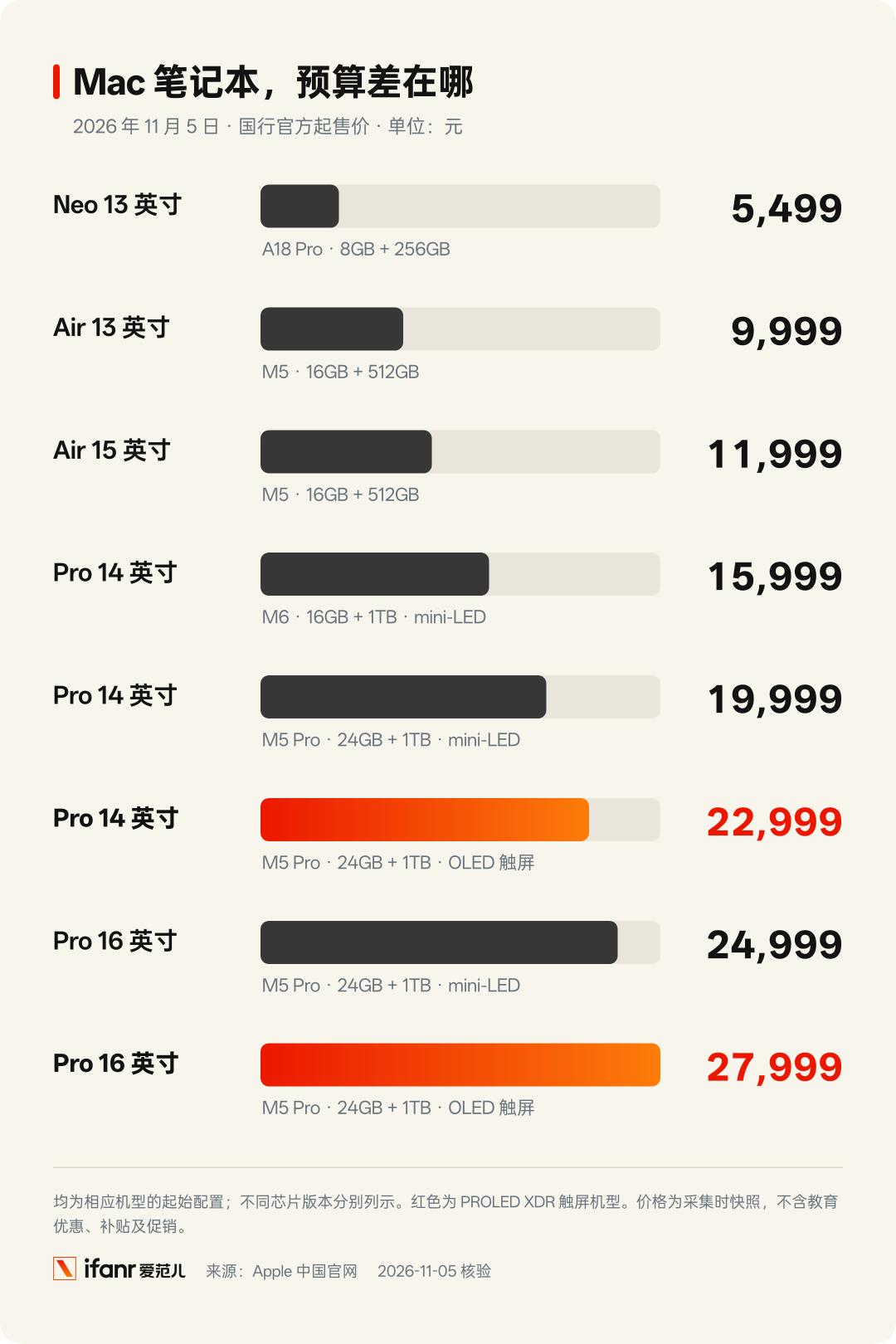
However, with a starting price of 22999 yuan, this touchscreen Pro is destined not to be the daily choice for most people.
Just right, we can take this opportunity to sort out Apple's complex Mac product line this year in detail.
From the entry-level Neo equipped with the same chip as mobile phones, the fanless lightweight laptop, to the Pro split into two sets of molds, which one is really suitable for you?
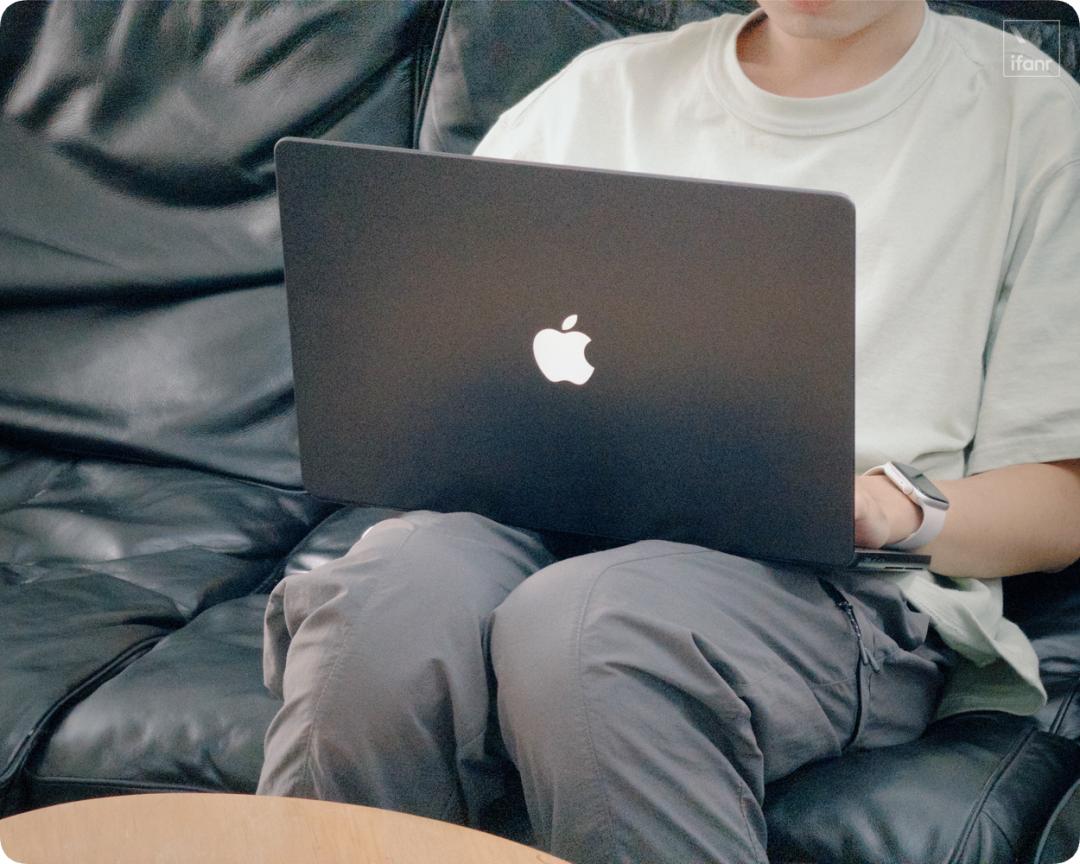
First experience with touchscreen MacBook Pro: lighter, glowing, and more expensive
The first thing that sparked discussions on this brand-new MacBook Pro is the white glowing Apple Logo on the A-side that lit up again.
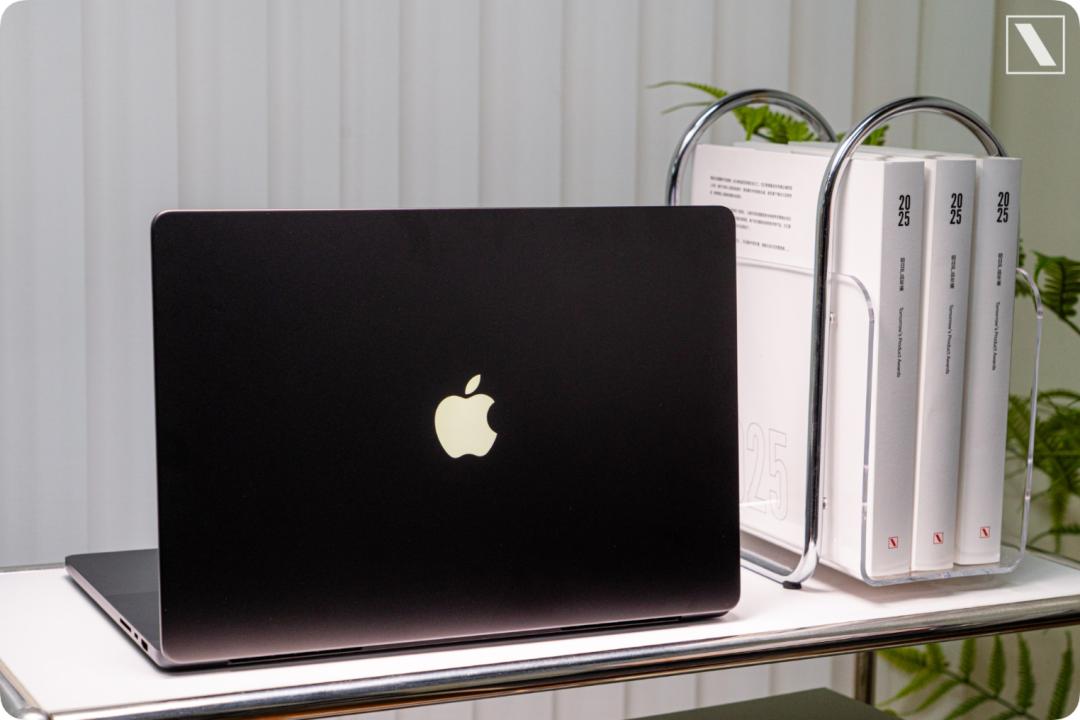
The Apple logo that was once illuminated by the LCD backlight panel has been resurrected on the self-luminous OLED screen after many years.
It still brightens and dims with the screen brightness, but the light is much softer and more restrained.
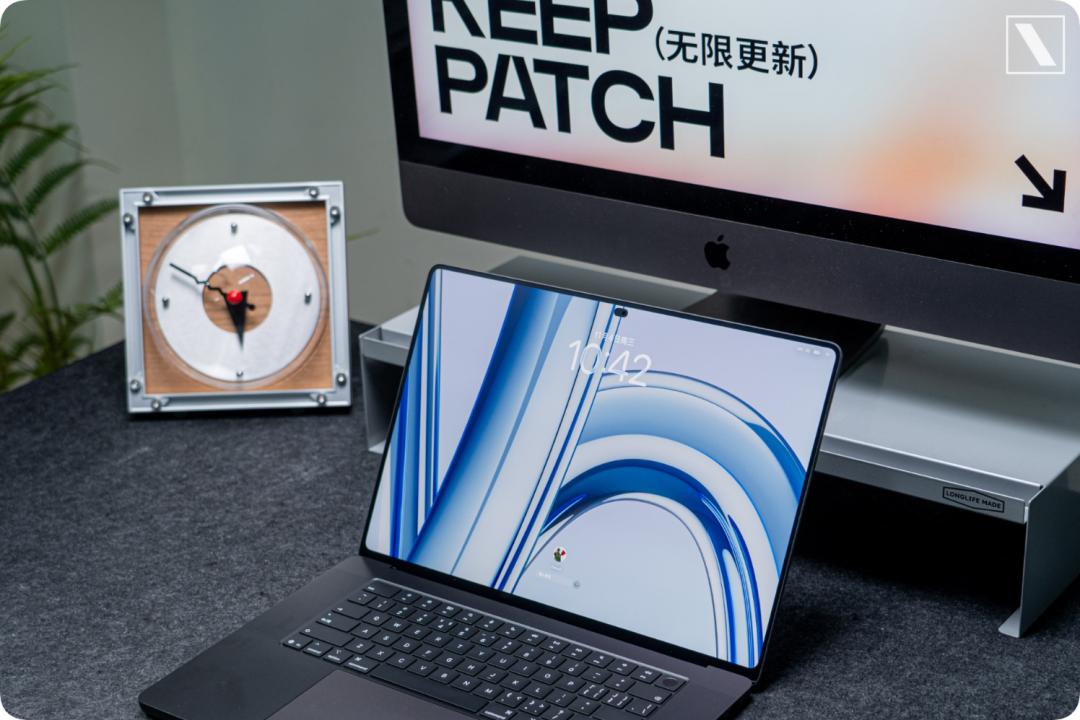
In actual experience, the viewing experience of this double-layer OLED screen is really impeccable. The edge white halo that occasionally appeared on previous mini-LED screens in dark scenes is completely gone.
Combined with a full-screen sustained brightness of 1000 nits, whether it is content creation or entertainment movie watching, this is one of the laptop screens with the best overall quality on the market now.
The new mold also brings an invisible upgrade that you can clearly perceive in daily use — weight reduction. The 14-inch version weighs about 1.38kg, and the 16-inch version is reduced to about 1.82kg.
Users who often carry their MacBook Pro out may have felt this, and now the burden on both shoulders can finally be reduced. It is no longer as heavy as a solid metal plate in your hand.
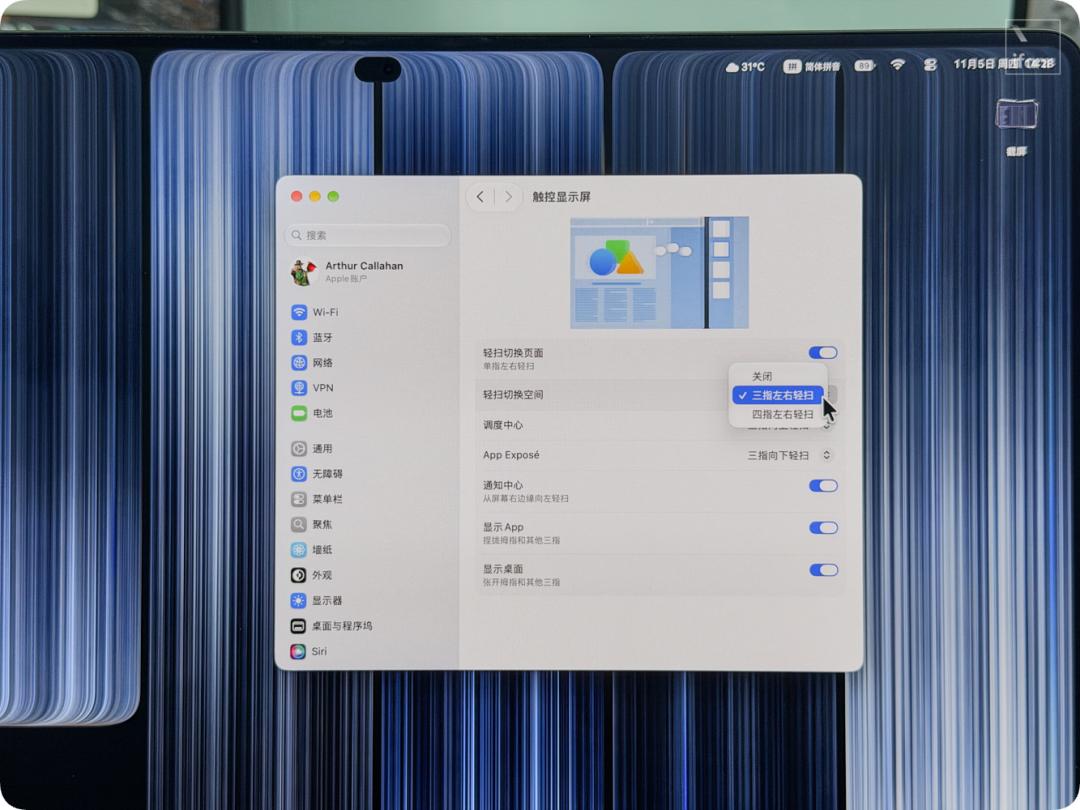
The touchscreen is a major topic of discussion this time. The multi-finger gestures that used to be on the trackpad can now be swiped directly on the screen.
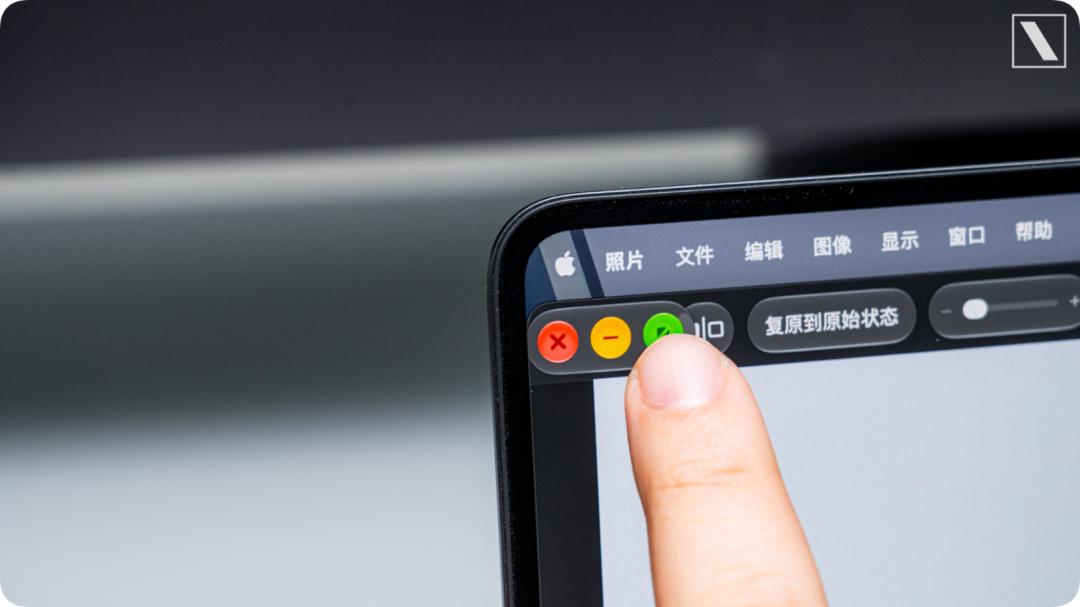
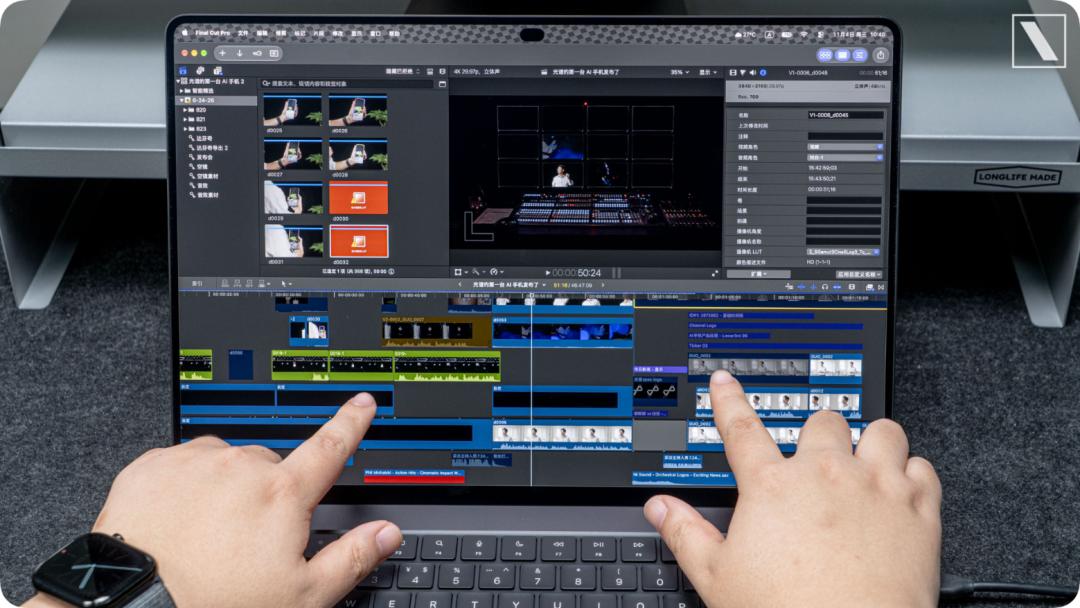
Reach out to tap the traffic light buttons on the window, the keys will actively zoom in when your fingertips approach to prevent accidental touches; when editing videos in Final Cut Pro, you can directly drag the timeline and material clips with your fingers, which is sometimes more convenient than scrolling the wheel.
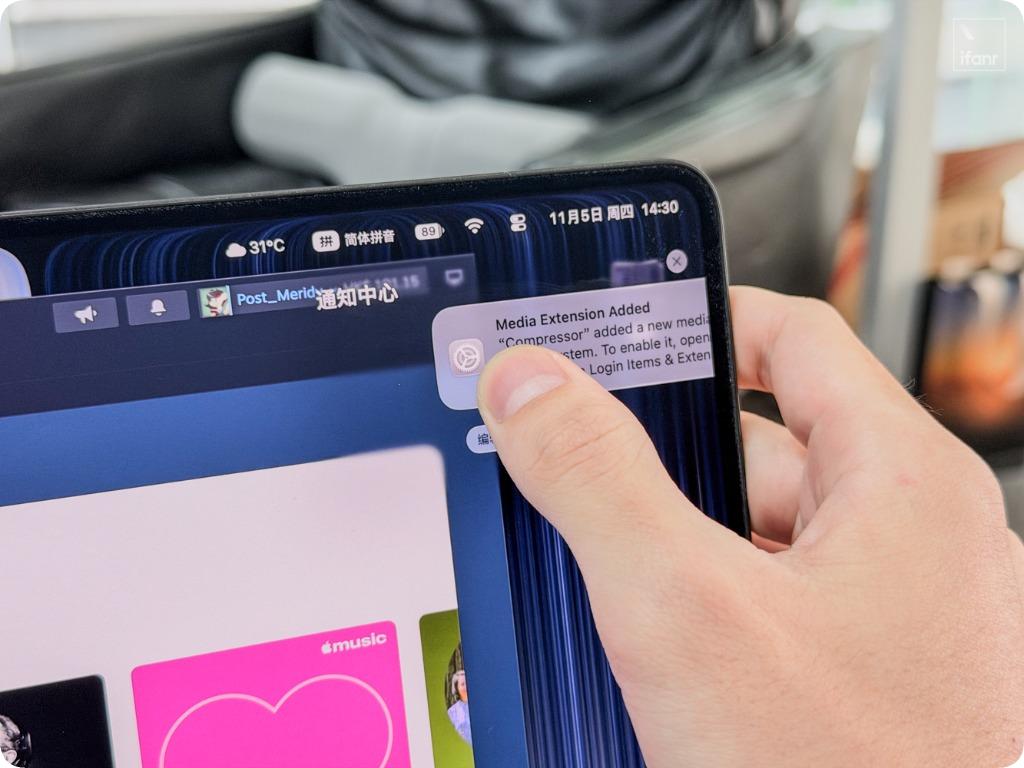
When a system notification pops up, you can swipe it away directly, which is a completely new interaction that has never been seen on MacBook before.
Touchscreen operations are indeed more intuitive, but it is predictable that users will need to wipe the screen more frequently. Otherwise, it will easily be full of fingerprints and oil stains in a few days.
Even when adding a touchscreen to a laptop form factor, Apple still cannot escape the physical law of hinge wobble. The screen will still shake slightly when you poke it hard with your finger, and it is inevitable that your arm will get sore after holding it up for a long time, and it does not provide support for Apple Pencil.
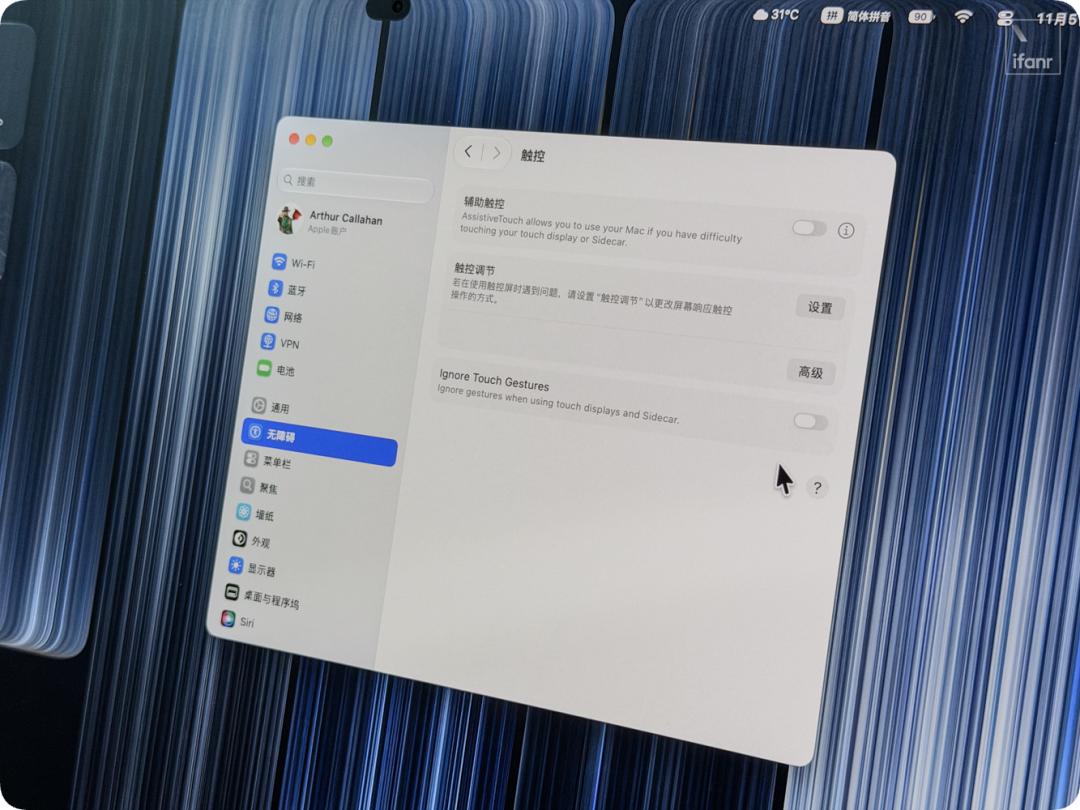
Apple has also thoughtfully considered that some users do not like to use the touchscreen on computers, and has specially provided a switch called "Ignore Touch Gestures" in "System Settings - Accessibility - Touch".
After turning it on, the touch function will be completely disabled, and no taps or gestures will be triggered. It is recommended that designer friends turn it off as soon as they get the device, to prevent colleagues from pointing around (doge).
It is clear that Apple obviously regards the touchscreen more as an added bonus, not the core feature. You can tap and swipe conveniently when needed, but the keyboard and trackpad are still the main input methods in daily use.
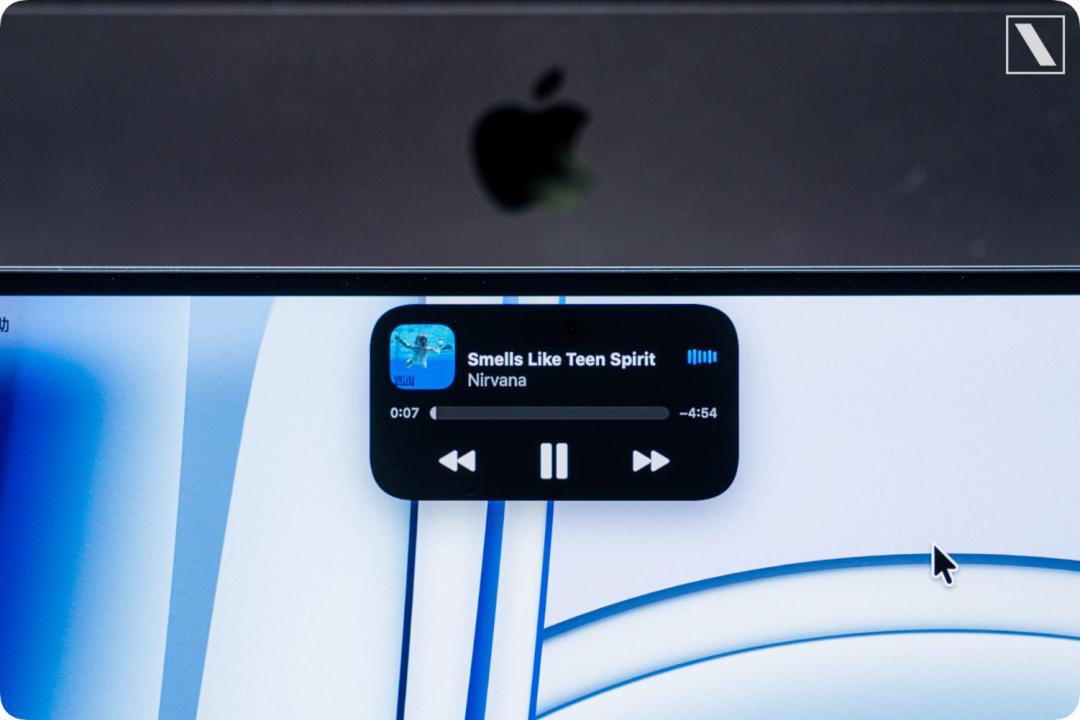
After staring at the abrupt notch on MacBook for a long time, the top status bar is finally much more coordinated after being replaced by Dynamic Island this time.
However, the Dynamic Island on Mac this time is slightly different from the one on iPhone: single click to expand, click again to open the corresponding App. Whether you tap with your finger or click with the cursor, the operating feel remains consistent.
In addition to the screen and appearance, the performance of this new machine in on-device AI is also at a "monster" level.
The unit we got this time is the high-spec 16-inch PROLED XDR version of MacBook Pro. Equipped with full-power 40-core GPU M5 Max, 128GB unified memory and 4TB SSD, the official website price is nearly 70,000 yuan.
With a unified memory bandwidth as high as 614 GB/s, it is inherently designed for high-throughput on-device large model inference.
🔗 Related reading: Why Apple and Xiaomi's AI computers are all striving to break through the "memory wall" | AI Device Journal
Under the working condition of battery-powered state and power mode set to "Auto", we tested the Qwen 3.5 35B-A3B model with Ollama.
With the support of the MLX framework, the generation speed of two rounds of tests is stable at 119~121 tokens/s (120.66 in the first round, 118.96 tokens/s in the second round), and the prefill speed can reach 519.95 tokens/s.
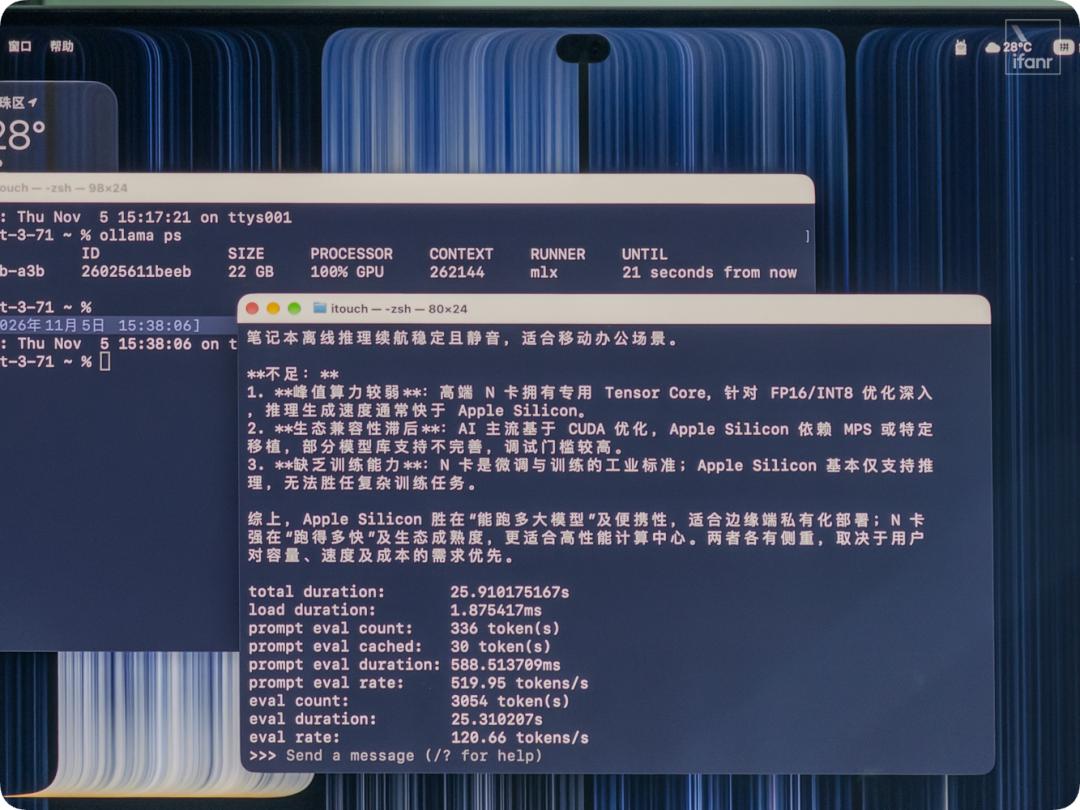
For reference, when we ran the same model on the dedicated mobile workstation RTX Spark N1X earlier, the speed was about 54~60 tokens/s.
You know, it does not need to be tied to a bulky power adapter to release full performance like traditional performance laptops. It can maintain this performance level anytime and anywhere after unplugging the power cord, which is of course also the consistent selling point of Mac.
Just close the lid and put it in your backpack, it can turn into an on-device AI workstation that computes wherever you go, allowing you to achieve token freedom.
From 5,000-yuan entry-level MacBook to 100,000-yuan top-spec model, where does all your money go?
The MacBook Pro product line this year is actually rather awkward. The most direct manifestation is that the exact same chip is assigned to two sets of old and new molds.
Take the 14-inch model with M5 Pro chip, 24GB memory and 1TB storage as a comparison: the regular mini-LED screen version sells for 19999 yuan, while the brand-new PROLED touchscreen version costs 22999 yuan, exactly a difference of 3000 yuan.
This scene is quite similar to the coexistence of the old mold with Touch Bar and the new notch screen model in the M1 era.
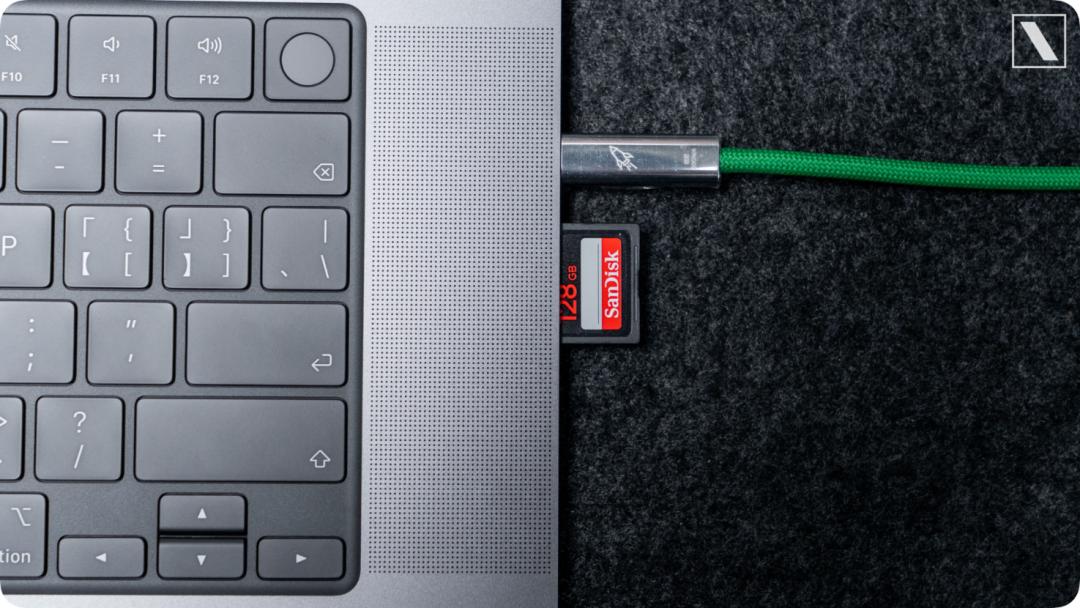
By paying an extra 3000 yuan, you can get a brand-new double-layer OLED screen, narrower bezels, the re-lit Apple Logo, and the portability brought by weight reduction.
Compared with the comprehensive evolution of the whole machine form and screen, the touch function with the highest cost-effectiveness has unexpectedly become the least important upgrade on this new computer.
Since your budget has already reached the 20,000-yuan level, there is really no point in saving this 3000 yuan and sticking to the old mold.
The only mission of the old mold left on the shelf is basically the entry-level M6 model priced at 15999 yuan, to defend the bottom line of professional laptops at the 10,000-yuan price point.
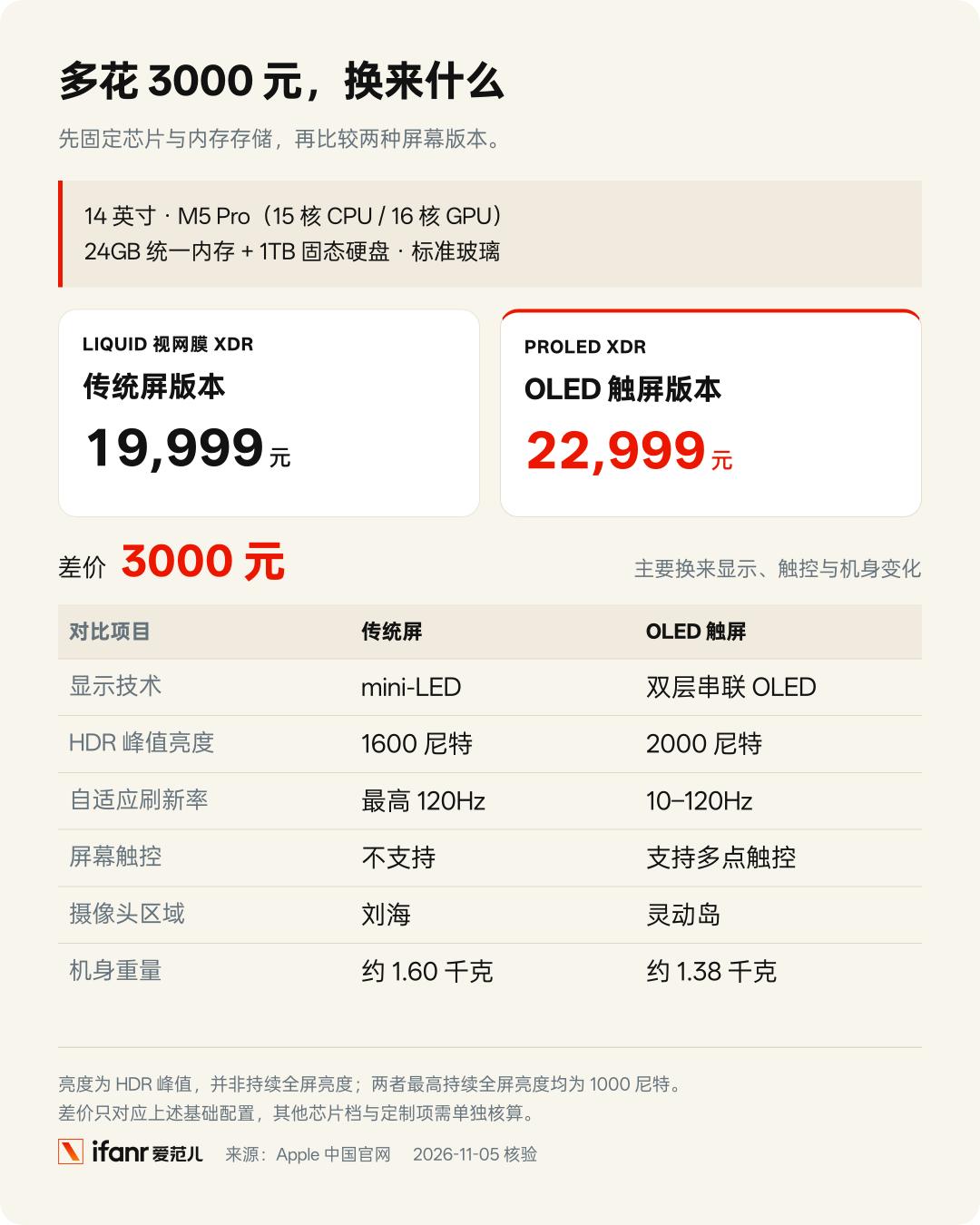
If you look through the currently available models on Apple's official website this year, you will find that the price span of MacBook is incredibly large —
On one side is the entry-level MacBook Neo priced at 5499 yuan, and on the other side is the touchscreen version we are testing that costs nearly 70,000 yuan; if you max out 128GB memory and 16TB storage, the top-spec model even exceeds 100,000 yuan, with a price difference of nearly 20 times between the two ends.
Neo targets the 5,000-yuan price segment for light trial use, Air still firmly occupies the position of the mainstream daily-use laptop for the public, while the touchscreen Pro with the new mold has fully shifted its focus to heavy creation and local AI computing.
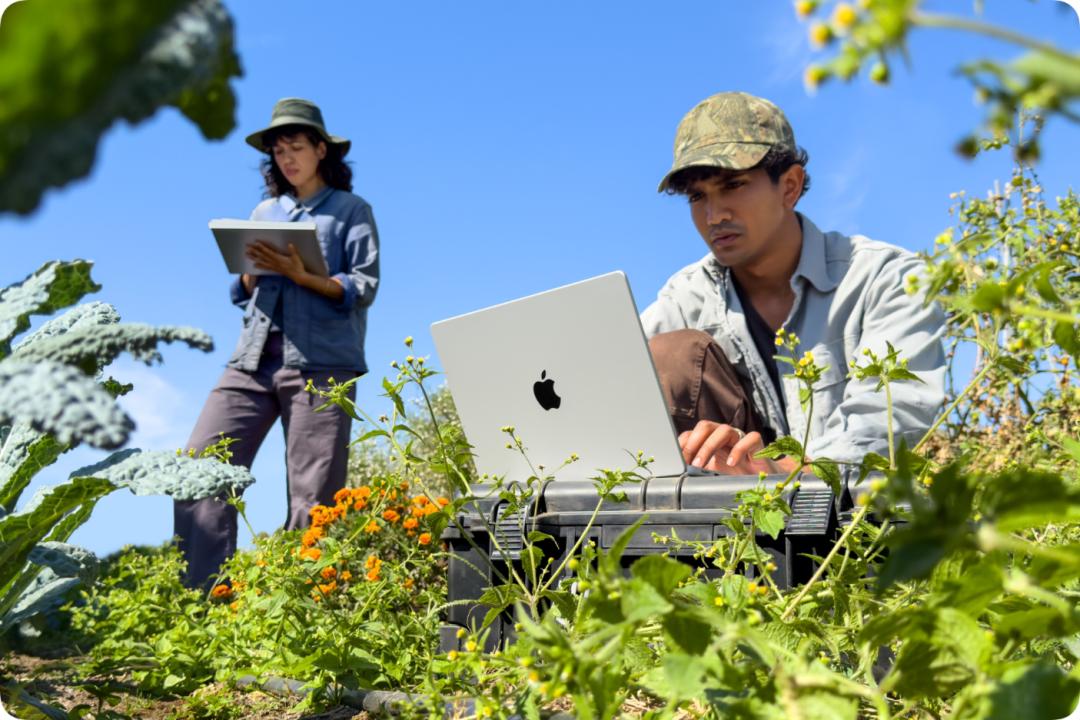
Photo | Apple
Such fine-grained product stratification does make it easier for professional users who are clear about their usage scenarios to buy the configuration they need; but for ordinary people who just want to pick a handy tool, facing the layered segmentation of molds, screens and chips, the selection process is indeed a real headache.