Here are all the highlights and pain points from my overnight real-world test of the AI capabilities on the China-mainland iPhone.
The longest wait in the AI smartphone circle has finally come to an end. This time, you definitely have to try Apple Intelligence (doge).
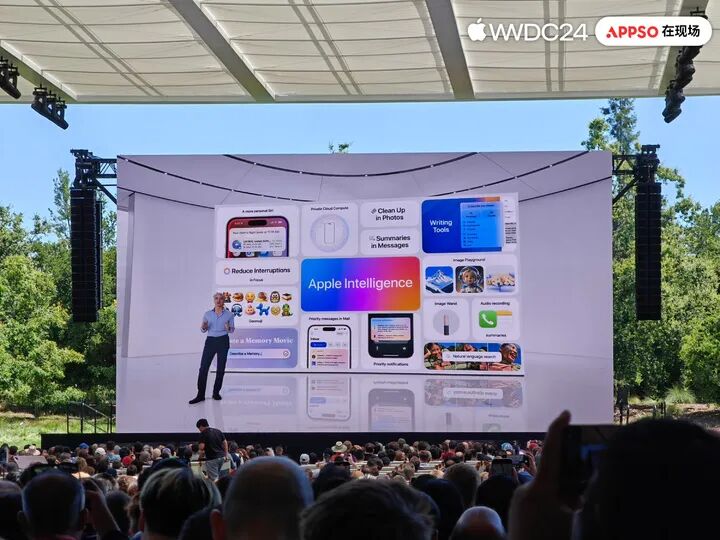
Just now, the China mainland version of Apple's AI has officially opened Developer Beta testing for users in Chinese Mainland, and is scheduled to launch officially with iOS 27.3 to be released in December.
Judging from the first batch of launched features, the biggest highlight of Apple Intelligence is that it deeply integrates AI into the daily usage scenarios of iPhone, and extends the processing capability of complex tasks with the help of Qwen.
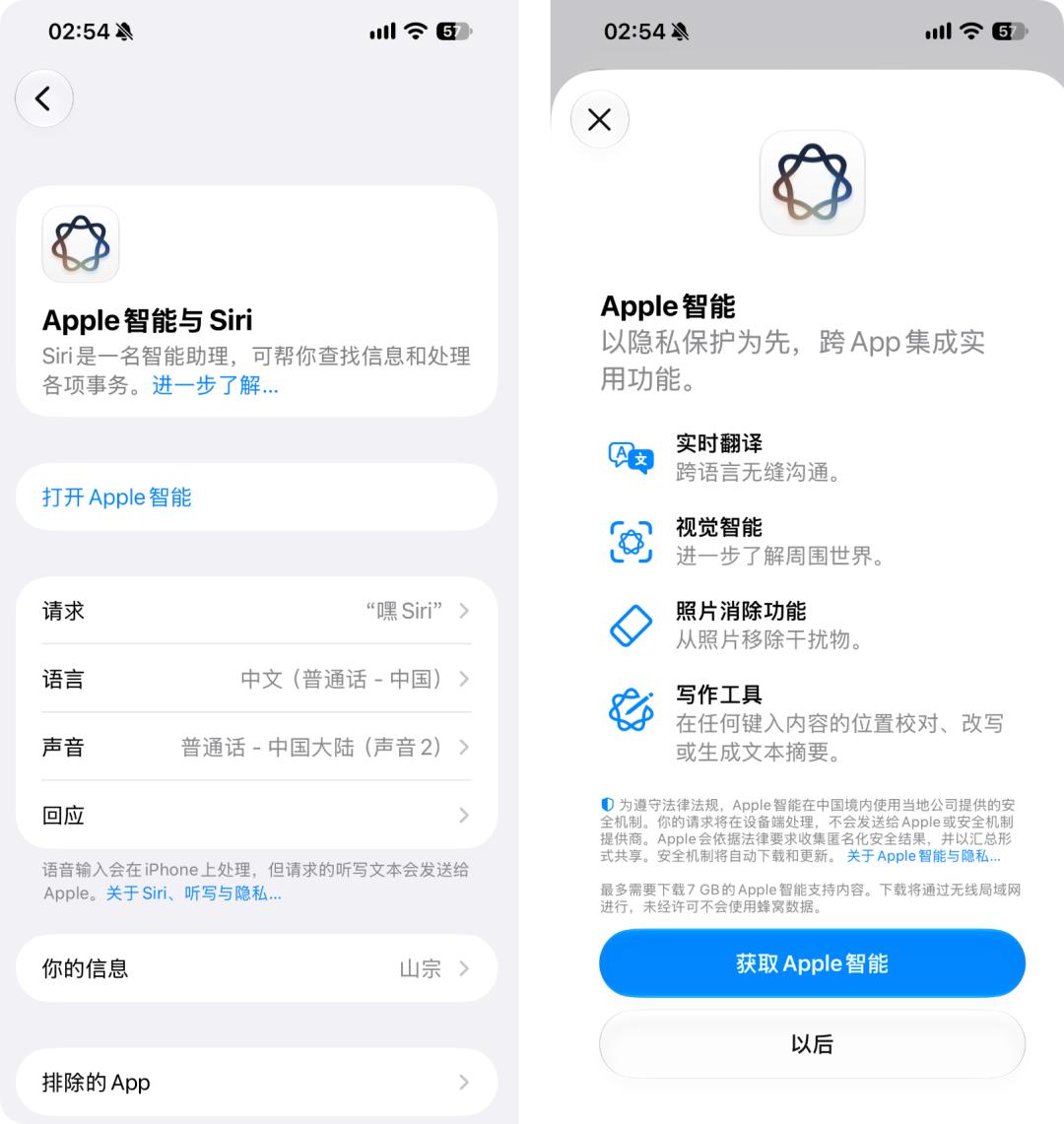
However, Apple Intelligence, which has been delayed for two full years, facing domestic smartphones that have already made all kinds of AI features highly creative, how many eye-catching experiences can it actually bring?
How to upgrade the China mainland version of Apple Intelligence?
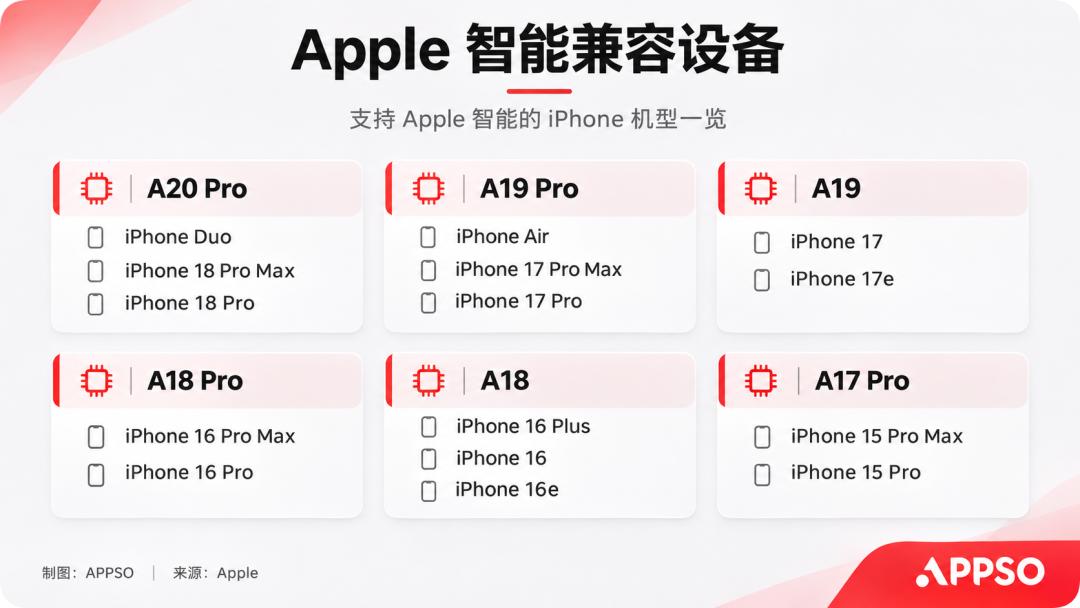
According to the information released by Apple, the first batch of models supported by the features include iPhone 15 Pro, 15 Pro Max, iPhone 16 series and subsequent supported models, as well as iPhone Air and iPhone Duo.
Users who want to experience it in advance can register for developer qualification with their Apple account.
🔗 https://developer.apple.com
Then go to "Settings" > "General" > "Software Update" > "Beta Updates", select iOS Developer Beta, and download and install the iOS 27.3 beta version.
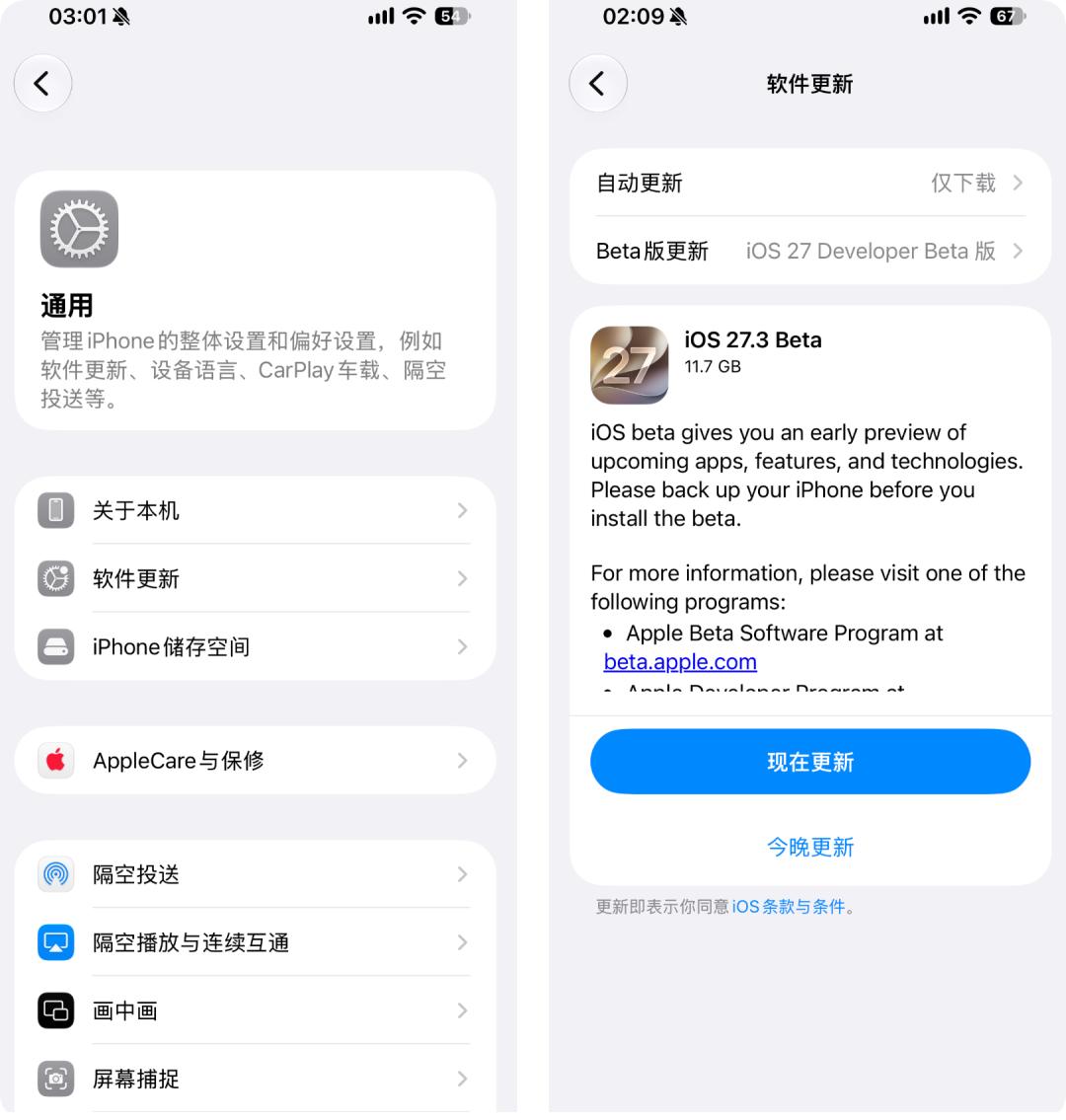
Considering the stability of the developer beta version, it is recommended to back up data in advance and try the experience on a spare phone as much as possible.
It is worth mentioning that this update does not yet include the next-generation Siri AI features announced by Apple at WWDC 2026, and the stronger personal context understanding and cross-app autonomous execution capabilities are still waiting to be released.
What new features does the China mainland version of Apple's AI bring exactly?
· Writing Tools
Apple has integrated AI writing capabilities into the system word processing interface. After selecting text, users can directly call functions such as proofreading, rewriting, and summarization. They can also adjust the content to a friendly, formal or concise tone, or organize it into key points, lists and tables.
For example, for an industry report of thousands of words, you can directly generate a summary, or sort out lengthy meeting minutes into clear key points and tables, reducing the time spent manually sorting out information.
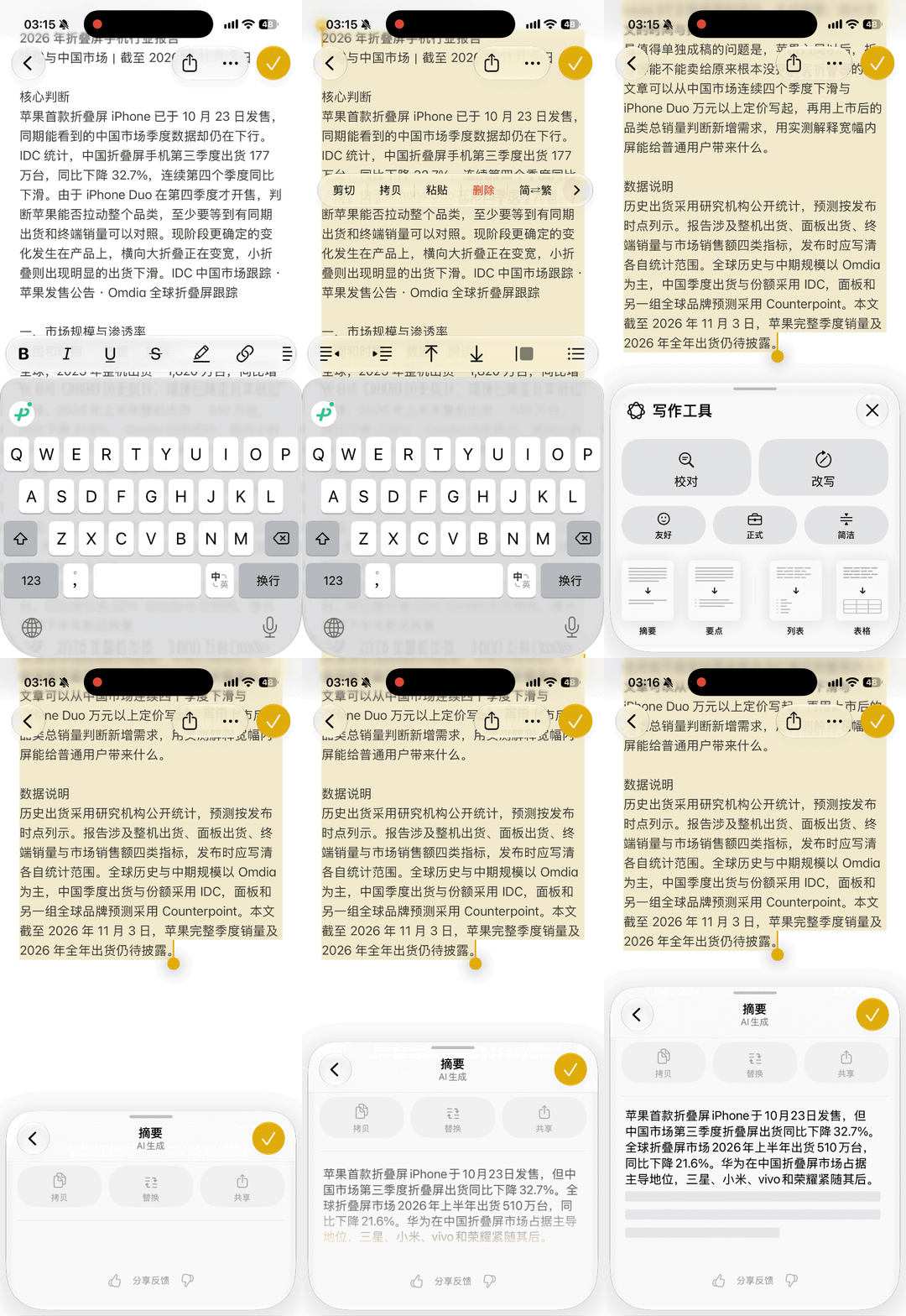
More notably, Apple has also added "Qwen Creation", which allows users to generate articles, emails and other content according to natural language requirements, and even generate images.
For example, if you want to give feedback to your boss that the workload is too heavy, the original words may be "The targets this month are too high to finish at all, either add more people to my team or reduce my tasks". With "Qwen Creation", you can directly ask AI to rewrite it into a high-emotional-intelligence work report while retaining the core demands.
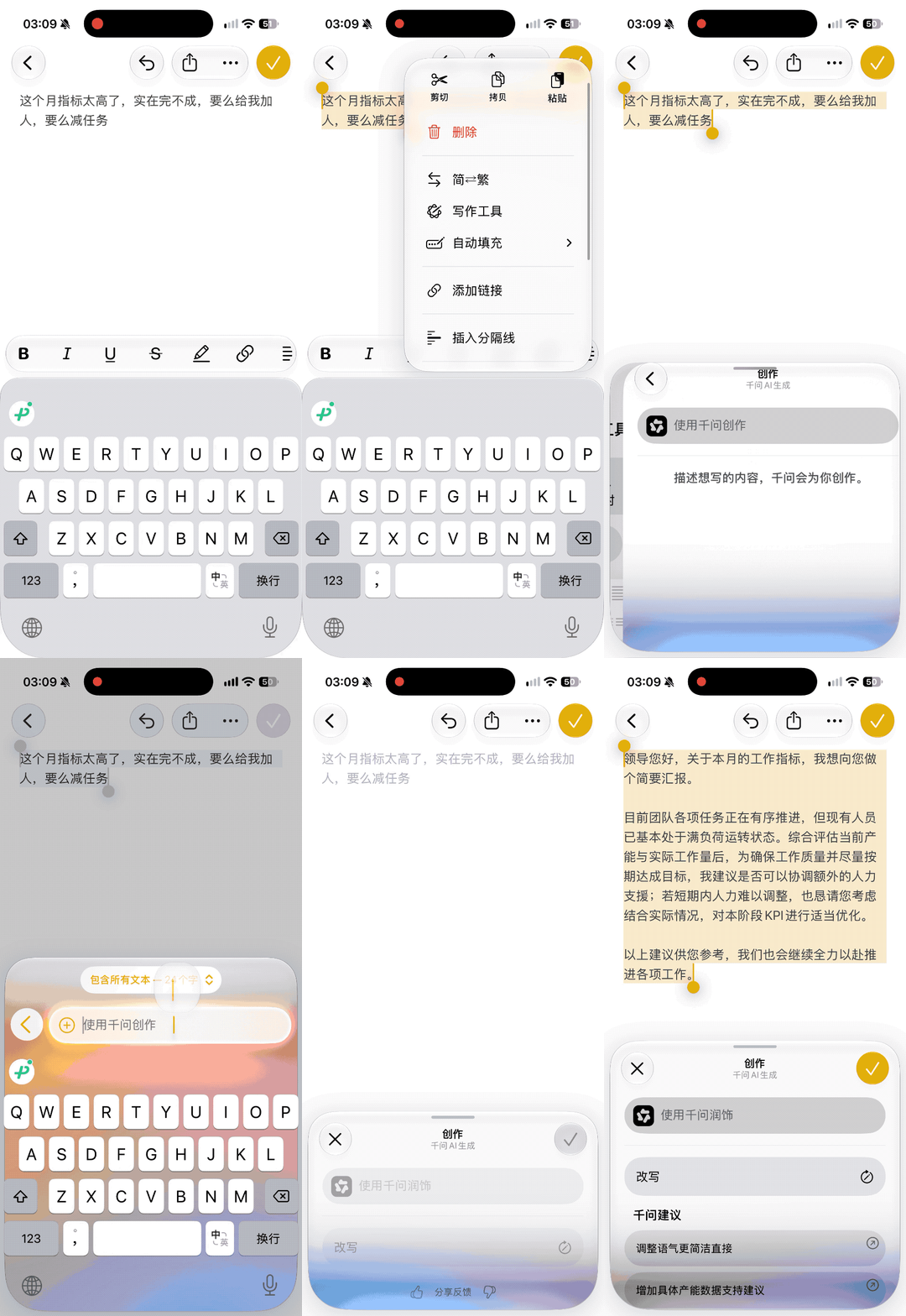
From the proofreading, summarization and format sorting of native writing tools to the free creation capability provided by Qwen, Apple puts both into the same system-level writing entry.
· Visual Intelligence
Visual Intelligence allows users to learn about things in front of them through the iPhone camera.
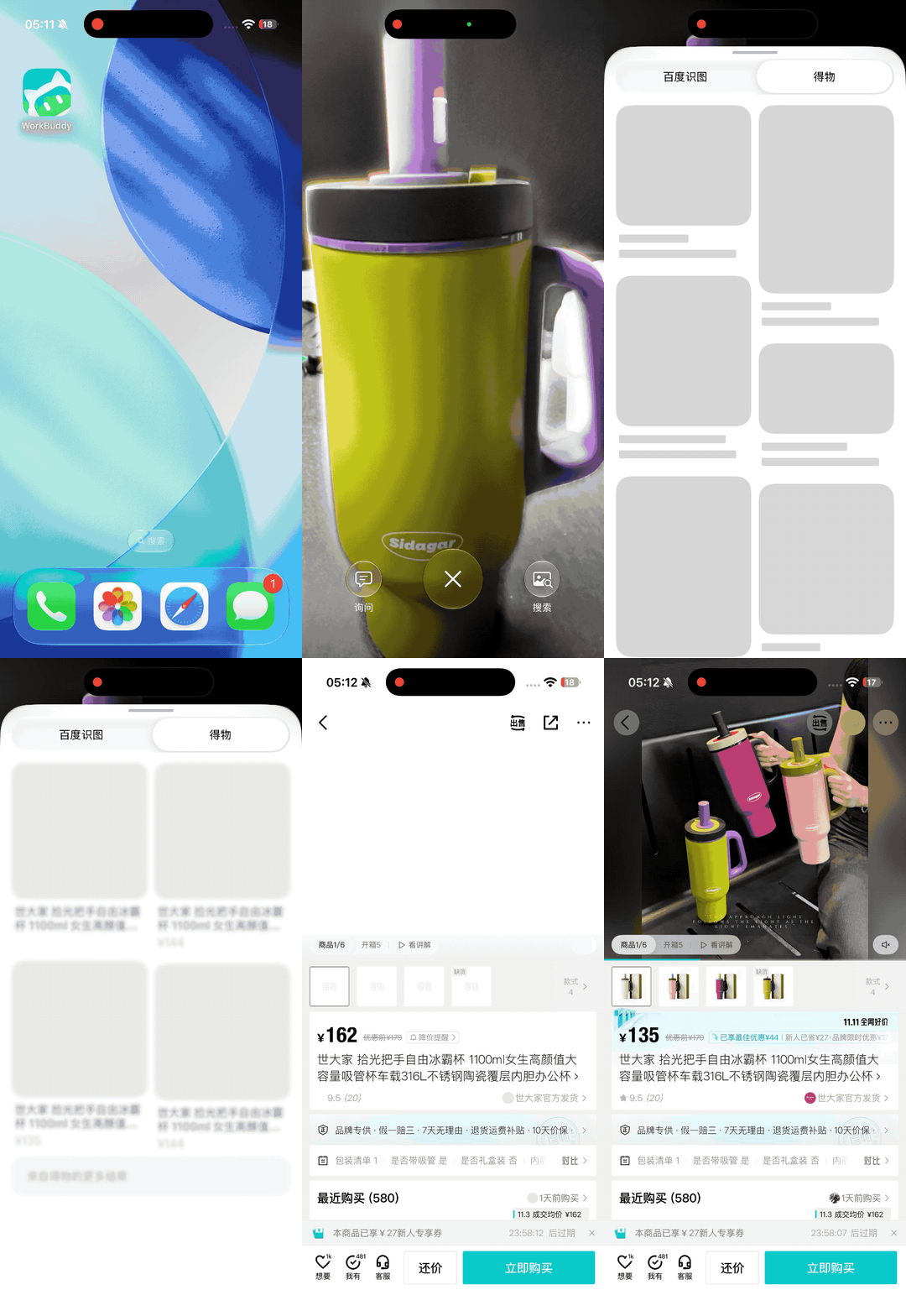
Users can long press the camera button of the iPhone to call up the Visual Intelligence interface, with three options at the bottom: "Ask", "Translate", "Search", corresponding to different usage scenarios respectively.
Among them, the "Ask" on the left is supported by Qwen's visual understanding capability, which can identify objects captured by the camera and answer questions according to the content of the picture. For example, point the camera at an English menu and ask "Which dishes are suitable for people who do not eat seafood", and AI can give suggestions based on the content of the menu.
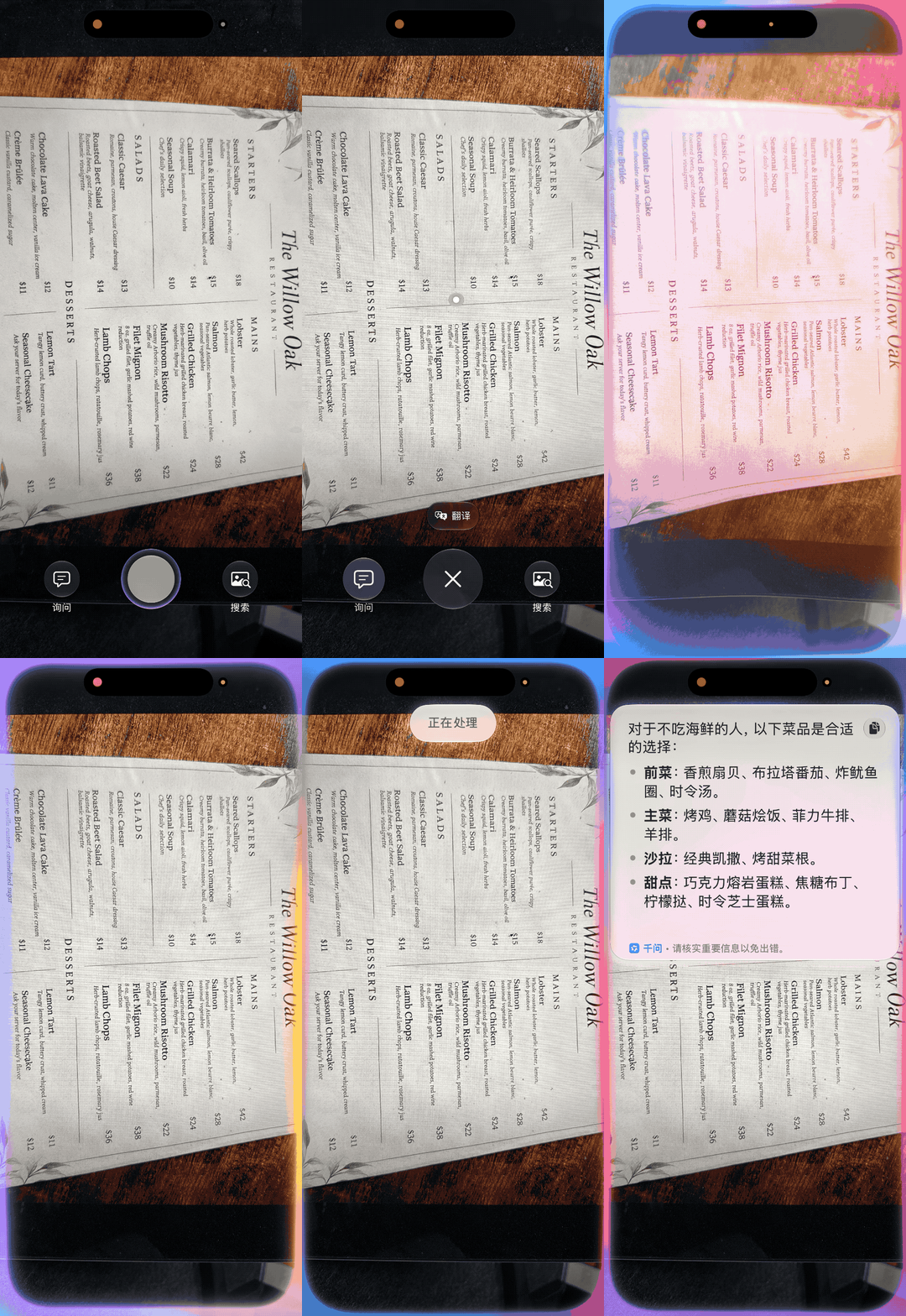
The "Translate" in the middle can directly identify and translate foreign language text in the lens, which is suitable for reading overseas menus, road signs and product descriptions.
The "Search" on the right is supported by Baidu Image Search by default, which can find similar images according to the current picture.
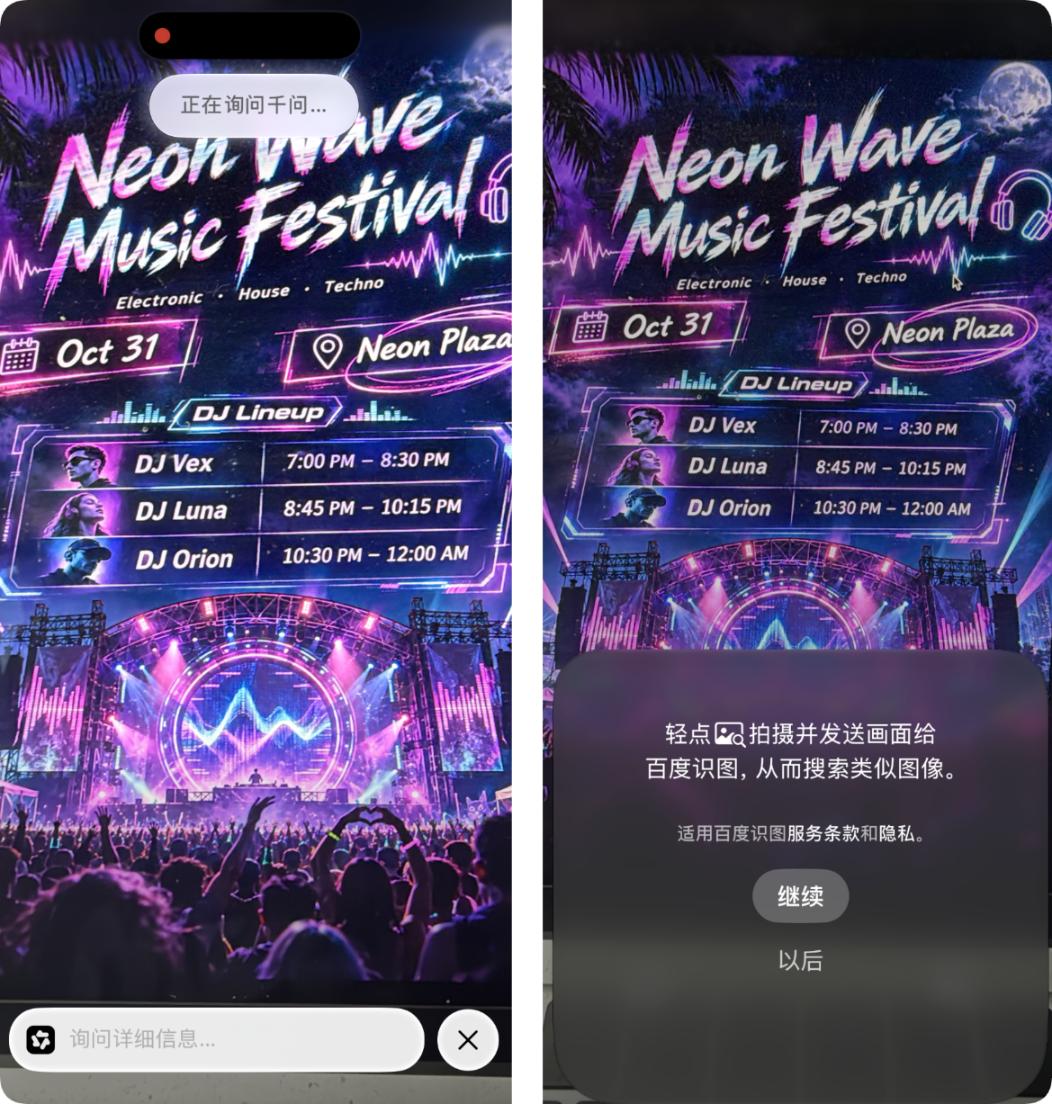
However, if you have a third-party app with visual search access installed on your phone, such as Dewu, you can also get the search results from Dewu, users can directly choose according to the actual needs in front of them.
· Photo Erase
According to the information previously released by Apple, the Photos app has mainly received three AI features this time: the erase tool, natural language search and memory movie generation.
Among them, the erase tool is already available for normal use. Users only need to circle interfering objects such as passers-by and sundries in the photo, and AI will try to remove them and automatically repair the background.
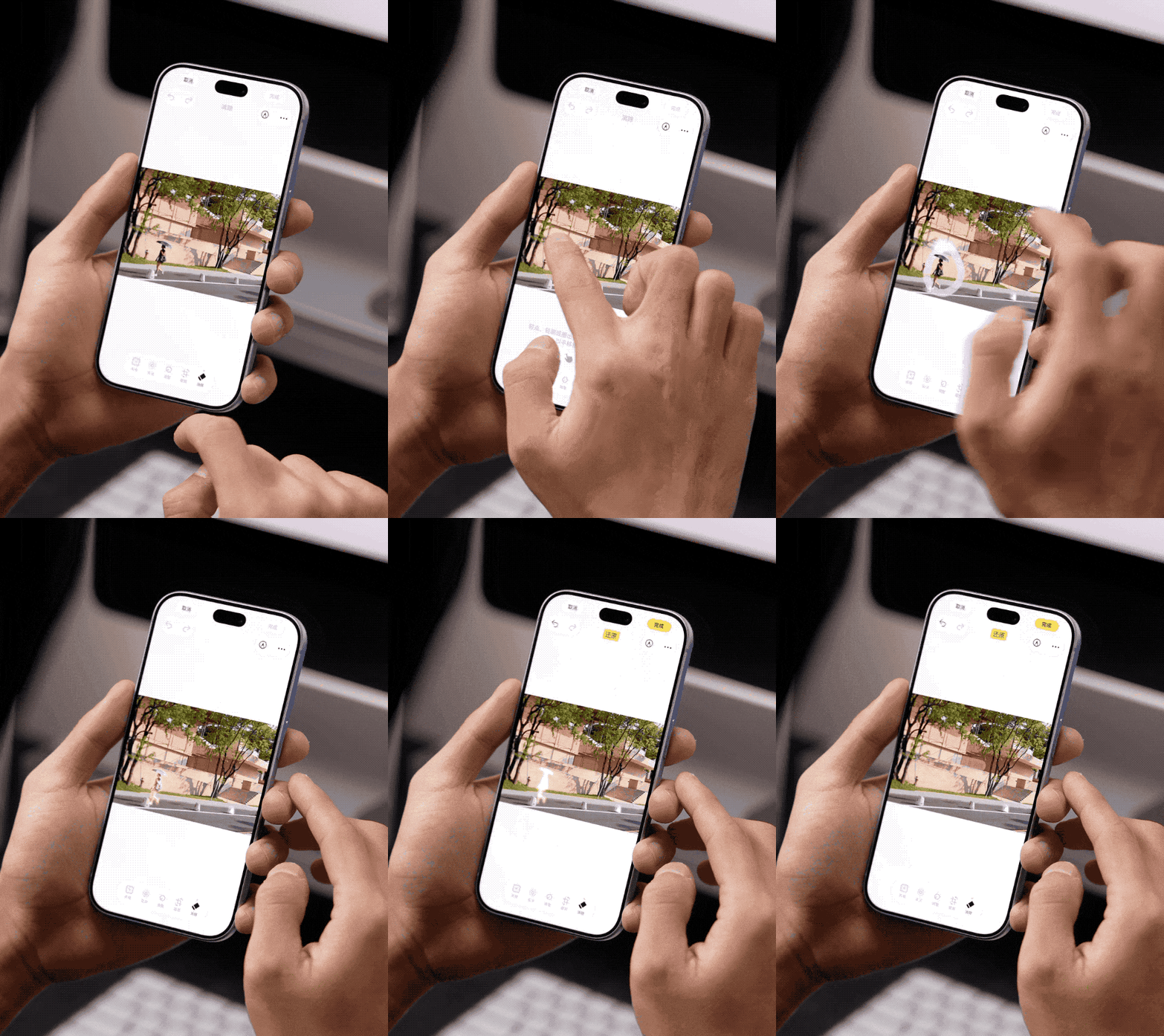
During the experience of using the erase tool, we also found that the Photos app occasionally crashes. Considering that it is still the developer Beta version, the stability of related features remains to be improved.
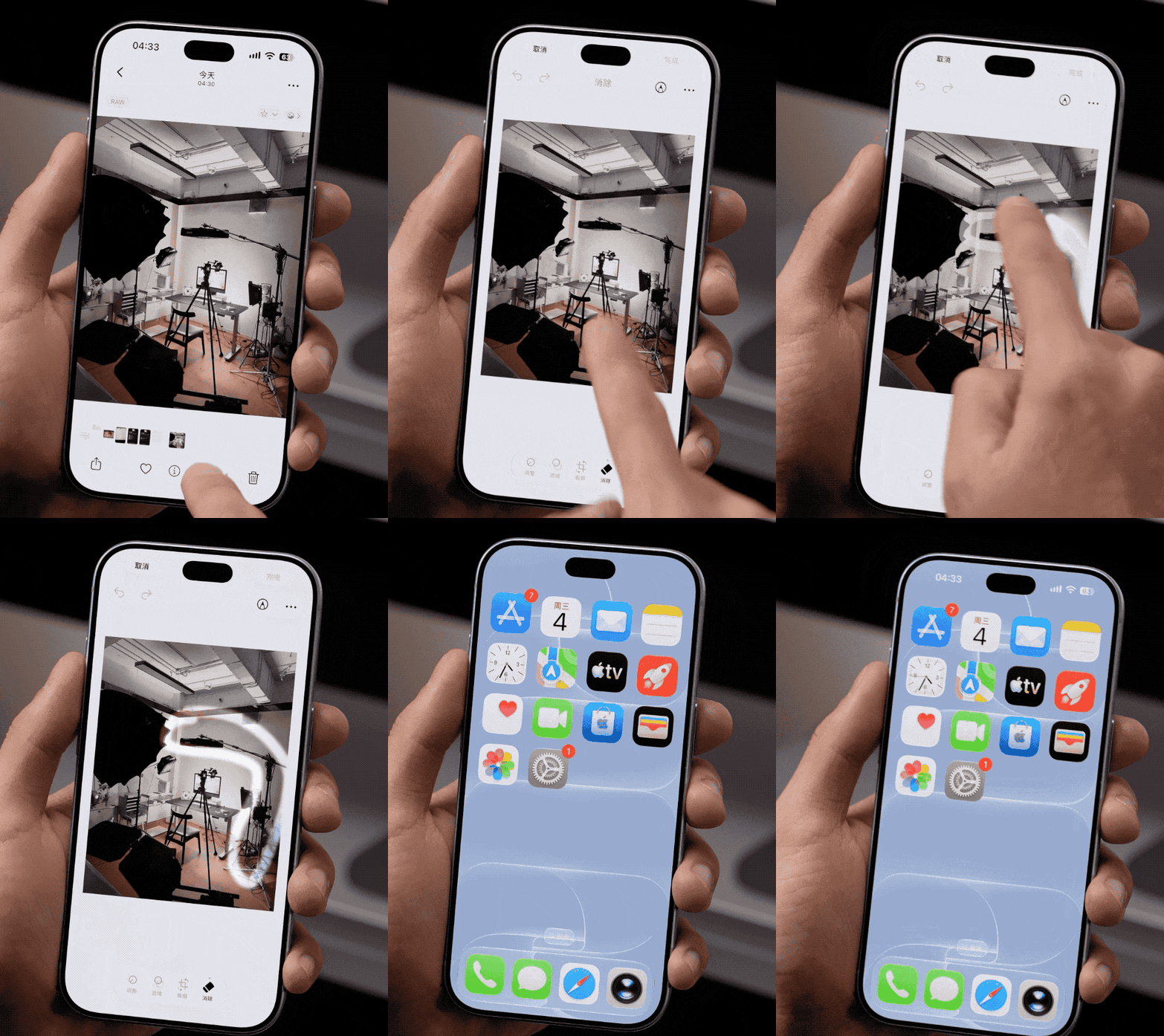
Then we continued to increase the test difficulty, trying to let AI erase the bicycle next to the flower. Although the bicycle was successfully removed, the processing of the edge of the flower was obviously not natural enough, and traces left by AI repair could still be seen.

However, in the experience of this developer Beta version, I have only found the erase tool so far, and have not yet found the entry for the natural language search and memory movie generation features. Friends who can successfully experience them are welcome to share their actual feelings in the comment area.
In addition, it should be mentioned that the iPhone 16 Pro was used in this test. Even when experiencing in a normal room temperature environment, the phone still gets noticeably hot, especially during continuous use of AI features.
· Smart Emoji Generation
Smart Emoji Generation allows users to generate exclusive emojis through text descriptions.
For example, input "a panda wearing glowing sunglasses and drinking iced Americano", or "a computer monitor crying with its head in arms because it has revised the requirements ten times", and the system will generate the corresponding emoji.
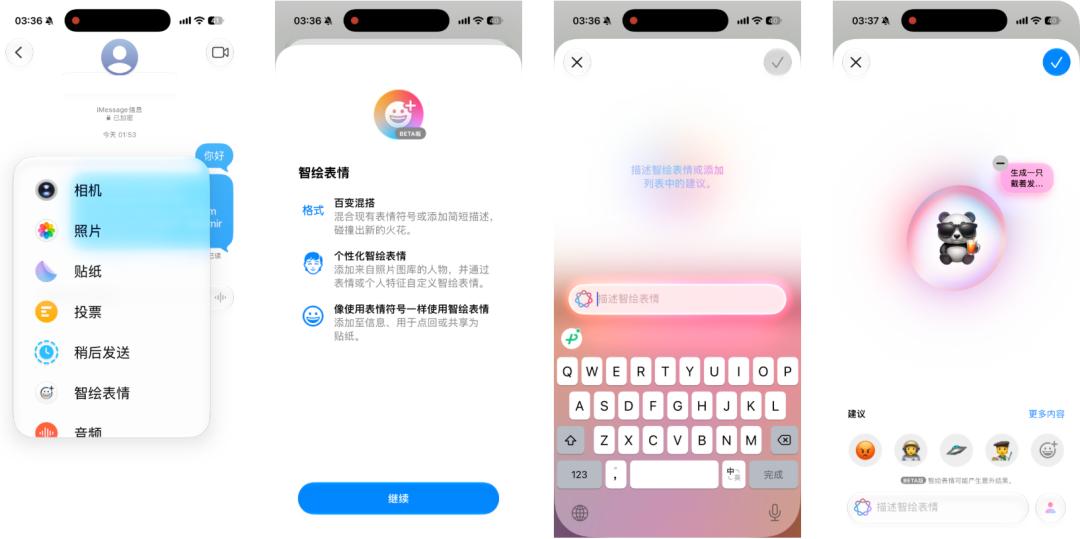
Compared with productivity tools, Smart Emoji Generation is more inclined to entertainment expression, and it is easier to become the entry point for ordinary users to get in touch with Apple Intelligence.
· Memos and Call Summary
Apple Intelligence can also generate summaries for the transcribed texts of recordings and calls in Memos, helping users quickly understand the content of the conversation.
For example, I asked AI to process a simulated call recording about a weekend dinner. The two people originally planned to eat hot pot, then considered Sichuan cuisine, and finally decided to go to a Cantonese restaurant downstairs of the company because one of their friends does not eat spicy food. They also discussed dishes such as steamed sea bass and roast goose.
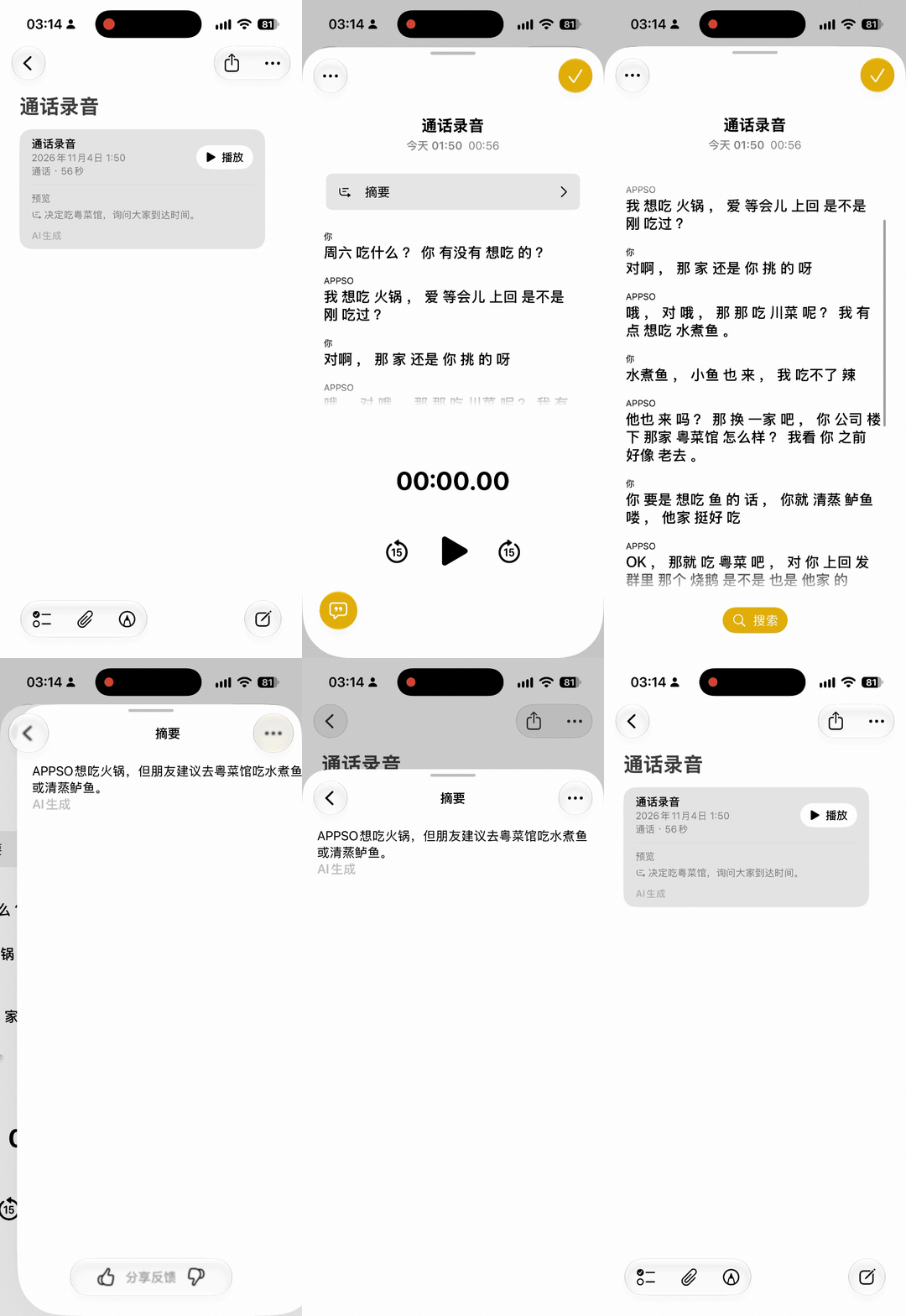
The whole conversation is full of temporary corrections and small talks, but the really useful information becomes extremely clear with the help of AI.
For users who often attend meetings, communicate over the phone or sort out interview recordings, similar AI summary features can help quickly extract key information, reducing the time spent repeatedly listening to recordings and manually sorting out texts.
· Siri Upgrade
Among all the features, the changes to Siri may attract the most attention.
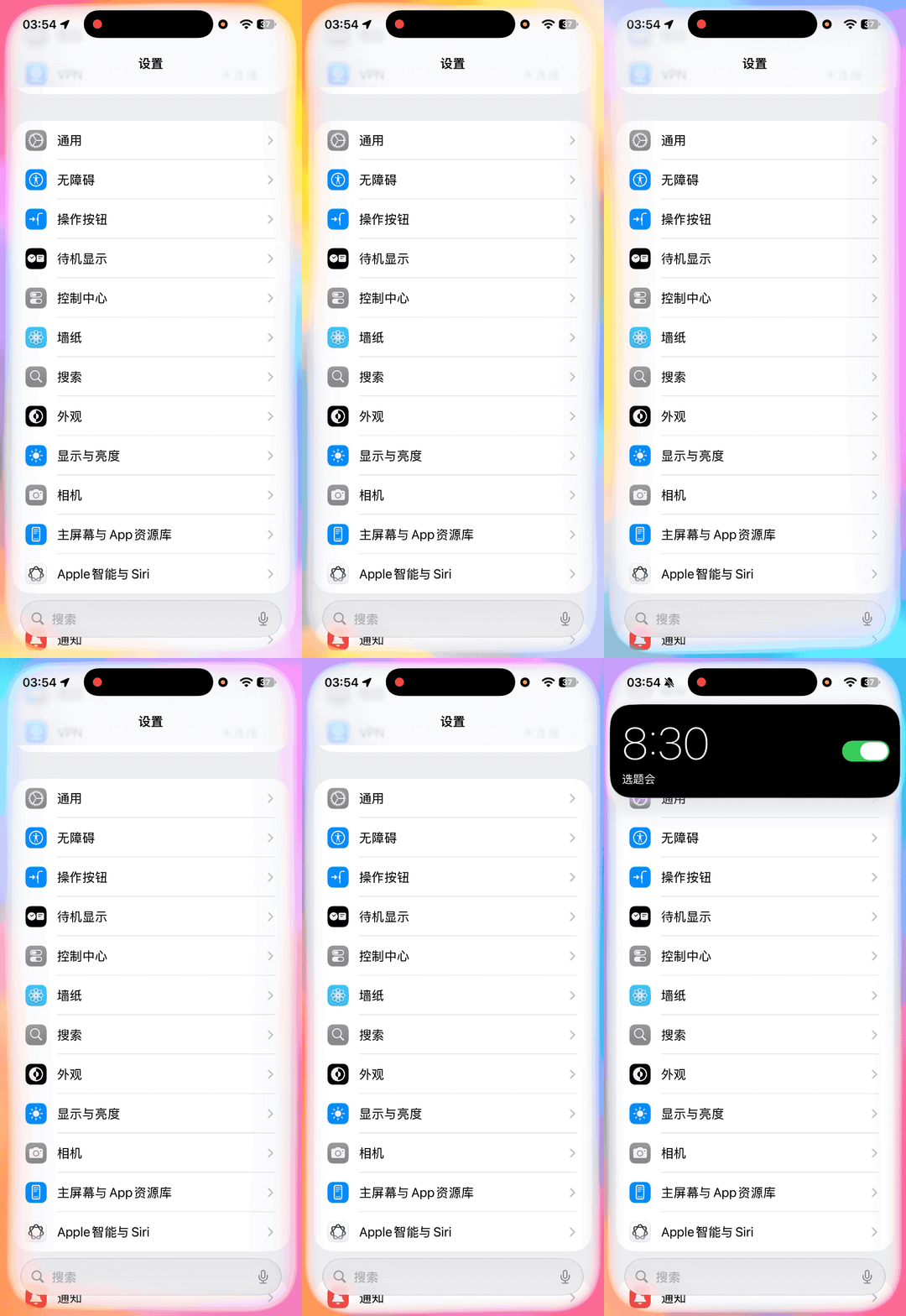
In this update, Siri supports text input, understands temporary corrections, and can maintain context in continuous conversations.
For example, the user says "Help me set an alarm for 7 a.m. Well, change it to 8:30 a.m. with the note 'topic selection meeting'", Siri can understand the final operation the user wants.
More importantly, Apple has officially introduced Qwen into part of the Siri experience.
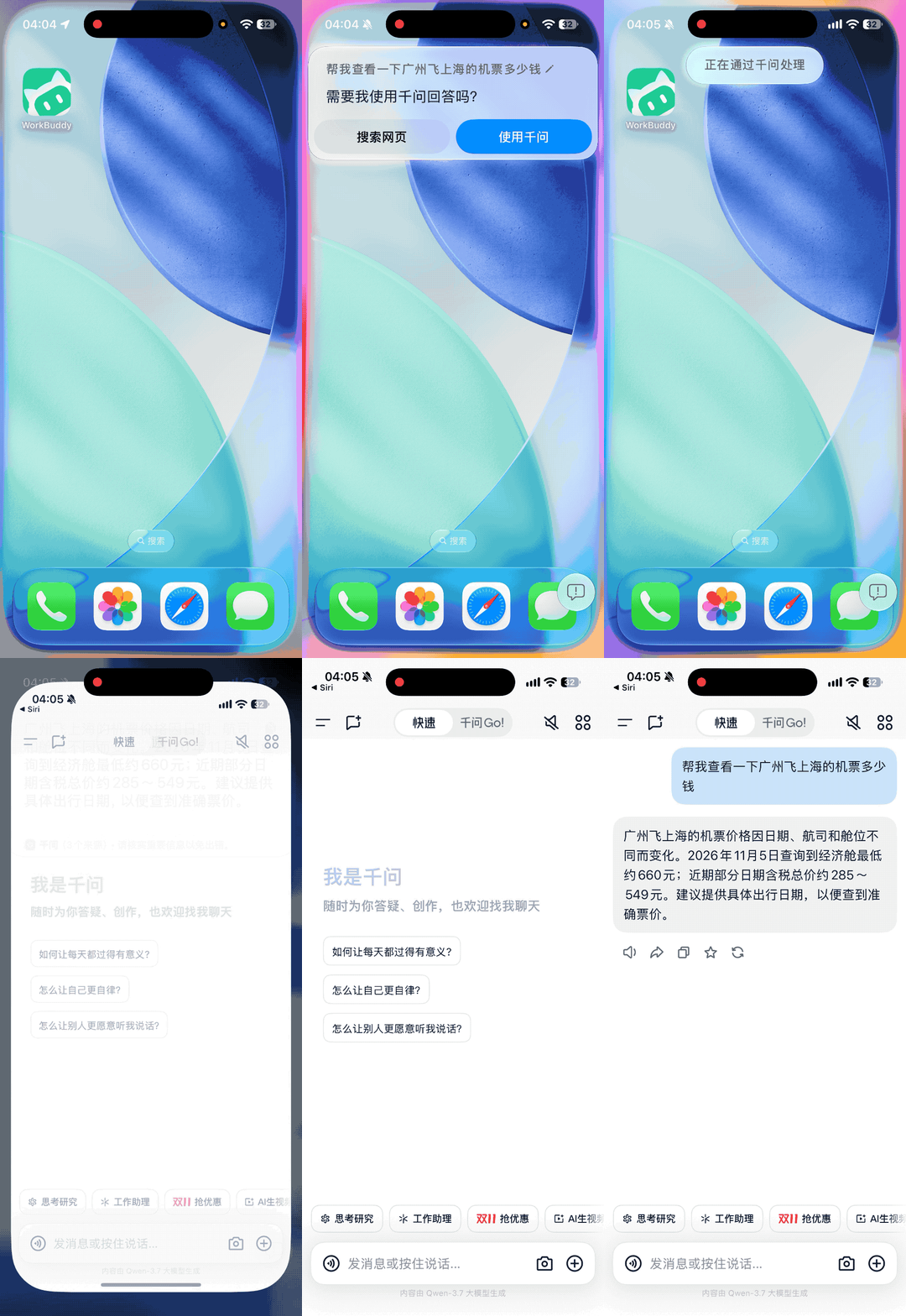
Users can ask Siri complex knowledge questions, and they can also ask questions about materials such as photos, PDFs, and presentations. For example, if I ask Siri how much the air ticket from Guangzhou to Shanghai costs, Siri will give the answer from Qwen, and then I can jump to the Qwen app with one click.
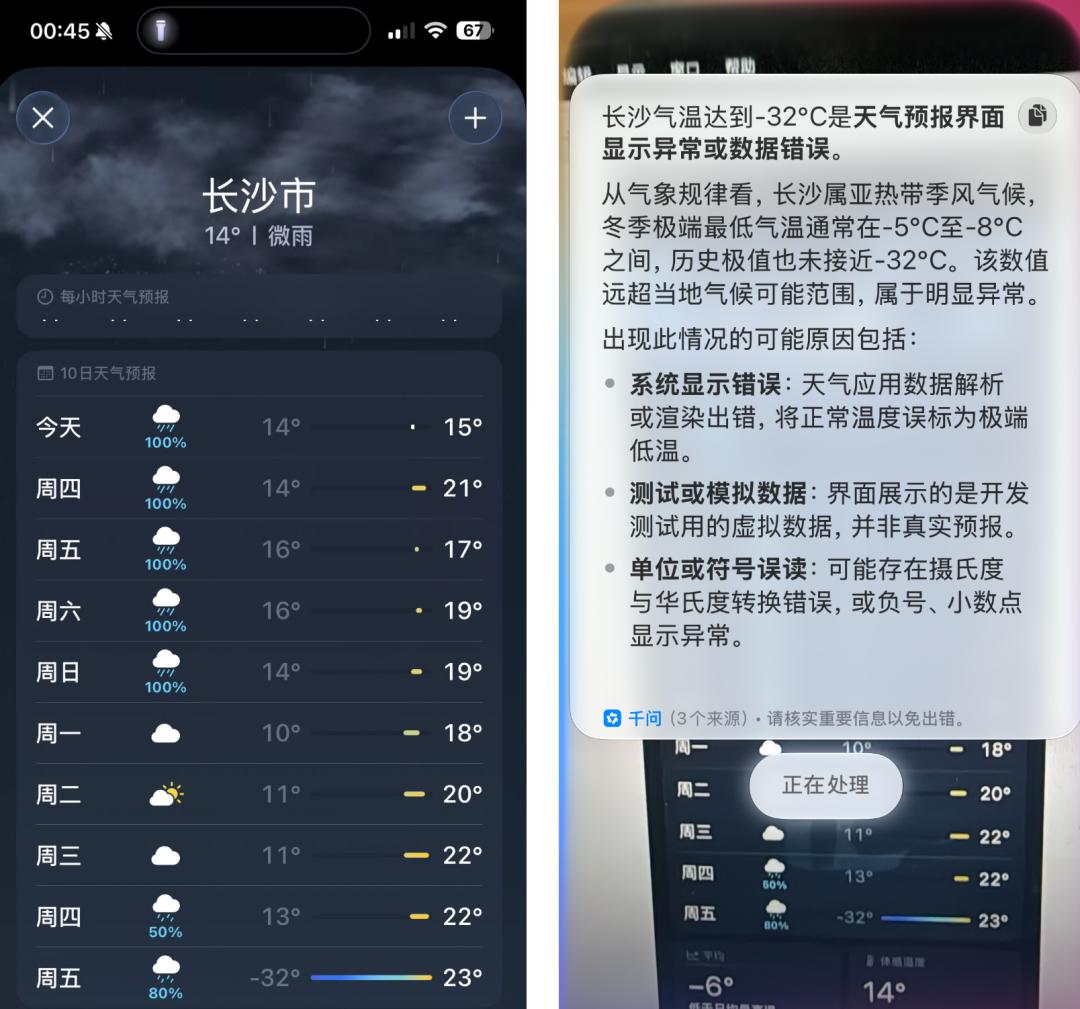
Another example is that Apple's own Weather app occasionally has "hallucinations", but in this experience, the China mainland version of Apple Intelligence did not have AI hallucinations.
Actual test by APPSO found that simple questions can be answered directly by Siri. When encountering complex needs such as shopping, express delivery, and travel planning, it can jump to the Qwen app to call the connected services such as Taobao, SF Express, and Hello Bike for further processing.
For example, after the user identifies a piece of clothing through Visual Intelligence, they can further go to Qwen to find the same style on Taobao, compare prices and proceed to place an order.
In addition, the real-time translation of Apple Intelligence is integrated into Messages, FaceTime and the Phone app. Paired with supported AirPods, it can also translate face-to-face conversations in real time, reducing the trouble of frequently switching translation apps during cross-language communication.