A MacBook is priced at 112,600 yuan, Apple's first touchscreen laptop has been unveiled, and the glowing logo has made a comeback.
Just now, the world's first touchscreen MacBook Pro has been officially released!
This is the first time since the Mac was born that Apple has allowed users to move their fingers past the keyboard and directly touch the entire screen.
Whether you are playing musical instruments, editing images, pinching and rotating 3D models, summoning the on-board AI to read the screen with one tap, or running trillion-parameter large models in offline environments, all tasks can be completed seamlessly on this laptop.
What makes long-time Apple fans even more excited to call it "the return of their youth" is that the glowing Apple Logo that was removed from the first-generation Touch Bar models ten years ago has now officially returned to the back of the device!
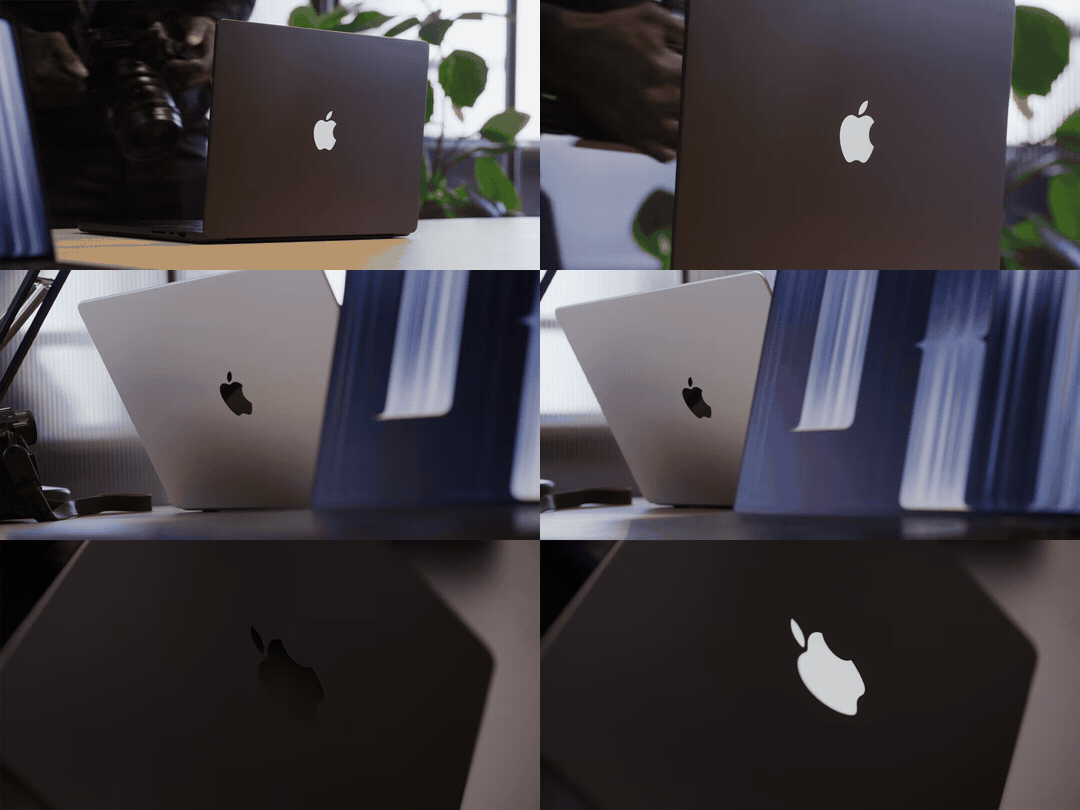
According to on-site actual testing, since the new OLED screen has no backlight layer, Apple has specially installed a separate independent electroluminescent module on the A-side —
The Logo brightness will automatically adjust synchronously with the brightness of the front screen, and will be completely turned off when the lid is closed or the screen is off, turning back into a low-key dark metal mirror surface.
To support this once-in-a-decade form factor overhaul, Apple has packed four core upgrades inside and outside the device in one go:
Full-screen multi-touch for the first time on Mac, with native window touch gestures added to macOS simultaneously. You can directly tap, zoom, play instruments, and rotate models with your hands, with seamless coordination between your fingers and mouse/keyboard.
AI accelerator built into every GPU core, the M5 Pro and M5 Max deliver a 12x surge in first-token response when running local large models, and the maximum 128GB unified memory can hold trillion-parameter large models offline.
Dynamic Island lands on Mac for the first time, completely eliminating the notch at the top of the screen; the US version has a built-in permanent Siri AI and visual intelligence, which can understand the current screen content with one tap without taking screenshots.
Mac is equipped with double-layer tandem OLED for the first time, debuting the PROLED XDR display with a peak brightness of 2000 nits, a contrast ratio jumping to 10,000,000:1, while the device is up to 320g lighter.
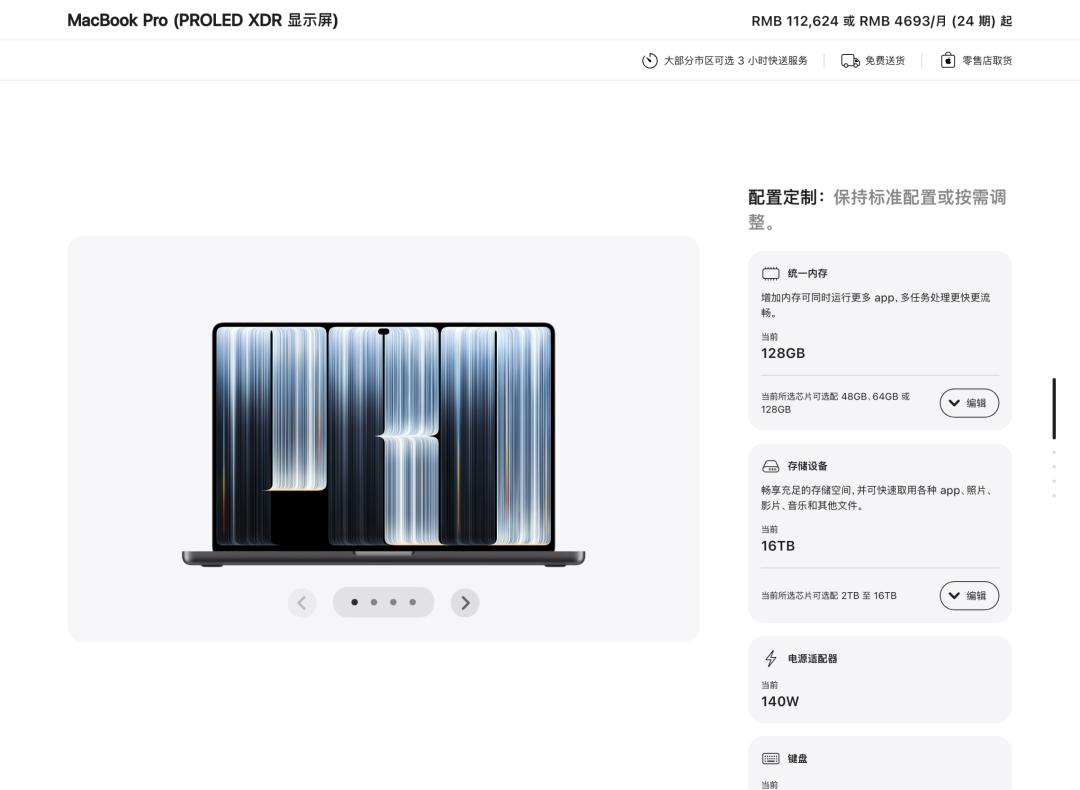
In terms of pricing, the 14-inch model in the Chinese mainland market starts at ¥22,999, and the 16-inch model starts at ¥27,999.
If you max out the 16-inch M5 Max (40-core GPU), nano-texture glass, 128GB unified memory (+¥15,000) and 16TB solid-state drive (+¥52,500), the total price of the top configuration will directly soar to ¥112,624.
Play instruments directly with ten fingers, pinch and rotate 3D models! Apple makes major software and hardware overhauls, bringing full-screen touch to Mac for the first time
To make this screen truly "pleasant to touch", Apple has carried out a major software-hardware coordinated overhaul from the panel structure to the underlying macOS system.
First of all, Apple has embedded the touch sensor into the bottom layer of the display panel, eliminating the extra external glass to reduce latency; the hinge is replaced with a pressure-resistant reinforced hinge, and the 12-megapixel camera at the top also adds anti-shake algorithm to prevent screen shaking caused by tapping the screen during video calls.
In terms of system interaction, macOS has specially added native window touch gestures and dynamic interface fine-tuning.
Specifically, when your finger taps the tiny "red, yellow and green" buttons in the upper left corner of the window, the system will not accidentally trigger closing, but first hover and enlarge the three dots into a large capsule bubble for secondary confirmation; swipe the top bar of the window left or right casually to automatically snap into split screen, and swipe horizontally on the screen with three or four fingers to switch desktops directly.
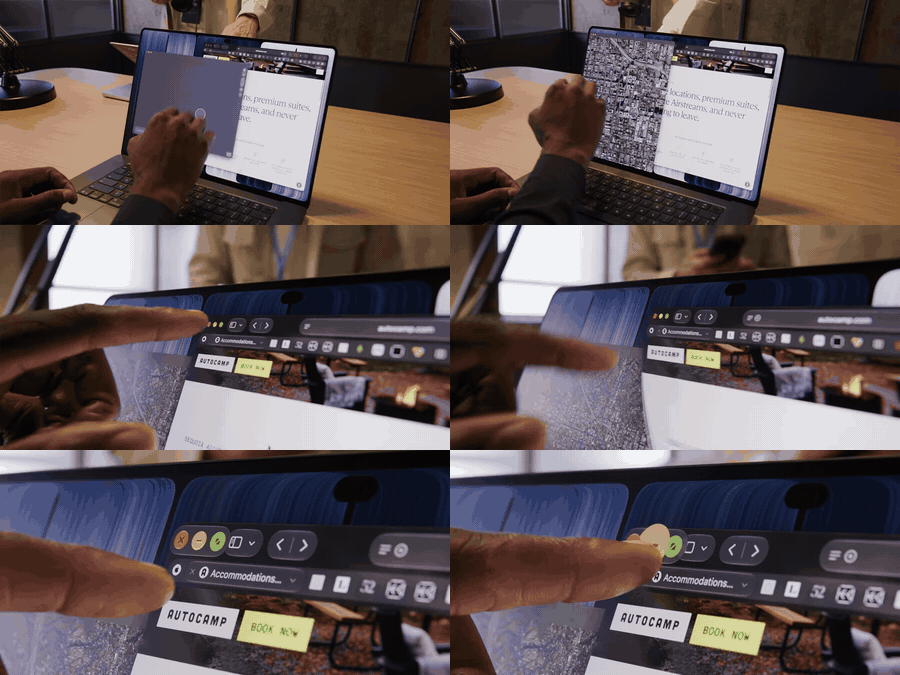
After completing the daily window operations, when you enter professional creation software, the touch screen and the mouse and keyboard form a tacit division of labor — coding and long text input are still handed over to the keyboard, while pushing, toggling and zooming are handed over to the screen that is within easy reach.
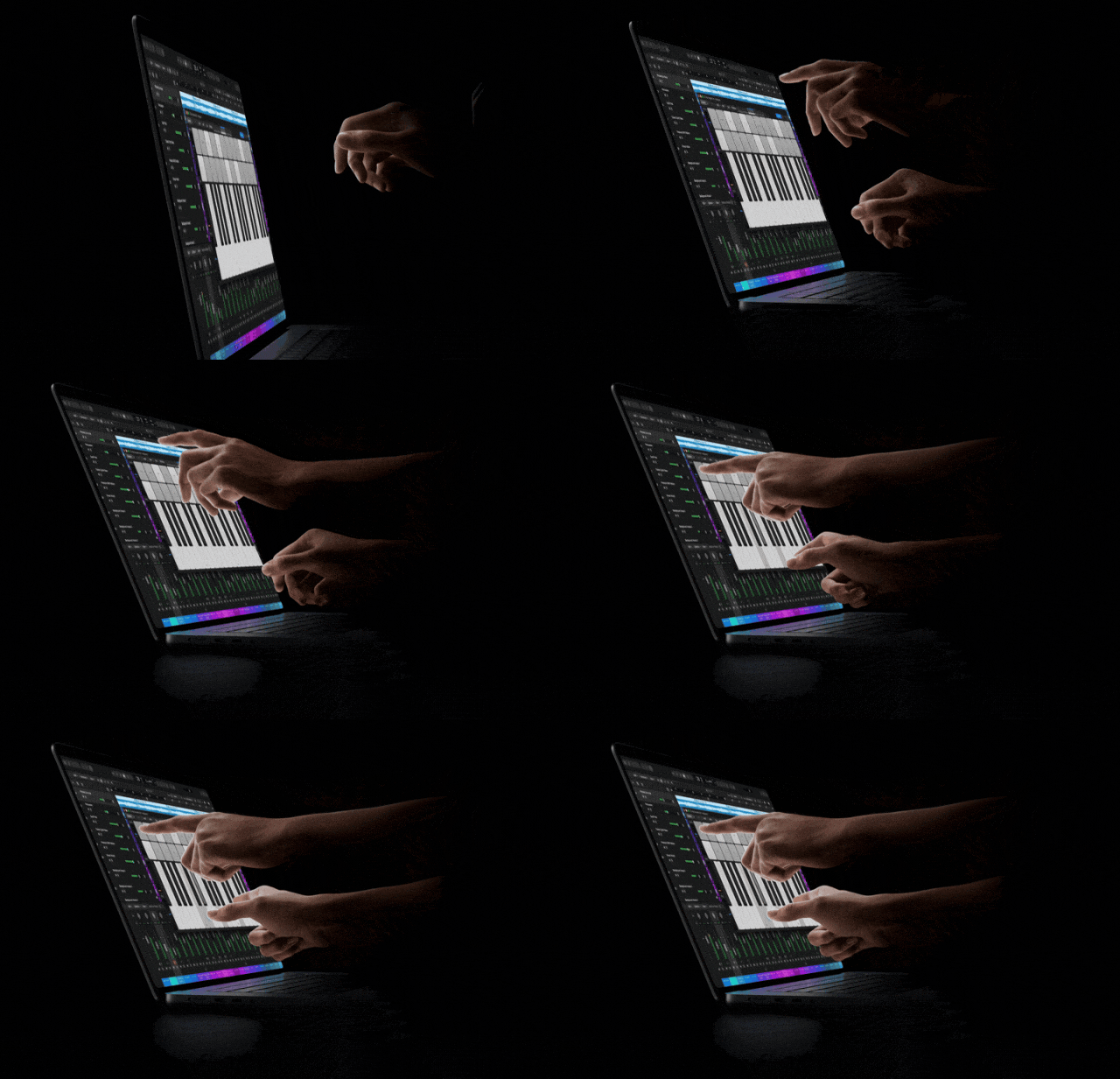
For example, when you open Logic Pro, producers can place both hands on the virtual keys at the bottom of the screen to play multi-part chords, and conveniently push and pull the mixer faders and rotate the knobs, eliminating the steps of moving the cursor first and then dragging.
Switch to the 3D modeling workflow, your left hand still stays on the keyboard to press shortcut keys, and your right hand reaches out to the screen to pinch to zoom, and use two fingers to rotate the 3D model in Blender, making perspective adjustment much more intuitive than relying solely on the trackpad.
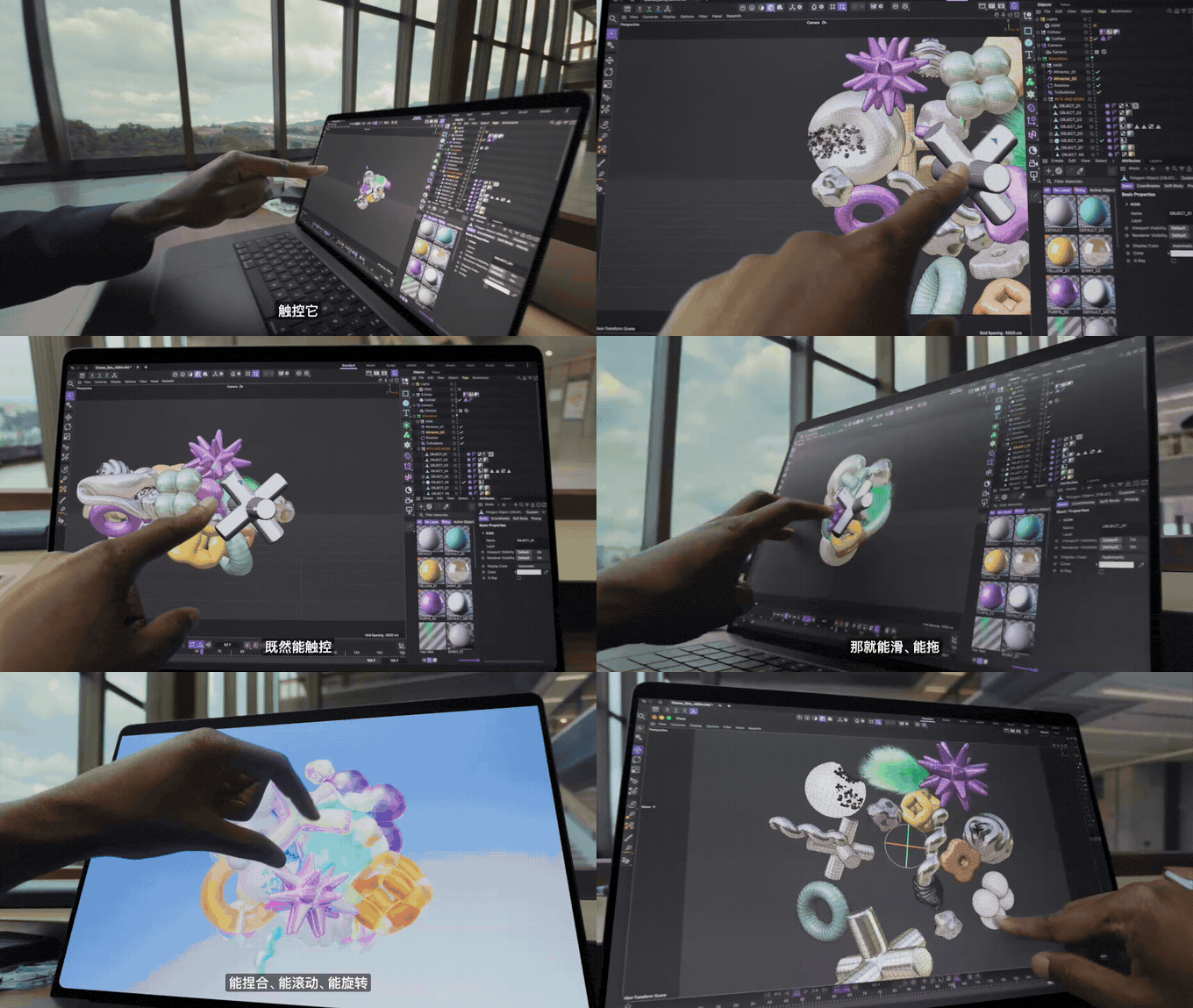
The experience of image editing and coding has also been integrated accordingly.
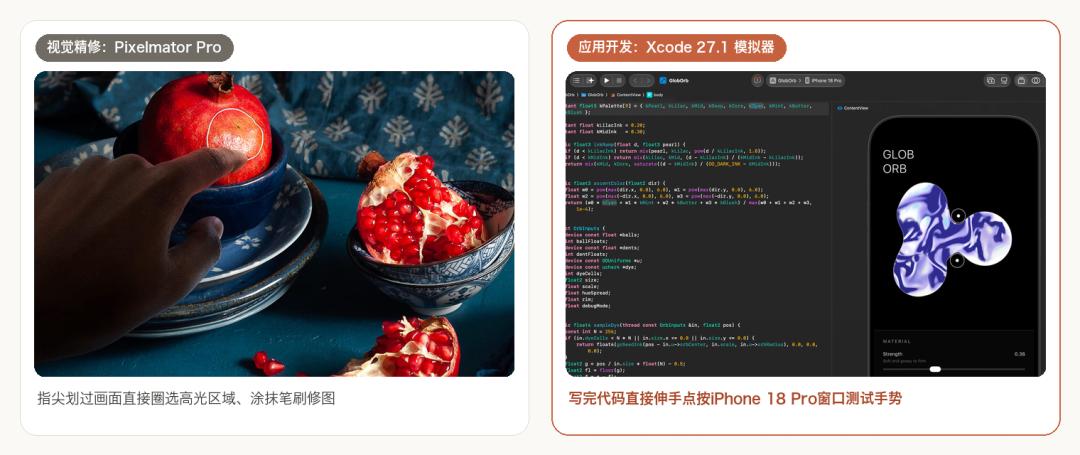
In Pixelmator Pro, swipe your fingertips across the surface of a pomegranate to easily select the highlight area and apply adjustment brushes, which is more responsive than mouse strokes.
And in Xcode 27.1, after iOS developers finish writing code, tap the iPhone 18 Pro simulator window on the right to test swipe and multi-touch gestures on the spot, no physical debugging cable is even needed.
AI accelerator built into every GPU core, large model response surges 12 times, trillion-parameter models fit in your backpack
A touch-enabled screen alone is not enough. The M5 Pro and M5 Max chips under the hood directly arm this laptop into a mobile local AI workstation.
Both chips are equipped with up to 18-core CPU, with a 30% improvement in multi-threaded performance; in terms of graphics, the M5 Pro is configured with up to 20-core GPU, and the M5 Max soars to up to 40-core GPU.
The most core killer feature is that Apple has built a dedicated neural network accelerator into every single GPU core.
The reason why Apple has made such drastic changes to the GPU is to target the two major pain points of running local AI on laptops.
The first is that the computing power cannot keep up after feeding in long documents, and it takes a long time to output the first word; the second is that the video memory is too small, and a slightly larger model will directly overflow the video memory.
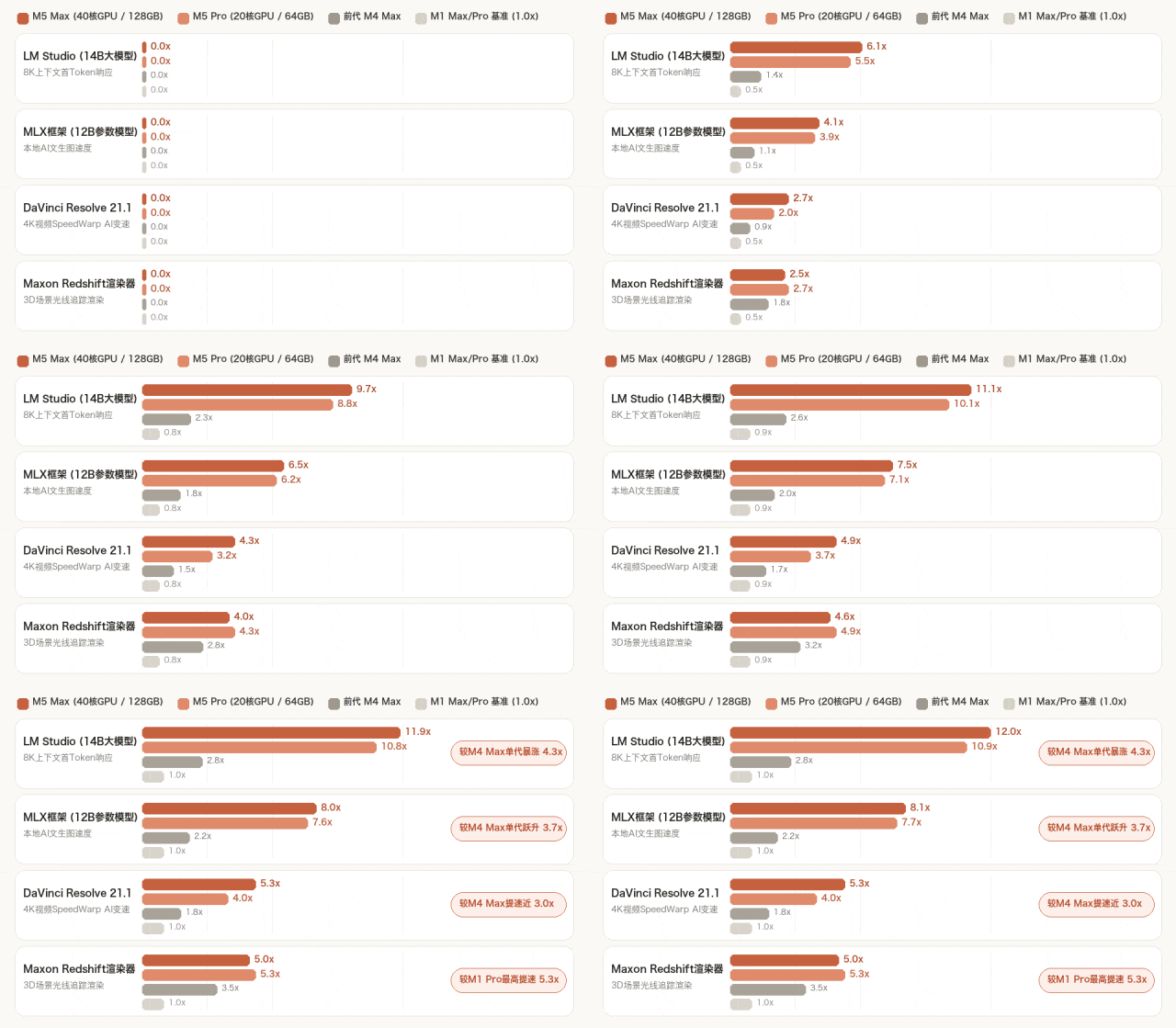
In terms of first-token response and generation speed. With the help of the built-in AI accelerator in each GPU core, Apple loads the 14B parameter large model and inputs 8K long prompt words in LM Studio, and the actual measurement shows a disruptive speed increase:
The M5 Max (40-core GPU) has a first-token response speed of 12.0 times that of the M1 Max, and a 4.3x surge in a single generation compared to the previous generation M4 Max (2.8 times).
The M5 Pro (20-core GPU) has a first-token response speed of 10.9 times that of the M1 Pro, and also jumps 4.0 times compared to the previous generation M4 Pro (2.7 times).
The speed of multi-modal image generation has also increased exponentially. Using Apple's MLX framework to run the 12B text-to-image model, the M5 Max's image generation speed is 8.1 times that of the M1 Max (3.7 times that of the M4 Max).
After overcoming the computing power bottleneck, the next challenge is the video memory wall.
To this end, the M5 Max directly provides up to 128GB unified memory and 614GB/s memory bandwidth (the M5 Pro supports up to 64GB).
Around this set of hardware, the macOS local AI ecosystem has been fully operational.
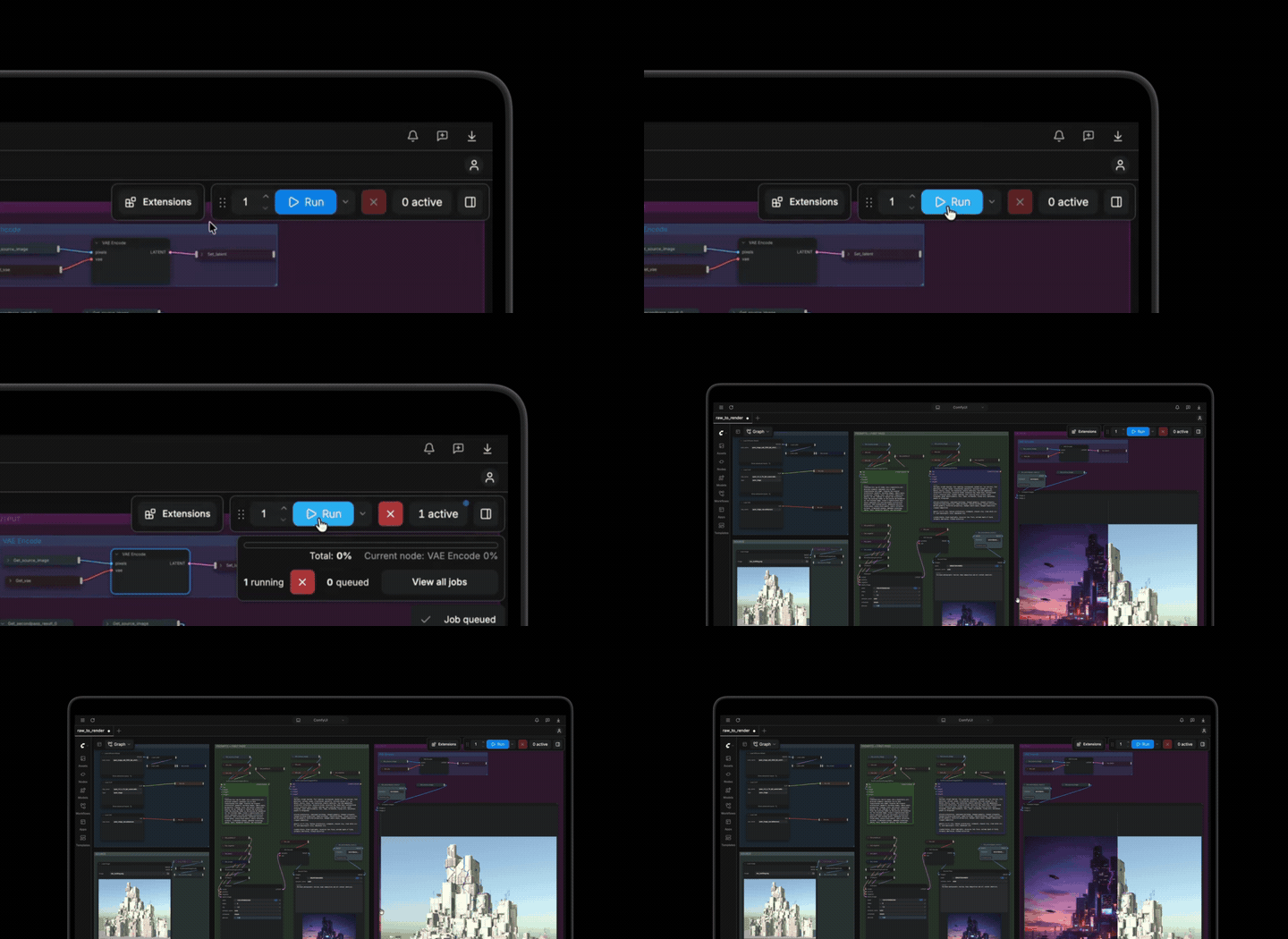
Developers can not only mount the on-device model to drive the programming Agent in Xcode, but also run the image generation workflow offline in LM Studio, Comfy Desktop and Draw Things, and even complete small model fine-tuning on the laptop.
Even in an offline cabin without internet access, you can run the full trillion-parameter large model locally.
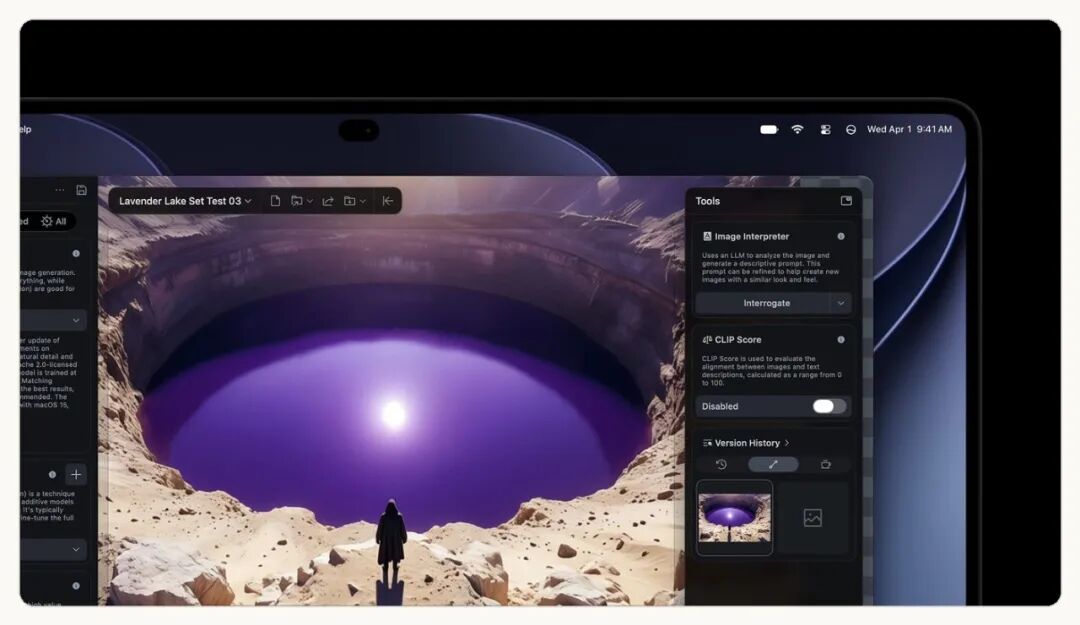
The long-standing notch is finally removed, Dynamic Island debuts on Mac, Siri stays on top to understand the screen with one tap
With the underlying on-device AI computing power support, the interaction entry at the top of the Mac screen has also undergone a major overhaul — the controversial black "notch" that has been widely criticized since 2021 has officially gone down in history.
It is replaced by the Dynamic Island that lands on Mac for the first time. In macOS 27, it floats above full-screen apps and becomes a permanent AI and quick interaction hub at the top of the screen.
In the official demo, the Dynamic Island has a brand new built-in Siri AI. It can not only help you organize schedules across emails, calendars and photos, but also support pressing shortcut keys to wake up visual intelligence at any time to read the current screen content with one tap.
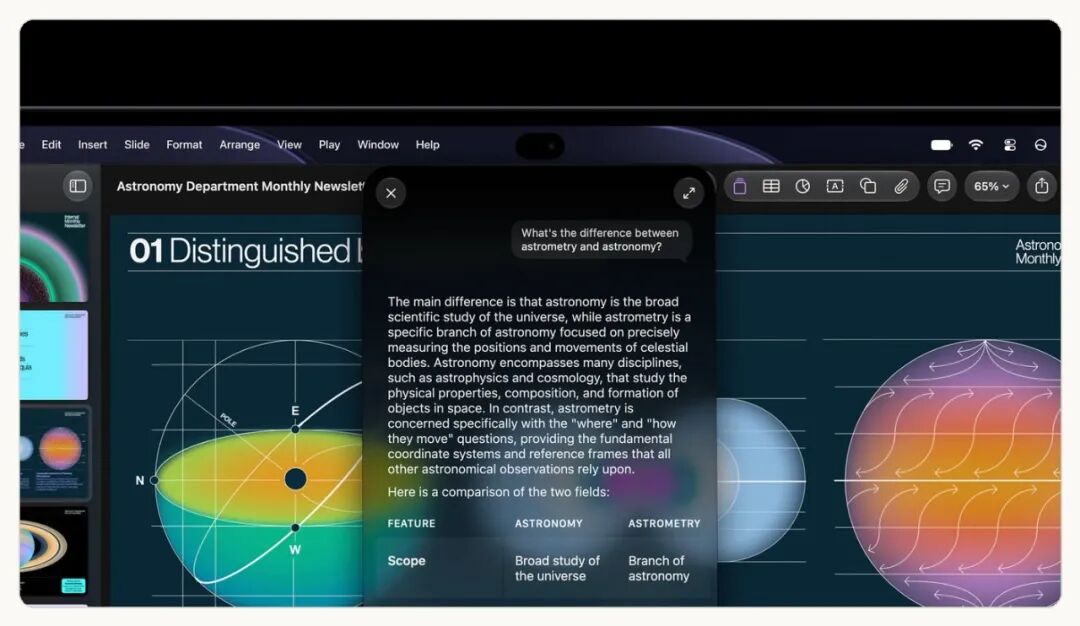
In addition to acting as an AI screen reading assistant, frequently used daily tools are also integrated into the island.
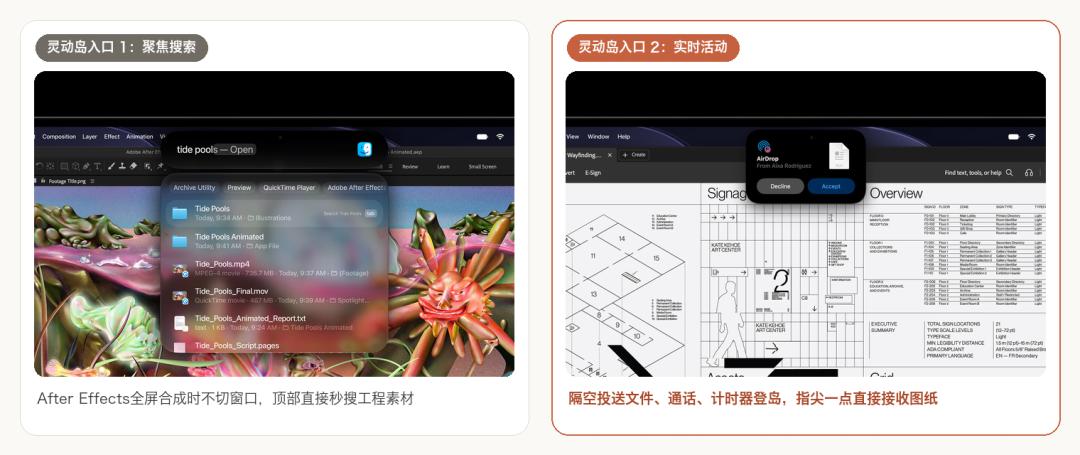
Tap the Dynamic Island lightly to expand Spotlight Search, you can search for materials in seconds even when you are editing videos in full screen with After Effects; AirDrop files sent by colleagues, timers and music status will pop up under the island through Live Activities, just tap with your fingertip to receive them.
Switching to double-layer OLED for the first time makes the device half a jin lighter, what exactly do you get for paying 3000 yuan more
Many people will be curious after reading this: with a touch layer added and a new screen replaced, why is the device lighter instead? The answer is hidden in this PROLED XDR display that Apple has introduced to Mac for the first time.
In the past, traditional single-layer OLED laptops have long been trapped by three major problems: insufficient brightness, easy screen burn-in, and color shift at large viewing angles.
In the 20-page technical whitepaper released by Apple at the same time, this new screen shows a breakthrough solution: the double-layer tandem OLED architecture, which stacks two organic light-emitting layers vertically to share the current.