Is there hope for 8GB RAM? Microsoft claims that Windows 11 has been fully optimized.
Since the launch of Windows 11, this operating system regarded by Microsoft as a revolutionary product has been widely panned by users. Endless bugs and nonsensical AI features have triggered massive complaints from a large number of users. Finally in this spring, Microsoft publicly admitted that Windows 11 had deviated from the right track, and promised to carry out rectification on it within this year.
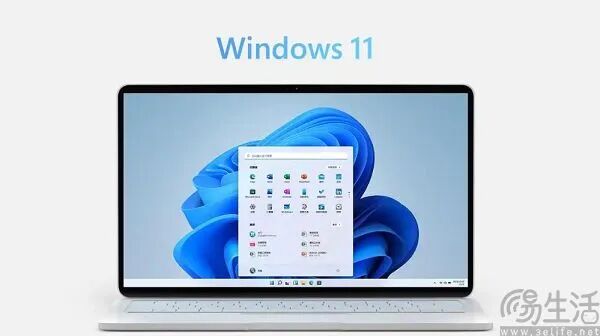
More than half a year later, Microsoft released the Windows 11 annual update blog post on October 15, detailing a number of improvements in performance, memory management and daily experience in the past few months. Microsoft stated in the post that Windows 11 is receiving a series of performance and experience optimizations, with the overall system response speed increased by up to 20%. In addition, memory management has also been improved, which is especially beneficial to computers equipped with only 8GB of RAM.
Microsoft specifically emphasized computers with 8GB of RAM, which obviously has profound implications. After the memory price skyrocketed several times in less than a year, in order to balance costs, quite a number of PC manufacturers chose to re-equip entry-level products with 8GB of RAM.
Two or three years ago, the retail price of 16GB DDR5 memory sticks was as low as around 200 yuan, and entry-level products at that time were even directly equipped with 32GB of RAM. Now 16GB DDR5 memory is sold for 1200 yuan, after a 6-fold increase, manufacturers certainly have to recalculate their accounts.
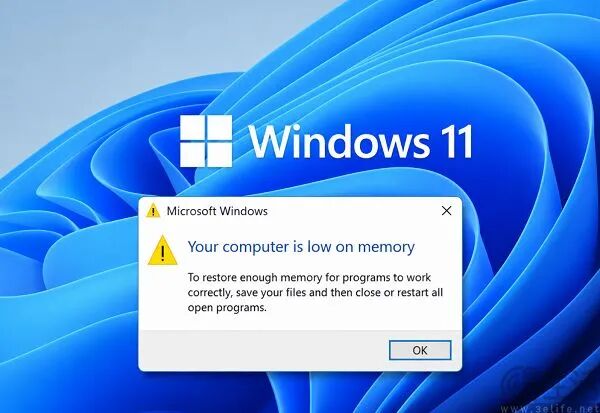
Before Microsoft optimized Windows 11, the system itself would take up nearly 4GB of RAM, which means that only 4GB of RAM on an 8GB PC is freely available for users. Once you open Word or PowerPoint, or open several more tabs in the browser, lagging is almost inevitable. So how exactly does Microsoft save Windows PCs with 8GB of RAM?
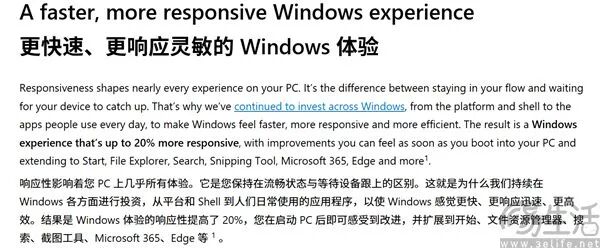
According to the president of Microsoft's Windows department, the Windows team has comprehensively restructured from the system kernel to applications, including strengthening compression algorithms and reducing the memory overhead of background resident applications. This allows up to an additional 2GB of data to remain in RAM instead of being transferred to the slower hard drive, thus improving the response speed when multiple applications or browser tabs are opened at the same time.
In addition, Microsoft has also introduced three new mechanisms: On-demand wake-up, Driver Lazy loading, and the Widgets loading method. Among them, On-demand allows Windows system service modules to adopt "context-oriented optimization", which generates memory overhead only when the user actually invokes the corresponding function. For example, when the user performs "Start Menu Search", the Search service will be woken up, so that the average memory usage of background services is reduced by 68%.
Driver Lazy is designed for drivers. The Windows system only loads the drivers that are currently in use, and the rest of the drivers stay in the hardware in "Standby State", with memory usage close to zero. For example, the Realtek sound card driver in the old version occupies 420MB of memory on a regular basis, while the new version only occupies 110MB when only the playback module is loaded, and loads an additional 95MB when the recording module is enabled.

Widgets is a widget function provided by Microsoft for Windows 11, designed to allow users to quickly view information such as weather, schedules, and stocks. In the past, widgets were loaded as soon as the system booted, but now they are loaded only when the user actively opens them. Microsoft said that this change can free up more than 200MB of memory for applications and other tasks.
Then the question arises, can this series of operations by Microsoft make 8GB Windows PCs completely reborn? The answer is of course no. Microsoft's move is basically "treating the symptoms but not the root cause". A large number of Windows 11 system services and third-party software made with web shell (WebView) are the key reasons for excessive memory occupation.
Essentially, WebView puts a web page into the interface of a desktop program. Since the web is inherently a multi-process design, it comes with a considerable memory overhead. Taking the "Weather" application as an example, the memory footprint during normal use directly reaches 1GB, and even when it is idle in the background, the memory footprint reaches 500MB. Expand the main process of Weather in Task Manager and you can see that there are as many as 9 child processes under it, many of which are Chromium processes called by WebView.
In a sense, WebView is actually a compromise that Microsoft has to make. The original intention is to allow developers to use web technologies such as HTML, CSS, and JavaScript to develop applications, thereby lowering the development threshold. Although WebView does directly leverage the long-established web ecosystem, it spoils developers: if you want to develop a desktop application, you can directly wrap a web page as a shell without doing native development anymore.
Therefore, unless Microsoft makes a one-size-fits-all ban on WebView applications, the problem of high memory usage of Windows 11 will almost never be solved.
This article is from the WeChat Official Account "3eLife" (ID: IT-3eLife), written by San Yijun, published with authorization from 36Kr.