Radical Overhaul of Claude Code Desktop: One Person Commands an AI Legion to Crank Out Code at Blazing Speed
Claude Code has evolved overnight!
Just today, Anthropic officially released an epic update for the desktop version of Claude Code!
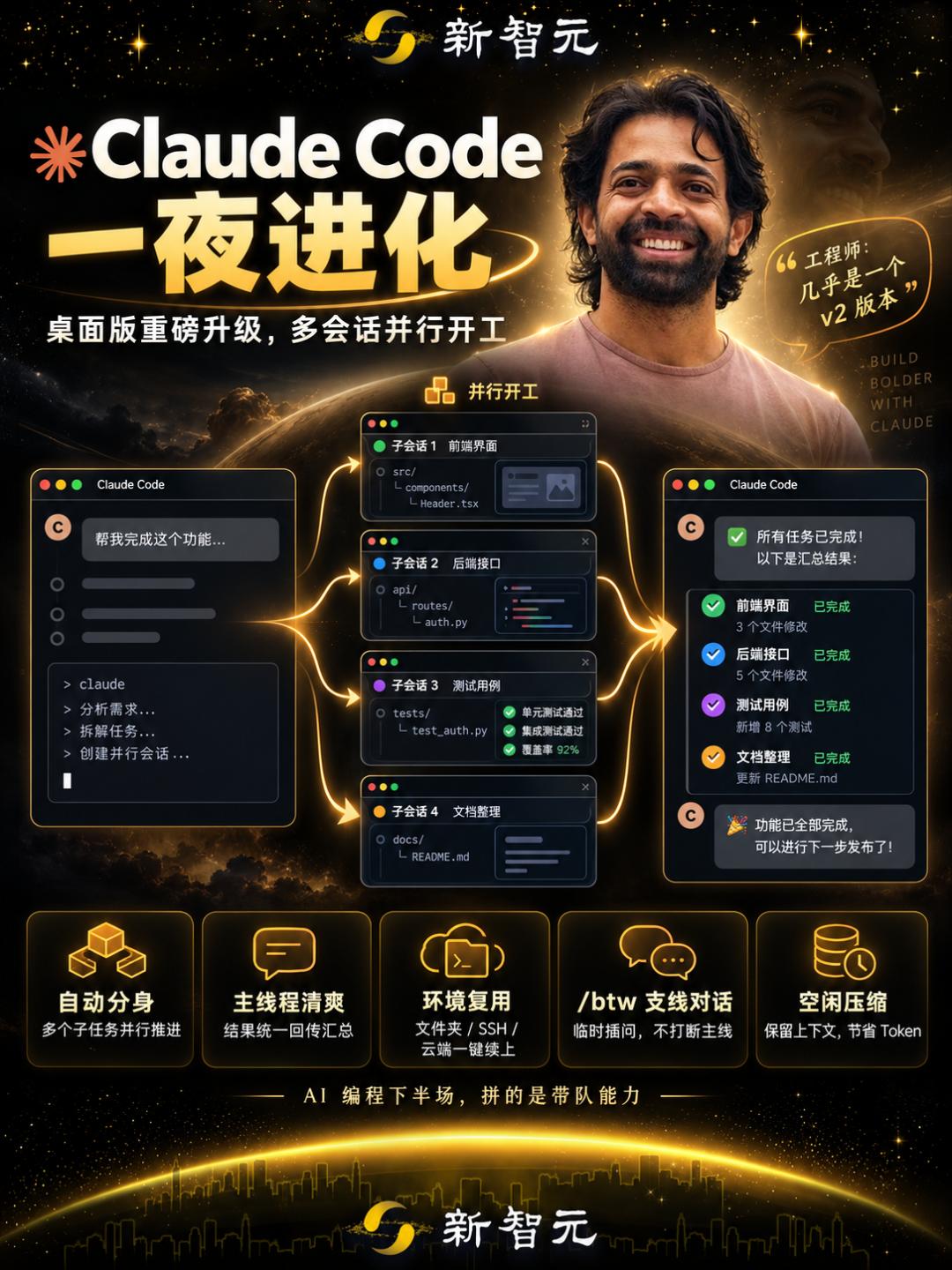
It can spin up multiple conversations at the same time and run tasks in multi-threaded mode, and once a task is completed, the result will be sent back to the main session.

Furthermore, the new interface has completely revamped session management.
It not only supports environment reuse and one-click launch of subsequent tasks, but also allows you to type /btw at any time to switch to a new tab and run tasks separately.
Virtually overnight, the global developer community was flooded with the same news.
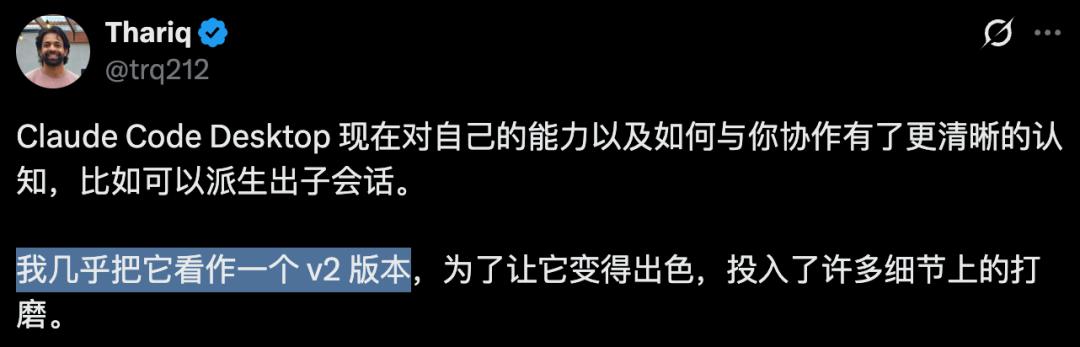
Anthropic engineer Thariq could hardly hide his excitement, stating enthusiastically that "This is practically a v2 version"!
Claude Auto-Cloning, Multiple Sessions Working Simultaneously
Let's start with the most eye-catching feature of this update: automatic creation of nested sessions.
In the past, if you wanted the AI to do three things at the same time, you had to manually open three separate windows, and manually check all the results one by one in the end.
Worse still, when there are too many tasks, the main thread will turn into a total mess: front-end code and back-end error reports are mixed together, and if you want to trace back the modification of a certain step, you have to frantically scroll the mouse in front of the screen.
Now, this logic has been completely changed.
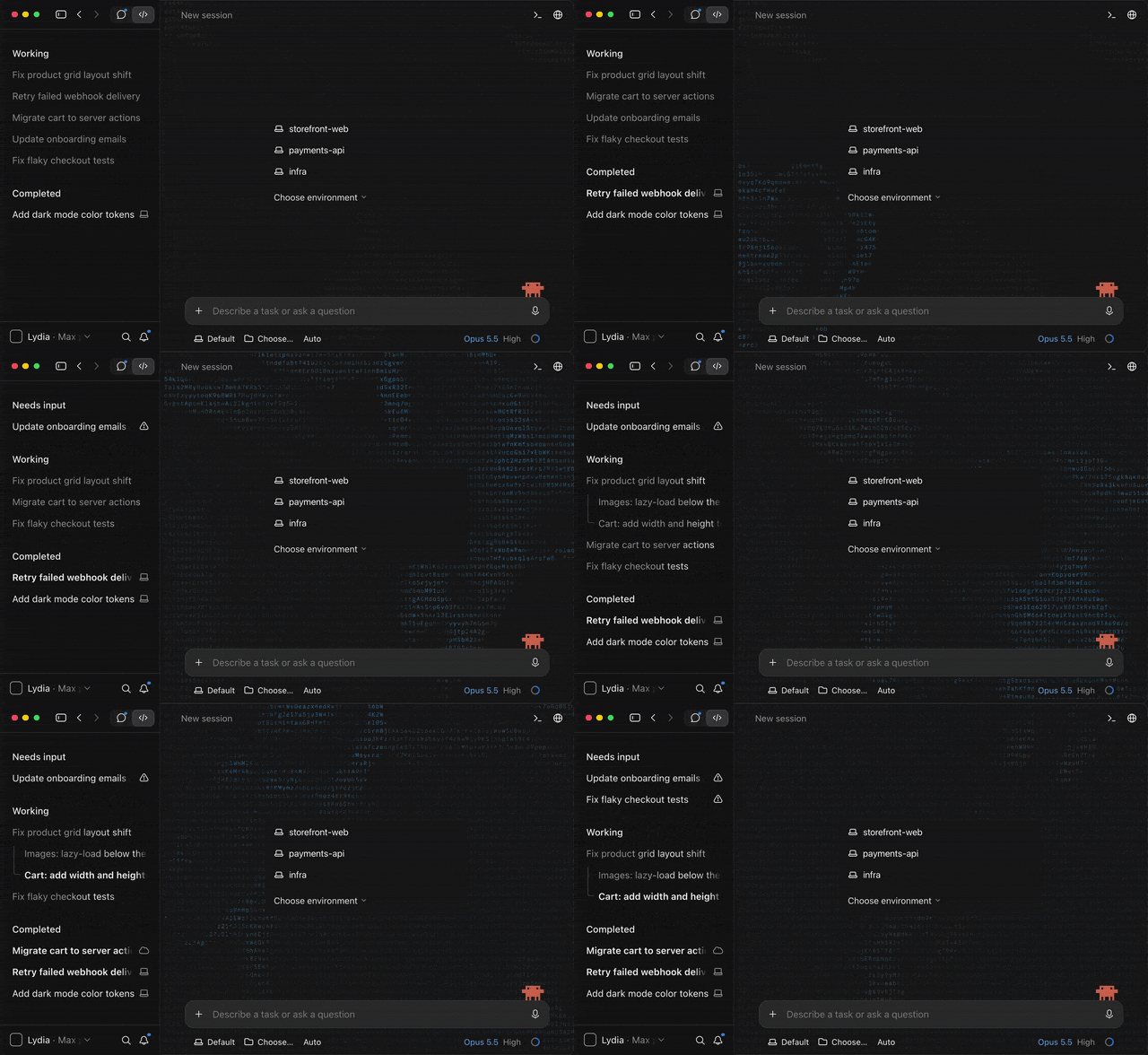
In the new desktop version of Claude Code, you only need to assign all tasks at once in the main dialog box.
When Claude recognizes that these tasks can be processed in parallel, it will instantly cast the "Shadow Clone Jutsu" — automatically creating an independent Nested Session for each subtask!
What's more ingenious is its information flow mechanism:
Underlying concurrent execution: Several sub-sessions run simultaneously in the background, reading contexts, modifying code and running tests respectively without interfering with each other.
Extremely clean main thread: Those tedious intermediate trial and error processes and hundreds of lines of terminal outputs will never pollute the main conversation interface at all.
Automatic summary and reporting: After each sub-session finishes its work, it will automatically summarize the final execution result neatly back to the main session just like a subordinate reporting to the director.
In this way, the main thread maintains extremely high readability from beginning to end.
Humans do not need to care about the hundreds of lines of error troubleshooting processes in the middle, they only need to sit in the main session and check the final answer sheet submitted by each AI just like reviewing memorials to the throne.
If a certain Claude clone gets stuck or you want to see the details, you can click in at any time to penetrate to the underlying layer.
This round of upgrade makes it easier for AI to split up and work, but the engineering acceptance still requires human supervision.
How can people keep track of a large number of AI conversations?
When several Claudes start working together, you will immediately run into another problem: which one should you check first?
One is still analyzing code, one is running commands, and the other may have stopped waiting for your decision. If you can only click in one by one to browse the records, the waiting time you saved will be eaten up by switching between windows.
The new version moves these states to a more prominent position.
The sidebar allows users to clearly see which sessions are working and which require their intervention.
After entering the session, the real-time to-do list will advance along with Claude's plan; when it needs a response from the user, a review card will summarize the situation of this round.
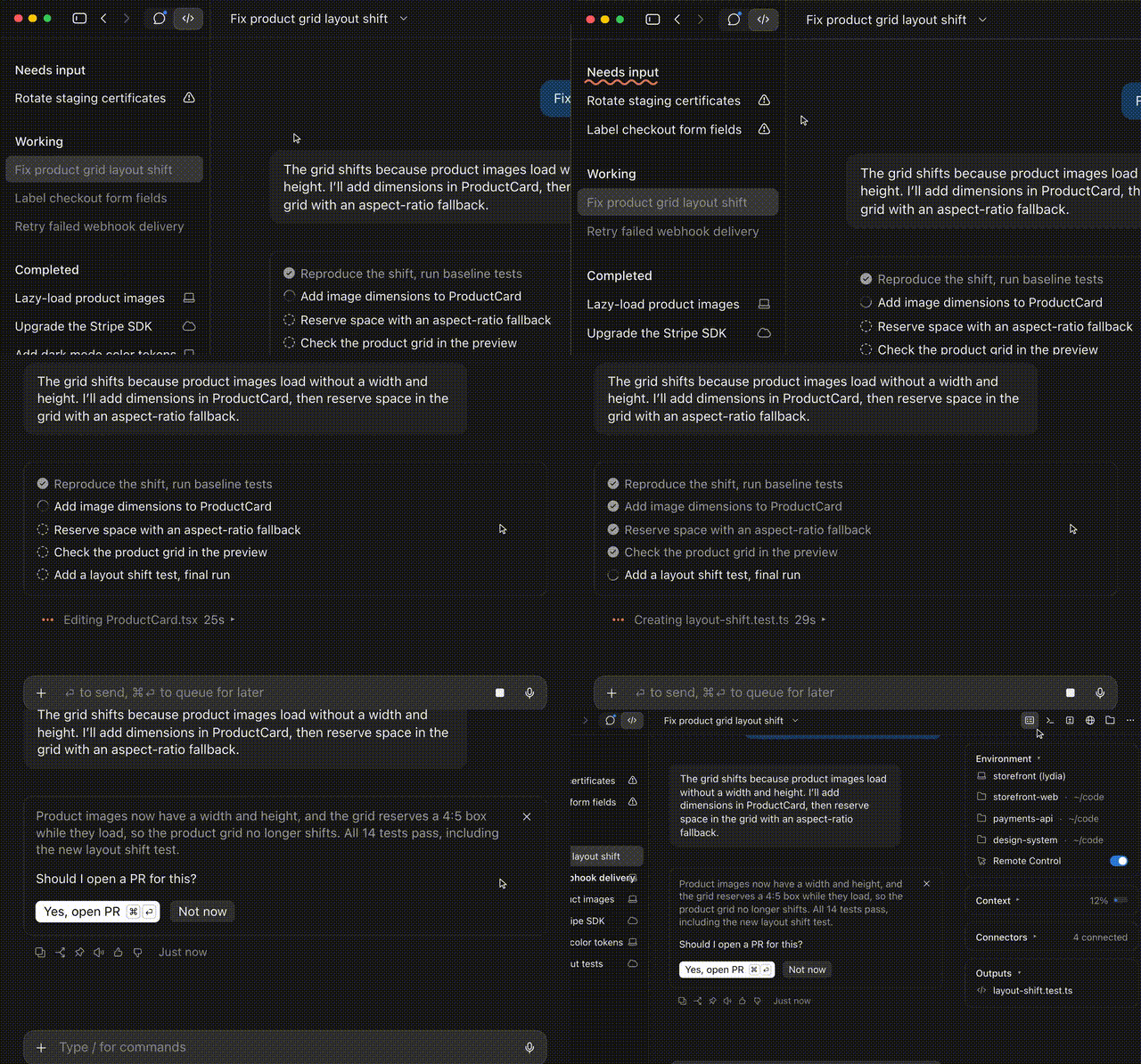
The sidebar information bar displays the running position, context and code modifications of the task.
Enter the "operation site" in seconds, one-click environment reuse
In addition to the concurrency during task execution, Anthropic has also pushed the "preparation work before starting work" to the extreme this time.
Many full-stack architects have very complex daily development environments: the front end is in one folder, the back-end microservices are in another folder, and even some long-cycle tasks need to be run on the cloud.
Every time you restart the software or switch projects, it takes a lot of time just to configure these directories and connections.
The new version of Claude Code has carried out drastic reconstruction on the "new session interface".
The core goal can be summed up in four words: seamless continuation.
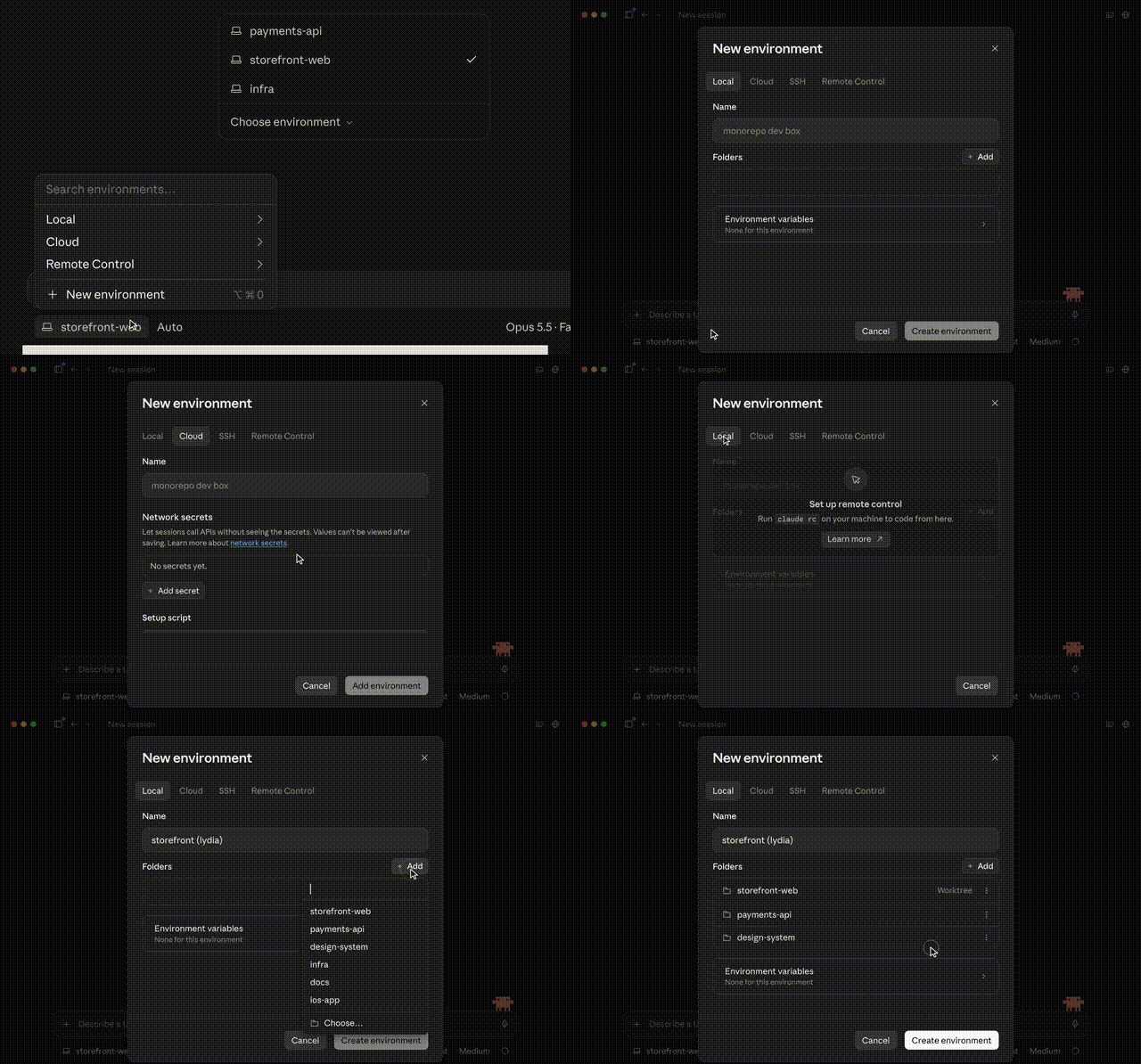
One-click access to commonly used directories
When you open the interface, "recently used folders" are directly placed in the most prominent position, no need to rummage in the system directory tree, one click to start working immediately.
Custom "environment" package and save
Now, you can package and save a whole set of complex development configurations directly as a named "environment".
For example, a combination of several local folders, a specific SSH remote host, or a cloud running environment. The next time you need to use it, one click can instantly pull up the entire multi-directory, cross-end workstation.
Native-level Git Worktree isolation
Since multiple sessions run in parallel, if two AIs modify the code in the same local folder at the same time, won't there be conflicts?
Anthropic has already thought about this for you!
When starting multiple sessions, the new version of CC directly provides the option of "independent Worktree for each folder".
Just check it, and Claude will automatically use Git Worktree to pull up independent worktree branches for different parallel sessions.
Session A is refactoring the underlying architecture, and session B is fixing urgent online bugs. The two are completely isolated at the physical file level, and you no longer have to worry about code overwriting each other or local environment crashes.
Detail-oriented design reaches peak, /btw allows you to interrupt at any time, actively recommends follow-up tasks
Why did Thariq exclaim that the new desktop version of Claude Code "has extremely strong self-awareness of its own capabilities"?
The answer is hidden in two very clever interactive details: active recommendation and /btw branch conversation.
Previous AI tools are like "abacus beads", they only move when you poke them.
While the new version of CC is working, it will "actively recommend" the next follow-up work based on current modifications.
No need to type to confirm, just click once, and the follow-up suggestions will run directly in the background as independent sessions! In addition, the empty input box will also intelligently display gray prompt suggestions, press the Tab key to adopt them instantly.
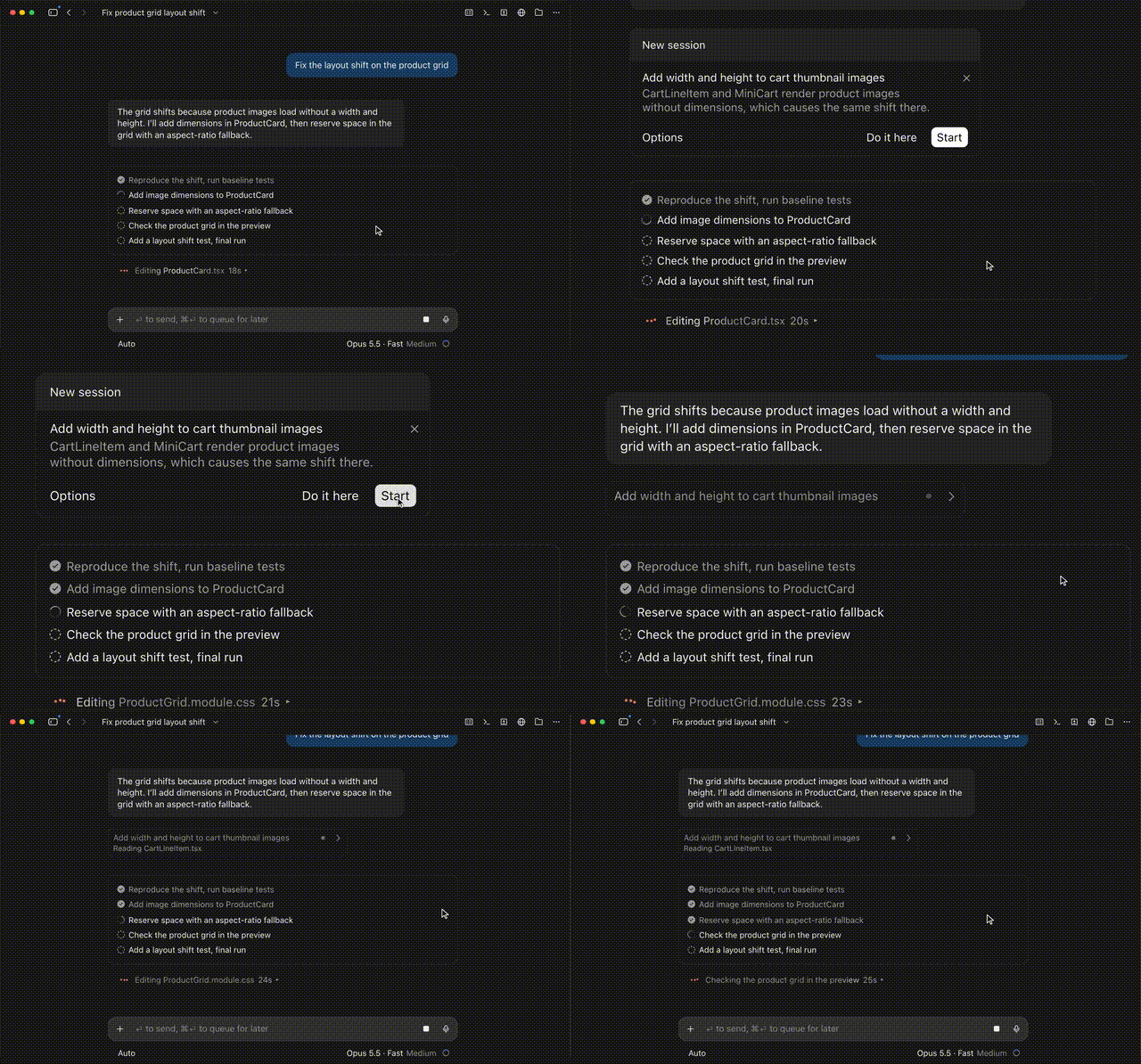
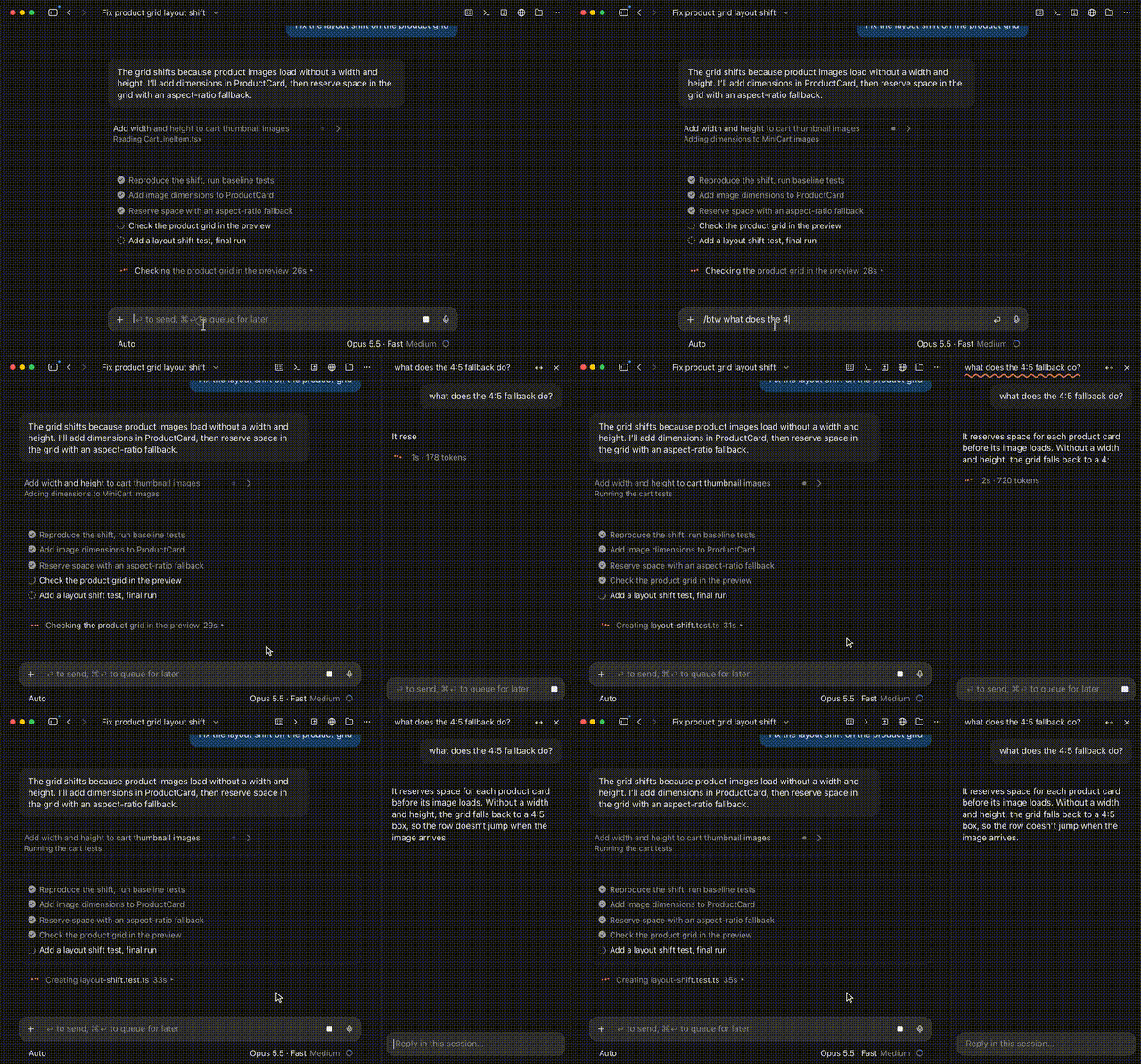
Another design that makes programmers full of praise is the newly added /btw command (by the way).
In the process of advancing the main task, you will inevitably come up with temporary questions, "By the way, what is the default expiration time of this authentication Token?"
Now in CC, just enter /btw (or press the shortcut key Cmd + ; / Ctrl + ;):
The system will immediately open a branch dialogue in an independent tab, fully inheriting all the context of the main session so far, no need to re-explain the background.
The main session continues to run at full speed without any interference at all! The branch question will never pollute the main thread records. When you solve the doubt and close the tab, the main work is still completely clean.
This function seems simple, but it solves a very fundamental pain point: "Flow state" should not be interrupted.
Programmers are most afraid of the "context switching tax". After each interruption, it may take more than ten minutes to re-enter the deep working state.
/btw allows people to solve temporary doubts without interrupting the main process, and in many cases, efficiency is saved bit by bit in this way.
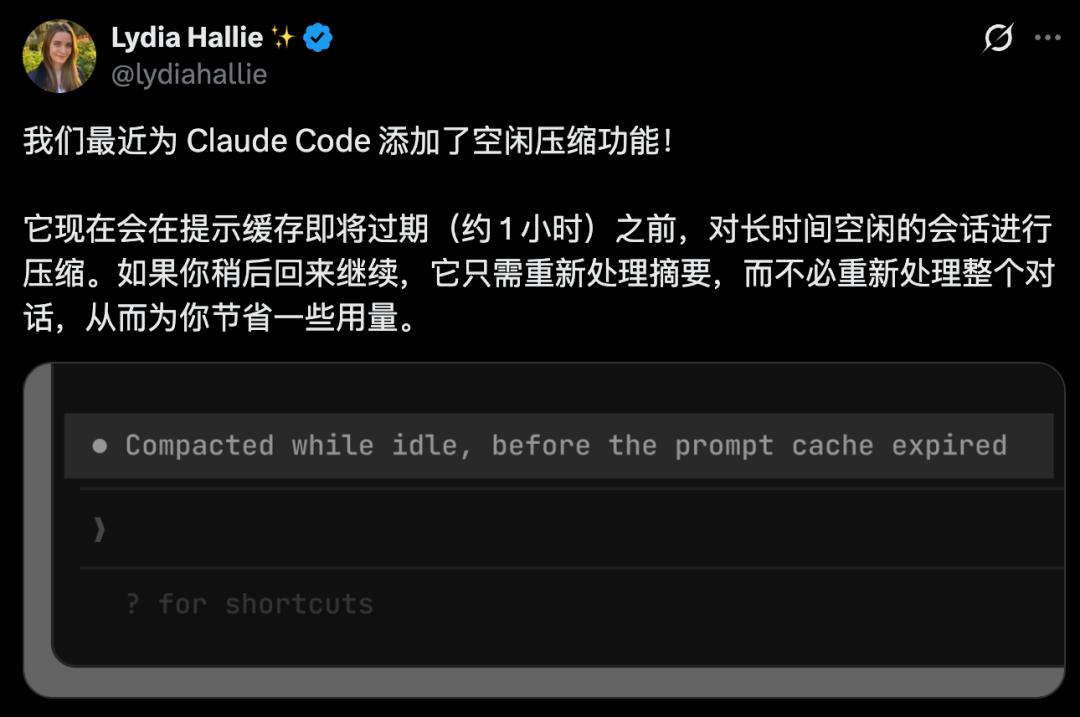
Not only that, Claude Code has also added a new "Idle Compaction" feature.
When a session is in idle state for a long time, CC will automatically compress the session context before the prompt cache is about to expire (about 1 hour).
This way, it can not only retain the key context, but also reduce Token consumption and save usage quota.
In the second half of AI programming, what we compete for is "team leading ability"
This major revision of the desktop version of Claude Code, in essence, directly pushes AI programming into the second half of its development.
It is evolving from a single "AI programming assistant" to a "multi-agent collaborative workstation" completely.

In the past two years of the AI Coding competition, everyone competed for single-point capabilities — code completion, single-generation accuracy, and scores on SWE-bench.
But today, the bottleneck has become "how to let AI advance the development of ten modules at the same time without messing up the project".
As Thariq said, Claude Code is highly aware of its own capabilities and knows how to cooperate with humans by spawning sub-sessions.
Most importantly, under this new paradigm, the role of human developers has undergone a fundamental shift.
The era of single-threaded work is coming to an end, and the "multi-agent parallel engineering army" that belongs to everyone is officially launched today.
References:
https://x.com/ClaudeDevs/status/2110445849516101743
https://code.claude.com/docs/en/desktop-quickstart
https://x.com/trq212/status/2110463962877989276
This article is from WeChat official account "Xinzhiyuan", author: Tao Zi, published with authorization from 36Kr.