Breaking: OpenAI Dots has been fully rolled out on mobile devices, and users can now give voice commands to Codex to handle various tasks.
OpenAI is really rolling out updates on a daily basis!
Just now, Tibo, the well-known figure at OpenAI, unveiled the Day 5 update: The 24/7 online Agent dots can now be created directly on mobile phones.
He called it a pleasant surprise: So many people have created dots via the web and desktop clients before, and now it's time to scale up the adoption!

Users who have been granted access to dots can directly create their own dots by opening the ChatGPT app on iOS or Android.
Even more surprisingly, dots can assign tasks to Codex far more smoothly now.
Launching new tasks, following up on old threads, searching for relevant background information, and managing scheduled tasks, this personal assistant is increasingly acting like a full-fledged "task manager".
You can create an Agent on your phone with a few taps, then let it direct Codex to do the work, which removes another barrier to this workflow.
You no longer need to switch to Codex every time, and you can still assign your work properly.
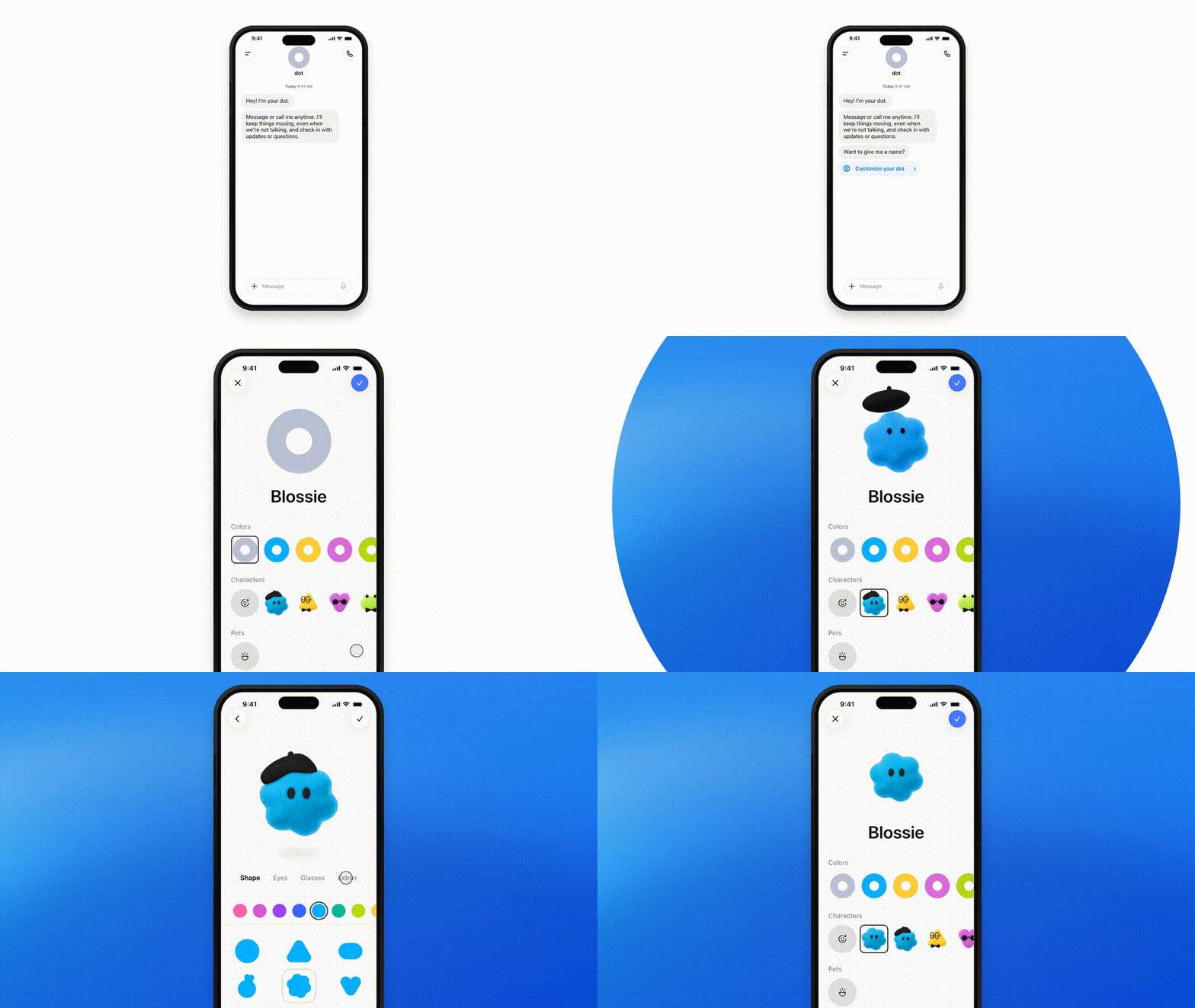
Create a dot on your phone
Assign tasks with voice commands
On September 29, OpenAI released the "all-day personal AI agent" dots.
The model powering it is GPT-6 Astra.
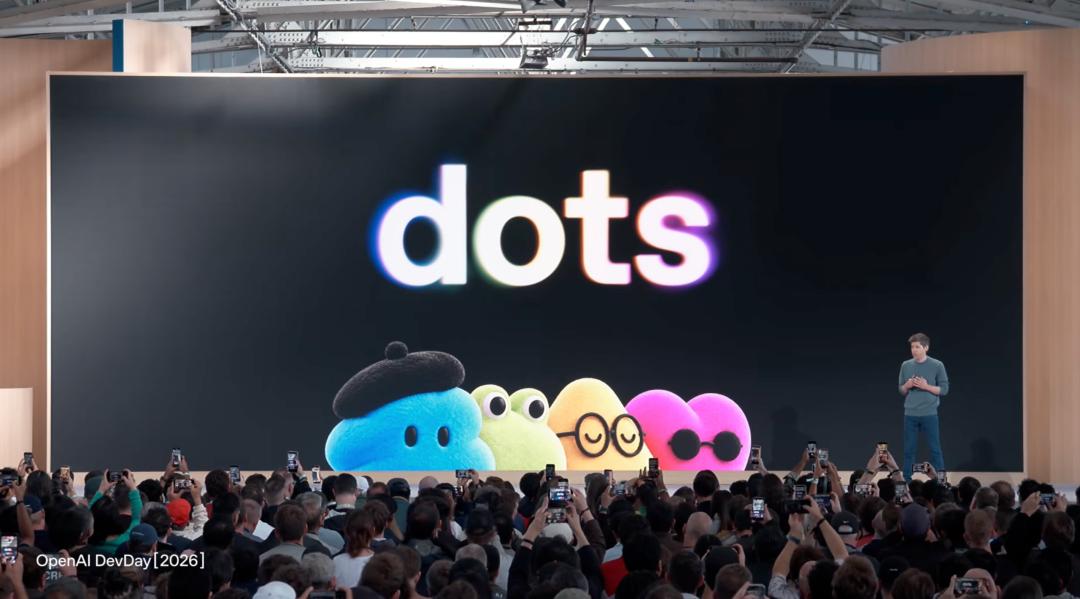
It is completely different from regular ChatGPT conversations.
Each dot has its own cloud computer and browser, and can connect to more than 4000 applications via plugins.
Within the scope of authorization, it can continuously push tasks forward and take the initiative to report progress.
According to OpenAI, a dot can be regarded as your own digital doppelganger.
It will learn your working style, identify matters that need your attention, and use its own cloud computer to advance your projects.
But previously, to create and configure a dot, you had to use the desktop app or web page first.
If you wanted to create one from scratch, you had to sit back in front of your computer first.
This time, OpenAI directly removed this barrier.
Now, you can open the ChatGPT app on your mobile phone to complete the entire process from creation to full configuration.

The whole process, from naming, selecting the appearance to connecting applications, can be completed on the mobile phone.
And this is just the first step.
dots directs Codex
The "task manager" is here
The mobile client is only a change of entry point. More crucially, the collaboration between dots and Codex has taken another step forward.
Codex is responsible for specific programming work, while dots act more like a personal assistant that helps you organize tasks.
Dots have already been able to assign tasks to Codex before.
This update optimizes the connection between the two.
Whether to continue using the old thread or open a new one, and which background information needs to be carried over, dots can make a better judgment.
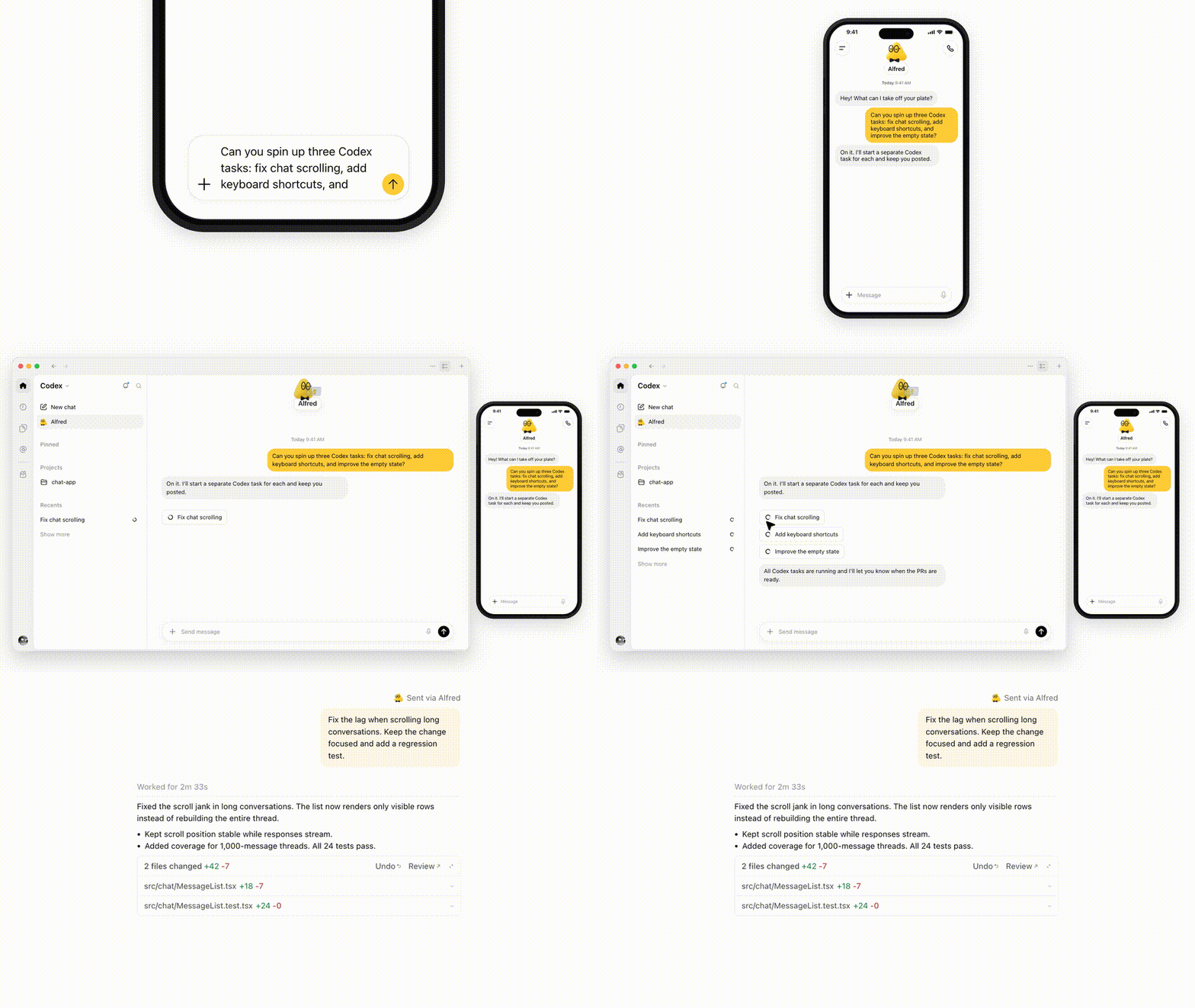
Previously discussed development requirements can be continued on existing threads, and relevant background information can be retrieved more easily.
The specific changes can be broken down into three items:
Search for relevant background information
Dots can search ChatGPT conversations, and call the context in existing Codex threads and automation tasks.
The requirements you mentioned before and the attempts you made can be reused, so you don't have to repeat the same background introduction.
More convenient thread management
Another improvement is the judgment of the relationship between new and old tasks.
It is better at judging when to continue the old thread and when to open a new one, reducing the situation where related work is scattered.
Track results and manage scheduled tasks
In addition to tracking programming tasks, dots can also view and edit scheduled tasks in ChatGPT Work. If you want to know the upcoming schedule or adjust periodic work, you can tell it directly.
In the demo, dots will continue to send messages after Codex completes the modification, asking to open a PR, and then summarize the results to be reviewed to the user.
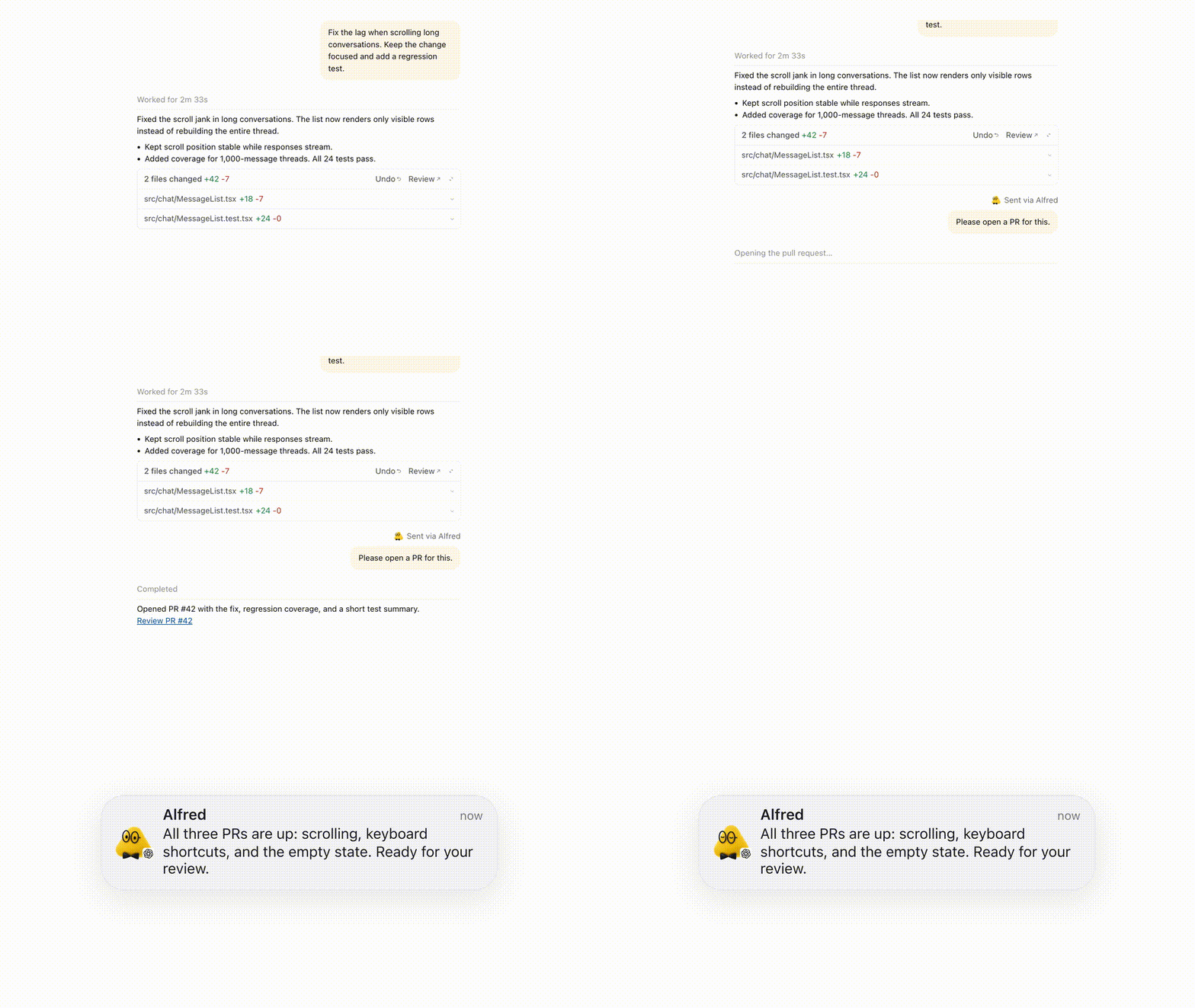
In this way, dots are like the "project manager" who coordinates the overall situation for you, and Codex is the "engineer" responsible for specific programming work.
And you are the CEO who gives orders.
The workflow is also very intuitive: open the ChatGPT app, create a dot, state your goal, and then it will assign the programming task to Codex.
You can check the progress on your mobile phone, handle operations that require approval, and add requirements at any time.
When you think of something to do, you can take out your phone and assign the task first.
Not only that, OpenAI also released a number of dots detail fixes, including: faster browsing, smoother scrolling, fewer redundant notifications; the display of code blocks and attachments is also clearer.
Outlook settings, plan descriptions, and retry after failure have also been improved, and enterprise version access on the web and during voice calls is more reliable.

Codex instantly guesses your next input
Real mind-reading capability
92 seconds before the dots post, Tibo also unveiled another Day 5 update: Composer Predictions (conversation input prediction).
Simply put, Codex now has "mind-reading" capability and can guess what you are going to say next.

The 15-second short film released by OpenAI specifically shows moments familiar to developers.
After you ask Codex to finish making a game, the next suggestion appears in the input box: "Go install the game on my Chromatic."
In the scenario of adjusting the page, a capitalized "CENTER THE DIV" pops up, which means to center that div element.
There is also the familiar closing action for developers: "Okay, clean up and open a PR". These sentences are pre-written by Codex, and programmers can use them directly.
There are two other suggestions in the footage: make the paper shorter and more accessible; keep the current design and make it work properly on mobile phones as well.
The next step can be to explain the material, or continue to iterate on the product.

Codex pre-fills the next message based on the conversation; after pressing Tab to accept, the user still decides whether to send it
It's the familiar Tab key, and now even the instructions you give to the AI can be auto-completed.
After Codex finishes a round of answers, it will guess the complete message you may send next based on the current conversation.

Press Tab, the suggestion enters the edit box. You can modify it and then decide whether to send it; if you think it is not correct, you can also type your own words as usual. The AI that speaks for you still has to wait for your confirmation.
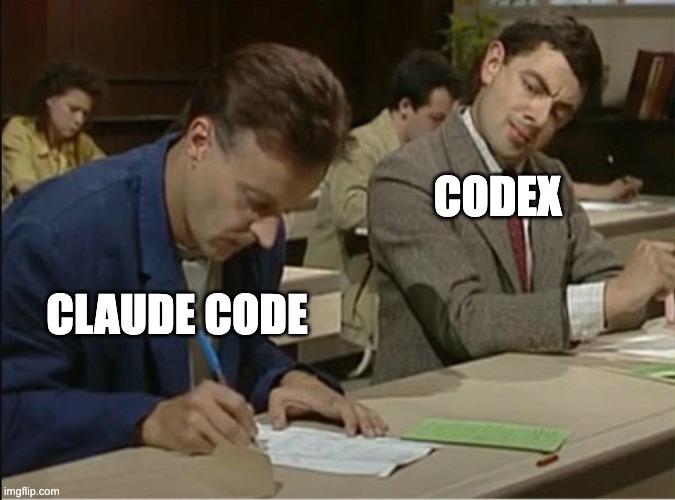
Claude Code has had a similar next-message suggestion feature before
The most interesting change here is that the input box suddenly becomes like a colleague who can keep up with your train of thought. Where the conversation goes, what should be done next, and even how you usually speak have become clues for its prediction.
OpenAI employee Sharif Shameem put forward a very compelling statement. According to his own usage experience, Codex can guess about a quarter of the messages he is going to send next.
He also quoted an evaluation from a fellow researcher, saying that the prediction is "scarily accurate". The one-quarter figure is a personal account, no sample size has been announced, and it cannot be regarded as the official product accuracy.

External user Ivan Ciraj also said that he has used it many times that day, and it feels like going back to the era of pressing Tab to autocomplete code, except that the experience has been greatly enhanced.
What surprised him most was that he never thought he could work this way before, and even wanted to pay tribute to the person who came up with this idea at OpenAI.

Thomas Ricouard was more straightforward: he accepted about 90% of the suggestions. This is his personal usage feedback.

At present, this Beta feature is available to eligible individual Pro users aged 18 and above, supporting local and SSH threads on the Codex desktop client, as well as GPT-6 Astra and GPT-6.1 Sol.
Tibo specially emphasized another detail: the prediction is included in the Pro plan and does not consume your usage quota.
To be precise, the step of generating suggestions is free; sending the message to let Codex continue working is still counted in the normal usage quota.
Typing fewer words is certainly comfortable. The more subtle change is that the AI will also suggest what to do next. When you encounter familiar closing operations, you only need to confirm; when you face directional choices, you still have to make up your own mind.
What OpenAI is competing for is the very first step of your work
Putting the two updates together, the position OpenAI wants to seize becomes clearer.
Dots receive your goals, organize context, and delegate tasks; Codex gives next-step suggestions in advance after a round of work is completed.
What OpenAI wants to occupy is the moment when you just have a