The first-ever interactive Nobel Prize in Literature reading list across the entire web is here, which is the most fun new feature of GPT-6.
When Mo Yan won the Nobel Prize in Literature in 2012, I spent a whole night sorting out the reading order of *Big Breasts and Wide Hips*, *Frog* and *Red Sorghum*.
This year, Chinese writer Can Xue and Japanese writer Haruki Murakami continued to miss the award, while Canadian poet and writer Anne Carson won the 2026 Nobel Prize in Literature.
I was already prepared to spend another night looking up materials, sorting out the order and making a reading list, but I only sent one sentence to ChatGPT "Please help me organize the reading list of Anne Carson's works in the form of a card journal", and I got a reading card that can be automatically adjusted and selected in less than three minutes.
You can flip through the cards one by one to see if each book is suitable for beginners, which position it should be placed at, and what you need to know before reading it. After finishing reading, click "Mark as Read", the card will be checked, and the reading progress will be updated accordingly.
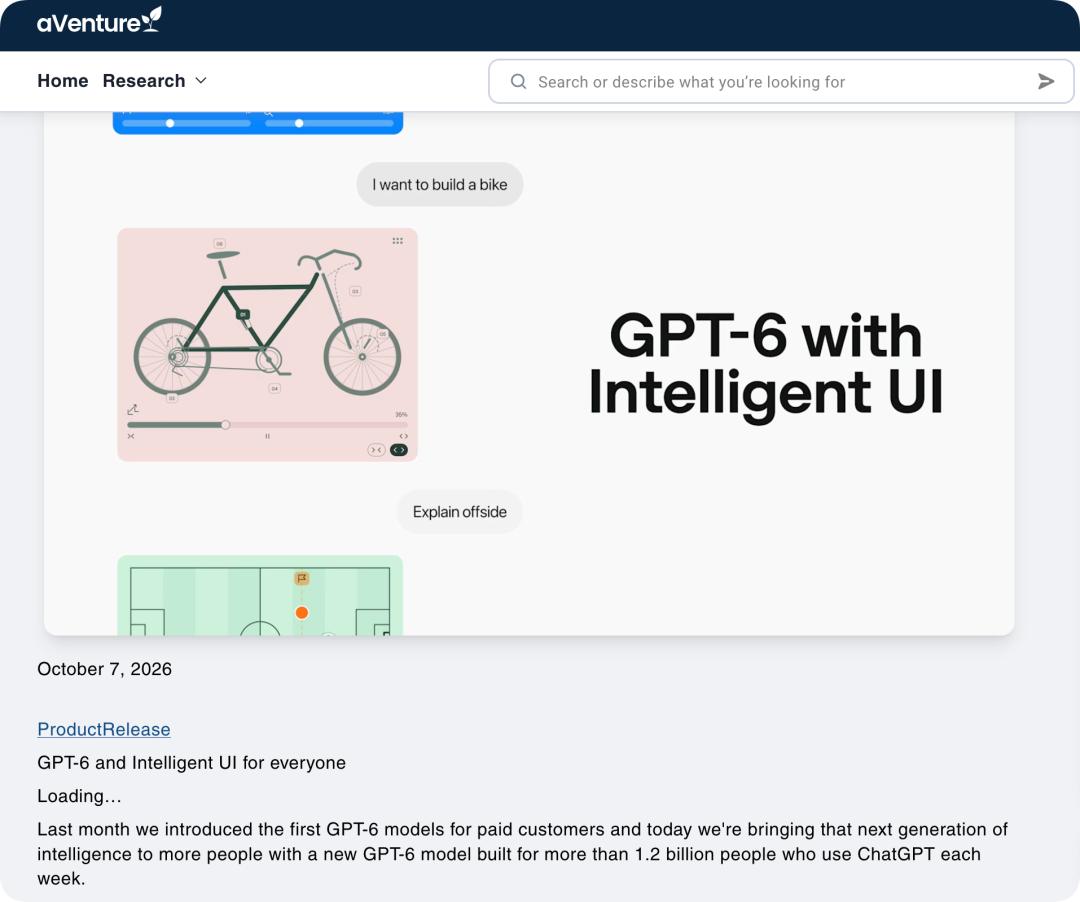
Who would have thought that these functions are implemented based on the GPT-6 and Intelligent UI released by OpenAI on October 7 in the document "GPT‑6 and Intelligent UI for everyone", which has been pushed to all ChatGPT users.
All Scenarios Can Be Visualized
This is not the only interesting case of Intelligent UI.
OpenAI defines Intelligent UI as "smart interface", which means that ChatGPT can dynamically combine text, images, buttons, forms, charts and interactive tools when responding according to user queries.
In other words, in the past, AI could only output text, but now GPT-6 can assemble an independent interface containing typography, buttons, forms, charts and various interactive controls on site according to the questions you raise.
The questions you raise remain unchanged, but the results you get are no longer simple answers.
According to the official examples from OpenAI, such applications mainly cover scenarios including knowledge learning, entertainment and daily life. For example, when making an outline for a Sunday roast, the recipe, shopping list and schedule can all appear together; when planning a self-driving tour route, rest stops along the way can be directly marked on the map, and some detour locations can also be marked.
In addition to fully reproducing these scenarios, we have also extended some interesting new ways to play.
For example, we conducted an experiment on a very important knowledge point in junior high school chemistry textbooks, just give the instruction "Please tell me how to use an alcohol lamp".
The model will first search for materials, and after waiting for about 52 seconds, an interactive solution will be generated. The use of alcohol lamp is split into six key steps, each with corresponding prompts. Users can learn in order, or jump directly to the parts they are not familiar with: why you can't blow out the lamp with your mouth, why you need to cover the lamp cap twice, and what to do when the alcohol is almost used up.
Intelligent UI can also be used to make small personal games.
For example, if you want to play a retro mini-game, you can directly say to GPT, "I like playing Snake, make a Snake mini-game for me".
What you get is a screen that can be used to play the game directly, not a game rule manual. The game has complete rules, scoring methods and real-time feedback. You get 10 points every time you eat an energy block, the score changes with the movement of the snake, and the screen updates accordingly.
Everyone who sees it will exclaim that 4399 is back!
If you think the ordinary Snake is very boring, you can continue to modify it, and you can also customize your own rules, such as giving the instruction "Change the Snake into a cute little bear, and change the scoring rule to add 20 points every time you eat an energy block".
The model is not as simple as replacing a piece of code, it also needs to modify the character image, game rules, scoring method and interface display. After inputting new requirements, the game interface will change accordingly, but it will take a little longer than the first generation.
In real life scenarios, the value of Intelligent UI is quite clear.
If you have pets and are struggling with how to dress them up, you can upload the photos and ask, "Which set is more in line with the characteristics of my pet?"
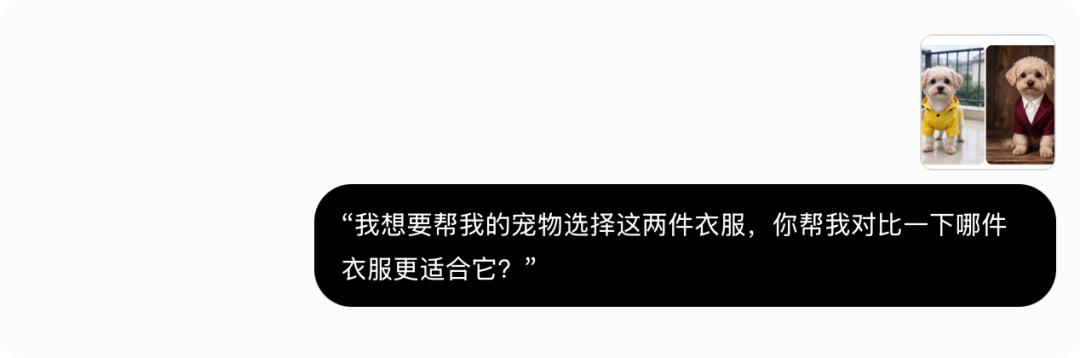
GPT will place the two pieces of clothing side by side, and mark their color, size, material and applicable occasions. Users can choose according to different usage scenarios and preferences.
This is not just piling up charts, buttons and text together, but giving the answer the ability to keep working.
The "Black Box" That Triggers Answers
When we first saw OpenAI's demonstration of mahjong interaction, we thought we had found what the future chat interface would look like. Buttons will appear on the chessboard, operations can be performed on the mahjong tiles, and the page will change according to the answer.
The model not only outputs text, but also puts playable things in front of you.
But after our actual experience, we found that the UI interface appears very randomly during use.
We used the same method as the demonstration to simulate the mahjong table problem, but the generated result had no mahjong table, no buttons, no clickable elements at all, but a very complete, very polite and ordinary text.
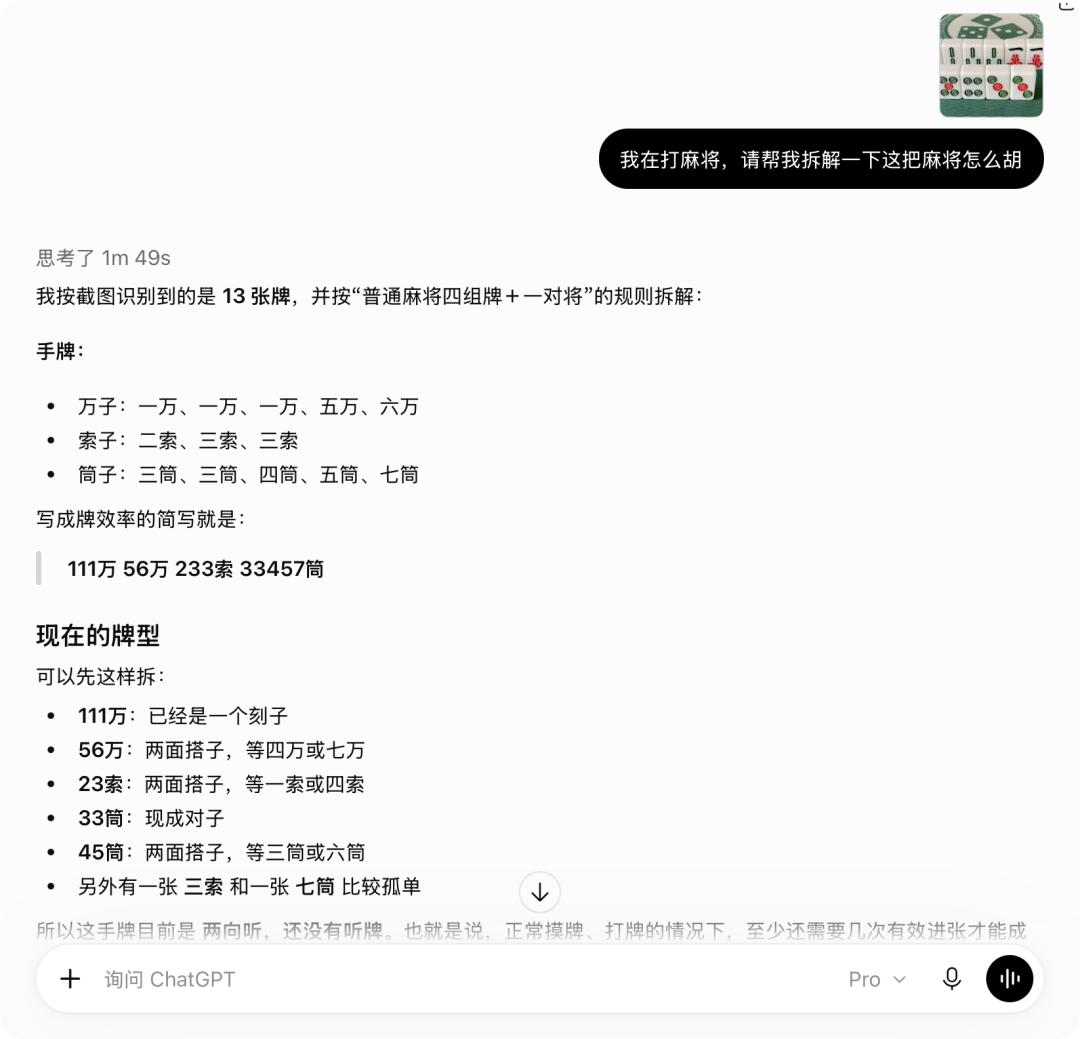
Aarush Selvan, Product Manager of OpenAI, explained this randomness: "We have a design team that has spent a lot of time studying in which cases adding charts and buttons is useful, and in which cases it will make people feel very confused."
But in actual tests, the most real feeling is that you don't know in what way your question will be answered, whether it is a piece of text or an interactive product. Just like the line in *Forrest Gump* "Life was like a box of chocolates, you never know what you're gonna get".
Without special prompts, ChatGPT will decide whether to communicate in an interactive way according to the task. Comparative questions can be arranged side by side, complex concepts can be represented by interactive charts, and simple questions will be answered with text first.
This is because Intelligent UI is not a "web page drawn temporarily" by the model, but a set of native component libraries plus a supporting interface compiler. The model can call elements such as text, charts, buttons, forms and interactive areas, and the compiler will display these results step by step while receiving the output.
But this is also the gap between it and an interactive product with good user experience: dynamic charts and interactive components are more like a one-time experience.
They lack a stable and reliable code sandbox and independent asset entry, which makes Intelligent UI perform very smoothly on lightweight tasks, but seems a bit immature in scenarios requiring high precision and professionalism.
Intelligent UI currently does not support Pro effort, which uses GPT-6 Astra. This means that the new interactive interface and the most powerful reasoning mode cannot appear at the same time, and truly complex tasks that require long-term thinking may return to the traditional text form. When the two can be truly combined is still a problem that OpenAI needs to solve.
"Play Around" in the Chat Window
Recall the first time we interacted in the large model chat window, at that time, a response that could understand continuous contextual semantics was enough to excite us.
Today, Intelligent UI starts to turn ordinary Q&A results into small deliverable interfaces that can be clicked, dragged and played, allowing us to "play around" in the chat window.
Its underlying logic is that the integration of multimodality has changed the way we interact with large language models.
Natural language is suitable for expressing complex goals, but not necessarily for completing fine operations. The graphical interface is suitable for observing status, comparing options and adjusting parameters, and the two interaction methods complement each other.
This is just like the first generation iPhone in 2007, which redefined mobile phone operations with tap, swipe and pinch to zoom, bringing mobile phones from indirect operations relying on physical buttons to an interactive experience of directly touching the screen.
Simpler, more efficient and more direct.
Intelligent UI transforms interaction from only answering questions to allowing users to participate in problem solving. The answer is no longer the end of the conversation, but an object that can be touched, modified and continuously used.
Beyond the chat scenario, this change has already appeared in mobile intelligent agents. The technical preview version of Doubao Mobile Assistant connects the conversation to the system operation layer. Honor demonstrated in the MagicOS 9.0 release materials that when the user says "Help me order a hot latte", YOYO will call the commonly used food delivery application, find the frequently visited coffee shop, complete the order and confirm with the user before settlement.
The value of this interaction is that users change from people who read answers to people who participate in tasks.
OpenAI's statement is more straightforward: "In the past few decades, people have been learning how to use fixed programs designed for specific tasks. In the future, software will be able to adapt to all kinds of human work."
As for whether this change is really the beginning of the formation of future software, Anne Carson wrote in *Autobiography of Red* "How does distance look? …… It depends on light".
Now, Intelligent UI puts this beam of light into the dialog box.
This article is from the WeChat Official Account "APPSO", the author is APPSO that discovers tomorrow's products, and it is published with authorization from 36Kr.