Stories About Apple: Apple Quietly Sneaked Siri Into Your Living Room
Apple officially released the stable versions of iOS 27, iPadOS 27, macOS 27 Golden Gate, watchOS 27 and visionOS 27 in the early hours of September 15. Among them, visionOS 27 adds Siri AI and Visual Intelligence, supports converting panoramic photos into spatial scenes, previewing and editing 3D models on Mac in the spatial environment, and also optimizes features such as curved windows and Control Center.
Sspai has sorted out the noteworthy new functions and features in the new system for you, hoping to help you get familiar with the brand new visionOS 27 faster.
First of all, in terms of AI, the new generation of Apple Intelligence and Siri AI are also available on the new system. Just like Siri AI on other devices, Siri on visionOS 27 can now find photos based on personal context, perform operations directly in apps, or summarize articles you are reading, and more.
On Apple Vision Pro, Siri can appear anywhere in the space, and users can start a conversation by looking at Siri; the upgraded Visual Intelligence also allows you to directly ask questions about physical objects or window content in front of you.
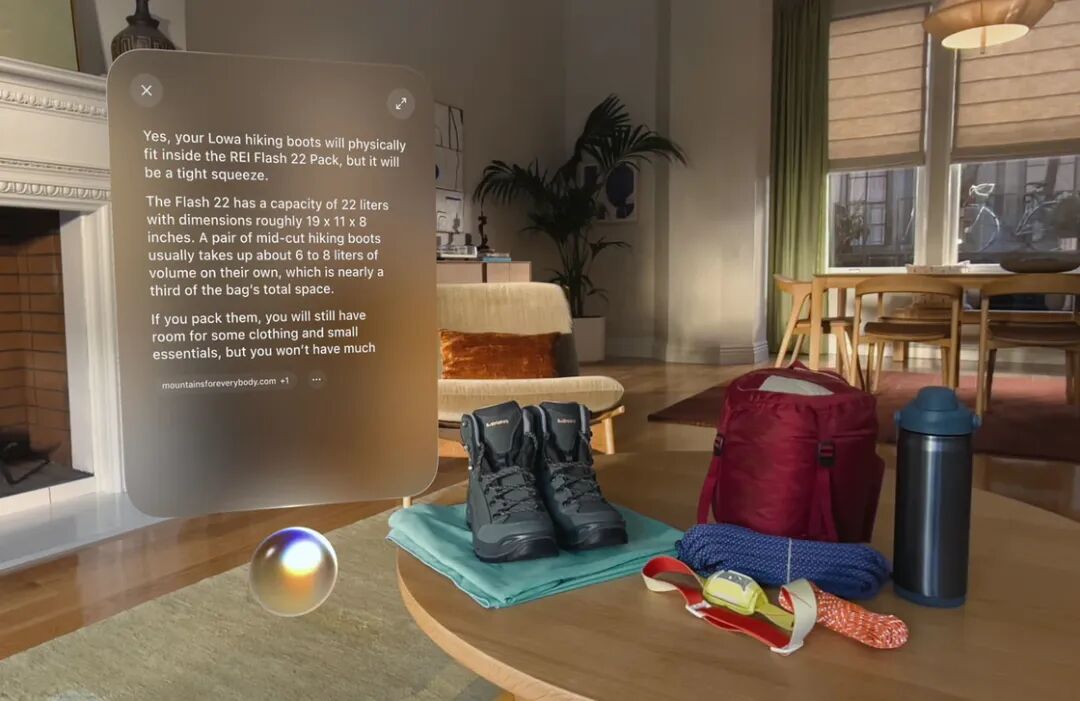
Image from Apple
Of course, the Chinese mainland version of Apple Vision Pro, like other Apple devices for the Chinese mainland market, cannot use Apple Intelligence and Siri AI for now. Even without access to AI features, visionOS 27 still has many updates worth your attention.
Starting with the "Environments" section, visionOS 27 adds a new immersive environment option called "Thórsmörk". Thórsmörk is a mountain view shot in Iceland, named after Thor, the God of Thunder in Norse mythology. Just like other immersive environments, "Thórsmörk" was also filmed on location by the production team: it shows a peaceful riverside landscape in the daytime, and a gorgeous aurora night scene at night. The day and night switch perfectly presents the icy and snowy landscape around the lake in this area, paired with winter ambient sound effects and running water sounds.
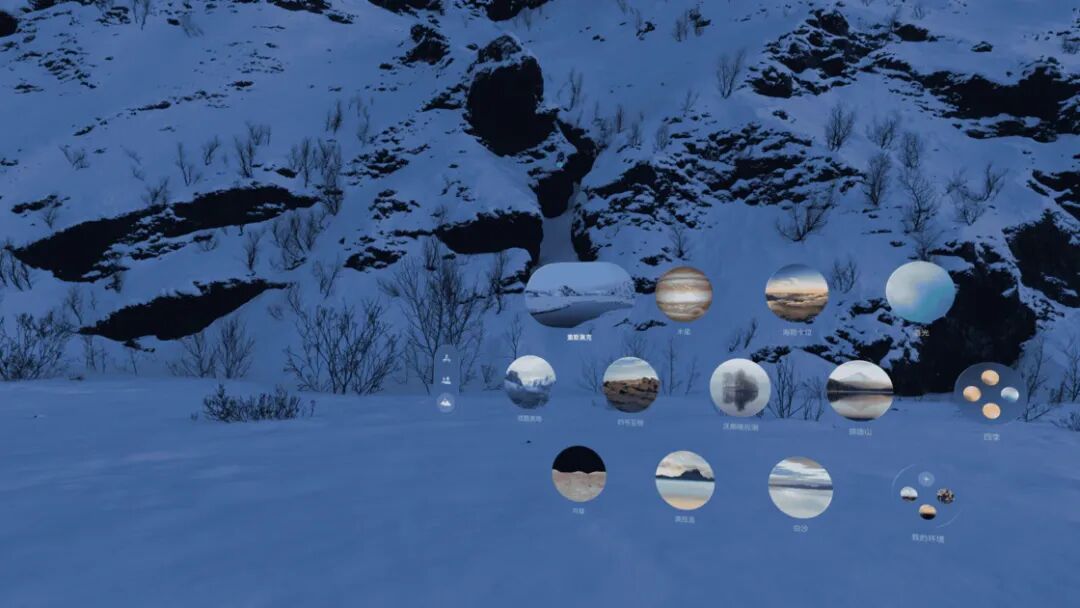
In addition to the new immersive environment, visionOS 27 also allows users to import their own shot panoramic photos to create custom immersive environments for the first time. The photos uploaded by users will be stored in the "My Environments" folder at the bottom right of the "Environments" interface. However, due to limitations such as shooting pixels and field of view coverage, and the lack of dynamic effects and background sound effects for custom photos, the experience of custom immersive environments is still much less satisfactory than that of the system's built-in immersive environments, which can be regarded as a nice-to-have additional feature.
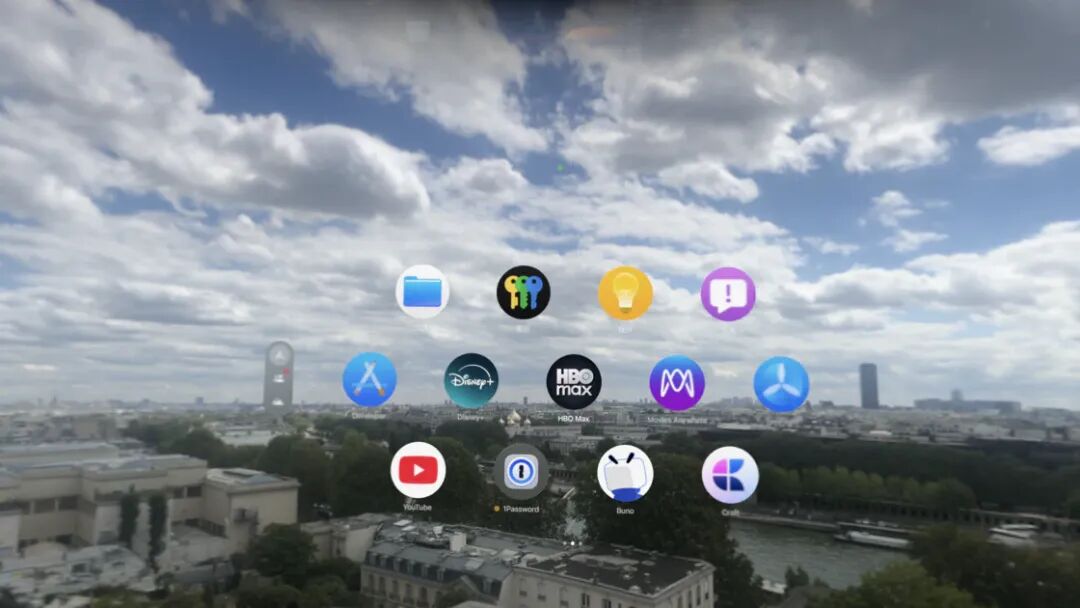
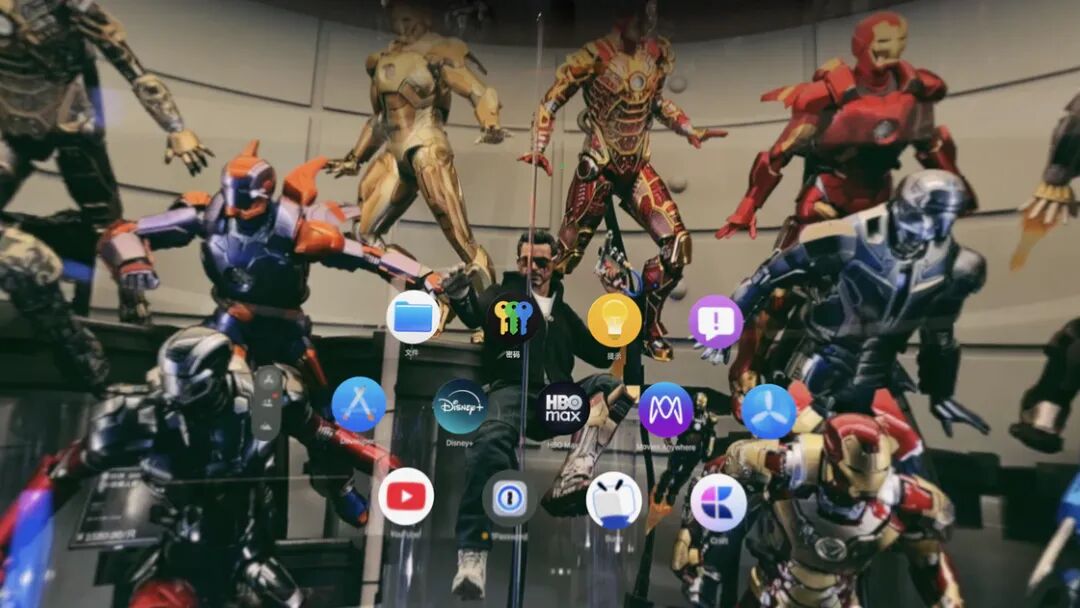
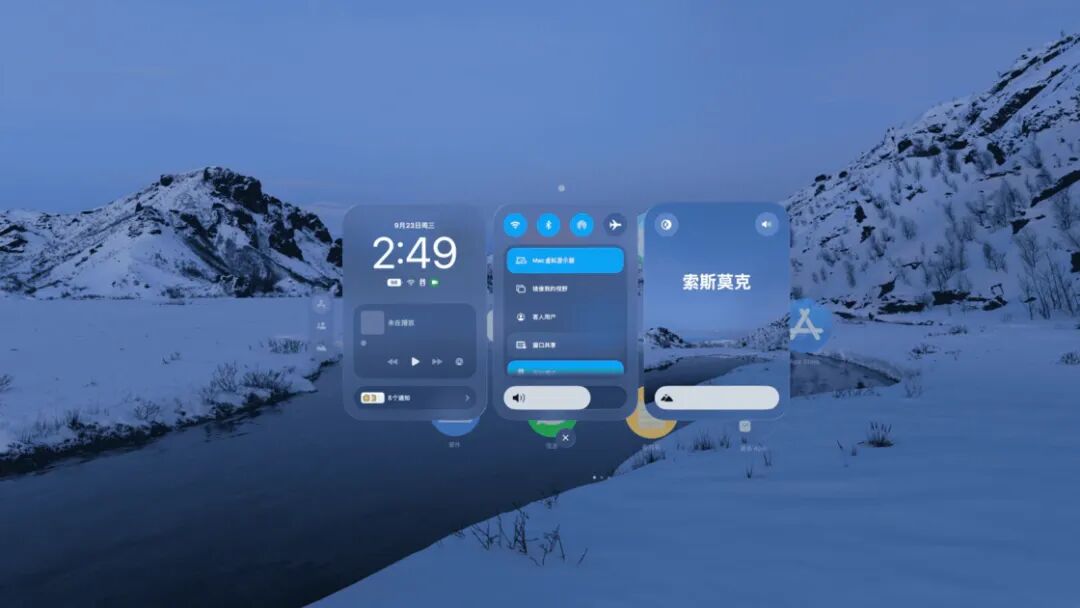
visionOS 27 also redesigned the Control Center. The new Control Center displays controls and information in the form of 3 cards: the first card shows the time, battery level, music widget and the collapsed notification entry, which is somewhat similar to the lock screen interface on iPhone; the second card contains control buttons for various functions, such as Wi-Fi and Bluetooth toggles, as well as adjustment buttons for features like Mac Virtual Display and Focus modes; the last card shows the currently used immersive environment, where you can adjust the immersion level directly on the card.
In terms of apps, visionOS 27 adds support for the curved windows feature for a number of apps. This feature allows app windows to present a curved display visual effect similar to the windows of Mac Virtual Display. On the visionOS 27 introduction page, Apple stated that Safari, Freeform and Apple TV now support this feature, but after actual testing after updating to the stable version, the Apple TV app still cannot trigger the curved window display for now.
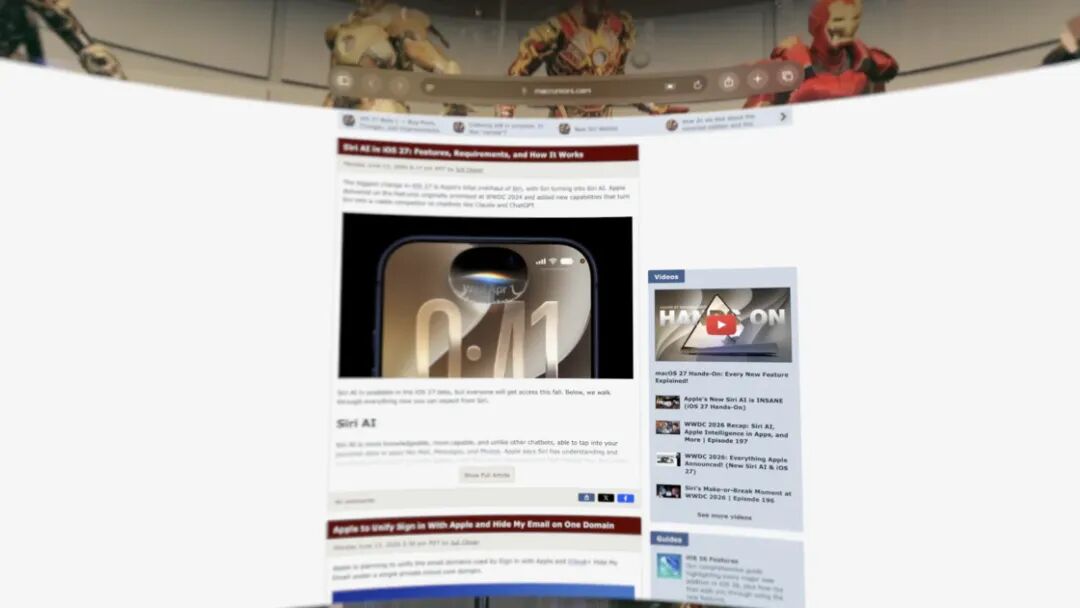
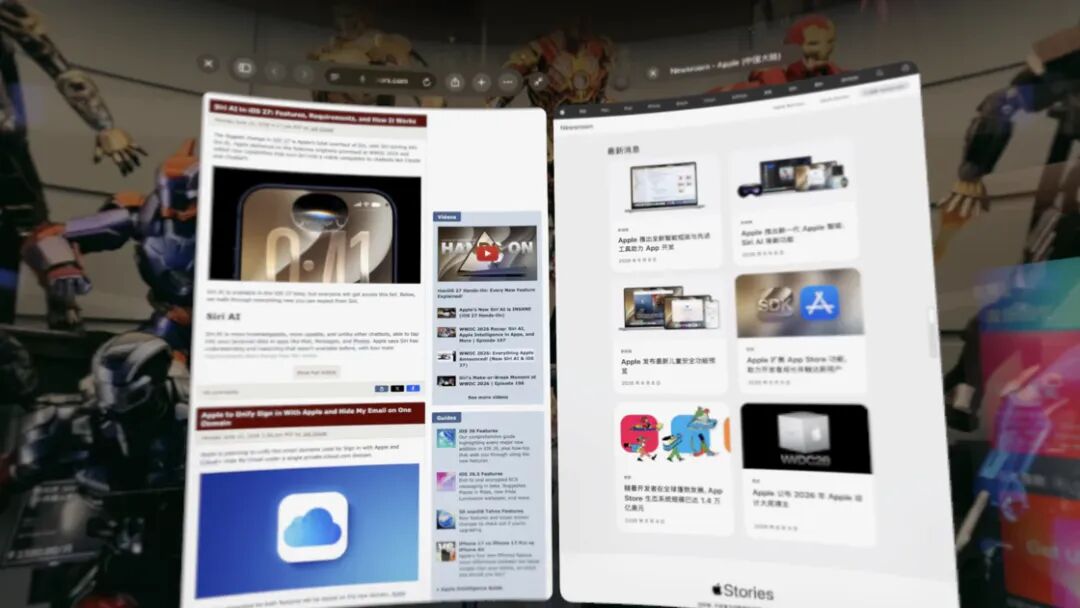
Among them, in addition to supporting curved windows, Safari also supports a new tab viewing method called Side-By-Side. This mode tiles all currently open tabs in Safari in the space at the same time for you to browse, eliminating the need to switch back and forth between tab bars. Whether you are cross-referencing materials or following up on multiple pages at the same time, it is more intuitive than opening them one by one as before.
When using Mac Virtual Display, visionOS 27 now supports directly previewing and editing 3D models on Mac in space. With the enhanced Quick Look, you can overlay model textures, view wireframes and UV maps, and check modeling quality; you can also add annotations directly on the 3D model to keep team members aligned on feedback for the latest modifications.
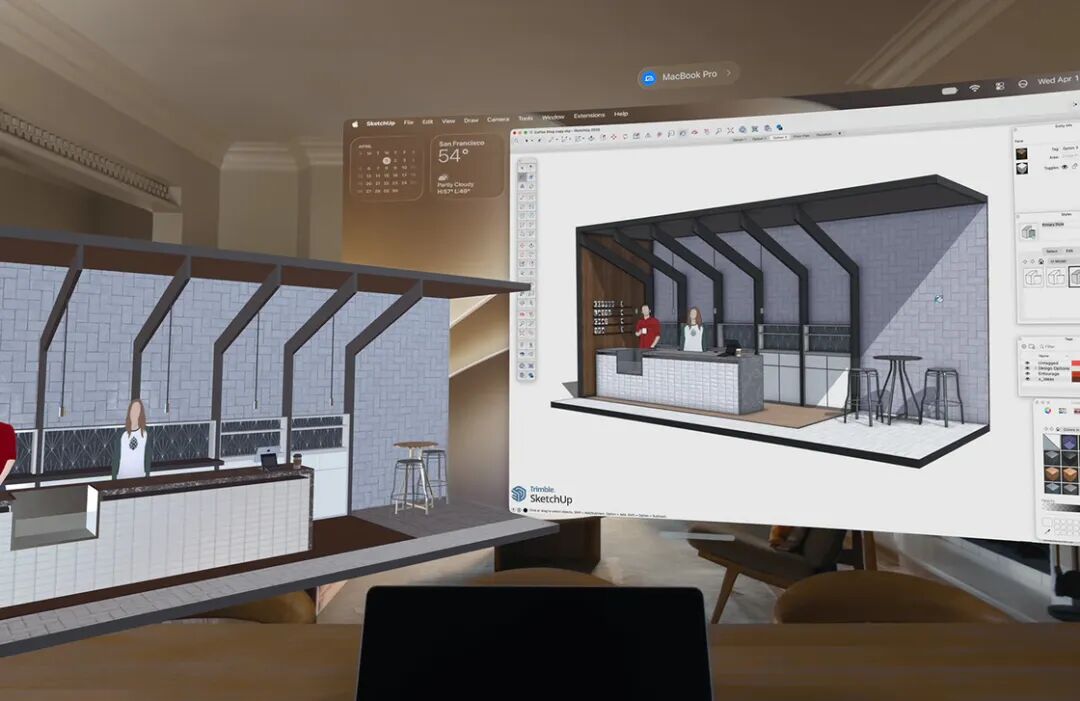
Image from Apple
In terms of video recording, the high-quality recording feature supported by visionOS 27 allows you to capture a non-foveated rendering field of view at 4K resolution for up to 3 minutes, presenting the entire field of view clearly. The ongoing recording can also be viewed at 4K resolution via high-resolution mirroring.
There are also many other minor updates: the Freeform app now allows you to organize canvases with folders and view objects as spatial groups; the unread count and missed message notifications of the Messages app will be synced to other Apple devices faster. According to Apple, Apple Vision Pro can now start up and connect to Wi-Fi at up to three times the original speed. For widgets, visionOS 27 adds an extra-small size widget option, as well as a new Mac Virtual Display widget. You can place it anywhere in your space, click to connect to your Mac immediately, even if the Mac is currently turned off.
For developers, Safari can now render 360° immersive web environments created by developers; Reality Composer Pro 3 adds game asset creation capabilities such as simulation, character animation and dynamic lighting, and also supports building game logic through Script Graph.
The above are all the noteworthy features of visionOS 27 we summarized. Apart from the content mentioned in the article, have you found any other easily overlooked new features of visionOS 27? Feel free to share in the comment section.
Original link:
https://sspai.com/post/114901?utm_source=wechat&utm_medium=social
This article is from the WeChat Official Account "sspai" (ID: sspaime), written by the Sspai Editorial Department, and authorized for release by 36Kr.