Things About Apple: The Noteworthy New Features of Your iPad
Apple officially released the official versions of iOS 27, iPadOS 27, macOS 27 Golden Gate, watchOS 27 and other systems in the early morning of September 15. Among them, iPadOS 27 has optimized the system interface, improved performance, and also upgraded features related to split view, Sidecar, Apple Pencil and more.
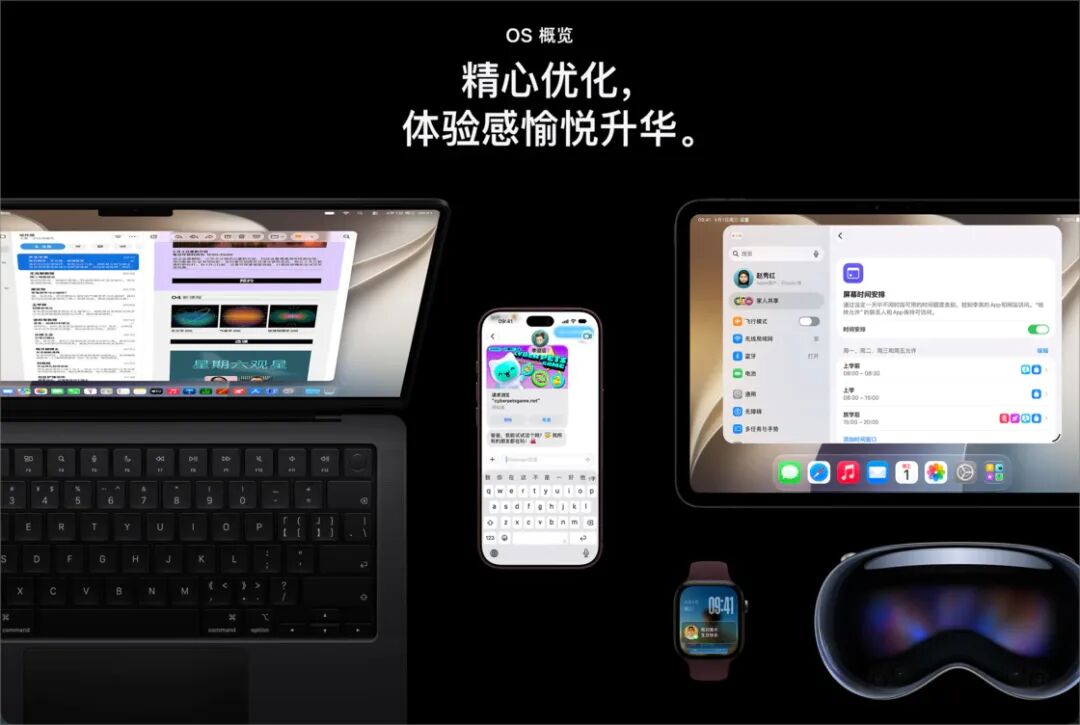
Sspai has sorted out the noteworthy new functions and features in the new system for you. Whether you have updated and want to learn about the new capabilities of the new system, or are still on the fence about whether to upgrade, this article will be helpful to you. Of course, before updating to the new system, don't forget to back up your iPad data via your Apple device / Finder or iCloud.
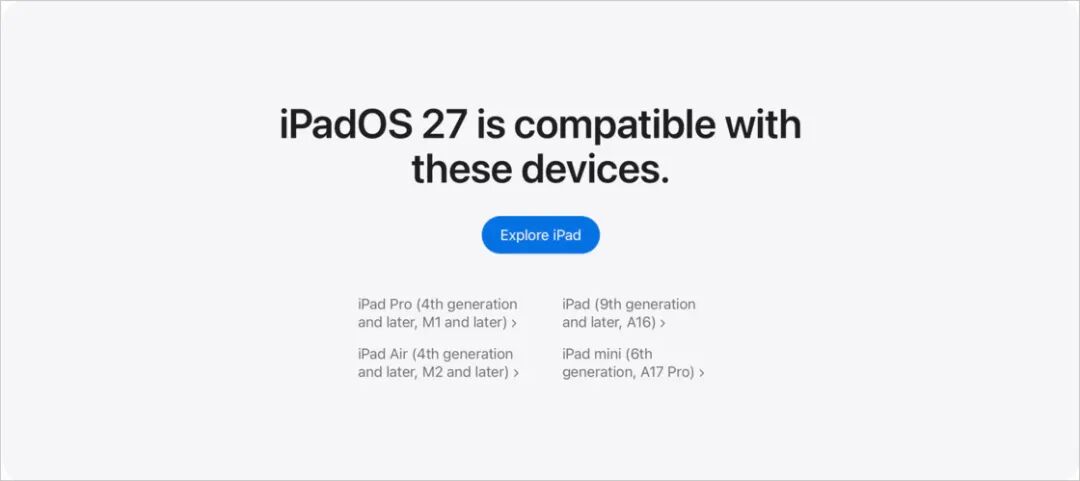
This article will walk you through all the new features in iPadOS 27, to see if there is any function that makes you eager to try it out.
System Interface Improvements
Liquid Glass
Just like other systems released last year, the "Liquid Glass" design style has seen plenty of improvements this year in iPadOS 27. The details are as follows:
Edge-to-edge Sidebar
After the "floating" sidebar design that reserved border space in the 26th version of the system, the sidebar of each application in iPadOS 27 has returned to the "edge-to-edge" style of iPadOS 18, which is consistent with macOS 27 Golden Gate and looks more concise. However, this design is a matter of personal preference, and I personally think the OS 26 version looks more three-dimensional.
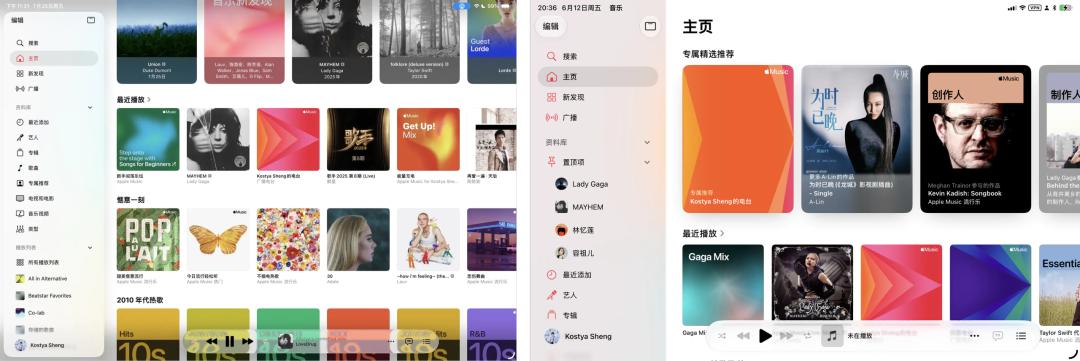
Left: iPadOS 26, Right: iPadOS 27
Built-in System App Icon Updates
Almost all built-in system app icons have been redesigned, including Maps, Mail, Photos, Weather and more, with more elements adopting the Liquid Glass design, and the changes are quite obvious when stacked together. In addition, after updating to iPadOS 27, the rendering method of third-party app icons has also changed slightly, making the overall look more three-dimensional and the edges sharper, such as WeChat, Sspai and other apps.

The Maps app icon is one of the redesigned system app icons in this update (Photo: Apple)
Light and Shadow Changes for UI Components
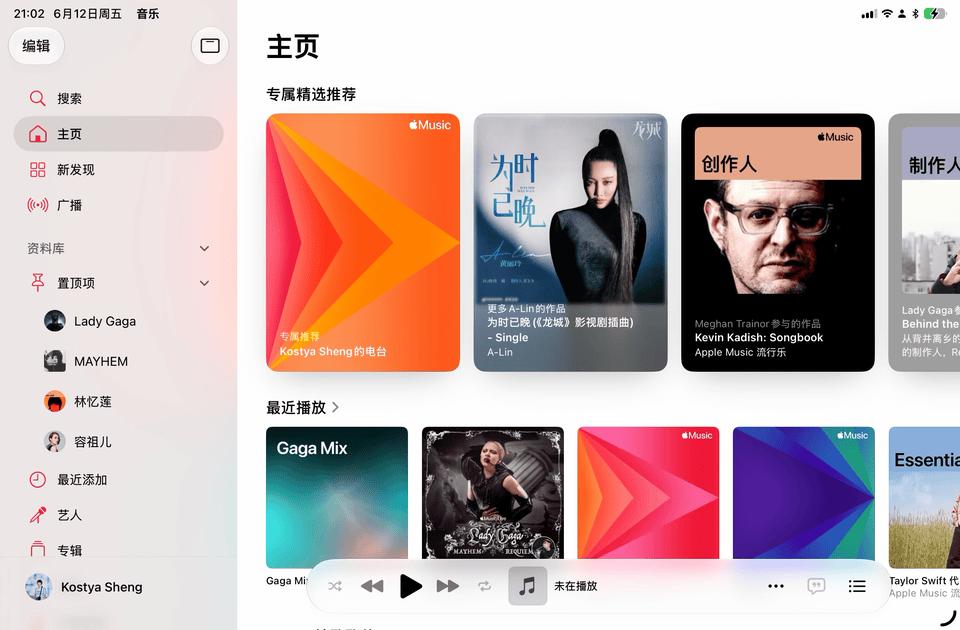
In iPadOS 27, all types of components, such as buttons, notifications, text input boxes, context menus and others, adopt a light and shadow rendering method different from that of version 26, which looks more three-dimensional and dynamic. The refraction of the content covered under the components is not as obvious as that in iPadOS 26, which improves readability to a certain extent.
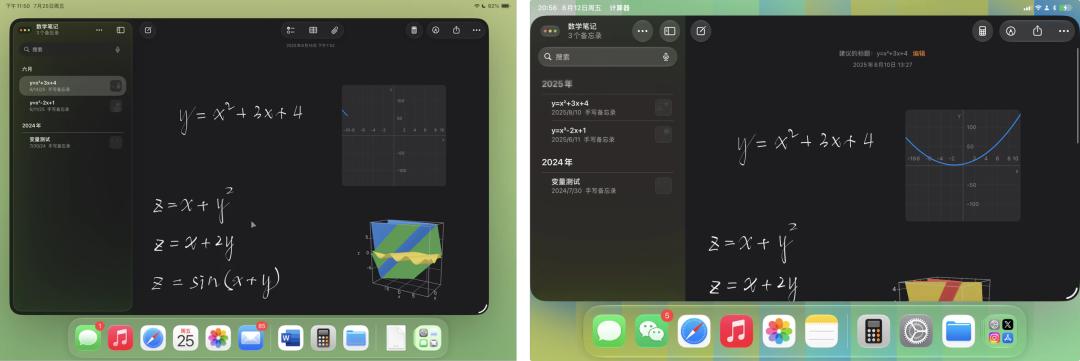
Left: iPadOS 26, Right: iPadOS 27
Customizable Transparency
Not only on iOS 27, Apple also brings a Liquid Glass transparency adjustment slider for iPadOS 27, which can be found in Settings — Appearance. The most opaque level presents an overall milky frosted glass effect, which looks very similar to iPadOS 18.
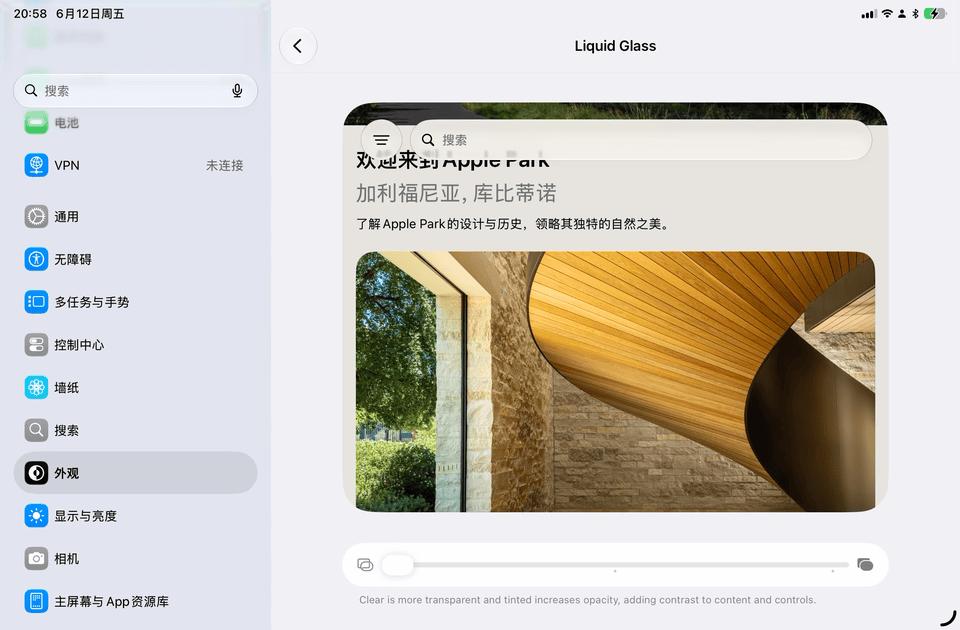
It even supports stepless adjustment
Therefore, this year's Liquid Glass updates are mostly fine-tuning on details, without particularly large UI changes, and some of the adjustments can even be regarded as a "step backward" in my opinion. But when it comes to design, some people will like it while others don't. So what score would you give to the design changes this year?
Menu Bar
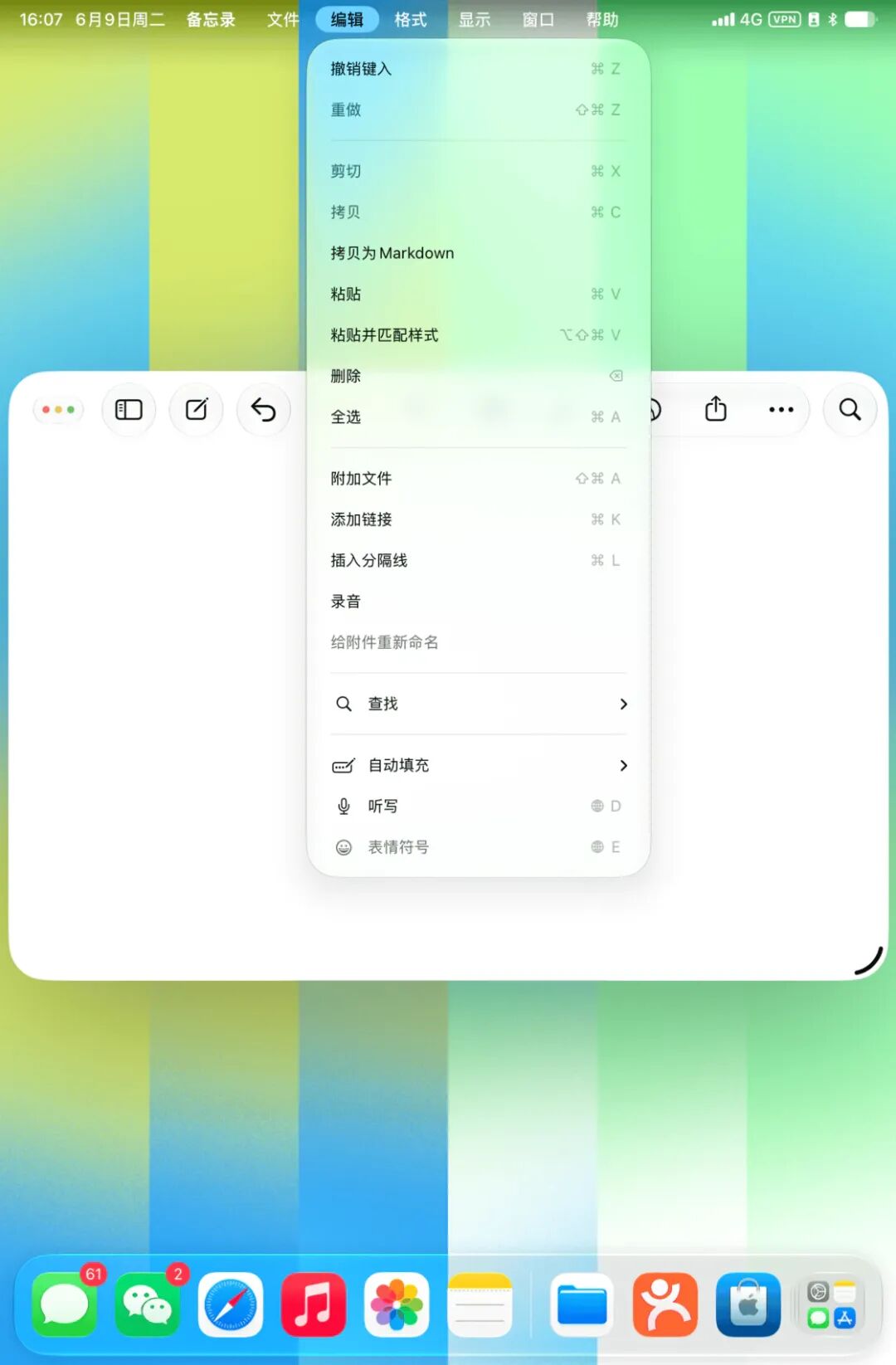
iPadOS 26 officially introduced the macOS-style app menu bar to iPadOS, which is used to call various operations and view shortcuts. In iPadOS 27, the system will display the app name in the top status bar of the screen by default, and the menu options will appear only after you tap the name, which to a certain extent avoids the misoperation caused by the swipe gesture in iPadOS 26.
Of course, this is also because the gesture of swiping down from the middle of the top of the screen is now assigned to the new Siri AI. However, you can also choose to fix the menu bar to be always displayed in Settings, instead of showing up only when you click.
iPadOS 26 once tried to add small icons to some menu items with SF Symbols, but the effect was not ideal. On the one hand, these icons did not cover all menu items, making the overall look inconsistent; on the other hand, the meaning of some icons was not clear enough, so we could not find the desired functions faster through the icons.
Therefore, in iPadOS 27, Apple has basically removed these small icons in the menu bar, and macOS 27 has also adopted a similar approach. The icons you can still see in the menu are mainly reserved for window operations, and these icons are indeed intuitive enough.
Customizable Home Screen & Widgets
In iPadOS 27, modifications to the home screen can be undone and redone. The new "extra-large size" widgets added on iOS can only be placed in the "Today" view of iPadOS, but cannot be directly placed on the home screen.
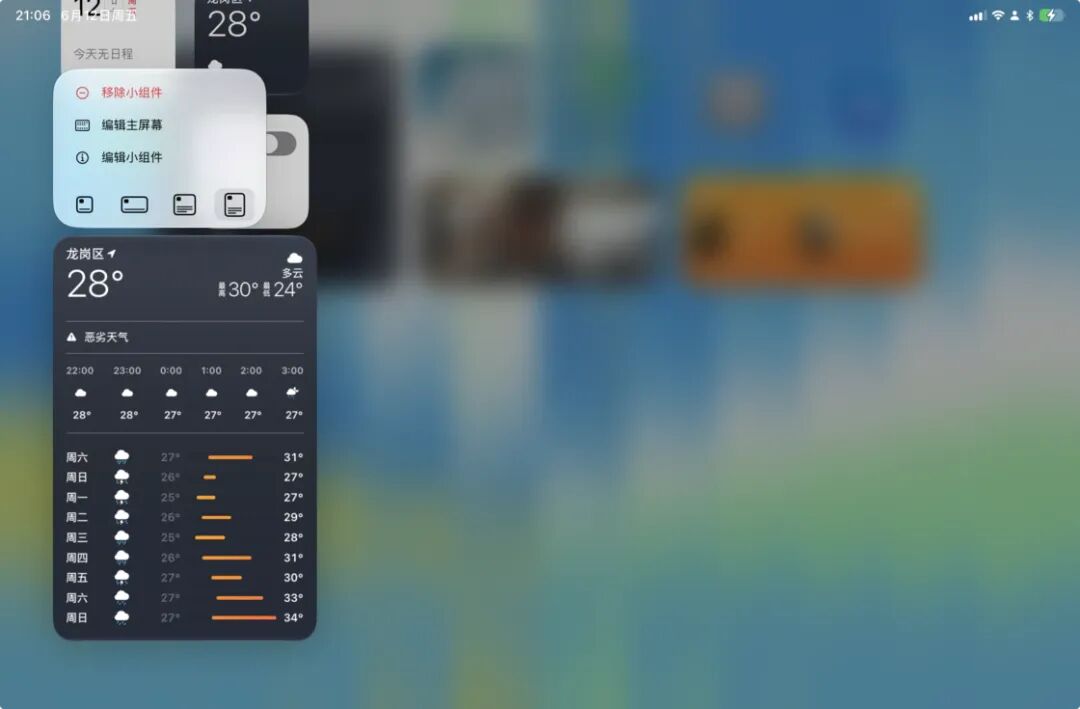
Extra-large widgets can be added to the "Today" view

Home screen editing supports undo and redo
iPhone App Window Size
When running iOS apps on iPadOS 27, you can adjust the window size of iPhone apps more freely, instead of being fixed at a certain size as in previous iPadOS versions.

Sidecar Touch Operations
Perhaps as a "precursor" to the upcoming touchscreen MacBook, Sidecar now supports operation through the touch screen on iPad in iPadOS 27 and macOS 27. According to current trial experience, it supports multi-finger touch gestures such as scrolling, zooming in and out of screen content.
Apple Pencil and Note Related Features
New Charging Prompt Tone
Apple Pencil gets a new charging prompt tone. In iPadOS 27, when you connect your Apple Pencil, you will hear the new prompt tone, which sounds similar to the charging tone of iPad, but with a slightly different timbre.
Handwritten Content Available for Spotlight Indexing
Another system improvement related to Apple Pencil and notes in iPadOS 27 is that handwritten characters can also be added to the Spotlight index, and you can search the full text of handwritten notes in the "Notes" app in Spotlight. Handwritten note search relies on Apple's PencilKit feature, so third-party apps built with PencilKit can also perform handwriting recognition.
Notes Can Be Copied as Markdown
Content in the Notes app can now be copied as Markdown. In this era when AI also needs to read Markdown, it seems that there is one more option for manually creating Skills.
Significant System Performance Boost
iPadOS 27 has also made many improvements in performance: not only are the animations faster, the system is much smoother, and the standby battery life of some iPad models has also been improved.
In terms of file transfer, the transfer speed of AirDrop and AirPlay connections is faster, and the speed of copying and browsing files using external SSD has also increased. In actual testing, I copied a 3.74G file from the hard drive to the internal storage of iPad mini, which took about 5 seconds; copying a 21G file from the internal storage of iPad mini to the SSD took less than 30 seconds, which shows that the 10Gbps bandwidth can basically run at full speed.
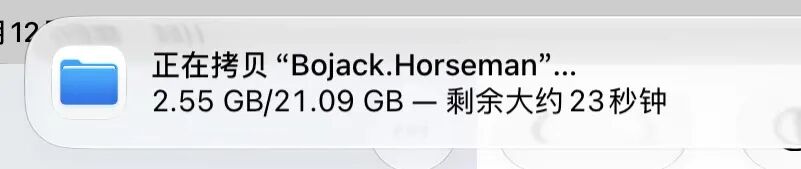
Copying a 21GB folder from iPad mini to SSD takes about 30 seconds
AI
The AI part on iPadOS 27 has been upgraded with the support of Gemini, but Apple Intelligence and Siri AI related functions are still not supported on Chinese mainland iPads.
Apple's Apple Foundation Models in Apple Intelligence has added support from Google Gemini, but Apple states that the new Foundation Models are still independently developed by Apple. On top of the basic models, many Agentic capabilities have been added. Combined with the APIs that Apple has been preparing since 2024, Siri AI is finally launched, which keeps up with the current AI trend.
The Apple Intelligence features on iPadOS are generally similar to those on iOS, both have system-level context and screen perception capabilities, and can interact in real time with the content on the screen. In addition to swiping down from the top of the main interface to use Siri AI in the new Spotlight, you can also have conversations in apps through the standalone Siri app.
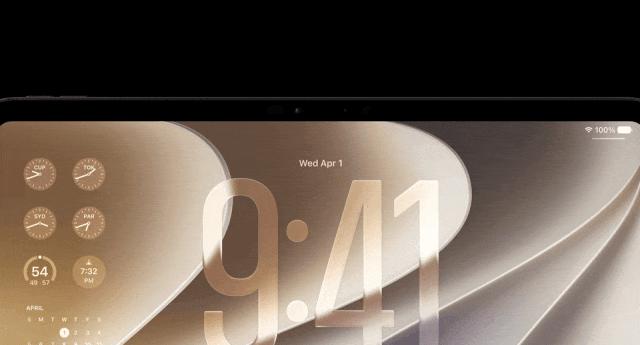
In iPadOS 27, swipe down from the middle of the top of the screen to open the new Siri (Photo: Apple)
Summary
It can be seen that this year's iPadOS 27 not only continues to polish the Liquid Glass design, but also makes progress in performance, interaction and functions. After using iPadOS 27 for a period of time, I feel that in the overall system design, Apple seems to intentionally make macOS and iPadOS "closer" to each other.
That's all for this article. If you find any new features of iPadOS 27 not mentioned in this article, you are welcome to discuss with other readers in the comment section. We will also continue to pay attention to the subsequent function optimization progress of iPadOS 27, and there may be other "surprises" coming later.
Original Link:
https://sspai.com/post/114607?utm_source=wechat&utm_medium=social
This article is from the WeChat official account "Sspai" (ID: sspaime), written by the Sspai Editorial Department, and authorized for release by 36Kr.