Exclusive Interview with the Apple Watch Team: Wear This Watch and See the "Remaining Battery" of Your Body
At this fall's launch event, the iPhone is still the absolute star. But few people have noticed that the Apple Watch, whose appearance has barely changed, has undergone a complete, thorough revamp.
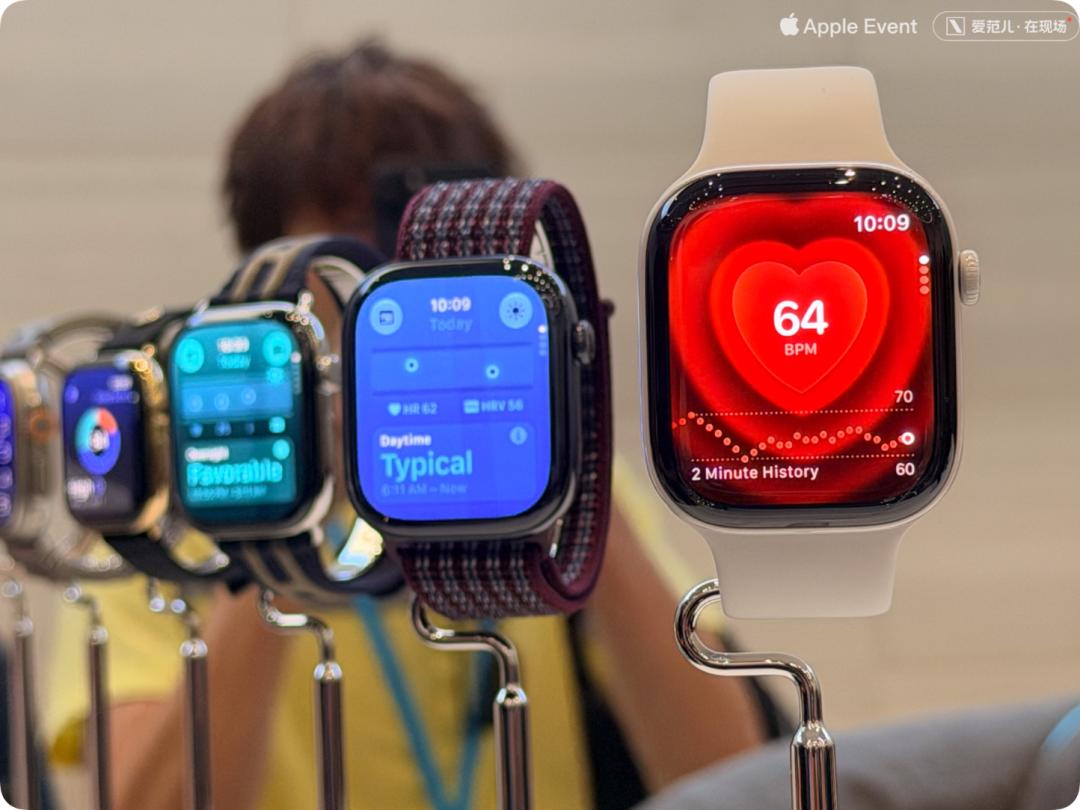
The Readiness Index lets you see your physical state every morning, Siri Recap helps you remember the key points of a conversation, Live Rewind lets you rewind to a sentence you just missed...
These new features are hidden behind the familiar watch face, transforming the Apple Watch from a data-recording device into a role that understands your status and documents your daily life.
On September 10, ifanr interviewed the core Apple Watch team including Eugene Kim, Apple's Vice President of Hardware Engineering, to sort out the redefined positioning of this smartwatch.
Readiness Index: See the "Remaining Battery Level" of Your Body
The Readiness feature is the most core new function launched this time.
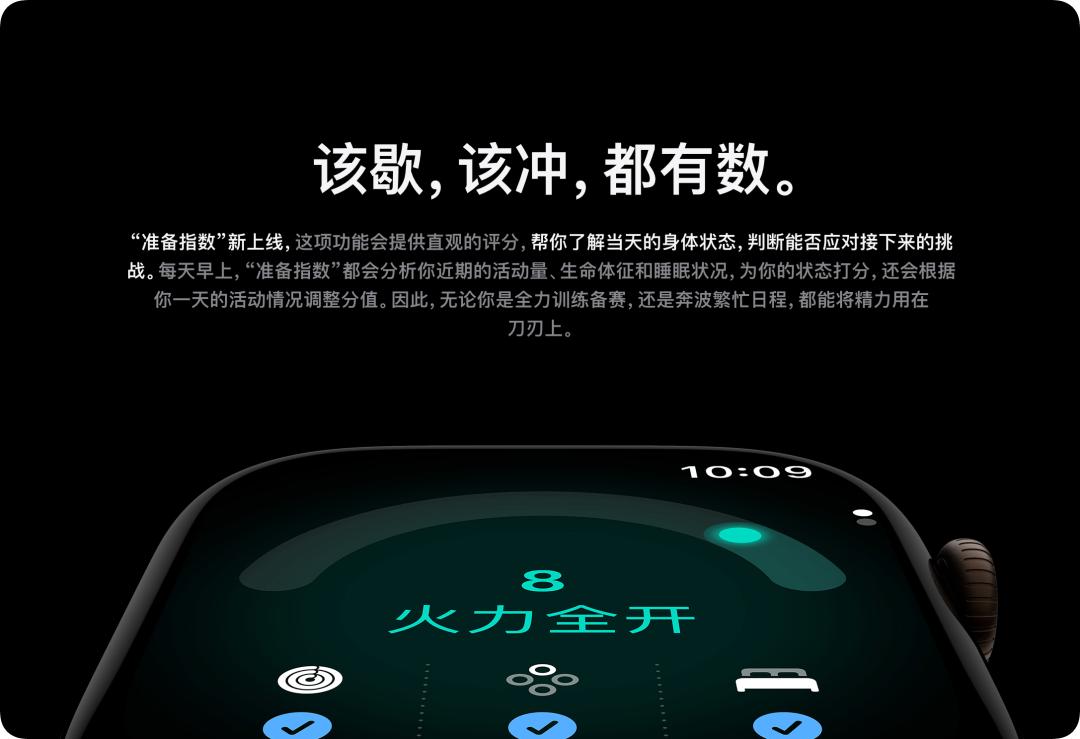
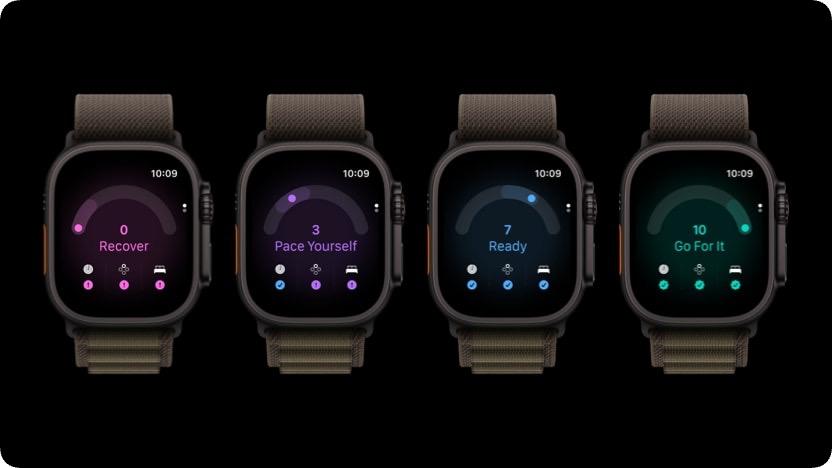
Every morning, the Apple Watch will give your body a score ranging from 0 to 10, with 4 tiers of suggestions: "Recover", "Pace Yourself", "Ready to Go" and "Go All Out".
To understand how this score is generated, we have to start with HRV first.
HRV, short for Heart Rate Variability, records the variation of intervals between two consecutive heartbeats. The heartbeat interval is not fixed, it fluctuates with stress, training recovery, sleep and physical load, so it becomes a key clue to observe the body's stress and recovery status. In the field of sports science, recovery HRV based on the RMSSD formula has long been a standard indicator for evaluating athletes' status.
In the past, the Apple Watch collected HRV about once every 2 to 4 hours, and could only complete the measurement with infrared light when the user was relatively still.
The brand-new health sensing system increases the resting HRV sampling frequency to as fast as once every 5 minutes, and the background heart rate sampling frequency to as fast as once every 5 seconds.
Even when you are walking, commuting or exercising, the green LED can keep working continuously, and the measurement speed is up to 60 times faster than the previous generation.
Apple divides HRV into two categories —
Recovery HRV is based on the RMSSD formula, which reflects the short-term autonomic nervous system status: how much pressure you are under today, how well you recover, and whether you are suitable to continue training.
Overall HRV is based on the SDNN formula, which reflects a longer-term cardiovascular health trend, and is also one of the input parameters for Health Age.
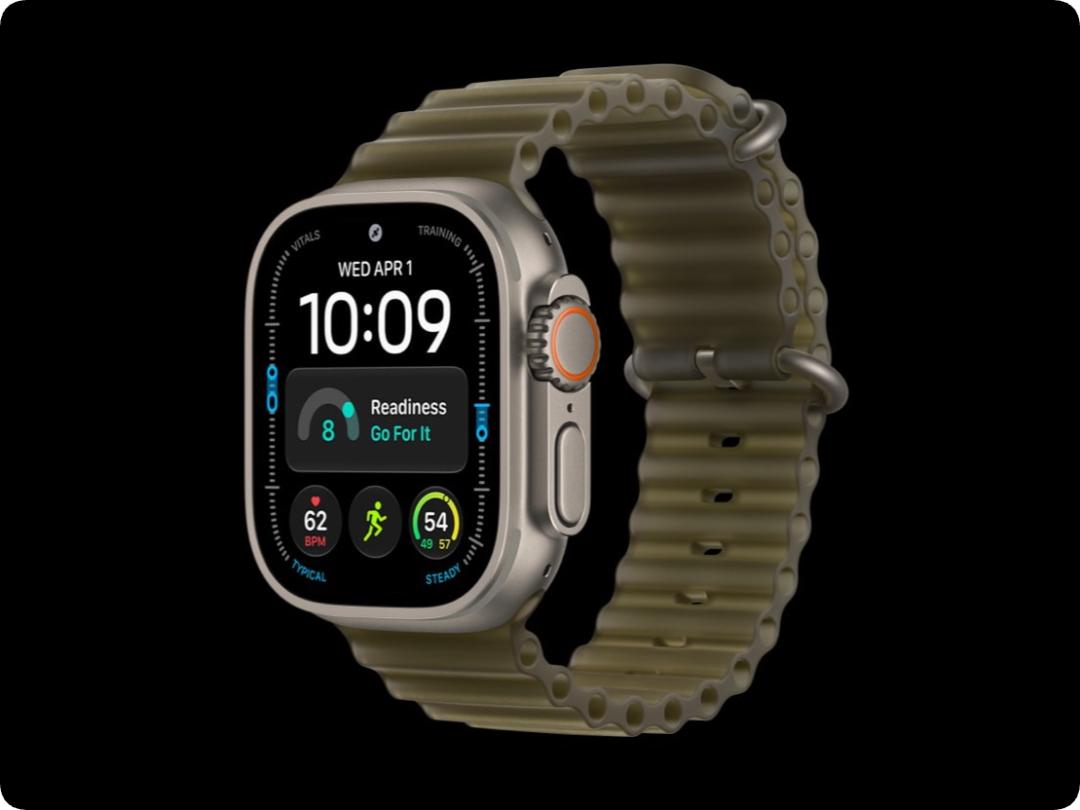
Recovery HRV can be viewed in the heart rate app on the watch, while overall HRV is stored in the Health app on iPhone, whose changes can only be observed when you extend the time axis.
The Readiness Index is based on denser HRV signals, combined with activity volume, training load, sleep score and vital signs, to generate the score for the day.
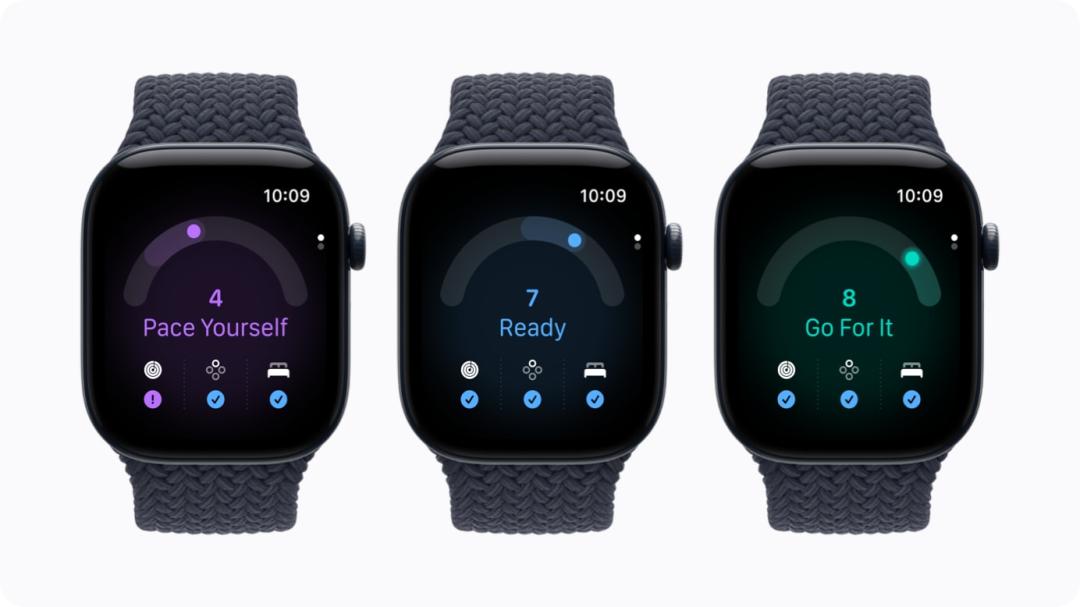
This score is not fixed once set in the morning: a high-intensity training session will lower it, a short nap may pull it back up, and abnormal vital signs during the day will also be reflected in real time.
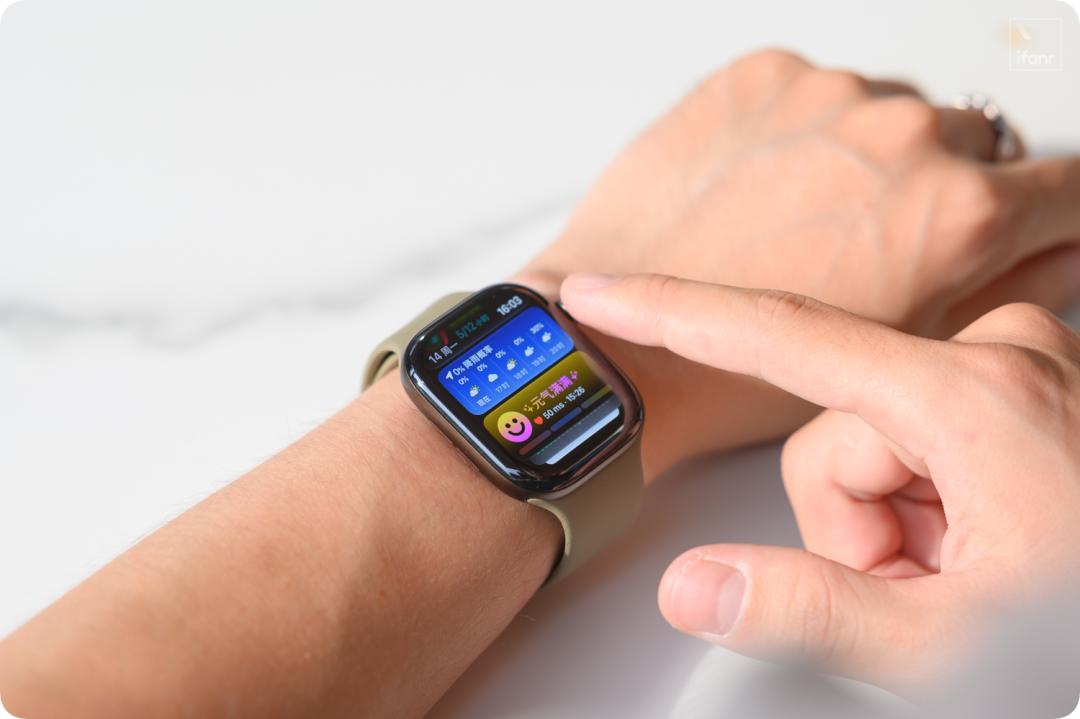
Tap the score, and you can clearly see which factor among sleep, activity or vital signs is dragging down your physical status.
Asha Chesnutt, Apple's clinical specialist, summarizes the logic of the Readiness Index as follows:
The Readiness Index takes three aspects into consideration: activity, sleep and vital signs, and combines all these pieces of information together.
The sleep score tells you how well you slept last night, the training load tells you how much you exercised recently, HRV reflects the body's response to changes — what the Readiness Index does is combine all these data to read the available physical status of the user on that day.
To make the score reliable, Apple's engineering team carried out two sets of verification:
The internal research used the subjects' subjective fatigue perception to optimize the algorithm; while the external research was a wide survey named Apple Heart Movement covering more than 200,000 people, which confirmed the rationality of the score range through the data distribution of the large-scale population.
Of course, for each individual user, the score is still personalized and based on the user's personal baseline situation, it can only be used as a reference after the user wears the Apple Watch continuously for at least one week and accumulates sufficient sleep data.
Asha Chesnutt said that the algorithm not only looks at the absolute value, but also looks at your recent trend — for example, if you only sleep 5 hours for a long time but your status remains stable, the score will not be lowered for that reason.
But Apple does not seem to intend to let the Readiness Index interfere too much with your life, it gives the score and explains the reasons that affect the score, but it will not force you to do anything. Chesnutt told ifanr:
We will not tell you what to do, we just let you understand how these three aspects affect your status in the morning.
The Apple Watch puts scattered signals such as sleep status, fitness data and physical stress into a continuous physical coordinate system, so that you can see how much "remaining battery level" you have left for the first time.
Beyond the Watch Face, Rebuild the Apple Watch
In order to achieve accurate all-day measurement, Apple has completely transformed the Apple Watch from the inside out — even though the appearance barely changes, and even the screen bezel is slightly thicker.
To achieve almost real-time HRV measurement, the first step is to upgrade the optical heart rate sensor of the Apple Watch.
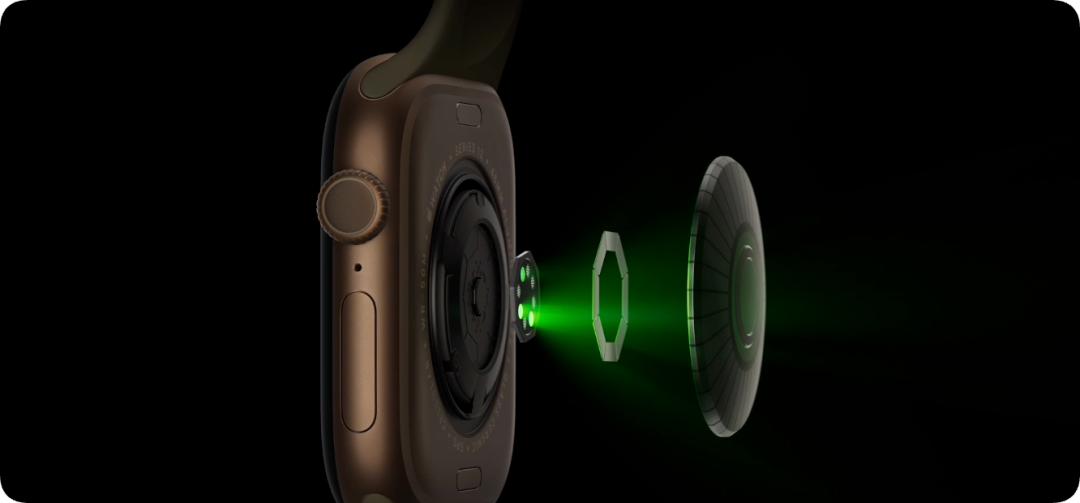
The principle of the optical heart rate sensor is not complicated: the LED emits light into the skin, the photodiode receives the reflected light, and the algorithm calculates the heart rate and HRV accordingly.
However, to increase the HRV sampling frequency from once every few hours to as fast as once every 5 minutes, simply increasing the number of samples is not enough — when the user is walking, raising their hand or exercising, the watch still needs to continuously obtain clean signals.
The new generation of Apple Watch has completely redesigned the entire watch back around this goal.
On the previous generation of Apple Watch, four LEDs are concentrated behind one window, and daily measurement mainly relies on infrared light, but infrared light does not have high measurement accuracy during exercise, and can only work stably when the user is sitting still.
Therefore, the newly designed sensor allocates an independent window for the green LED, whose size is more than twice larger, and the energy efficiency is also higher.
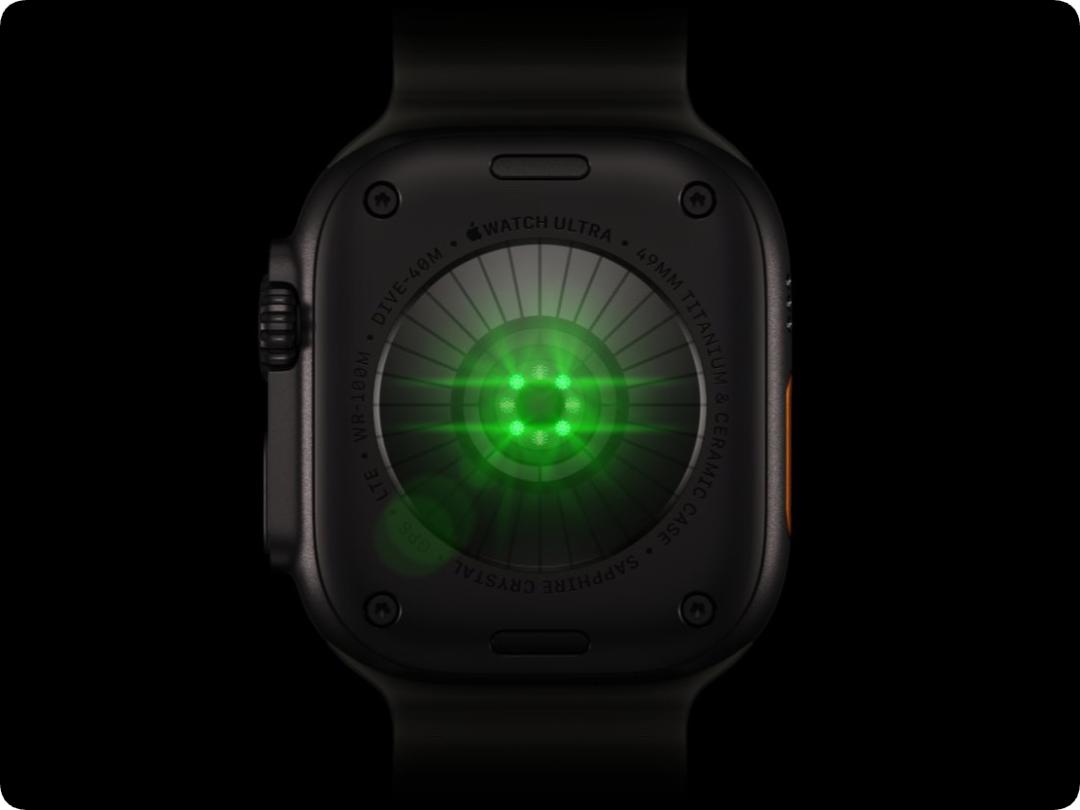
This means that the Apple Watch can use green light for measurement all day long, without falling back to infrared — green light has far better measurement reliability during exercise than infrared, which is the key to the 60-fold increase in measurement speed.
The number of photodiodes that receive reflected light has increased from 4 to 8, which are rearranged into a trapezoidal ring surrounding the light source. The contact area between the electrode sensor and the skin has increased by 24%, providing a larger contact surface for electrocardiogram measurement.
Eugene Kim, Apple's Vice President of Hardware Engineering, specially emphasized:
The LED is only part of the entire system. The new health sensing system of Series 12 uses infrared, green and red LEDs to complete different types of measurement.
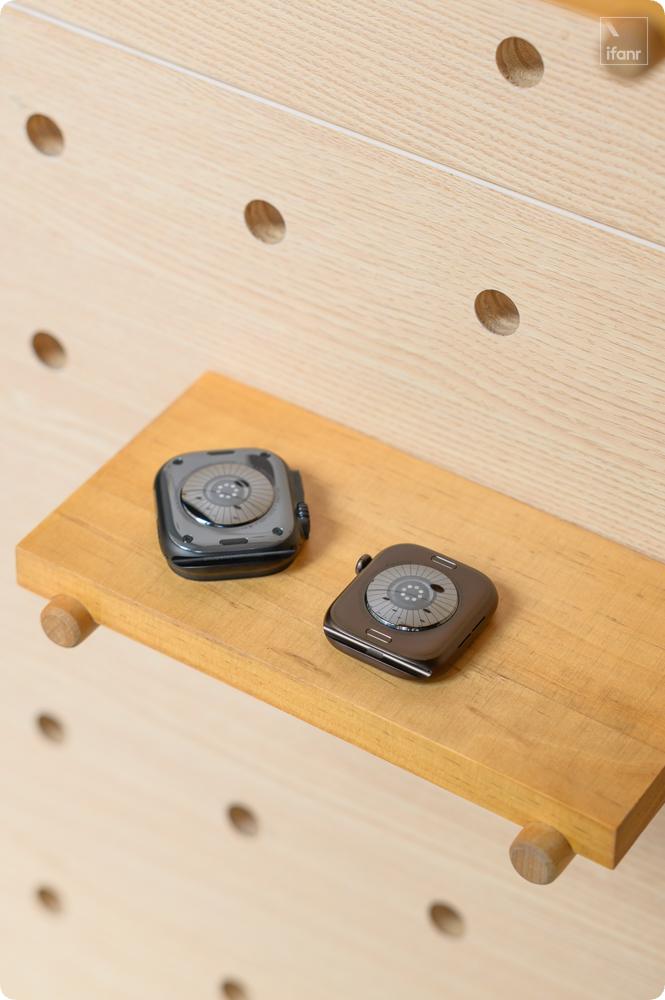
The back plate covering the sensor is made of zirconia ceramic — this material has high hardness, is wear-resistant, and its insulating property will not interfere with the electrode sensor, which is also suitable for long-term close contact with the skin and is not easy to cause allergies.
Apple uses a dual-material molding process to integrate the light-transmitting area and the light-shielding area into the same part, so that the sensor can work stably in dynamic scenarios.
The sensor can collect more data, but a suitable chip is also needed to process them — so Apple redesigned the S11 processor, the SoC chip for the Apple Watch.

The S11 has an always-on module that is dedicated to undertaking background tasks such as heart rate monitoring, fall detection, and arrhythmia notification; while the main processor serves foreground applications.
The two have a clear division of labor, so health sensing does not need to wake up the entire main chip repeatedly — this makes high-frequency measurement change from occasional sampling to daily operation, without sacrificing battery life.
After the hardware upgrade, Apple engineers are faced with a brand new data stream. Steve Waydo, Director of Health Sensing at Apple, told ifanr:
We have to make the original machine learning algorithms adapt to this new data stream, and make them run with high energy efficiency, so as not to affect the battery life of the device.
The larger green LED, 8 photodiodes and the zirconia dual-material back plate form the new sensor module; the always-on processor and the retrained algorithms form the new processing chain.
Therefore, we see the brand-new Apple Watch, which has earth-shaking changes beyond the watch face.
The New Apple Watch, An Always-Present Life Recorder
In fact, it is precisely because of the all-day, multi-modal sensing capability that the positioning of the Apple Watch has also changed quietly.
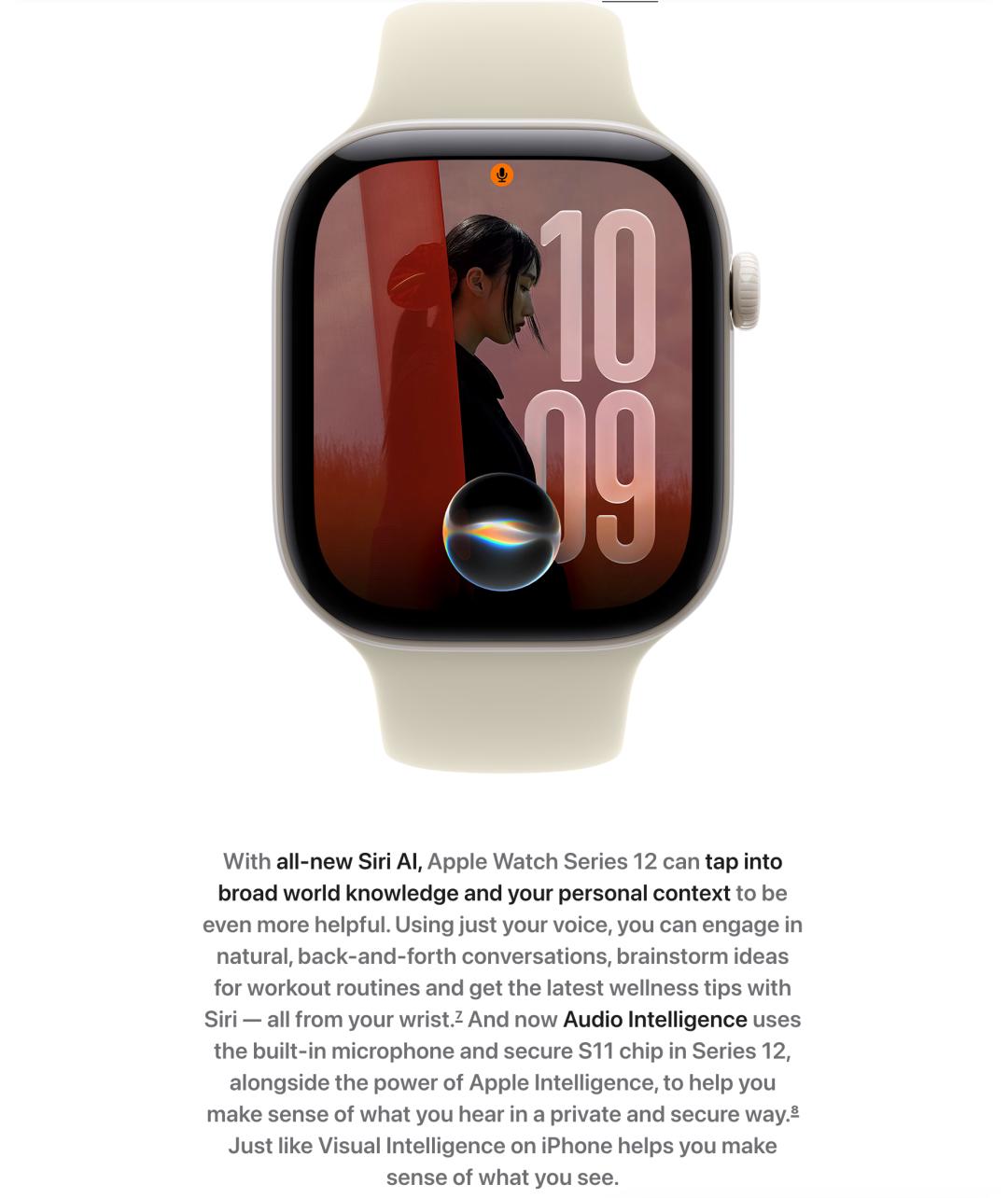
Audio intelligence is a very critical new capability of the Apple Watch.
First of all, the ambient sound recognition inherited from iPhone will remind users when it detects sounds such as alarms, doorbells, and baby crying, which is very practical for people with hearing impairments.
Secondly, it has an almost real-time music recognition capability. When you hear a song and want to find its title, you can raise your wrist and ask the Watch, and it will find the result instantly (ifanr tested it on site, and it really responds instantly).
More importantly, combined with the capabilities of Siri AI, the Apple Watch can record the words you said and the things you experienced, which derives two extremely practical new features —
Double-click the Digital Crown to enable Live Rewind, you can view the text clips of the 15-second conversation that just passed at any time.
After enabling Siri Recap, you can let the AI sort out the data collected by the Apple Watch, and summarize the slices of your life in text.
Siri Recap has fine-grained control — you can limit it by