Young people in the future may really not need to learn to type anymore.
These past few days, most of you have probably been annoyed by the new feature WeChat is rolling out in its gray test phase.
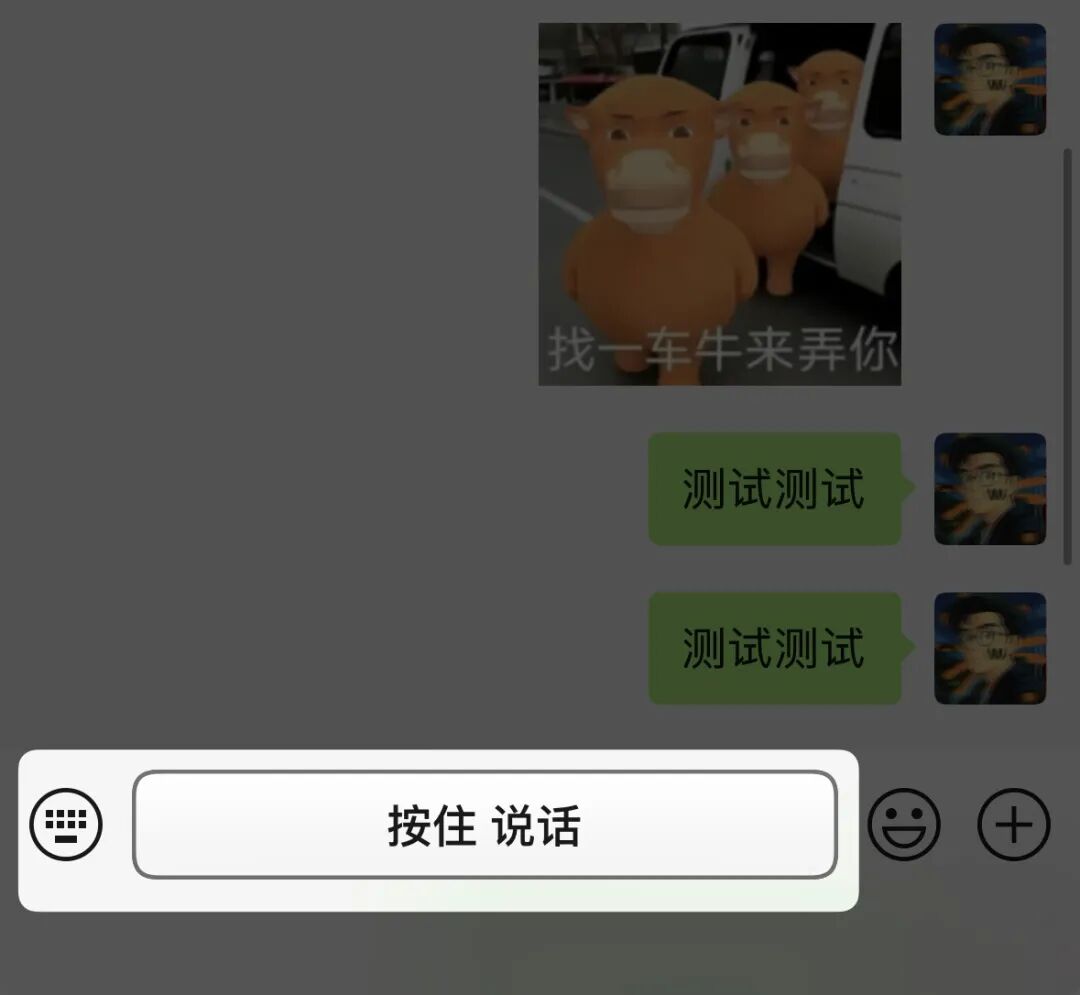
First, in the voice input mode, the border of the "Hold to Talk" button suddenly became thick and pitch-black, as if it was deliberately making sure you could not miss it.
Then in the text input mode, the input box even shows you a reminder: Hold to convert speech to text.
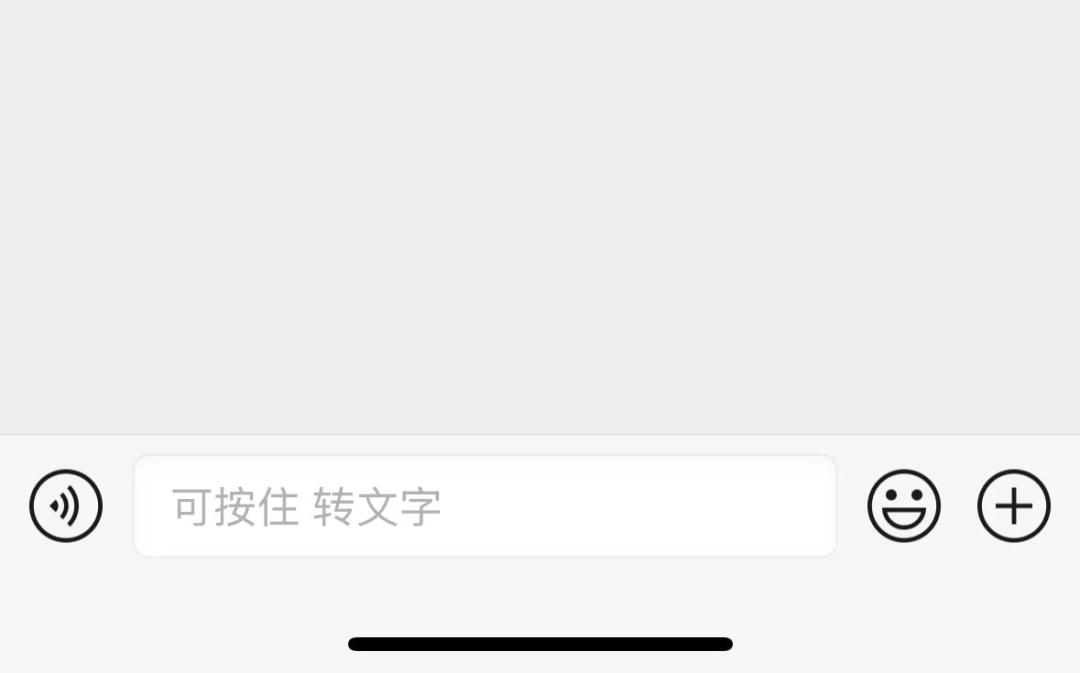
What on earth does that mean?
The old "Hold to Talk" function required you to switch to voice mode first before using it. When you released your finger, the original voice message would be sent directly, and the recipient would hear your uniquely charming, deep, velvety voice (unless you actively chose to convert it to text).
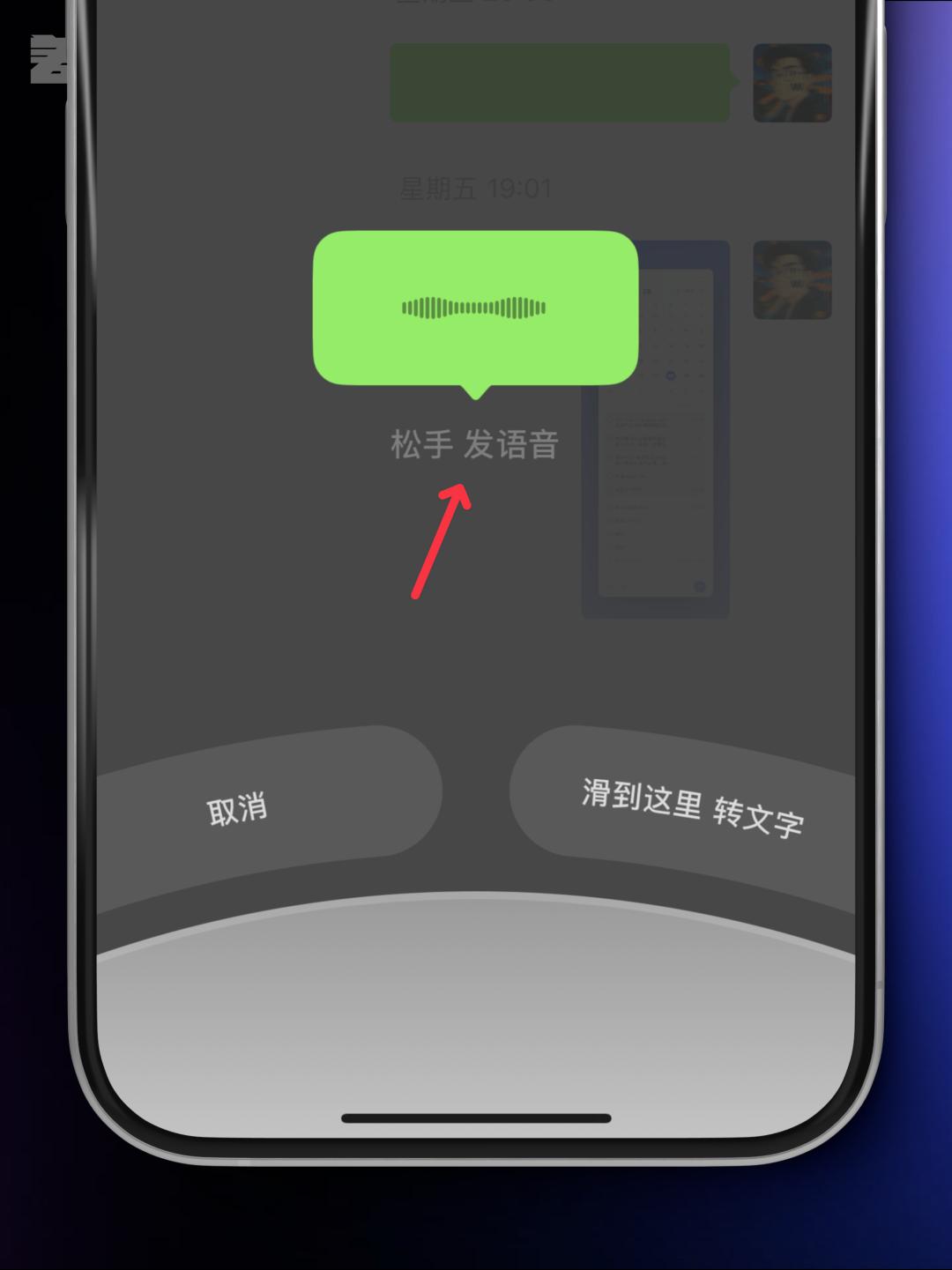
But now, as long as you hold down the input box and speak, your voice will be directly converted to text, and the message will be sent the moment you release your finger.
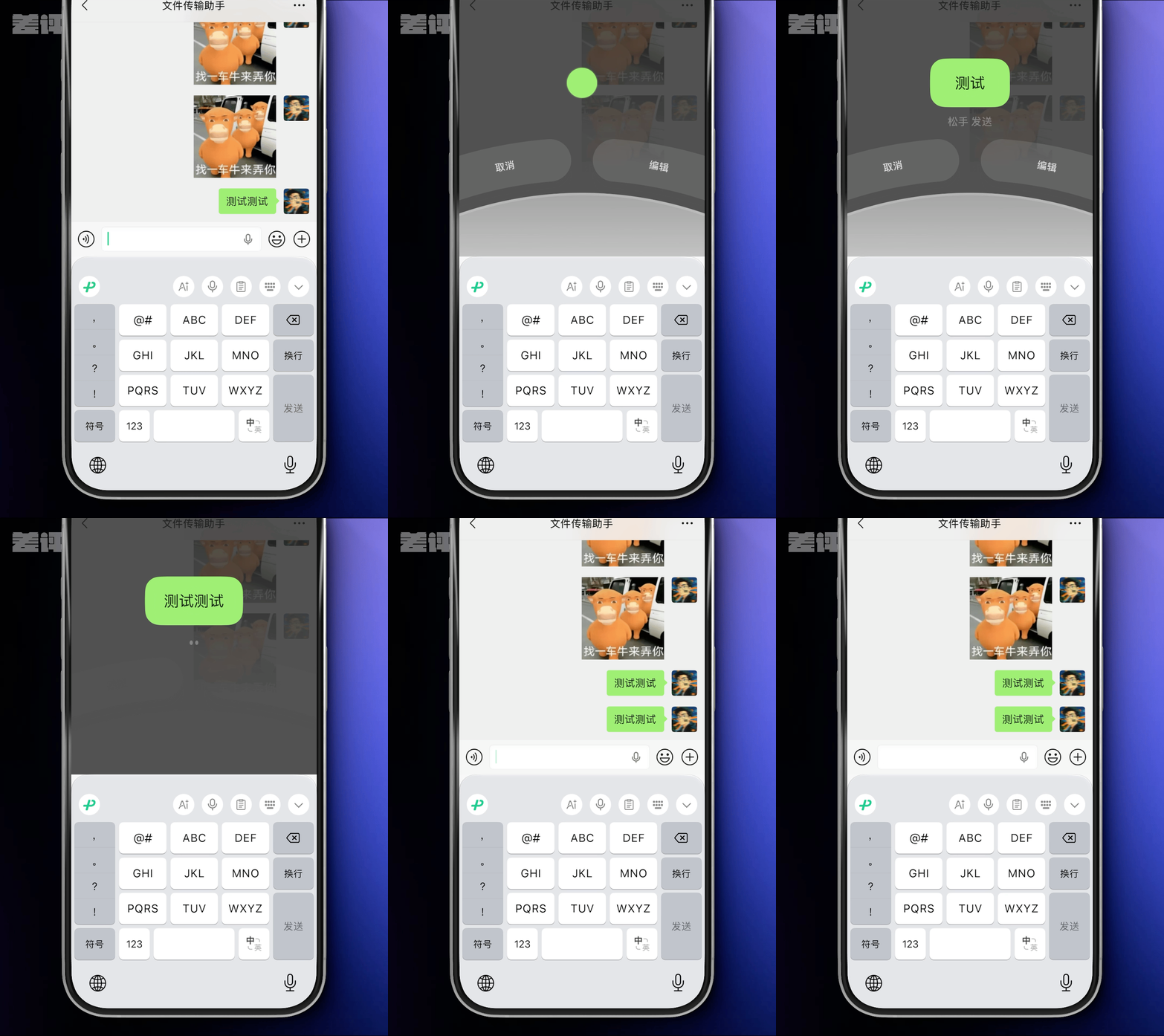
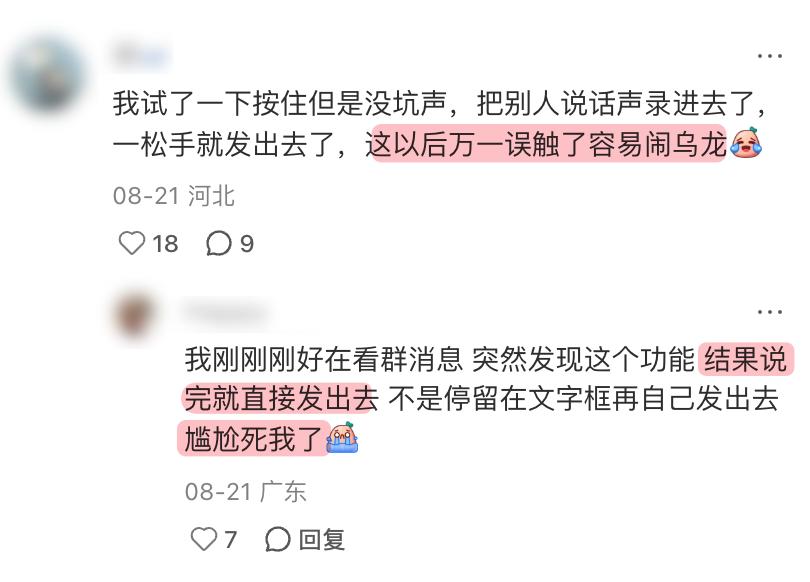
At first glance, this seems quite convenient since you can send the message right after you finish speaking, but the first reaction of many netizens is to complain that it is far too easy to trigger this function by mistake and end up in an awkward social situation.
But I'm not here to complain about that today.
Have you noticed that there are far too many voice input entry points in this app?
You know that WeChat just added a microphone button to the right of the input box not long ago (+1), which lets you convert speech to text with one tap. Adding the new function of holding down the input box (+1), the "Hold to Talk" button in the voice mode (+1), the voice key of the input method (+1), and the system's built-in dictation function (+1).
Now when you open WeChat, there are 5 voice entry points in the lower half of the screen waiting for you to speak.
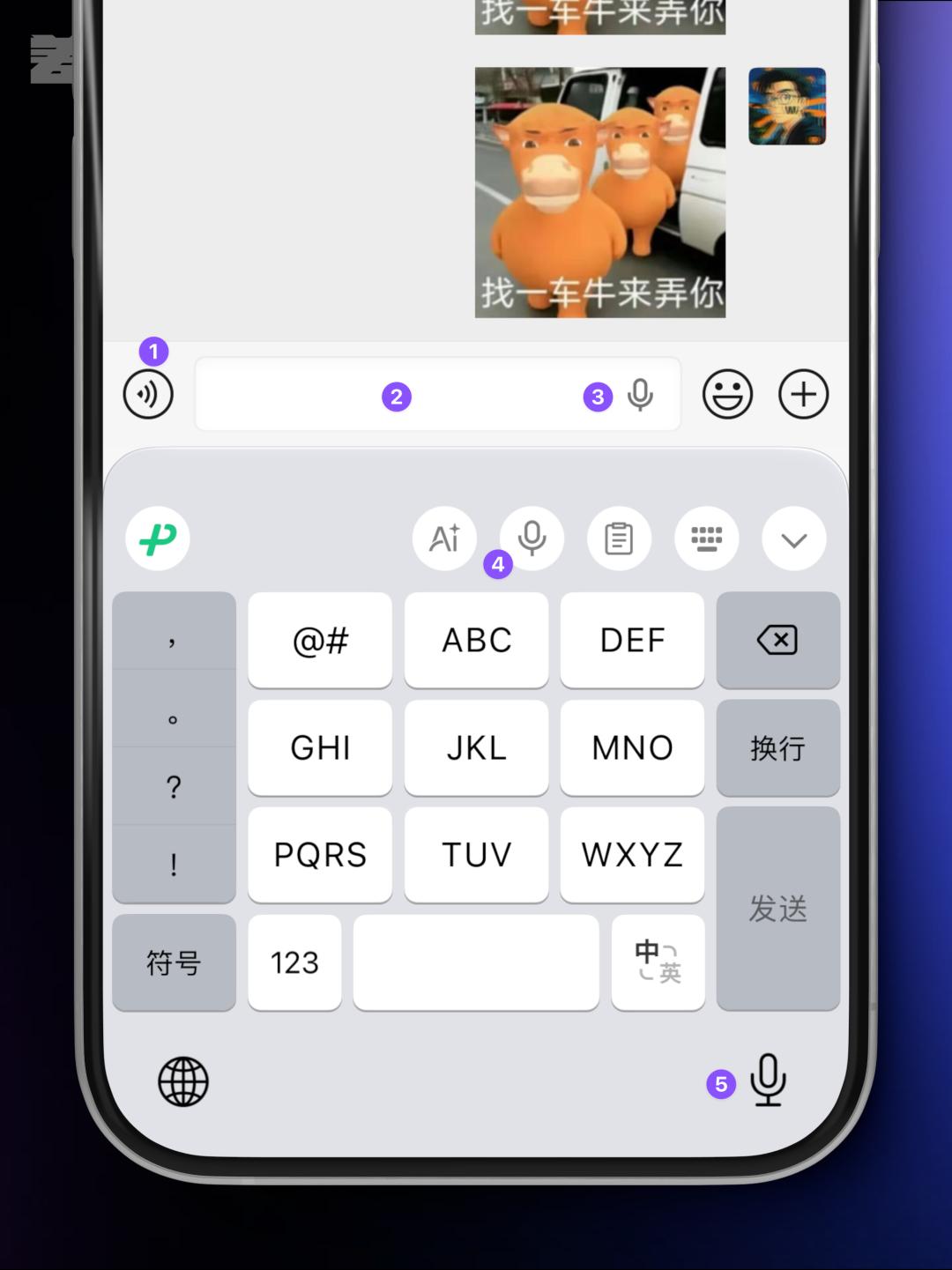
Good grief, are they that eager to hear my deep baritone voice?
It would be acceptable if this situation only existed in the mobile version of WeChat, but the problem is that many apps are now doing the same, extending this design all the way from mobile devices to desktop clients.
For example, the WeChat desktop app for Mac previously had the same reminder, telling you that you can hold the Fn key to perform voice text input.

In the input box of the Feishu desktop client, there is also a line of text that says "Hold Fn to Talk" for speech-to-text conversion.
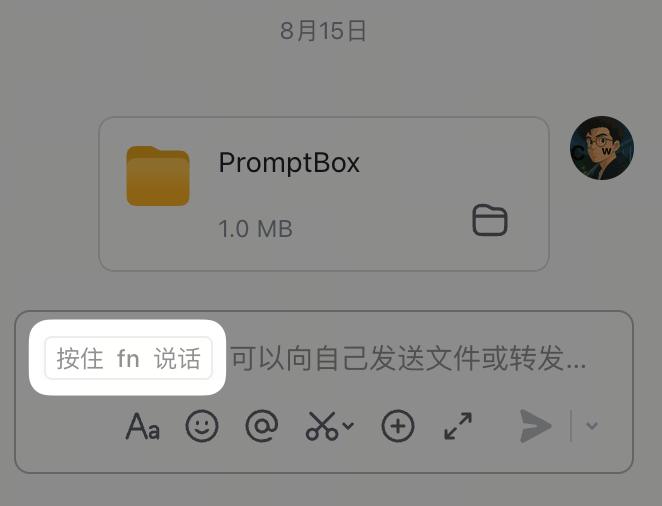
Guys, do you have any idea how important the Fn key is on Mac devices? The frequently used keys for switching input methods and function zones are all occupied by your voice input functions?
Hold on, that's not even close to the end.
In Feishu Docs, if you open any cell in a spreadsheet, you will find a speech-to-text button in the upper right corner as well.
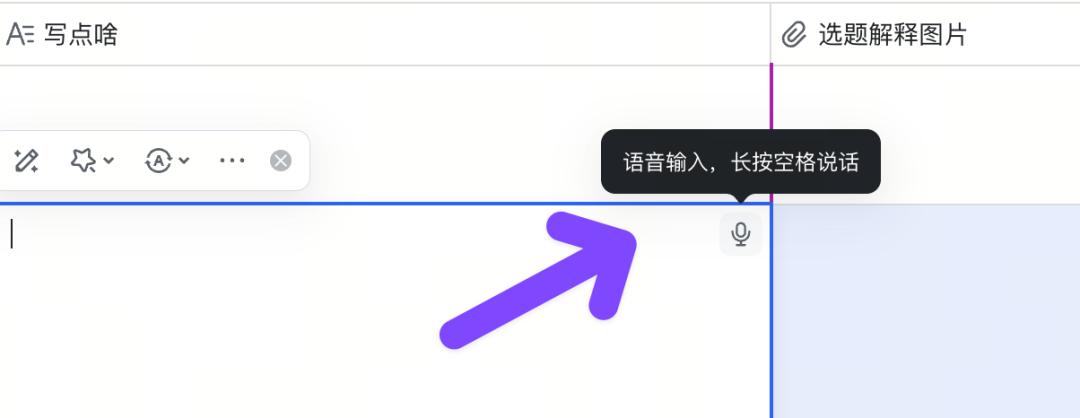
Put it this way, if you open any app from a major tech company right now, you will see a bunch of microphone icons waving at you: Hey buddy, come click me, why don't you...
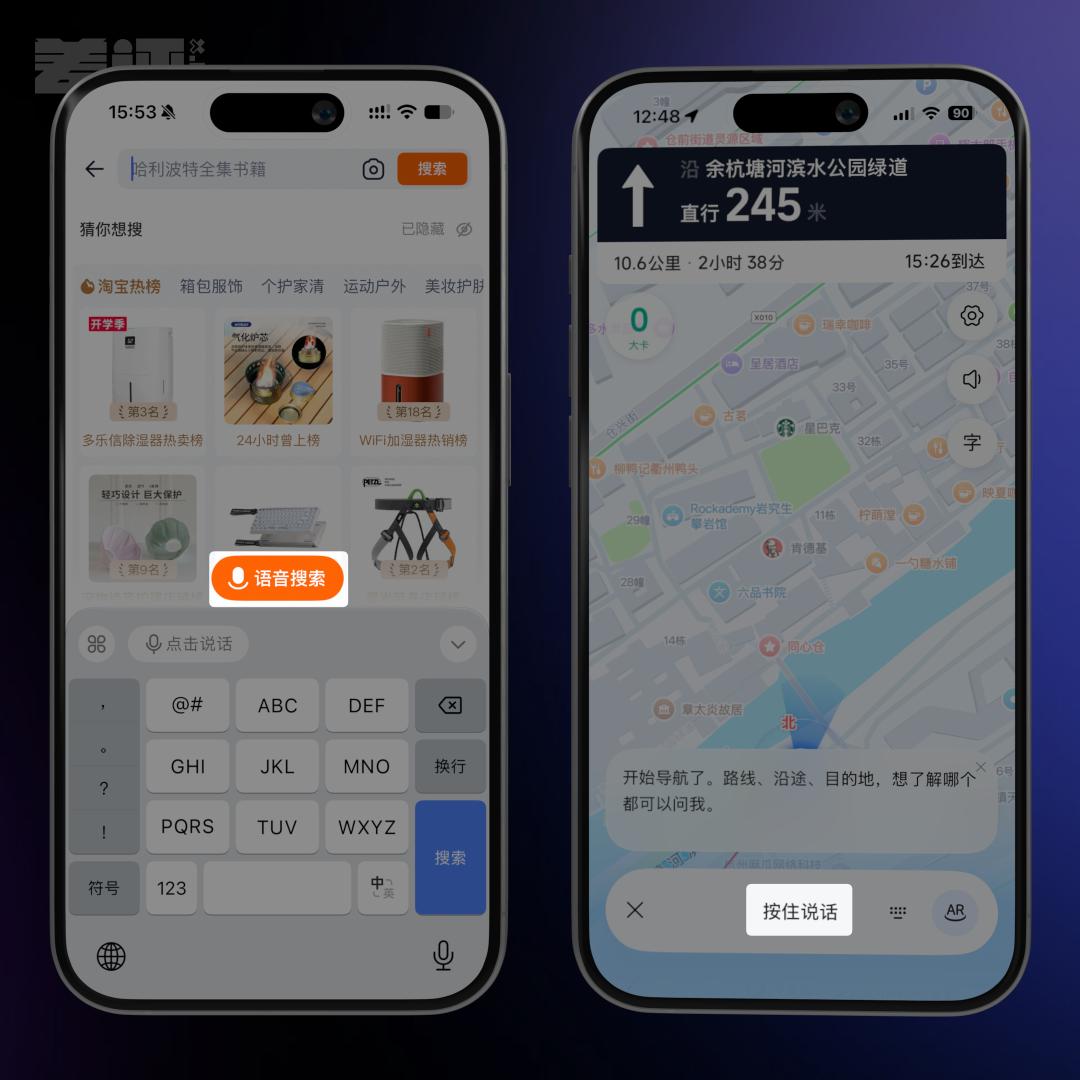
To be fair, no one has any problem with adding a voice input function, since more options are always a good thing.
But the current situation has clearly gone far beyond the scope of "giving you an extra option": some use prominent text reminders, some place the entry point in the most eye-catching position, and some even make the button extremely large.
Major tech companies seem to have made a deal to pull the priority of voice input to the maximum, for fear that we won't speak out in their apps.
Seeing this, you must be curious about why they are doing this, what kind of magic does voice input have?
At first, I thought the reason was pretty simple: it's just that voice input is easy to use and low in cost.
Its input efficiency crushes pinyin typing, and the cost is not high either.
According to the price on the Volcano Engine official website, the streaming speech recognition service of Doubao costs less than 1 yuan per hour. Even if a heavy user sends 10 minutes of voice messages every day, it only costs 60 yuan a year. That's the retail price, and major tech companies that use their own in-house models will only pay far less.

But the problem is:
Voice input is not a new invention at all. Siri supported dictation more than a decade ago, and voice search in Amap has been available for many years. So why are they suddenly raising the priority of voice input to such a high level right now?
After thinking about it for a while, I realize the key might lie in input methods.
I wrote before about how major tech companies are competing to develop their own input methods, pointing out that input methods are like security guards standing at the gate of every app. All your needs are known by the input method first, before the app you are using even gets the information.
For example, when you type a question in the Doubao app and haven't tapped send yet, WeChat Input Method might have already shown you the answer directly.
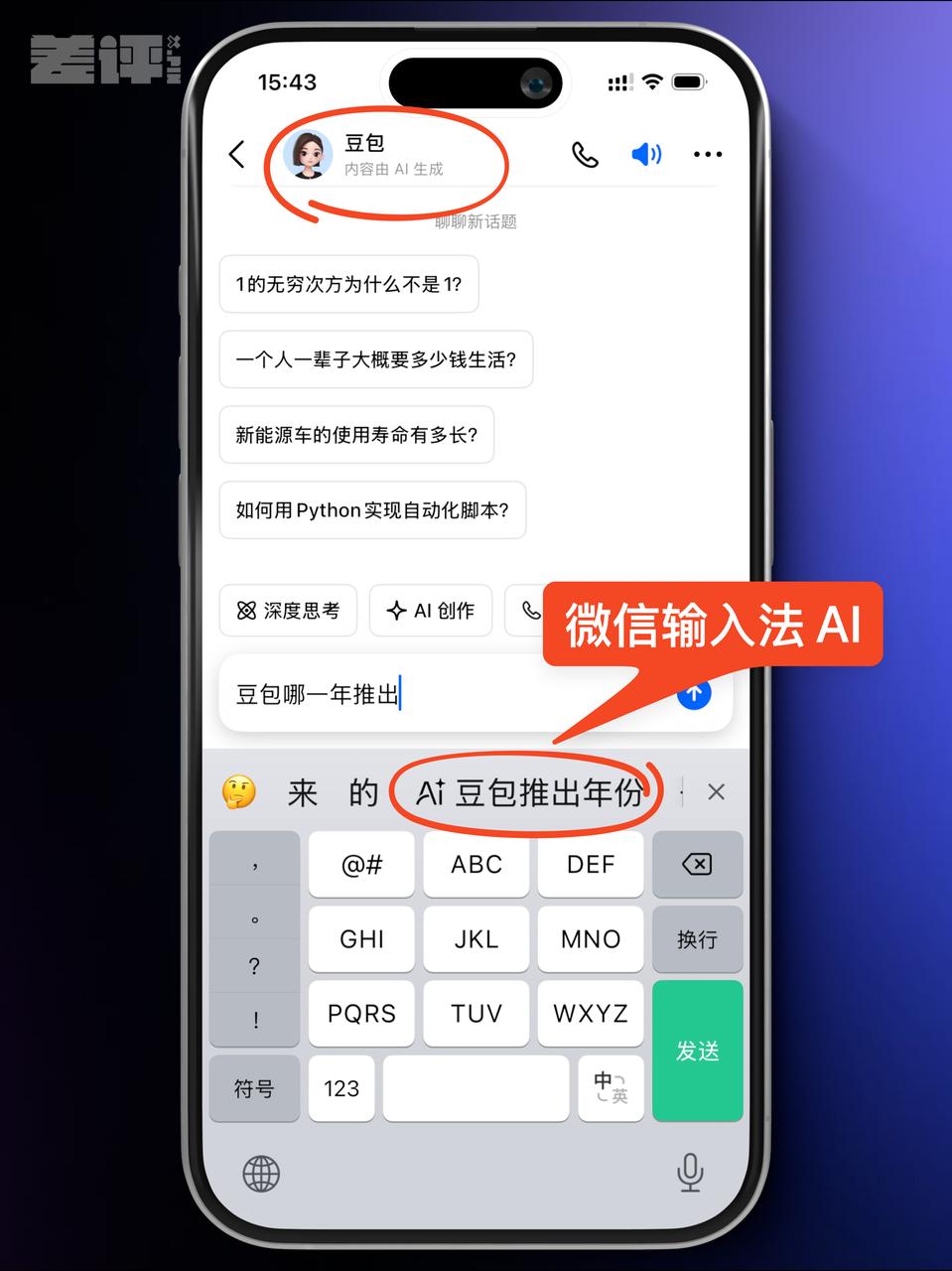
Similarly, if you send a message in WeChat using the Doubao Input Method, WeChat definitely does not want to see that happen.
Many years ago, Sogou Input Method once intercepted Baix's traffic.
Users were already on Baidu's page, but the candidate words that popped up as they typed directly redirected users to Sogou Search.
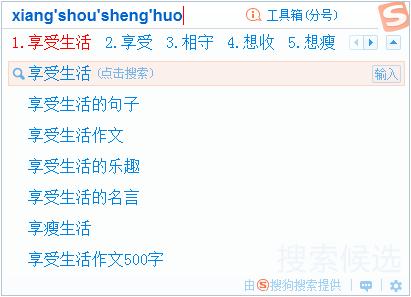
So app developers must have been thinking: is there a way to let users interact directly with our app, bypassing the "security guard" that is the input method?
Speech-to-text conversion.
Indeed, this technology has existed for many years, but back then it had high costs and low accuracy.
But with the development of large speech models in the past two years, its accuracy and response speed have become nearly perfect.
It can be said that speech-to-text conversion empowered by AI has for the first time given apps the opportunity to operate independently, without worrying about being intercepted by input methods.

But this is only a defensive move. If we look further ahead, major tech companies are actually launching an offensive, seizing the entry point of the next-generation interaction in advance.
Today you hold to speak, and the app converts your words into text for you; tomorrow when you hold to speak, could the app directly book a flight for you?
Some AI-native apps can already do this kind of thing, but apps like WeChat and Feishu also want to move in this direction. So they first train users to speak to their apps, then train users to complete their needs through direct conversations with AI agents.
The next generation of apps will definitely follow this path: you speak, and the AI completes the task directly.
But this process needs to be done step by step.
That's why major app developers are now trying their best to guide and cultivate users' habit of speaking in their own apps, then gradually integrate AI summary and search functions into voice commands.
This is the reason why everyone has started to push speech recognition so hard.

But this is not the end point.
This phenomenon will spread to most apps on the market in the future.
In the era of market growth, everyone competed to see who could run faster, but in the stock market era, everyone competes to see who can grab more share. When the overall market size no longer grows, every company can only snatch share from each other.
In this situation, any function that can be combined with AI and make users dependent on it will be copied by the second company as soon as the first one launches it. Because once users get used to the function, the market demand will change, and you will lose users if you don't offer it.
Don't disbelieve me, take myself as an example: I am a living proof of being successfully trained by these major tech companies.
When I first saw all these voice entry points, I thought to myself: I've been typing fast with my fingers for more than a decade, why on earth would I mumble to my phone?
But I tried it a few times casually, and found that the recognition result is really fast and accurate, and it can even automatically correct the mistakes I made when I misspoke.
A few months ago, I still typed by default, and only used voice input when I was too lazy to move my fingers...
What about now?
I will never type if I can just speak, I even want to dictate when I'm writing articles in the office. My fingers no longer get sore, my input speed is faster, and on the contrary, when I occasionally switch back to the traditional input method, I feel that it's unexpectedly cumbersome.
