"Doubao Work" has been launched: AI giants are fiercely competing in the office scenario, are independent clients now a standard feature?
At the AI office gaming table, "Doubao Work" has finally arrived.
On August 25, the long-awaited "Doubao Work" was officially launched. It is not an entirely brand-new product: it is directly derived from the previous "Work Task" mode of Doubao, but this time it has been formally spun off as an independent product with a separate name and dedicated desktop client, while still remaining accessible within the desktop version of Doubao.
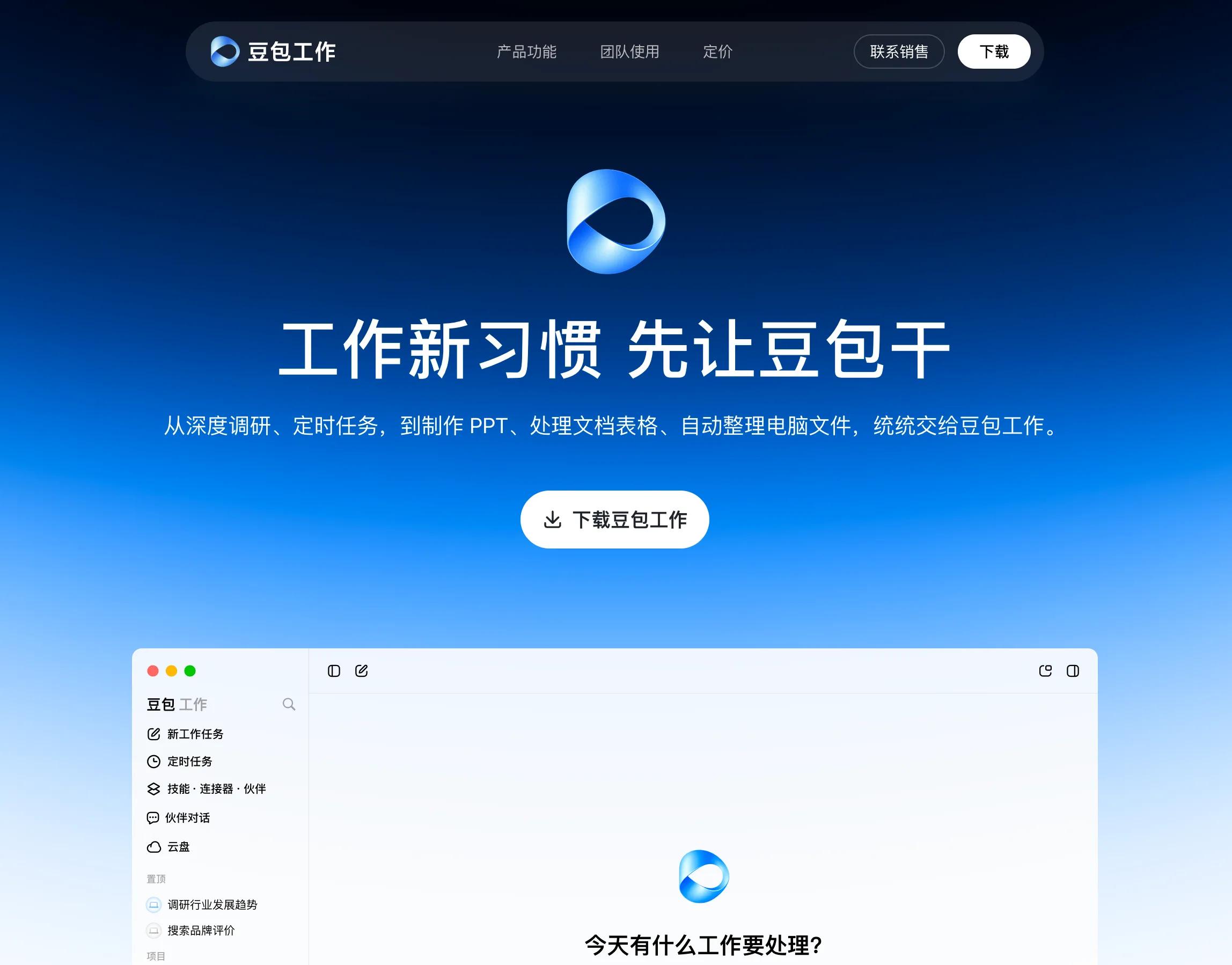
Image Source: Leikeji
It already supports a wide range of functions. Writing documents, creating spreadsheets and PPTs are only its basic capabilities. It can also generate images, videos, web pages and even applications, and allow partial modification after generation. For more complex tasks, it can directly operate browsers and local computers to search for information, fill out forms, call software, or assign tasks to cloud computers to run in the background.
However, Doubao is not an early entrant in this competition.
Tencent's WorkBuddy was launched in March this year. In early August, Alibaba integrated QoderWork, Wukong and MuleRun into the new "Qianwen Office" product. Kingsoft is also continuing to promote WPS Lingxi. Overseas players moved even earlier: Anthropic launched Claude Cowork at the beginning of this year, and OpenAI launched ChatGPT Work in July when it merged ChatGPT and Codex, upgrading the original Codex Work mode.
Why are all players in such a hurry, especially in the Chinese market? As Leikeji previously discussed in the article "Doubao Work is coming! ByteDance, Alibaba, Tencent and Kingsoft are all going all-in on AI office", the reason is not complicated:
There is a huge number of consumer AI users, but monetization remains very challenging. The office scenario inherently has a large number of repetitive, time-consuming tasks, and there are clear paying customers in the form of enterprises. At the Agent development stage, AI finally gets the chance to move far beyond "writing a few sentences for you" to actually completing a part of your work for you.
But too many choices sometimes become a "happy trouble". Everyone is building AI office products, so how should users, both enterprises and individuals, make their picks?
Everyone can make PPTs, then what?
At first glance, the products, functions and designs of all players are largely similar. ChatGPT Work and Claude Cowork can conduct research and analysis, access files and connectors, read documents, operate browsers and tools to complete complex tasks, and finally deliver documents, spreadsheets, PPTs, reports and even websites.
The domestic players are also largely on the same track. WorkBuddy, Qianwen Office and Doubao Work are all developing desktop operation capabilities, cloud tasks, skill libraries, connectors and even multi-agent collaboration. Every player can demonstrate similar scenarios at their launch events: you give a one-sentence task instruction, the AI searches for information and conducts analysis on its own, and returns a finished PPT in half an hour.
Why do all these products end up looking identical after rounds of intense iteration?
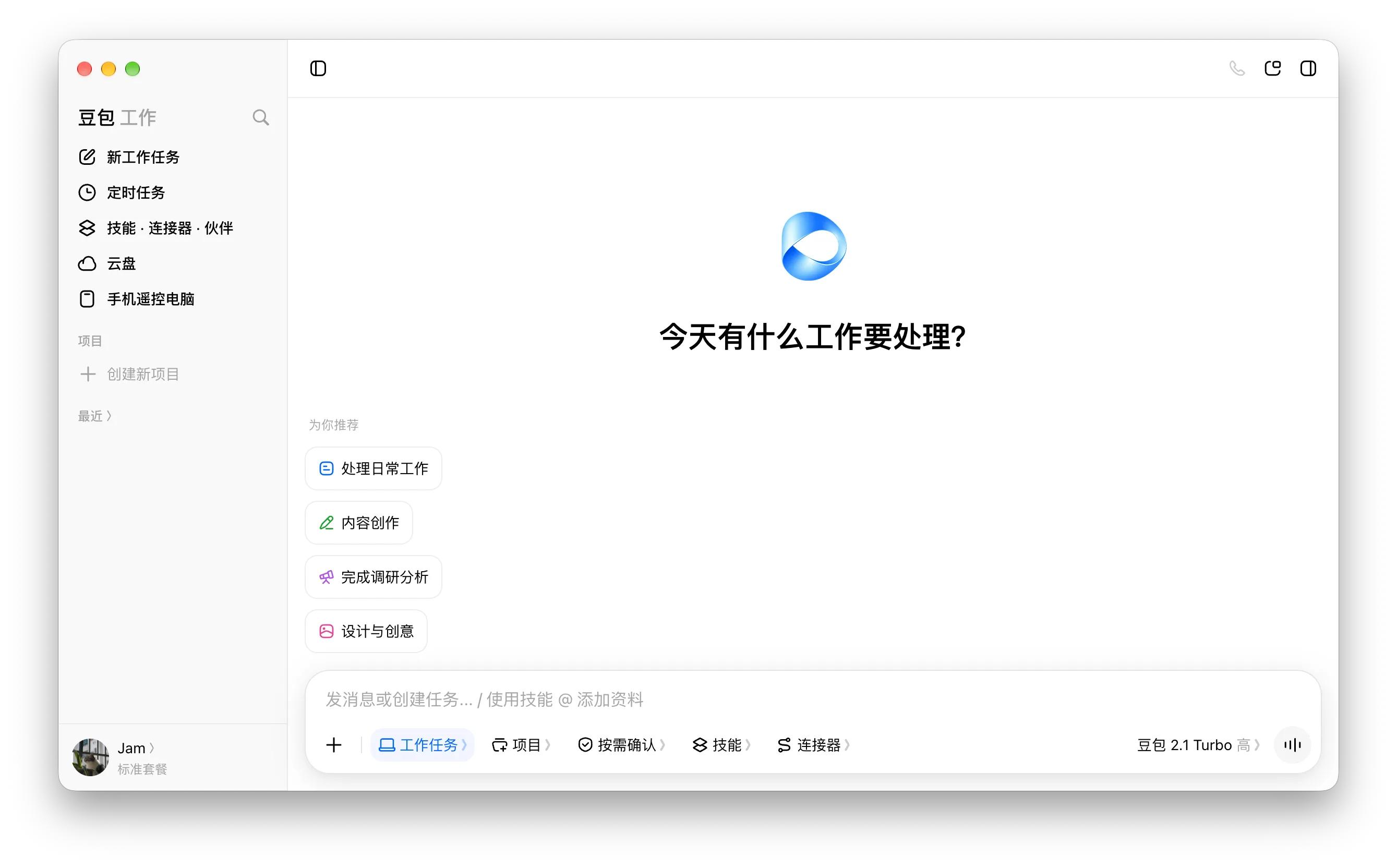
Doubao Work, Image Source: Leikeji
But the core differences are usually hidden under the surface. Whether an AI office product is easy to use depends on at least three factors: how much of your work information it can access, how many real work links it can integrate into, and how close the final output it delivers is to being "ready for direct use".
From this perspective, the core advantages of different players are very different.
On Tencent's side, WeChat, WeCom, Tencent Meeting, Tencent Docs and ima can all be connected to WorkBuddy. Teams that are already operating within Tencent's office ecosystem do not need to transfer files repeatedly or explain context over and over again when using WorkBuddy, which is a natural advantage.
Alibaba has DingTalk and Alibaba Cloud. By integrating QoderWork, Wukong and MuleRun into Qianwen Office, Alibaba has obviously consolidated its scattered capabilities: desktop operation, cloud Agent and automated workflows are now gathered in a single entry point, and will be further deeply integrated into DingTalk and enterprise services.
Kingsoft holds a more traditional but very solid territory: documents. Many Agents can generate Excel and PPT files, but WPS is natively built around documents. Formatting, formulas, editing, sharing and collaboration functions keep users in the familiar software ecosystem after task completion. It does not sound very innovative, but it is extremely practical for a large number of office workers.
Doubao's situation is different. On one hand, Doubao already has a huge user base and strong brand influence, on the other hand, Feishu provides massive work context required for office scenarios.
This is the key difference that makes Doubao Work stand out from other AI office platforms. After logging in with a Feishu account, it can access enterprise information such as chat records, documents, meeting minutes and schedules within the authorized scope, complete corresponding tasks based on these data, and the new content it generates can be automatically stored back to Feishu.
This is extremely important.
Nowadays there are more and more Agents that can search for information, make PPTs and operate computers, but in real office scenarios, the usability of an AI largely depends on how well it knows your work context. What meetings did you hold last week? Which version of the draft did your boss revise? What is the current progress of the project? Why was that decision rejected last time?
The large language model itself can never know these information. The massive amount of messages, meetings, documents and permission systems accumulated by Feishu over the years just provides Doubao Work with a ready-made "work memory" library.
Of course, Feishu solves the problem of office context, so that Doubao Work knows what to do. Whether it can stably complete the whole task is another matter.
Not the earliest, but Doubao Work may achieve the fastest popularization
Entering the market a few months later does have its downsides. WorkBuddy has been running for a period of time, Qianwen Office has just completed product integration, and WPS has a huge user base and mature document ecosystem. Overseas, ChatGPT Work and Claude Cowork have strong advantages in model and Agent capabilities that are hard to bypass.
But late-mover advantage also means you can avoid many pitfalls. Doubao Work is already very well-developed the moment it is launched.
After all, the AI office industry has gradually worked out a set of standard answers over the past year: the product needs to support desktop operation, long-running cloud tasks, skill libraries and connectors, and preferably multi-agent collaboration. For enterprise users, it also needs to connect to knowledge bases, permission systems and organizational context.
In fact, AI office products have not really reached ordinary users yet. Terms like skills, MCP, connectors, cloud computers and multi-agent collaboration may be familiar to industry practitioners, tech bloggers and media, but they are completely unnecessary for ordinary office workers.
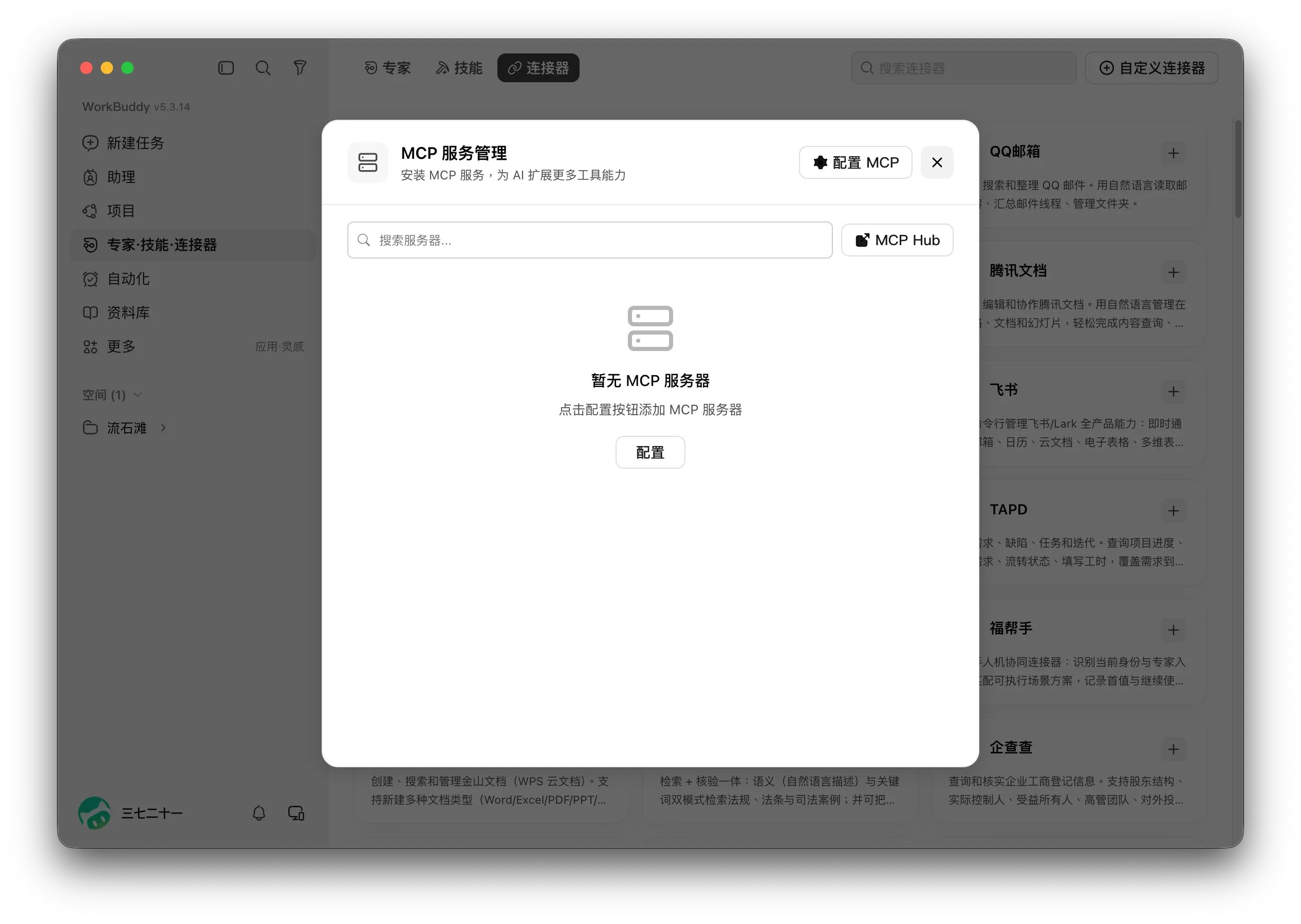
WorkBuddy, Image Source: Leikeji
Users just want to get their work done, for example, by giving an instruction like "sort out the meetings held last week and make a PPT for project progress".
In the ideal scenario, users do not need to know which skill the AI calls in the background or how many Agents are activated, nor do they need to find three meeting minutes and upload them one by one. The Agent should find the relevant materials on its own, understand the context, finish the PPT, and return an editable result to the user.
It sounds very logical, but it is far from easy to implement in practice.
Agents always perform perfectly in demos, but real office scenarios are far more chaotic. A verification code pops up unexpectedly on a web page, the Excel format gets messed up, two files have almost identical names, the permission level differs by only one rank, and your boss says "I want the previous vibe" which may require you to go through dozens of old documents to figure out what exactly he means.
If the AI makes several consecutive mistakes in a long task, the 10 minutes saved by the user will soon be spent on checking and reworking.
As for Doubao Work, I at least have full confidence in ByteDance's product team's strength in usability optimization. Whether it is Jianying or Doubao, they are extremely good at "simplifying complex things" and greatly lowering the usage threshold of products. But for its actual performance, if you are interested, we can write a separate in-depth review later.
Why does AI office need an independent client?
There is another easily overlooked detail.
In July, OpenAI officially merged the desktop clients of ChatGPT and Codex, and launched ChatGPT Work at the same time. When ordinary users open the ChatGPT desktop client, the "Chat" and "Work" modes are placed side by side. You use the "Chat" mode to ask casual questions, and switch to the "Work" mode when you need to complete a complex task.
Anthropic's Claude Cowork follows a similar logic, which is directly integrated into the Claude desktop client.
But several domestic tech giants have tacitly taken a different path. WorkBuddy has been an independent client from the very beginning; Qianwen Office also has its own independent client; now Doubao Work also has an independent client, while retaining the "Work" mode inside the Doubao app.
So why do they choose to make it an independent product?
The first reason lies in user habits. When you open Doubao, Qianwen or Yuanbao, you are most likely to type a casual question: search for information, translate a paragraph of text, write an email, or just chat for a bit. In the past few years, chatbots represented by ChatGPT and Doubao have trained users to form a very solid habit of "asking questions in the input box".
But the tasks AI office needs to handle are far more complex. The task you assign to it may take half an hour or even several hours to run. It needs to find files, open web pages, call software, wait for pages to load, and manage task progress, workspace, skills, connectors and cloud computers.
What is more troublesome is the cognitive habit. When an input box is placed in front of users, when should they ask a simple question, and when should they assign a whole complex task to it? Manufacturers know clearly that the capability boundaries of the two modes are completely different, but ordinary users may not.
That is why both Doubao and ChatGPT have designed separate "Chat" and "Work" modes.
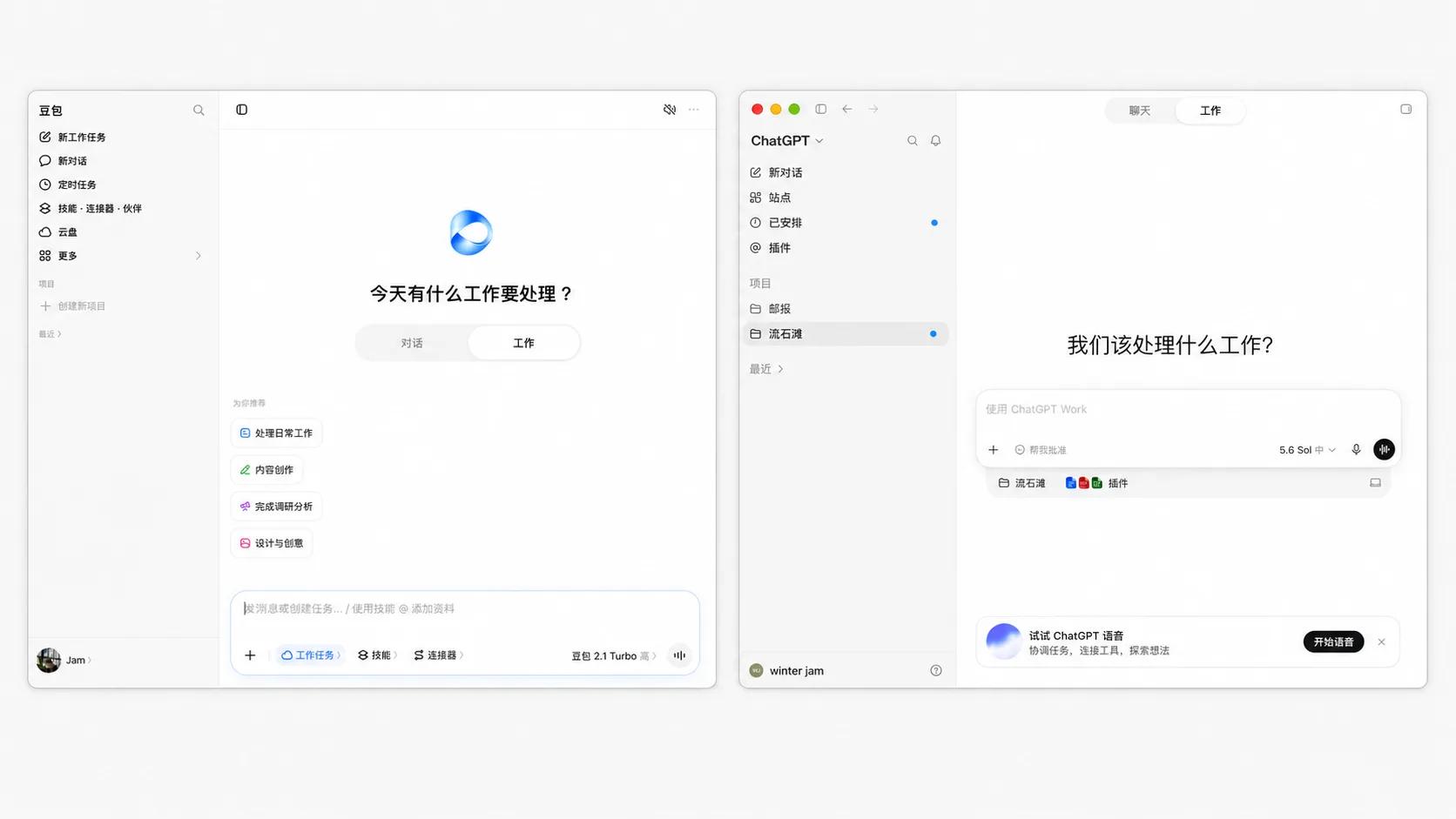
Doubao's "Chat", "Work" modes and ChatGPT's "Chat", "Work" modes, Image Source: Leikeji
The difference is that domestic manufacturers have a different vision for AI office products: besides paying more attention to lowering the usage threshold and adding more guidance designs, there is another special consideration.
Alibaba has DingTalk, and ByteDance has Feishu. When they develop AI office products, they actually need to sort out the complex existing product relationships first. So before the official product launches, we have already seen organizational restructuring: Alibaba integrated the Wukong, MuleRun and QoderWork teams under the leadership of the new DingTalk CEO, while ByteDance integrated the Feishu team into the Doubao product team.
Then Qianwen Office and Doubao Work were officially launched.
More importantly, building it as an independent product leaves more space for product design. Take the home page as an example: the interfaces of Doubao Work, Qianwen Office and WorkBuddy are actually more complex than that of ChatGPT Work. WorkBuddy in particular has the most complicated functional elements among all mainstream AI office platforms.
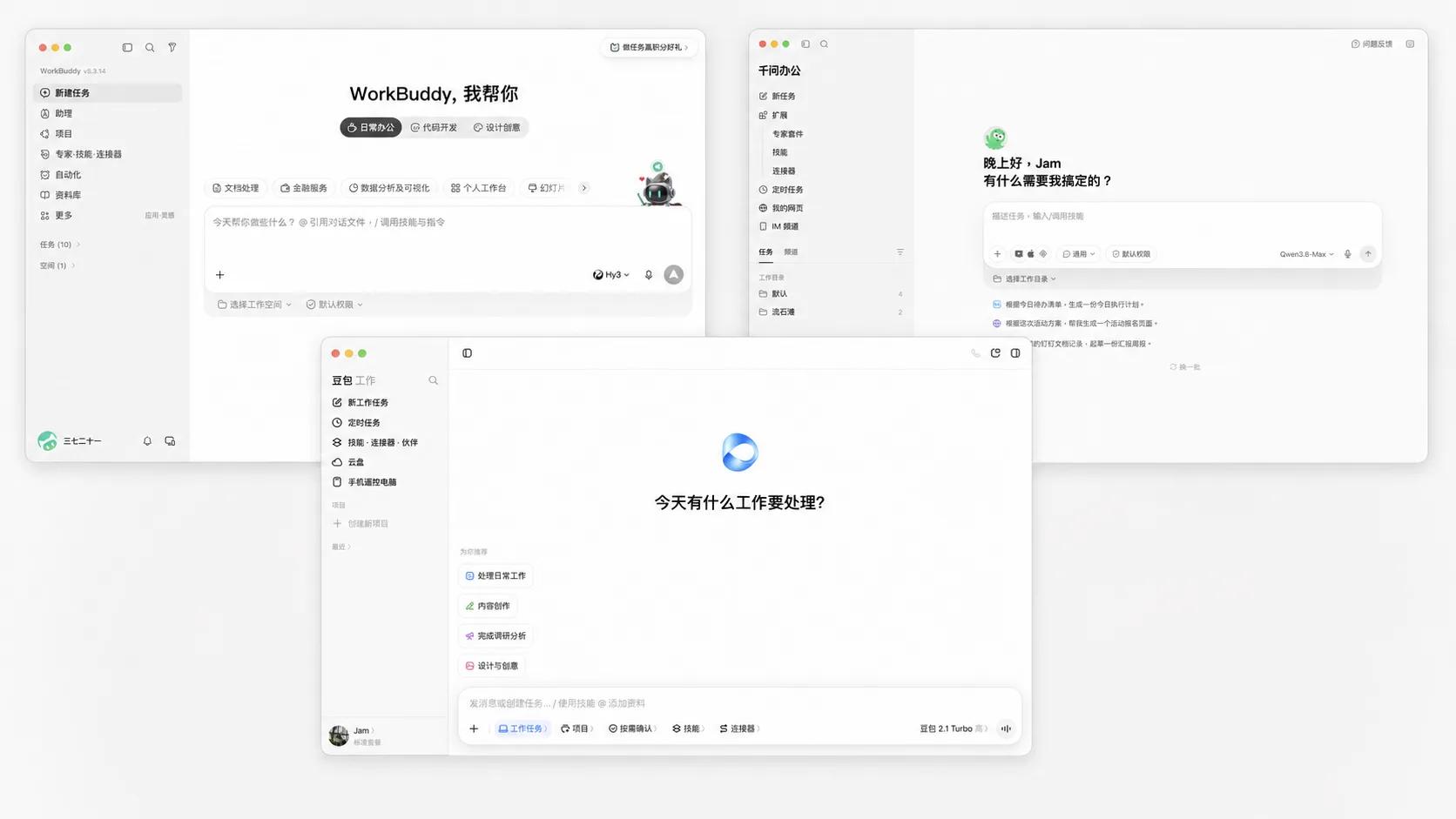
Image Source: Leikeji
Does AI office have to build a completely new ecosystem?
The final question comes back to users. If WorkBuddy, Qianwen Office, Doubao Work and WPS Lingxi are all available, which one should you pick?
It is relatively easy for enterprise users to make a choice: the key is to look at your existing office environment and workflow first.
If the company heavily uses Tencent's product ecosystem, WorkBuddy will run more smoothly; if the organization has been deeply using DingTalk, Qianwen Office will be much easier to integrate; for companies that already work on Feishu, Doubao Work has natural advantages; if most of your business is based on WPS documents, spreadsheets and PPTs, WPS Lingxi will be the most convenient choice.
The importance of the underlying model can actually be put in second place. Today Model A may take the lead, but it may be replaced by Model B a few months later. What enterprises cannot easily migrate are hundreds of thousands of documents, years of meeting records, complete employee permission systems, approval processes and organizational relationships.
No matter how smart an Agent model is, if it requires employees to re-upload five or six files and explain all the previous context every time they start a task, the efficiency will be quickly worn out.
It is much simpler for individual users. If you only occasionally search for information, make PPTs and organize files, there is no need to bet on a single platform at the very beginning. You can try ChatGPT Work, Claude Cowork, WorkBuddy, Qianwen Office and Doubao Work, and you will naturally stick to the most handy one after using them for a period of time.
Office software has never been truly unified. Finance teams live in Excel, sales teams cannot work without WeCom, and internet companies keep Feishu running all day long. If AI wants to become the new work entry point, it has to face these existing usage habits directly.
In the future, all players will continue to add new functions, iterate models and make more impressive demos. But the most ordinary question that ultimately determines whether an AI office product can survive is:
Will you still open it when you go to work tomorrow?
This article is from "Leikeji", authorized for release by 36Kr.