Recent developments of the iOS 27 beta and latest news about Apple products
From July 20 to the present, Apple has successively released three developer beta versions of iOS 27: Developer Beta 4, 5 and 6. As the September autumn launch event approaches, the official release of iOS 27 is getting closer. Today, let's take a look at the update contents of these three Beta versions, and get a preview of the upcoming official iOS 27 system.
Beta 4
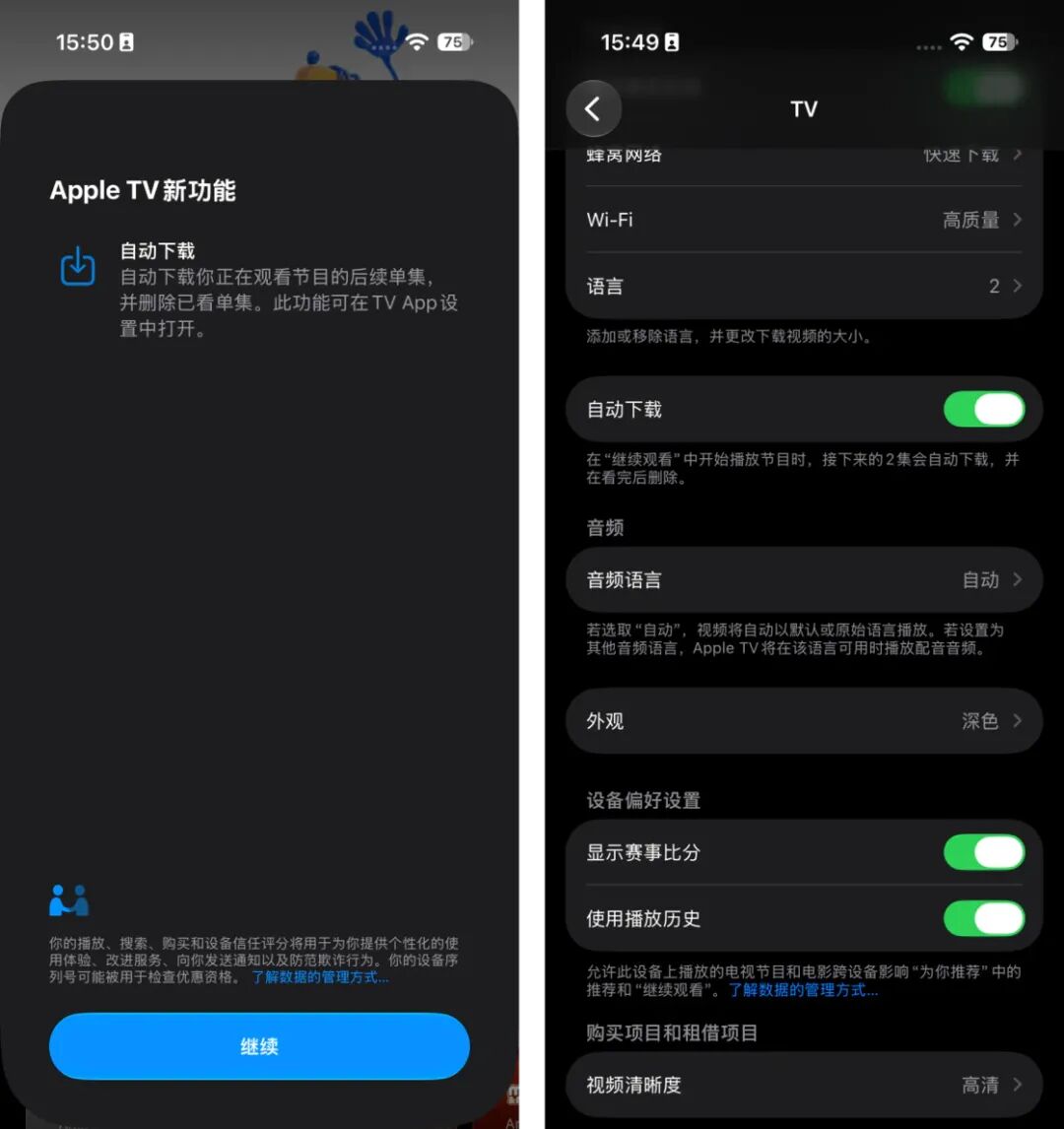
The TV app has added a new function to automatically download subsequent episodes, which can be enabled in TV settings, with the option named "Auto Download". After enabling this option, the TV app will automatically download the next two updated episodes of the show you are continuing to watch, and automatically delete the downloaded content after you finish watching. For people who like to binge-watch shows on TV, this new feature allows you to watch the latest episodes smoothly without being affected by network speed at the first time, and automatically cleans up storage space, which kills two birds with one stone.
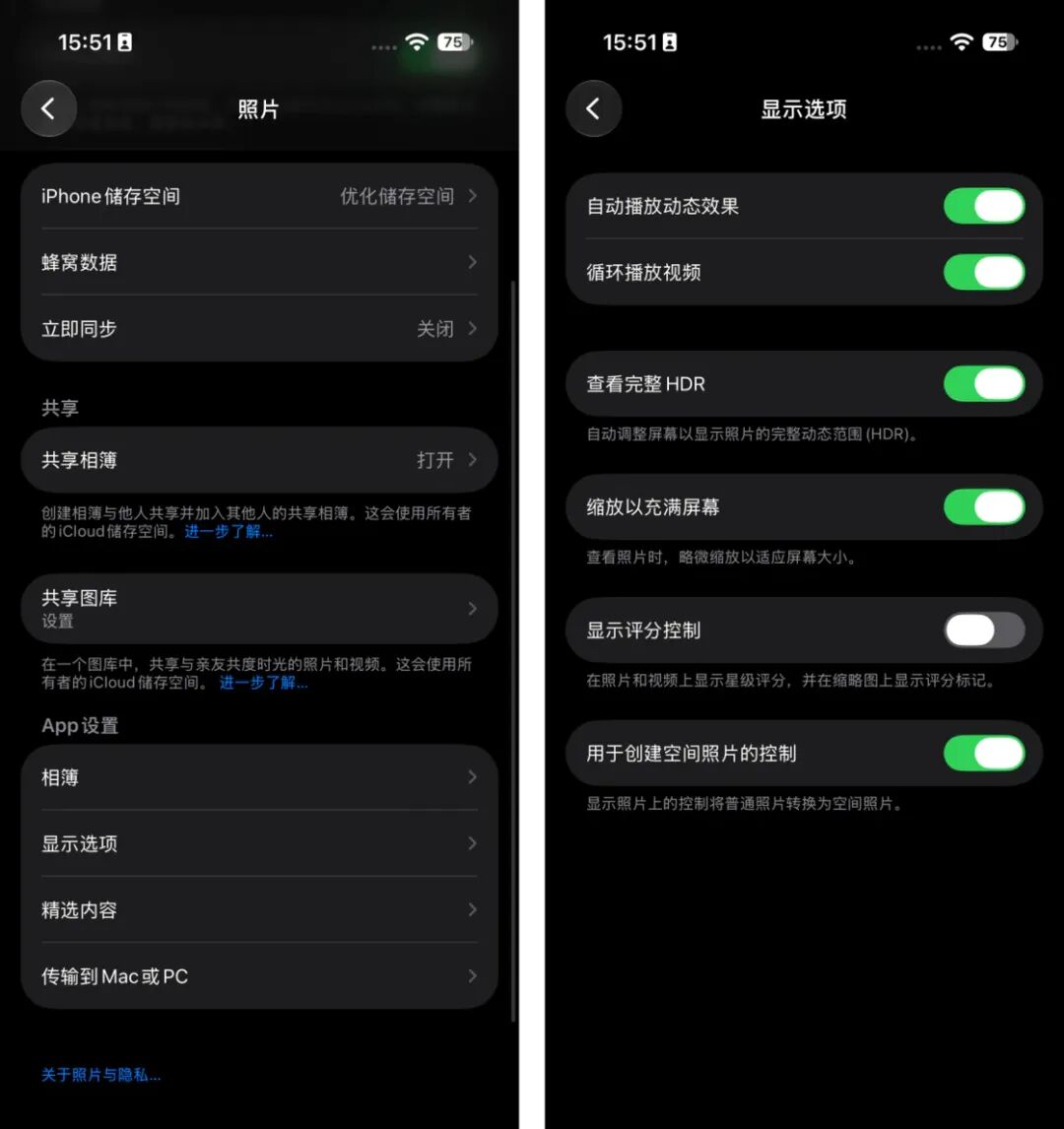
In the Photos app of Beta 4, Apple added a default zoom option for images of some special sizes (for example, images with an aspect ratio close to that of the iPhone screen). When you click on images of these sizes to enter full-screen mode, Apple will slightly crop and zoom in these images to eliminate the blank space around, making the image fill the entire iPhone screen. If you don't like this new feature, you can turn off the "Zoom to Fill Screen" option in Settings > Photos > Display Options.
In the previous Beta version, an abnormal issue occurred where pulling down the Notification Center would first show the cutout of the wallpaper subject, and then display the full interface. In the new version, this "special effect" has been removed, and the normal wallpaper switching effect from earlier versions has been restored.
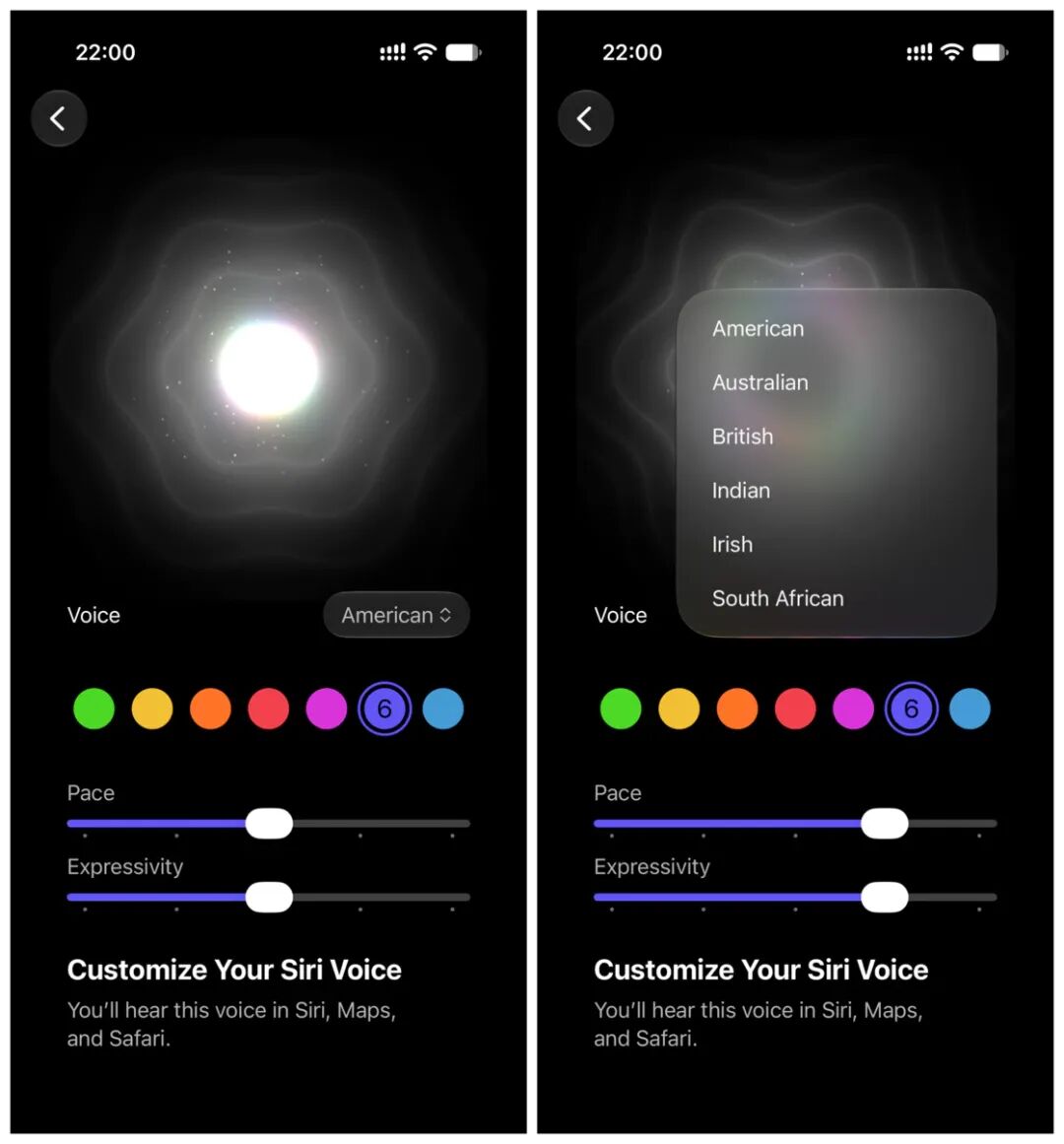
The Siri voice settings interface has been unified for all iPhone models in the new version. No matter whether the device supports customized Siri voice, the same set of interface will be displayed. The difference is that unsupported devices only show accents and fewer voice options, while supported devices not only have more voice options, but also support adjusting speech rate and expressiveness.
However, in Beta 4, only some of the voices support adjusting speech rate and expressiveness, and the rest are marked as Coming Soon. (By Beta 5, all 7 American English voices and 4 British English voices support the adjustment of speech rate and expressiveness.)
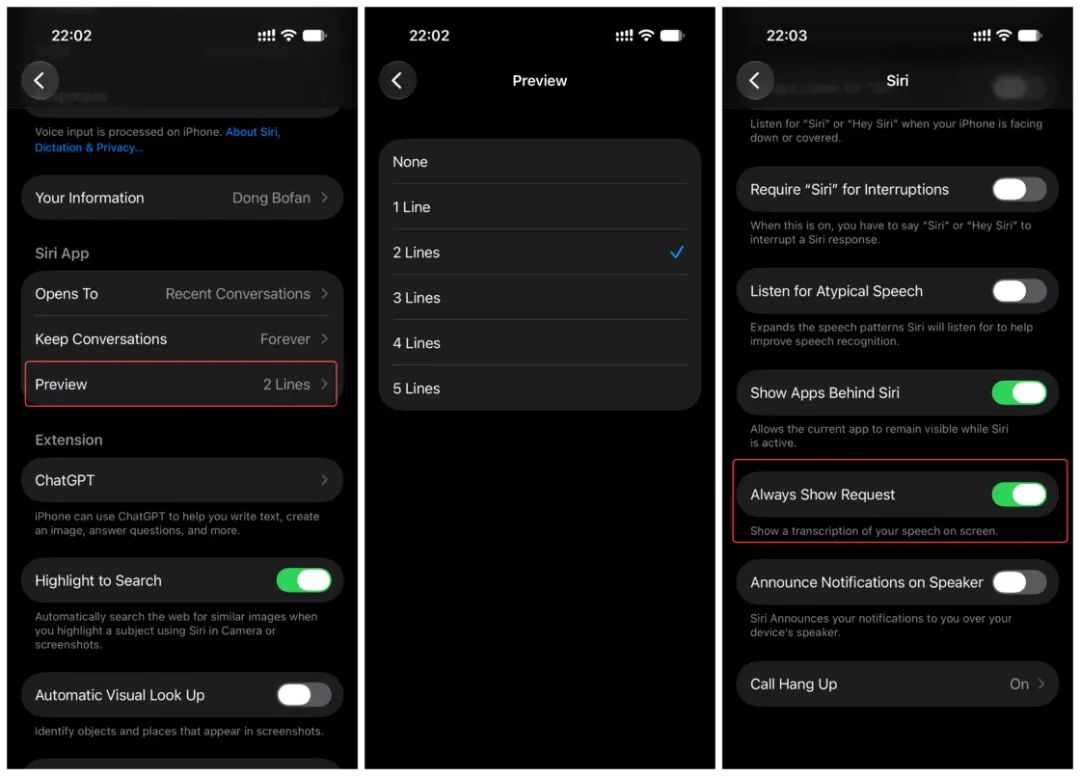
In addition, Siri has added a new option for preview line count in Settings, where you can choose to never show, show 1 line, or show up to 5 lines at most. A new function "Always Show Request" has been added to the Accessibility feature. After enabling it, the screen will continuously display the text transcription of what the user says to Siri.
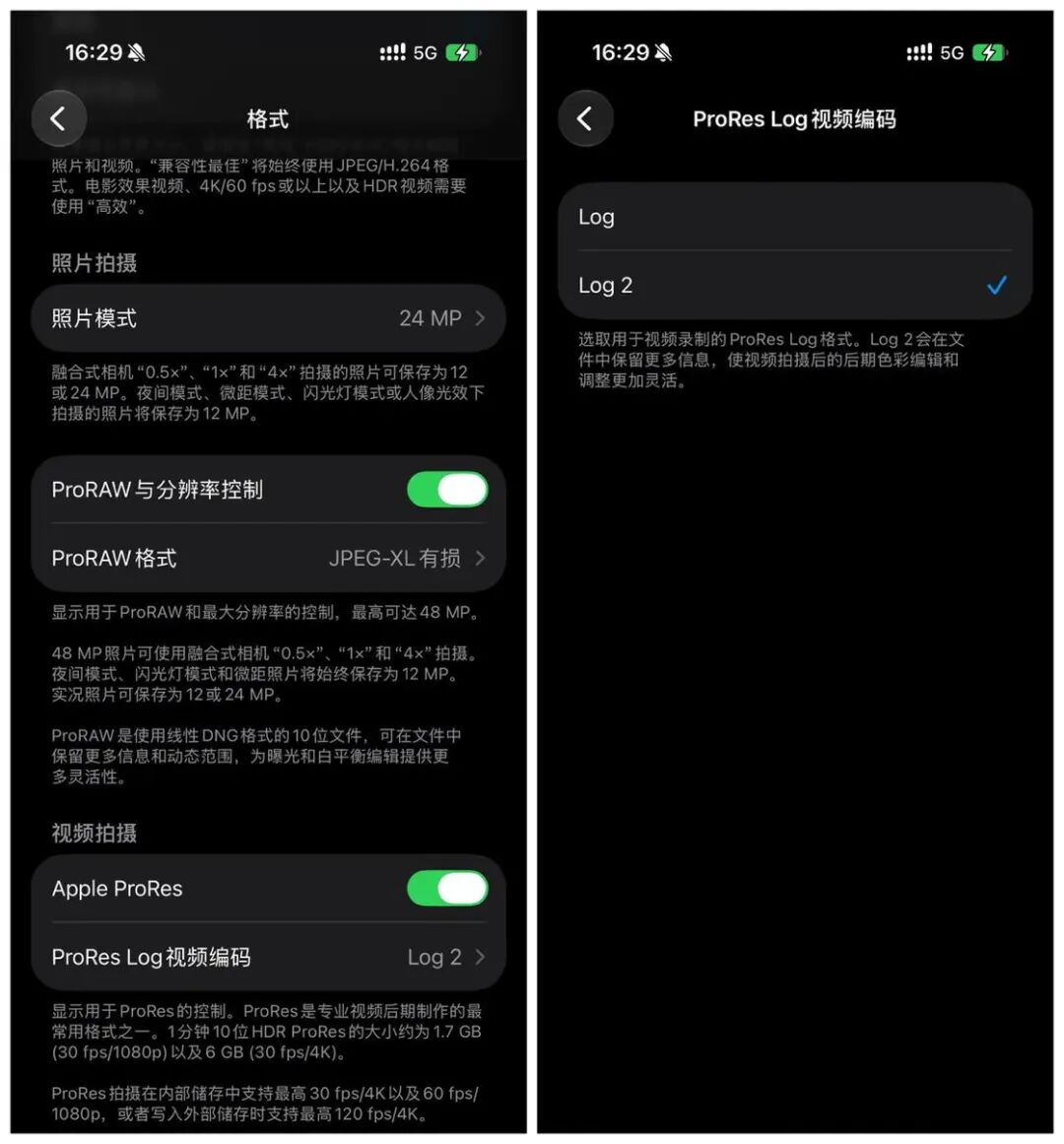
In the new version, Apple continues to enhance the video shooting function. After you turn on the Apple ProRes option for video shooting in Camera Settings, you can choose Log or Log 2 format in video encoding. The newly added Log 2 format can retain more image information, providing more space for post-color grading. Apple Log 2 is only supported on iPhone 17 Pro series models.
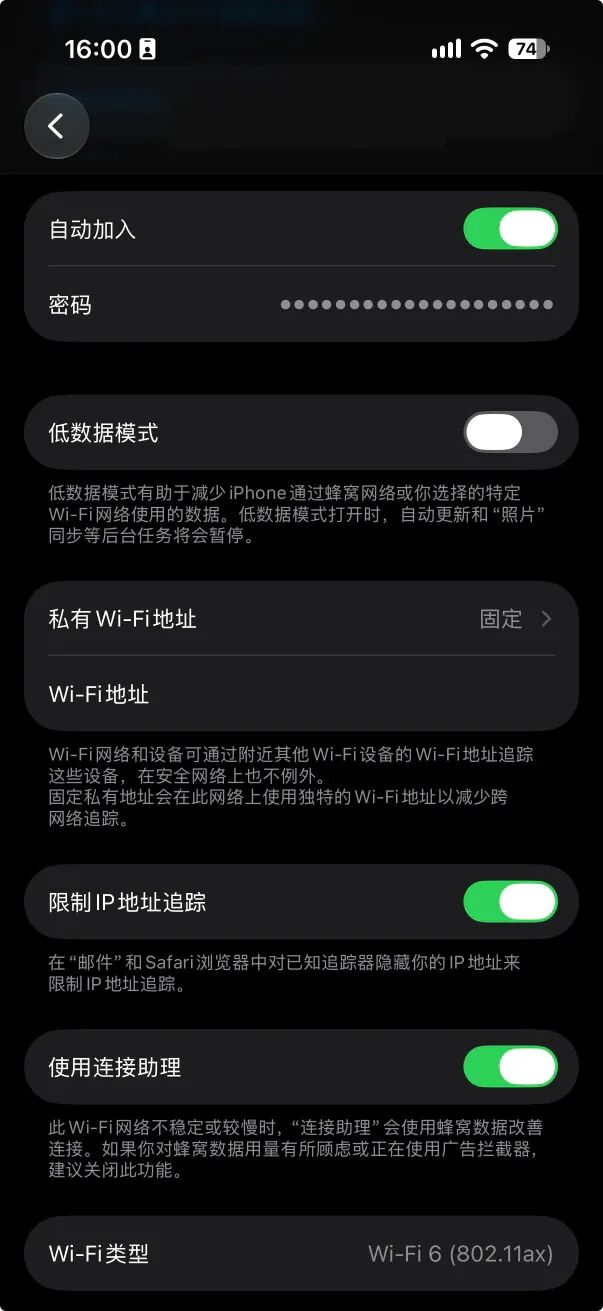
If you don't want the system to automatically switch to cellular network under a specific Wi-Fi environment, Apple finally supports individually turning off or on the Connection Assistant function for a specific Wi-Fi network in Beta 4, which can be set separately even when the global Connection Assistant for Wi-Fi is enabled.
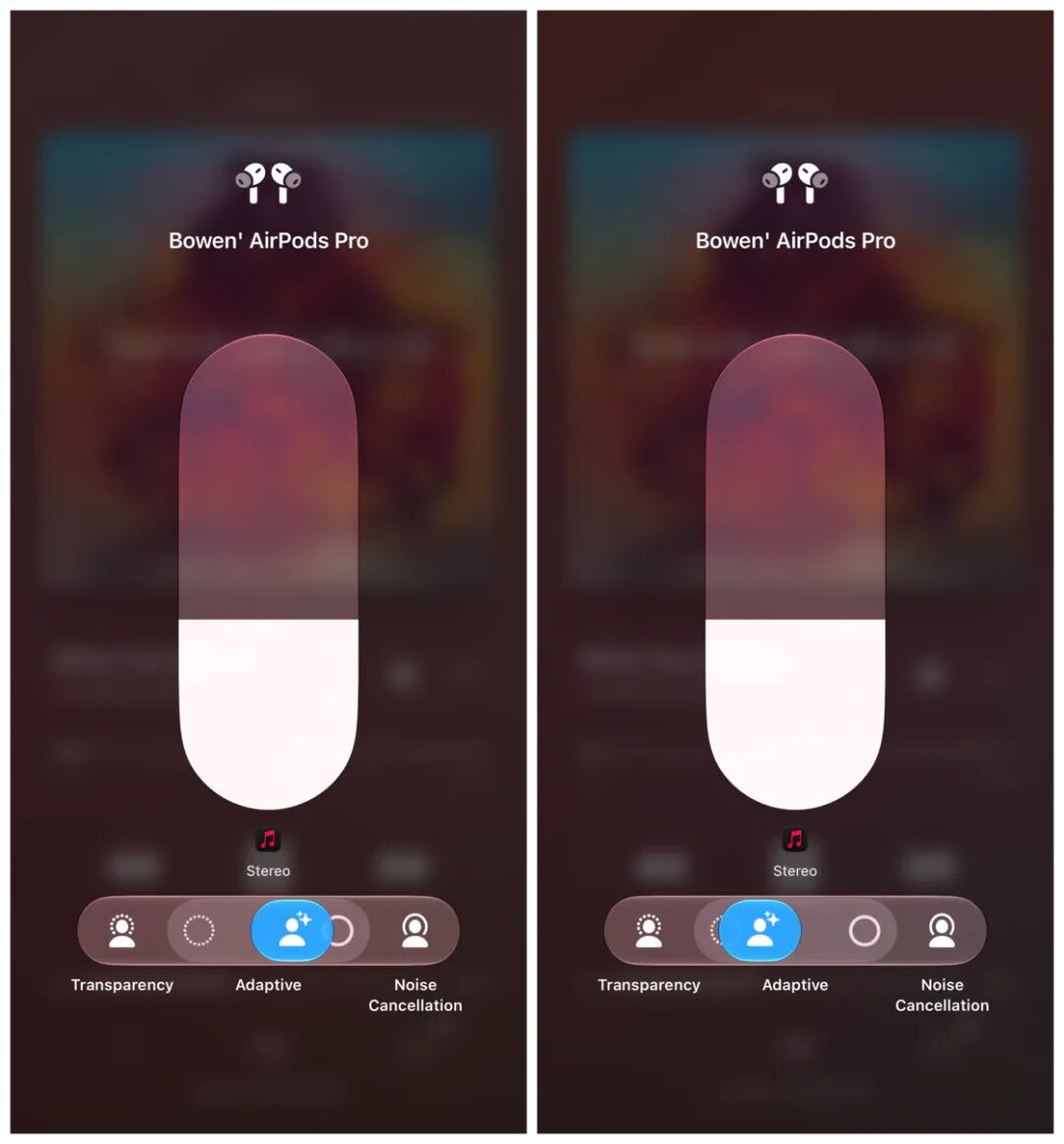
In the previous version, Apple added more detailed adaptive mode adjustment options for AirPods in the settings interface. In Beta 4, Apple also added the same adjustment options to the AirPods adjustment interface in Control Center. After enabling the adaptive mode, you can also flexibly adjust to get more ambient sound or more noise cancellation in Control Center.
It is worth mentioning that some careful media found that plural iPhone battery status strings appeared in the Beta 4 code, which may be related to the dual-battery structure of the foldable iPhone.
Beta 5
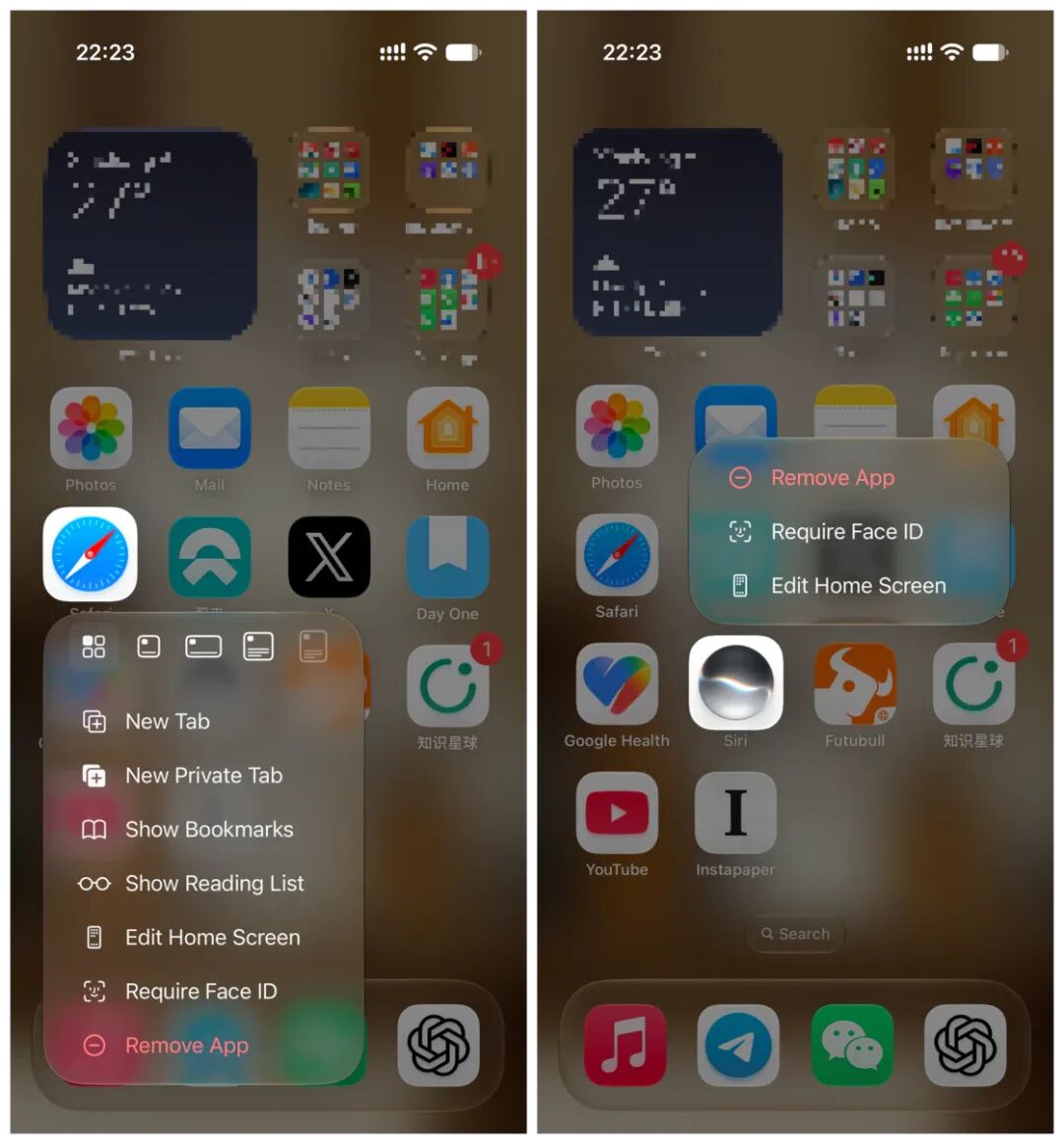
In Beta 5, Apple redesigned the system icons again, and the icons of applications including Safari, Siri, Settings, Apple Store, Remote, Preview, etc. have been modified in different directions. For example, Safari uses a brighter blue color and a more detailed compass pattern, the Siri icon is closer to the glowing sphere that appears when you actually call Siri, and some icons have added transparency and three-dimensional layers.
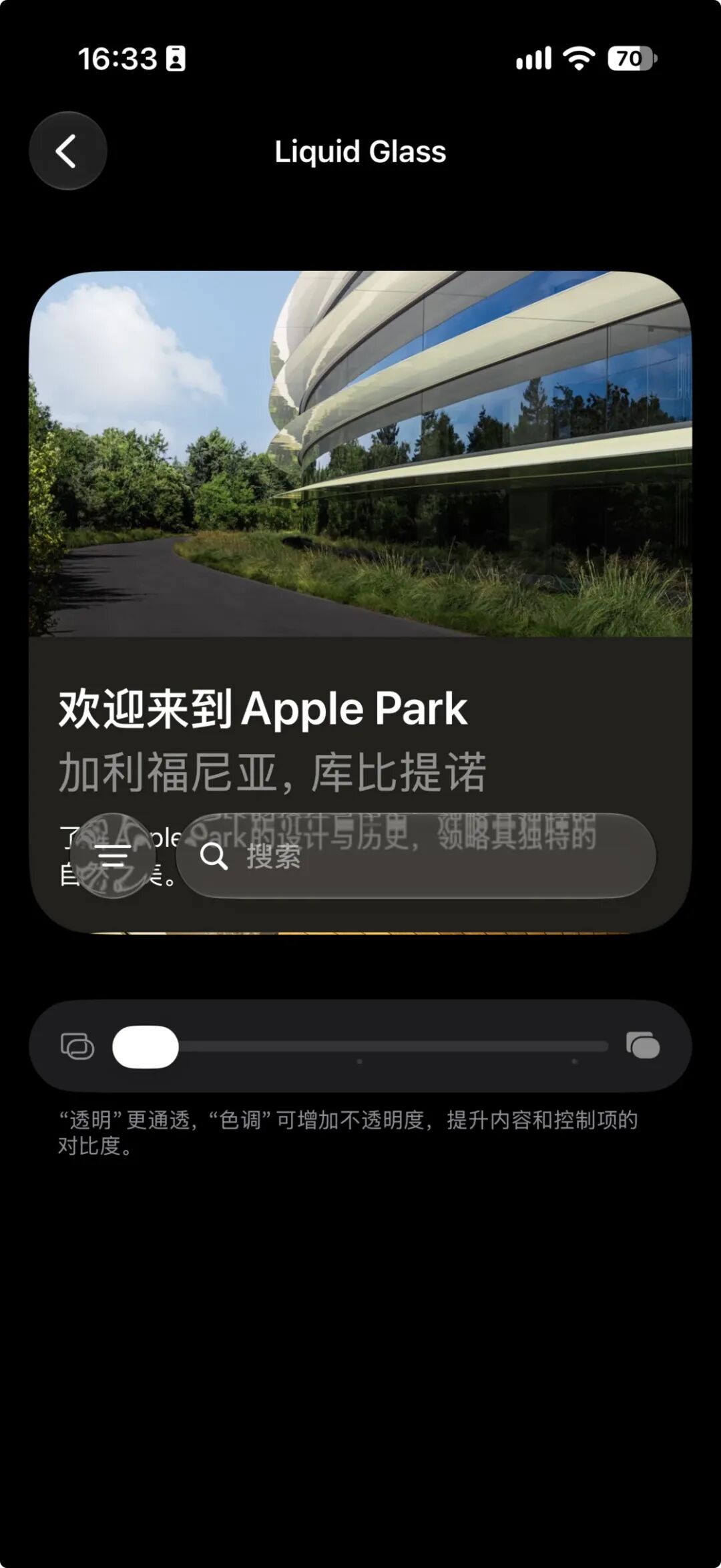
The visual effect of Liquid Glass has also been re-optimized, and the highest transparency level has been added in Beta 5, which makes the background content easier to show through buttons, bubbles and navigation components.
In the first developer beta of iOS 27, the Wallet app added a new function to create Passes customly, but it was only available to users in the United States at that time. In Beta 5, Apple opened this new function to more countries and regions.
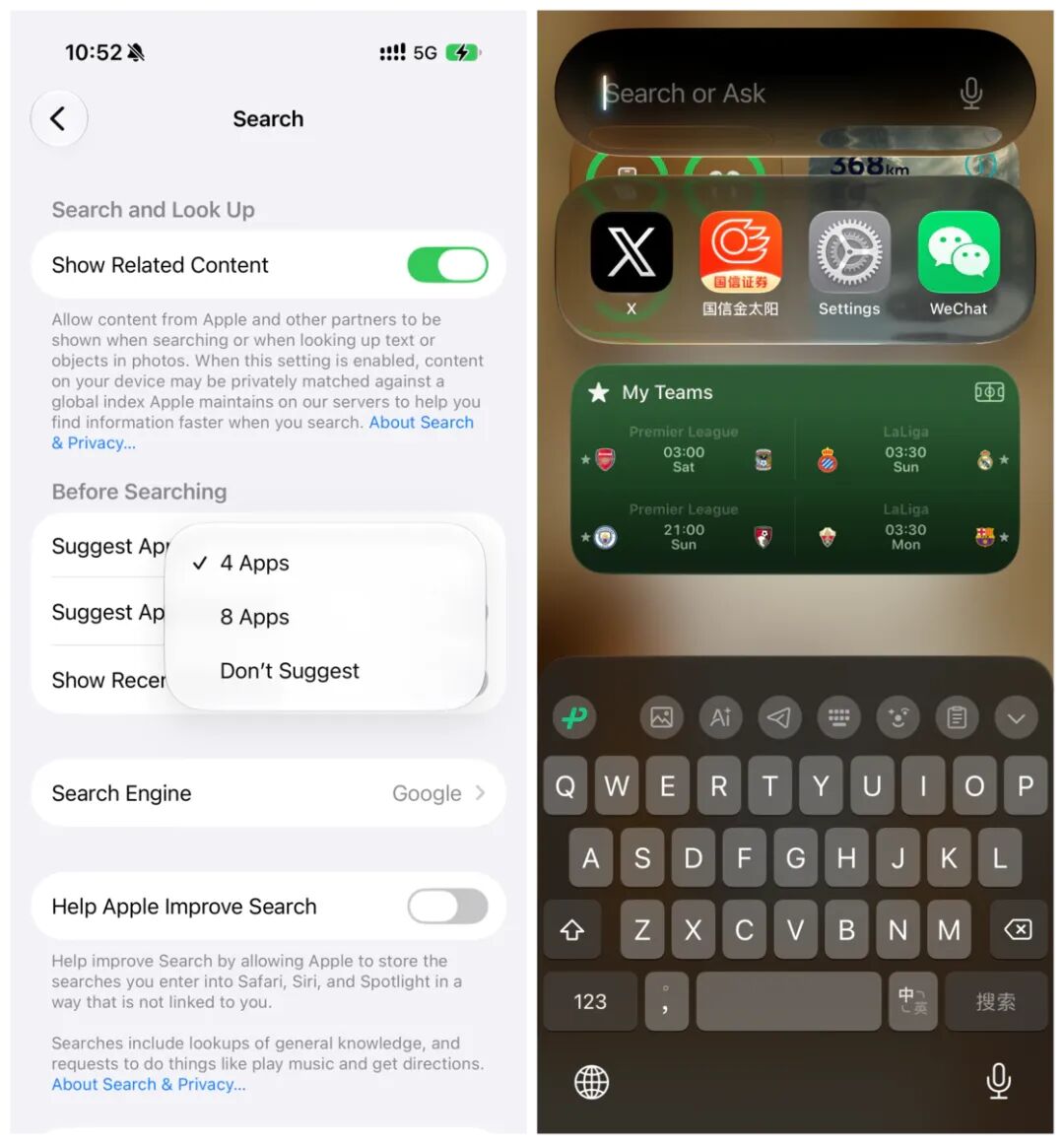
For the preloading interface of the search interface, the original system would display 8 suggested apps by default, while in Beta 5, Apple opened this customization right to users. In Settings, you can choose to show 8 apps, 4 apps or not show apps at all, and you can also choose whether to show app shortcuts.
In the previous two versions, Apple supported displaying both cellular network information and WiFi logo in the Control Center interface, but this change was withdrawn in Beta 5. In the new version, the Control Center interface will no longer display cellular network connection information when iPhone is connected to WiFi.
Beta 6
In this beta version, Apple no longer adds new functions or makes changes, but focuses on fixing existing problems. The specific list of fixed issues can refer to the information released on Apple's official website.
Easter eggs in macOS 26.7 RC
In addition, according to a large number of unreleased Apple product codes and demo resources discovered by MacRumors in the build of the macOS Tahoe 26.7 release candidate version, we can see that these products have appeared in various leaks or rumors before. Although this does not mean that Apple will eventually release these products, it at least shows that many new product rumors are not groundless. Now that this is the case, let's take the attitude of "the more exciting the better" to get a preview of these "One More Things" in advance.
First of all, let's look at smart home related devices. Previous Bloomberg reports have repeatedly mentioned that Apple is developing a home hub with a 7-inch screen, facial recognition and Siri AI support, and MacRumors found J490 / J491 in the 26.7 RC build this time, which may refer to the desktop dock / speaker dock version and the wall-mounted version of the Apple home hub respectively.
The current HomePod mini has the code name B520, and the new code B525 appears in the 26.7 RC build, which may represent the new HomePod mini, and the code also mentions that the software or firmware named "Argentium" has been installed on this device.
In addition, there is a relatively mysterious device with the code J229, which has appeared many times in previous iOS codes. According to MacRumors' analysis, it may be equipped with multiple sensors, sound alarm recognition and image collection capabilities, so it may correspond to the Apple home security camera, or it may be a supporting sensor for the home hub.
The homeOS, the home device operating system previously reported by Bloomberg, also has some clues in the macOS 26.7 RC build. MacRumors associates the discovered code "Pebble" with it, hinting at this potential brand new operating system. In addition, two unrecognized models HomeAccessory17,2 and HomeAccessory17,3 also appear in the code.
Colors such as Rose Pink, Silver, Space Gray and Starlight also appear in the 26.7 RC build, which may be the color options for the new HomePod mini, home hub or other home accessories.
Secondly, there are major discoveries about AirPods in the 26.7 RC build. MacRumors found a lot of information about the camera-equipped AirPods, including references to the relevant device with code name B790, system strings about failed startup image stream on the left earbud, Visual Intelligence settings content, and prompts when AirPods are blocked by hair. X user Aaron even found a demo video of the camera-equipped AirPods in the 26.7 RC build.

In addition to the camera-equipped AirPods, the macOS 26.7 RC build also contains clues of other headphone products. For example, B518 and B522 may be unreleased Beats headphones, and AirPodsPro1,4 may correspond to the 4th generation AirPods Pro.
Finally, let's take a look at some key devices of Apple.
In terms of iPhone, MacRumors found codes of 5 future iPhone models in the 26.7 RC build, namely V62, V63, V64, V67 and V68, corresponding to iPhone Air 2, iPhone 18 Pro, iPhone 18 Pro Max and foldable iPhone Ultra respectively; in terms of Mac, J804 is considered to be the entry-level 14-inch MacBook Pro equipped with M6, J833 and J834 are considered to be the next-generation iMac, while K114c, K114s, K116c and K116s may correspond to high-end OLED MacBook Pro or MacBook Ultra, but the specific meaning is unclear; in terms of iPad, J510 and J511 are considered to be the Wi-Fi / cellular versions of the next-generation iPad mini, which may adopt an OLED screen and a new generation of A-series Pro chip; in terms of head-mounted devices, N109 was previously pointed to the second-generation Vision Pro, but it may also be the affordable version, and the specific situation is still unclear at present; new code ATVRemote1,5 also appears for the Apple TV remote control, but no specific design and button changes are disclosed.
In addition to hardware clues, MacRumors also found traces of AI-related functions such as Apple Intelligence and Writing Tools associated with the Chinese market in the code, including content security updates, temporary restrictions after multiple security alerts are triggered, the requirement that certain text needs to be sent to a designated service for processing, and certain content cannot be edited, indicating that localization and compliance mechanisms are still under development.
Above is the content of the recent iOS 27 Beta version updates, as well as the hardware-related leak predictions full of explosive information. If you have any thoughts on these forward-looking information, you are welcome to communicate in the comment section.
Original Link
https://sspai.com/post/113618?utm_source=wechat&utm_medium=social
This article is from the WeChat official account "sspai" (ID: sspaime), the author is Vanilla, and is published by 36Kr with authorization.