DeepSeek Harness has arrived, and it does not want to become the next Codex.
Just now, DeepSeek officially released its first Agent product, DeepSeek Harness.
As early as the update log of the official V4 Flash version, in addition to the benchmark results that directly compete with the Claude Opus model, there is a note stating that "The official DeepSeek-V4-Flash uses the DeepSeek Harness minimal mode (to be released soon) as the framework for testing."
APPSO obtained the internal test qualification of DeepSeek Harness before its release. It has all the features that a local Agent workspace should have, including project management, long-task collaboration, multi-Agent orchestration, context management, web search and Skills, etc.
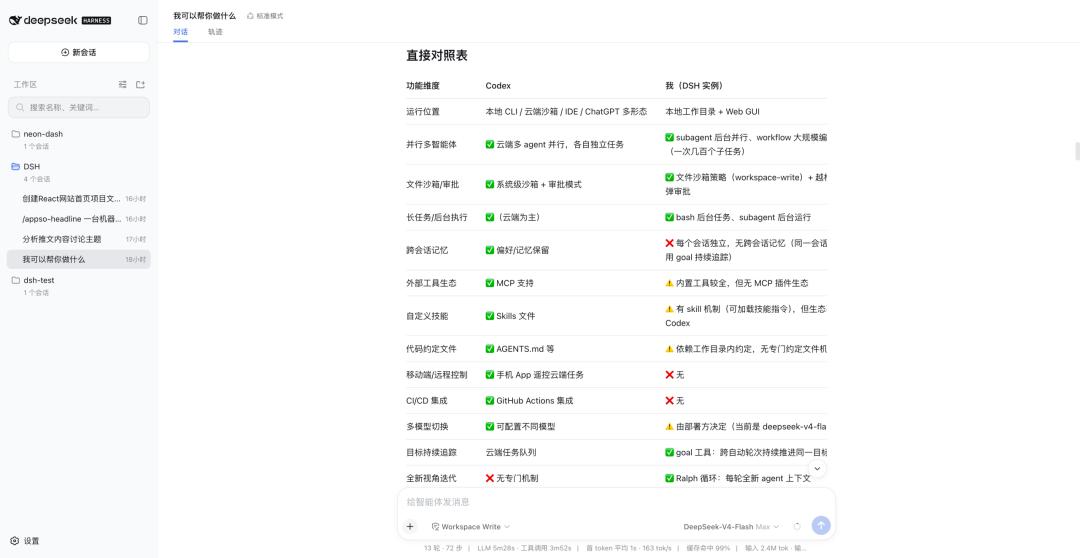
The differences between DeepSeek Harness and Codex as described by DeepSeek Harness itself
However, describing it only as the "DeepSeek version of Codex" is definitely not enough. Custom Agent presets, reconstructable sessions, and powerful plugin features all make DeepSeek Harness quite different from traditional Codex-like products.
When DeepSeek also starts to compete for the Agent execution layer after model output, this long-awaited Harness not only makes the already "cost-effective" DeepSeek models easier to use, but more importantly, it may change our habits of using Agents.
First, get to know DeepSeek Harness
The following content such as features and interfaces are all from the internal test version, which may be slightly different from the official version. The officially released version shall prevail.
At first glance, it is no different from most local Agent products on the market. The left sidebar lists from top to bottom: "New Session", "Workspace", and multiple sessions in different workspaces/folders.
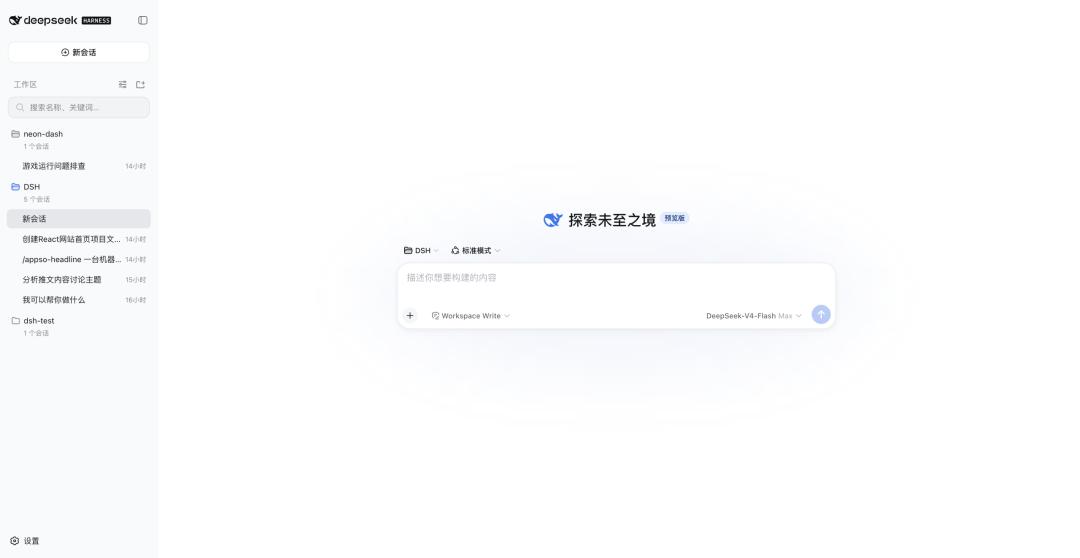
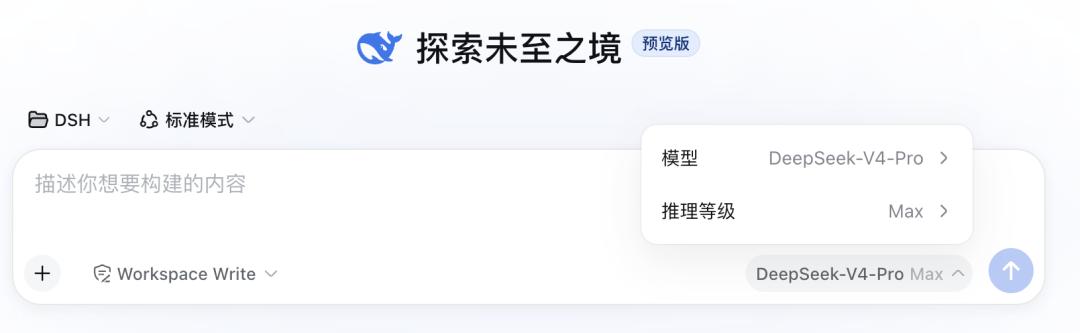
In the conversation settings section, we can switch between different workspaces, different models and thinking depths. There are three levels of reasoning: Off, High, and Max, as well as the permissions that DeepSeek Harness is allowed to access.
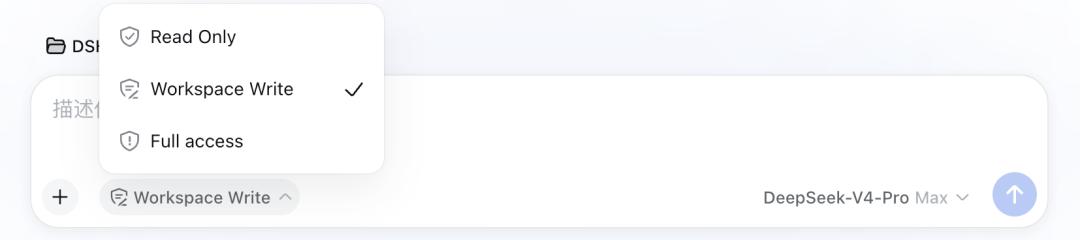
Different from general Codex products that only distinguish between daily/office, office/code and other work scenarios, DeepSeek Harness uses a set of "Agent Presets" to cope with different tasks.
The minimal mode mentioned in the official V4 Flash version is exactly one of the four built-in Agent Presets of Harness. It is suitable for simple modification and testing of minimal Agents, and does not have functions such as compression, search, Skill, planning and sub-Agents.
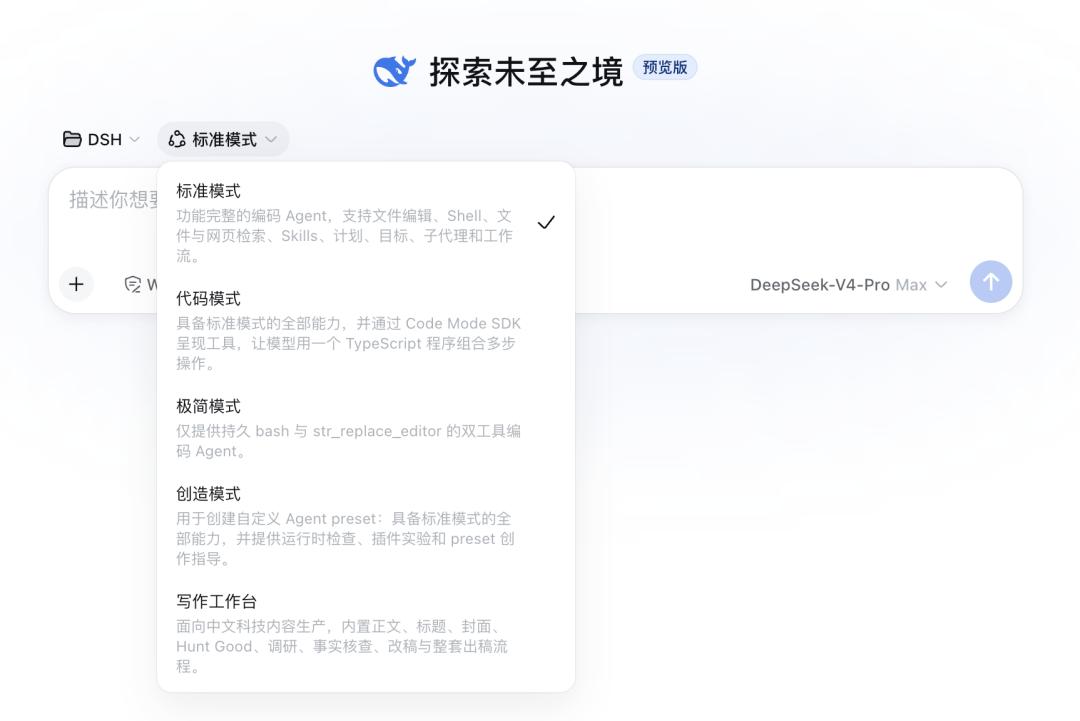
The writing workspace is an Agent Preset we created ourselves
The other three preset modes are the standard mode, which is the default option and suitable for daily coding, bug fixing, and project analysis; the code mode, which handles large-scale searches, parallel reading, and multi-step automatic processing; and the cordis mode, which can develop new Agent Presets or plugins.
Different Agent Preset modes have different available commands, and we can also use "/" directly in the input box to quickly select different instructions or Skills.
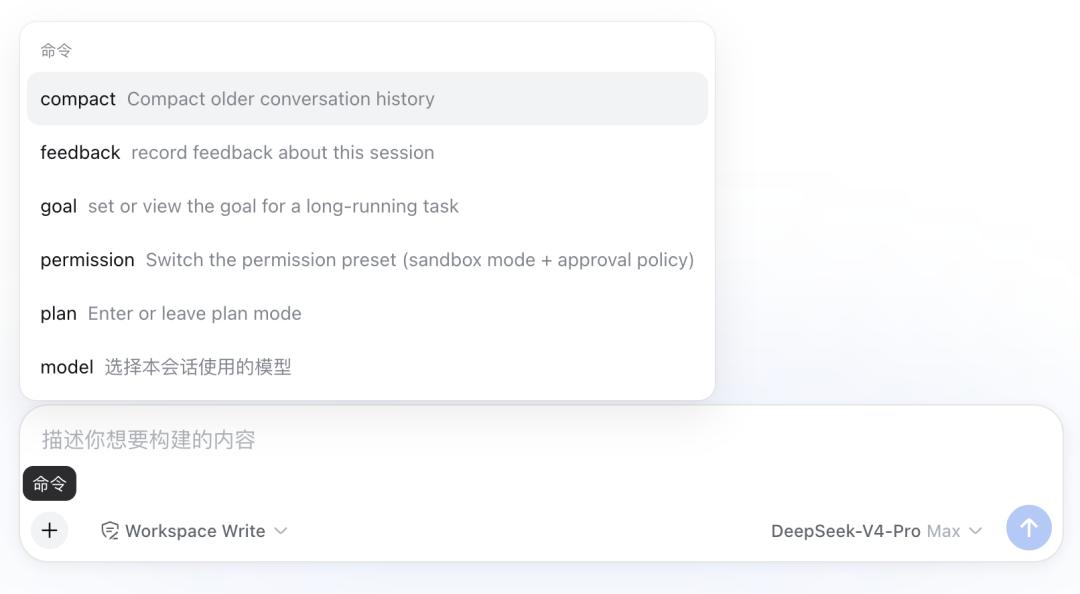
The standard mode, code mode and cordis mode all include commands such as conversation compression, goals, and plans, while the minimal mode only has the goal command.
Customize Agent Presets with Cordis Mode
For what Agent Presets are and the specific differences between several Agent Presets, we can also see the details on the settings page.
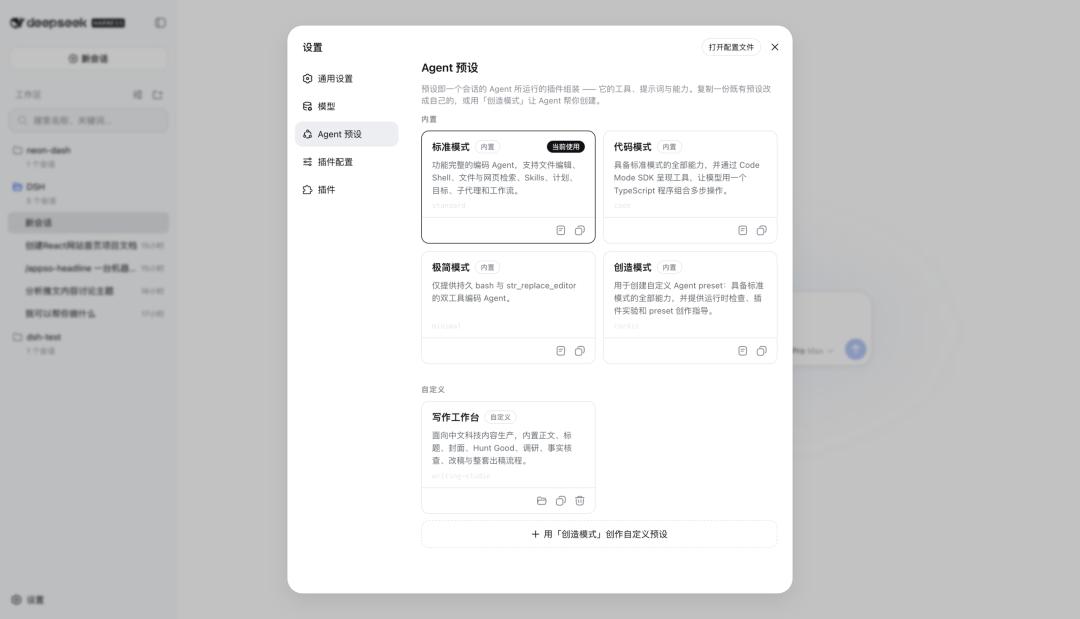
A preset is an assembly of plugins run by the Agent in a session — its tools, prompts and capabilities. You can copy an existing preset and modify it to your own, or use "Cordis Mode" to let the Agent help you create it.
If the model is equivalent to the brain, which determines the basic reasoning and understanding ability; Skill is equivalent to an operation manual, which tells the model what to do specifically when encountering a certain type of task; Tool/Plugin is equivalent to software and permissions, which determines whether the model can search, modify files, run commands, send and receive emails, etc.
Then the Agent Preset is a position plus a working environment, where the identity, long-term rules, available tools and working methods are all determined by the Agent Preset.
An Agent Preset generally consists of a configuration document, which fully combines the Agent's system prompts, tools, context compression and multi-Agent capabilities.
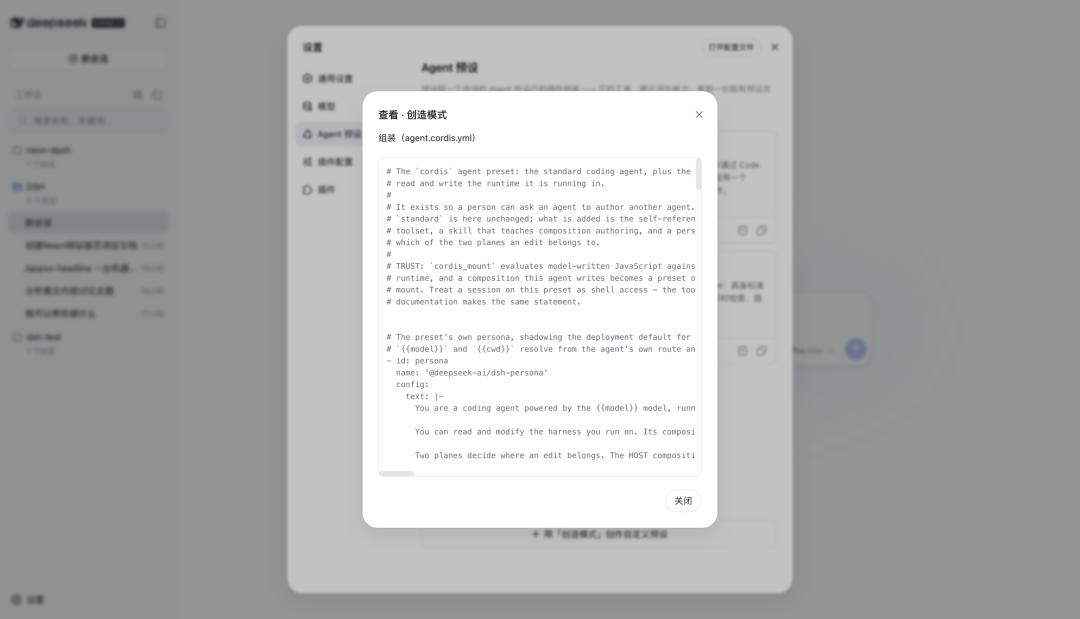
We have also created a new Agent Preset specifically for writing. In this preset, we can not only use files for configuration, but also introduce folders and add different Skills to make our own Agent more perfect.
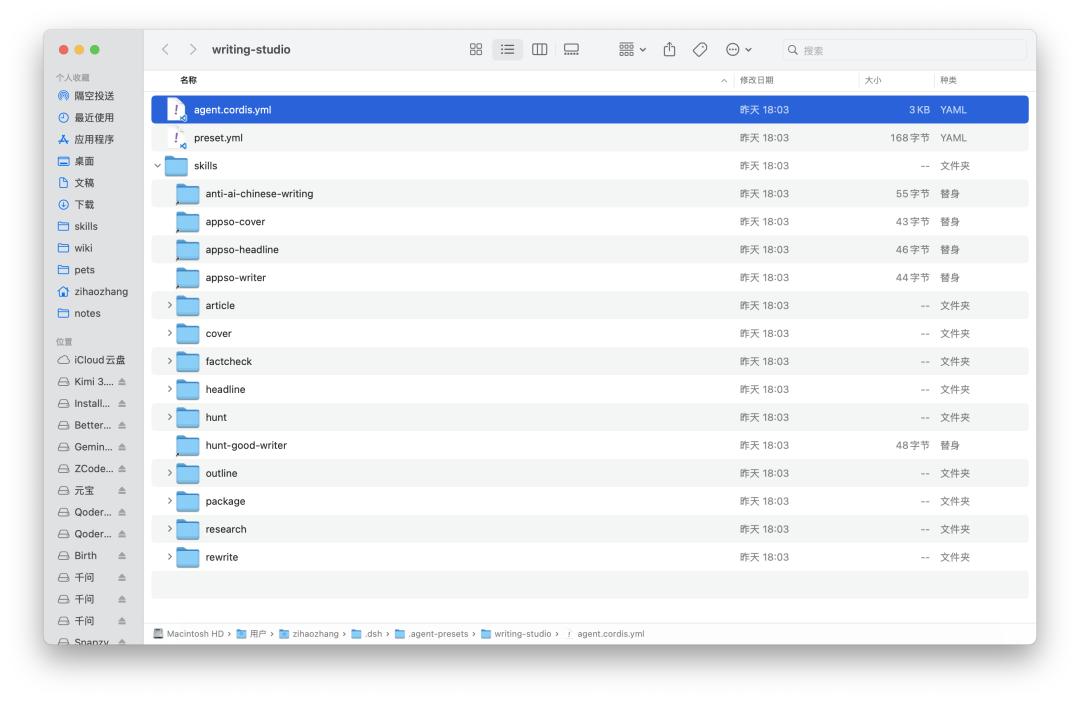
Information contained in the custom writing workspace Agent Preset folder
DeepSeek Harness also provides a method of "customizing presets with Cordis Mode". Just like most Agents create Skills through conversations, we can step by step ask Harness to create our own Agent Preset.
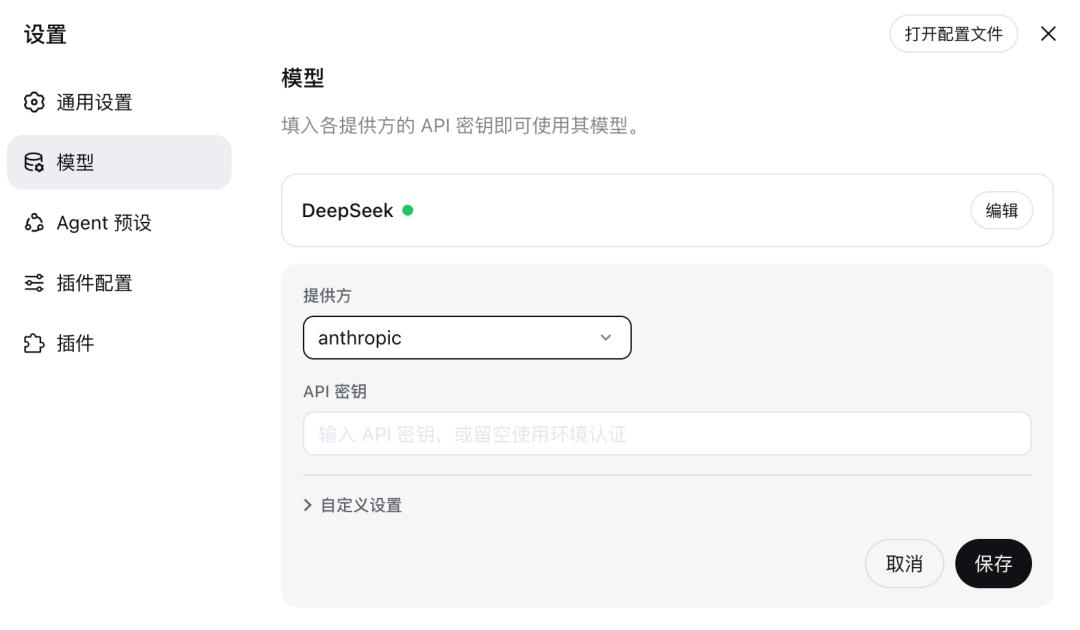
On the settings page, we can also see the configuration of the model. DeepSeek Harness allows us to access different third-party large models, and the default providers include nearly 40 large model manufacturers such as Kimi, OpenAI, Anthropic, and Google.
Everything runs in a plugin-based way
The last setting is the highlight of DeepSeek Harness this time — plugins. The introduction of DeepSeek Harness in the internal test product says "Everything is a plugin".
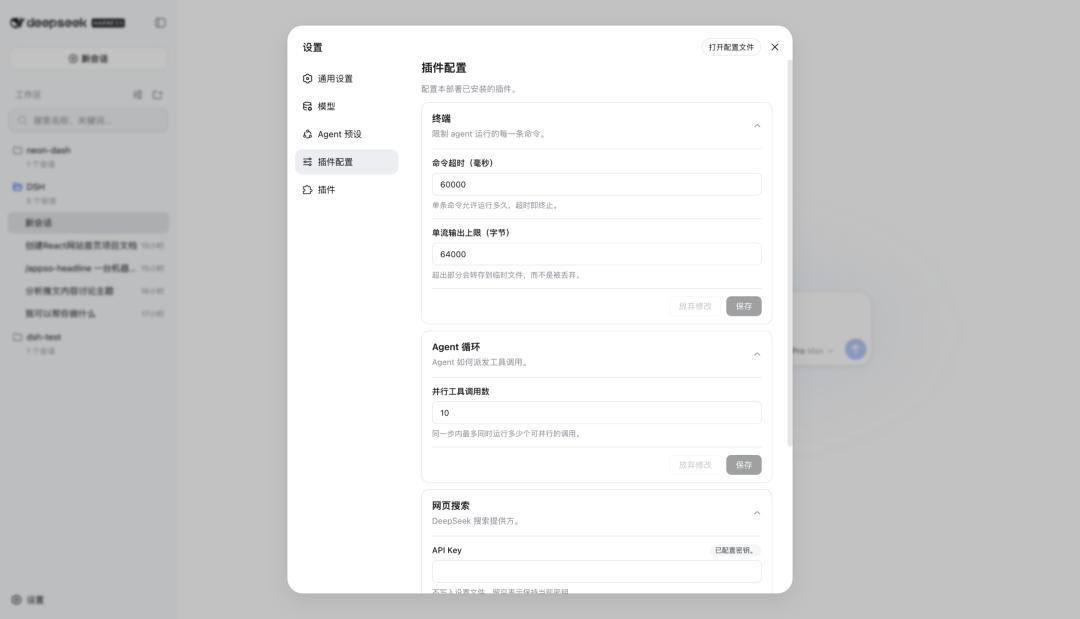
How powerful these plugins are: in the internal test project repository, users participating in the internal test have developed about 300 plugins in just a few days.
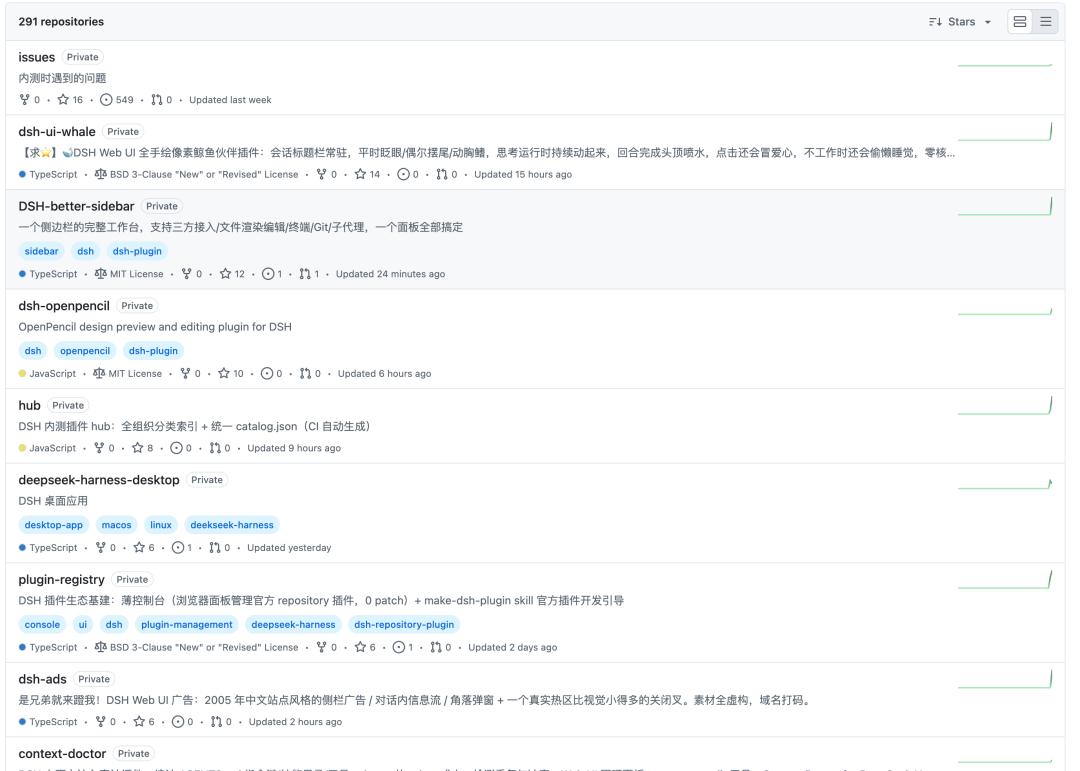
Some plugins can modify the entire working interface of DeepSeek Harness, some can access custom desktop pets like Codex, and some optimize the conversation interface, as well as a pure plugin implementation that brings DeepSeek Harness the capabilities of "cross-session long-term memory + background self-evolution".
Although the underlying memory is still stored in local files, this set of plugins does not implement "long-term memory" through the traditional vector database + RAG, but forms a complete system through local file persistence + layered context injection + LLM self-organization.
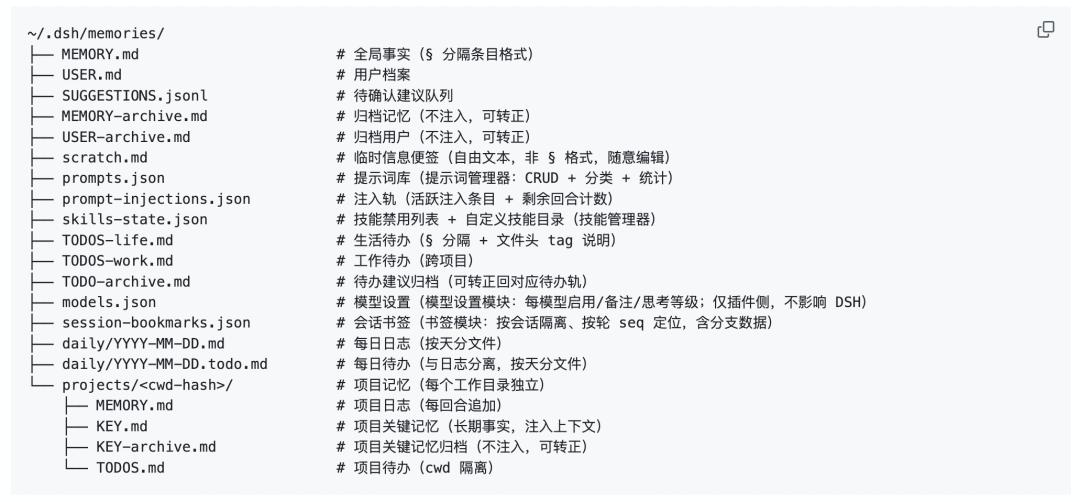
The power of plugins also lies in enabling the self-evolution of the model, which regularly allows the LLM to review its complete working context and compress temporary experience into long-term knowledge.
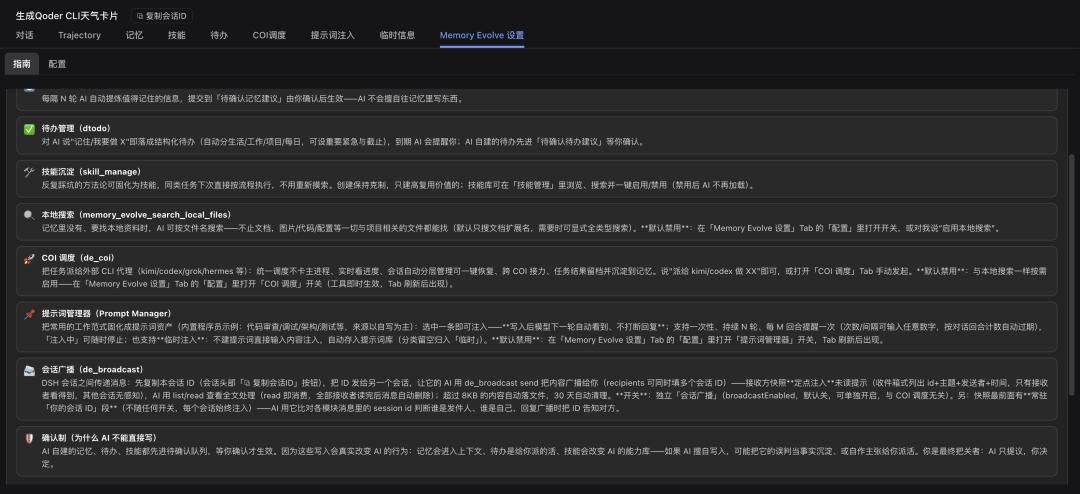
DeepSeek Harness interface using this memory plugin
But whether it is a memory plugin or a skin plugin, these are just the tip of the iceberg of the plugin capabilities.
In the development documentation of DeepSeek Harness, from the architectural perspective, plugins are almost the main feature of DeepSeek Harness. Models, tools, strategies, storage, context and interfaces can all be replaced or combined through plugins.
Usually, the plugins we understand are to add some small functions to the current product, just like the rich plugin system in VS Code, or the Chrome browser, where we can install different plugins to add corresponding capabilities to the browser.
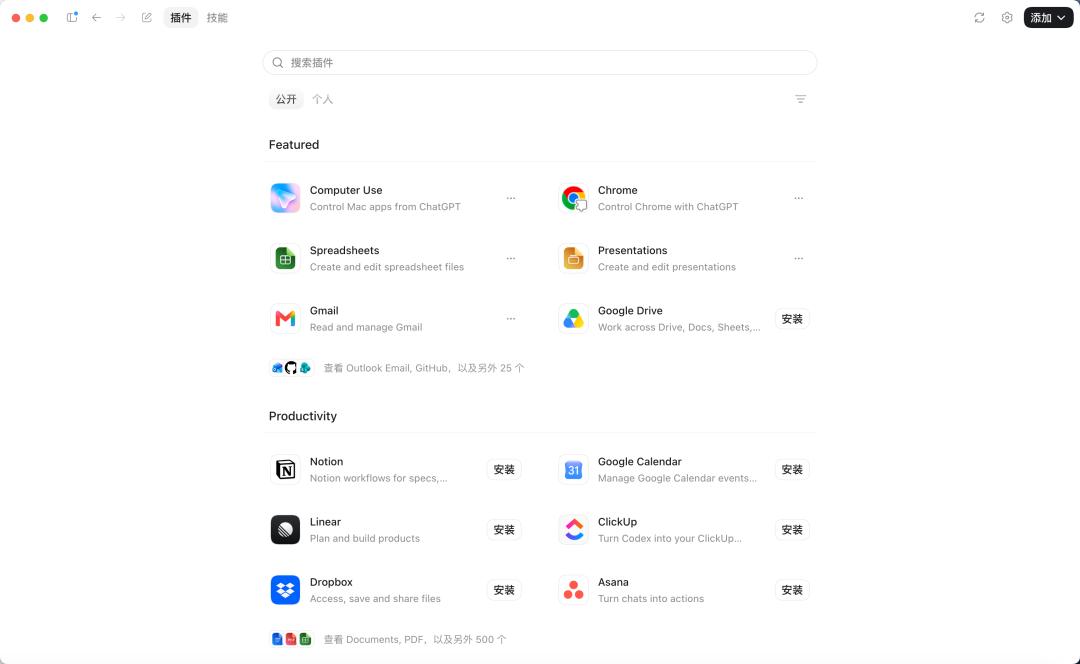
There are also a large number of plugins in the Codex application, such as Computer Use, Chrome, Notion and other corresponding tools and services.
But the plugins provided by DeepSeek Harness this time add capabilities to the Agent's brain, toolbox, rules and interface, which are deeper and more free.
If you think the official DeepSeek interface is too simple, you might as well add some ads.
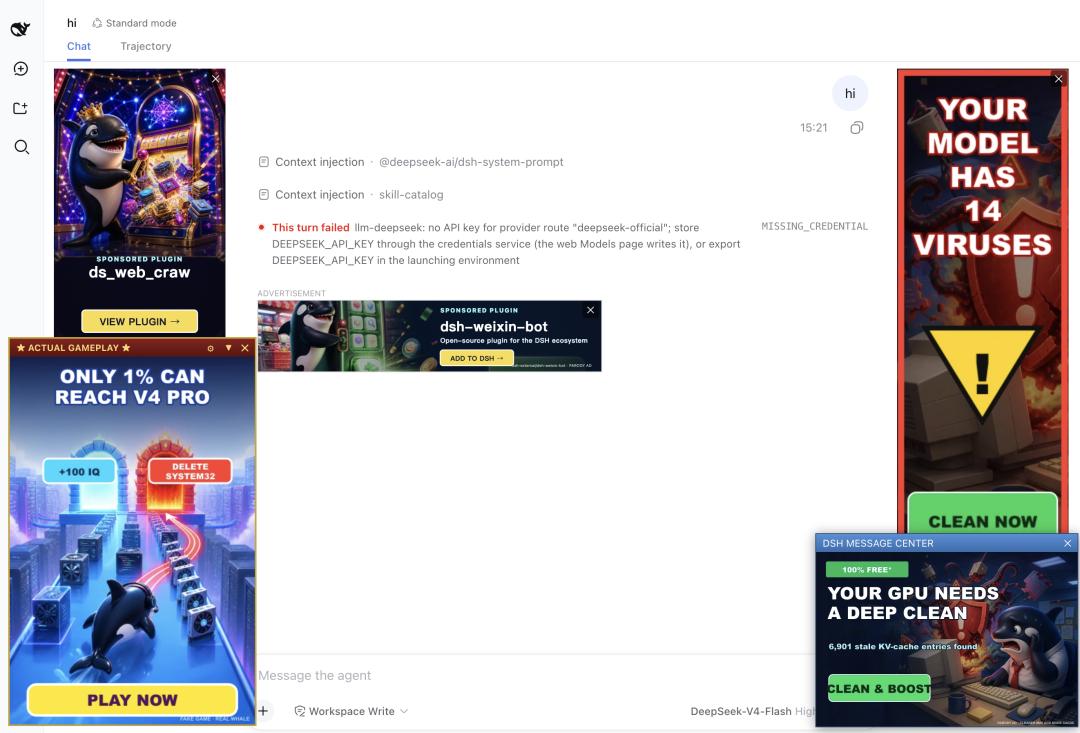
The DSH plugin developed by internal test users can directly modify the page UI
For example, a "title generation plugin" for an Agent usually adds a button or command to the conversation. After clicking, it calls the AI to process according to the existing commands.
A DSH "writing plugin" can do the following at the same time: add capabilities such as /headline to the Agent; register a headline tool that the model can call autonomously; replace the system prompts and writing rules; connect to our various Skills; add web search or external MCP; save article materials and long-term preferences; add a writing panel in DeepSeek's interactive page; restrict which Shell, file or network tools this Agent can use... and so on.
A product with equally powerful plugin capabilities on the market may be Pi Agent, which can also rewrite tools, model requests, session behaviors and terminal interfaces through Extensions.