After thoroughly experiencing DeepSeek Harness, I can accept its price hike.
DeepSeek Harness has finally been released, with its full source code open-sourced.
Why do I say "finally"? Because I have been in the closed beta for nearly half a month, and now I can finally share it publicly...
During this period of testing, I migrated almost all of my Vibe Coding projects from Codex to Black Whale (yes, its logo now has a dark black design).

After in-depth experience for such a long time, and going through the official repository thoroughly from beginning to end, my biggest feeling is —
This is a complete saddle built entirely for self-evolution and DIY.
In the closed beta group, some senior developers directly modified it to look like this...

And like this.
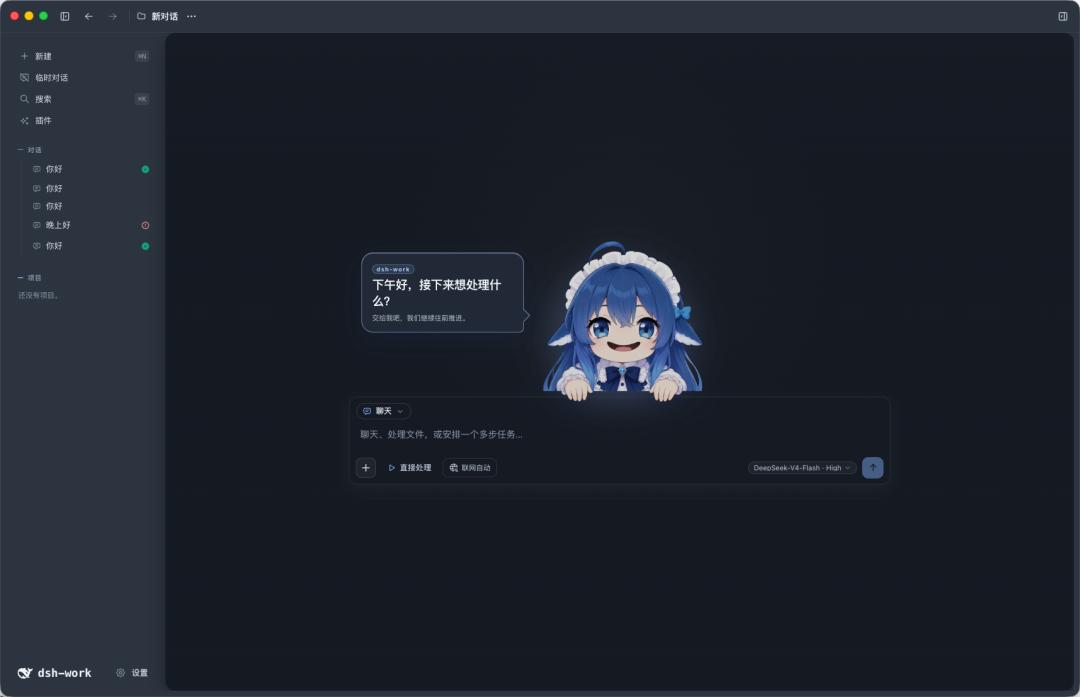
There is also this custom TUI.
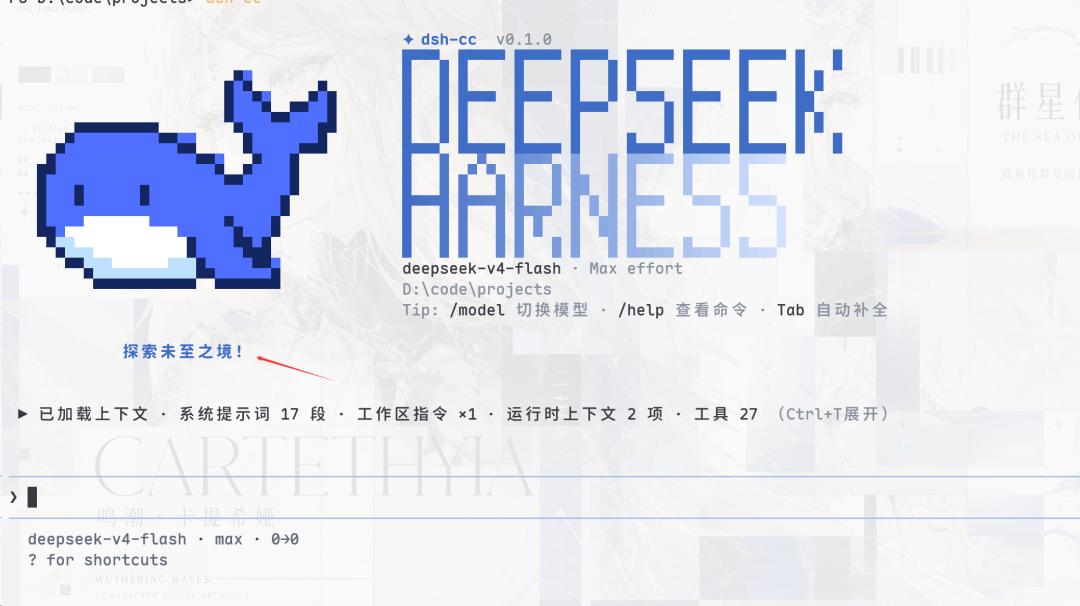
What DSH can actually do goes far beyond all these.
In fact, everything in DSH — models, tools, strategies, storage, context management... are all plug-and-play building blocks.
This means that if you want, you can completely modify it by yourself, or customize the runtime for specific scenarios.
At present, the official version has built in more than 100 plugins, and the community will provide more later.
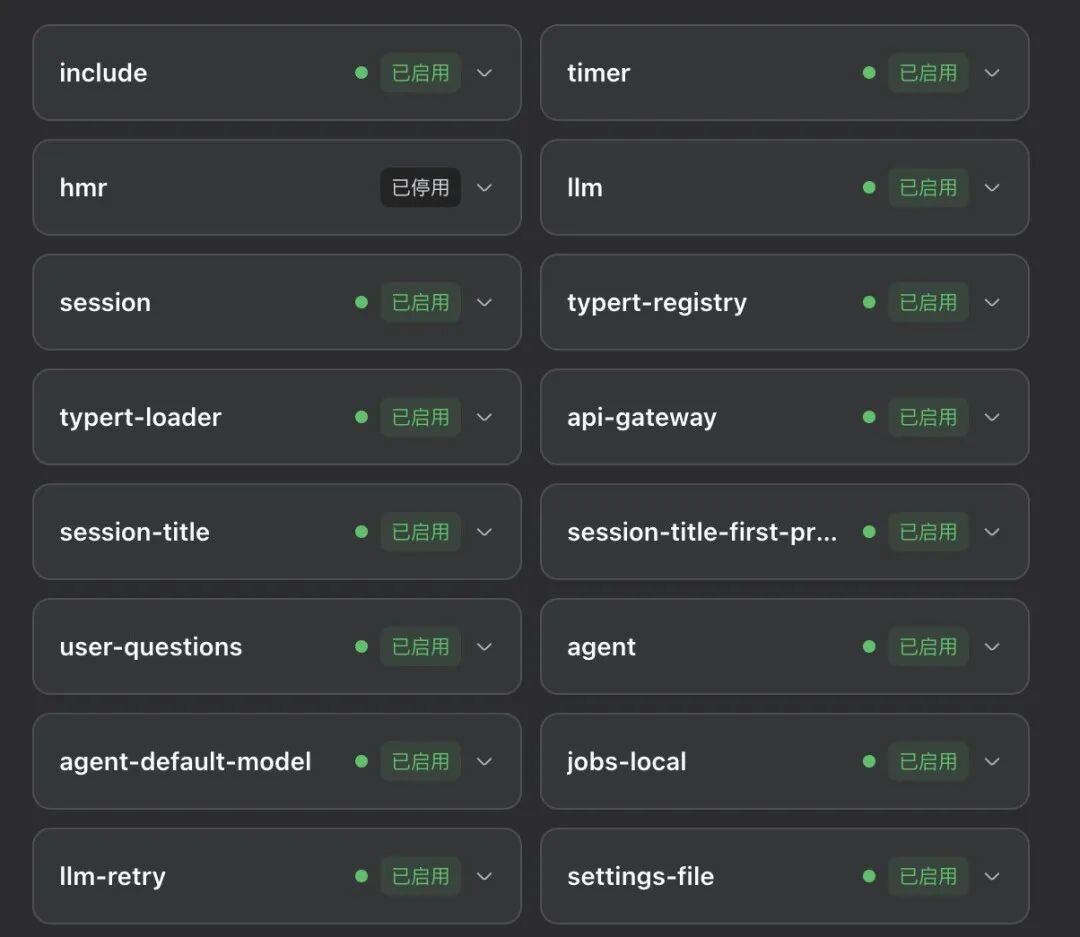
The Android of the Agent era has arrived.
The most straightforward guide to DSH
But before we talk about underlying technical content, let's first cover the product experience itself.
The official documentation provides two installation methods:
Quick experience: On a system with the Node.js development toolchain installed, you can use the npx command to quickly launch the Web UI of DeepSeek Harness.
npx@deepseek-ai/dsh web
Source code installation: Get the full project source code and complete the installation according to the repository instructions.
git clone https://github.com/deepseek-ai/deepseek-harness
Actually, it can be even simpler: just send the repository link (see the end of the article) to an AI, and let it handle the whole installation process for you (doge).
But there is no Electron APP for the time being. After starting the service, you need to access it through the browser Web UI.
After opening it, you will first be asked to fill in the model API Key. If you don't have one, you can buy one directly on the DeepSeek development platform.
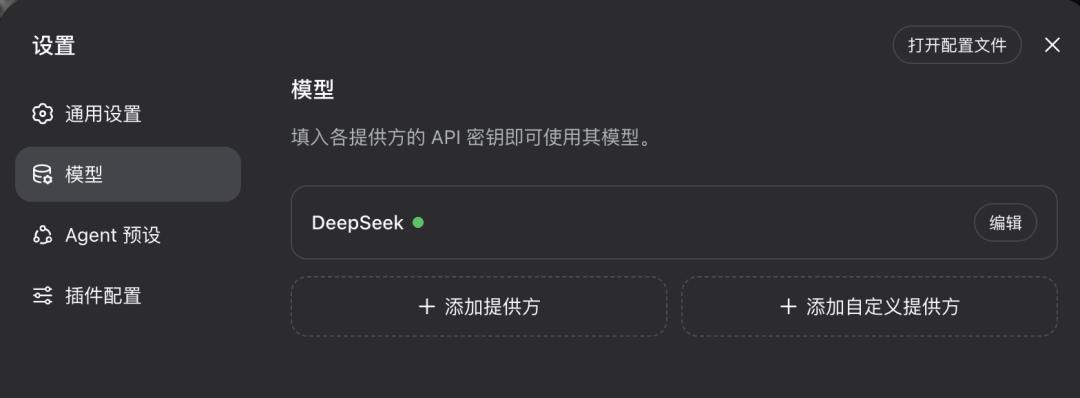
But Liang may charge you more than just the electricity fee this time. There will be a significant price increase on the 17th, especially for caching services...
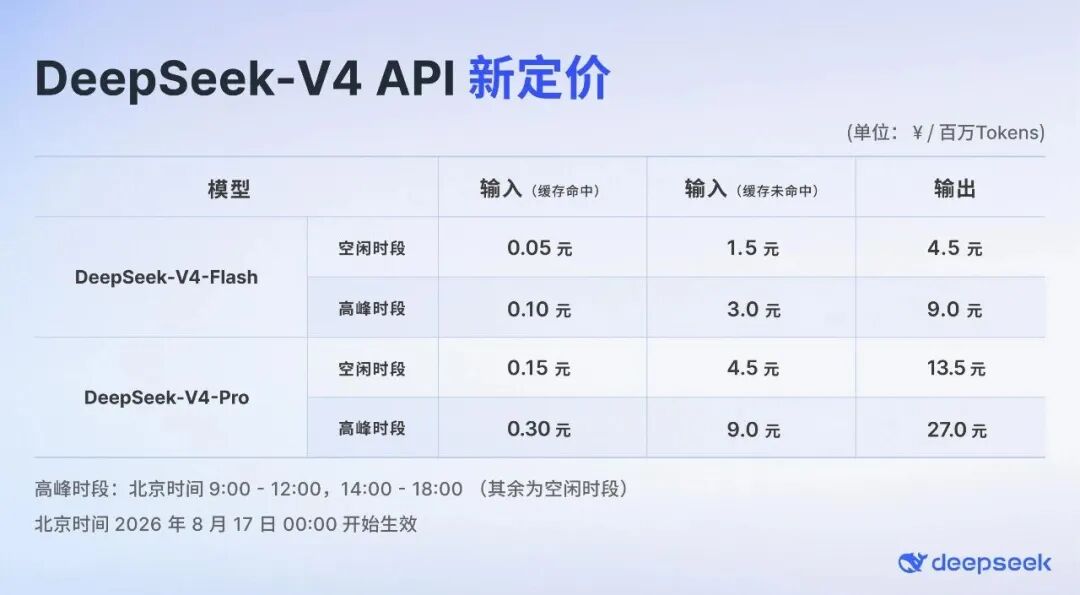
However, you can also connect other models to it.
After that, you will see the true appearance of "Black Whale". It looks almost exactly the same as the DeepSeek web version, except that the conversation list is now a local project management list.
Its usage is also somewhat different from mainstream Agents.
Before starting a session, you need to additionally select a working directory, and —
Agent Preset.
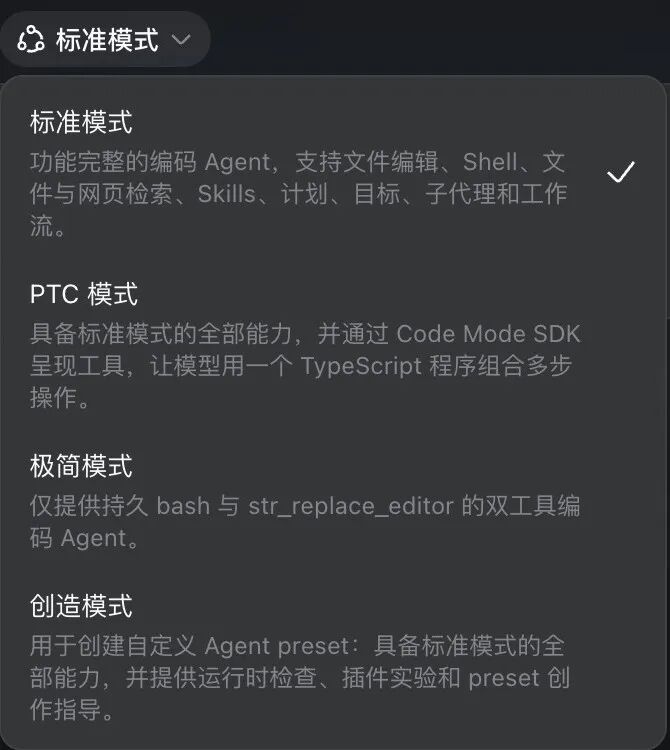
This is a relatively new feature of DSH. Currently, the official provides four types of presets for you to choose from —
Standard Mode: A fully functional coding Agent with all capabilities including file editing, Shell, file and web retrieval, Skills, planning mode, goal tracking, sub-agents, and workflows.
PTC Mode: Based on all capabilities of the standard mode, it additionally provides the Code Mode SDK, allowing the model to write TypeScript programs to combine multi-step operations.
Minimal Mode: Only retains the two tools bash and str_replace_editor, used for benchmark testing and minimal reproduction.
Creation Mode: Based on all capabilities of the standard mode, it additionally provides runtime inspection, plugin experimentation, and preset creation guidance, for customizing Agent presets.
In addition, custom presets are also supported.
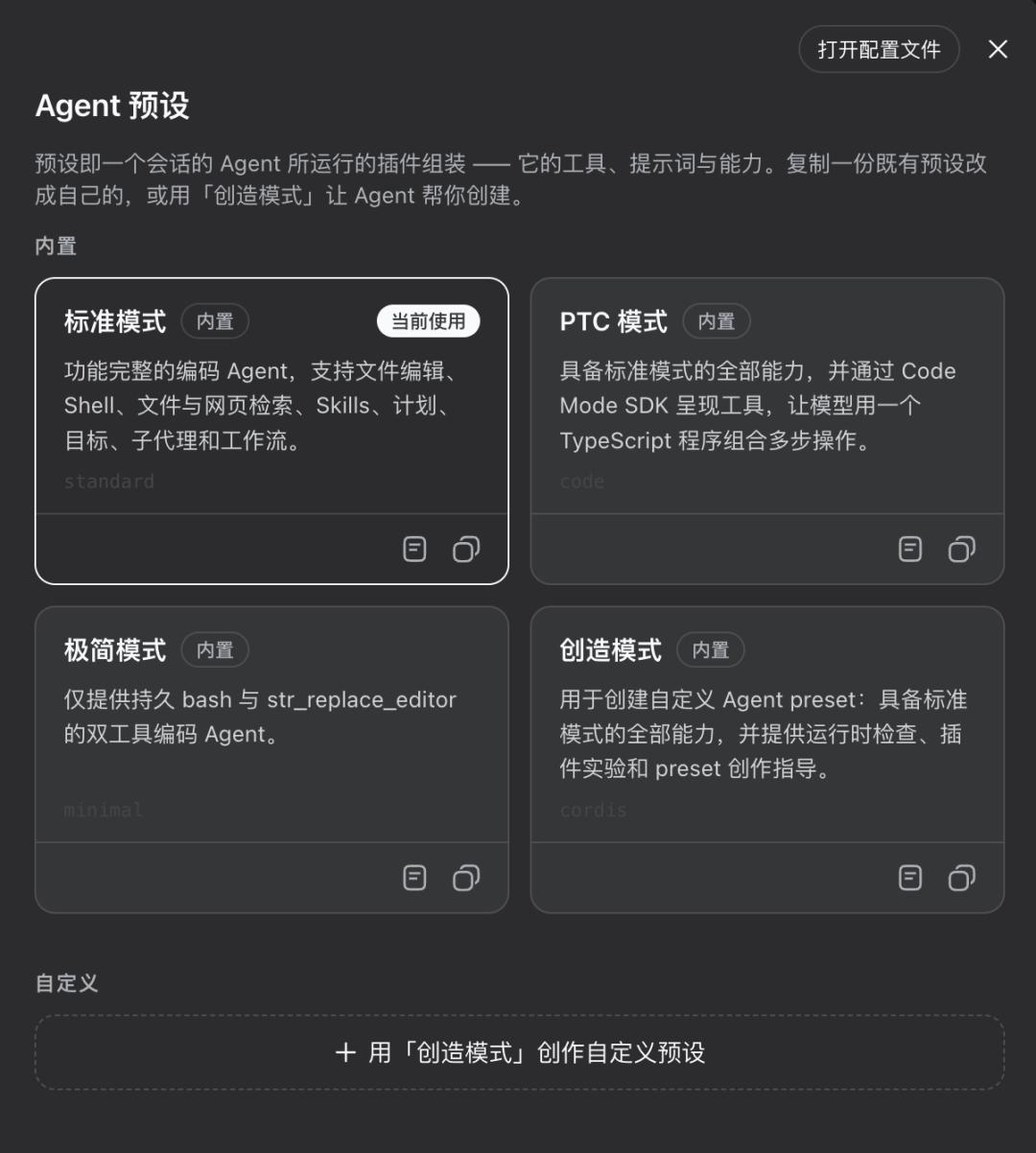
This is also the deepest impression DSH left on me — this is a very geeky, even developer-exclusive saddle.
Many designs are built around this first principle.
For example, there is a feature called Trajectory.
As we all know, the longer the Agent runs and the more complex the toolchain becomes, the more the Chat summary becomes a black box, making it impossible to figure out what the model is doing behind the scenes.
The Trajectory feature built in DSH is a playback window that can monitor the Agent at any time.
Different from the polished conversations in the Chat view, Trajectory can directly show you the original event-level records, and you can play back at any time to check exactly what happened inside the session.
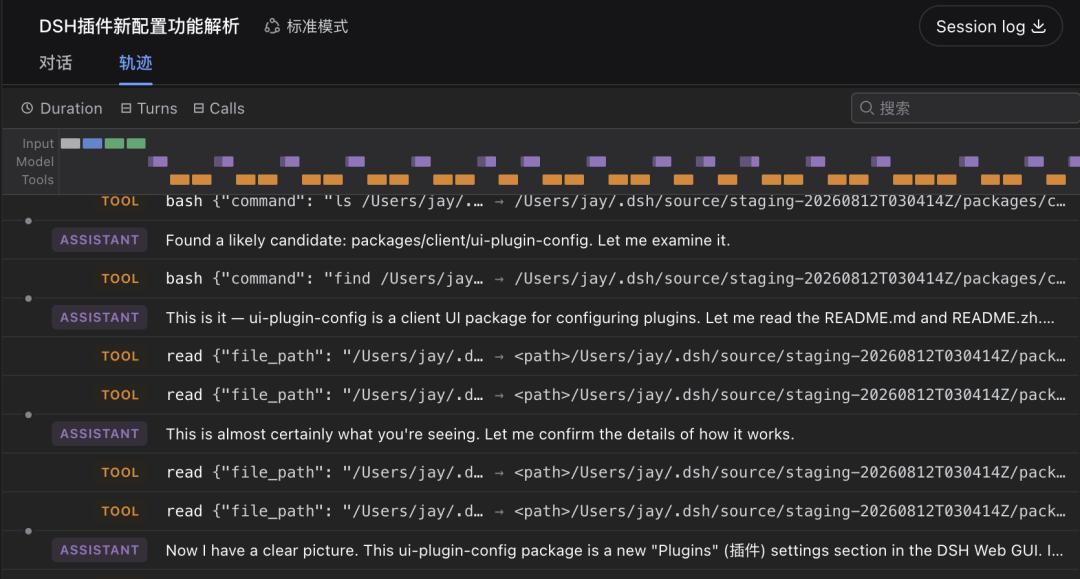
In this way, you can more intuitively see exactly where the model failed, and how many tokens were consumed in each step.
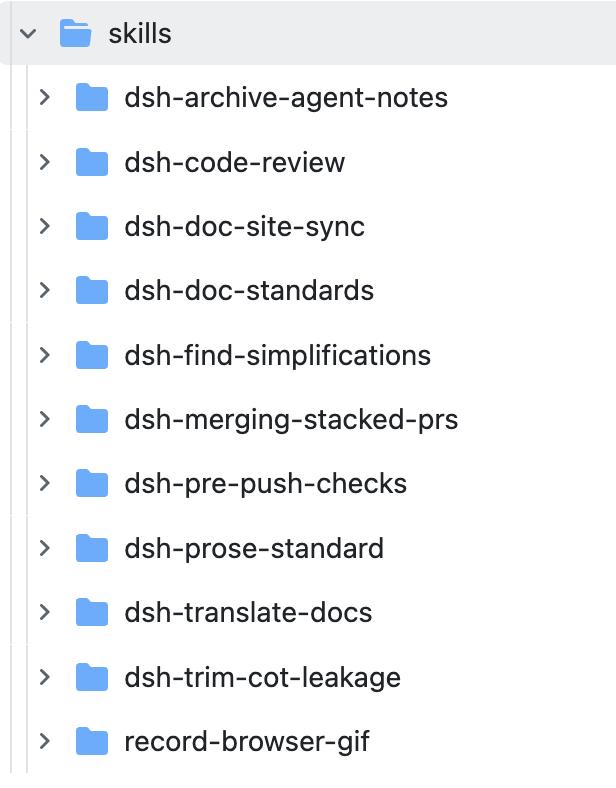
In addition, DeepSeek has built a bunch of Skills in the repository, specially designed for development scenarios.
I took a look at the MD document, and the functions are roughly as follows —
dsh-code-review: For PR review. Check for invisible problems in the code according to the specifications of the repository.
dsh-find-simplifications: Find places where code can be simplified, and write the simplification ideas into Agent Notes.
dsh-doc-standards: For document writing/review. Manage document hierarchy, distinguish tutorials from references, and remove "useless document fluff".
dsh-prose-standard: Text quality control for the entire repository. Define whether and how to write Markdown, JSDoc, code comments, prompts, and CLI/UI copywriting.
......
However, I am not a heavy developer user, and I really don't need these features in my daily work.
But after multiple rounds of interaction, I found a very useful small design in DSH —
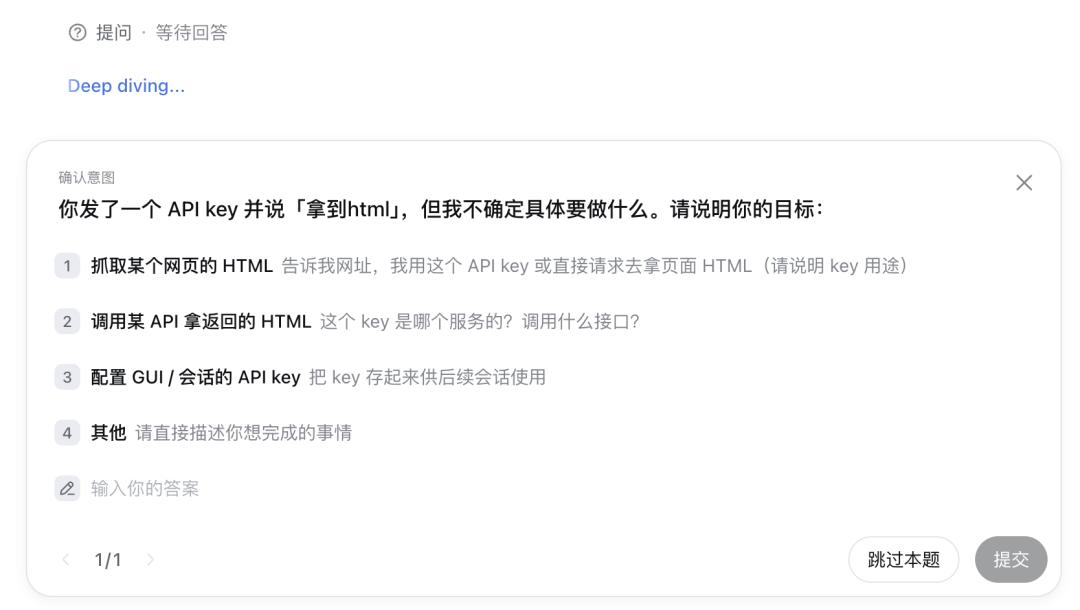
Even without enabling the planning mode, Black Whale will actively raise questions when it encounters unclear user instructions.
This is very different from Codex. Under the guidance of DSH, Black Whale will very actively initiate brainstorming and give suggested options.
To be honest, this is extremely pleasant to use. It saves a huge amount of mental effort, and you don't need to consume so many bananas to replenish energy (just kidding).
Of course, you can also choose none of the options, and input a bunch of context via voice to it.
Other features are no different from Codex.
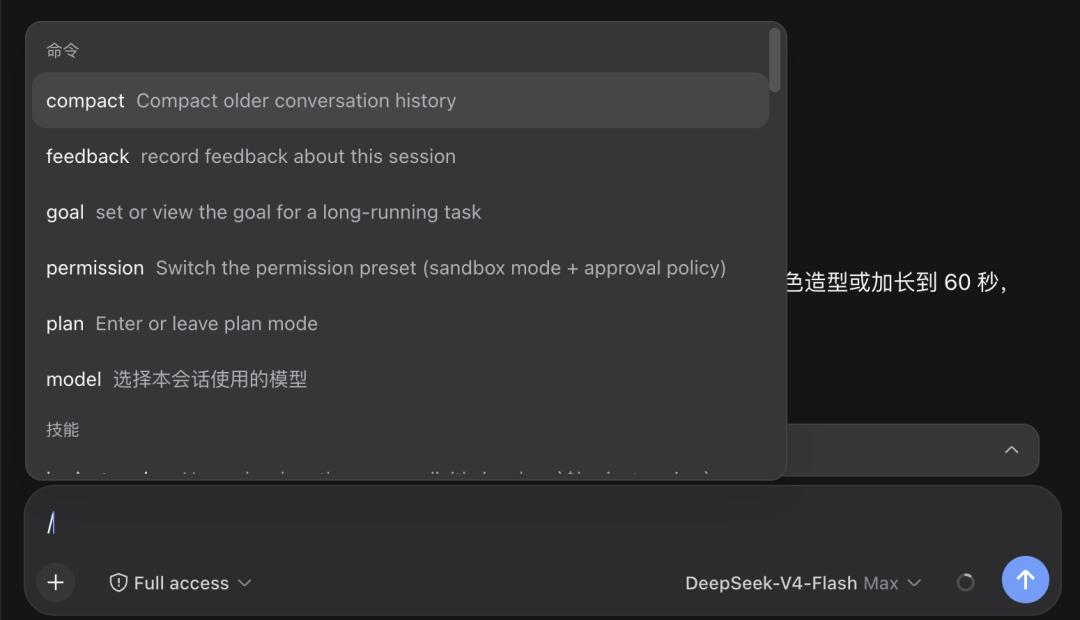
You can use / to call functions such as context compression, goal setting, planning mode, or call Skills.
Features like task lists are also available.

It is a pity that the right sidebar in the classic 3-column Agent layout has not been implemented yet, which brings some inconvenience to the experience.
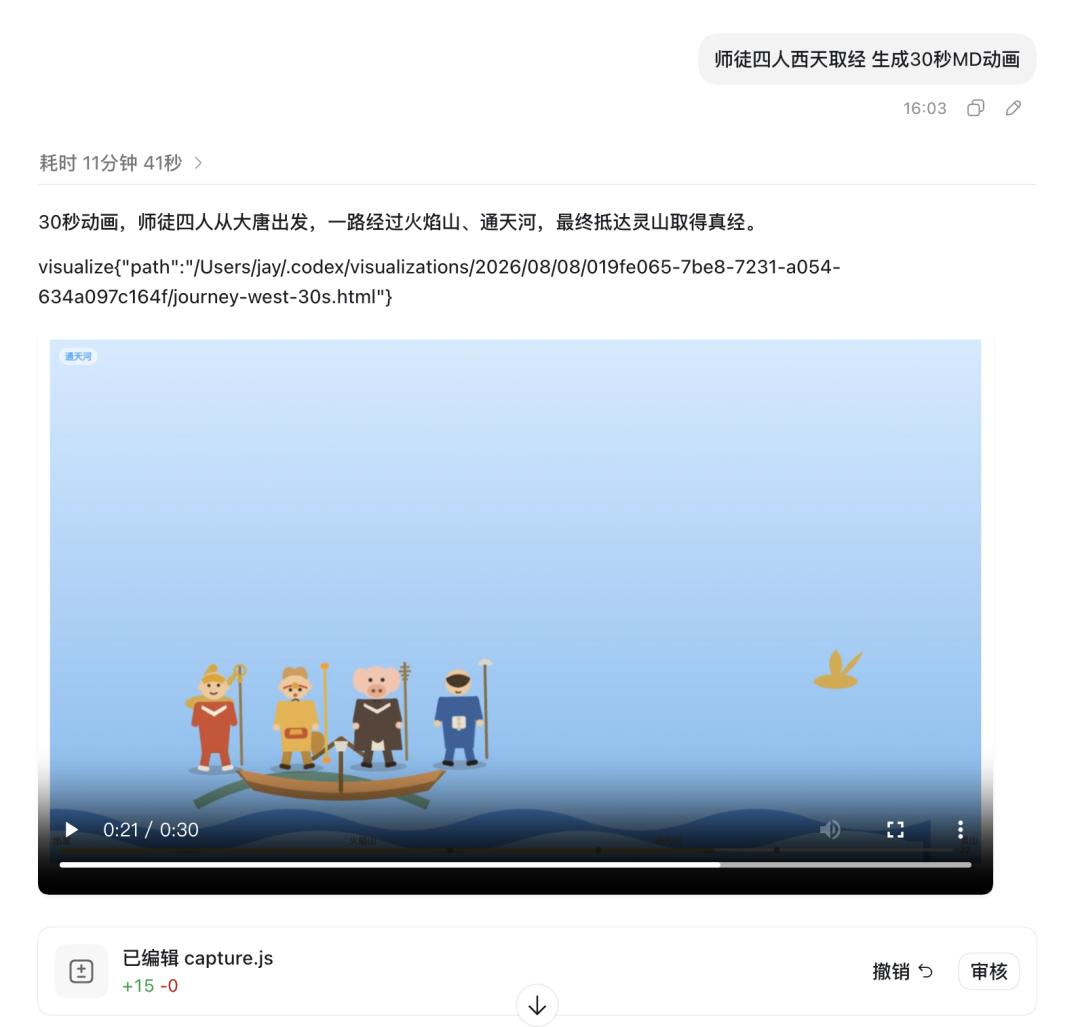
Codex has a great advantage here, with built-in browser, file management, preview...
It can even play videos directly in the conversation...
There are many such small details in UI and interaction that still lag behind Codex, which will probably be polished and improved in subsequent updates.
By the way, DSH supports uploading images as attachments.
But as we all know, V4 is basically blind to visual content o(╥﹏╥)o, so this feature needs to be used with a multimodal model.
Finally let's talk about Token consumption.
It's quite impressive that DSH specially added a statistics table at the bottom of the screen, where you can check the Token consumption and cache hit rate at any time, to avoid accidentally overcharging your credit card.
The cache hit rate is also very high, mostly around 99%, and even reached 100% several times.
Of course, I also encountered several cases where the hit rate dropped to 60-70%.
But DeepSeek was really cheap during the closed beta!
To be honest, I barely paid attention to this dashboard at all.
Thanks to Uncle Liang.
