After Codex, you can now distill your own model on Claude.
Before publishing every article, APPSO has to complete one repetitive task —
Organizing accompanying images.
Sort official screenshots to one side, and AI-generated images to the other; renumber all filenames, then finalize a complete asset list. My hands move faster than my brain, and the task is done in minutes.
One day I wanted to cut corners and handed this task over to AI, but trouble immediately arose. I had to explain what to check first, why the sorting rules work that way, how to handle duplicate filenames, and which files must never be modified — a trivial task I completed entirely by intuition was forced to be written into an employee manual no one wanted to read.
By the time I finished writing the third rule, I gave up. Doing it myself was faster.
So when I saw Claude's new feature last night, I immediately sat up straight.
Cowork added a new button called Record a skill: once recording starts, you work as usual and speak your thought process out loud; after stopping, Claude will organize this demonstration into a reusable Skill that you can call on later.
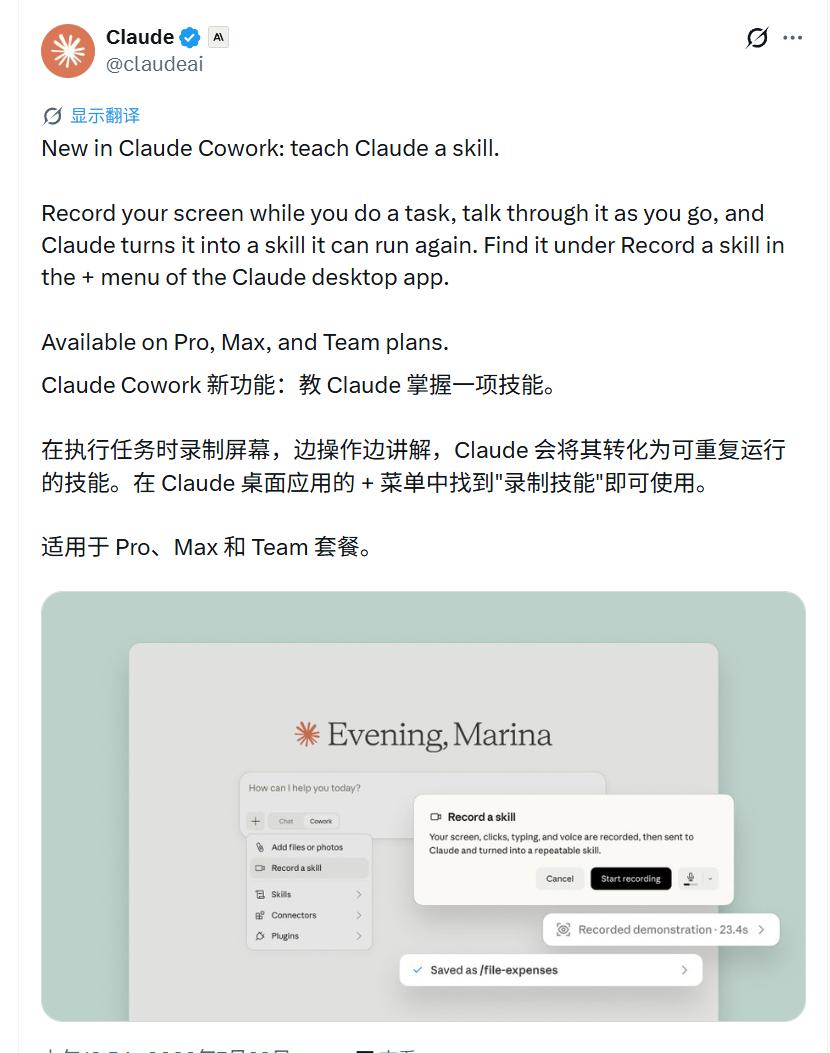
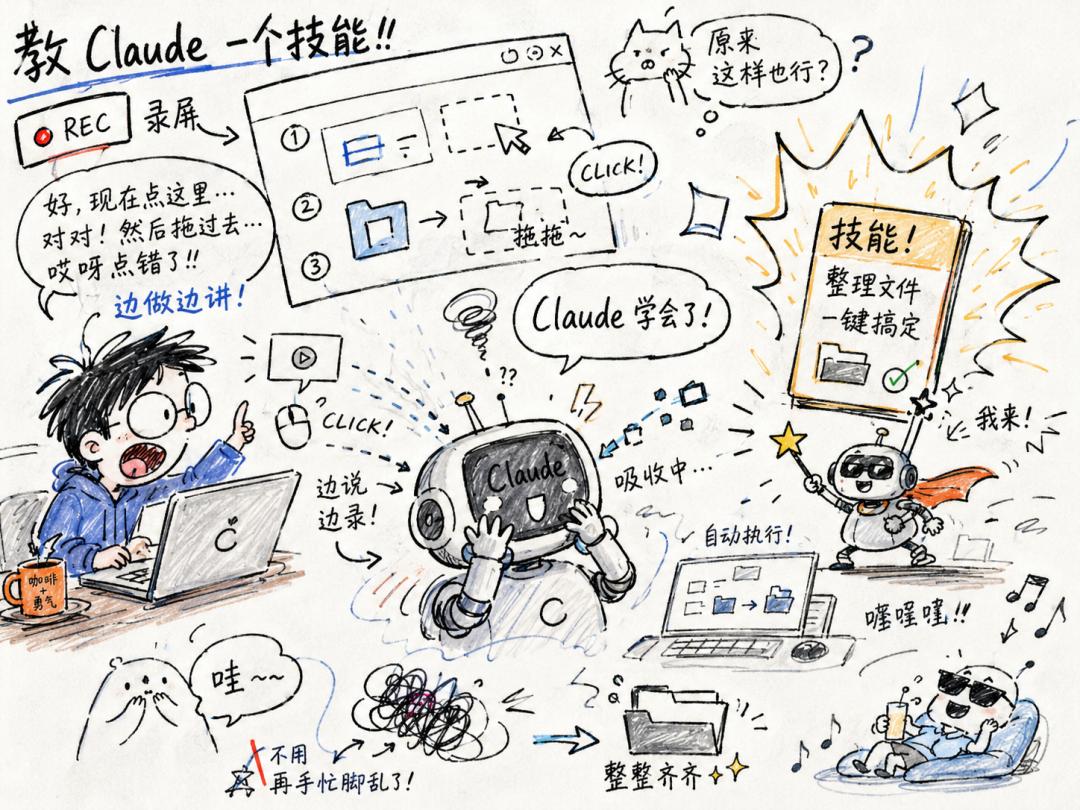
Put simply: previously you had to write SOPs for AI, now it pulls up a small stool to sit beside you and watches you complete the task once.
Netizen Bruce Martin put it bluntly: "Showing the AI what to do is far better than explaining it 47 times."
How to use: Locate the button, then speak while performing the task
The entry point is easy to find. Open the Claude desktop app, enter Cowork, click the "+" icon next to the input box, and you will see Record a skill. The official note states this feature supports Pro, Max, and Team plans.
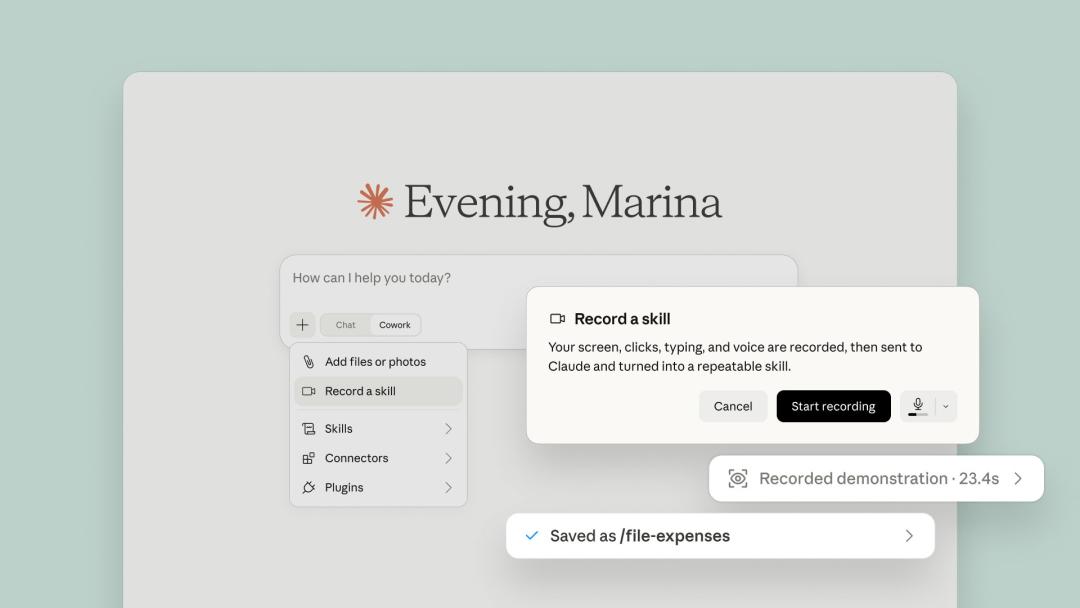
The official Claude product diagram shows the entry point, recording prompts, and the saved Skill result. Source: Claude's official X account
Press Start recording, then ignore the recording entirely: operate as normal, while saying out loud "why you are doing it this way". After stopping the recording, Claude will analyze this demonstration and save it as a Skill. The example in the official diagram only took 23.4 seconds to record, producing a Skill named /file-expenses.
Don't get frustrated if you can't find the entry point right away. First update the app to the latest version and restart it; if it still doesn't appear, the feature most likely hasn't been rolled out to your account — many Pro users on Reddit reported they didn't see the button initially before receiving access later.
Let's clarify what a Skill actually is. It's not jargon, it's a work instruction that Claude can reuse: when to use it, which steps to follow, and how to handle exceptions. Previously you had to write this instruction manually, now Claude tries to extract it on its own from your demonstration.
If it can truly learn the rules rather than just repeating actions, the possibilities are enormous: record the monthly reporting workflow once, and later it can import data, clean datasets, generate tables, and prepare email drafts on its own; record the expense reporting workflow, and it will even capture unwritten rules like "any expense over 1000 yuan must include the project name" that were never added to the manual.
To be clear, these are all hypothetical scenarios, not cases Claude has already fully executed. But they explain why everyone is so excited: the most difficult tasks to automate in the past are precisely these tiny details hidden in daily habits.
Codex launched this exact feature last month, and many users have already tested its pitfalls
However, this is not a completely new feature that appeared out of nowhere. OpenAI launched a similar feature called Record & Replay on June 18: you complete the entire task on your computer, while Codex observes and learns, packaging the full workflow into a Skill; the next time you start a new conversation to call it, you only need to clarify what's different this time — which file was swapped, which time period the report covers — and it will handle the rest automatically.
When APPSO reported on this feature, a comment in the comment section became the top hot take: "My 'good buddy' is 'distilling' me."
Jokes aside, the comment hits the nail on the head: in the past, to automate a workflow you had to wait for the software to open its API; now AI can directly learn how you click buttons, switch windows, and fill out forms. The set of actions you perform on your computer every day is turning into reusable, packaged experience.
OpenAI defined very specific use cases for this feature: expense reporting, booking parking spots, creating correctly configured issues, publishing videos, and generating periodic reports. The common trait of these tasks is: they either have fixed, tedious steps, or hide a bunch of implicit rules only you know.
But before you try it, check if you can get past three hurdles: your computer must be a Mac, Windows users don't have access for now; the initial release does not cover the EU, UK, and Switzerland; you also need to enable Computer Use first — the permission that allows Codex to view your screen and control your mouse and keyboard.
A month later, Anthropic integrated a similar concept into Cowork. A netizen summed up the difference between the two with a joke: "Codex remembers where you clicked, Claude listens to you explain why you clicked there."
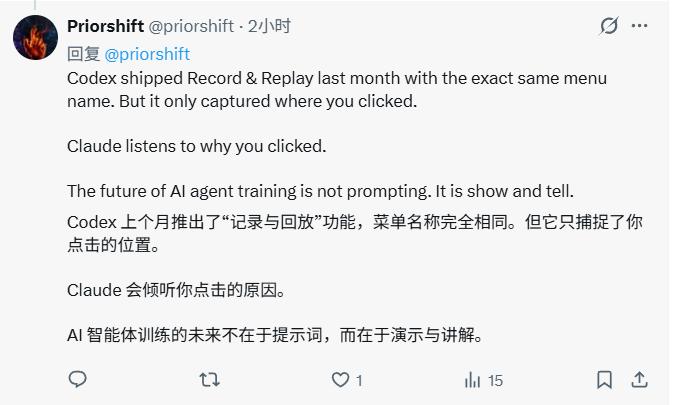
The joke is easy to remember but not entirely accurate. OpenAI's official documentation states that Codex observes your operations and window content, and will prompt you to supplement task context before recording; the generated Skill is not a rigid fixed script, it records when to use it, what inputs are required, which steps to follow, and how to verify results. Claude, on the other hand, explicitly states that all voice audio during recording will be saved. The two platforms have different priorities, but neither is a simple macro recorder that only repeats mouse coordinates.
More valuable than official documentation is the real-world test of Codex conducted by programmer Yupi last month. He used a real use case: downloading FLAC music of a specified genre from NetEase Cloud Music. He first clarified the requirements, then demonstrated searching, downloading, and verifying the format; Codex then generated an editable Skill that successfully reproduced the entire workflow in a new conversation.
But he didn't praise the feature after testing it, instead he found it somewhat impractical for his own use: it runs slowly and occasionally clicks the wrong spot; for tasks that can be explained in one or two sentences, typing directly is more efficient. His conclusion is very realistic — this type of feature works best for workflows that are "hard to describe in words but easy to demonstrate", such as unfamiliar company OA systems, report sorting with personal preferences, or long workflows spanning multiple applications.
This is exactly the test left for Claude: by watching operations while listening to reasoning, can it avoid learning incorrect actions?
The key to recording: your voice is more valuable than your hands
If you plan to try this feature, first remember this counterintuitive conclusion: the most important part of recording is not your hands, but your voice.
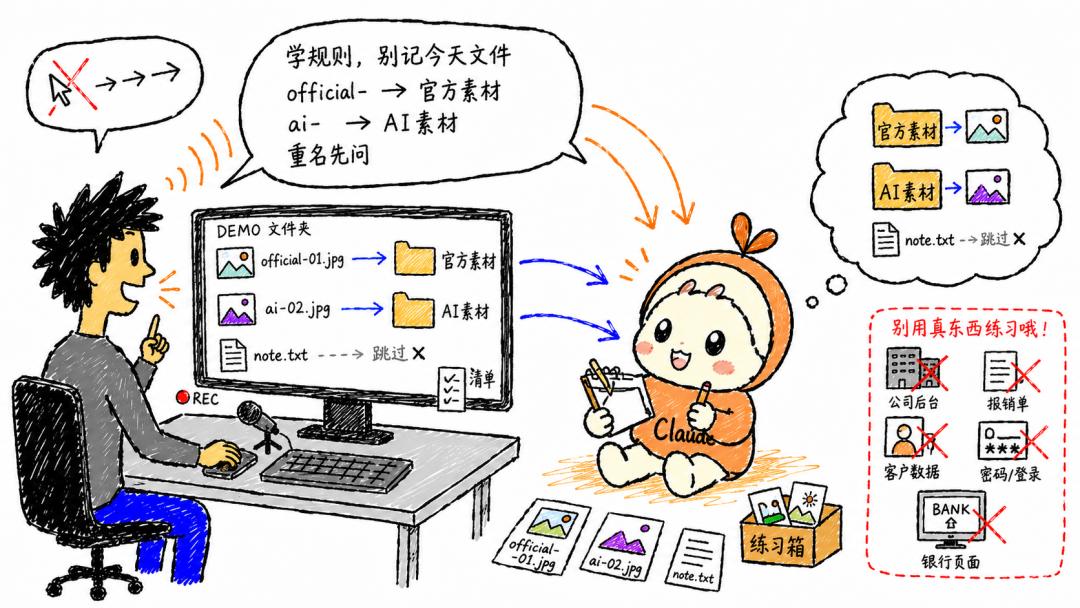
For your first test run, don't touch company backends, real expense reports, or client data. Create a separate folder, add a few dummy images, and that's enough. The rules don't need to be complicated, for example: files starting with official- go to the official asset folder, files starting with ai- go to the AI asset folder; skip text files, renumber all assets, then generate a final list; never delete original files, stop and ask when you encounter duplicate filenames or unknown prefixes.
Once recording starts, many people will instinctively narrate their mouse movements:
"I'm dragging this image over now, renaming it, then moving on to the next one."
This kind of narration only tells Claude what you did.
A far more useful way to narrate is:
"Files starting with the filename prefix official- are official assets. The filenames, quantity, and storage paths will all change next time, so learn the classification rules instead of memorizing this specific set of files. When a file with the same name already exists in the target location, do not overwrite it, stop and report the issue first."
The first sentence teaches actions, the second one teaches methods.
Review your narration by going through these 5 questions before recording, and you will rarely go wrong:
- What is the final deliverable?
- Why did you make that judgment?
- Which parts will change next time?
- How to handle exceptions?
- What result counts as a completed task?
And a plain truth: official prompts clearly state that screen content, mouse clicks, keyboard inputs, and voice audio will all be recorded and sent to Claude. So before recording, turn off chat notifications, password managers, and unrelated windows, and never log into your online banking while teaching it to organize images.
Generating the Skill only means you submitted your paper, validation is the actual exam
Assuming everything goes smoothly and Claude generates a Skill. The most common mistake people make at this point is to run the same set of images again and excitedly announce: it learned it!
Getting the original problem right only proves that it saw the answer key.
If you really want to test the Skill, you need to run three rounds of validation.
First round: use a completely new set of images. Change all filenames, quantity, and order, check if the classification rules still hold up.
Second round: add obstacles. Insert a file with an unknown prefix and a duplicate filename, check if it stops to ask for clarification, or confidently makes incorrect assumptions.
Third round: test implicit invocation. Don't mention the Skill name, only describe the task, check if it can recall the correct method automatically; run it twice in a row, check if it creates duplicate numbering or overwrites existing files.
Passing all three rounds — correctly processing new assets, stopping when encountering exceptions, triggering the workflow even without explicit prompts — means the Skill truly learned the rules. A Skill that fails when you swap in new files is just a fancy-looking manual that packaged your one-time demonstration.
Is there any downside to being "distilled" by AI?
On the first day this feature launched, very few people managed to run it perfectly. Netizen Rohit Sabu joked about Claude controlling the computer: "Watching Claude use a computer is like watching your elderly relatives use a computer. What's even more frustrating is that it's using your computer."
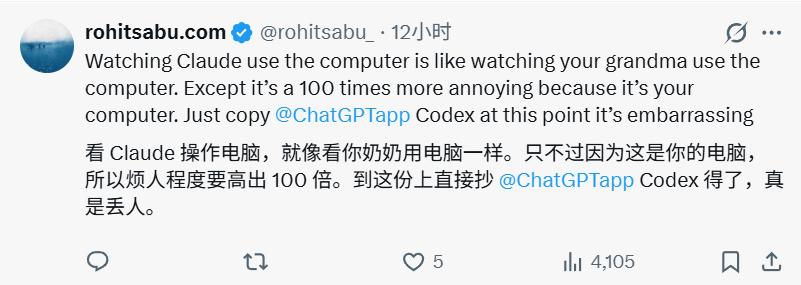
Operating speed is not the most critical factor. To evaluate if this feature is worth using, you need to see how long it takes to create a Skill, how long each subsequent run takes, how much computational quota it consumes, and whether you need to supervise the entire process from start to finish.
If you still need to sit beside it and prompt it repeatedly, you won't save much time compared to doing the task yourself.
The biggest value of this "self-distillation" feature is that it finds a way to deposit those "hard to describe but easy to demonstrate" tasks into reusable Skills.
You no longer need to write those employee manuals no one wants to read. Demonstrate the task once, explain the reasoning clearly, and the experience stored in your muscle memory becomes a callable, editable, transferable manual. Even if the first version of the Skill is rough, it's a working draft of your workflow that you can easily modify.
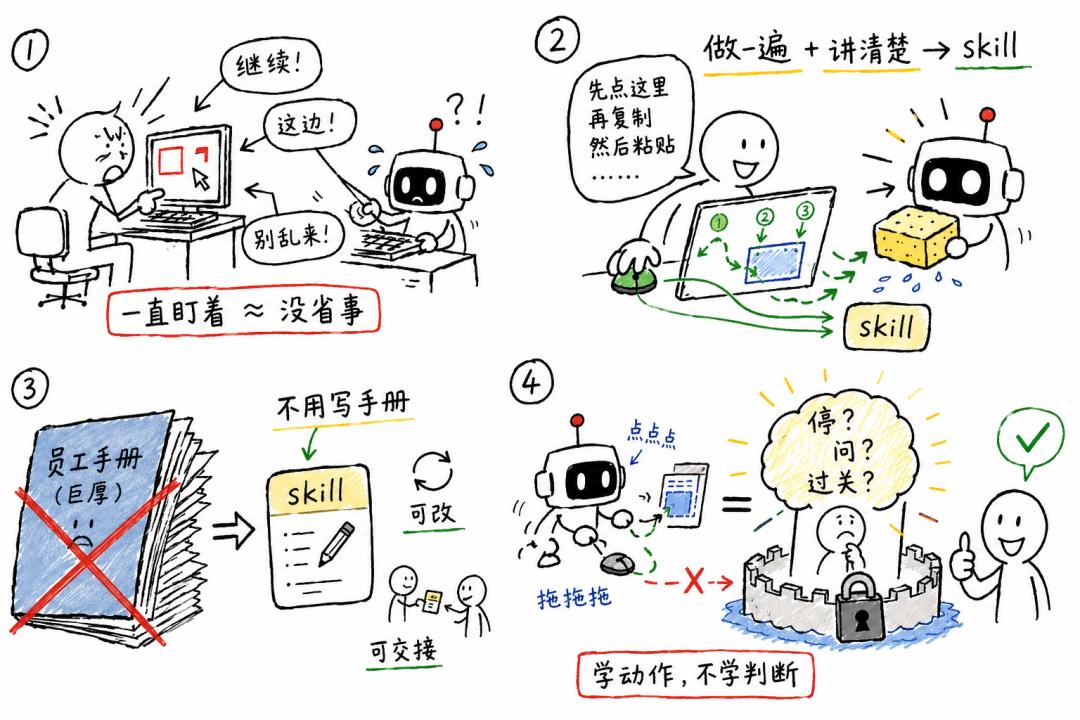
As for many people who might mind being distilled into a "colleague.skill", there's no need to worry too much.
It can distill your actions, but it can't distill your core judgment. When to stop, when to ask for clarification, what standard counts as a completed task — it can't learn these unless you explicitly state them; even if it does, you still get the final approval right.
The real watershed for using AI is not that button, it's the human behind it. People who know how to fine-tune AI will get a great helper, otherwise all you end up with is just a recorded playback of your actions.
When Claude's feature is fully ready for production use, APPSO will run through the entire "image archiving" workflow we