Hands-on with iOS 27 Public Beta: China-market AI is ready, but the system's improved smoothness makes the upgrade more worthwhile
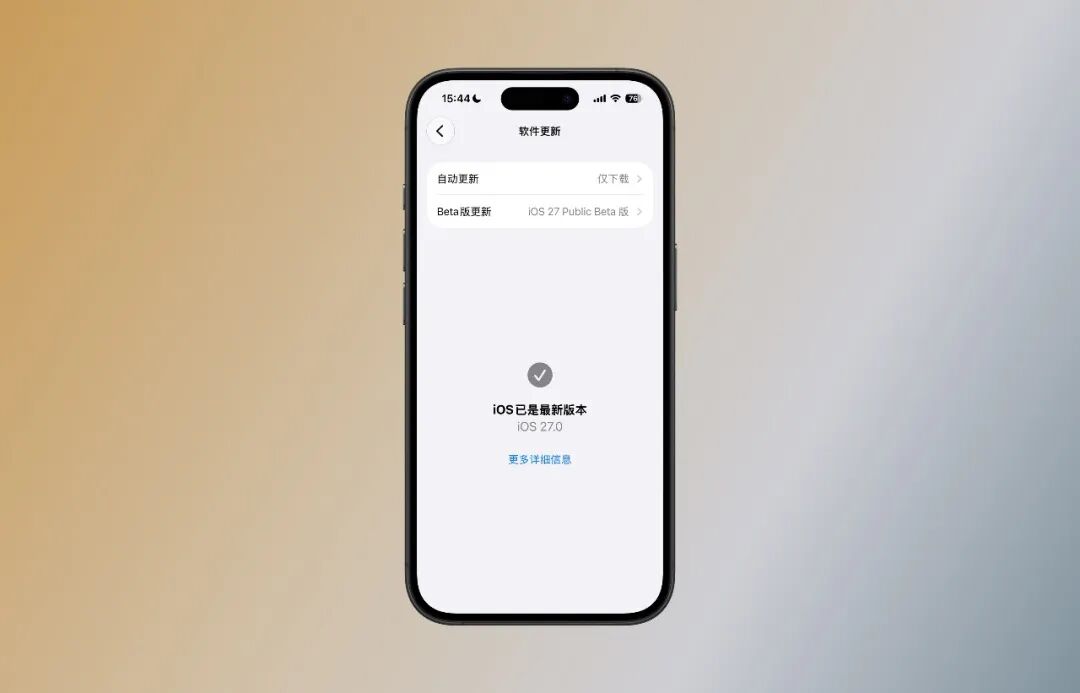
After a month of waiting, Apple has finally officially released the public beta version of iOS 27.
We upgraded our iPhones and used them for a few days. The feeling is straightforward: iOS 26 made the iPhone look different, while iOS 27 makes it feel different to use.
The system runs smoother, the Liquid Glass interface is more readable, and many small but practical features have been added. As for the most anticipated Siri AI, it is not yet available on the Chinese mainland version, but with the Chinese mainland version of Apple Intelligence completing regulatory filing, the wait may not be long.
The Most Noticeable Upgrade Is Smoothness
Over the past year, the most frustrating part of iOS 26 was the occasional minor stutters. They didn't completely disrupt daily use, but for a system like iOS that has always prioritized meticulous details, they felt rather awkward.
On iOS 27, these stutters have been effectively resolved.
Whether you're pulling down the Notification Center, opening or closing apps, the overall animations are more compact and responsive. The screen follows your taps and swipes almost instantly.
This improvement is especially prominent on iPhones with ProMotion displays.
Previously, even though the system supported a maximum 120Hz refresh rate, some animations and scrolling still didn't fully leverage the advantages of the high-refresh screen. After upgrading to iOS 27, pulling down the Notification Center, swiping between home screen pages, and switching apps are all more stable, and sudden frame drops during fast scrolling rarely occur.
Even devices without ProMotion can experience improved smoothness.
Take our iPhone 16 as an example: the pauses in the Notification Center and multitasking switching are reduced, and conflicting animations across different interface levels are far less frequent. The overall smoothness performance can be said to have returned to the level of the iOS 18 era.
Not only is smoothness guaranteed, but data transfers have also become much more seamless.
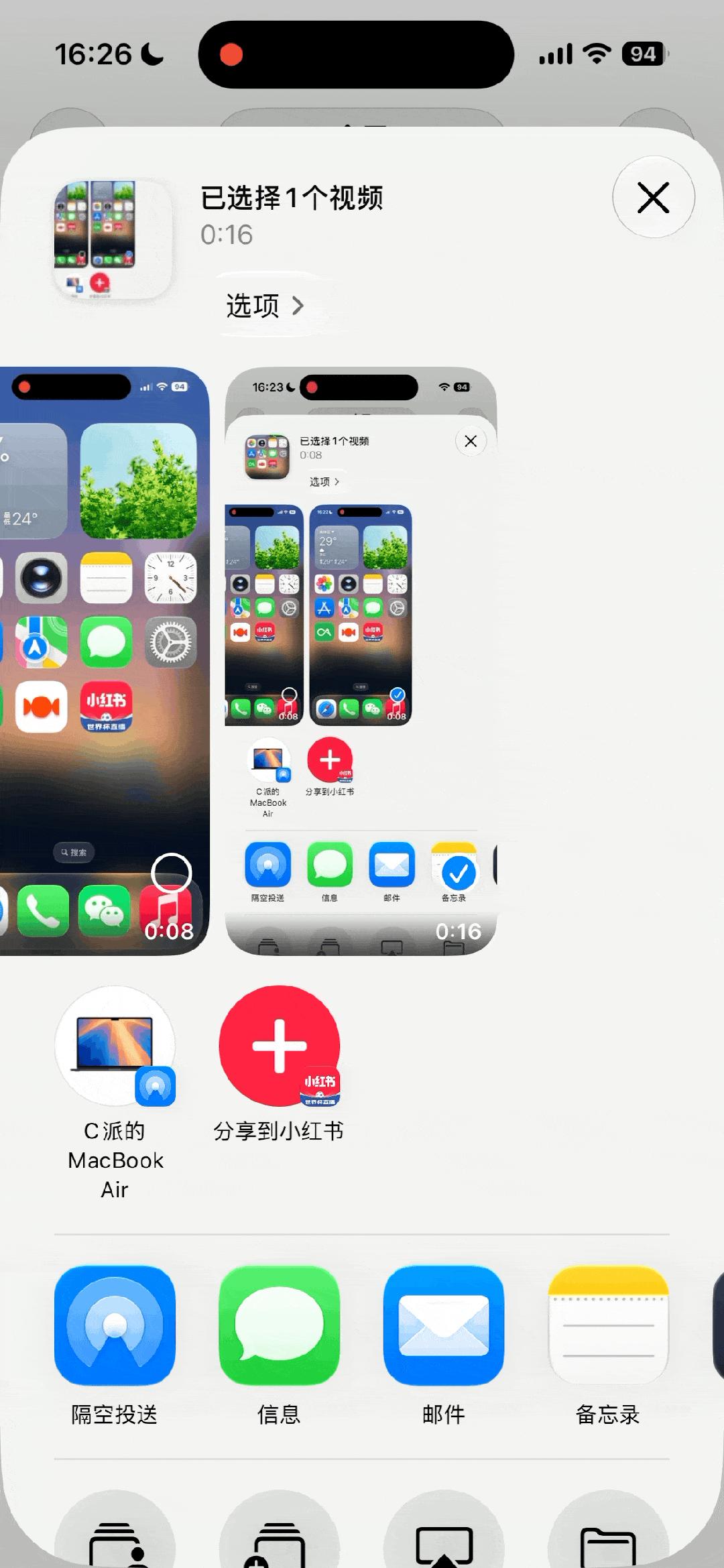
AirDrop on iOS 26 often required waiting for a loading process before starting transfers, but on iOS 27, AirDrop has returned to the near-instant transfer experience. However, the transfer speed hasn't seen significant improvement, as it still depends on the surrounding network environment and device connection status.
Liquid Glass Now Offers Customizable Adjustment
When iOS 26 was first released, the Liquid Glass design became the biggest topic of discussion: users who loved it adored it, while those who disliked it strongly criticized it.
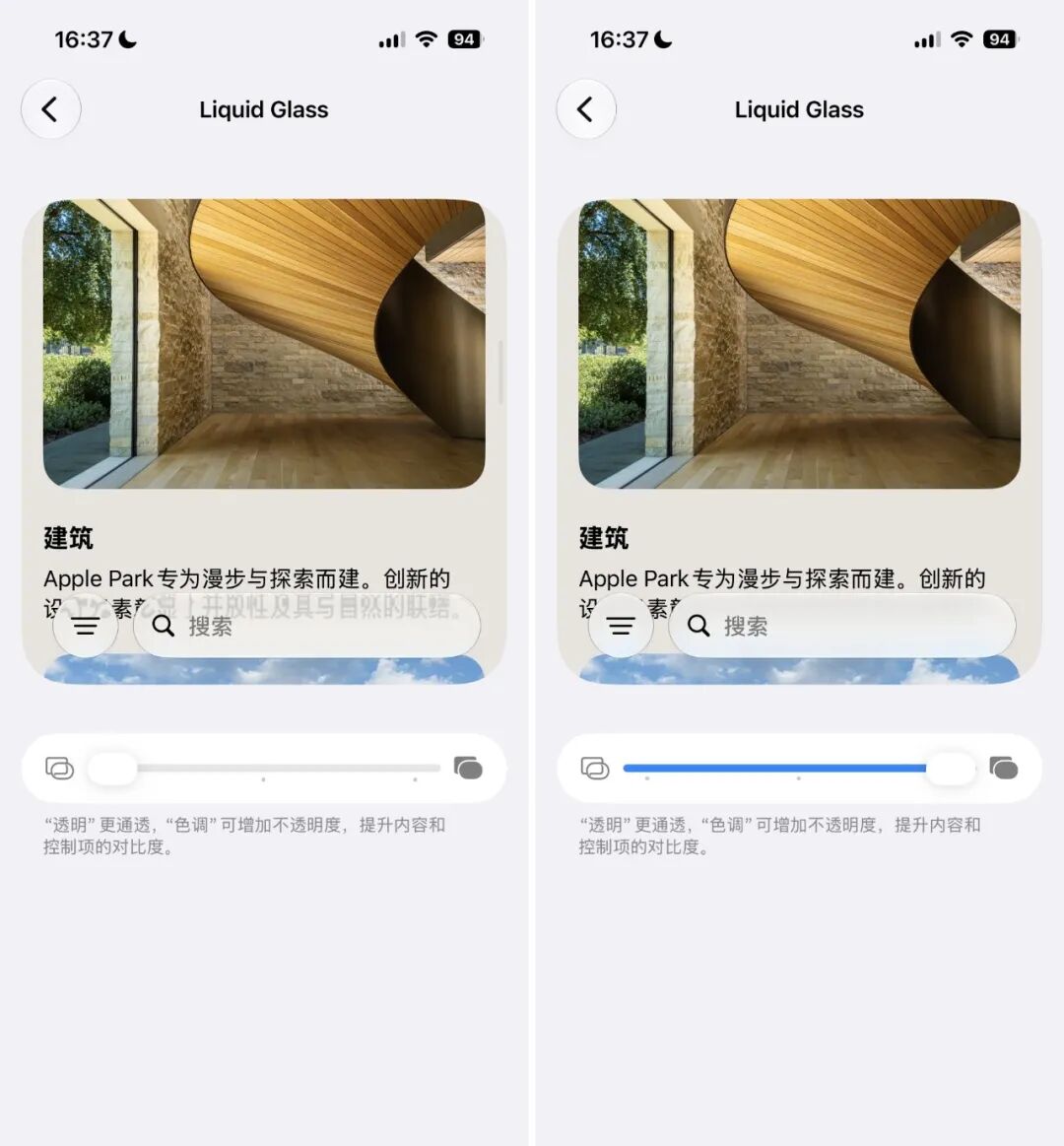
From the initial "crystal clear but hard to read" state, after several revisions across subsequent updates, Apple finally listened to user feedback and introduced two adjustable effect levels.
Perhaps Apple realized that not everyone prefers the Liquid Glass design. On iOS 27, the adjustment for Liquid Glass effects has expanded from two fixed levels to a slider that allows stepless intensity control — whether you prefer a more transparent look or want content to be easier to read, you can find a setting that suits you.
At the same time, iOS 27 has toned down the Liquid Glass design language in multiple areas: the outline glow effects on app icons, quick actions, widget edges, and the gradient blur effect at the top of apps have all been removed in iOS 27.
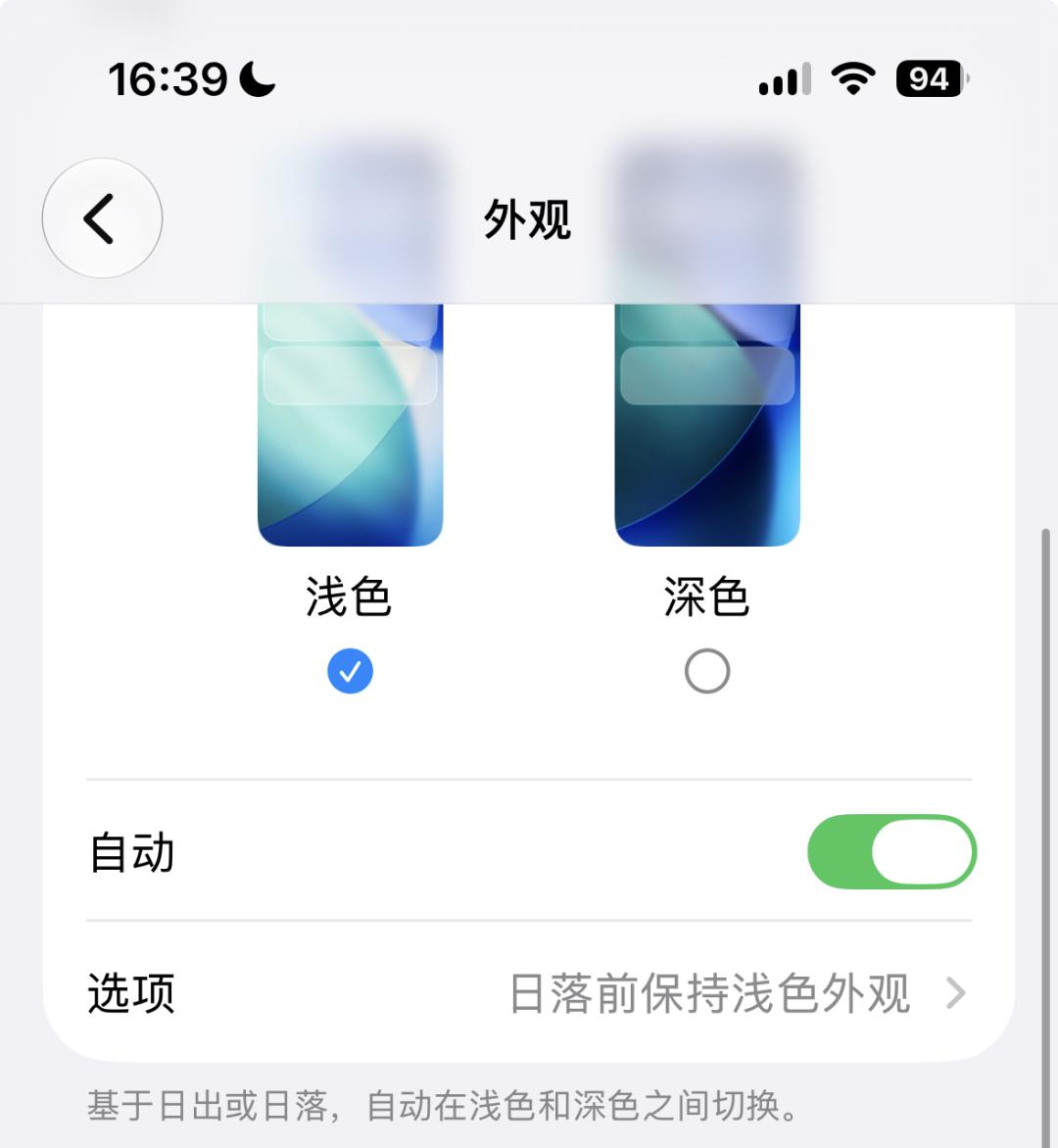
The top gradient blur has been replaced by segmented Gaussian blur
However, the Liquid Glass effect on app icons themselves has been further enhanced. The new icons emphasize the transparent texture of glass, with the most noticeable example being the icon of the Maps app.
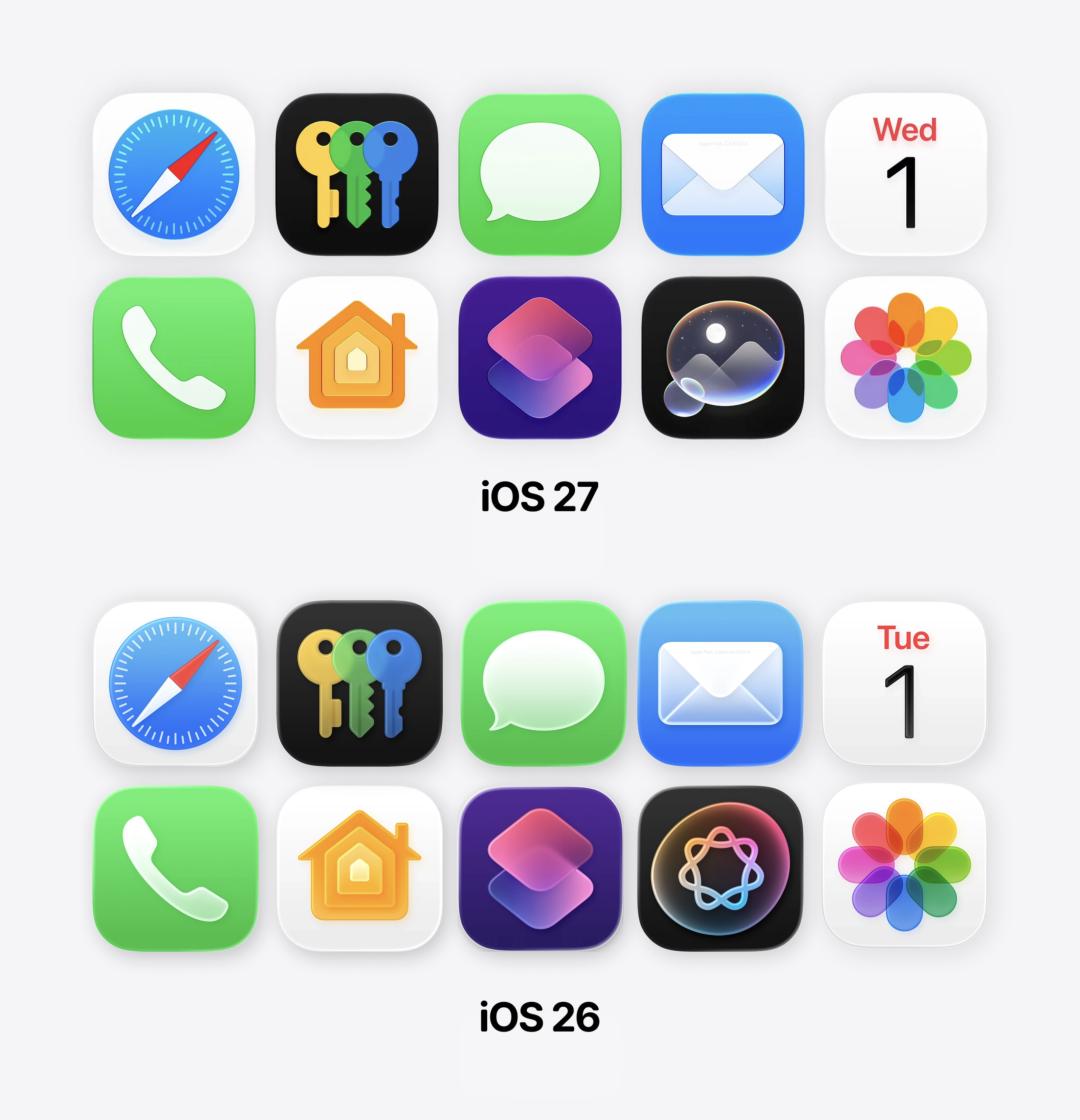
There are also other noteworthy UI changes.
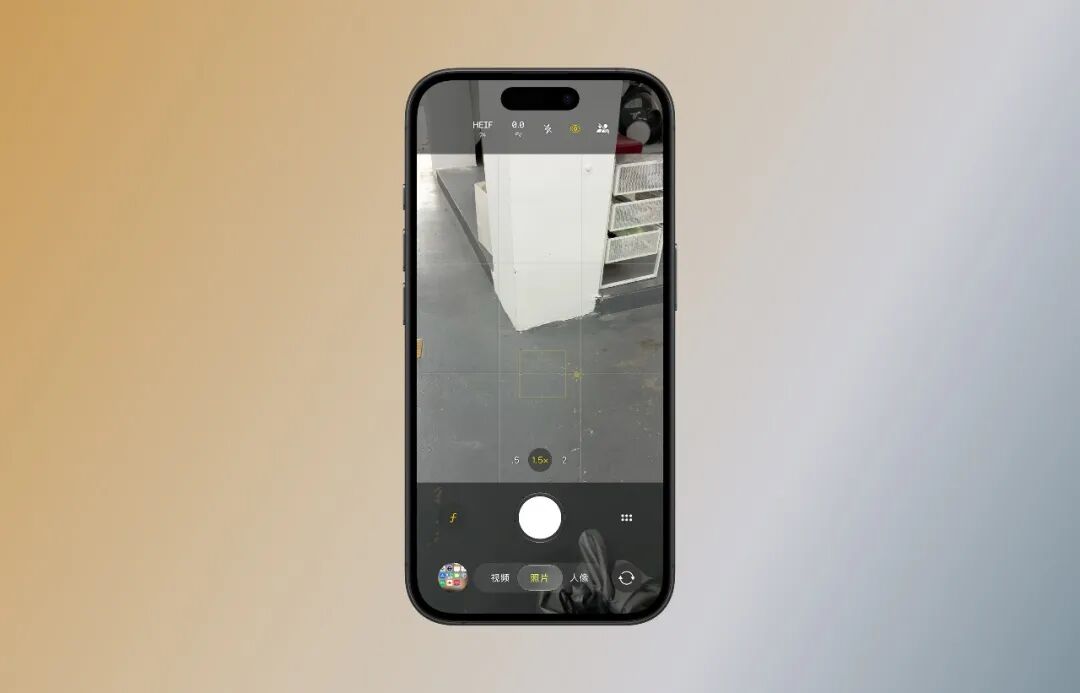
The main camera interface is more detailed, with the smart control buttons at the bottom and the hidden camera menu becoming more prominent;
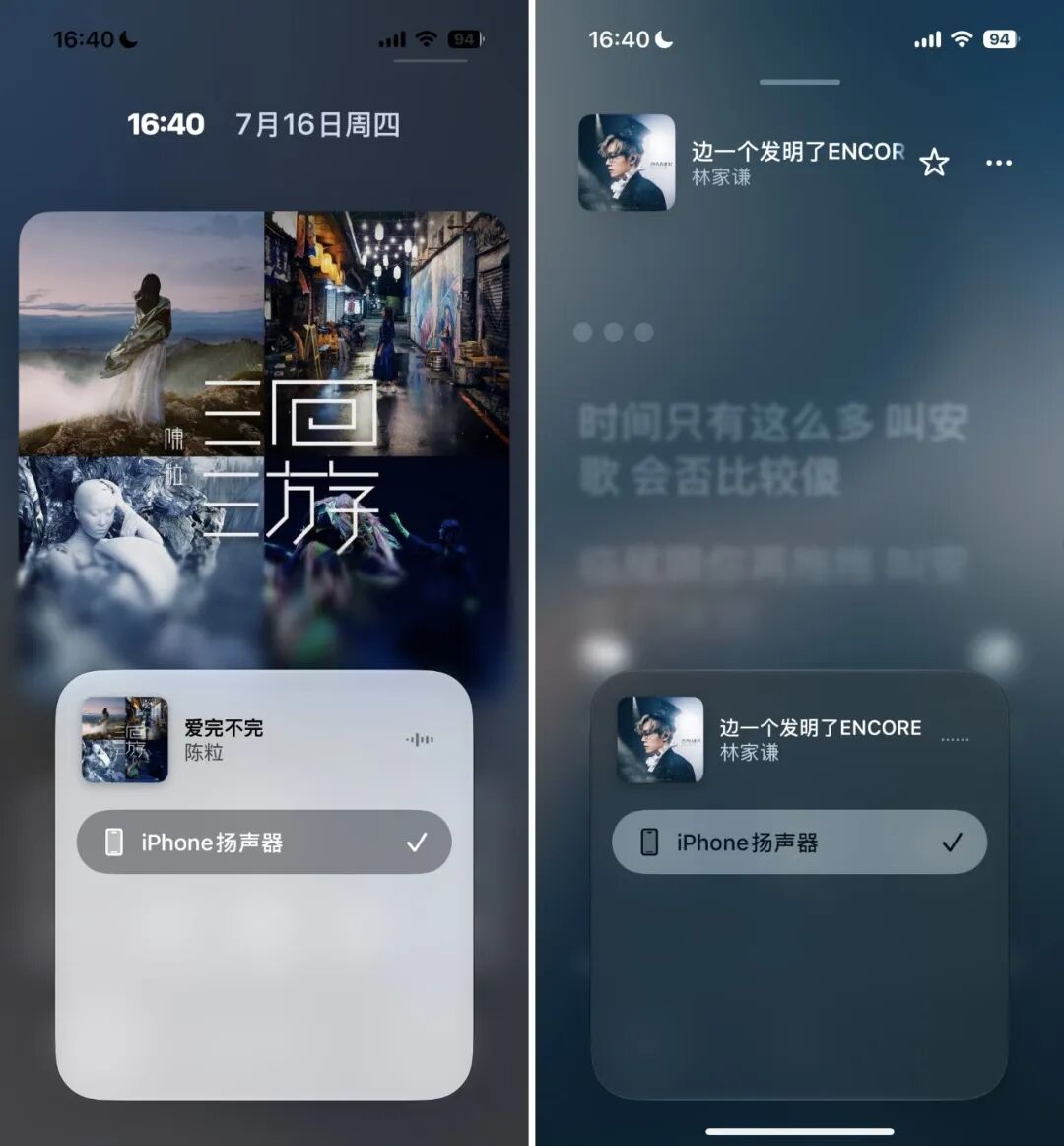
The device selection menu for AirPlay now features a new gradient background blur;
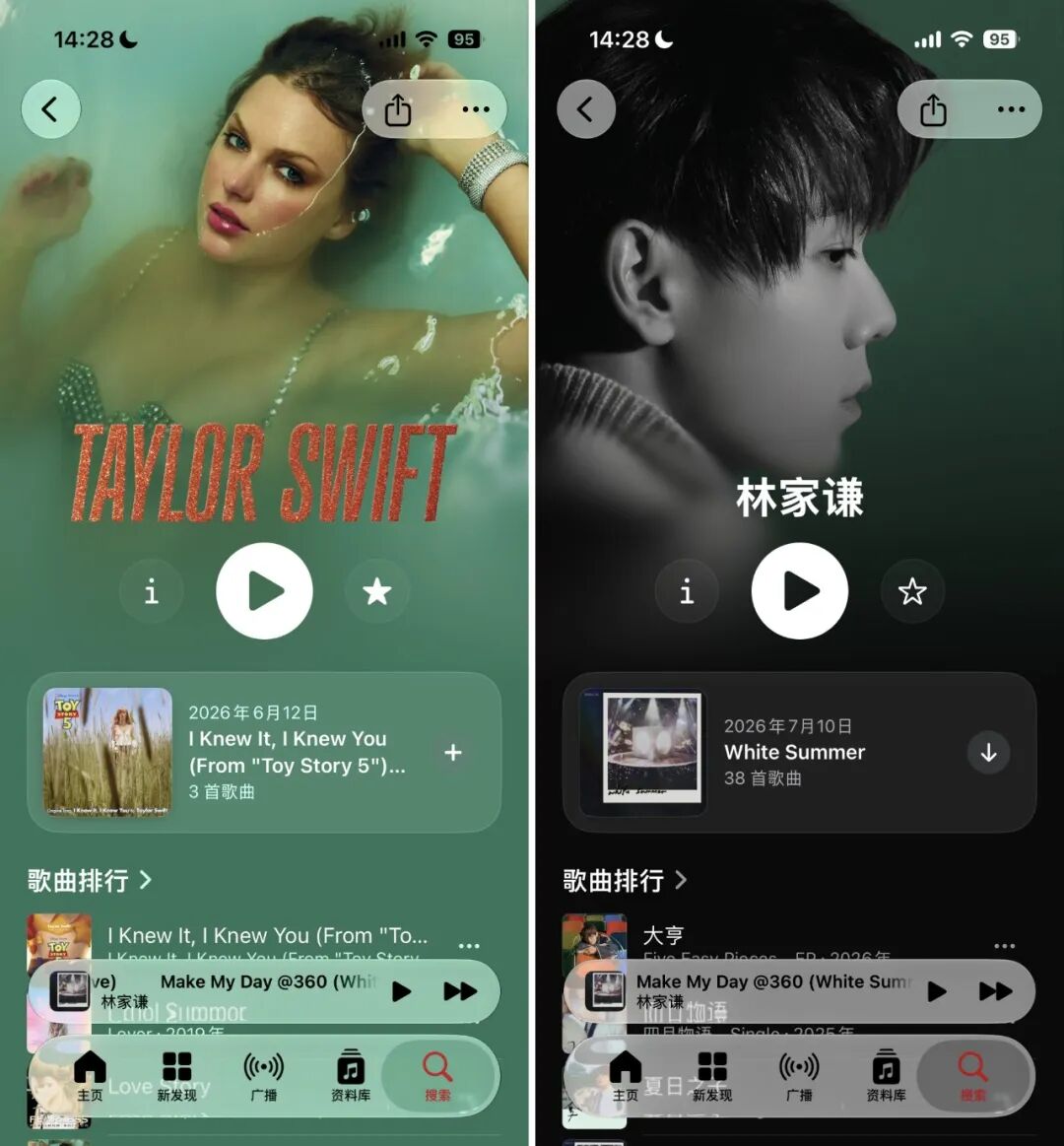
The artist profile pages in Apple Music better align with the Liquid Glass design style, and some artists even offer custom font styles for their names;
The payment interfaces for Apple Pay and the App Store have also been adjusted, with their overall style now closer to the Liquid Glass aesthetic.

Small But Polished Feature Updates
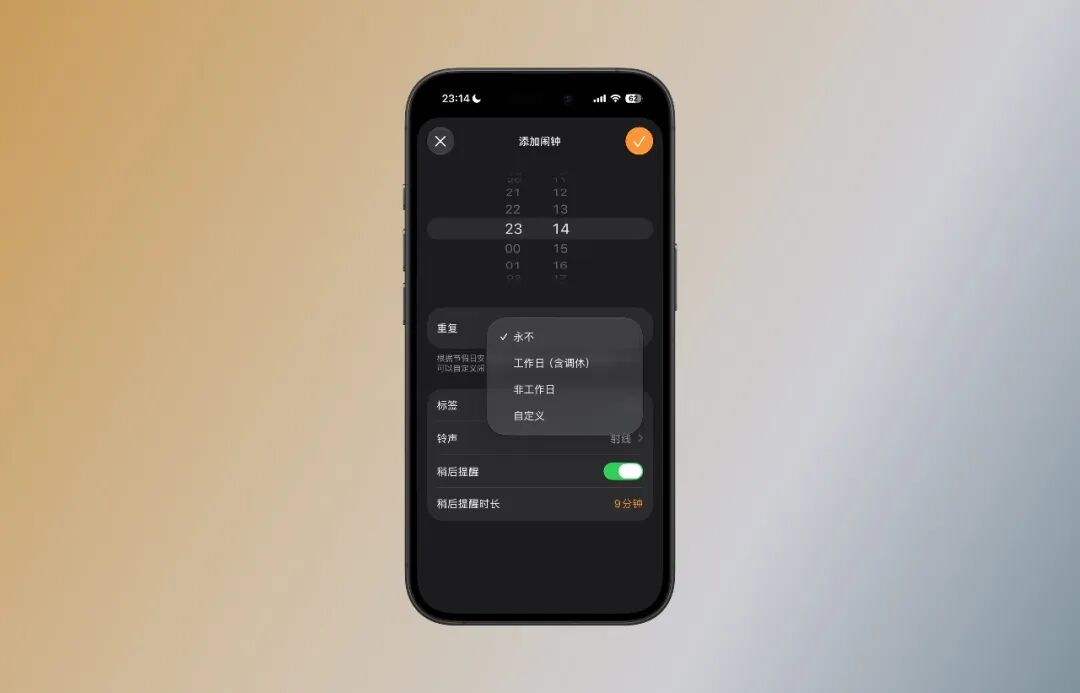
Holiday Alarm Clock (Exclusive to Chinese mainland Version)
This is probably the "biggest" new feature in the Chinese mainland version of iOS 27 — the Clock app finally supports "Holiday Alarm Scheduling", which automatically adjusts according to official public holiday arrangements: alarms will ring as usual on working days that require make-up work, and automatically skip on public holidays, eliminating the need to manually set alarms every year.
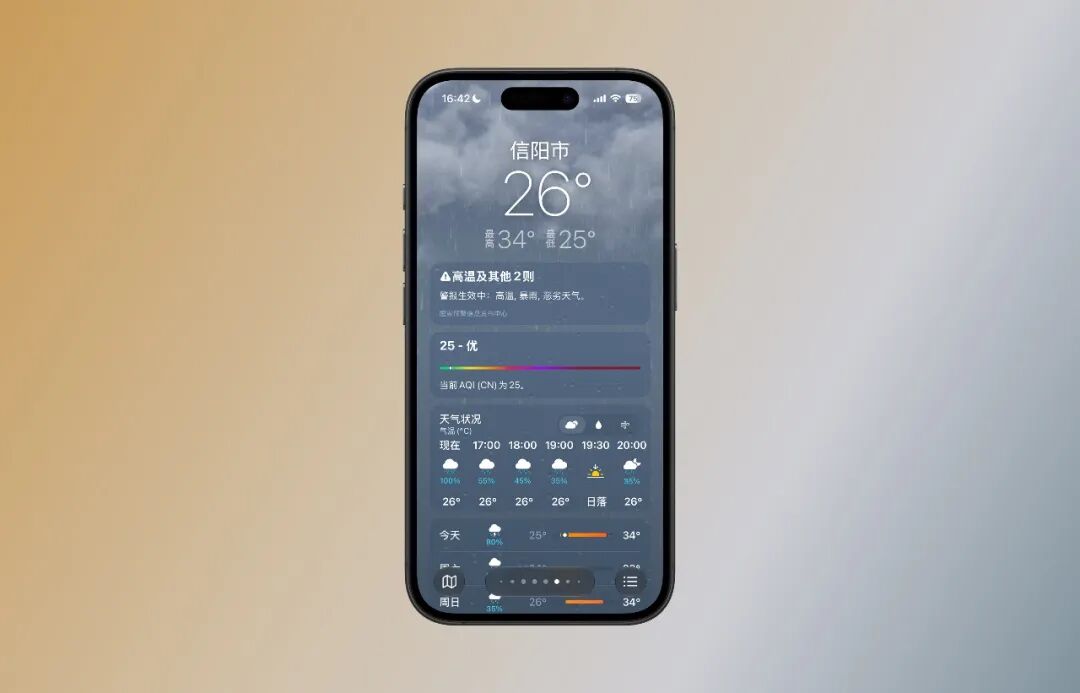
Weather App Now Supports Hourly Precipitation View
The Weather app now lets you intuitively check hourly precipitation changes — you can see exactly when it will rain and how heavy the rainfall will be with a quick glance before heading out.
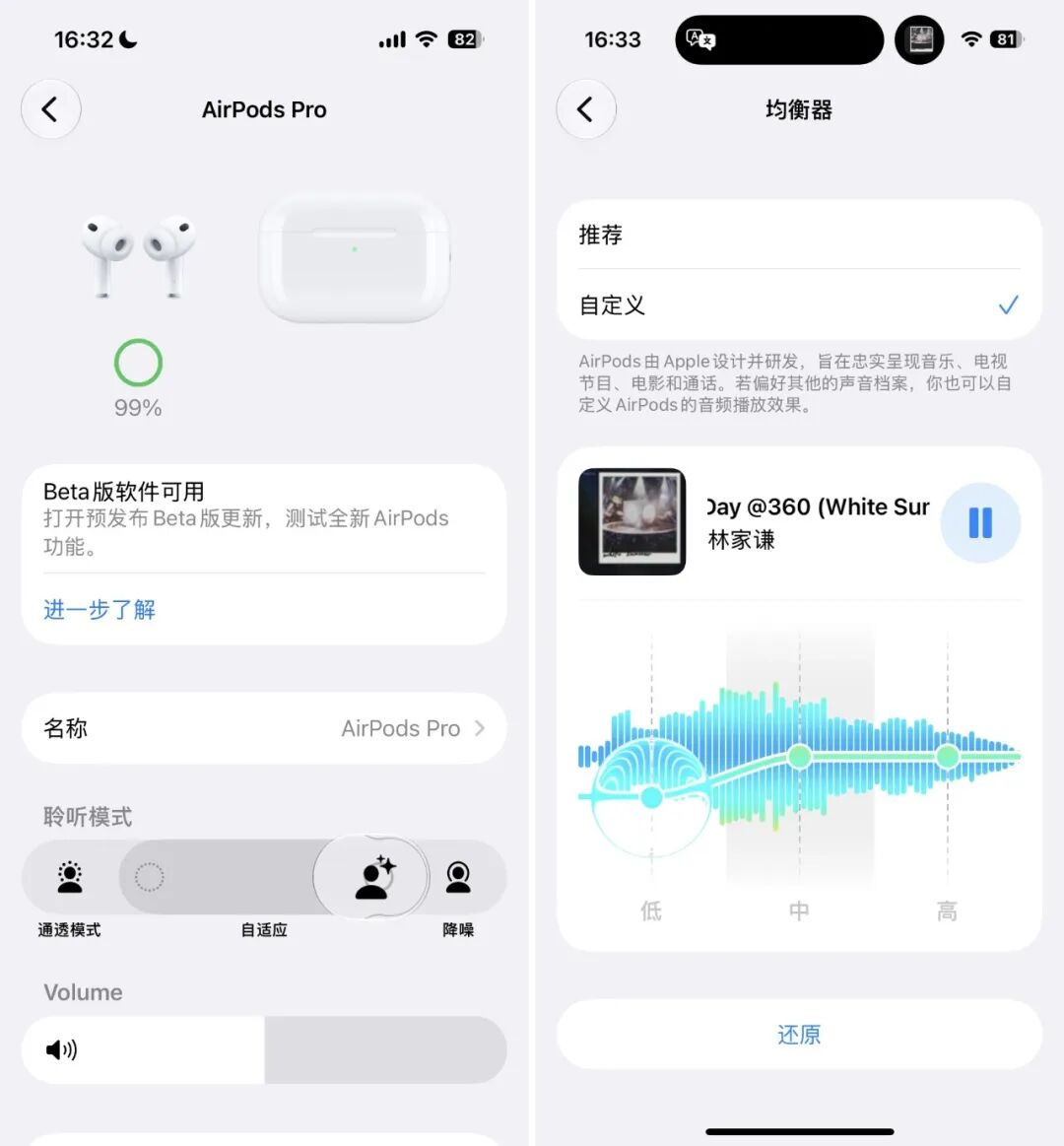
AirPods Feature Updates
After AirPods receive their synchronized firmware update, iOS 27 adds an equalizer (EQ) adjustment feature for AirPods Pro — it only has three fixed levels: low, medium, and high, with relatively coarse adjustment dimensions. There are noticeable but not dramatic differences in actual audio performance.
It also allows you to adjust the intensity of the Adaptive Mode on AirPods Pro: you can customize whether you want stronger noise cancellation or more transparency, based on your personal preference.
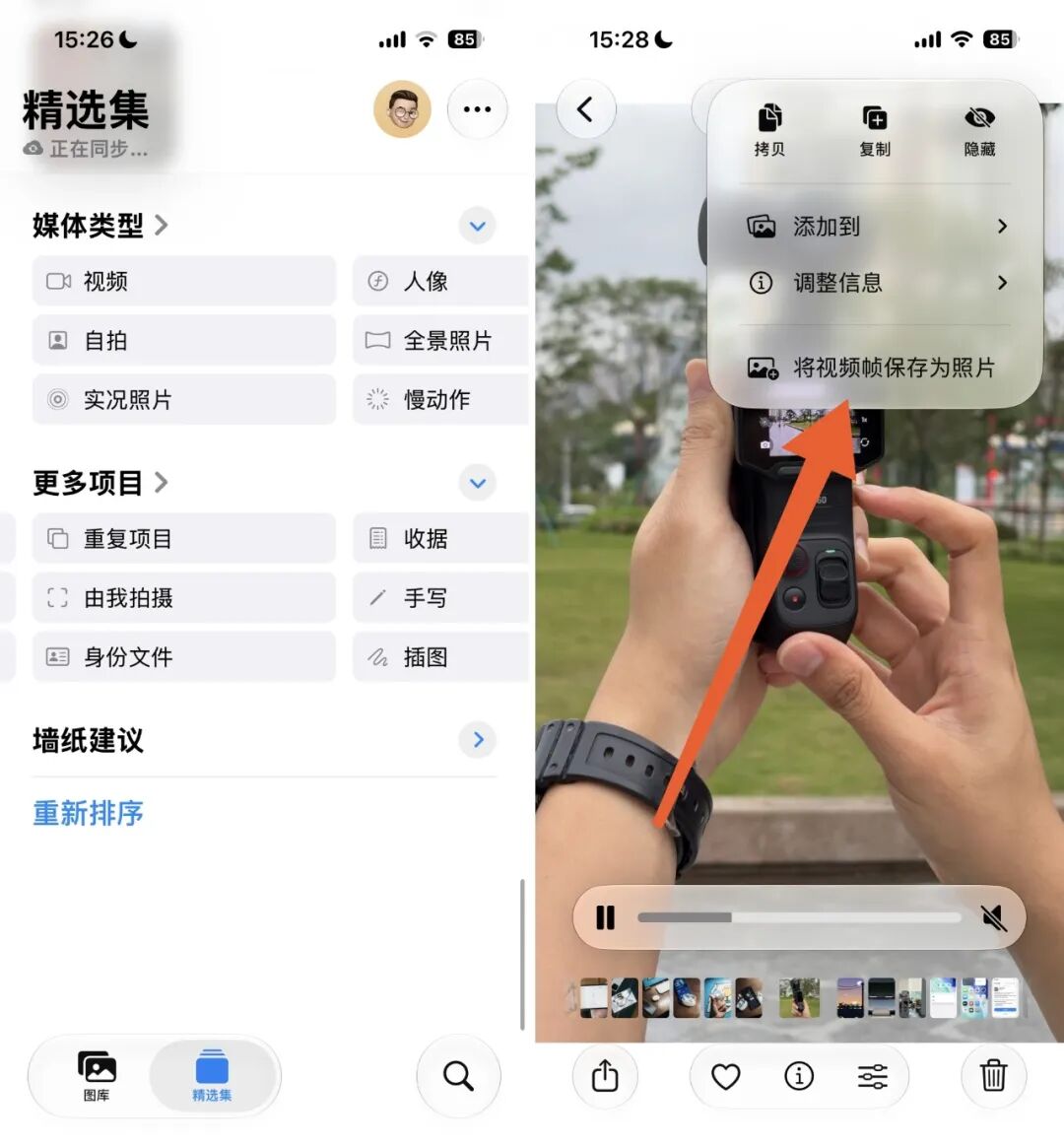
Photos App Is More User-Friendly
The Photos app adds two new smart categories: "ID Documents" and "Shot by Me". The first category helps you quickly find ID photos stored on your phone, while the second automatically organizes photos that were personally taken by the device owner.
Additionally, single-frame screenshot capture is now supported when playing videos in the Photos app.
Larger Widgets Are Available
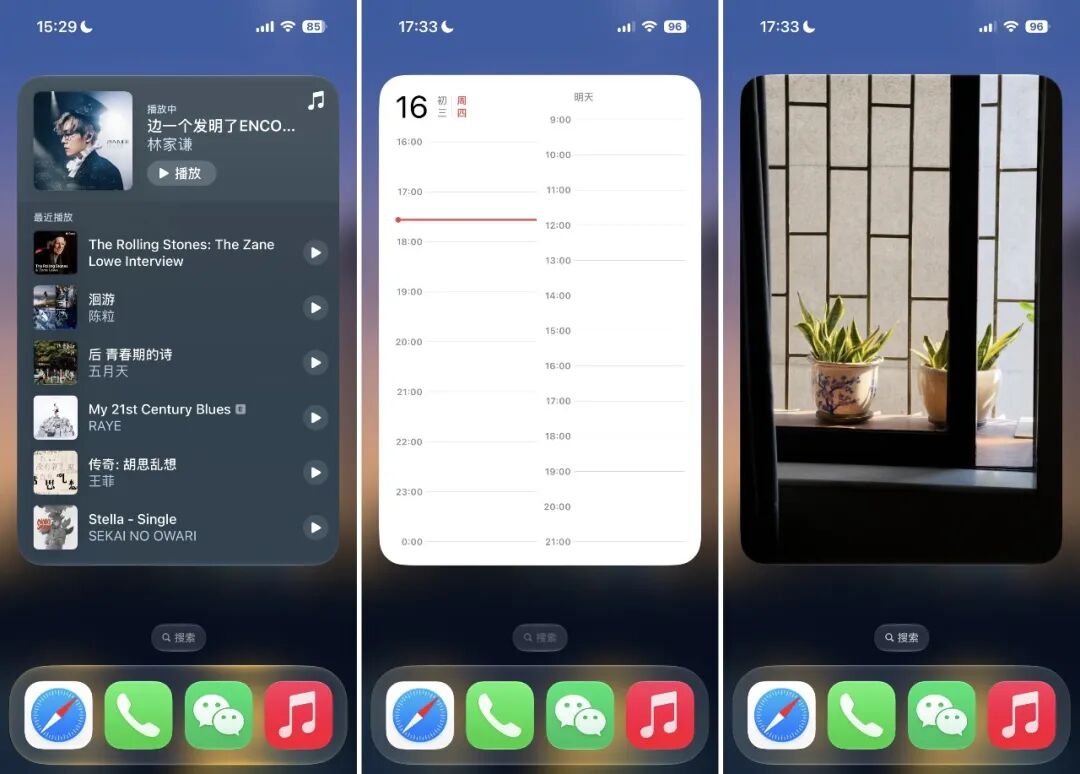
Home screen widgets now support larger size options — when large app icons are enabled, the extra-large widgets can almost fill an entire home screen page.
AI Capabilities Are Enhanced, With New Progress for Chinese mainland Version
While the Chinese mainland version of iOS 27 is not yet able to run Apple Intelligence, the Cyberspace Administration of China recently announced the regulatory filing information for 7 on-device generative AI services for mobile phones, and "Apple Intelligence" is on the list.
The launch of AI features in the Chinese mainland version is most likely just a matter of time. According to a report from ifanr, the Chinese mainland version of Apple's AI uses Alibaba's Tongyi Qwen model to provide intelligent services across Apple's full product lineup.

Although the Chinese mainland version hasn't been officially released yet, ifanr has previously tested the iOS 27 developer beta on a US-region iPhone to experience all of Apple's AI capabilities in advance.
You can read the full test report at "How Does Apple's AI Perform? We Tried It Out in Advance on a US-region iPhone".
Image AI
The main camera interface is more detailed, with the smart control buttons at the bottom and the hidden camera menu becoming more prominent, so you no longer need to dig into secondary menus for frequently used adjustments.
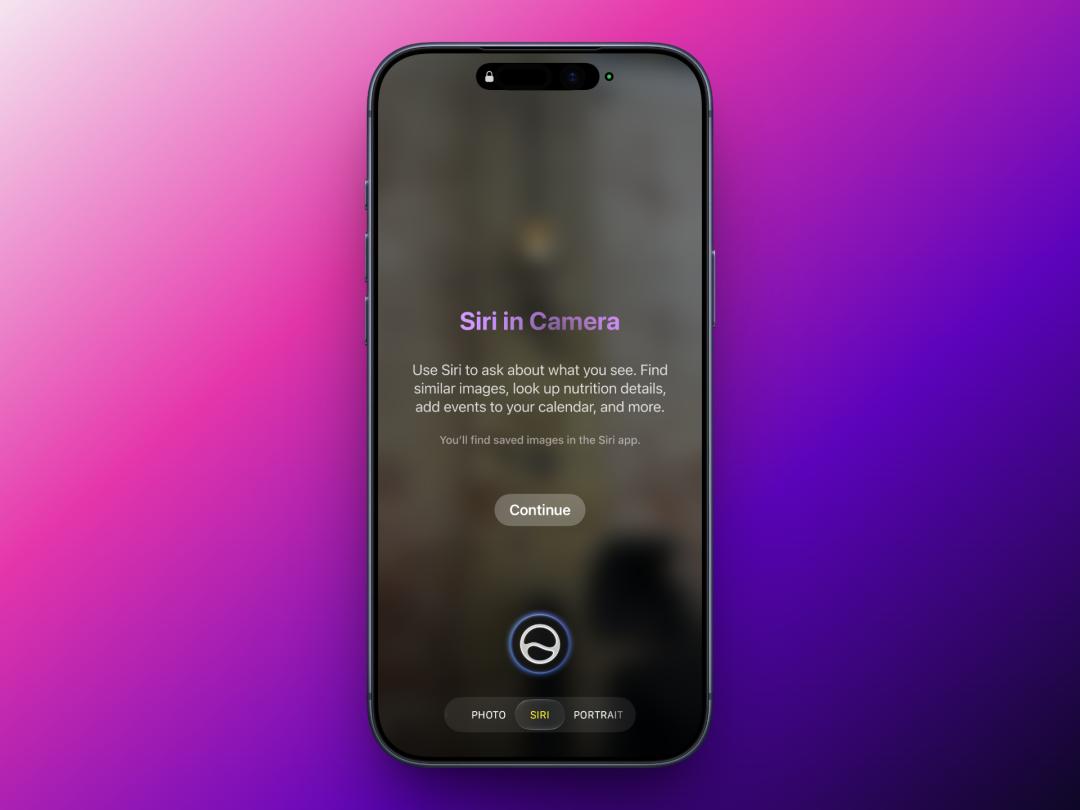
A more noticeable change is in the bottom bar: the camera app adds a new "SIRI" mode, which houses the Visual Intelligence feature that was previously integrated into camera control buttons. You can directly ask Siri questions about what's in front of the camera, and it will identify the objects and scenes you're pointing at.
Of course, this feature relies on Apple Intelligence, so it's not yet available for the Chinese mainland version.
AI Features in the Photos App
AI tools now form an independent section in the editing menu, with the most interesting feature being Reframe.
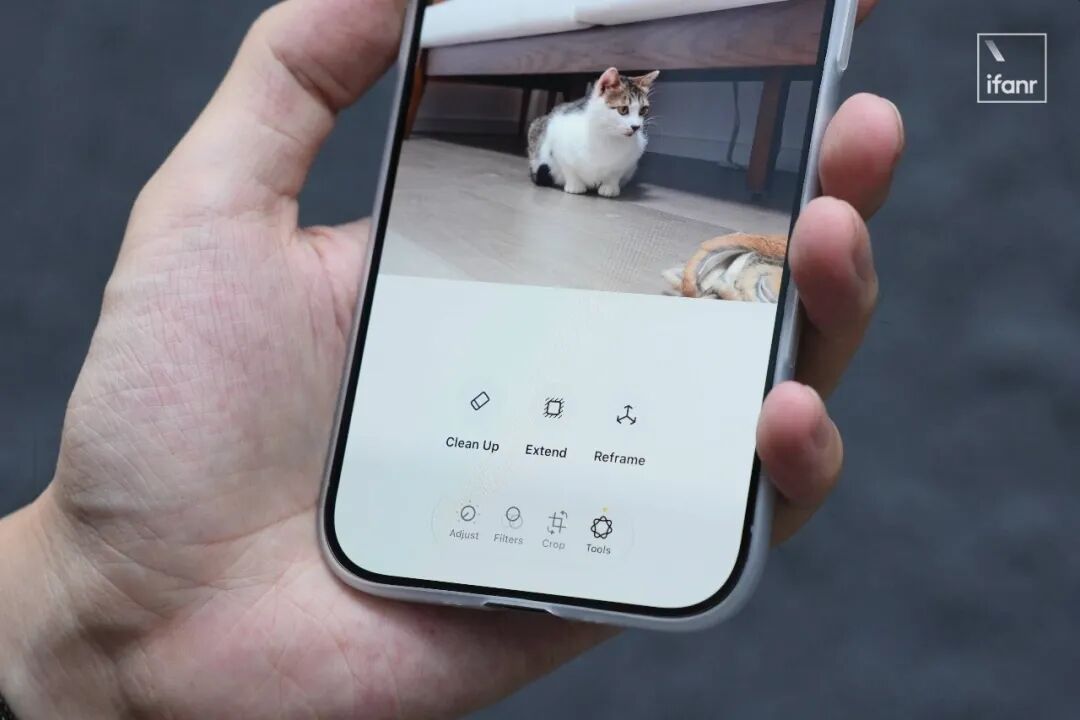
After tapping it, the iPhone first uses an on-device AI model to generate a low-quality preview image, where you can adjust the composition, zoom the frame, and even slightly modify the shooting perspective.
Once you confirm the desired angle, the photo will be uploaded to the cloud to complete the final reconstruction, preserving as many original details as possible, while the blank areas created by the perspective change are filled in by generative AI. The tradeoff is a slight loss in image resolution.