miHoYo's AI girlfriend BSide is launched, and I've tested it out for you: her appearance is passable, but the functions are far too underwhelming.
Has miHoYo launched an AI girlfriend?
That was my first reaction the moment I saw BSide: Olivia Lin listed on Steam.
It's not that AI girlfriends are some rare novelty these days. A quick browse on platforms like AI chat companion platforms shows digital companions that are almost better at delivering emotional value than real people.
The catch is, this project comes from miHoYo.
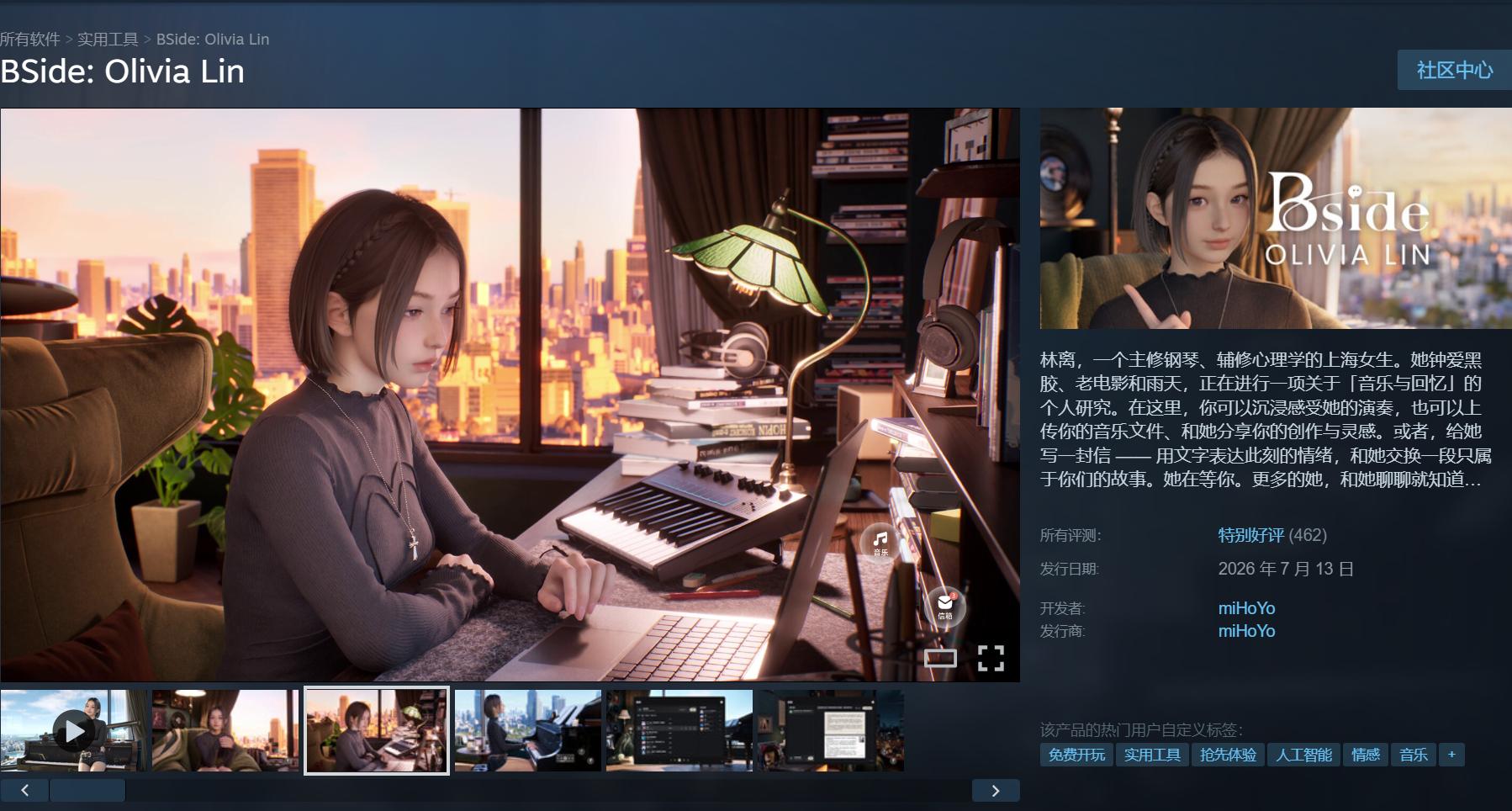
(Image source: Steam)
As a regular mobile gamer who has played titles from Genshin Impact, Honkai: Star Rail to Zenless Zone Zero, I'm sure everyone knows what miHoYo does best. They might not satisfy you every single time, but they are exceptionally skilled at crafting polished, believable virtual characters.
Now the company has unexpectedly stepped away from gacha mechanics and stamina systems, to launch a standalone Shanghai-based virtual girl who can play piano, read letters, and live right on your desktop. Combining realistic character rendering, music, and AI interaction into an independent product is truly an unusual move for them.
There was no way we could skip trying this out, so Lei Technology put it through a full review right away.
This Virtual Girlfriend Looks Great, But Features Are Still Limited
To put it simply, BSide is currently available on Steam as a free early-access software.
Just search for the title on Steam to add it to your library, then link your Steam account to your miHoYo account, and you're ready to start playing.
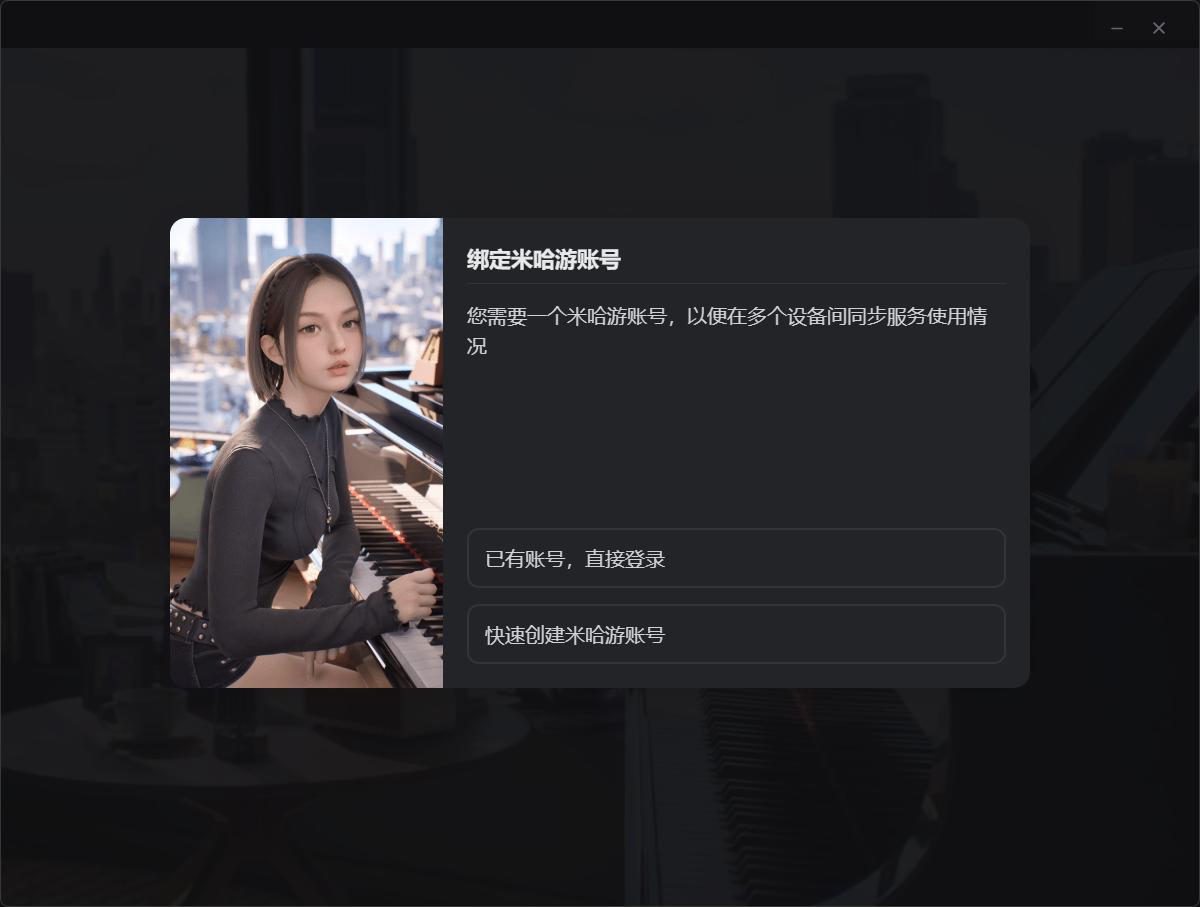
(Image source: Lei Technology)
When you open BSide, it hardly feels like a game at all.
The app automatically replaces the wallpaper on your selected display, turning the character interaction interface into a natural part of your daily desktop environment.
There's no new player 10-pull banner, no screen full of red notification dots, and no mascot popping up to remind you that you can earn 60 Primogems by completing today's tasks. The character simply stays in her room, with a Shanghai night view outside the window, a piano, vinyl records, and all the little touches that would look right at home in an artistic young woman's social media posts.
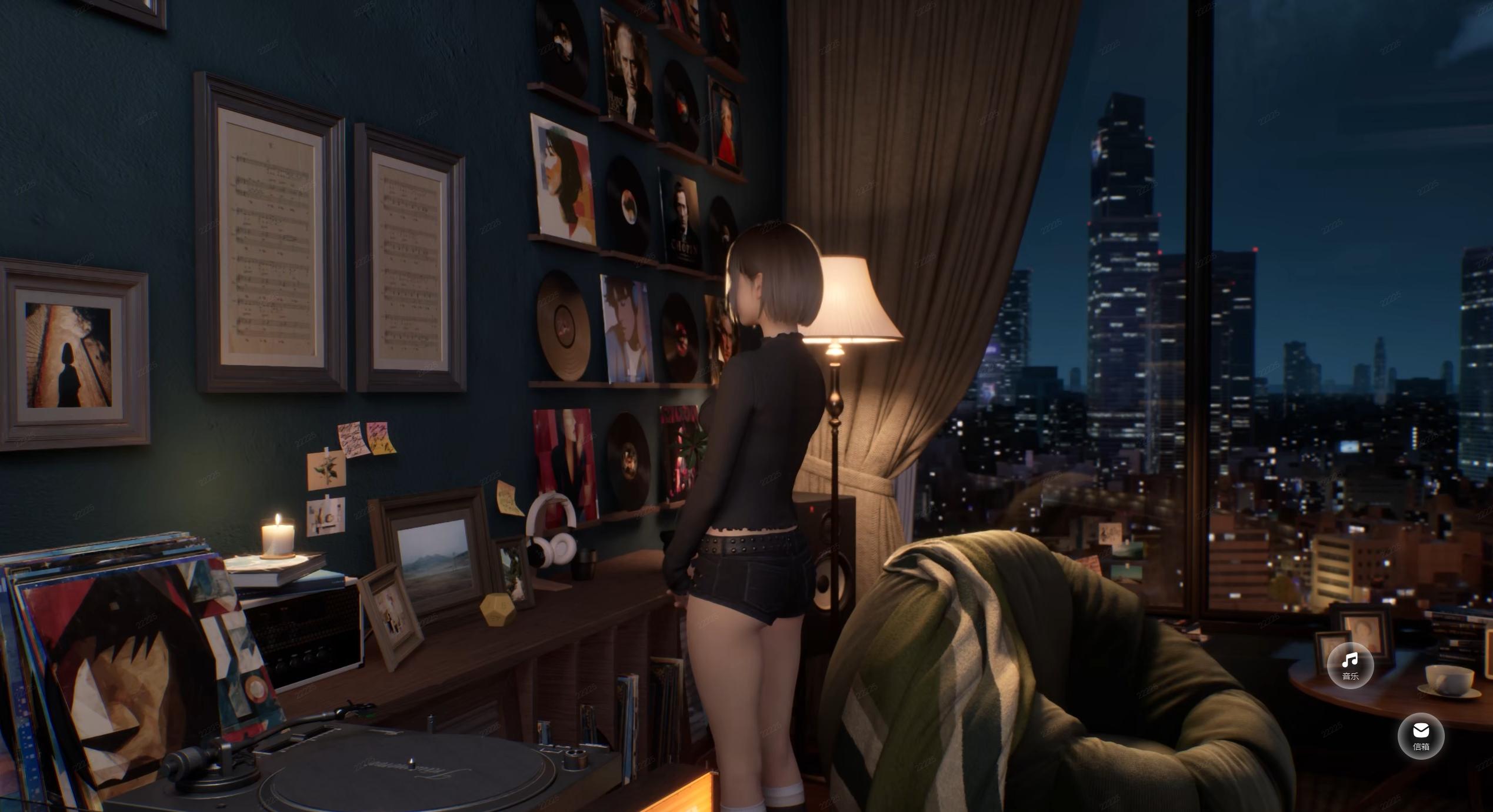
(Image source: Lei Technology)
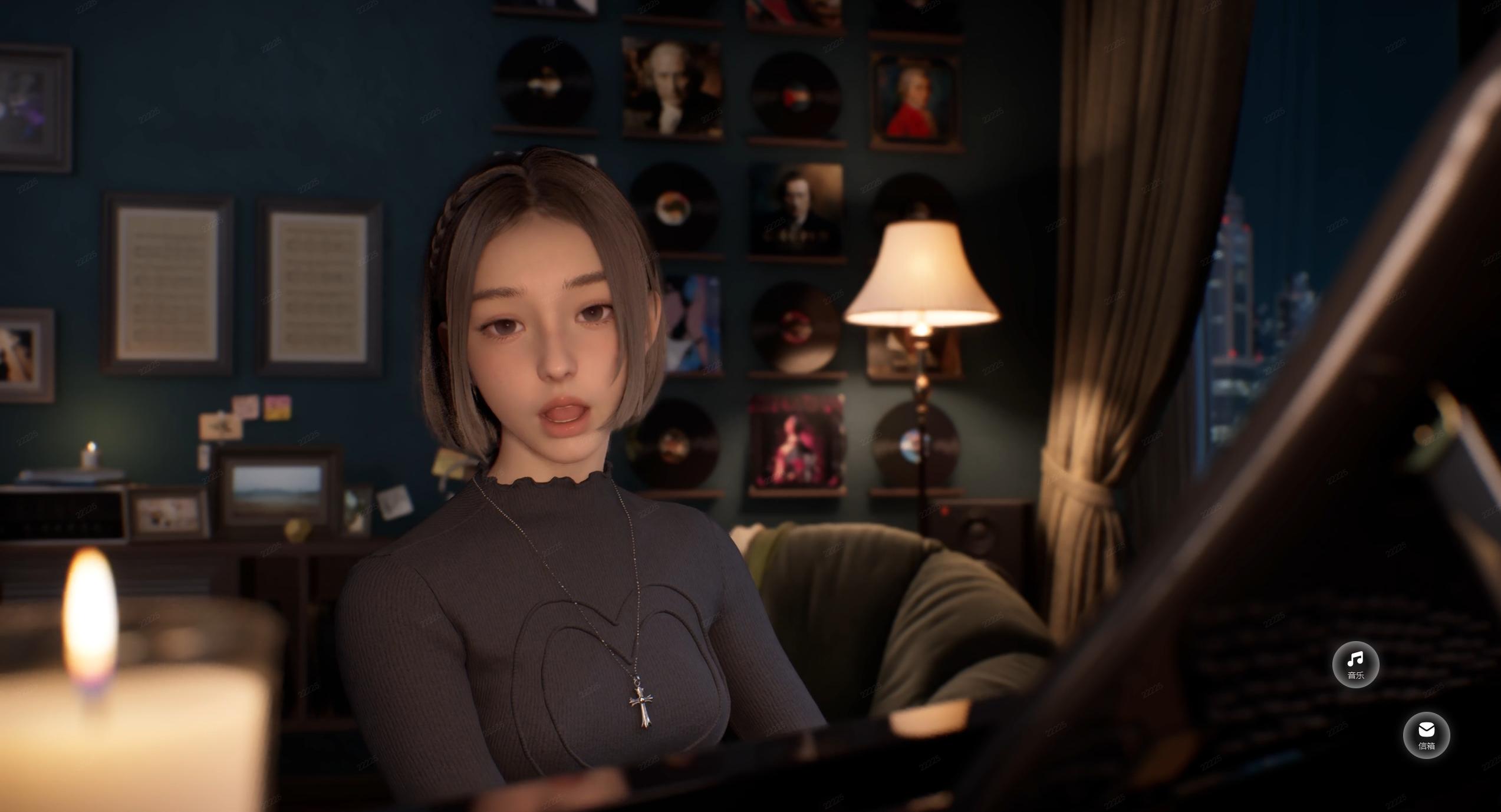
Current features in BSide are fairly straightforward. Beyond customizing the character's status, you can write her letters, listen to her performances, and upload MIDI files to generate animated videos.
In the settings menu, you can choose between two piano-singing states and three desktop states for Olivia Lin.
Besides the full-body waiting state shown earlier, there's a casual mode where she lounges on the sofa, and a creative mode where she focuses on her desk at the computer. The options are limited, and the animations are clearly pre-rendered rather than real-time, though miHoYo's character modeling and motion capture quality still shine through.
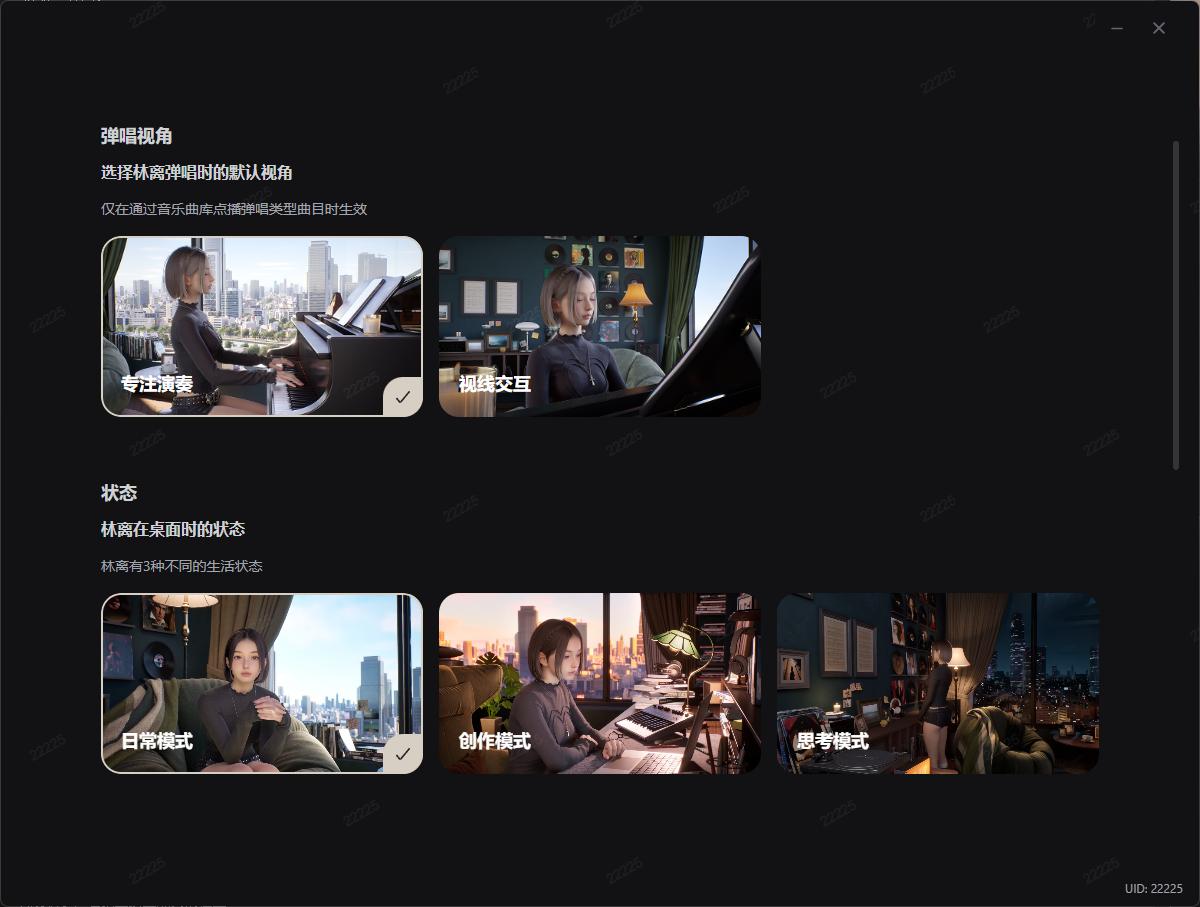
(Image source: Lei Technology)
Once configured, the app jumps straight to the music interface.
Olivia Lin can both play piano and sing. Alongside classical and light music, her repertoire includes several original tracks from miHoYo's own games. Add your favorite songs to the music library, and she'll randomly trigger performances. Watching her play slowly in her room feels uniquely immersive, far more engaging than just playing a Lofi playlist in the background.
That said, the music player is still very much a work in progress. Song discovery is inconvenient, playlist management is basic, and even the full-screen auto-mute function isn't fully polished, causing audio conflicts when other games are running. There's plenty of room for improvement.
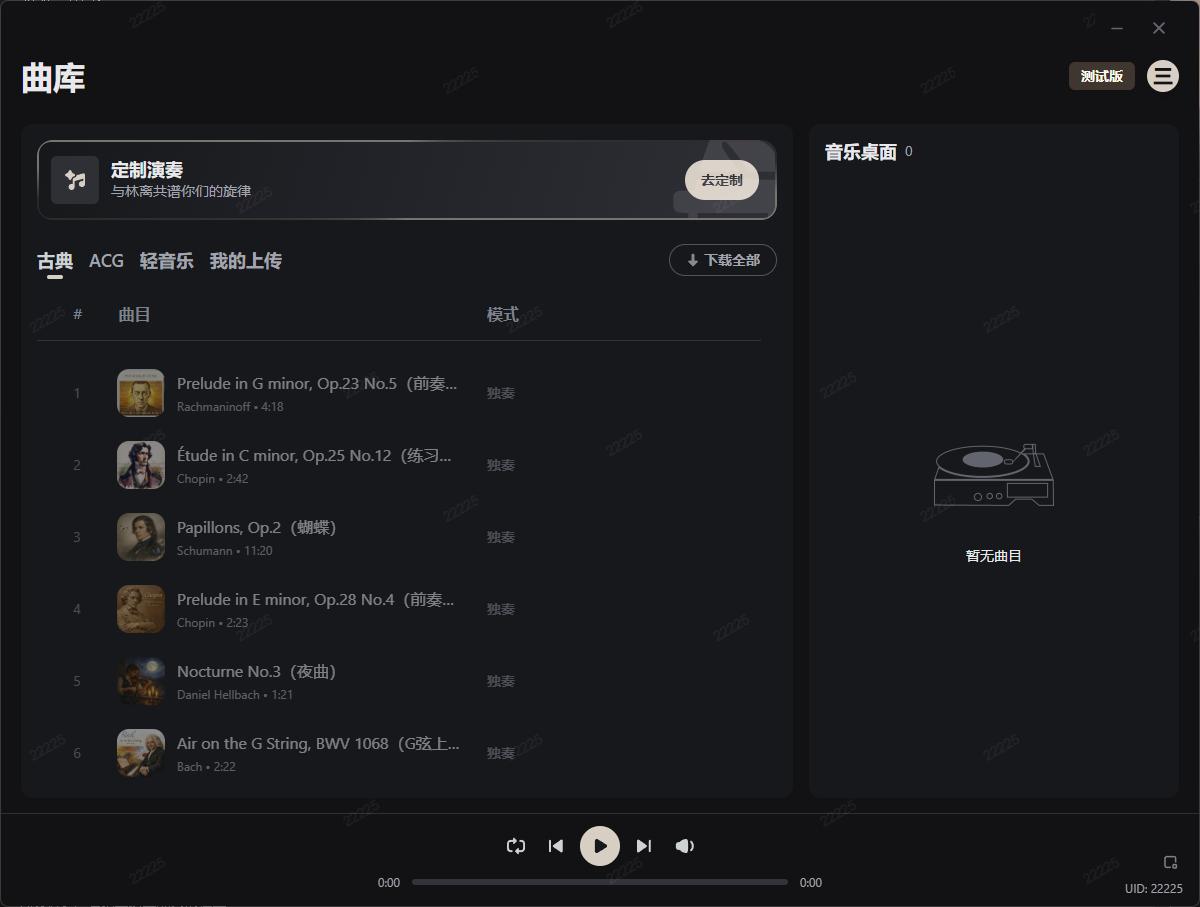
(Image source: Lei Technology)
As for standout features, the MIDI upload function definitely counts.
In simple terms, a MIDI file is a digital sheet music. Upload a single-track piano MIDI to the system, and Olivia will "perform" it for you, generating a corresponding animated video.
The catch is you can't just drop in a random pop song and expect it to transcribe and adapt on the fly. It won't even accept MIDI files converted directly from audio — you'll get the best experience if you already know how to compose basic melodies yourself.
With my limited music theory skills... I could only export a full track from Suno V5 and convert it into a MIDI file.
(Image source: Lei Technology)
The end result was surprisingly convincing. As someone with no formal music training, I couldn't spot any mismatches between the converted MIDI and her playing animation, though the camera cuts did feel a bit stiff and rigid.
By comparison, miHoYo's pre-made piano-singing animations are far more fluid and natural.
Last but not least, the letter-writing feature gives it that classic "AI girlfriend" vibe.
Unusually, the chat box isn't placed front and center. You can't start with "Hey, you there?" and chat with Olivia all the way until 3 AM. Instead, you write a proper letter sharing your recent life, mood, or thoughts on music, then wait for her reply.
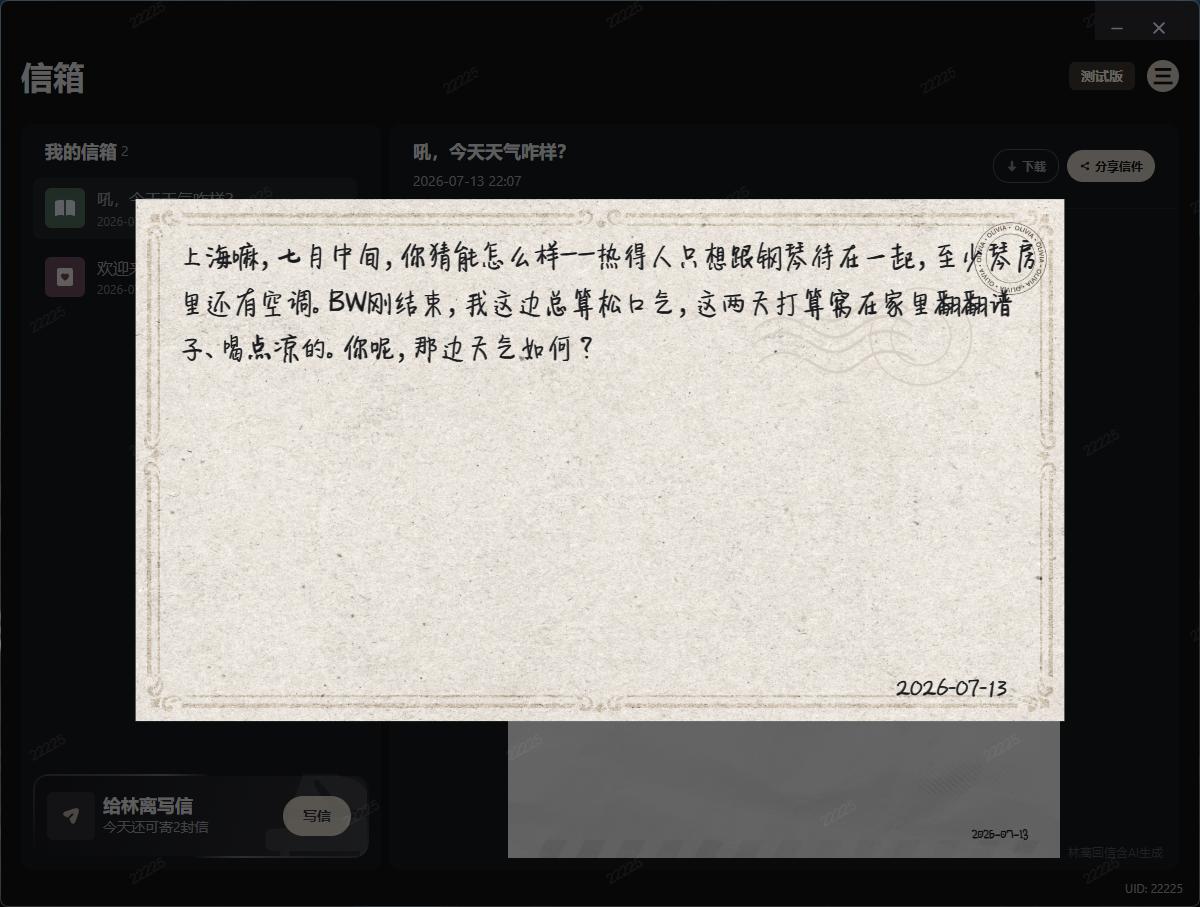
(Image source: Lei Technology)
After sending your letter, you'll wait 1-2 minutes to receive a reply.
Judging from the responses, miHoYo has done an excellent job maintaining character consistency. Olivia's replies stay strictly within the knowledge set defined for her persona. Even when I asked her meta questions like "Do you play Genshin Impact?", she stayed perfectly in character as a music-focused young woman and answered in a natural, believable way.
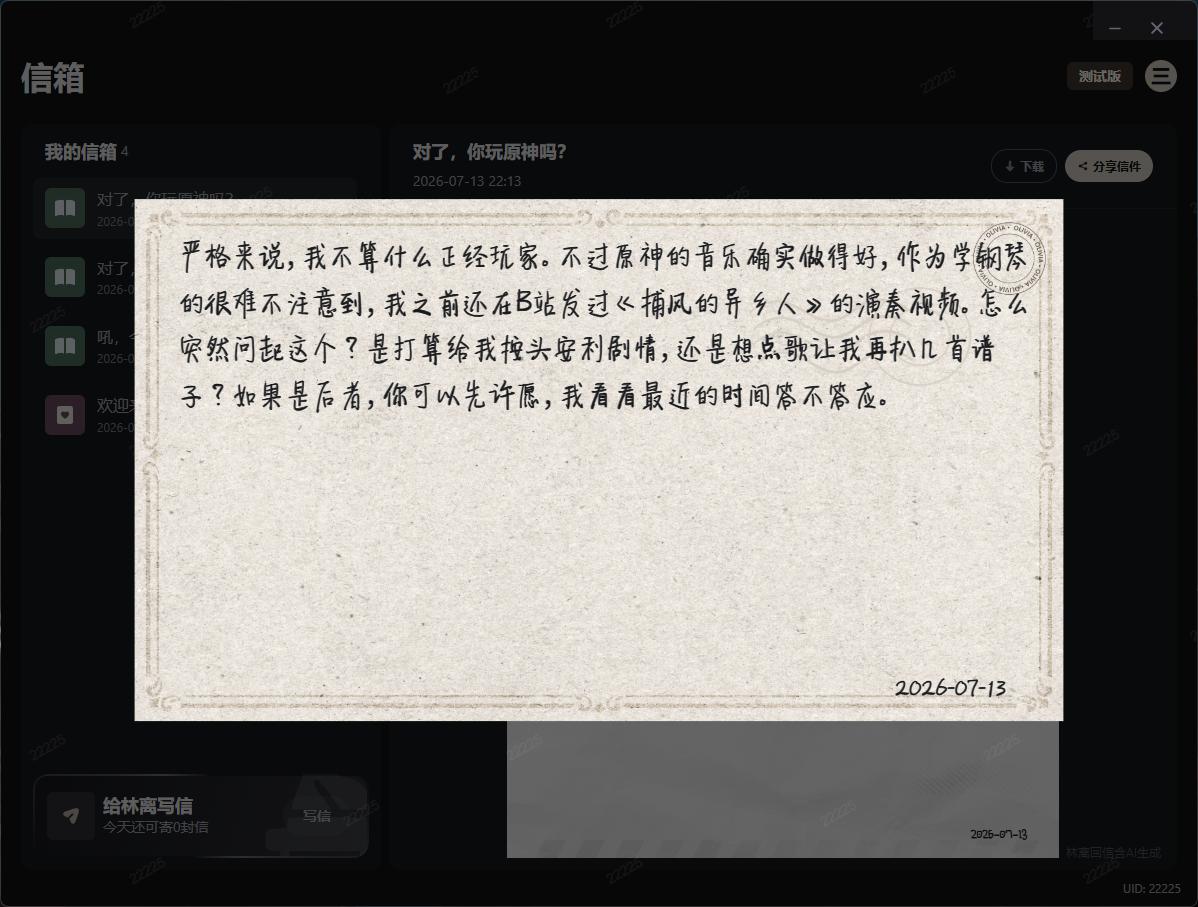
(Image source: Lei Technology)
You can only send three such letters per day.
It's refreshing, honestly. In an era where AI services rush to spit out 800-word replies in 0.5 seconds, Olivia feels like a digital pen pal who replies occasionally and plays music for you. You can't interact with her directly in real time, but this gentle, measured distance feels far more comfortable than a companion that clings to you 24/7.
By the end of my testing, I was writing my draft while she played piano; when I took a break to slack off, she still kept that relaxed, unhurried vibe of "you do your thing, I'll do mine".
Maybe that's exactly what a companion app should be?
The Tools Aren't Revolutionary — But Character Crafting Is miHoYo's Secret Weapon
Interestingly, while BSide feels fresh and novel, it's not exactly an unprecedented concept on Steam.
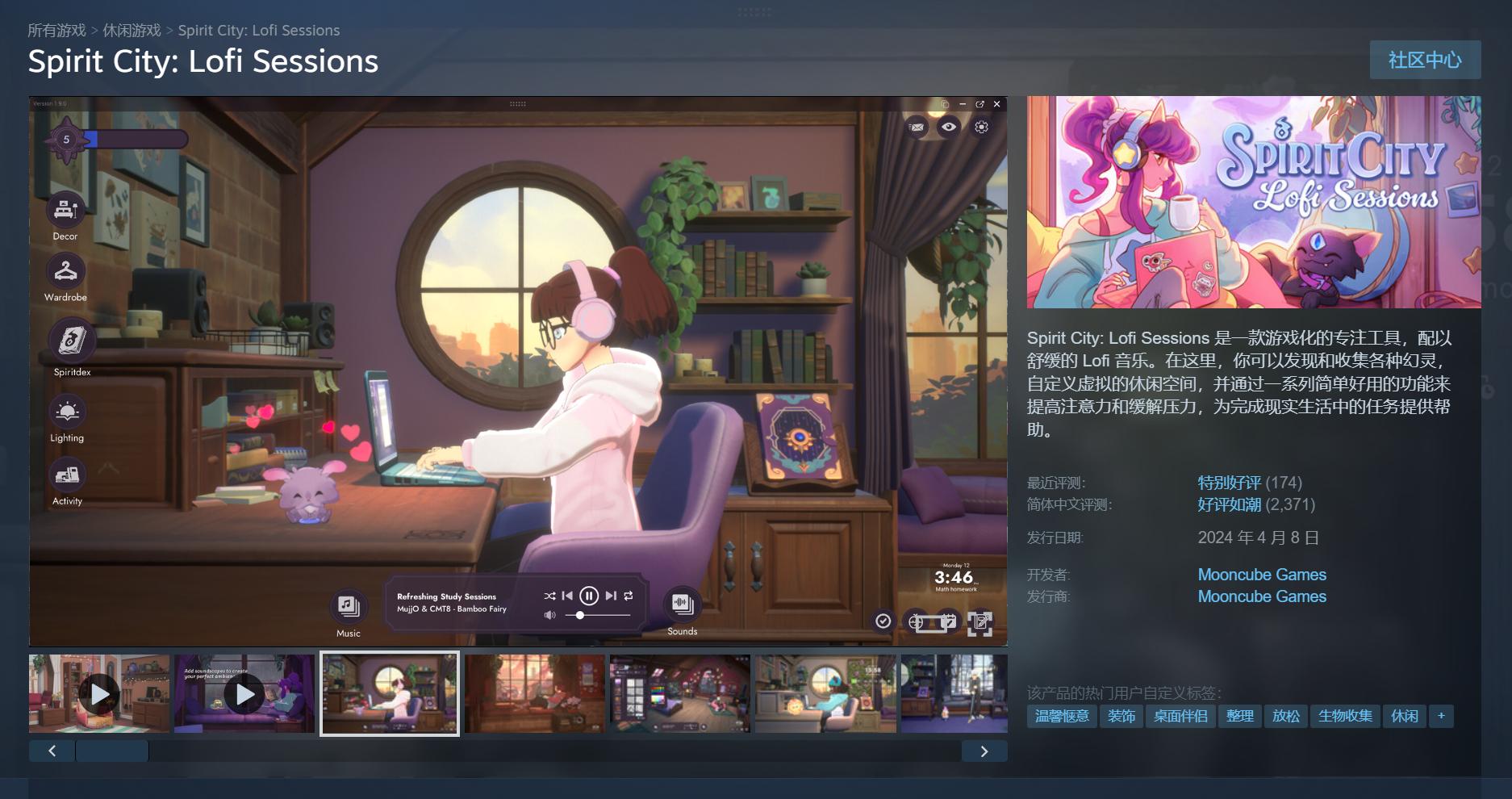
I personally own Spirit City: Lofi Sessions. The concept of these apps is easy to grasp: they give you a cozy room, a curated Lofi playlist, ambient background sounds, and a suite of productivity tools.
(Image source: Steam)
As you sit down to work, characters and sprites move around in the background, which eases the loneliness of working late alone and makes "getting things done" feel far less daunting.
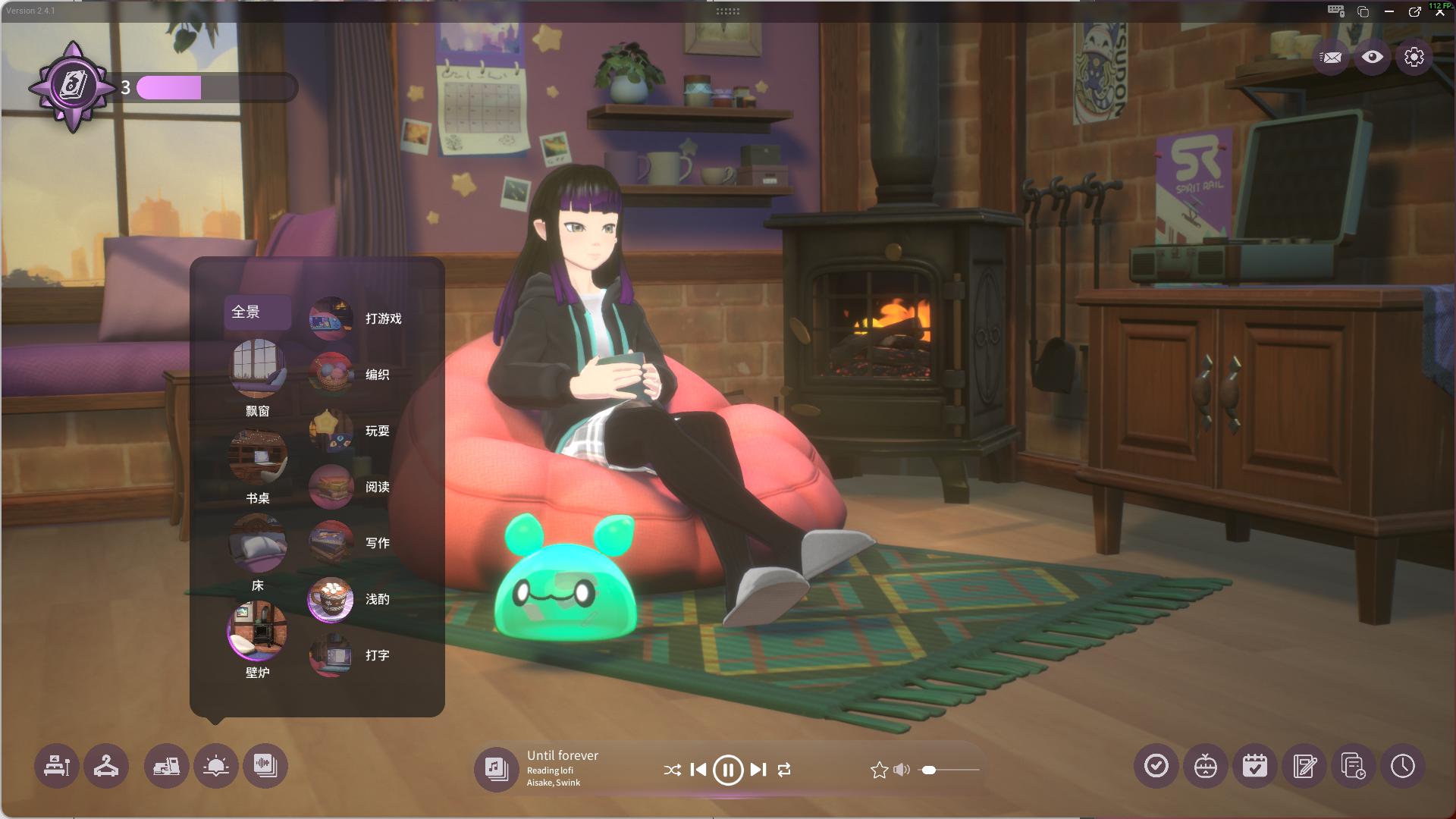
It's also highly customizable: you can adjust the character's hairstyle, clothing, and color schemes, and swap out furniture, wallpapers, and decorations in the room. Tracking work sessions and building habits earns you experience points to unlock new outfits and sprites.
Even if you're not actively working, just leaving it running in the background gives you little things to collect over time.
(Image source: Lei Technology)
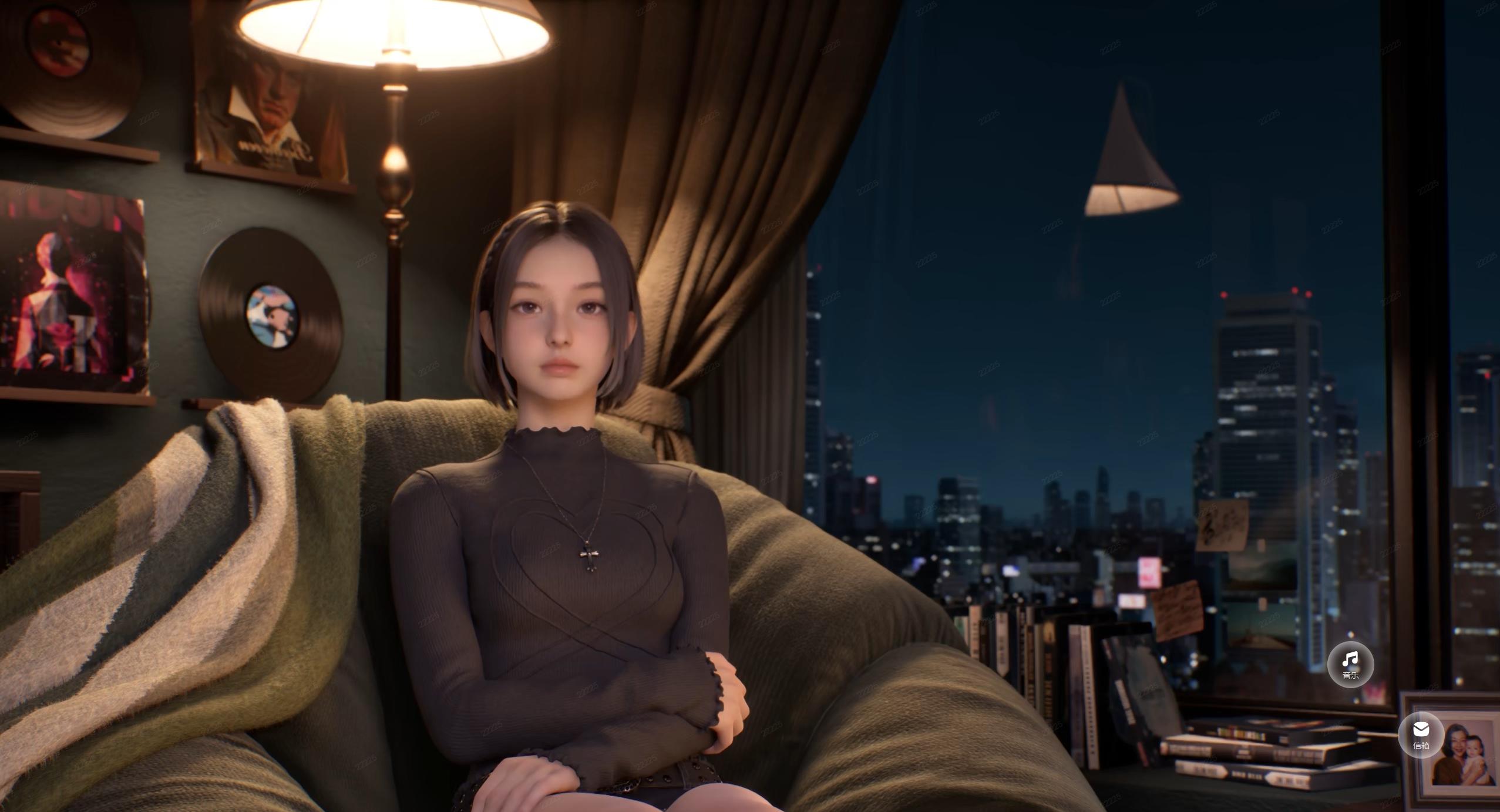
By comparison, BSide is far simpler on the productivity tool front.
Forget idle rewards and customization options — it doesn't even have a Pomodoro timer, to-do list, or habit tracker. Beyond the character herself, there's barely any functionality to help users manage work or leave the app running long-term.
(Image source: Lei Technology)
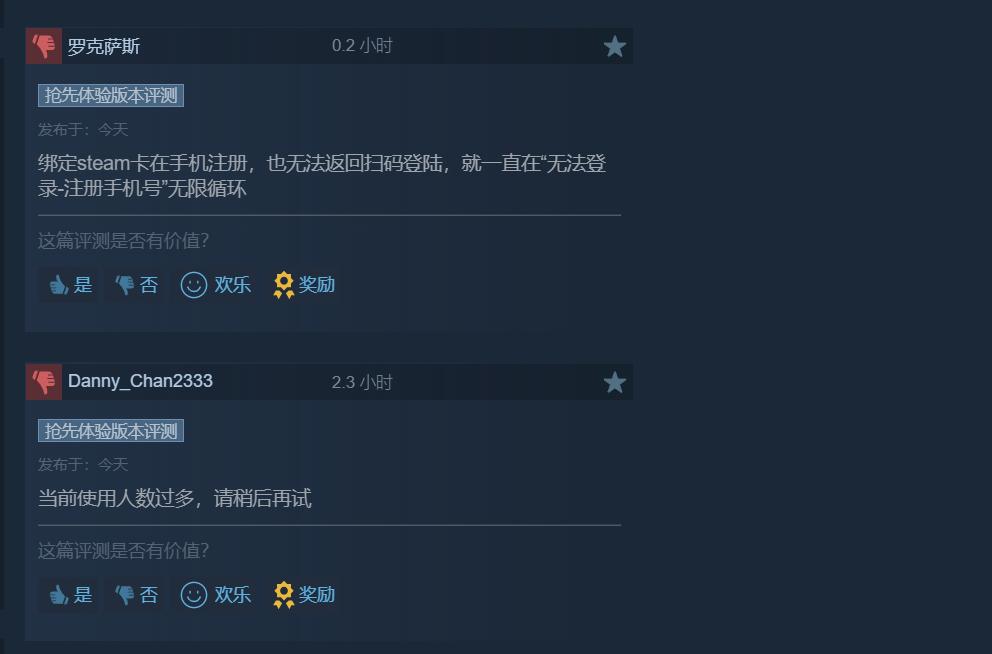
Few features can be fixed with updates, but launch bugs really hurt the initial experience.
On the Steam discussion board, users have reported getting stuck on account binding and login screens, app crashes, input method conflicts, black bars on ultra-wide monitors, blurry resolution, and disappearing music/mailbox buttons after returning to the desktop. Dual-monitor setups only display correctly on the primary screen.
(Image source: Lei Technology)
If the app aims to replace your regular desktop, it really needs to get these basic compatibility issues sorted first.
But BSide has its own distinct focus: selling a well-crafted character persona.
When I open Spirit City, I remember I should get back to work. When I open BSide, my first instinct is to check what Olivia is up to today. Her appearance, voice, musical taste, and letter-writing style are the very foundation that makes the whole product work.
miHoYo already has deep existing expertise in all these areas.
They previously brought the character Lumi to PC and mobile desktops with N0va Desktop. The Genshin Impact team has publicly shared their character and scene design workflows at GDC, while HOYO-MiX has long handled music production for all their games. Character art, rendering, desktop integration, and music are exactly the core pillars of BSide.
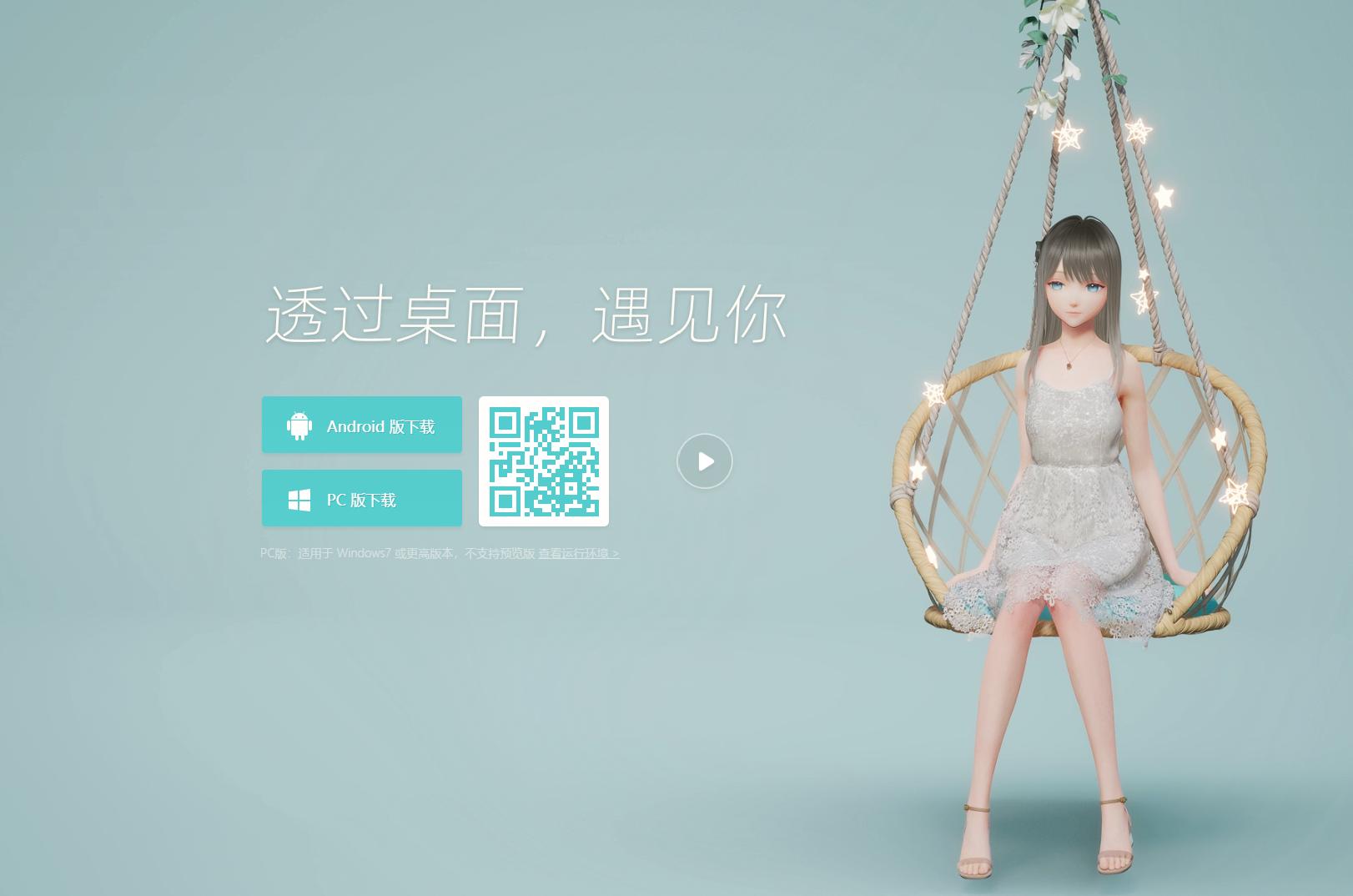
(Image source: Lei Technology)
The difference is that BSide builds on all this foundation by adding AI, filling in the missing piece that most similar companion apps lack: responsive interaction.
Previous tools of this type, no matter how polished, eventually feel like just looping animations after prolonged use. With AI integration, the letters you write and the melodies