The latest beta version of iOS 27: Is Siri becoming more "human-like"?

Recently, Apple has successively released two Developer Beta versions of iOS 27, optimizing and improving some new features from the initial release while also adding a number of new system capabilities. Let's take a closer look at all the updates below.
Editor's Note: Features related to Apple Intelligence and Siri AI are currently not supported on mainland China-region iPhones.
Beta 2
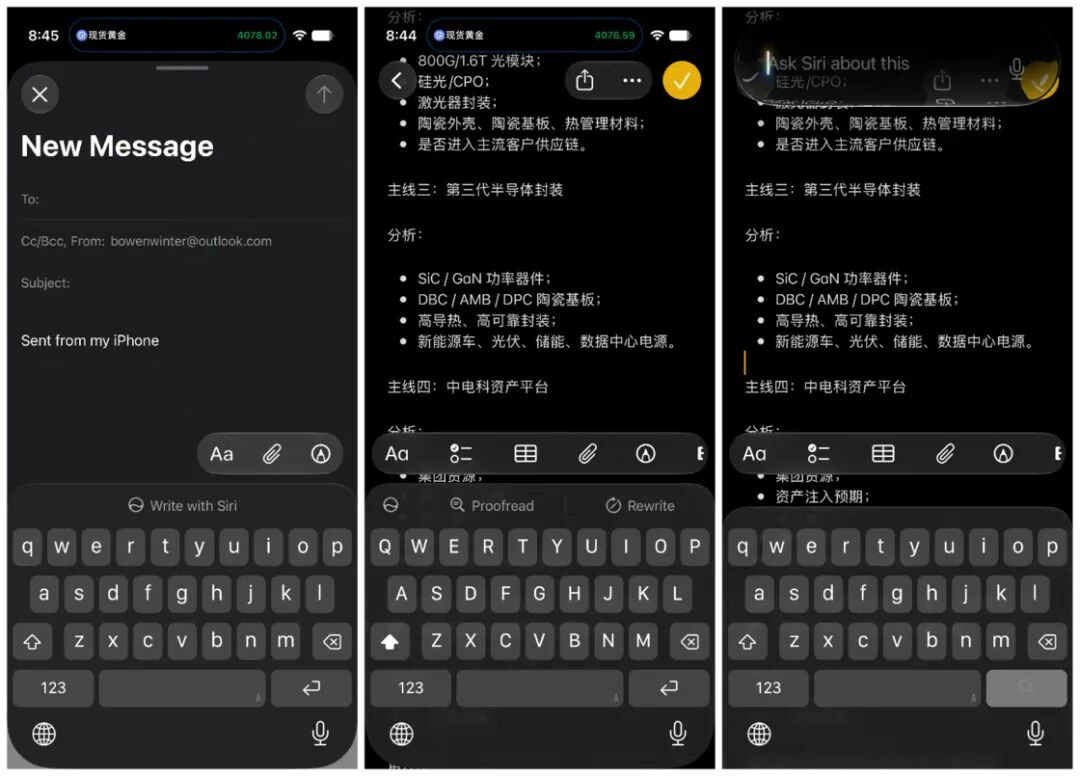
Write with Siri
The new writing tool built on the revamped Siri architecture debuts in Beta 2. Whenever the system keyboard pops up in any app, a new "Write with Siri" button appears in the prediction bar at the top of the keyboard. After typing any text using the keyboard, an "Ask Siri" button will show up on the far left of the prediction bar. Both buttons serve as entry points to the brand-new Siri writing tool.
Unlike previous iterations, there is no need to select text in Beta 2 — you can directly draft, rewrite, or adjust text content via Siri on the Dynamic Island. The new writing tool functions more like a system-wide feature powered by natural language, replacing the fixed options from the older writing tool. This marks that Siri is gradually extending its presence to every corner of the system, evolving from a mere language assistant.
RCS Cross-Platform Chat Enhancements
In the Beta 2 release, Apple has optimized the chat experience for iPhone users communicating with Android users over the RCS protocol. First, you can now reply to any individual RCS message in the Messages app by quoting it, making it easy to quickly view or jump to the corresponding historical message. Second, you can now react to images or emojis in RCS messages, and these reactions will display properly on Android devices.
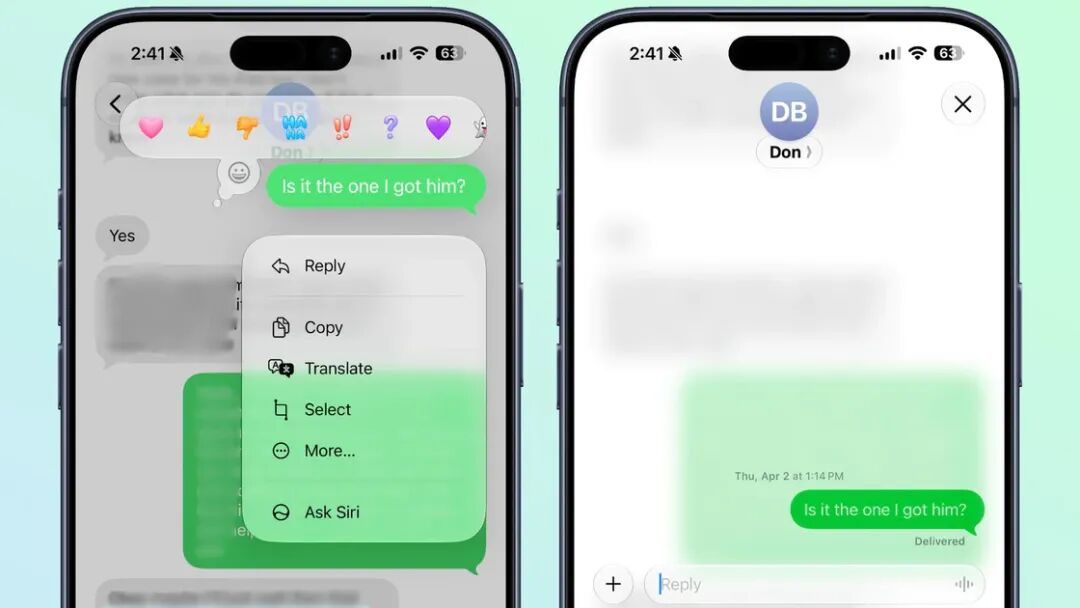
Screenshot courtesy of MacRumors
Home App
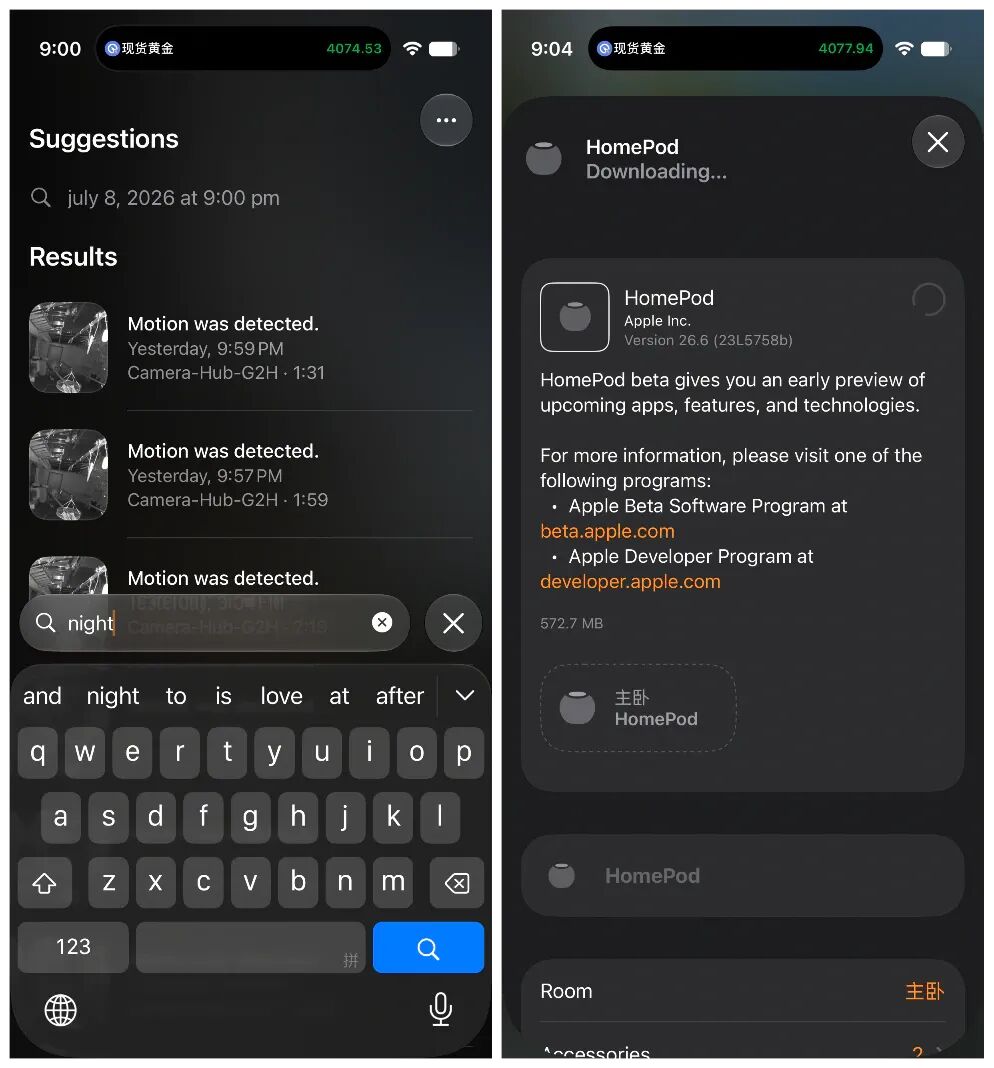
The Home app now features a new "What's New" introduction page on its first launch, highlighting key updates including Apple Intelligence support for home notifications and video summaries, the ability to view power consumption data for select smart thermostats and smart plugs, and a more flexible accessory setup workflow. The Home app now also supports direct management of software updates for Apple TV and HomePod, including viewing update details, managing Beta updates, and initiating update installations.
Wallet
A new Insights entry point has been added to the Wallet app, likely designed to support bank or credit card account integration. Once connected, users can directly view account balances, transaction history, and categorized transaction details within the Wallet app. This entry is not yet fully available in all regions, and appears to be limited to countries and regions such as the United Kingdom for the time being.
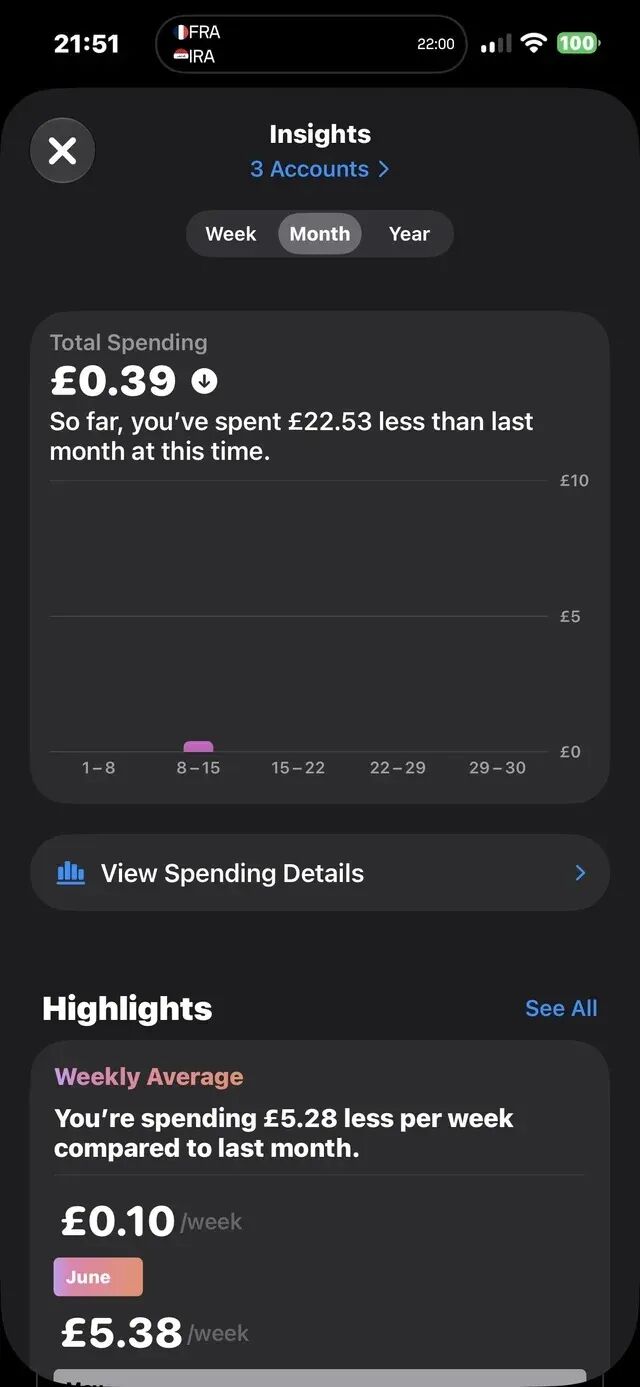
Image source: Reddit user -TomNJerry-
Camera
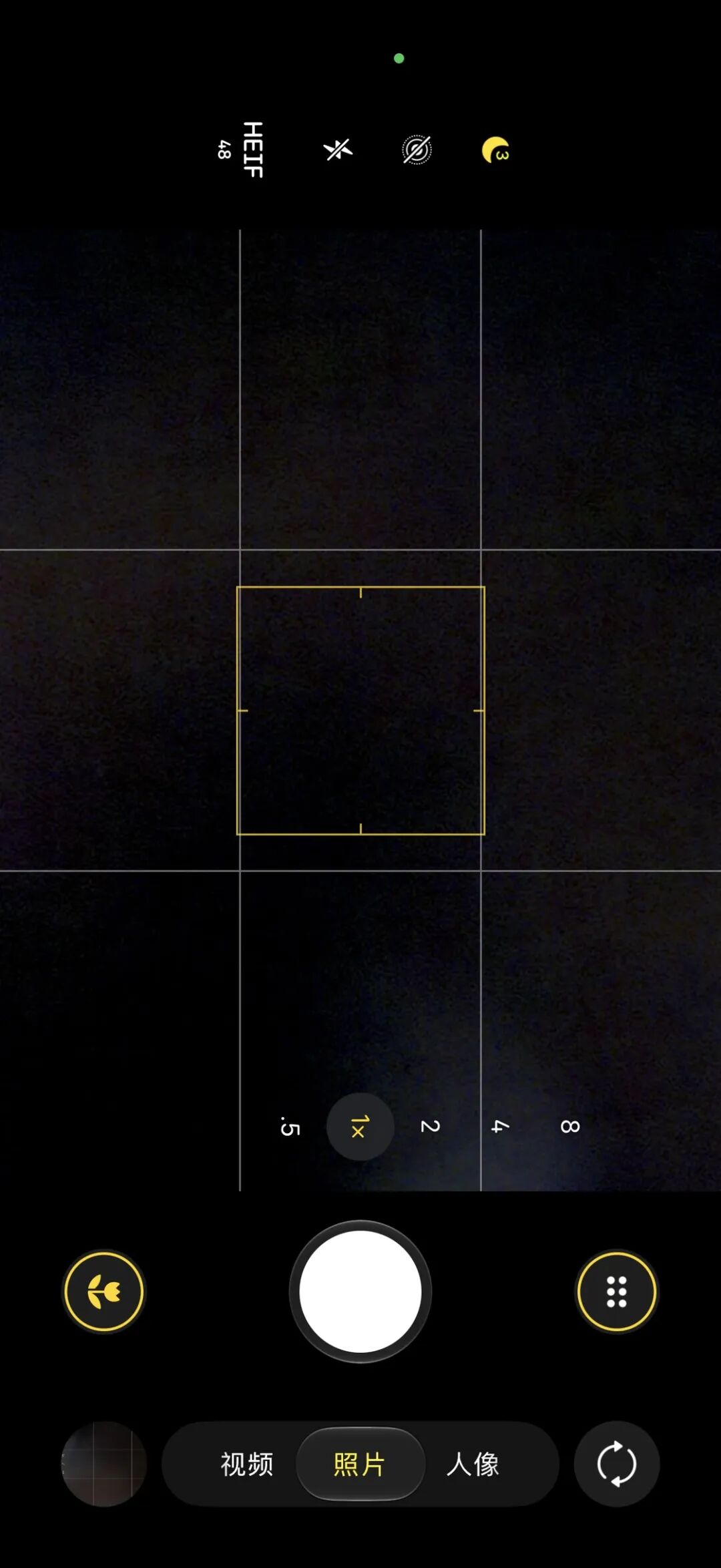
When additional shooting features such as Night Mode, Macro Mode, and Exposure Adjustment are activated in the Camera app, the macro button in the lower-left corner and the hidden camera menu in the lower-right corner now feature a more prominent yellow border indicator, making it clear for users to see when extra shooting functions are enabled.
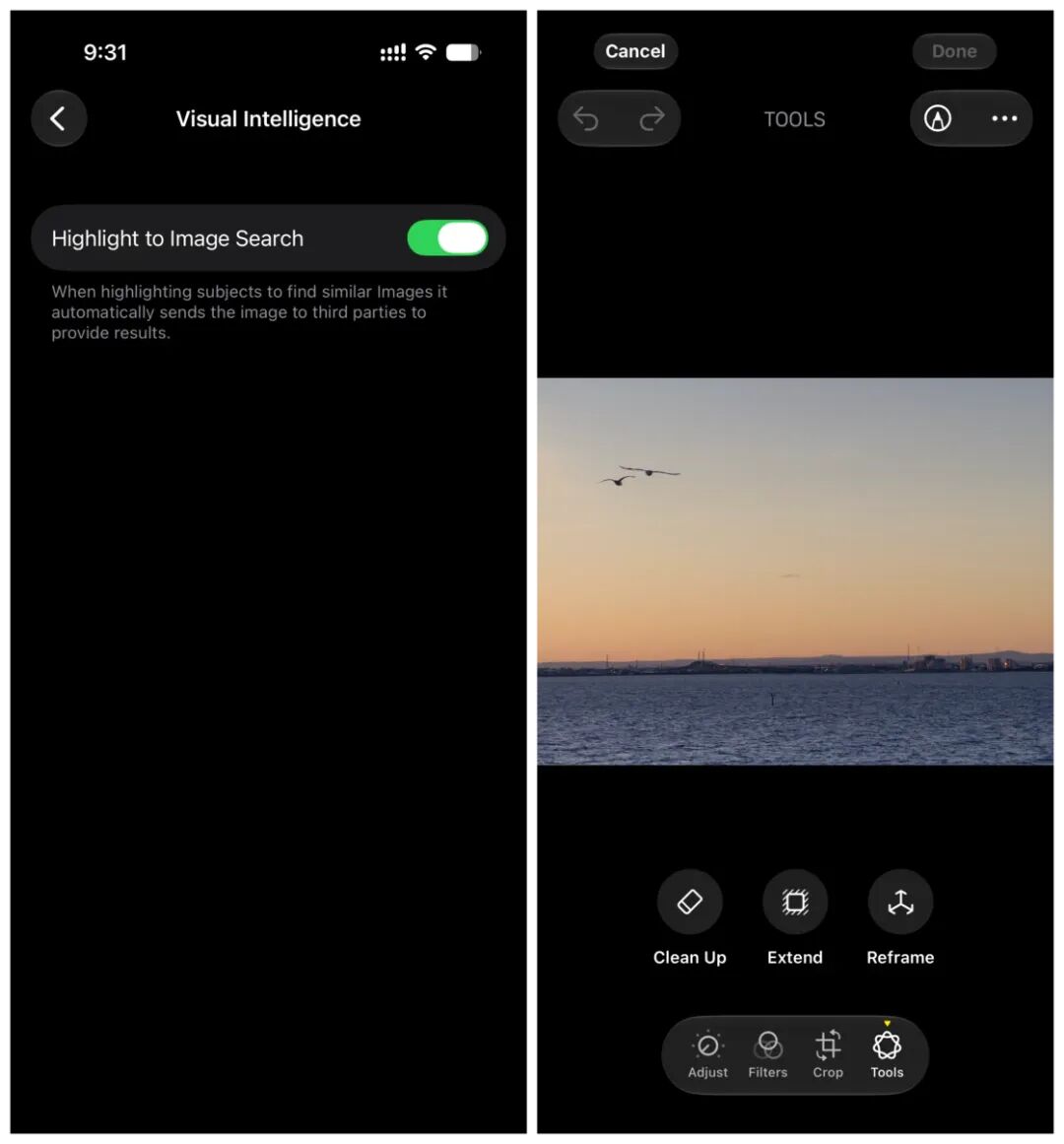
Visual Intelligence now includes a new "Highlight to Image Search" setting: when users search for similar images, the system will send the selected image to third-party services to retrieve matching results. Additionally, RAW format photos now support AI editing operations including object removal, image expansion, and composition adjustment.
Other Notable Changes
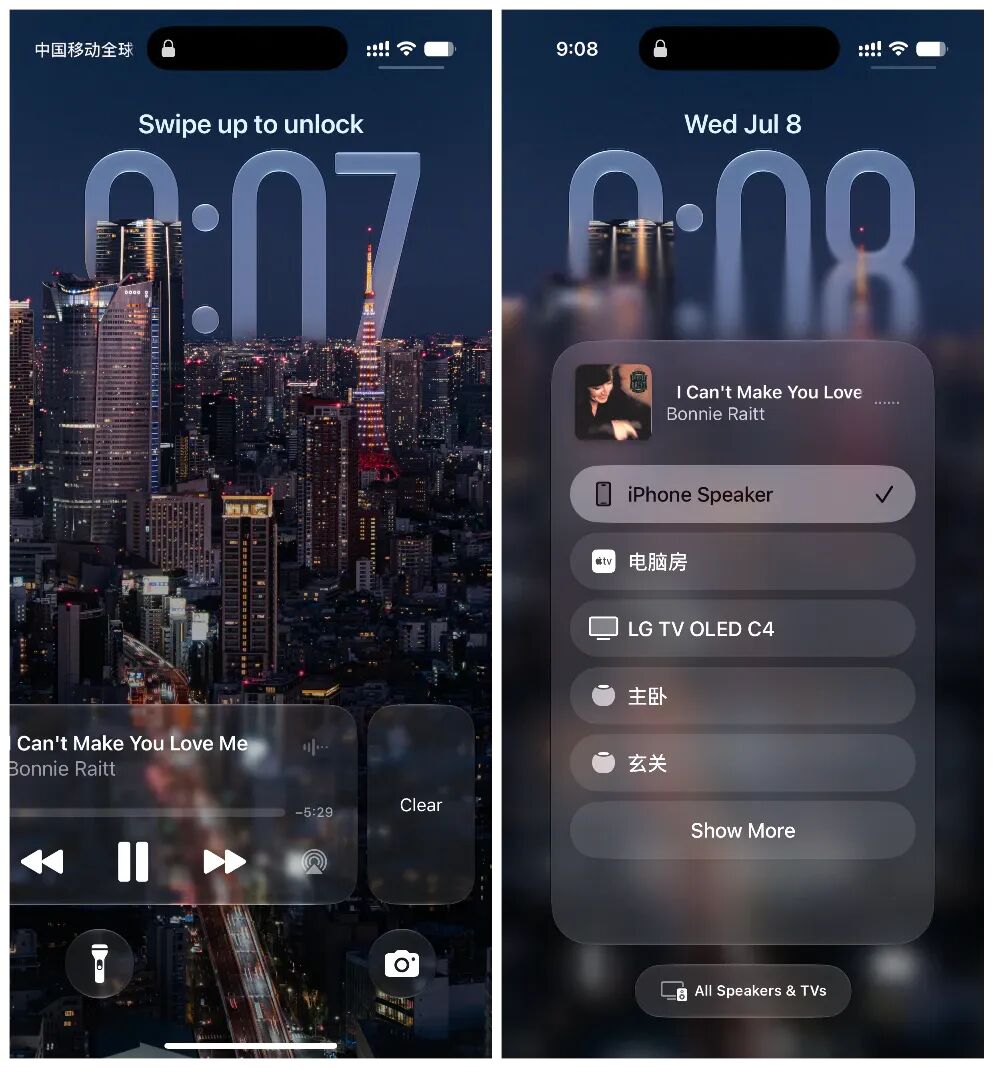
The Now Playing widget on the Lock Screen can now be manually hidden by swiping left, though it will automatically reappear when switching tracks or resuming playback.
The AirPlay menu has been updated with a new gradient blurred background, creating clearer visual separation between content and backdrop that aligns more closely with iOS 27's Liquid Glass design language.
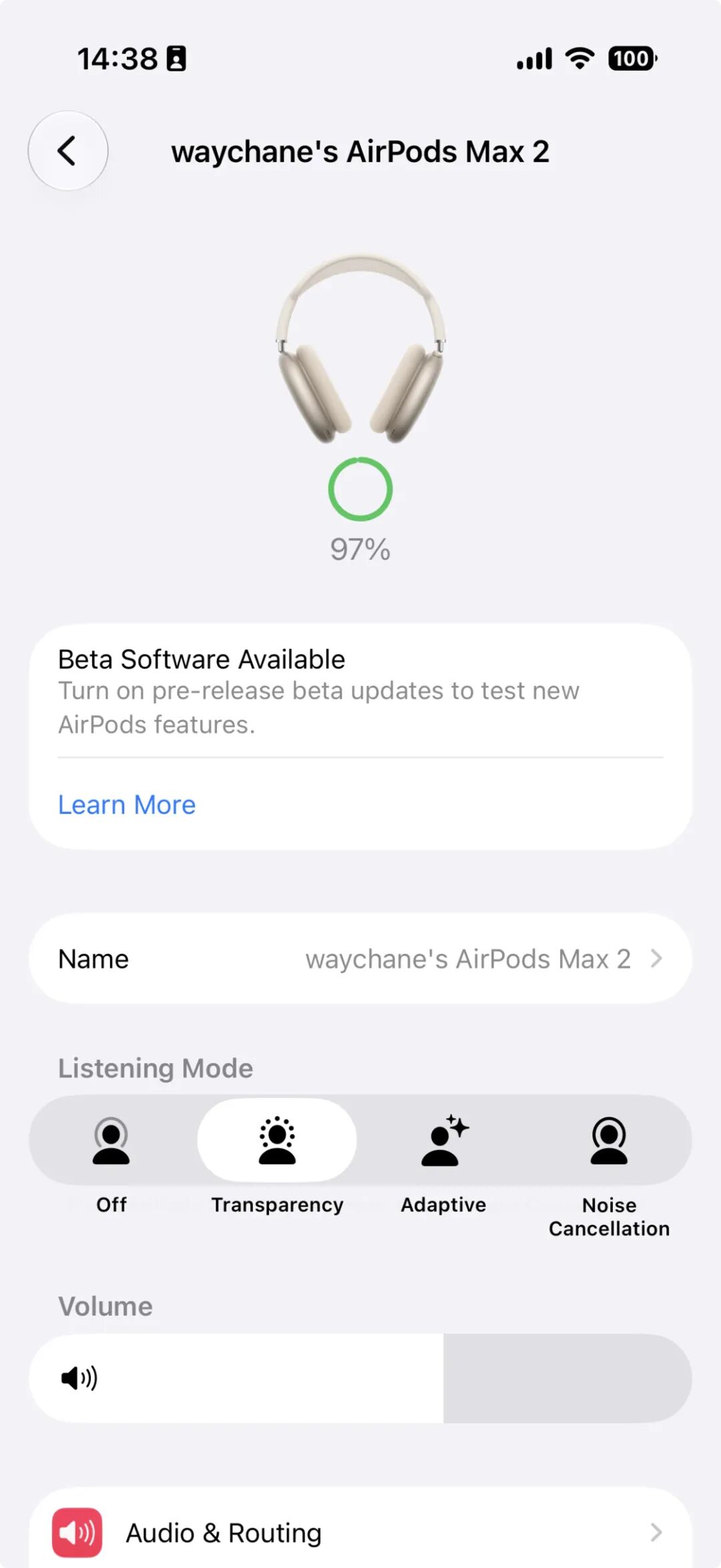
AirPods Max 2 now supports installing beta firmware, with a "Beta Updates" toggle available in the AirPods settings menu.
In Beta 2, Apple has also made minor adjustments to the icons of built-in apps including FaceTime, Compass, and Tips.
Beta 3
New Lock Screen Wallpaper Effect
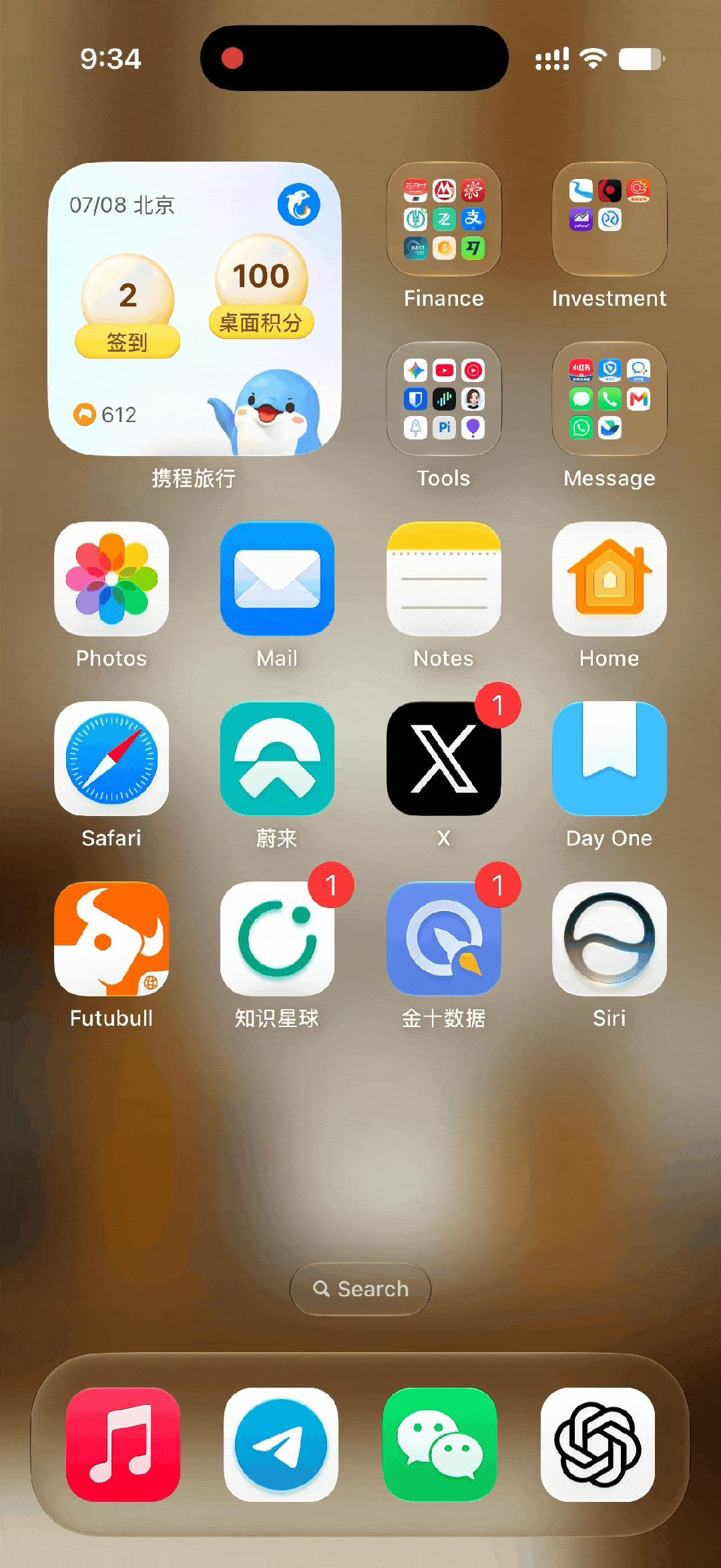
The pull-down animation on the Lock Screen has received a notable change in iOS 27 Beta 3: when you access the Lock Screen, the main subject of the wallpaper will gradually fade into view first, before the full wallpaper expands to fill the screen.
Apple Intelligence
In this new release, Siri AI takes a major leap forward by adding support for reading information from third-party apps. As discovered by 9to5Mac, the currently visible use cases primarily involve extracting battery information from electric vehicle apps, which signals that the new Siri is no longer restricted to accessing data from Apple's own first-party apps.
In watchOS 27 Beta 3, Apple has also started rolling out Siri AI and the standalone Siri app, allowing users to continue existing Siri conversations across their Apple Watch and other devices.
Health, Home and Accessibility Ecosystem
According to Apple's official Beta 3 release notes, after enabling Apple Intelligence in the Home app, HomeKit Secure Video recordings can generate video descriptions and support search functionality using on-device models and Private Cloud Compute. It is worth noting that Apple Intelligence for Home requires an iCloud+ subscription with a minimum 2TB storage plan.
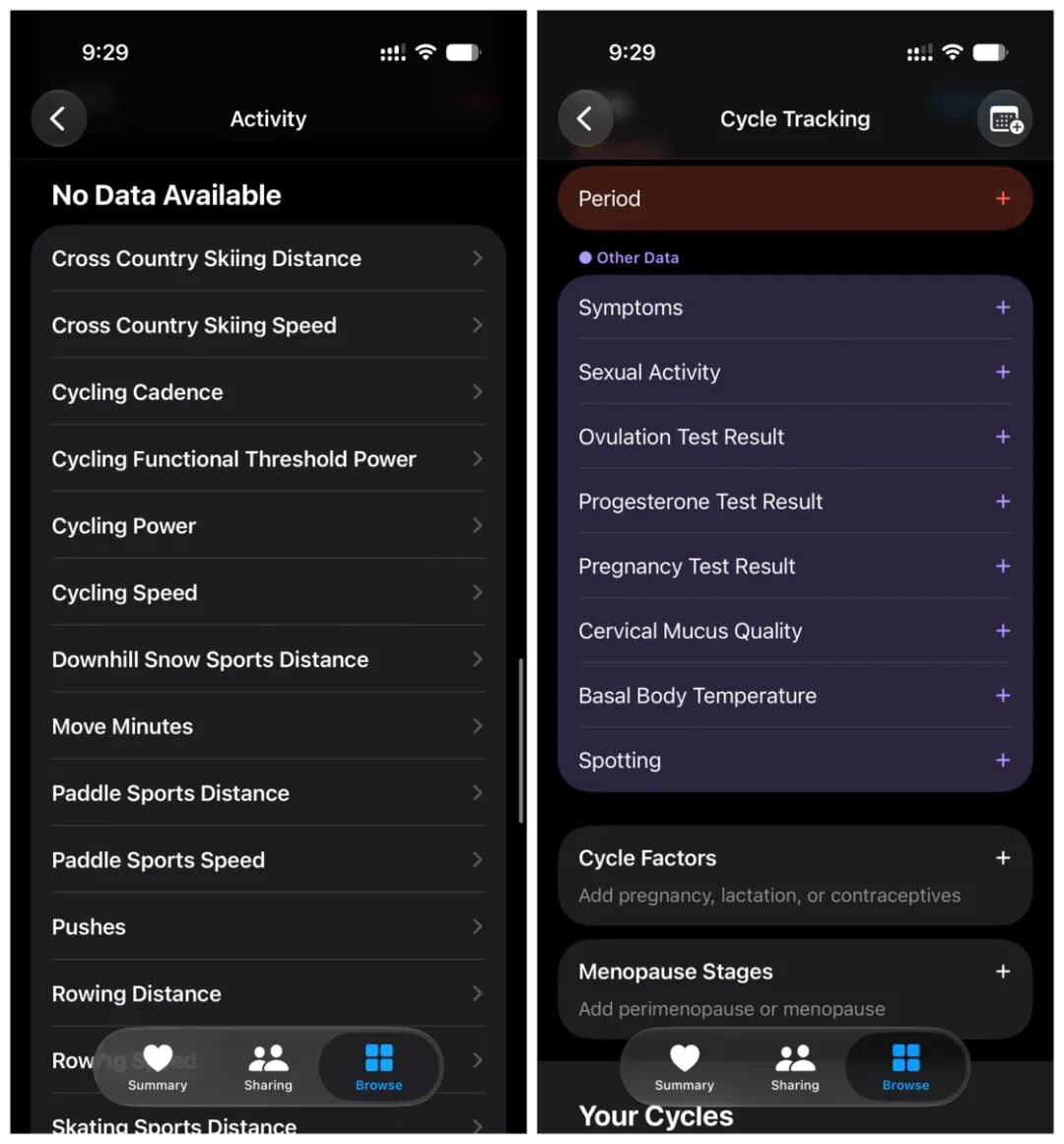
In the new version, HealthKit adds support for heart rate zones and cycling power zones, and the permission authorization process has been updated to let users choose to grant access to limited historical data or full historical records. At the same time, HealthKit introduces new support for recording menopausal status and postmenopausal bleeding events: menopausal status can track states including menopause, perimenopause, or no related status, which is categorized under Reproductive Health with full read and write authorization support.
The PlayStation Access controller now works with macOS, iPadOS, and iOS, and users can create and save custom input configurations in the game controller settings menu.
Other Notable Changes
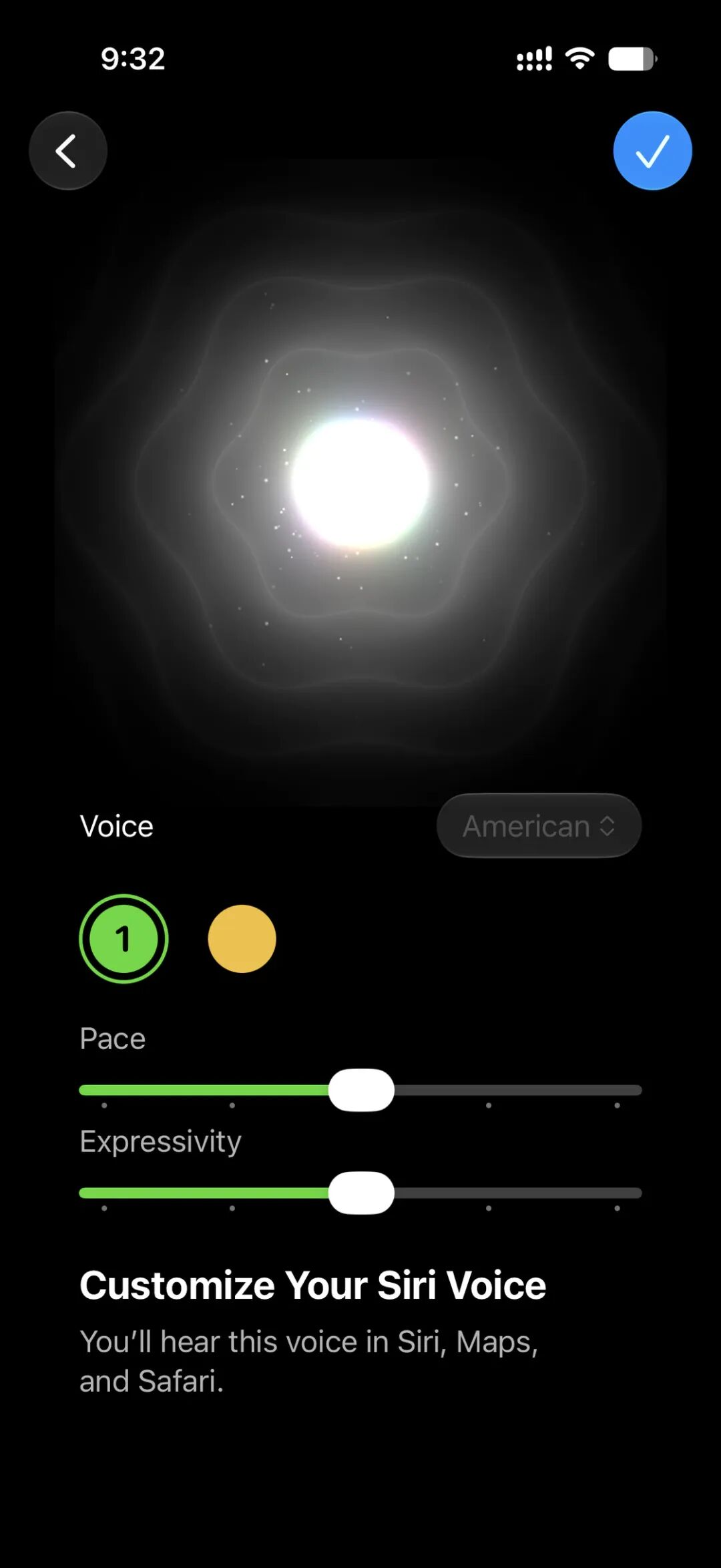
The Pace and Expressivity sliders for Siri are now active in Beta 3, allowing users to adjust the speaking speed and emotional delivery of Siri AI. However, on iPhone, this feature is currently only available for high-memory models that support the new Siri AI, including the iPhone Air, iPhone 17 Pro, and iPhone 17 Pro Max.
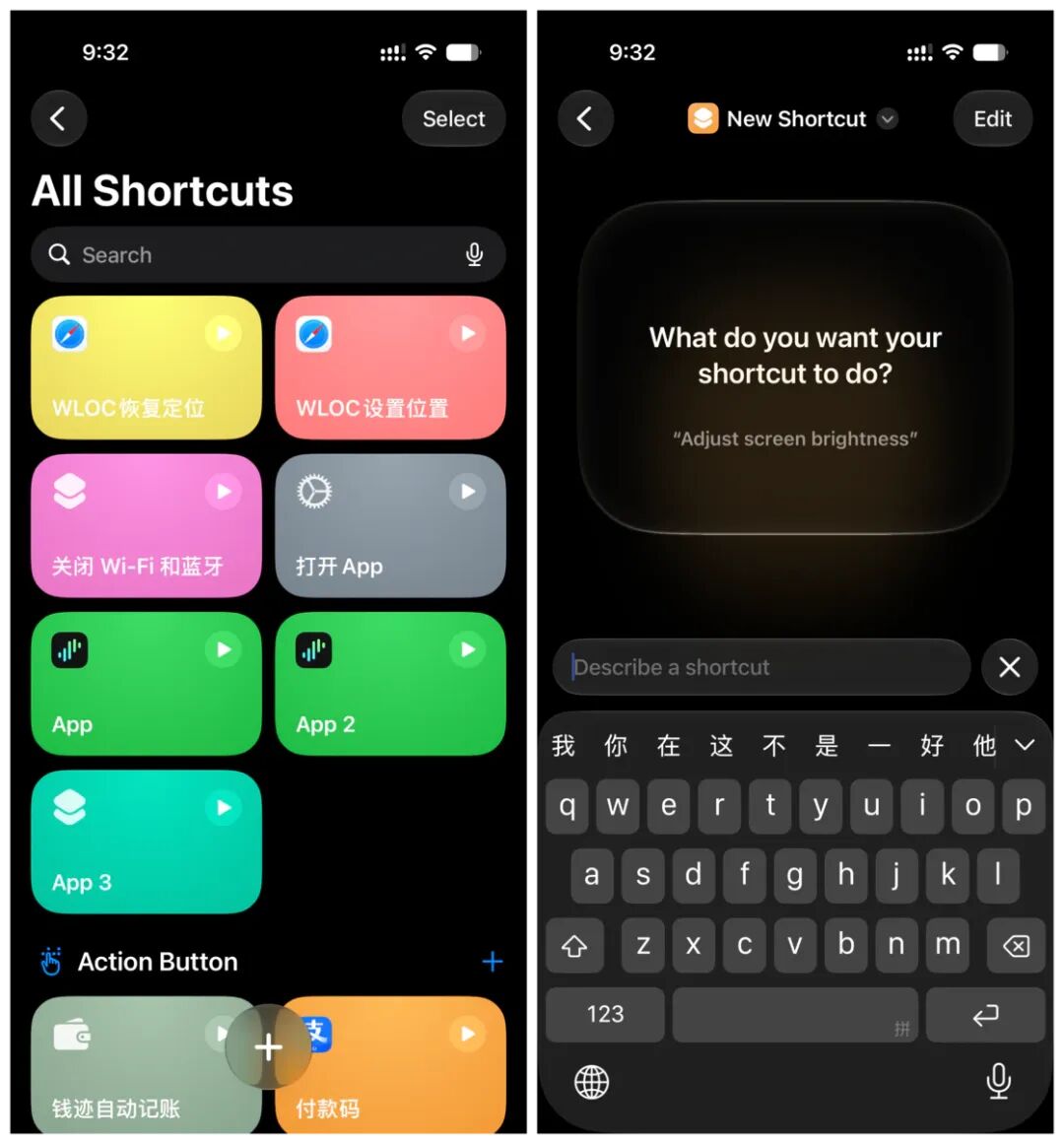
Shortcuts now offers an option to directly open the traditional action editing view, instead of defaulting to the natural language description creation workflow. This eliminates an extra switching step for users who are already familiar with the older Shortcuts editor.
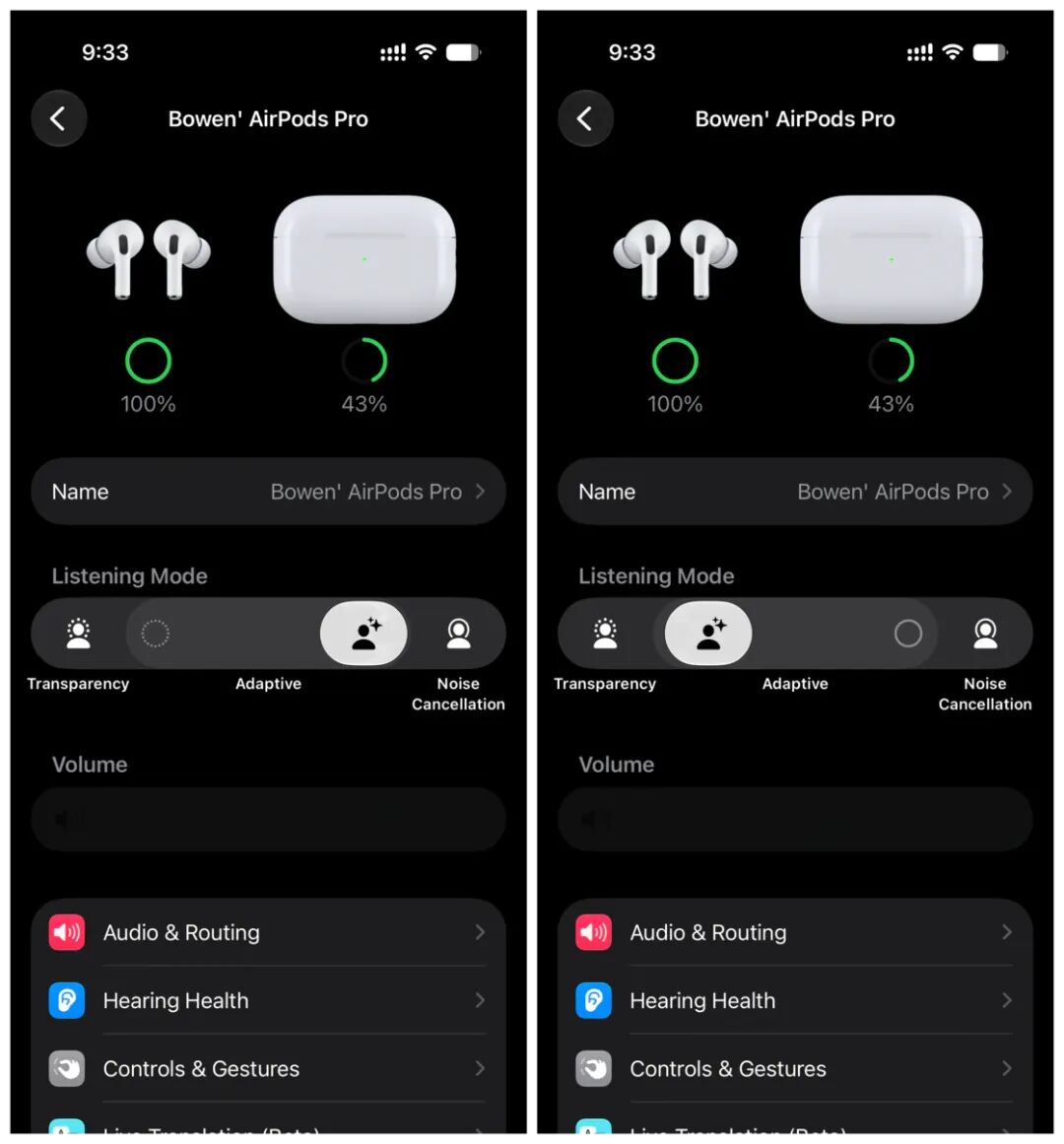
The Adaptive Mode for AirPods now features a more intuitive new slider, letting users adjust the balance between Transparency Mode and Noise Cancellation. Previously, Adaptive Mode functioned more like an automatically toggling state, but in Beta 3 Apple has reworked it into a continuous, user-adjustable control.
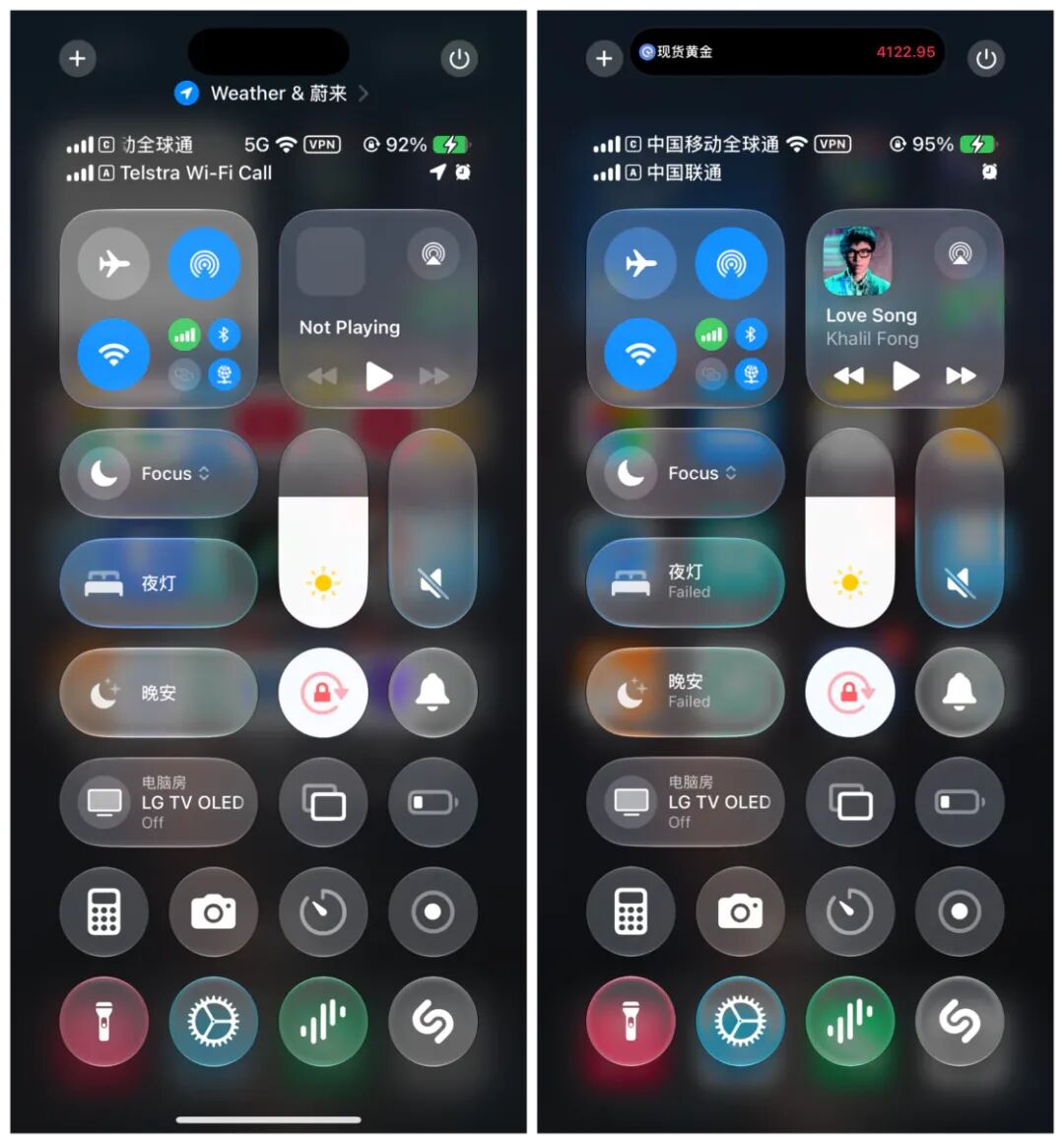
The status bar in Control Center will now display the cellular network type (such as 5G) even when connected to Wi-Fi, removing the previous requirement to disconnect from Wi-Fi first to view the current cellular connection type.
The toggle option for "Advanced Dictation Preview" in the Dictation feature has been removed in Beta 3, and the feature is enabled by default. Apple states that it is powered by a new on-device model to improve dictation accuracy. However, the official release notes also list a number of known issues with the dictation feature, including unstable voice editing commands, inconsistent performance for formatting commands such as line breaks and all-caps text, simultaneous insertion of command words and punctuation when explicitly speaking punctuation marks, unreliable contact name recognition, and extra unspoken words appearing at the end of transcribed dictation.
These are the main updates included in the Beta 2 and Beta 3 releases. If you discover any other new changes not mentioned in this article, feel free to share and discuss them in the comments section.
Original source link: https://sspai.com/post/112083?utm_source=wechat&utm_medium=social
This article is published with authorization from 36Kr, originally created by Vanilla and posted on the WeChat Official Account "sspai" (ID: sspaime).