The agent joined the work group. The trick we gave to Doubao was taken in by Claude.
It's no longer something new for AI to join groups.
In Slack, DingTalk, Feishu, and WeCom, there have long been various AI bots, intelligent assistants, and enterprise agents. They have also made many attempts in terms of form. Alibaba's Wukong leans towards an enterprise - level agent work platform, ByteDance's Feishu aily leans towards an enterprise intelligent agent in collaborative office work, and the "Xiaowei" that WeChat is currently testing in a limited release is more like a native service assistant in a super app.
Anthropic certainly didn't just realize this direction now.
As early as last year, Anthropic released the integration of Claude and Slack. At that time, Claude was more like an AI assistant integrated into the workflow, taking on the roles of answering questions in group chats, summarizing, and assisting in communication.
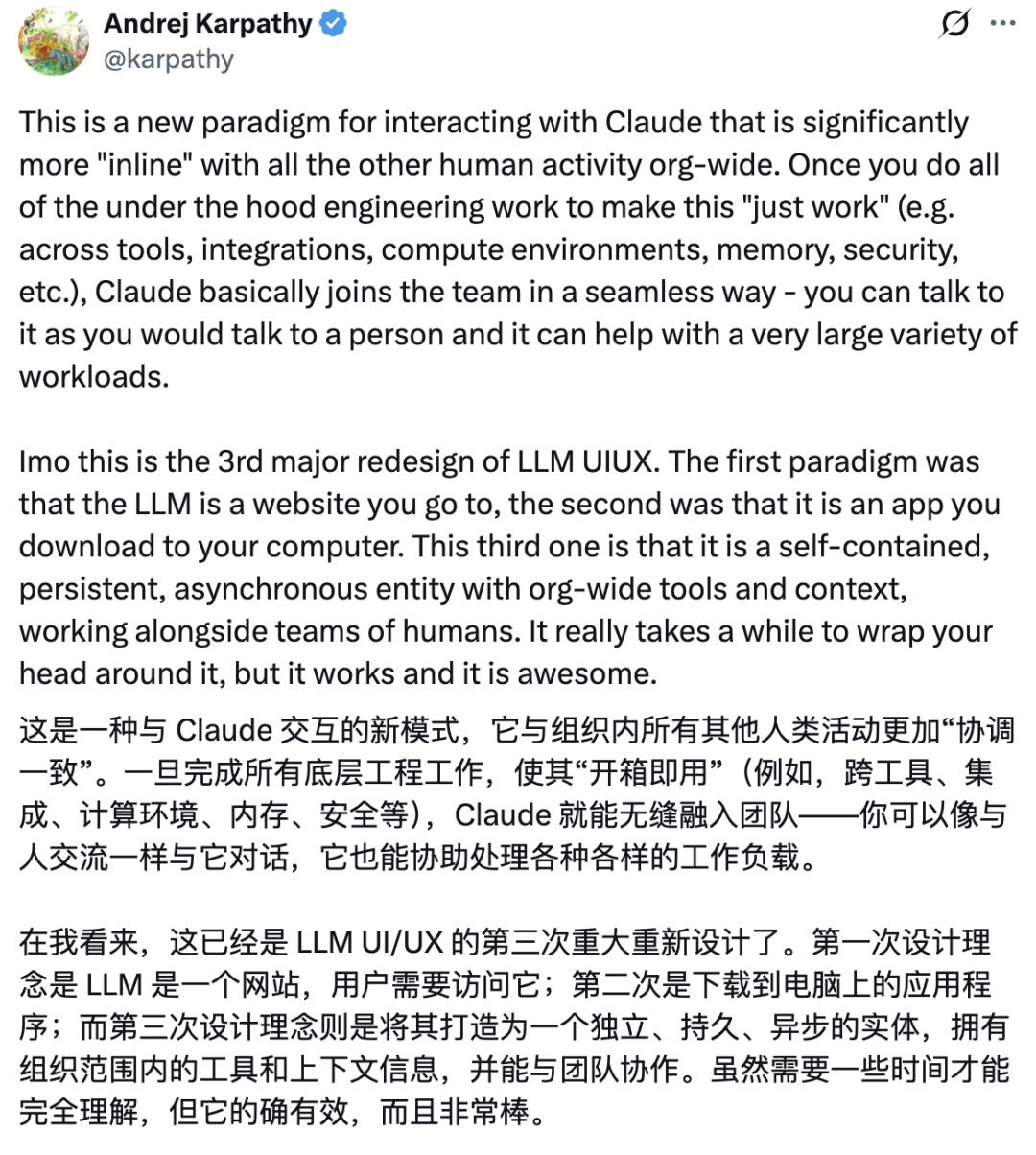
But its recently updated Claude Tag takes the concept of an "AI colleague" one step further.
As long as you @Claude in a work group, it can break down tasks, call tools, run processes, and submit results based on the authorized context. It can be understood that the capabilities of work - type agents like Claude Code and Claude Cowork have been put into the group by Anthropic.
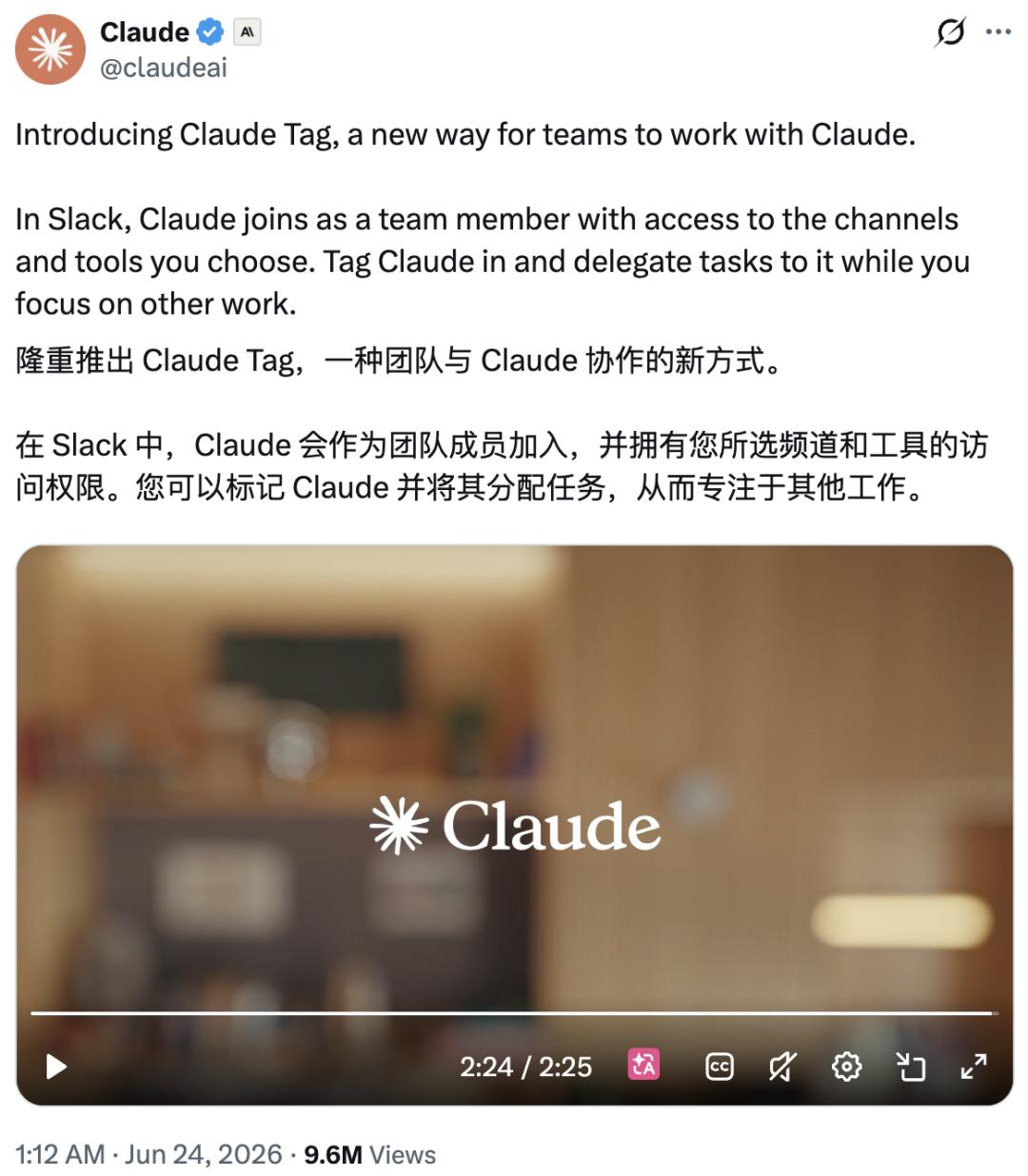
Karpathy directly said that Claude Tag represents the third major redesign of LLM UI/UX (User Interface/User Experience).
The first generation was websites, the second generation was apps, and the third generation is starting to become a self - contained, persistent, and asynchronous organizational entity.
From the initial chat entry, the form of LLM has truly become an AI colleague with an identity, permissions, context, and task status.
It's not surprising for an AI colleague to join a group. The key is how it can work.
01
@Claude: Tell me what you can do
What's most frustrating in a work group is often not that no one is doing the work, but that information is scattered everywhere.
For the work casually mentioned in the group, you have to search in many places to piece together the complete information - product indicators are in the data dashboard, customer feedback is in the work order system, technical issues are on GitHub, sales progress is in the CRM, meeting conclusions are in the minutes, and the real discussions are scattered in individual group messages.
When you are suddenly @ by your boss or colleague, the most troublesome thing is not to first judge "what to do now", but to spend half a day figuring out the current situation.
Claude Tag takes on this kind of work.
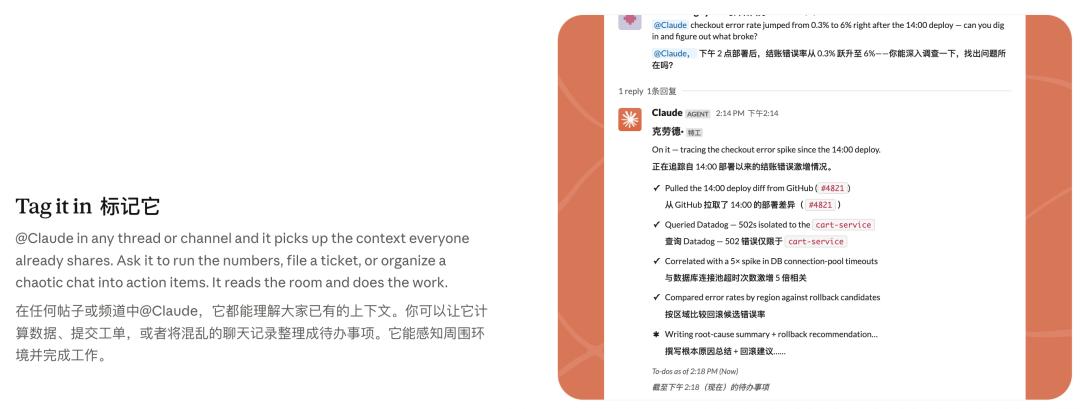
According to Anthropic, administrators can add Claude to a specified Slack channel and authorize it with relevant tools, data, and even code libraries. After that, anyone in the channel can directly @Claude and assign tasks to it.
Claude will break down the task into stages based on the existing context, then call available tools to complete it step by step, and finally submit the results back to the same discussion thread.
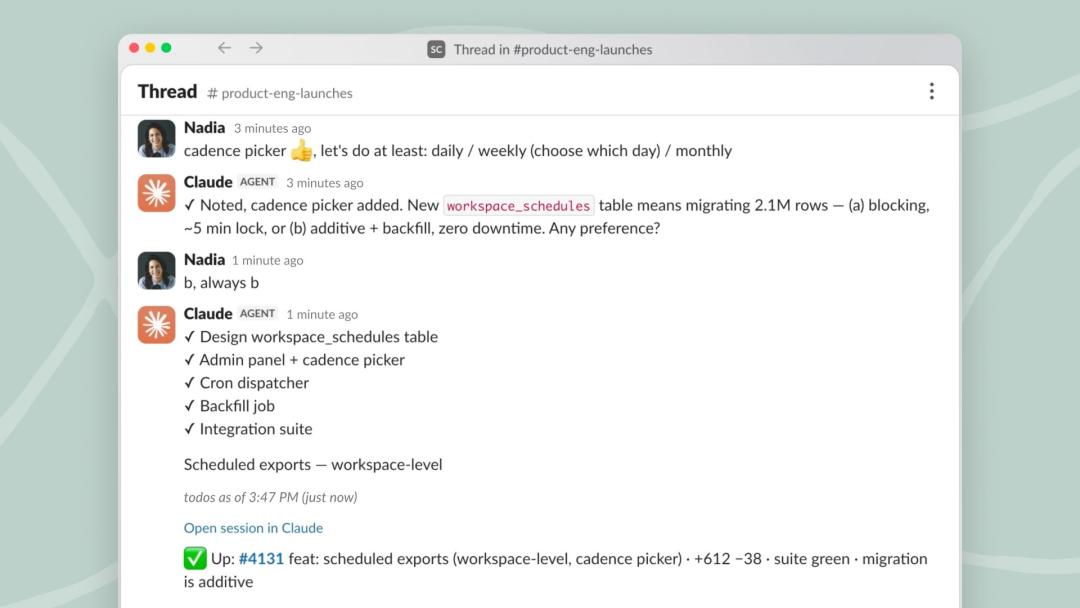
It has several very important functions, which are also the highlights that make it more like a "real - life AI colleague":
First, it supports multi - person collaboration. Anyone can see Claude's work content and continue the conversation from where it was last interrupted.
Second, it learns continuously over time. There's no need to explain things from the beginning repeatedly. As Claude participates in the work, it will gradually build up more background information about the work.
Third, it takes the initiative (it has a high work enthusiasm). If the "ambient" behavior is enabled, Claude will actively push any information it thinks you may need to know and can also remind you of tasks that have been left unattended for a long time.
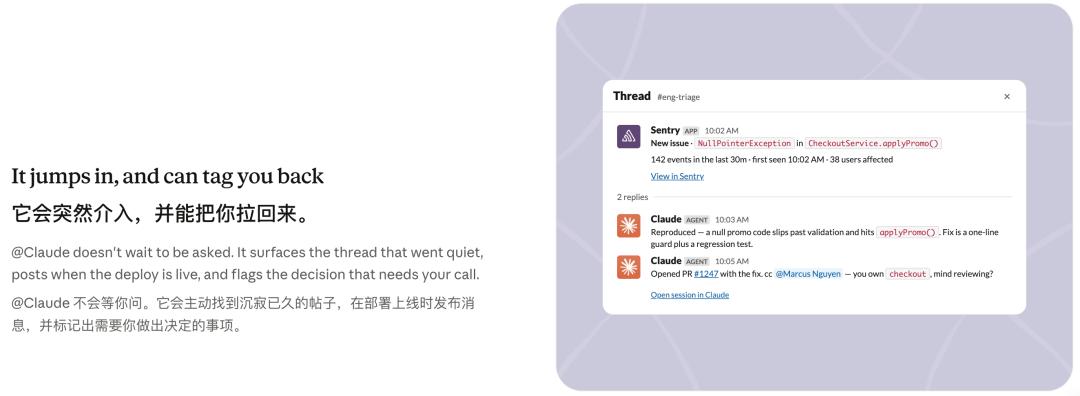
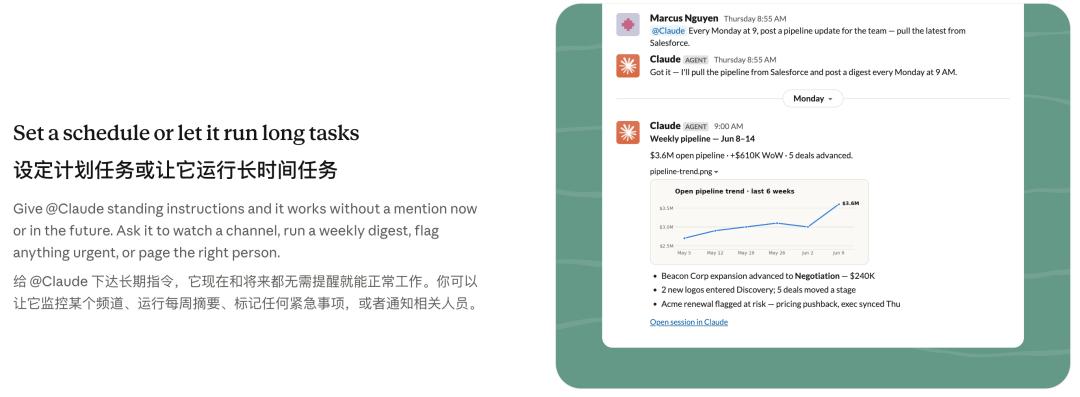
Finally, it works asynchronously. After assigning tasks to Claude, you can focus on other priorities. It will work quietly on the side, arrange tasks by itself, and autonomously complete projects within hours or even days.
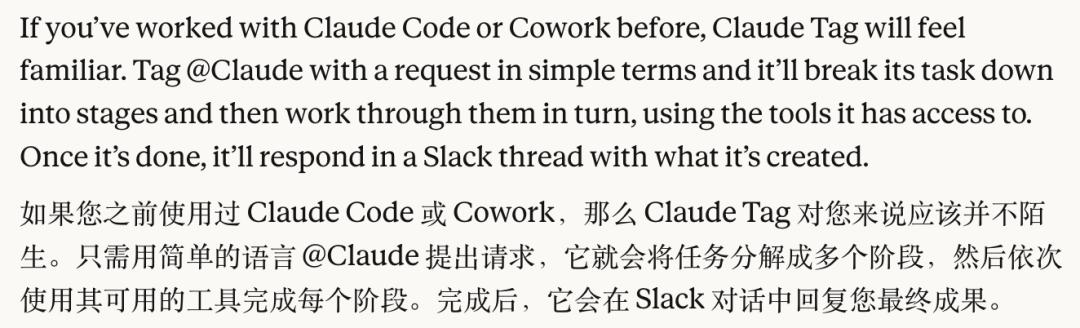
The official documentation states that if you have used Claude Code or Cowork before, Claude Tag should not be unfamiliar to you.
It can be roughly understood that it puts Claude Code in the shell of a group assistant and then puts it into the work group - as long as it has sufficient permissions, it can do what Claude Code can do.
In the past, developers used Claude in the terminal. Now, everyone can @Claude in the work group.
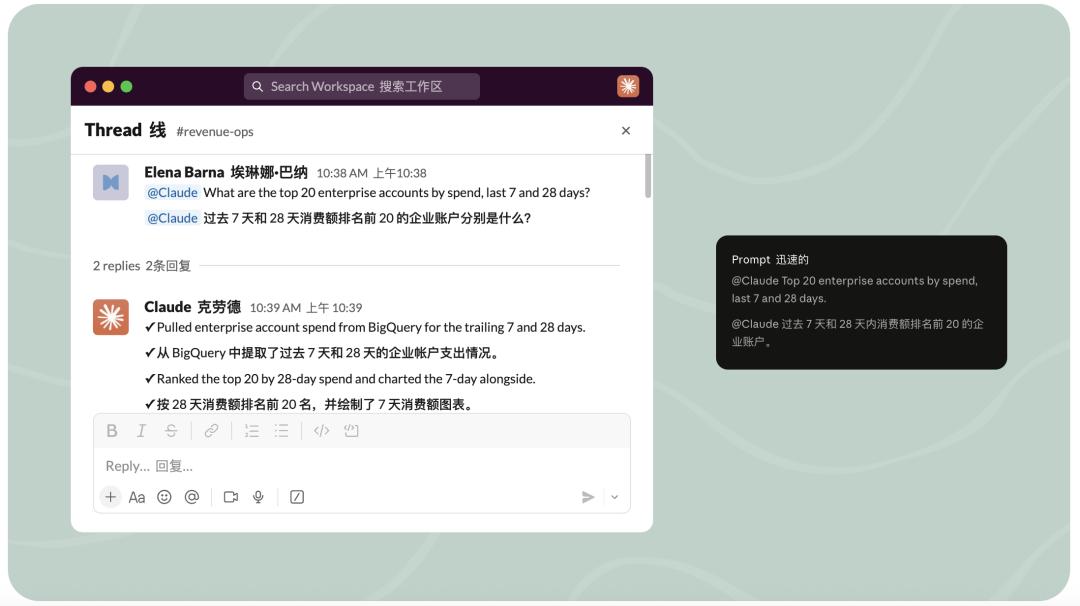
The most basic usage is to let Claude help you "catch up quickly".
After a long chat in a work group and dozens or even hundreds of messages have been sent, you haven't finished your work yet and are suddenly mentioned. There's a new task for you. In the past, you could only scroll up message by message. Now you can directly @Claude and ask it: "What has been decided here just now? What problems are still unsolved?"
Claude will compress the long discussion into several things: the conclusions that have been reached, the unsolved problems, the relevant responsible persons, and what each person needs to do next.
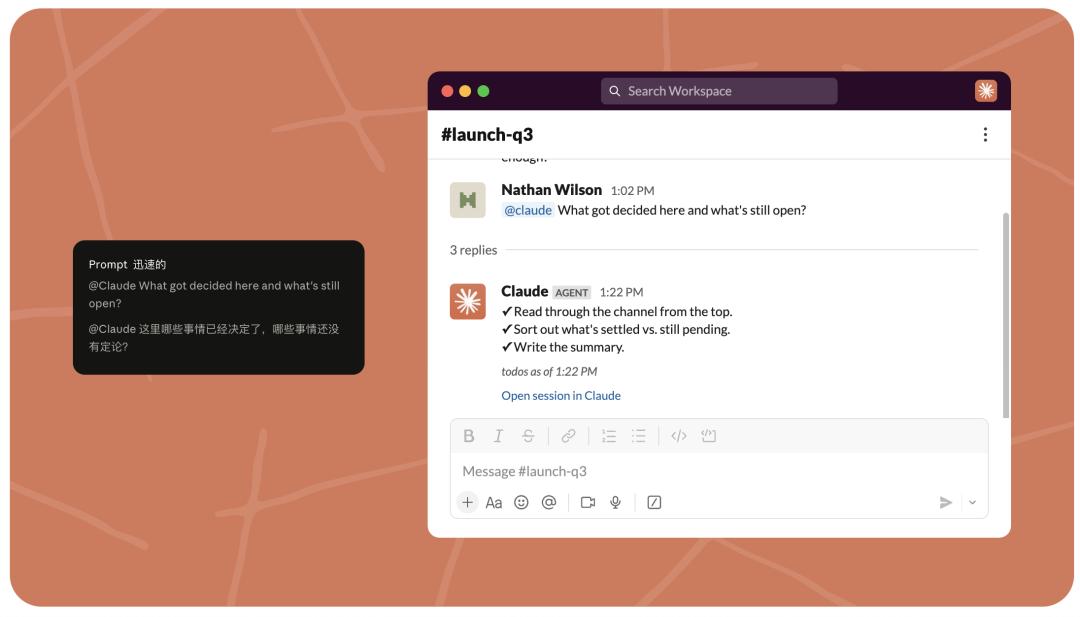
This function is very practical for us office workers. It's clear at a glance who needs to do what, saving a lot of trouble.
You can also let Claude directly pull data for you or prepare for a meeting - it can help you organize any task that requires looking through a large amount of information with one click and give a clear response.
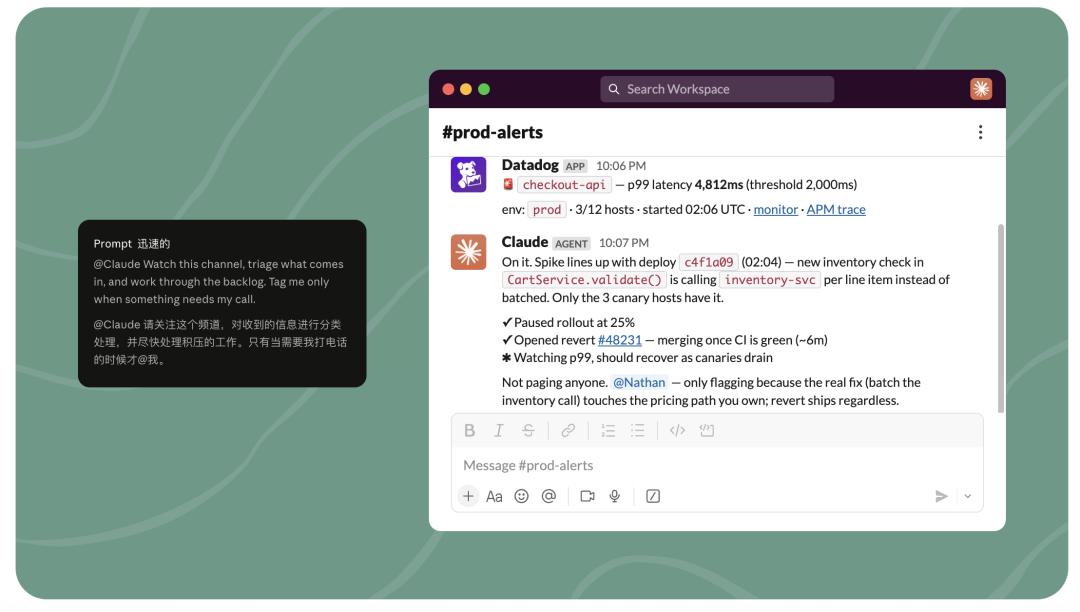
There's another very considerate function that's worth mentioning specifically: Claude Tag can manage work groups that you don't have the energy to deal with for a long time and filter out the steps that really need human review.
Many people have these "semi - abandoned group chats" set to do not disturb: customer service feedback, alarms, work orders, data anomalies, online accidents... There are messages coming in every day, but each message may not be worth dropping your current work to deal with immediately. Continuously paying attention to them will only affect your current work.
Over time, low - priority tasks pile up, and the real problems that need to be solved are buried.
Claude Tag is suitable for the first - level screening. It can pick out the obviously urgent content and @ the parts that need human judgment to the responsible person.
For ordinary employees, this means being interrupted less by invalid information; for bosses, it means that those fragmented tasks that have been left unattended for a long time will now be continuously monitored.
I think this is where Claude Tag is most like an "AI workhorse": it can stay in those out - of - the - way places and pick out the work that really needs human attention.
After all, in the work scenario, isn't the most common use of an AI assistant to process information?
But just processing information would be a waste of its talent - this is Claude after all!
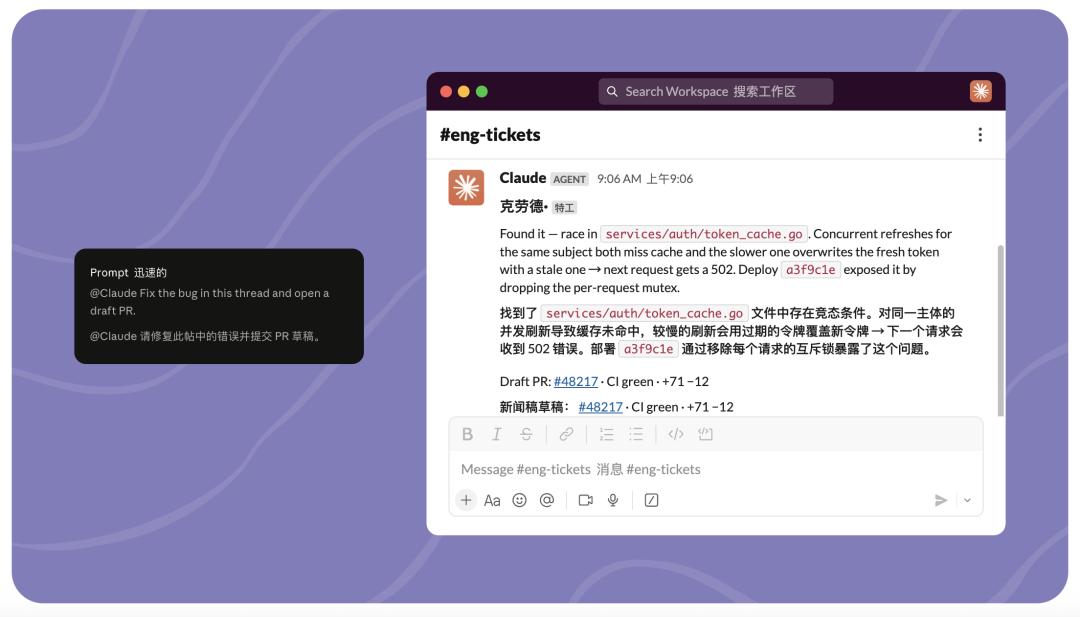
There's a very typical example on the official page: Someone in the group reported a bug, saying that a certain service got a 502 error when refreshing the token. Another person directly @Claude and asked it to "fix the bug based on this discussion and open a draft PR".
An ordinary AI assistant might at most summarize the bug phenomenon or give a troubleshooting suggestion. But if Claude has access to the code library, work orders, and development tools, it can find the relevant code based on the bug description in the group, determine where the problem might be, propose a fix, and even directly generate a PR for review.
If you just look at the functions listed in the official documentation, being able to understand context, plan tasks, call tools, and execute asynchronously... None of these seem new. But because it's Claude, it's very powerful.
And it converges these functions into the same product form - it converges the powerful model, context, tool invocation, multi - stage execution, and team collaboration into a single @Claude.
This form is the most worthy thing to learn from.
02
The third form of LLM
Previously, when discussing Doubao, we judged that for an AI app to move from light - office to heavy - office, the key is to enter the multi - person collaboration scenario. Humans are responsible for discussion and judgment, and AI is responsible for summarizing, verifying, and executing after the discussion.
Now, Claude Tag has implemented this collaboration method first.
Fiona Fung, one of the team leaders of Claude Code and Claude Cowork, mentioned before that after using Claude Code for a long time, engineers increasingly work alone with their own agents, which can become a lonely experience. Personal agents make individuals stronger, but they may also make work more isolated.
The logic of Claude Tag is just the opposite - it doesn't take people away from the team and let everyone work alone in their own AI windows; instead, it brings the agent to the public discussion site.
Humans first discuss, argue, and collide to form a direction; then Claude takes over the context and is responsible for summarizing, verifying, disassembling, and executing.
What Karpathy called the "third major redesign of LLM UI/UX" seems to be three different forms of LLM, but actually corresponds to different tasks that LLM undertakes.
In the first - generation website form, LLM undertakes Q&A. Users open the chat box, ask a question, and get an answer.
In the second - generation app form, LLM undertakes personal work. It enters the IDE, terminal, desktop, and browser to help a person write code, modify files, search for information, and generate content.
In the third - generation organizational entity form, LLM undertakes the execution after team collaboration. It doesn't just answer one person's question or help one person complete a task. Instead, it appears at the team discussion site and moves forward the context, consensus, and to - do items just formed by a group of people.
It can be said that in the third form, when LLM starts to change from a "tool" to an entity that can be @, its functions also need to evolve accordingly and become more in line with its "identity".
This is the reason why many enterprise agents have been difficult to implement. They seem to have enterprise - level entrances and are connected to office software, but the tasks they can actually undertake still stay at the first or second generation: either just Q&A and summarization, or just personal efficiency tools.
But what enterprises really need is the third - generation ability - to turn team discussions into actions and connect the information, decisions, and executions in the organization.
The inspiration from Claude Tag lies here. It can be considered that in the future, enterprise agents should at least move in three directions: from personal agents to group agents, from Q&A tools to asynchronous executors, and from function stacking to ability convergence.
Making the agent more like an "efficient human employee" and becoming the all - around colleague in the team that can take over the context, advance the process, and continuously close the loop is the form in which enterprise agents really have a chance to be implemented