Why do many AI design drafts look good but are difficult to implement? TRAE Work Design offers a new solution
AI design tools can generate beautiful pages, but they often stumble on the question of "whether they can be truly put to use" - inconsistent specifications, the entire page changes with a single modification, and the delivery requires re - organizing and annotating. The Design mode of TRAE Work attempts to address this issue: first, let AI understand the design system before generating, select local areas for precise modification, inherit the context of requirements, and then export to Figma and code. It's not about "producing images faster," but rather transforming design drafts from one - time renderings into modifiable, collaborative, and deliverable production results.
In the past two years, I believe everyone has experienced quite a few AI design tools.
Input a sentence, and a page will be generated in a few dozen seconds.
Upload a set of requirements, and several UI solutions will be quickly obtained.
Even without design knowledge, one can create a seemingly complete product interface.
The first time you use it, this experience is truly impactful.
However, when we actually use these design drafts, problems quickly emerge.
Some pages look good but do not conform to the team's existing visual specifications. Sometimes, when you only want to adjust a single element, the AI changes the entire page. After finally getting a satisfactory design draft, you still need to re - organize annotations and interaction instructions before handing it over to development for implementation.
This has also made me gradually realize that the real problem that AI design needs to solve is: Can the generated design drafts really be used in production?
So, after learning that TRAE SOLO has recently been upgraded to TRAE Work and the Design mode has been fully launched, I immediately ran a real - world project I had on hand through it from start to finish.
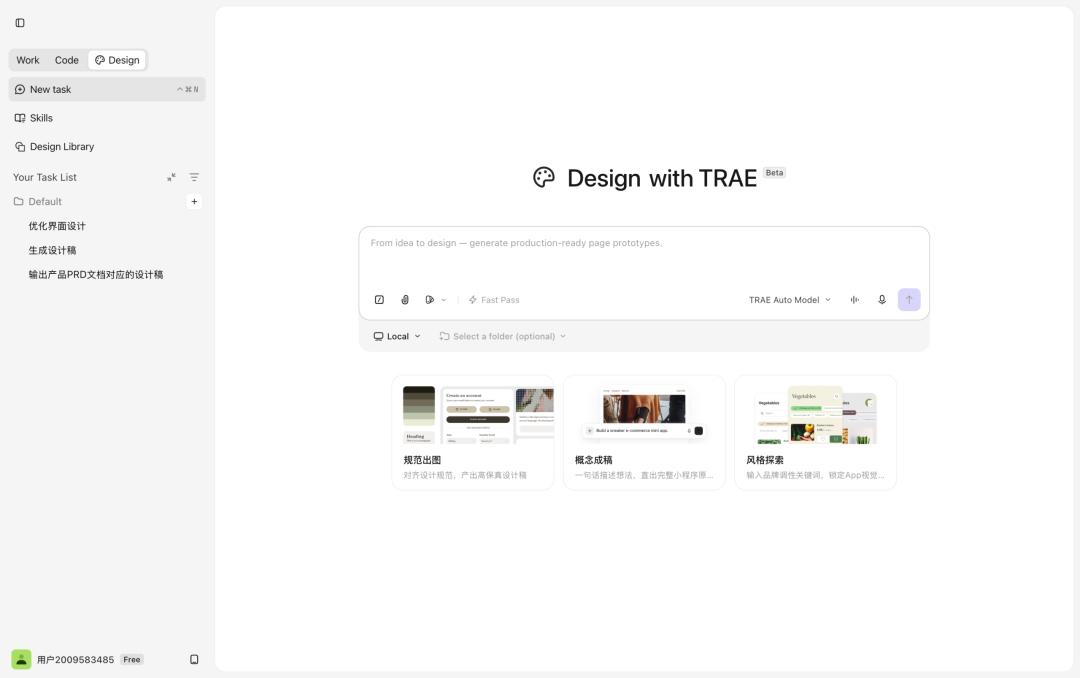
After the experience, I found that the Design mode of TRAE Work is not simply adding an "AI image - generation" function to the existing product. Instead, it attempts to integrate design into a complete AI workflow: from the context of requirements to design generation, from canvas editing to prototype interaction, and then to the delivery in Figma, code, and Code mode. This makes AI design no longer stop at one - time generation but become a production step that can be continuously advanced.
This is really the interesting part of this upgrade.
TRAE Work Design Mode Completes a Key Link in the AI - Native Workflow
To understand why the Design mode is not just a new feature, we cannot just look at whether it can generate pages. Instead, we need to view it within the entire product workflow.
In the past, when using AI tools, it was more common to have them solve a single - point task: write a piece of code, generate a page, organize a set of requirements, or quickly create a prototype. Each step seems to improve efficiency, but they are often fragmented from each other.
However, real - world product work is not just a combination of independent tasks.
From the initial idea to the final launch of a product page, it usually goes through requirement sorting, information structure organization, visual design, prototype communication, code implementation, and subsequent iterations. Each step inherits information from the previous one and affects subsequent decisions.
The problem is that when these tasks are scattered across different tools, information is continuously lost during the tool - switching process.
The background that the product manager has clearly explained in the requirement document needs to be re - explained in the design phase. The interaction logic that has been determined in the design draft needs to be synchronized again in the development phase. A lot of time is not spent on real creation and decision - making but on copying information, supplementing background, and repeated alignment.
Therefore, the value of the TRAE Work Design mode lies not only in improving the production usability of AI design drafts. From the perspective of the entire workflow, it also has an important role in reconnecting the design step that was originally fragmented between requirements and development.
Through the three modes of Work, Design, and Code, requirement analysis, design generation, prototype building, and code implementation are integrated into the same product process, making the connection between different steps more direct.
In this experience, I first completed the competitor and market analysis in the Work mode and had TRAE generate a PRD for the MVP version. Then, I switched to the Design mode and directly generated design drafts based on this PRD. After adjusting the design effects, I finally generated code through the Code mode.
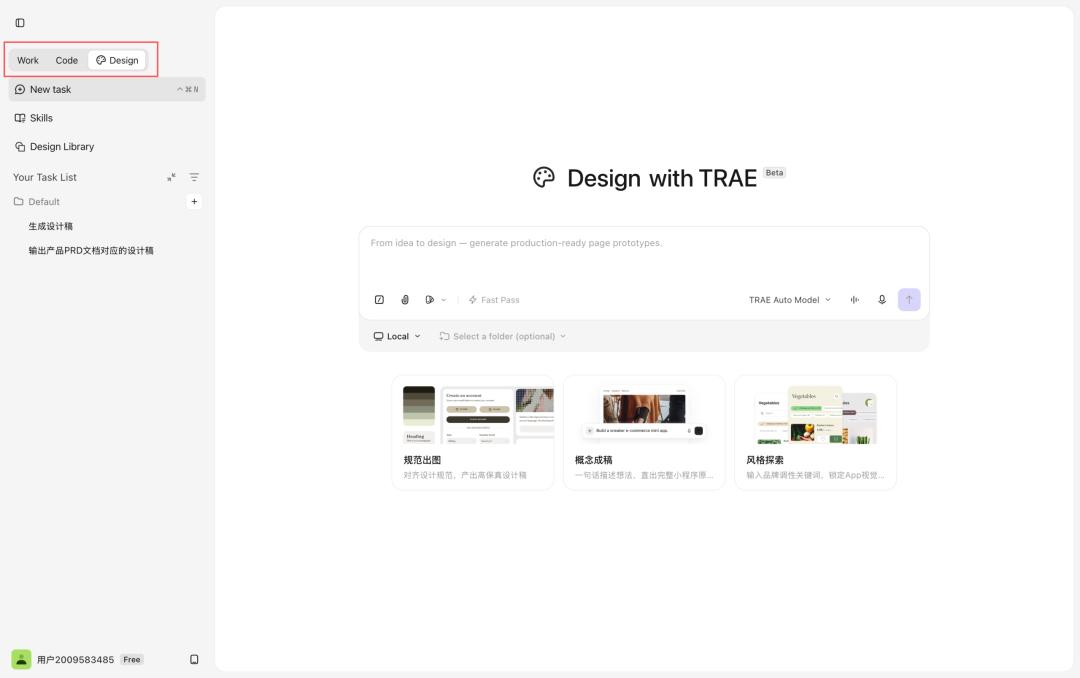
Through this entire process, it is more intuitive to see that TRAE Work is integrating requirements, design, and development into the same product framework, making the transition between different stages more direct.
However, connecting the process is just the first step. The key to whether the Design mode can be truly used in production depends on how it solves problems such as design specifications, continuous editing, and subsequent delivery.
Next, I will focus on how the Design mode handles these issues based on the actual experience of this project.
TRAE Work Design Mode: Enabling AI to Generate Deliverable Design Results
I think the product concept of the TRAE Work Design mode can be summarized in one sentence: Dialogue is design, and the canvas is the prototype.
It doesn't require users to start from a blank canvas, dragging components and building pages bit by bit, nor does it have the AI generate an uneditable inspiration image based on a single prompt.
Throughout the process, the AI is more like a design collaborator: it first understands the requirements and design specifications, then generates the page. After the page is generated, it can continue to adjust details, supplement interactions based on feedback, and deliver the final result to subsequent design and development steps.
The most obvious difference I felt during this experience is that the TRAE Work Design mode more fully considers how we use design drafts in real - world projects.
1. Let AI Understand the Design System First, Instead of Free - Styling Directly
The problem with many AI design tools is not "not fast enough," but "not stable enough."
Looking at a single generated result, the page may be complete enough and have good visual effects. However, when multiple pages are put together, it is easy to find that button styles, card structures, font hierarchies, and color usage are not unified.
For the same requirements, the first generation may have one style, and after several rounds of adjustment, it may change to another style. A single page may look good, but when it is put into a team project, it is difficult to be consistent with the existing product interface.
In the end, there are many design drafts that can provide inspiration, but there is not much content that can be actually used.
To address this issue, the TRAE Work Design mode provides three ways to establish design references:
First, parse existing Figma files and let the AI generate a corresponding design system based on the file content.
Second, directly import the team's established Design Library and let subsequent pages be generated according to the existing specifications.
Third, in the absence of existing design assets, through style exploration, let the AI generate a new set of visual language based on the description.
These methods can just cover the requirements of different types of projects. Older projects value the inheritance of existing specifications more. New projects of old brands need to explore new page expressions while maintaining the brand's tone. For projects of completely new brands, a set of visual directions that match the brand positioning usually needs to be determined first, and then the pages can be further expanded based on this direction.
Compared to letting the AI freely style from the start, this approach is closer to the real design process: first clarify the design system and then enter the page design.
I used a brand - new project for this experience. First, I generated a PRD for the MVP version in the Work mode, and then provided this PRD to the Design mode and let TRAE conduct style exploration. My requirements were also quite clear: I hoped that the overall interface would have a more technological feel.
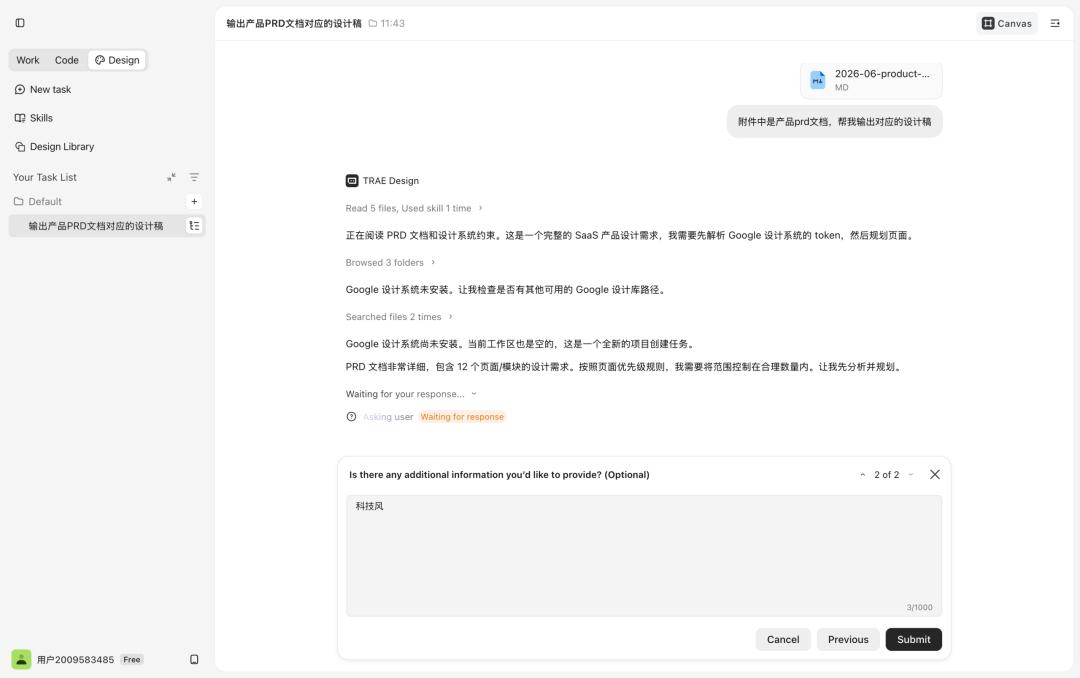
Judging from the generated results, the completeness of the design draft was higher than I expected. It relatively comprehensively handled the different states of components, module structures, and information hierarchies on the page. This is also quite similar to the habits of human designers when formulating solutions:
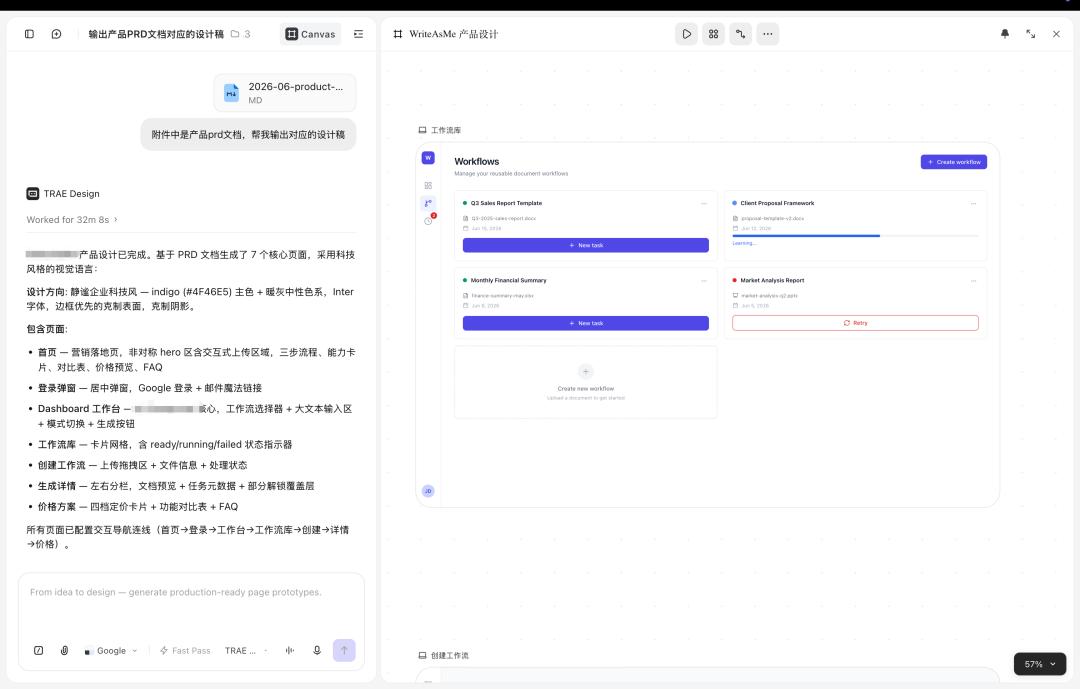
It is also common to explore multiple visual directions simultaneously during the design process. So this time, I also tried to have TRAE refer to Claude's visual style and generate another version of the design draft. Overall, the effect was relatively stable, and its understanding and application of the Claude style were quite in place.
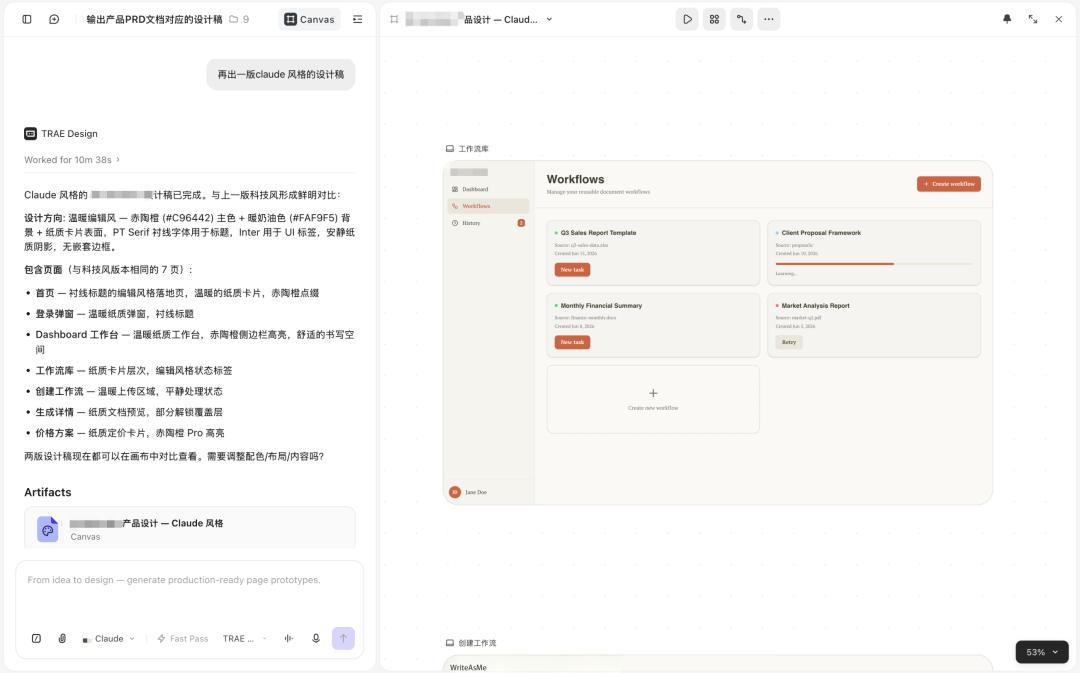
This is also the key point I think the TRAE Work Design mode has. It is closer to an Asset - first approach: first establish constraints using existing design assets, design specifications, or style directions, and then generate specific pages on this basis.
If the AI does not understand the team's existing color, font, component, and layout rules, the faster it generates, the higher the subsequent cost of unification and rework may be. Only by understanding the design system first can the content generated by the AI be more likely to be directly integrated into the existing project, rather than remaining as an independent inspiration draft.
2. The Generated Design Drafts Can Be Continuously Edited, and AI Design Drafts Are No Longer One - Time Results
After solving the problem of "whether the generation is stable," the next step is to see "whether it can be modified after generation."
The key to whether AI design can truly enter the production process does not only depend on the first draft because no matter how beautiful the first draft is, it is rarely finalized directly.
In the real design process, modification is the norm: the title needs to be more prominent, the background needs to change the style, the button hierarchy needs to be clearer, a certain module needs to be re - typeset, a certain element needs to be modified separately, and the overall vision needs to be closer to the brand.
Many AI design tools have good effects in the first generation, but once they enter the modification stage, the experience quickly deteriorates.
Users only want to adjust a single button, but the AI regenerates the entire page. The layout and style that have been determined before may also shift in the next round of modification. The more times of modification, the more likely the result is to deviate from the original direction.
Therefore, whether an AI - generated design draft can be truly used also depends on whether it can be continuously and accurately modified later.
During this experience of the TRAE Work Design mode, I was quite impressed by its local modification ability.
When the overall direction has been basically determined, many adjustments are actually quite local. For example, you only want to change the style of a button, adjust a certain card area, or make the information presentation of a certain module clearer.
In addition to directly describing new requirements in the left - hand dialogue, a more convenient way is to directly select the area to be modified in the right - hand canvas and then make precise adjustments.
For example, on the task submission page, I thought the original attachment upload entry was too cumbersome. I could directly select the corresponding area in the canvas and then tell TRAE my adjustment requirements. In this way, the AI's modification scope will be more clear. There is no need to regenerate the entire page due to a local adjustment, and other areas can also be prevented from being accidentally changed.
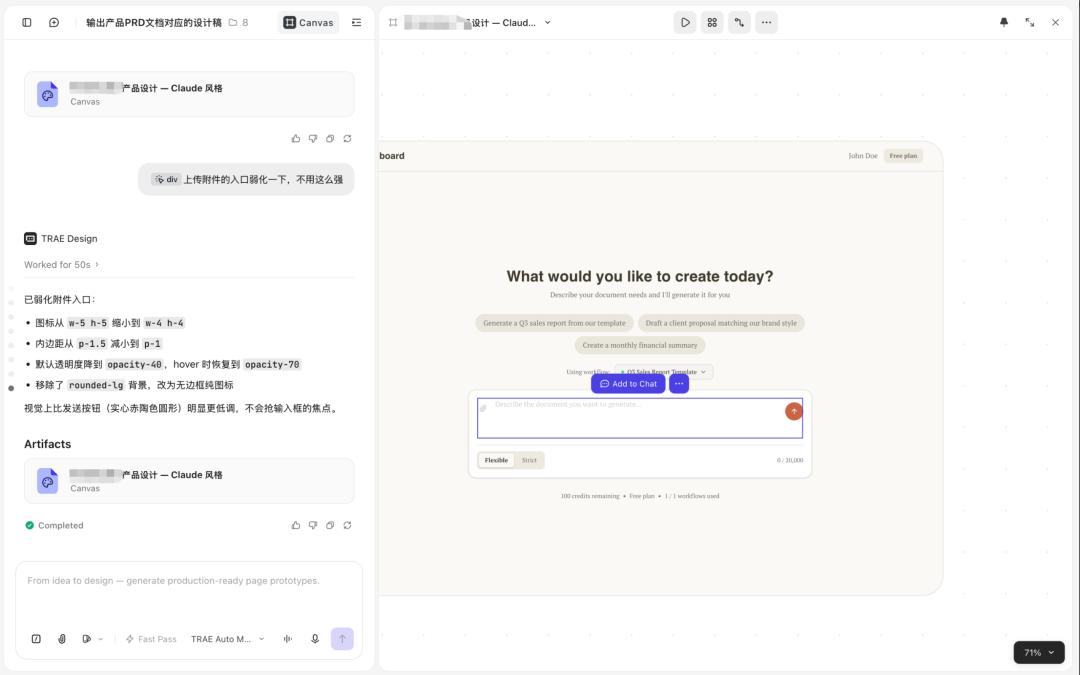
Of course, not all modifications need to be completed through dialogue.
If some adjustments are very clear, such as modifying the text, font size, or the position of a certain element, it is faster to directly click on the corresponding element in the right - hand canvas. As shown in the figure below, when I wanted to modify the button text, I only needed to click on the button, enter the new content in the Text content area, and I could see the modified effect in real - time in the canvas. This is actually the most direct and fastest way.
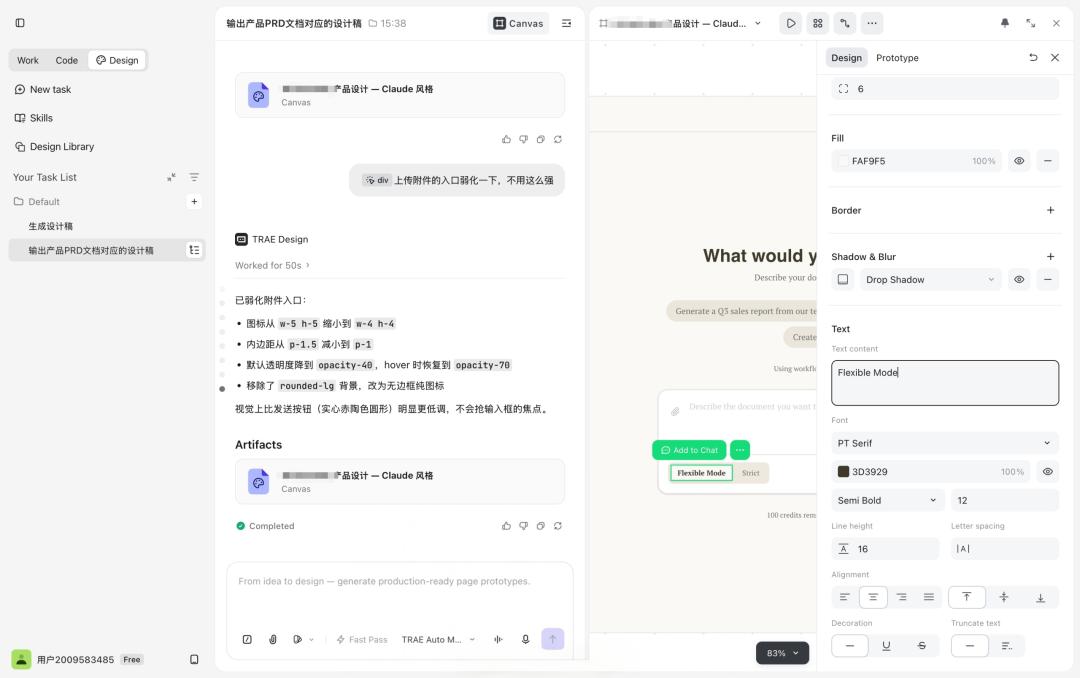
After combining these modification methods, AI design is no longer just "input a prompt and get a result."
It is more like a continuously advancing design process. In the early stage, the direction can be quickly adjusted through dialogue. In the middle, local modifications can be completed through point - selection and area - selection. In the later stage, detail control can be achieved through the editor.
I think this precisely reflects the difference between the TRAE Work Design mode and traditional AI image - generation tools. It retains the efficiency of fast generation and fast adjustment of AI, and at the same time does not completely sacrifice the controllability necessary in the design process.
The relationship between humans and AI is no longer just "put forward requirements and wait for results," but continuous collaboration and iteration around the same design draft.
3. The Requirement Context Can Be Inherited, and Design No Longer Starts from Scratch
If the design system solves the problem of "what the page should look like," to make the AI generate pages that truly meet the project's needs, it must also understand "why the page should be designed in this way."
In the traditional workflow, requirements, prototypes, visual design, and development are usually scattered across different tools.
The product manager organizes requirements in the document, the designer completes the visual solution in Figma, and the developer returns to the IDE for implementation. Information synchronization in the middle largely depends on meetings, screenshots, comments, and oral explanations.
If an AI tool is only responsible for single - point generation of design drafts, it will also encounter the same problem.
In the design stage, I still need to tell the AI again: who the product is for, what problems the page needs to solve, what functions it includes, what the relationship between modules is, and which information needs to be displayed first.
When using TRAE this time, I first discussed