The most in-depth experience of WeChat AI across the entire network, I fell in love with scrolling through Moments again
WeChat AI has finally arrived.
Recently, some users noticed that a pair of green eyes suddenly appeared in the top - left corner of the WeChat homepage. This is WeChat's first native AI assistant, "Xiaowei".
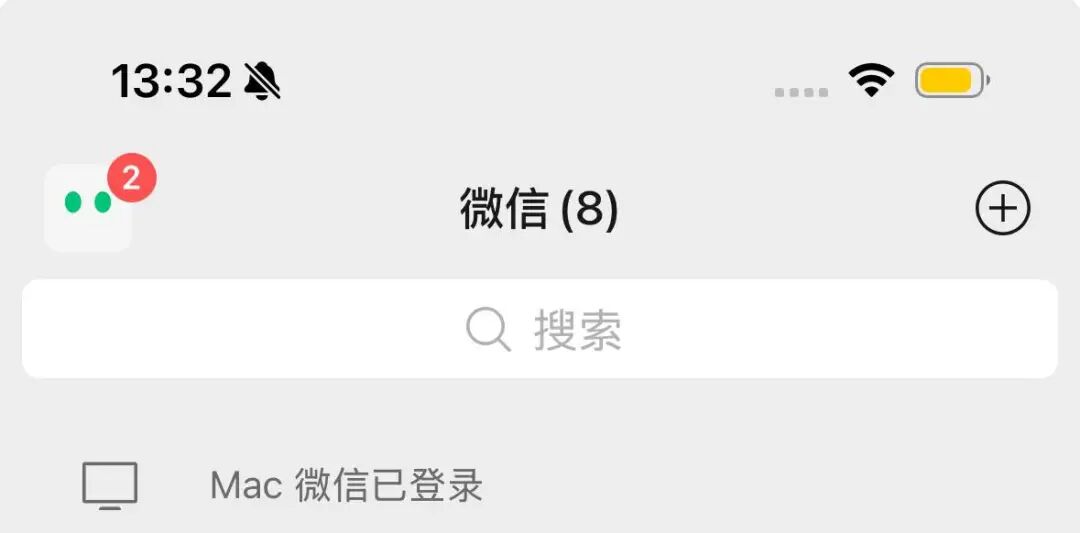
Meanwhile, this green - eyed icon will also display a red dot indicating the number of notifications.
It seems that there is just an additional entry for an AI assistant. However, if you are familiar with WeChat's operations over the years, you will probably realize that WeChat hasn't given such a high - profile entry treatment to a new feature for many years.
In the past decade or so, "Who can get a first - level entry on WeChat" has always been one of the most classic topics in the Internet industry. Some people guessed it would be official accounts, some guessed video accounts, and others guessed various lifestyle services. But until today, there haven't been significant changes to WeChat's first - level entries.
This time, Xiaowei directly appears on the first screen of the homepage and takes over the important position previously occupied by the right - swiped page.
In terms of entry level, it is infinitely close to a new first - level entry. Therefore, this is also WeChat's biggest update in recent years, a truly "epic" one, and also the clearest statement about AI.
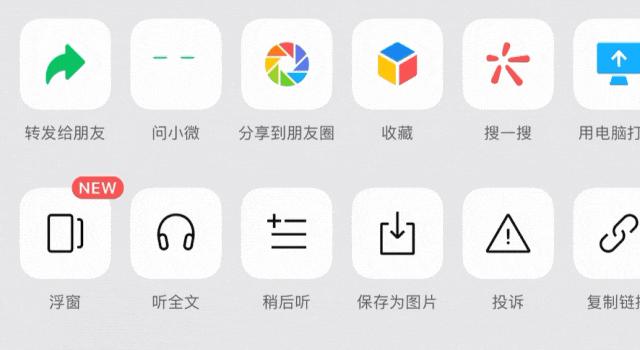
Xiaowei is watching you.
Although Xiaowei is essentially a set of Agent capabilities, WeChat hopes to define it as an AI assistant. This positioning is the same as that of Doubao and Tongyi Qianwen. WeChat hopes that Xiaowei will become the AI that users interact with every day.
The biggest difference lies in the WeChat ecosystem. More than a year ago, after WeChat integrated DeepSeek, APPSO speculated that with its unique "data - service - social" closed - loop capabilities, WeChat will enable AI to call the following in the future:
- Professional content from official accounts (literature retrieval)
- Service interfaces of mini - programs (hotel reservation)
- Scene - based displays on video accounts (product reviews)
- Community relationship chains (fission - style dissemination)
The functions supported by WeChat's AI assistant this time basically verify our previous assumptions. In WeChat's product logic, technology must serve the overall ecosystem rather than being split into independent functions. Now, AI has become a new starting point for WeChat to "connect everything".
In the past two days, APPSO also obtained the gray - testing qualification and immediately conducted an in - depth and intensive experience, aiming to show you the details of WeChat's "epic update". This may be the most detailed experience of WeChat's "Xiaowei" on the entire network so far.
The "Omnipresent" Xiaowei
The entry for WeChat AI is no longer hidden in "Ask a Question" or "Search". This time, it is almost everywhere. In all these commonly used WeChat scenarios, there is a trace of asking Xiaowei.
In addition to clicking on the green eyes on the homepage to enter; the previously right - swiped "Starred" section, which used to display starred articles, video accounts, and mini - programs on the secondary screen, has now become a complete page, similar to the negative first screen of a mobile phone, serving as the homepage of WeChat AI.
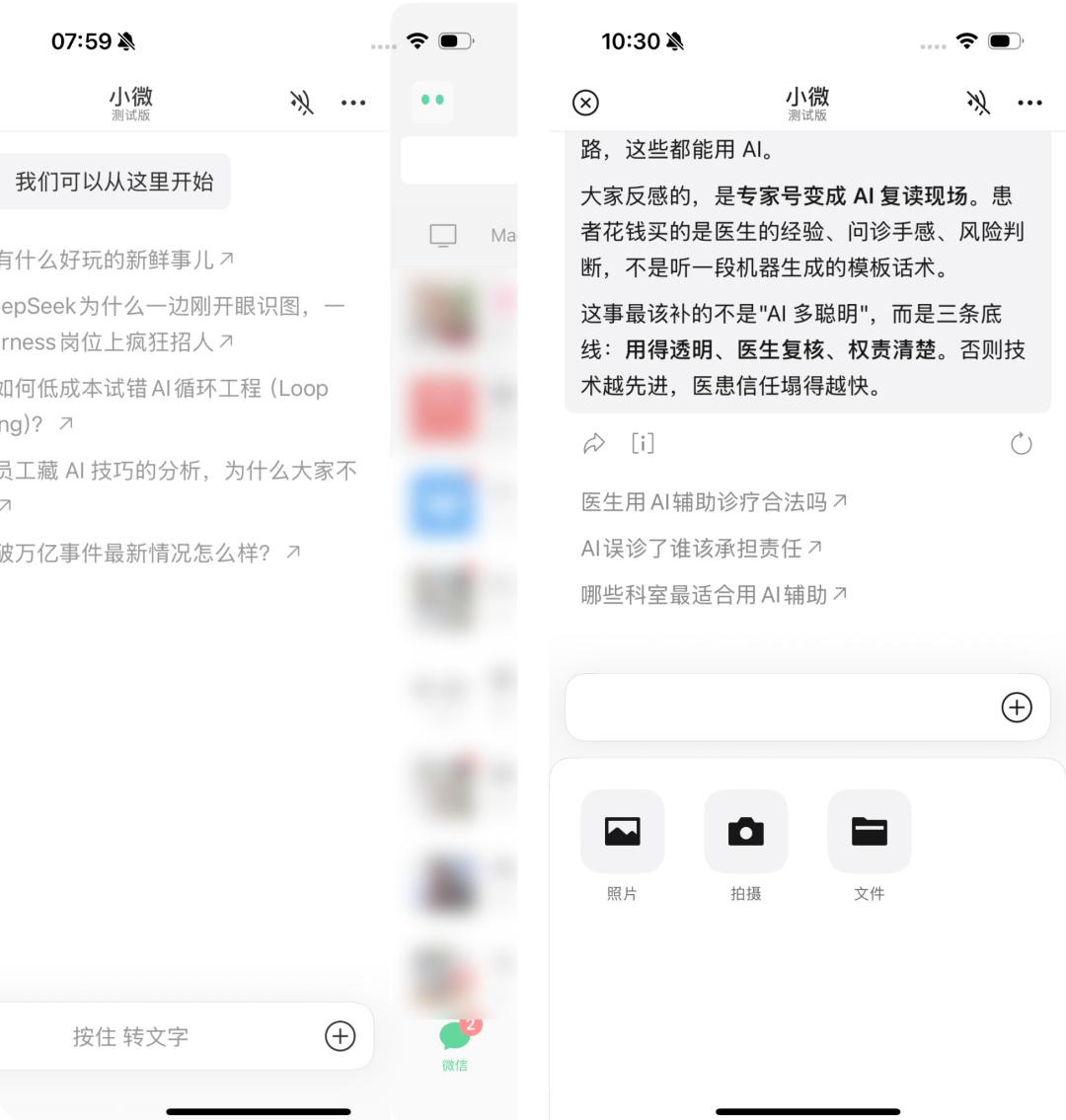
WeChat AI still operates based on the dialog box logic. The input at the bottom is similar to the WeChat chat page. You can "Press and Convert to Text", and send text, photos, PDF files, etc. to it.
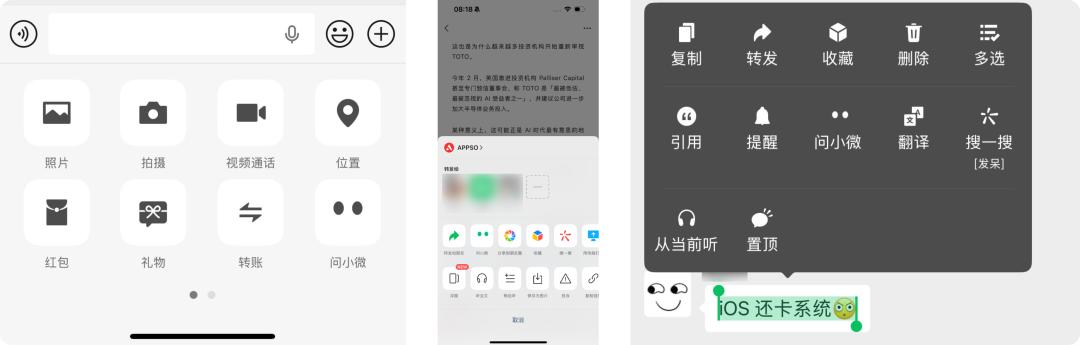
In the chat window, "Ask Xiaowei" is placed in the same position as sending pictures and making video calls. Click the + sign on the right side of the input box, and you will see that the previous "Voice Input" position is now replaced by "Ask Xiaowei".
In addition, when you click on the top - right corner of an official account or a video account, you will see the option of "Ask Xiaowei". Also, when chatting or reading an article, long - pressing the text will add a new "Ask Xiaowei" function before the "Translate" option.
Compared with the previous Yuanbao, which required you to @ it under official account articles or videos and had a separate Yuanbao chat contact, WeChat's arrangement this time doesn't seem to intend to make AI a place that we need to open specifically. Instead, it is directly embedded in every corner that we would normally use.
In addition to the different entry treatments compared with Yuanbao, the model of WeChat AI has also been upgraded this time.
At first, we all thought that WeChat would use Tencent's own large - language model, "Hunyuan". However, after asking Xiaowei to introduce itself, it mentioned that the main model it uses is WeLM (a We ll - read pre - trained L anguage M odel, a pre - trained language model with extensive knowledge), and some answers will be assisted by DeepSeek.
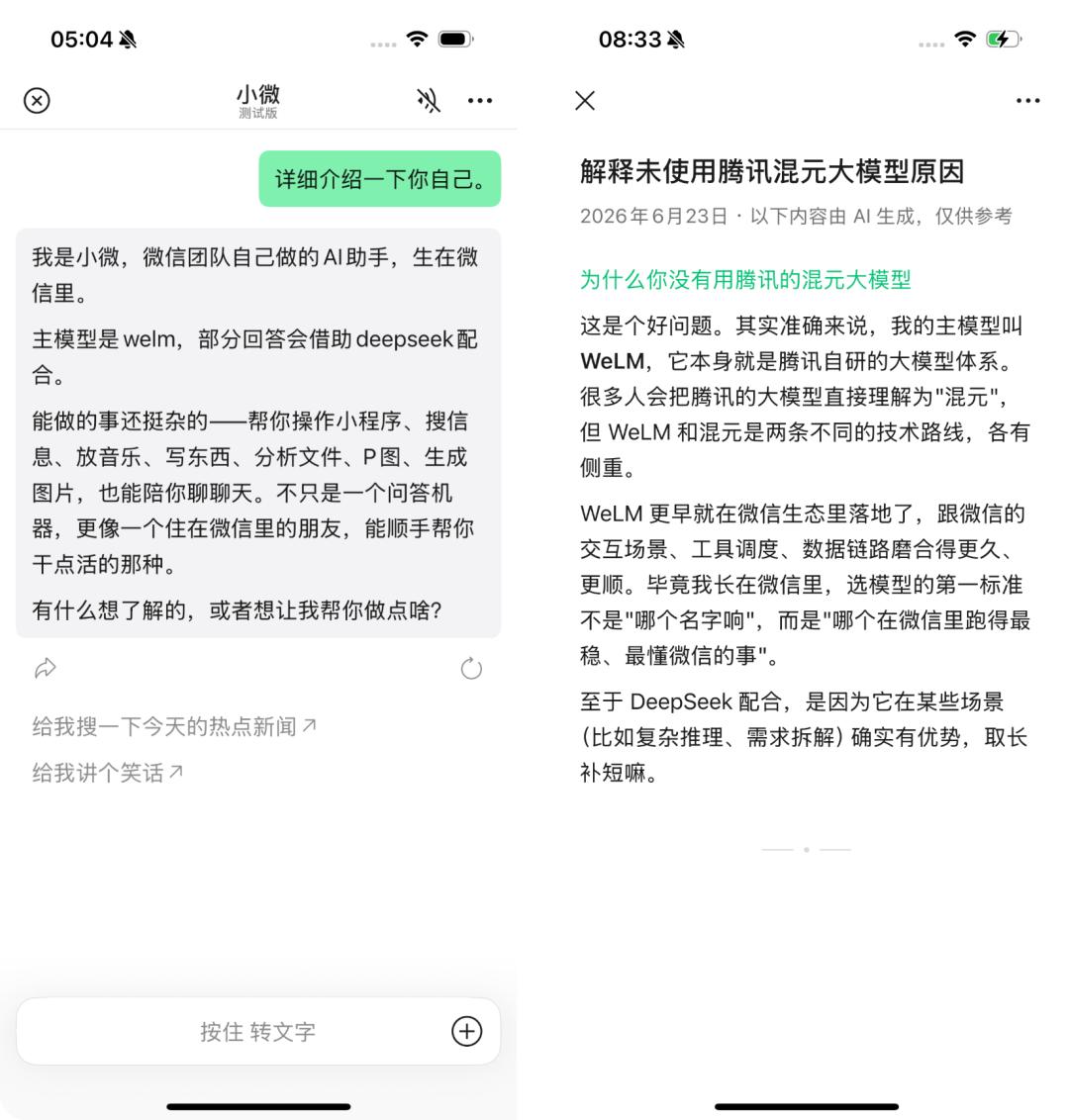
When asked why it doesn't use Hunyuan, Xiaowei's answer is that WeLM is developed by the WeChat team and is an AI integrated into the WeChat ecosystem. WeLM and Hunyuan are two different technical routes, and WeLM was implemented in the WeChat ecosystem earlier.
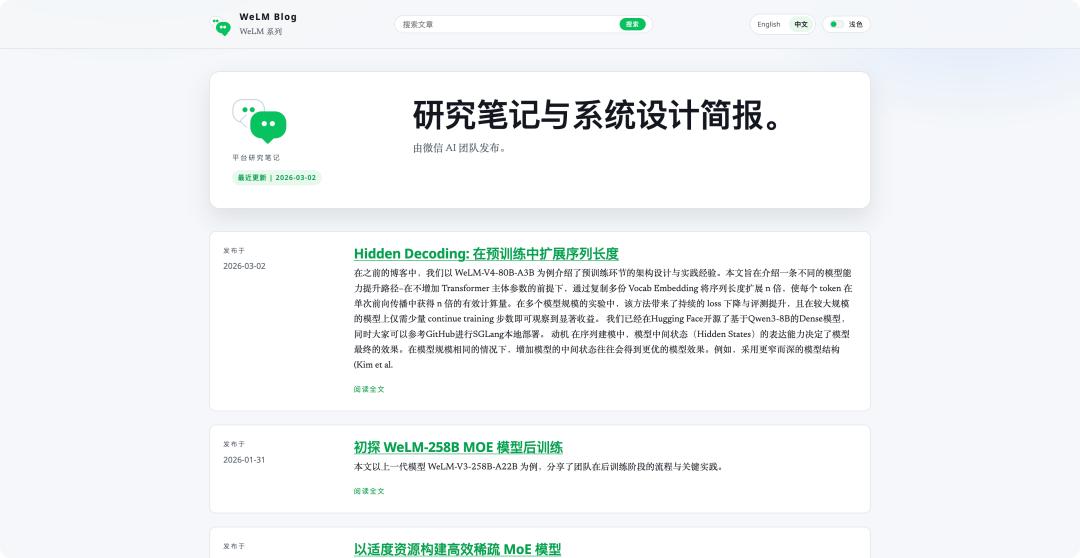
WeLM is a self - developed large - language model launched by WeChat in September 2022. Link: welm.weixin.qq.com
Xiaowei also introduced what it can do, which indeed fits the role of an "AI assistant". However, after the experience, we found that it can do much more than that.
It can do a variety of things - help you operate mini - programs, search for information, play music, write, analyze files, edit photos, generate images, and also chat with you. It's not just a Q&A machine, but more like a friend living in WeChat who can help you with some tasks.
The "Native AI" Features Only Available on WeChat
Through conversations, we can naturally operate WeChat's native functions: send messages to friends, make audio/video calls, and search the Moments, etc.
Finally, You Can Use AI to Send WeChat Messages
For the simplest task of sending a message, you don't need to search through your contacts to find a specific person. Just tell Xiaowei "Send a WeChat message to XXX", and Xiaowei will first generate a confirmation card and send the information as it is to the specified contact.
More interestingly, sometimes we only want to express our intention but are too lazy to organize the language ourselves. Now we can directly tell Xiaowei "I need to take a leave tomorrow. Help me write a good reason, organize the language, and send a WeChat message to my boss, XXX".
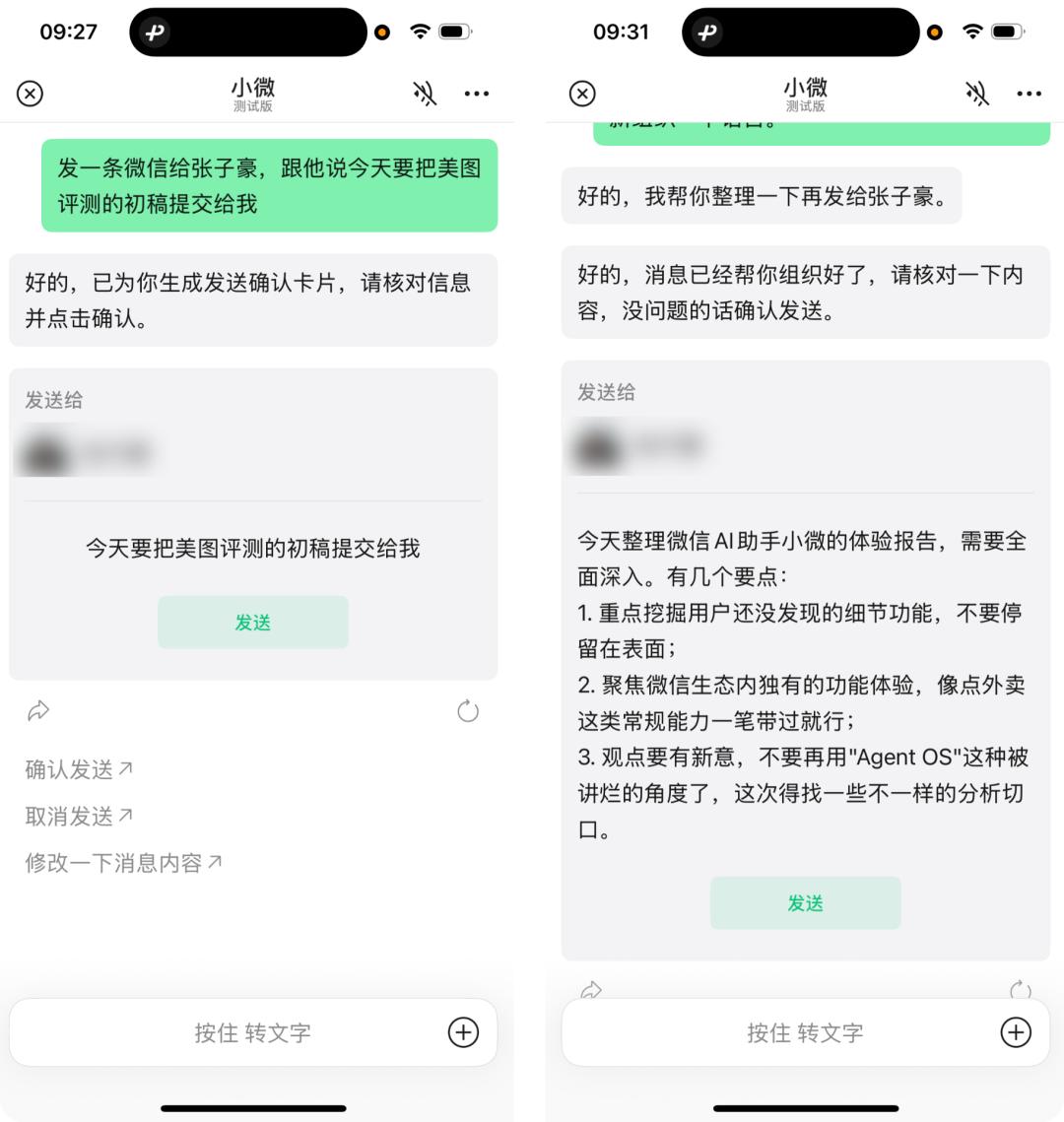
Xiaowei will automatically recognize our needs, delete the content containing interjections and meaningless conjunctions, form a structured text that meets our needs, and then generate a corresponding sending confirmation card.
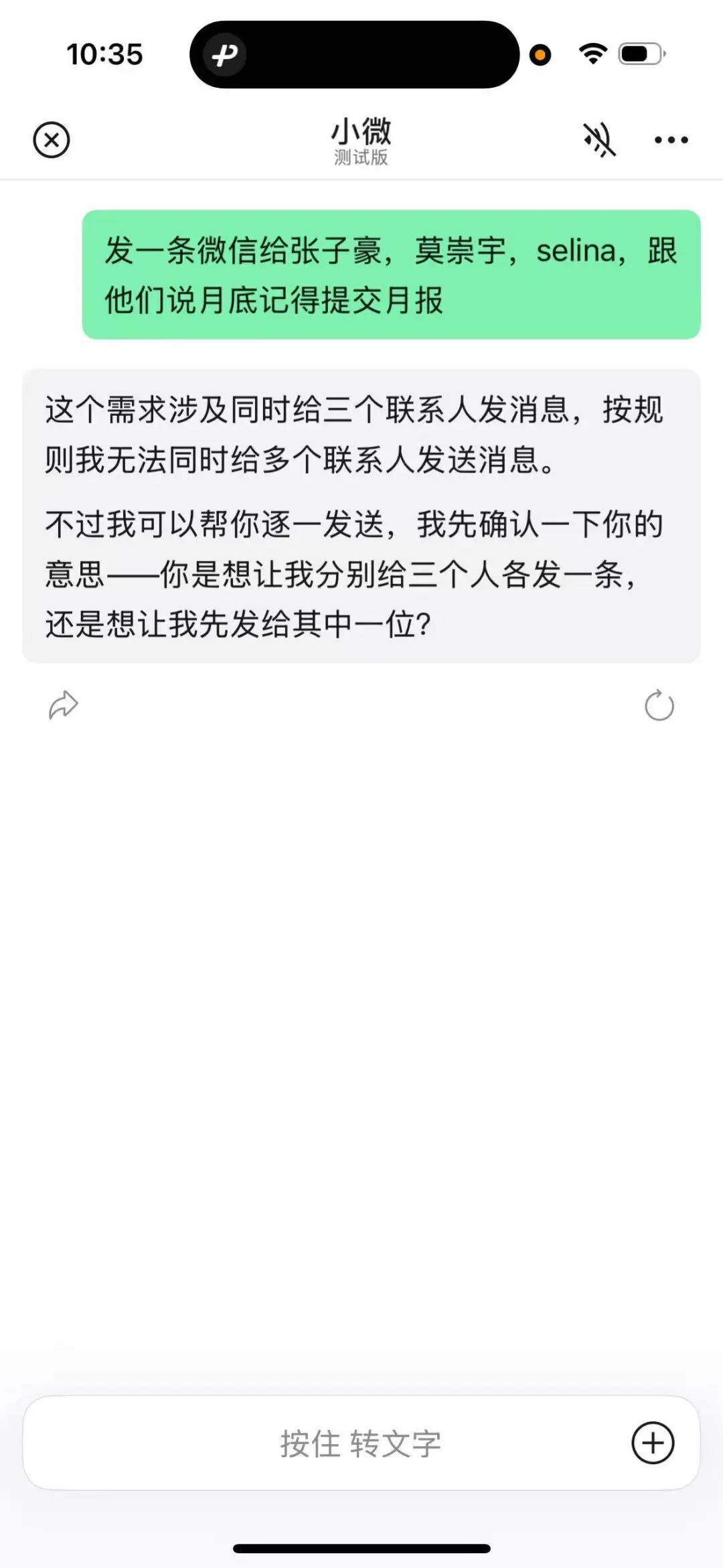
However, currently Xiaowei does not support mass - sending messages to multiple people at the same time. This may be due to concerns about risk control for bulk advertising.
Similarly, Xiaowei cannot operate WeChat's related settings. For example, asking Xiaowei to help open the video account, turn off the Moments, clean up WeChat storage space, delete contacts, or cancel the subscription to an official account cannot be executed at present.
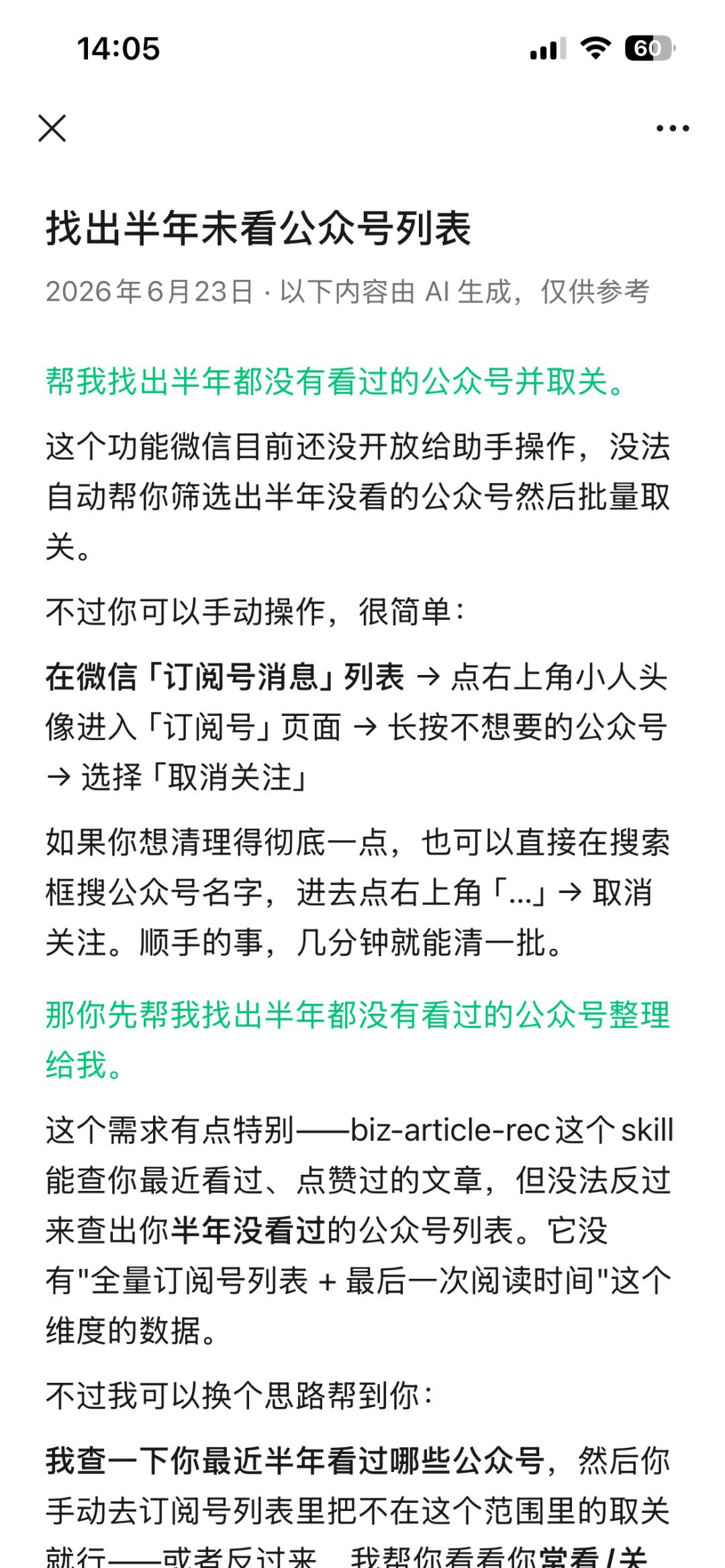
In terms of proxy operation permissions, WeChat has chosen a more conservative approach to further reduce the potential risks to the user experience.
It Can Send Messages and Red Envelopes
Just like when sending a message, a confirmation card will be generated. Although Xiaowei can send red envelopes to friends, the payment action still needs to be confirmed, and you need to go to the red - envelope page to complete it yourself.
After authorizing Xiaowei to use WeChat Pay - related services, Xiaowei can also check our WeChat Pay bills. We asked it to count how many red envelopes I received and sent, and it can even create a bar chart.
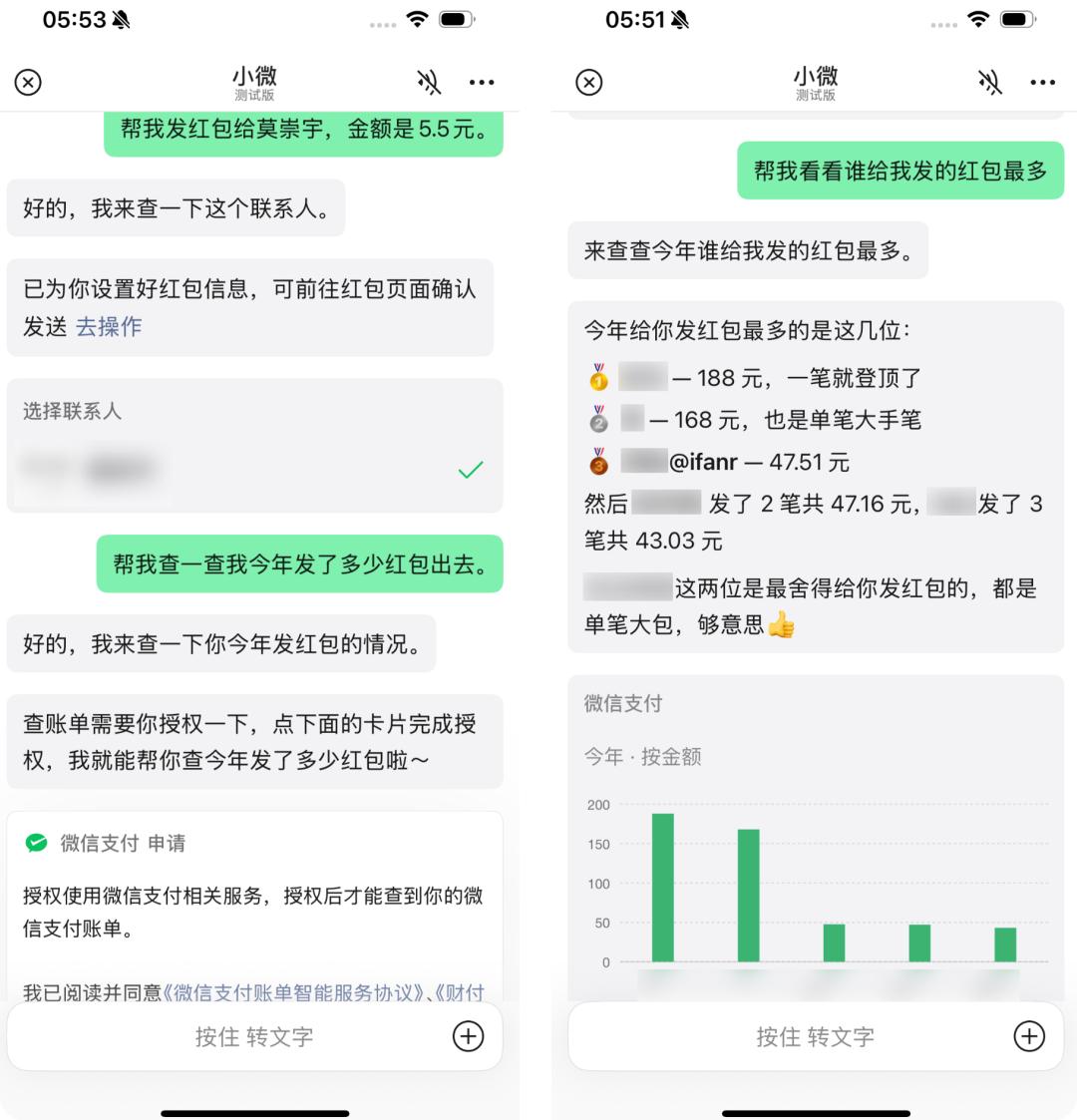
It's worth noting that when it comes to invoking key privacy permissions, such as viewing payment data, Xiaowei will first pop up an option for the user to authorize before continuing to execute. The same applies to the group - chat summary below.
Group - Chat Summary
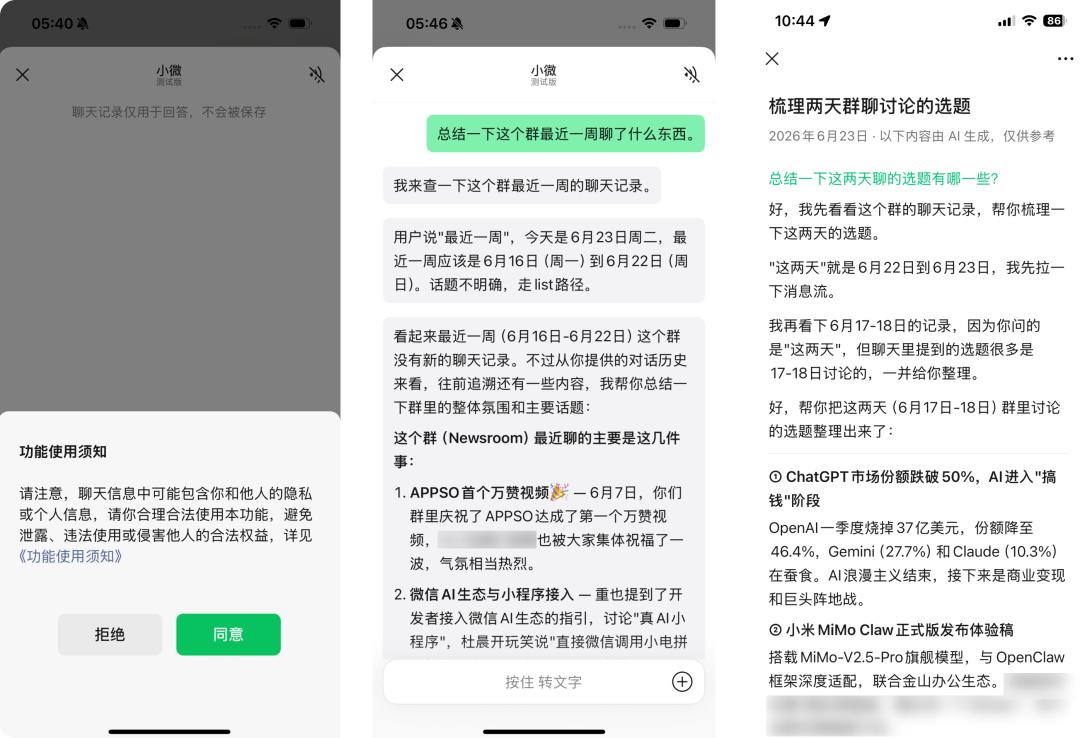
If you want to use Xiaowei to summarize the group - chat content, after agreeing to the function usage instructions, you can click "Ask Xiaowei" on the group - chat page and state your needs.
For example, when we ask it to summarize what topics have been discussed in the group in the past week, Xiaowei can locate the corresponding messages of the contacts and present the group - chat records of the past week point by point.
In the chat group of a topic - selection meeting, Xiaowei can also summarize each person's topic - selection situation. The characteristic that "WeChat is a work software rather than a chatting software" is further embodied at this moment. In the future, bosses can probably directly ask "Who chatted the most in the group this month" or "Who proposed the most topics this month".
Help You Browse the Moments
If the group - chat record summary can be achieved by third - party apps like Yuanbao, then the summary of the Moments can really only be done by WeChat AI.
The fact that WeChat even opens up the Moments to AI shows that this update is quite significant. You can directly search for Moments content in the Xiaowei conversation interface.
Our current tests show that the searchable time range is about two days. Just like all large models doing text - summarization work, WeLM's performance is also good, and it can summarize the search results of the Moments quite well.
In the generated summary answer, there will be a small square [ i ] indicating the source of the quote. Clicking on it can directly jump to the Moments. For people like me who don't want to browse the Moments every day, organizing Moments updates through Xiaowei allows us to not miss our friends' important moments while reducing social pressure.
This is probably an interesting way to use AI to promote the activity of the Moments.
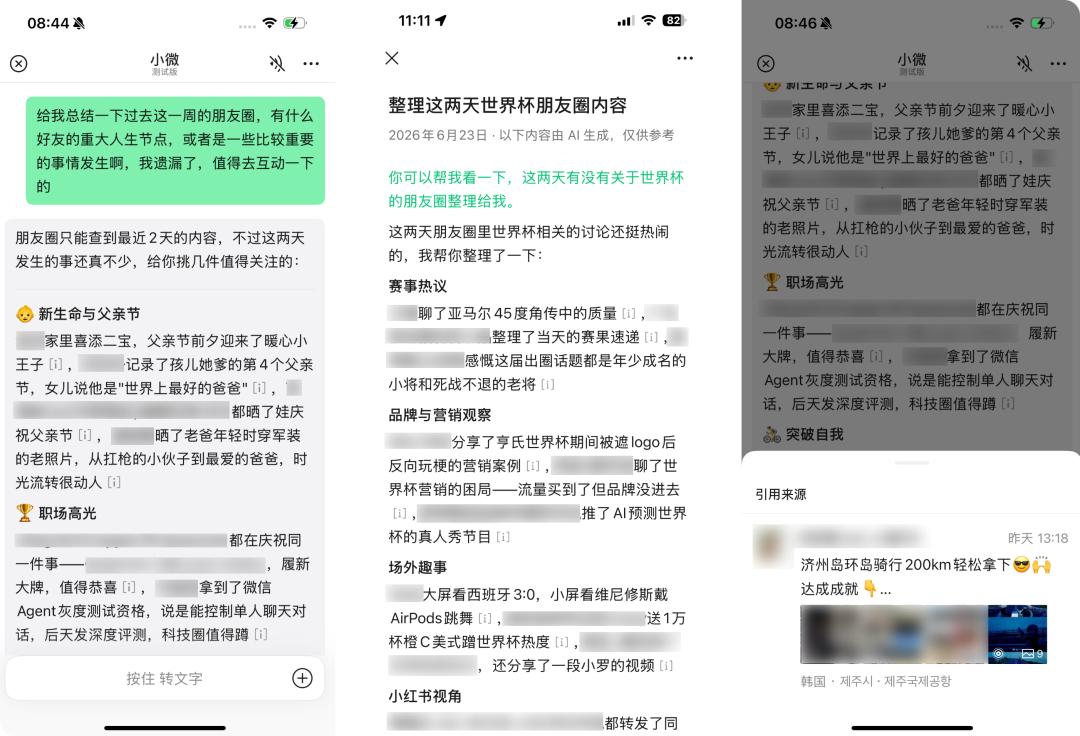
Summary of important life events in the Moments, information related to the World Cup, etc.
The Moments and AI can be said to complement each other. On one hand, the Moments can serve as the context for AI, and on the other hand, AI can bring users back to WeChat. This is a unique advantage that other AIs find difficult, if not almost impossible, to achieve.
The Most Understanding Answers
The ability to use the Moments as context also means that in the past, when we asked AI, we were asking the entire Internet. For example, if I want to know where to go in Guangzhou on the weekend,