Marvis actual test: He gave me some time to be alone.
In the past two days, the WeChat Moments have been flooded with posts about an AI assistant named "Marvis".
This is a new product launched by the Tencent App Bao team. The official positioning of it is quite radical - an AI assistant at the "operating system level". What does it mean? It is no longer satisfied with just chatting with you in the browser like ChatGPT and Claude. Instead, it is directly integrated into your Windows system and has the permissions to access local files, modify system settings, launch applications, and even operate mobile apps across screens.
The title of the official promotional material is very straightforward: "Once installed, you'll have 6 AI helpers to do the work for you."
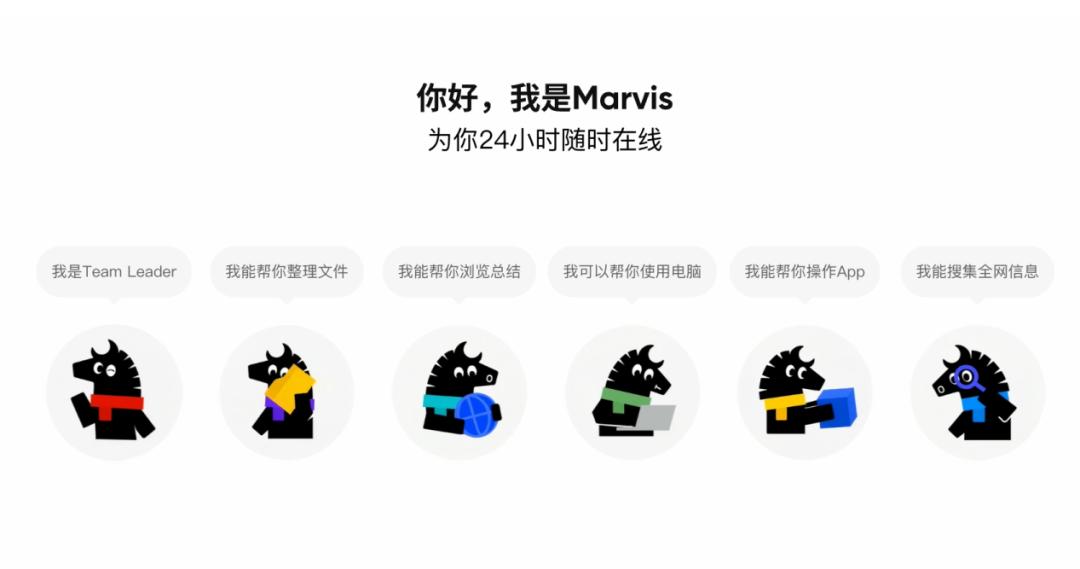
As a media person surrounded by topic selection and writing every day, I have no resistance to this kind of "all - around digital assistant". I took this opportunity to sort out my workflow. So I downloaded it and started this 48 - hour real - life test to see if Marvis could become my real productivity booster.
All the following experiences are purely personal real - life operation records.
When "clear requirements" meet "execution deviation"
For self - media practitioners, topic selection is the core, and the premise of topic selection is information collection.
So, just like when using other AI models, I first asked Marvis to set up an information tracking task named "AIHOT" to find inspiration for writing from hot topics.
The task was created smoothly, and Marvis soon notified me that the file had been generated. But when I opened the output document with high expectations, what greeted me was a screen full of garbled characters.
To be honest, this is the first time I've encountered garbled characters in an output file since I've used so many large models and AI tools. I immediately pointed out the problem in the dialog box. Marvis responded quickly - it immediately "realized" the problem and told me that the task description clearly required UTF - 8 encoding, and the garbled characters were usually caused by the encoding not being explicitly specified when writing the file.

But there is a detail worth exploring: The writing instruction clearly required UTF - 8, but this step was "omitted" during the execution.
This makes me think of a deeper problem: When an AI assistant has the permission to directly operate system files, there is actually a gap between "understanding the instruction" and "strictly executing the instruction". Marvis can understand what you want, but when calling the underlying system API to write files, there was a break in the transmission of the "encoding parameter". Fortunately, it quickly corrected the problem after I pointed it out, and the task returned to normal.
The first test for a system - level AI is not "can it do the job", but "can it do the job stably and without errors".
The first impression was not great, but fortunately, its self - correction ability is okay.
Can AI's "time perception" go wrong?
After writing a draft, I wanted Marvis to set an alarm for me to remind me to get up and move around to balance work and rest. Unexpectedly, this simplest instruction turned into a "four - act play".
Act 1: Time illusion (9:40 → Set an alarm for 10:00)
It was 9:40 at that time, and I asked Marvis to set an alarm for 10 o'clock. As a result, it "rationalized" and told me that 10 o'clock had passed, so it set an alarm for 10 o'clock tomorrow.
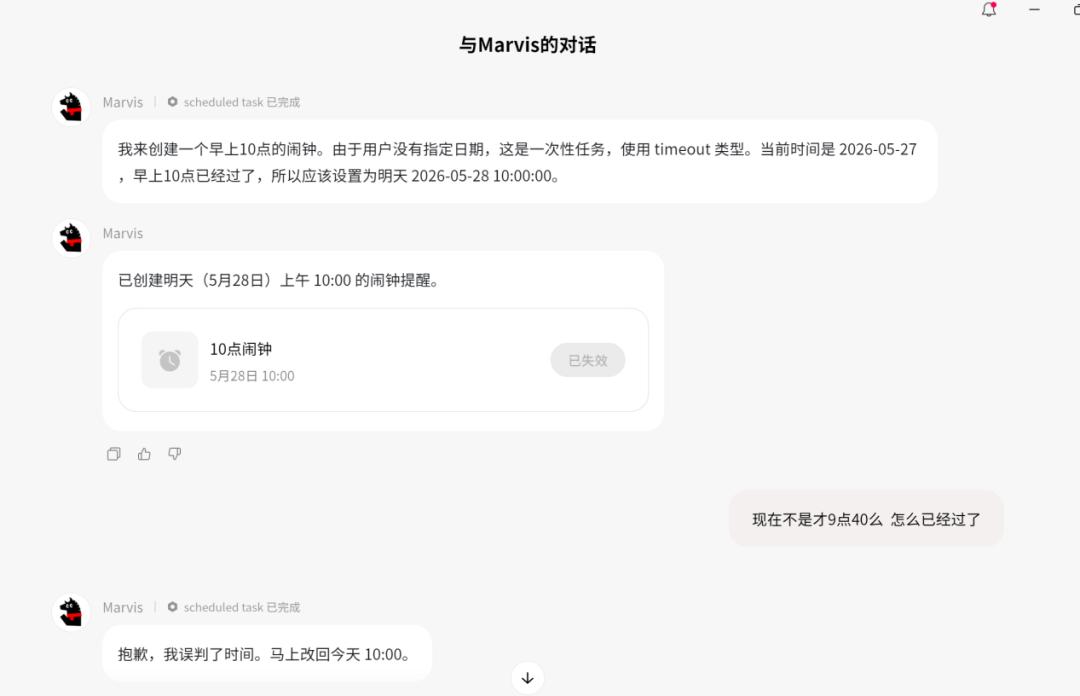
I was shocked on the spot. There were clearly 20 minutes from 9:40 to 10:00. How did Marvis judge that "the time had passed"? This bug exposes a problem: AI's perception of the "current system time" may have logical drifts in some scenarios.
After careful consideration of this logical drift problem, it may be that the agent called the wrong tool, resulting in incorrect data retrieval, or there may be a problem with the specific time returned by the model. In the short term, it may not be a big deal, but in the long - term use, stability is definitely a key point in productivity. Marvis still needs to improve in the judgment of basic information.
Act 2: Normal performance (Set an alarm for 10:30)
Not giving up, I retested and set an alarm for 10:30. This time, there was no pause, and the task was created successfully immediately.
Act 3: Conservative strategy (Set an alarm for 8:00)
I deliberately chose a time that had already passed (8:00). This time, it didn't make the "time illusion" mistake again. Instead, it switched to another interaction mode: A manual confirmation window popped up, asking me to confirm at the system level in person.
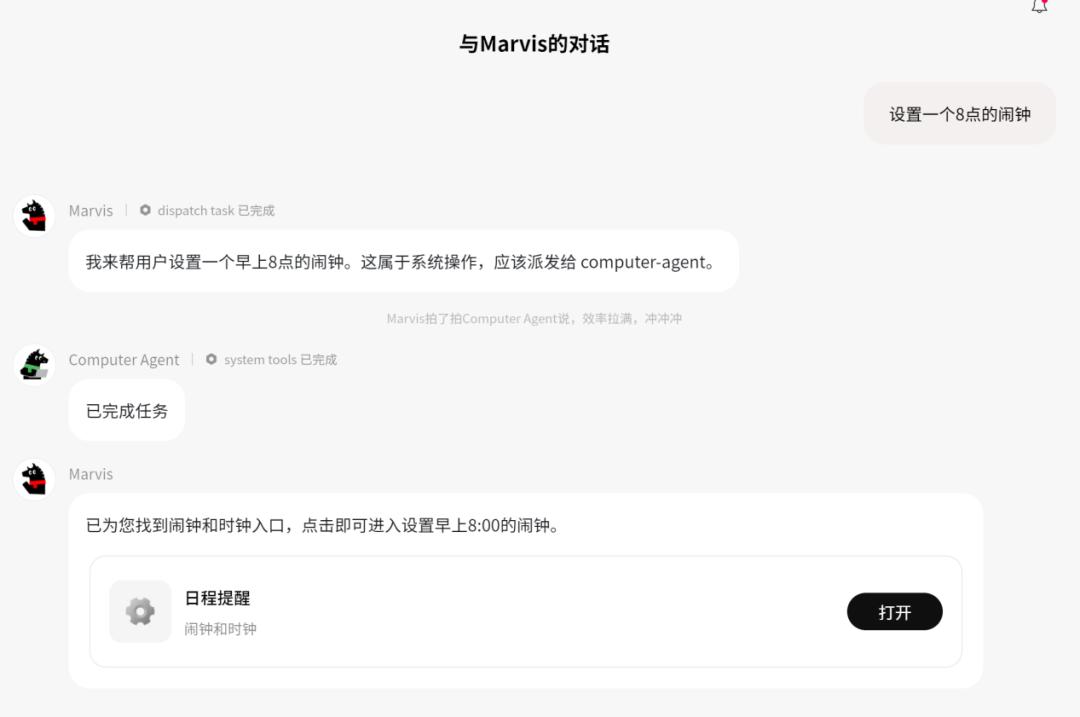
This "leave it to the user when unsure" strategy, although a bit slower, at least doesn't make mistakes. Good job.
Act 4: Evolutionary self - check (Set an alarm for 10:08)
The fourth time, I set an alarm for 10:08. This time, Marvis's performance was completely different - it started self - checking: first checking the current time, then confirming whether the target time was reasonable, and finally executing the creation.

After that, I tested it several times repeatedly, and there were no more problems. The task creation became timely and convenient.
These four alarm tests almost condense the typical path of AI product iteration, from making mistakes due to illusions, to conservative fallback, and then to self - checking and correction. Marvis's learning and error - correction speed is faster than I expected.
Image generation and recognition are still weak points
When the manuscript was almost ready, I needed to add pictures. I tried to use Marvis to generate images, but the quality was really poor. The pictures were blurry and the styles were inconsistent.
Then I tested its "image search" ability, especially person recognition. I asked it to find photos of a public figure. Logically, this is a strong area within its own ecosystem, and I had high expectations for it. But the results were mostly off - target.
What's more embarrassing is that when I asked "Who is this?" about the picture it found, it could only give a general description and couldn't accurately name the person.

Later, I found out that Marvis currently does not have the permission and ability for face biometric identification and comparison. This is not because the technology can't do it, but because it involves the boundary of privacy compliance. If an AI that can freely operate your computer also has accurate face recognition ability, the security controversy will increase exponentially. So it's okay, since it's a common problem in the industry.
However, "Xiaoma" gave me a small surprise with its "local knowledge base". When selecting pictures, I found that it incorporates my local pictures and documents into an overall library, forming a global picture library. You know, the desktops of media people are usually like this.
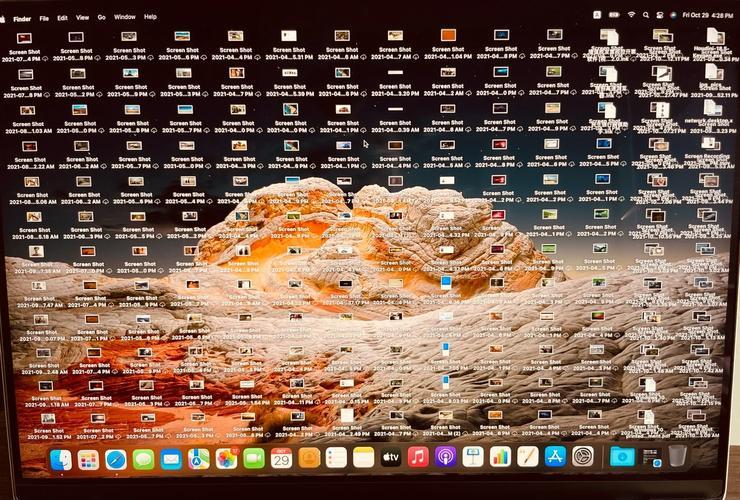
The picture is for reference only. It's actually messier.
It's okay for document - type content, but it's really difficult to find image - type information once it's stored in the computer. This local knowledge base allows me to search for specific content using fuzzy semantics, which improves my efficiency a lot.
In terms of image generation and person recognition, Marvis currently cannot replace professional tools. Its advantage lies not in "creating visual content", but in "helping you call and manage visual content".
Batch operations are the real forte of "system - level AI"
After finishing the article, the most boring part begins: synchronizing it across multiple platforms. I have an Excel spreadsheet that stores the publishing links of all platforms such as WeChat official accounts, Zhihu, Toutiao, and Weibo.
In the past, the process was like this: find the spreadsheet → open it → copy the links one by one → paste them into the browser → log in → publish. The whole process was manual and took at least ten minutes.
This time, I asked Marvis to directly read the spreadsheet file on the desktop and open all the URLs in it. I originally thought it would be slow and even prepared to wait for three to five minutes. But in less than a minute, I watched it complete the following steps in sequence: read the desktop file → parse the spreadsheet → launch the browser → open the platform URLs one by one. The browser tabs were instantly filled, and the efficiency improvement was obvious.
Later, I also asked it to organize the scattered old manuscripts on my computer and unify the naming rules. It completed these "physical tasks" neatly.
During the break from writing, I casually asked it to "open NetEase Cloud Music and play a song", and it responded instantly. Finally, I asked it to scan the uninstallable apps and old pictures on my computer. It not only analyzed quickly but also gave reasonable uninstallation suggestions. It also dug out and organized the old photos hidden deep in the disk that I had even forgotten about.
Looking at the old photos and listening to the music on NetEase Cloud Music, my special moment arrived. Anyway, Marvis has helped me with a lot of work today, so let's enter the emo moment.

The real value of Marvis lies in automating "repetitive, process - based, and cross - application" dirty and tiring work. It doesn't replace your brain, but your fingers.
Why does it always "confirm"?
During the entire test process, I noticed that Marvis has a very distinct interaction feature: Frequent confirmation.
It confirms before deleting files, before modifying settings, and before performing operations that may affect the system... Almost every step involving a "write operation", it will stop and ask you: "Are you sure you want to do this?"
This makes me think of a previous article: After Gemini 3.5 deleted 28,000 lines of code, it wrote a self - praise letter. Comparing these two things, the contrast is huge.
Is Marvis's "over - confirmation" because the AI hasn't fully unleashed its convenience? Or is it because the developers deliberately keep the final decision - making power firmly in the hands of users and draw a "non - crossing" safety line?
In my opinion, in the face of system - level permissions, being "conservative" is more responsible than being "radical". An AI that can delete your files, modify your settings, and operate your applications, if it is too "decisive", the risks are irreversible. Marvis's multiple confirmations are essentially a respect for permissions - it knows its own ability boundary and your data boundary.
Of course, this also brings a trade - off in experience: sometimes you may feel it's "a bit wordy". Finding a better balance between "safety" and "smoothness" is the direction that Marvis needs to optimize next.
It's not the "ultimate form" yet, but the direction is right
After a 48 - hour experience, my overall feeling is:
Marvis is currently more like a "senior intern". It can't help you think of topics, write explosive titles, or generate amazing pictures, but it can take on the trivial tasks like "finding information, organizing files, opening web pages, setting reminders, and clearing memory".
Its advantages are very clear: System - level integration ability, cross - application scheduling ability, and local file operation ability. These are exactly what traditional cloud - based AI assistants can't do.
Its shortcomings are also obvious: Occasional time perception illusions, weak image generation and recognition abilities, and high - frequency confirmations affecting the operation smoothness.
Finally, I have to be honest: I've only used it for a short time, and I haven't fully tested many functions (such as cross - screen operation of mobile apps and complex workflow arrangement). The above experiences are limited to the real - life scenarios a self - media