After this major update of Codex, the value of Mac has been further enhanced.
「If this tweet gets one like, Codex will reset its usage limit.」

It's hard to count how many times the usage limit has been reset this year. A few days ago, Altman posted on X, and Tibo, the person in charge of Codex, reset the usage limit once again.
Netizens made a meme. Whenever someone wants to switch to Anthropic or Gemini, Altman stands behind and silently presses the button to reset Codex's usage limit. Then this person will turn back and be pulled back to OpenAI.

In the past six months, OpenAI has gained a large number of new users thanks to the popular Codex. Foreign media reported that OpenAI's revenue in the first quarter reached $5.7 billion, $1 billion higher than Anthropic. Codex is the main factor.
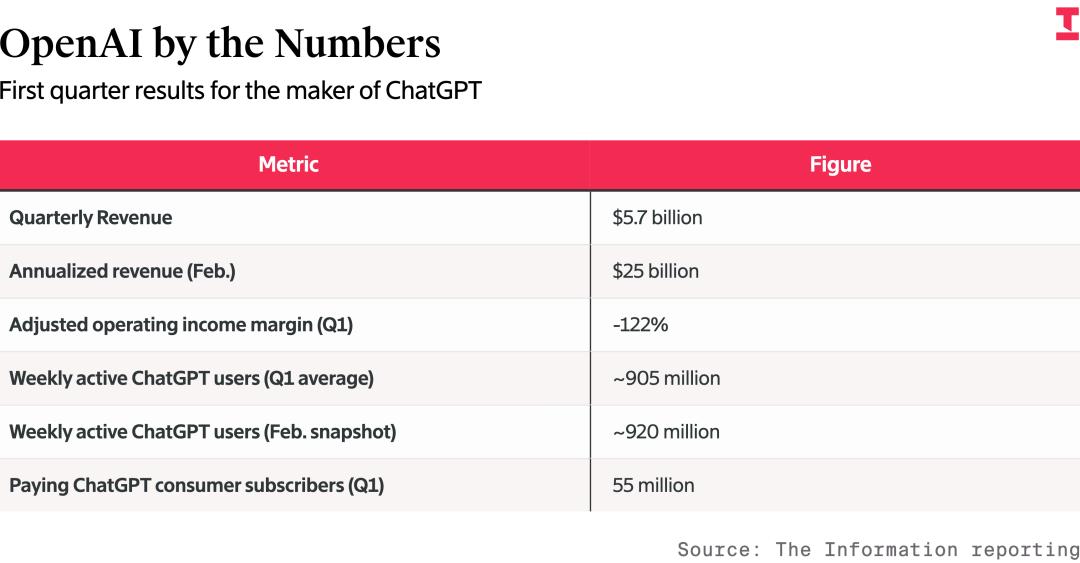
Relevant data on OpenAI's revenue. The quarterly revenue reached $5.7 billion, the annualized revenue was $25 billion. The adjusted operating profit margin in the first quarter was -122%. The average number of weekly active users this quarter was about 905 million. In February, the number of weekly active users reached about 920 million. The number of paying users in the first quarter was 55 million, higher than about 47 million at the end of last year.
We introduced a getting - started guide for Codex before. It includes detailed steps from downloading and installing it from the ChatGPT official website to connecting it to the ChatGPT App on your phone for remote control.
Many readers left messages in the comment section, saying that Codex is really useful. They also reported many problems, such as still needing to bind a mobile phone number after downloading Codex to use it. Our tests also found that when logging in again after logging out, you will indeed be required to bind a mobile phone number.

At this time, it is recommended to log in first in the browser, that is, actively open the website https://auth.openai.com/log - in to log in in advance. Then go back to Codex to log in. The popped - up login link will only show the requirement for authorization and there will be no prompt to bind a mobile phone number.
Different accounts may encounter different situations. Maybe OpenAI has invested too much computing power in Codex and doesn't want users to take advantage of it too easily.
Early this morning, Codex launched a large number of new features. Now, just press the Command - Command keys on your computer, and you can attach the application window to Codex's conversation thread. Codex will automatically capture the screenshot and text of the window, including the content that is not visible on the screen, as the context of the conversation.
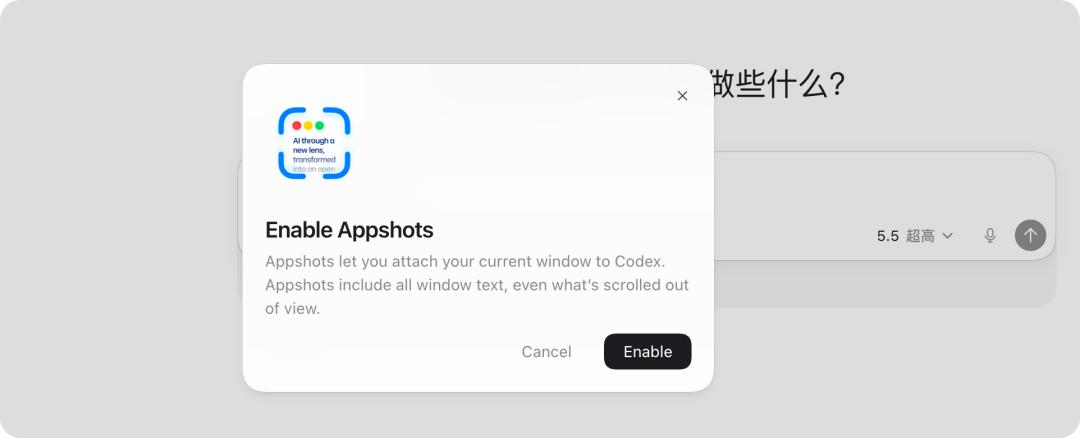
Previously, you had to take screenshots manually. Now, Codex can not only process screenshots but also directly read the information of an entire application window.
In addition, the function of operating Codex on the computer within the ChatGPT App, which was updated last time, has also been upgraded this time. Previously, the option was to keep Codex always open. Now, even if the computer is locked, ChatGPT can still remotely operate Codex.
The /goal command has also been officially launched from the laboratory version. When we shared about multi - Agents collaboration before, some readers mentioned that the /goal function is similar to multi - Agents. They both manage a task as a project, with a complete goal life cycle and complete iterations through different mechanisms.
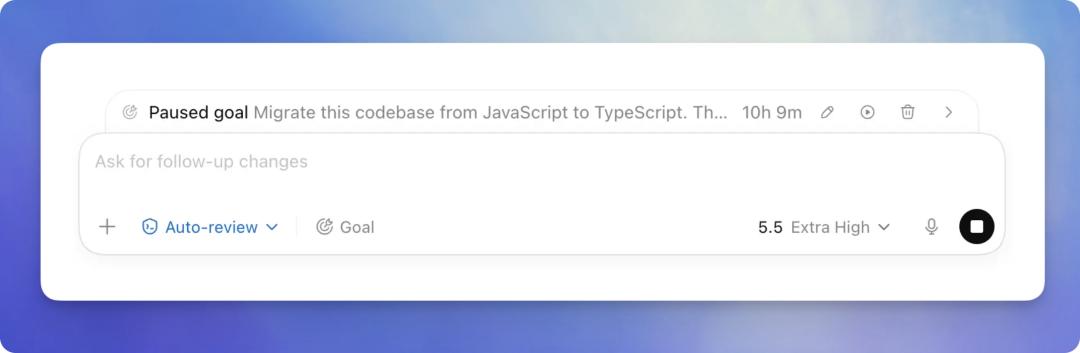
The /goal first appeared in the Codex CLI at the end of April. With it, it can indeed better handle more and more long - term tasks.
However, unfortunately, whether it's pressing the command key or continuing remote control after locking the screen, these are all updates for the macOS platform. Windows users can only wait for OpenAI to make progress.
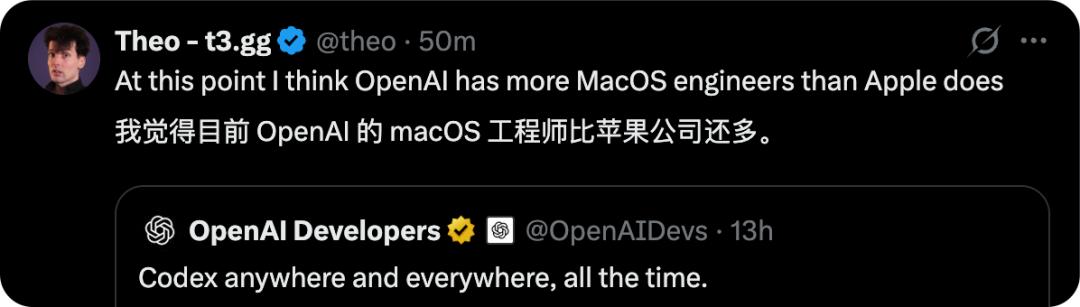
Some netizens said, 「Mac users always get the good stuff, while Windows users can only watch helplessly, haha.」 It has to be said that the value of the Mac mini as an AI PC is still increasing.
Appshots: Saving You a Lot of Trouble
This function is called Appshots. It's very easy to enable it. Update Codex, find 「Appshots」 under the application settings, and there will be a video tutorial. You can also customize the shortcut keys.
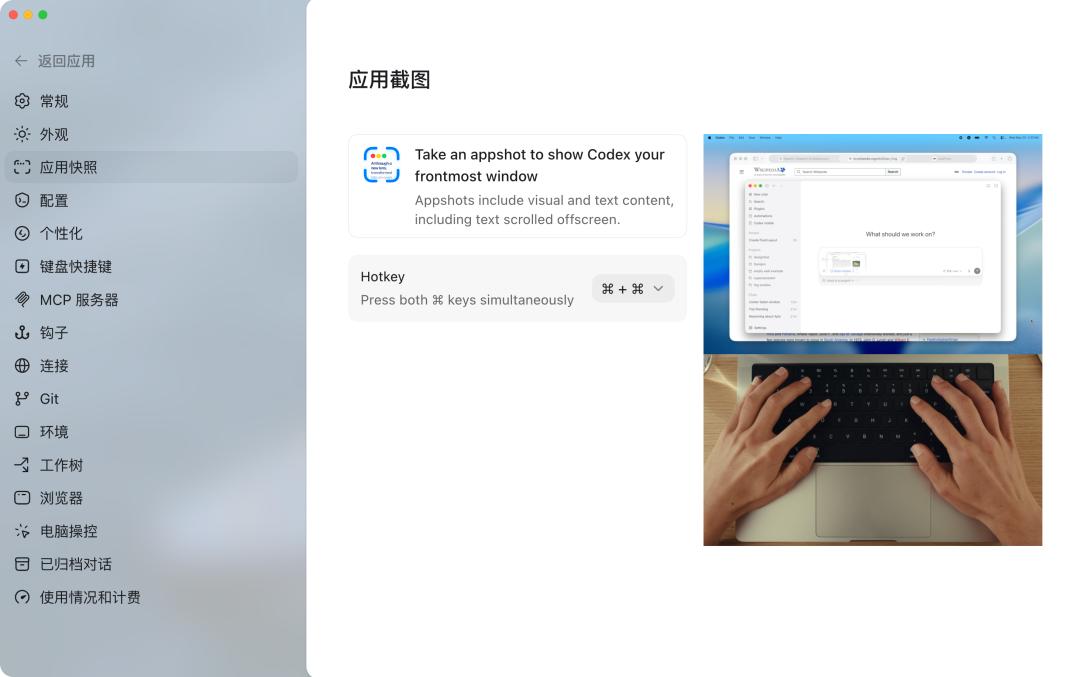
However, it should be noted that pressing the command key means pressing the two command keys on both sides of the space bar on the keyboard, not clicking twice.
After pressing the two command keys simultaneously on any interface, Codex will automatically capture a screenshot of the page and quickly open Codex to place the screenshot in the input box. We can ask questions about this window snapshot.
Based on Codex's capabilities, this window snapshot is not just an OCR text extraction of an image. Codex can further use functions such as Computer Use and Chrome automation on the basis of this window.
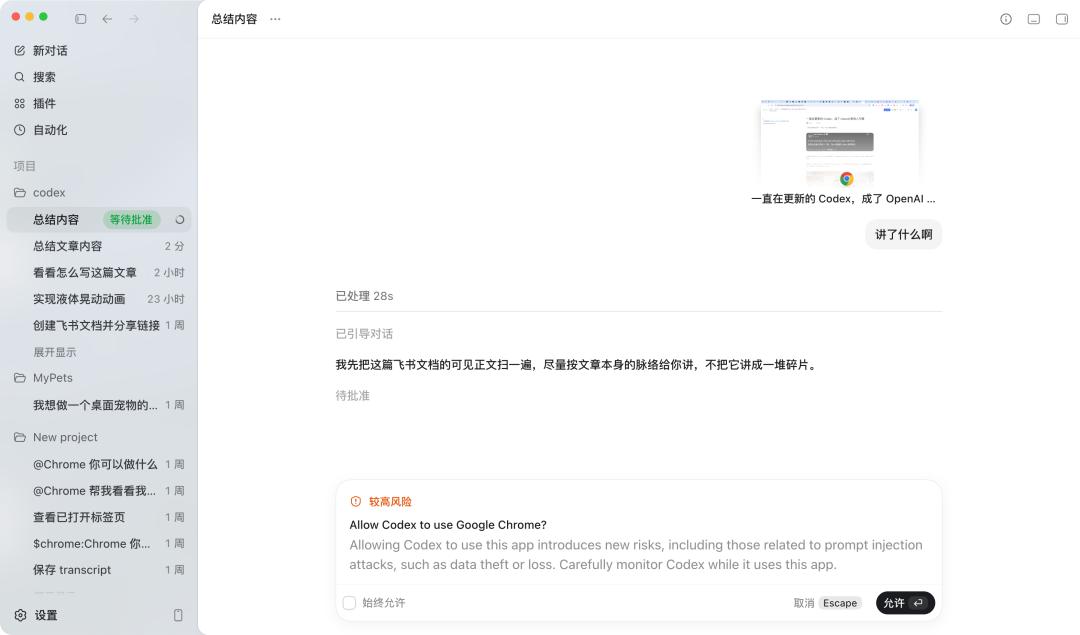
In the picture, the command key was just pressed at the beginning of the Codex article, but Codex doesn't just process this screenshot. Instead, it will read the entire window based on Chrome's capabilities.
For example, if we press the command keys simultaneously at the beginning of a Feishu document article and then tell Codex to see what this window is about. Codex will use Google Chrome's tools to automatically browse the web page to obtain more context.
This is the biggest difference between it and ordinary screenshots. In addition to putting the screenshot content into the context, Codex will also automatically send the window information, such as which application it comes from, and other status information to Codex.
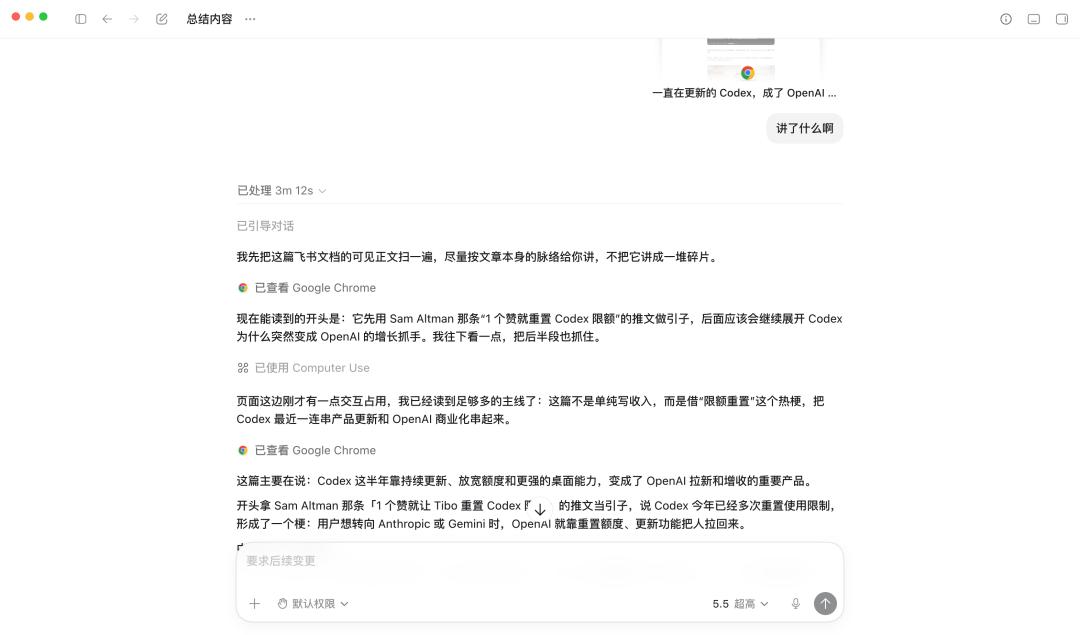
Codex recognized the content of the article after the beginning
For example, when we are reading a WeChat official account article, we can also press the two command keys to enable Appshots. But there is a small bug. When Codex uses Computer Use to control the WeChat window, scroll up and down the official account article, and exit the image preview, it directly logs us out of WeChat.
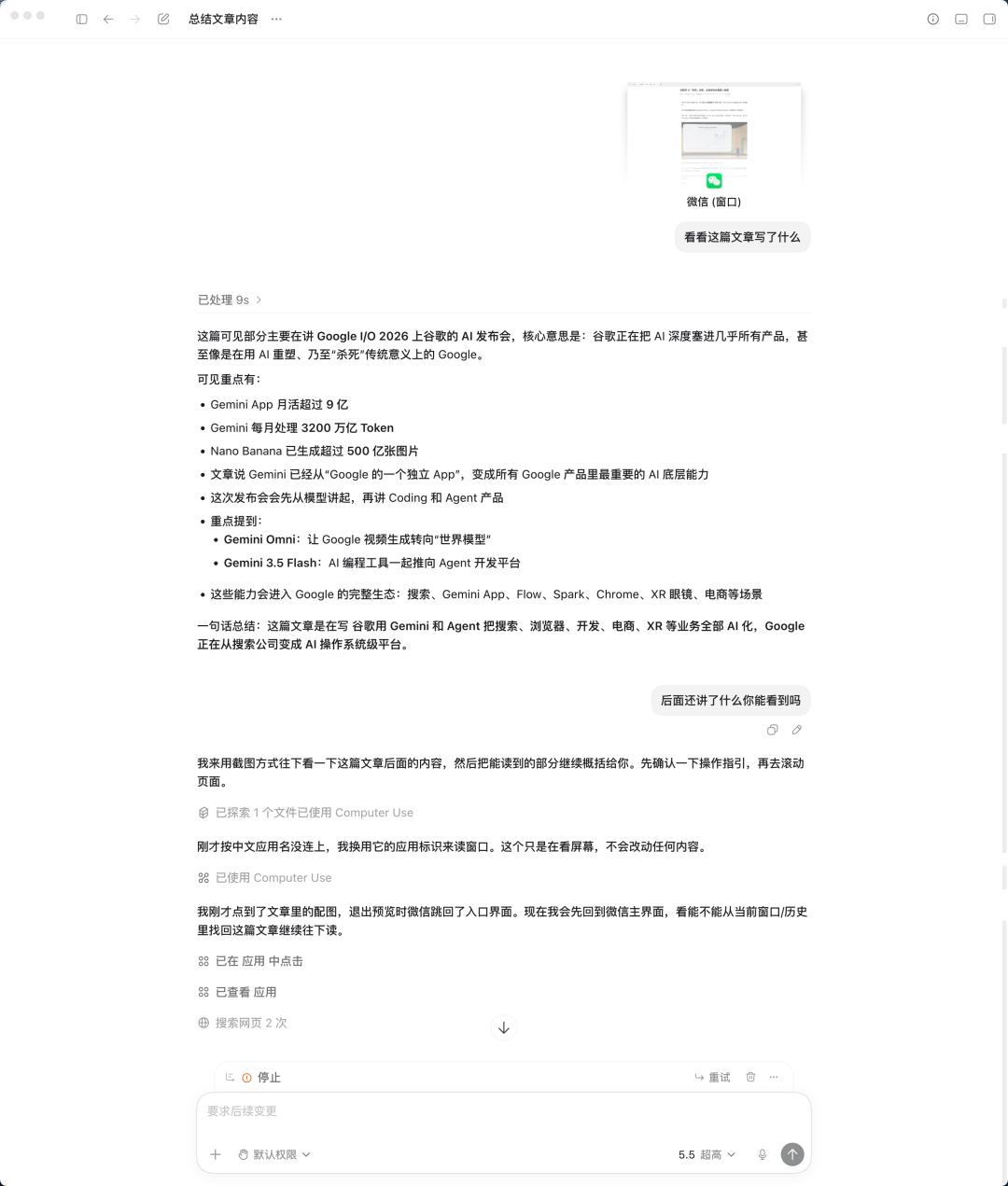
It's not clear yet whether it's because WeChat recognized the robot operation or Codex made a wrong operation. When exiting the image preview, it directly logged out of WeChat. It is recommended to use a secondary account to try the application of Computer Use in WeChat.
In the official promotional video, when introducing Appshots, it is not simply used as a screenshot. Instead, it is used in combination with Computer Use and Google Chrome.
For example, we can directly ask it to modify the content of our memo.

It took two minutes to modify the content of my memo to be displayed in both Chinese and English, directly modifying the original memo
There's no need to copy pictures anymore. Just press command + command and then tell it the prompt for image generation to edit the picture.
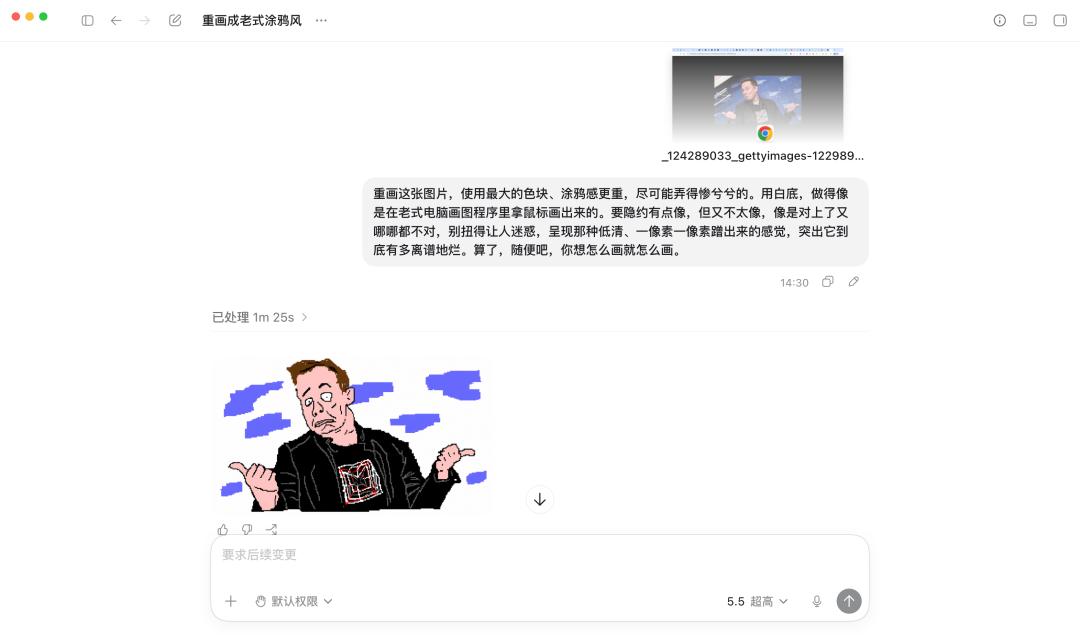
Opened a picture in the browser and told it to generate a graffiti version
With this extra step in the application, we reduce the burden of using AI and make the experience of using Codex smoother.
A Step - by - Step Guide to Using /goal
When we enter a slash in the dialog box, we can see a shortcut option for 「Goal」, which says 「Set a goal that Codex will continuously strive to achieve.」
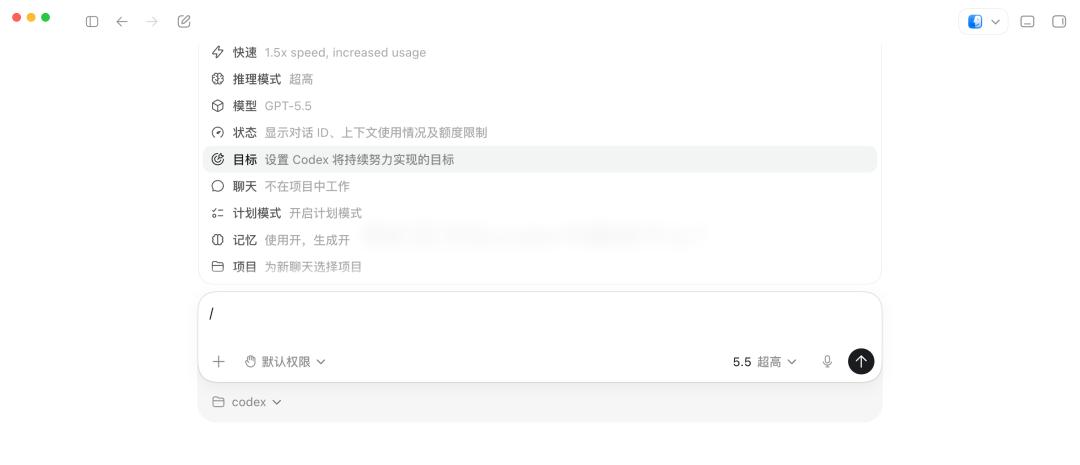
The value of a goal is to be defined as an independent task, rather than an ordinary conversation prompt. Codex will repeatedly judge 「what else should be done」 and 「whether it has been completed」 based on the goal, and automatically advance round by round until the task is completed, paused, or the Token limit is reached.
These two judgments are also the core mechanisms of the goal, namely 「continuation」 and 「completion audit」. 「Continuation」 is to automatically inject a prompt after each round to let the model decide the next step. 「Completion audit」 is to require the model to check item by item against the goal.
The most common pitfall in using the Goal model is to casually write a sentence as the goal. The key principle for writing a good Goal is that Codex should be able to judge whether it has been completed.
The official help document also mentions that a good goal should include specific results, measurable indicators, or test criteria. They gave some examples, such as migrating a project from one programming language to another.
Migrate this project from JavaScript to TypeScript. Requirement: Compile successfully in strict mode, and explicit any types are not allowed.
There are also more direct requirements, such as 「Reduce the interactive time of the home page to less than 1 second.」
These examples all have specific and verifiable criteria, not vague words like 「optimize」 or 「improve」.
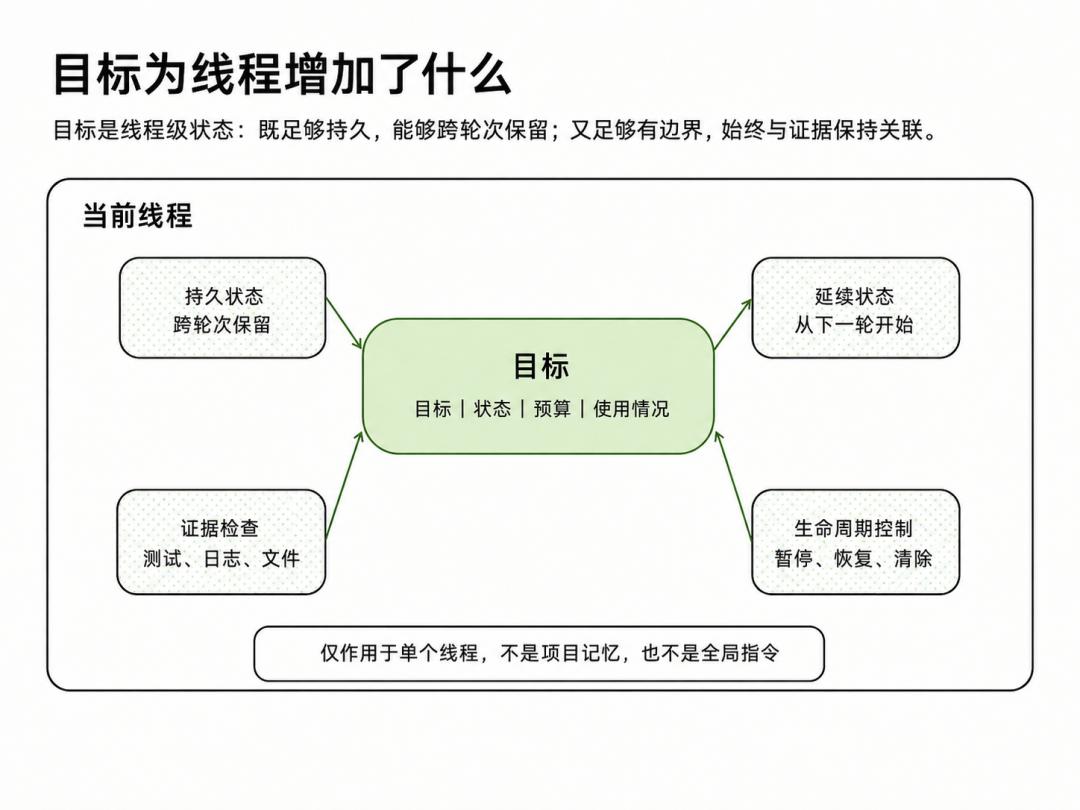
Official tutorial on using Goal | Image source: https://developers.openai.com/cookbook/examples/codex/using_goals_in_codex
If you can't think of specific criteria, Codex suggests running /plan first. Let Codex discuss with you for a round to clarify the acceptance criteria, and then switch back to the normal mode to use /goal.
Some practical tips are that you can add a sentence 「Use a token budget of 80000 tokens for this goal」 at the end of the goal text to set the Token budget.
And don't send /goal at the beginning of a conversation. Instead, first state other requirements for the project, form a certain prototype, and then give it the goal.
Codex Can Still Operate Your Computer When the Screen Is Locked
In addition to these major updates, Codex Thursday also brought many features to improve the user experience.